Wildo.ai Coming soon

Docker & Kubernetes deployment

Generate deployment configuration for your application services and their backing infrastructure.

Service topology · replicas · environment configurationDocker Compose · Kubernetes

> Connected containers with Docker Compose > Cluster workloads with Kubernetes > Shared definitions behind both

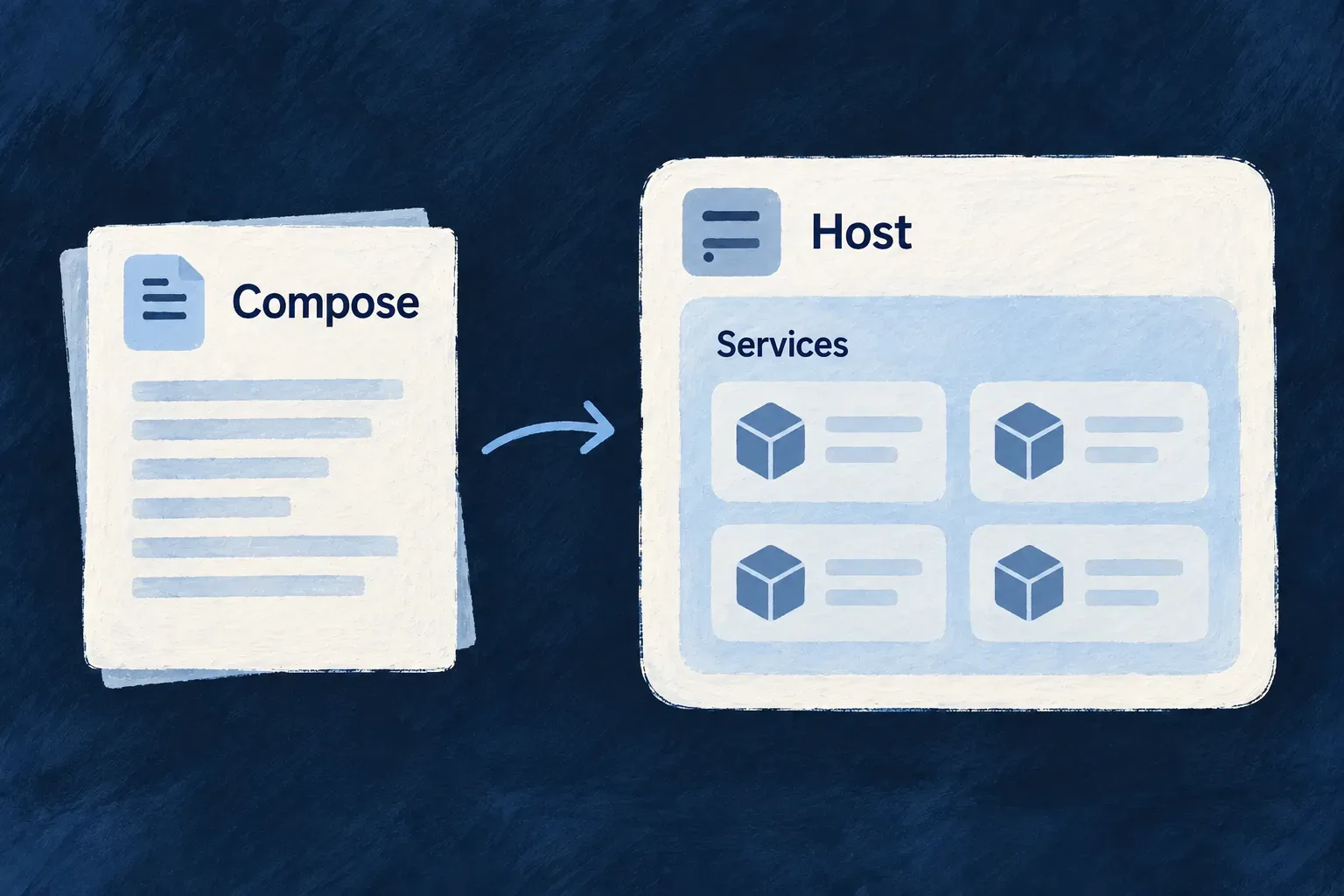
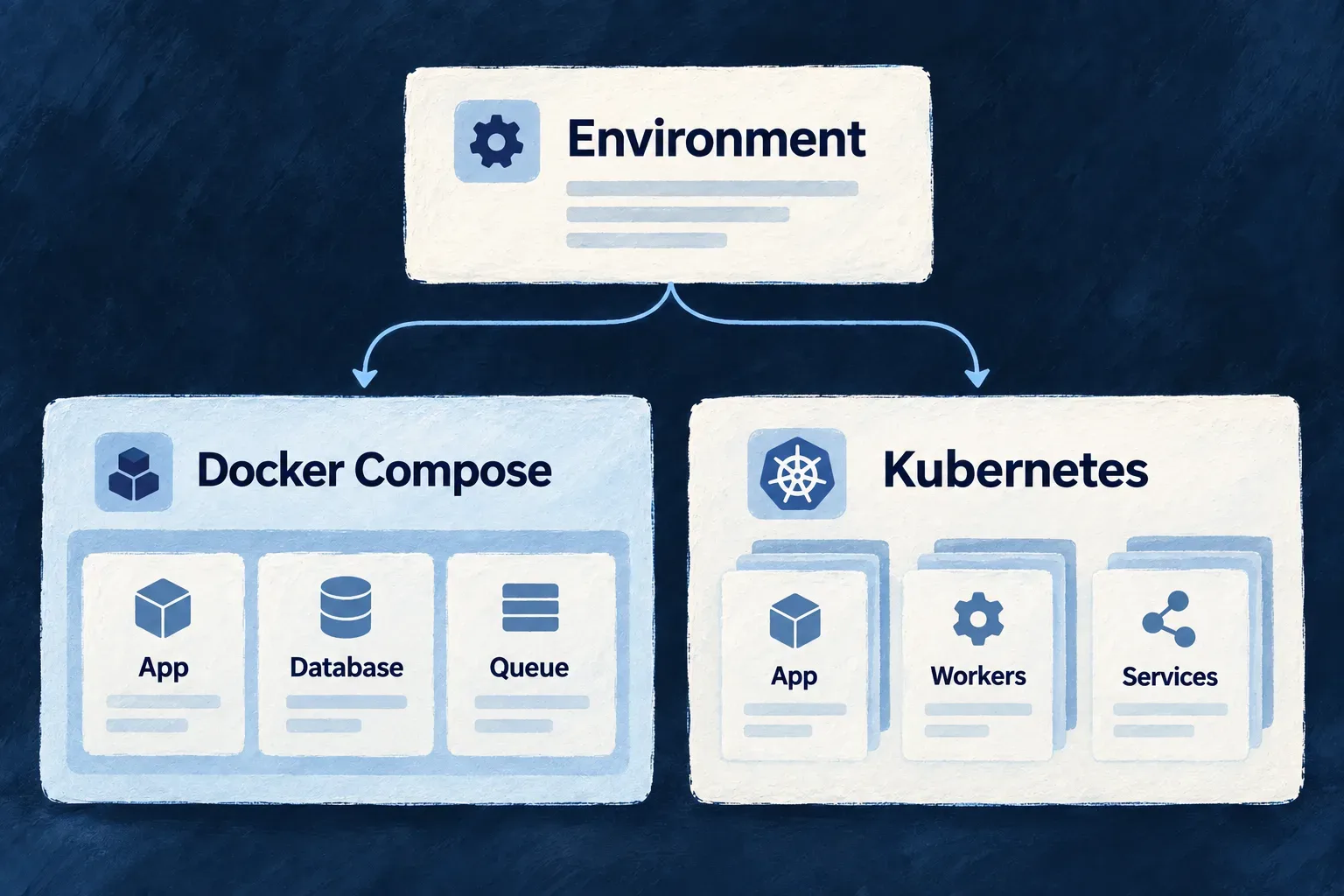
A deployment brings application processes, supporting services, storage and public addresses together. Docker Compose describes that arrangement on a host. Kubernetes describes it for a cluster.

Wildo prepares each from the application’s declarations and environment choices. Keep a shared description of what the application needs, while choosing how each environment runs it.

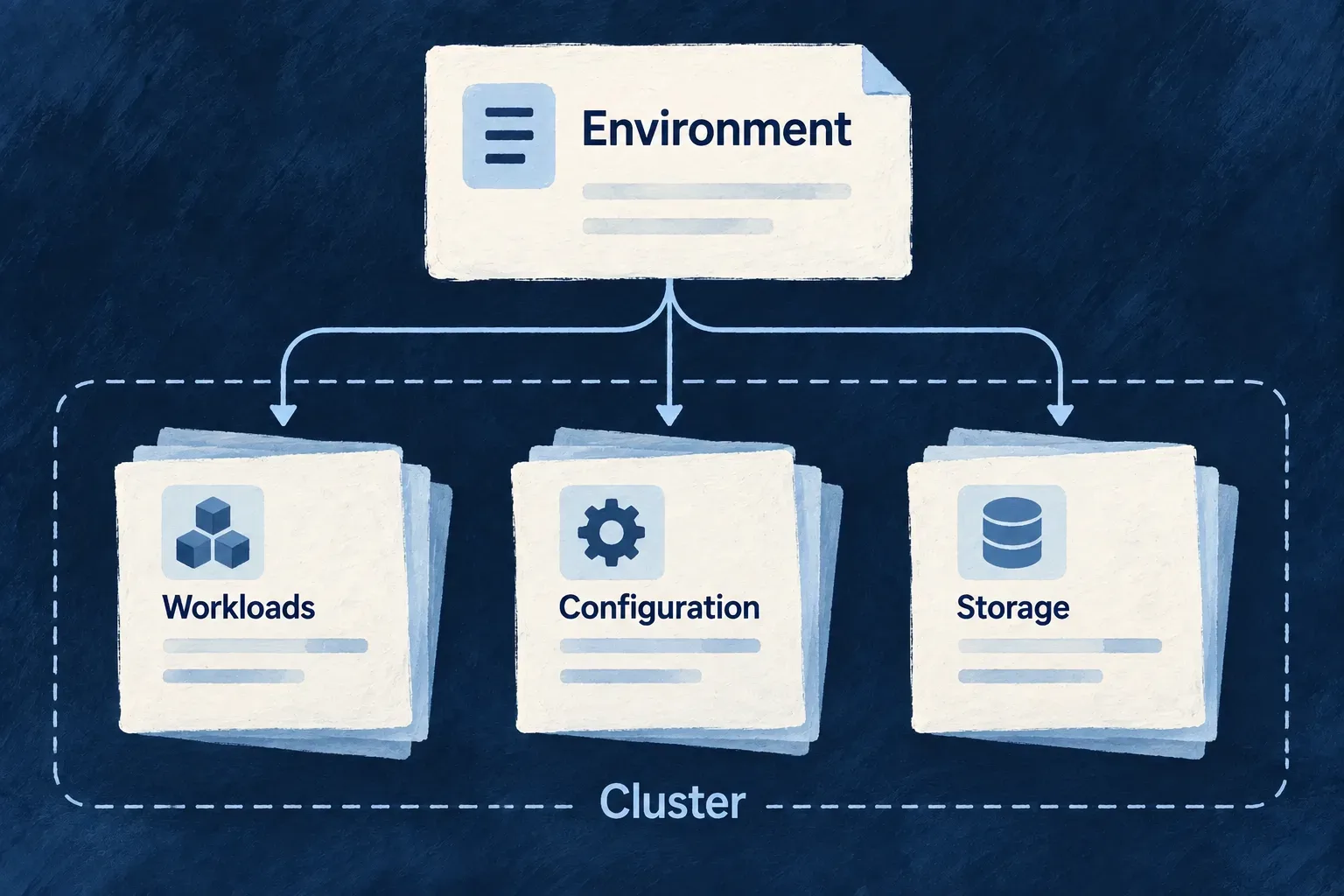
One environment definition feeds two deployment shapes: services on a Docker Compose host and workloads in a Kubernetes cluster.

A shared starting point, a deliberate deployment choice

Keep the application’s shape together

Declared services, connections and public addresses feed the deployment configuration. Changes have an authored home instead of becoming unrelated edits across container files and manifests.

Give each environment the right shape

Use Compose to arrange services on a host, or Kubernetes to describe cluster workloads and replicas. Choose backing services separately: a cluster deployment does not require every dependency to run inside the cluster.

Keep operating decisions explicit

Wildo prepares the configuration. You choose capacity, storage, routing and release procedures. Moving between deployment targets also means planning the data and the running service, not just changing a setting.

Example: Develop locally, prepare a cluster deployment

A team uses Compose for its local database and queue while developing application code. Its production environment selects Kubernetes, with named public hosts and several application replicas. The service roles remain recognizable; the production storage, credentials and rollout are configured for that environment.

For engineers

Separate where it runs from how it runs

runtime chooses the deployment mechanism. locationType distinguishes local from remote operation. These are separate decisions: Kubernetes can run locally through Kind, while a remote environment can use a host-based deployment.

The local Compose descriptor starts from the same configuration helper used for a remote cluster. This selected excerpt comes from Wonder Todos’ local configuration; backing services and policy blocks are omitted:

import { defineInfraEnvConfig, WildoEnvironment,
  WildoDeploymentRuntime } from '@wildo-ai/platform-config-lib';

export default defineInfraEnvConfig({
  environment: WildoEnvironment.LOCAL,
  runtime: WildoDeploymentRuntime.DOCKER_COMPOSE,
  publicDomain: 'localhost',
});

The following adapts that application’s production descriptor with neutral names and supplies the explicit image registry required by remote manifest generation. It is an excerpt of a larger configuration, not a complete deployment recipe:

import {
  defineInfraEnvConfig, WildoEnvironment, WildoLocationType,
  WildoDeploymentRuntime,
} from '@wildo-ai/platform-config-lib';
import { RuntimeEnvironment } from '@wildo-ai/saas-models';

export default defineInfraEnvConfig({
  environment: WildoEnvironment.PRODUCTION,
  locationType: WildoLocationType.REMOTE,
  runtime: WildoDeploymentRuntime.KUBERNETES,
  runtimeEnvironment: RuntimeEnvironment.PRODUCTION,
  publicDomain: 'example.com',
  serviceHosts: { app: 'app', docs: 'docs', website: '' },
  remoteProvider: {
    provider: 'scaleway', registryEndpoint: 'rg.fr-par.scw.cloud/example',
  },
  kubernetes: {
    namespace: 'application-production',
    ingressClass: 'traefik',
    services: {
      backendApi: { replicas: 3 },
      app: { replicas: 3 },
      website: { replicas: 2 },
    },
  },
  deployment: {
    branch: 'main',
    runtime: WildoDeploymentRuntime.KUBERNETES,
    namespace: 'application-production',
  },
});

The service keys refer to services declared by the application. publicDomain and serviceHosts establish its public hostnames; the empty website suffix uses the apex domain. The Kubernetes block supplies cluster-facing choices, while the deployment block supplies release configuration. The environment and deployment runtime selections must agree with the intended target.

Remote manifest generation requires runtimeEnvironment and an authored image registry in remoteProvider.registryEndpoint, alongside the namespace and public domain. That endpoint is the only image registry: the workloads pull from it and the generated deployment workflow pushes to it, so the registry images are published to cannot drift from the one the cluster references. The deployment block has no registry field of its own.

Replica counts describe desired workload size. They do not supply cluster capacity, make in-memory application state shared, or establish that a release can proceed without interruption.

Understand what each deployment consumes

ConcernDocker ComposeKubernetes
WorkloadsService containers in generated Compose filesApplication deployments and supporting manifests
ConnectionsContainer addresses, network membership and host-port mappingsService discovery and workload environment configuration
Public accessApplication routing through the generated reverse-proxy configurationPublic routes, ingress class and certificate configuration
Persistent dataHost mounts resolved from the environment’s data pathsLocal Kind storage wiring or storage appropriate to the remote cluster
Configuration and secretsGenerated process environment and mounted materialRequired runtime environment secrets and optional provider-secret references
Applying changesHost deployment and container lifecycleCluster controllers acting on the applied manifests

Both generators use shared backing-service selection rules. They do not produce identical files or assume identical infrastructure. The local Kubernetes path prepares Kind, host-mounted storage and ingress before checking readiness. Remote rendering produces the application manifests for its selected environment; cluster provisioning and operating policy remain separate work.

Distinguish local development from container deployment

Local development does not require every application process to run in a container. From an initialized application workspace with a local Compose environment, these commands address different needs:

# Start supporting infrastructure and inspect it.
wildo local up
wildo local status

# Prepare infrastructure and start supervised application development.
wildo local dev

local dev refuses Kubernetes environments. For the Compose session shown here, it includes infrastructure preparation, so up is useful independently rather than a mandatory preceding command. The generated platform stack supplies supporting services; a container deployment uses the generated application stack. Local process supervision and a remote application rollout are different lifecycles.

Change the declaration, then inspect the result

Keep environment choices in the project’s discovered wildo.infra.*.config.ts file and application service declarations in wildo.saas.config.ts. Supply secret values through the secret configuration. Generated Compose files, manifests and runtime environment files are outputs of those inputs.

After synchronization, inspect which workloads were emitted, which addresses each process receives, where state is stored and which public hosts route to it. A host-port override changes the external mapping without changing the port the image listens on. A managed backing-service selection changes the dependency arrangement; it does not move existing records to the selected destination.

Before a release, verify the actual target: image availability, required credentials, storage, ingress and dependency readiness. For a move between targets, include data transfer, cutover and recovery in that plan. The shared model keeps configuration understandable; the operating result is established on the environment where it runs.

Choose the services your application runs on

An environment brings together the runtime, service connections and public addresses an application needs. Wildo uses that shared description to prepare deployment artifacts and the configuration each process consumes.

Choose where services run and how the environment is operated. The same model supports local development and deployment preparation, with explicit commands for inspecting, starting and rebuilding local state.

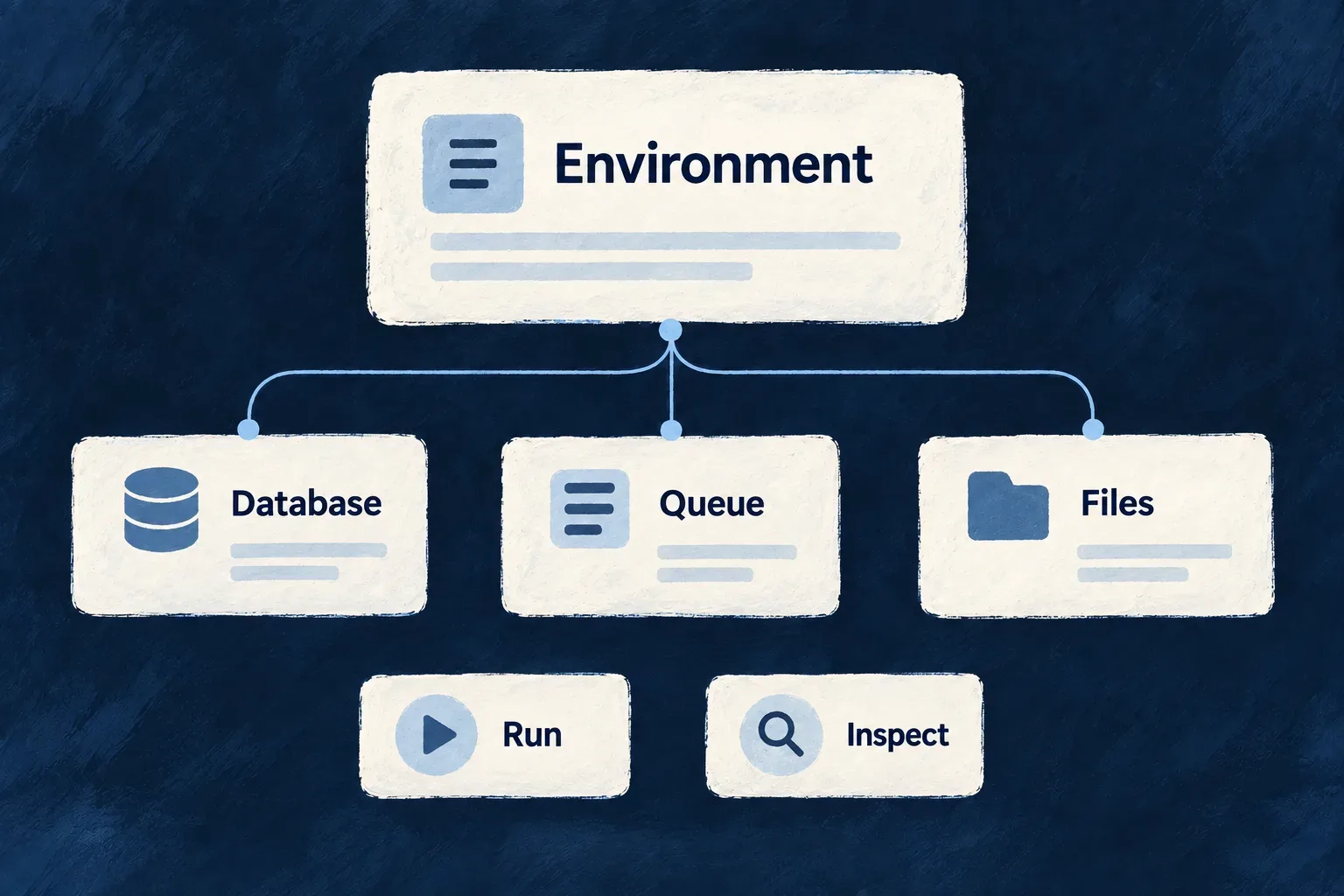
Environment choices connect an application to its database, queue and file services.

From environment choices to a working stack

Describe services together

Keep database, queue and storage choices in one typed definition, with fields that reflect each service’s role.

Carry choices into deployment

Generate connected workloads, addresses and storage inputs for the selected runtime instead of maintaining each file independently.

Make local operation understandable

Start dependencies in order, inspect the running stack and choose deliberately between preserving data and rebuilding from empty.

Example: Run an application with records and attachments

An environment selects PostgreSQL for application records, RabbitMQ for background work and S3-compatible storage for files. Wildo derives their deployment and connection inputs; the developer starts the local session and uses diagnostics to investigate a service that cannot be reached.

For engineers

Separate the decisions that happen to share a database

The environment owns the platform database selection, the application’s default database selection and the backing-service connection. This excerpt follows the local Wonder Todos declaration; its other services and policies are omitted.

database: { engine: DatabaseEngine.POSTGRESQL, source: BackingServiceSource.SELF },
applicationDatabase: { engine: DatabaseEngine.POSTGRESQL },
backingServices: {
  postgresql: {
    source: BackingServiceSource.SELF,
    host: 'localhost', port: 5432,
    database: 'wonder-todos-db',
  },
},

These fields belong inside defineInfraEnvConfig; import the helper and enums from @wildo-ai/platform-config-lib. The server declaration supplies infrastructure. The selections tell the platform and application which persistence engine to use. Changing the selection does not migrate existing data.

Follow the complete configuration chain

StageWhat to inspect
Authored environmentRuntime, hosting choices, addresses and service-specific fields
Provider resolutionWhich supported provider actually resolved for each service
Generated artifactsWorkloads, mounts, routes and per-process configuration
StartupReadiness of dependencies and registration before application launch
DiagnosisHost prerequisites, service connections and process facts

Both Compose and Kubernetes use the shared per-kind self-hosting policy. Databases also consider the platform selection. An omitted cache, broker or object store retains the baseline local workload, while explicit managed selection suppresses it. Scanner and audit storage require an explicit self-hosted declaration. Check provider resolution independently: a managed declaration can suppress a local workload without naming a supported managed provider.

Check configuration before applying it

From a configured application workspace with a registered production Kubernetes environment:

wildo config sync --env=production --domain config
wildo config validate --env=production --domain manifest --deployment-artifacts

Confirm synchronization actually produced the deployment artifacts. A skip message can mean the platform is unavailable or the application credential was refused; restore platform access and application registration before retrying.

The manifest check renders infrastructure/platform Kubernetes artifacts in a temporary directory. --deployment-artifacts also checks the saved application YAML and refuses missing output. Neither check changes those manifests or contacts the cluster. Confirm their intended services and mounts, then use the deployment workflow to apply them. For local source/runtime disagreements, wildo local doctor also reports derived-artifact currency before you diagnose application logic.

Choose the local lifecycle action by its effect

Use wildo local doctor for host checks and Compose service diagnostics, wildo local init to reconcile initialization while retaining service data, and wildo local dev to run a local Compose development session. Kubernetes orchestration is not handled by local dev, and doctor does not validate cluster health. For framework developers, local reinit deliberately wipes and initializes again; local reset leaves the environment stopped and empty. Neither is backup restoration.

Remote operation follows deployment and cluster procedures. Generated manifests express the intended inputs; DNS, credentials, service availability, storage protection and successful deployment still need operating evidence from that environment.

Describe and place services

Describe each environment once Mechanism

An environment describes where an application runs and which services it uses. Wildo turns that definition into the configuration its processes and deployment tools need, reducing separate files to keep aligned.

Choose the runtime, public addresses and service connections in a typed file. Keep credentials in the environment’s secret store; synchronize the derived files when the definition changes.

Example: Use the same database engine for different responsibilities

A local application can use PostgreSQL for its business records while the platform uses PostgreSQL for registrations and operating state. These remain separate selections, even when both connect to the same server.
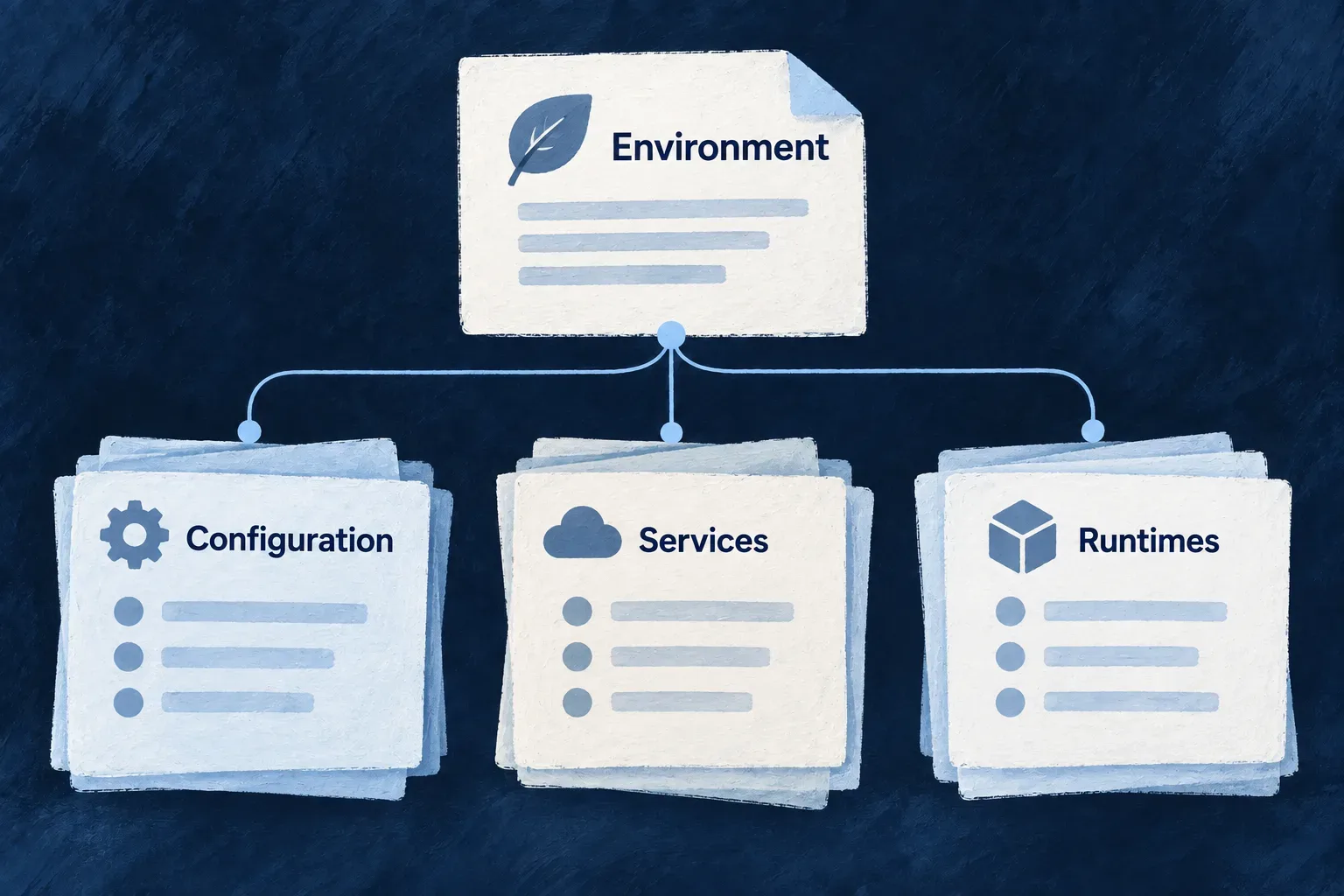
An environment declaration brings service and runtime choices together.
For engineers
Give the environment a canonical home

Use defineInfraEnvConfig in the filename the loader discovers:

EnvironmentAuthored file
Localinfrastructure/local/wildo.infra.local.config.ts
Any non-local environmentinfrastructure/<environment>/wildo.infra.remote.config.ts
Example custom environmentinfrastructure/review-team/wildo.infra.remote.config.ts

The directory selects the environment; a custom name does not change the remote filename. Environment identifiers accept lowercase alphanumeric segments separated by hyphens, so names such as review-team are possible; the common local, staging and production enum values are conveniences, not the complete vocabulary. Follow the existing project’s discovered environment-file layout when adding another environment.

Separate the service from the data it serves

This excerpt follows Wonder Todos’ local declaration. Its other backing services and policy blocks are omitted; it is the database portion of an environment, not a complete stack recipe.

import {
  defineInfraEnvConfig, WildoEnvironment, WildoDeploymentRuntime,
  BackingServiceSource, DatabaseEngine,
} from '@wildo-ai/platform-config-lib';

export default defineInfraEnvConfig({
  environment: WildoEnvironment.LOCAL,
  runtime: WildoDeploymentRuntime.DOCKER_COMPOSE,
  publicDomain: 'localhost',
  database: { engine: DatabaseEngine.POSTGRESQL, source: BackingServiceSource.SELF },
  applicationDatabase: { engine: DatabaseEngine.POSTGRESQL },
  backingServices: {
    postgresql: {
      source: BackingServiceSource.SELF,
      host: 'localhost', port: 5432,
      database: 'wonder-todos-db',
    },
  },
});

database selects the platform’s persistence engine. applicationDatabase selects the application’s default persistence engine. backingServices.postgresql describes the supplied connection. Naming a server is not itself a request to move existing business data to it.

Ship the PostgreSQL schema with the connection change

Selecting PostgreSQL supplies a default engine and connection; it does not create the application’s tables or transfer existing records. Resource and module schema changes need reviewed migrations and an updated accepted schema baseline, shipped together with the release.

For non-platform applications, startup applies shipped PostgreSQL migrations before checking the physical tables against the resource plan. Platform services run that work in their own startup phase. An absent or incompatible table can therefore stop startup even when the connection is valid.

Follow database schema planning and migration for the workflow. The application’s application-database-migrations guidance covers migration authoring and baseline review; moving existing business data between stores is separate work.

Let each field keep its meaning
DeclarationWhat it identifies
PostgreSQL or MongoDB databaseA database name
Redis databaseAn integer logical index from 0 through 15
RabbitMQ vhostA broker namespace
S3 endpoint and bucketAn object-storage address and bucket

The per-kind schemas reject unrelated fields and incorrect types. defineInfraEnvConfig validates the authored shape; a valid shape still needs usable service addresses and credentials.

Regenerate at the configuration boundary

From a configured application workspace, wildo config sync projects the selected environment into runtime and deployment artifacts. Change the authored file, rather than editing generated connection values. Restart affected processes or apply the deployment through its normal lane to make the new configuration active.

For remote public services, serviceHosts and publicDomain feed the shared hostname resolver used by runtime addresses and ingress routes. Conflicting resolved hostnames are rejected. The descriptor expresses intended configuration; it is not a continuously running cluster reconciler.

Check the generated configuration before deployment

Run these from the configured application workspace with a registered production Kubernetes environment; select the environment whose application artifacts you intend to check:

wildo config sync --env=production --domain config
wildo config validate --env=production --domain manifest --deployment-artifacts

Confirm synchronization actually produced the deployment artifacts. A skip message can mean the platform is unavailable or the application credential was refused; restore platform access and application registration before retrying.

The manifest check renders infrastructure/platform Kubernetes files into a temporary directory. --deployment-artifacts also checks the saved application YAML and refuses missing or empty output. Both parse YAML and check required document fields. It leaves the persisted manifests intact and does not contact a cluster. Inspect the generated service addresses and mounts before applying them; this check establishes render consistency, not cluster admission or working credentials.
Bring the supporting services together Mechanism

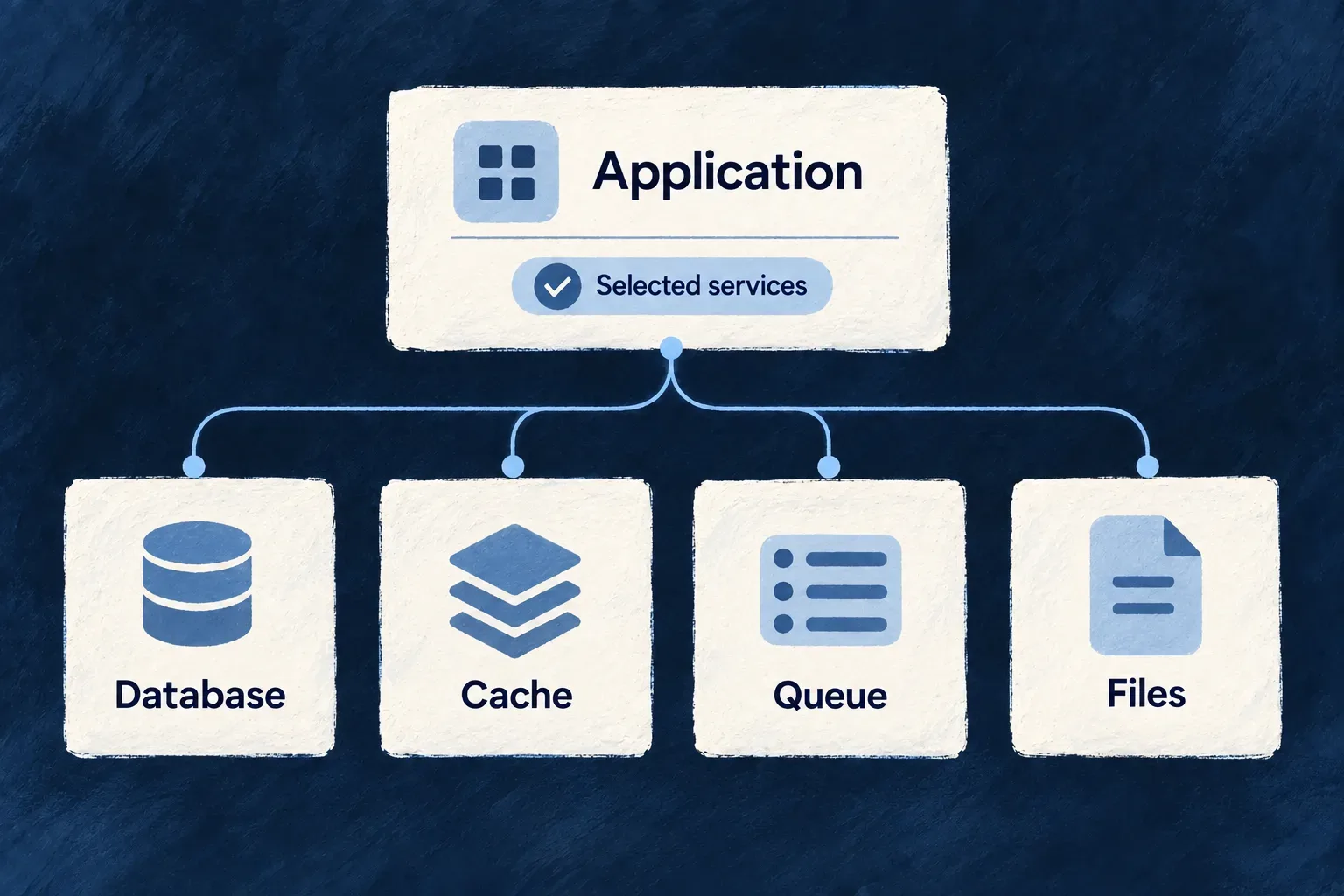
Application behavior depends on services around it: a database for records, a cache for shared state, a broker for background work and object storage for files. Wildo brings their declarations, connection details and deployment inputs into one environment model.

Select the services your environment needs. Their templates carry operational details such as storage mounts and health checks, while you own the hosting and operating policy.

Example: Support records, background work and attachments

A task application stores records in PostgreSQL, sends work through RabbitMQ and keeps attachments in S3-compatible storage. These are different service roles, described together so their connections can be generated for the processes that use them.

Selected backing-service roles form the environment around an application.
For engineers
Declare a meaningful set

Adapted from the current local environment, this block belongs inside defineInfraEnvConfig. The imports and other environment fields are omitted here; BackingServiceSource comes from @wildo-ai/platform-config-lib.

backingServices: {
  postgresql: {
    source: BackingServiceSource.SELF,
    host: 'localhost', port: 5432, database: 'wonder-todos-db',
  },
  rabbitmq: {
    source: BackingServiceSource.SELF,
    host: 'localhost', port: 5672, vhost: 'wonder-todos',
  },
  s3: {
    source: BackingServiceSource.SELF, provider: 'minio',
    endpoint: 'http://localhost:9000', bucket: 'wonder-todos-local',
  },
}

The database name, broker virtual host and storage bucket identify different namespaces. The backing-service kind maps to an infrastructure capability; the runtime’s grants determine which connection material it receives. A declaration and permission to use that service are connected decisions, not the same decision.

Understand which workloads are emitted

Both Compose and Kubernetes consult selfHostsBackingService. The current omission policy is deliberate:

Service familyLocal-workload selection
MongoDB and PostgreSQLCombines backing-service declarations with the platform database selection
Redis, RabbitMQ and S3Explicit managed selection removes the local workload; omission retains the baseline service
ClamAV and immudbRequires explicit self-hosted selection
BackupNo workload is emitted

MongoDB’s search process follows its database’s selection. Document rendering and telemetry are not additional backing-service kinds: their configuration has its own provider/runtime path. Do not add invented gotenberg or metrics keys to this block.

Follow the generated result

The Compose generator passes inclusion flags, host ports, internal ports, networks and data paths into the platform template. Stateful service directories follow the same selection. Kubernetes derives its workload list from the same self-hosting policy, then applies its own manifest and readiness mechanics.

Generation does not establish that credentials work or that a service has started. Inspect the resolved provider, generated workload and runtime diagnosis as separate steps. The backup declaration has no concrete provider; it must not be interpreted as a backup or restore service.

Choose where each service runs Mechanism

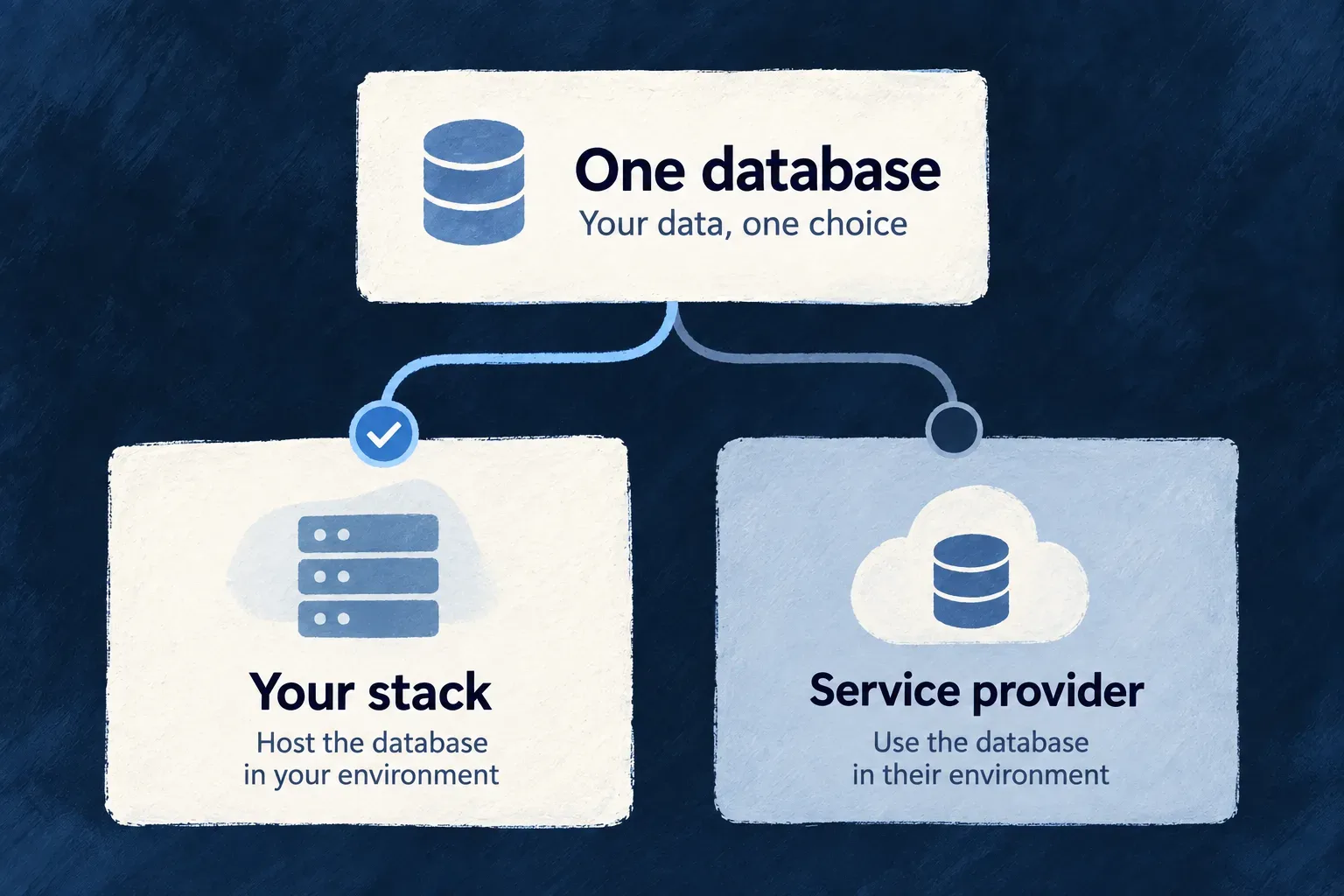
Your database does not have to be hosted in the same way as your queue or file storage. Wildo separates a service’s role from its hosting model, so supported local and managed choices can be made per environment.

The application uses the resolved connection. You choose the provider, supply its operating authority and plan any data migration when changing services.

Example: Use a managed database with a self-hosted broker

An environment can select MongoDB Atlas for records and retain RabbitMQ inside its own stack. Each keeps its own configuration and credential path; the application does not need vendor-specific hosting decisions scattered through its business operations.

A database shown with two hosting choices: your own stack or a managed service.
For engineers
Keep hosting and brand separate

This is a configuration fragment using the current schema, adapted from the production environment. Add it to the selected environment’s backingServices; account details and secrets remain outside this excerpt.

backingServices: {
  mongodb: {
    source: BackingServiceSource.MANAGED,
    provider: 'atlas',
    database: 'application-records',
  },
  rabbitmq: {
    source: BackingServiceSource.SELF,
    vhost: 'application-work',
  },
}

source selects the hosting model. provider selects a brand recognized by the provider resolver. The declaration does not create a vendor account or migrate data. Provider provisioning uses the operator authority available to the selected environment, and runtime delivery uses the generated application credentials.

Check the actual provider resolution
KindCurrent managed resolution
PostgreSQLNamed RDS, Cloud SQL, Azure, Supabase, Neon or Render entries; generic managed fallback
MongoDBatlas
S3Recognized minio and aws brands resolve first, independent of source; otherwise source selects AWS for managed and MinIO for self-hosted
Redis, RabbitMQ, ClamAV, immudbNo managed provider in this resolver
BackupNo concrete provider

PostgreSQL’s unrecognized brand falls back to its generic managed entry. S3 dispatches recognized brands first and otherwise falls back by source. MongoDB has no generic managed fallback. Inspect the resolved infrastructure section of wildo-saas.lock.json after synchronization; a syntactically valid choice alone is not evidence of a supported provider.

Check what can actually execute

A resolved provider name and a lockfile entry describe a selection; neither proves that a provisioning implementation exists. The lockfile can record the authored selection even when no provider module contributes an executable plan.

LayerWhat to verify
Accepted declarationThe service fields and hosting/provider combination pass their schema
Resolved providerThe resolver selects the intended provider enum
Executable moduleA registered module implements the operations needed, such as planning, provisioning or credential minting
Operator-supplied connectionThe selected runtime receives a compatible address and credentials when infrastructure is supplied externally
Runtime authorityThe application’s delivered credential has the required scope and the service is reachable

The built-in provider catalog currently has a self-hosted PostgreSQL module, but no modules for its managed PostgreSQL enum entries. Those names are not a claim that Wildo provisions RDS, Cloud SQL, Neon or the other listed offerings. This does not prevent using an externally supplied PostgreSQL connection; its configuration and operational responsibility remain separate.

Separate provider resolution from workload selection

The local workload policy is shared by Compose and Kubernetes. Explicit managed cache, broker or S3 choices suppress those local workloads, even though a managed cache or broker has no provider in the resolver above. Omission retains their baseline local workloads. This distinction matters: removing a container does not prove a replacement was provisioned.

Before changing a hosting choice, check the provider connection, runtime credential, generated deployment and existing data separately. The common application contract reduces hosting-specific code; it does not remove service compatibility or migration work.

Prepare deployment

Run the stack with Compose Mechanism

Wildo generates a Compose stack from the environment’s service choices. Databases, queues and other supporting processes receive the configuration, mounts and network connections that belong together.

Use the local commands to start and inspect infrastructure. During development, application processes run through the supervised development command; a container deployment uses its generated application stack.

Example: Start the services before the application

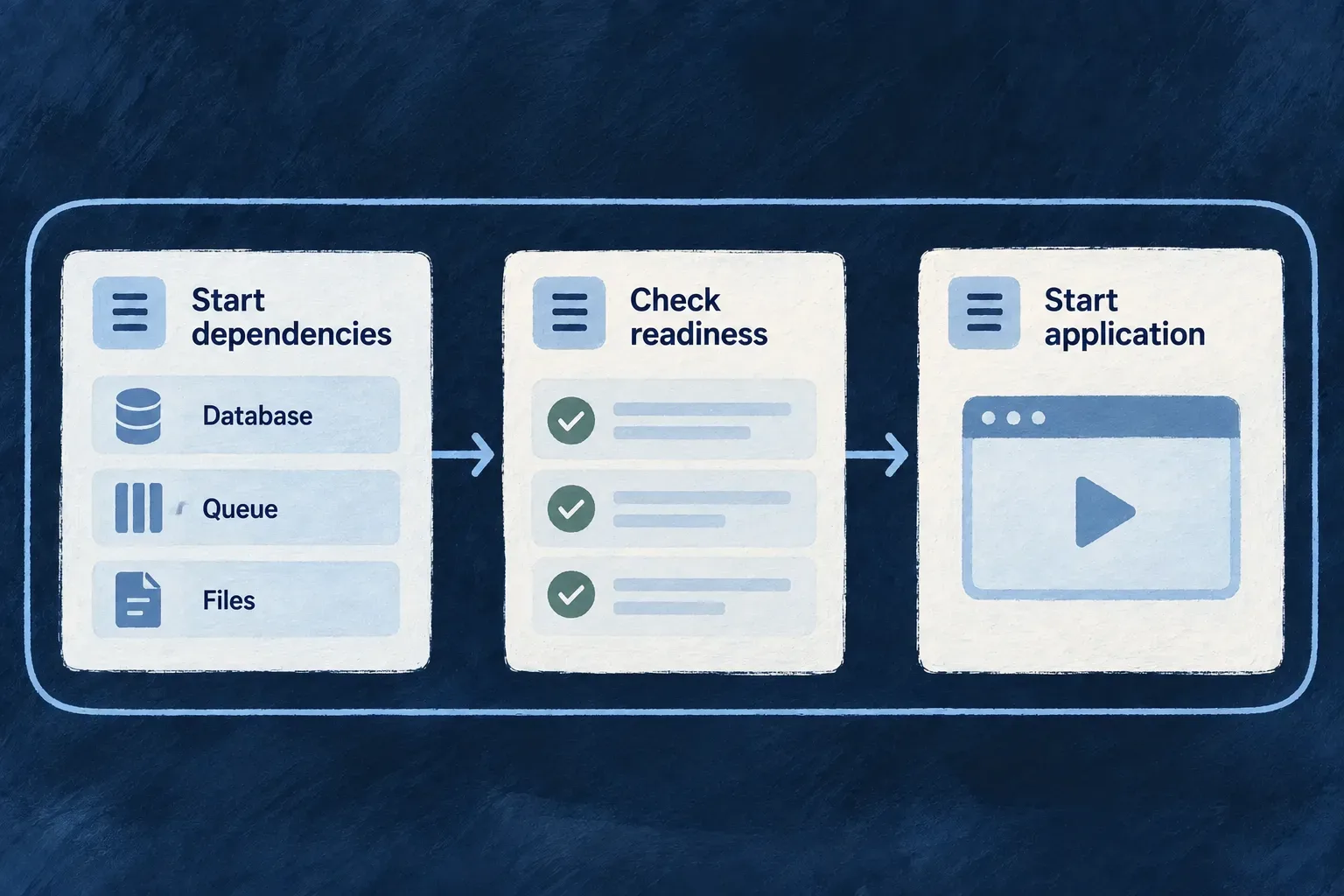
A developer brings up the local infrastructure, checks its status, then starts the application development session. The database and broker are ready before application code begins trying to use them.

Environment choices become services in a Docker Compose deployment.
For engineers
Choose the command for the intended result

From an application workspace whose local environment has already been set up:

# Start and inspect the supporting stack.
wildo local up
wildo local status

# Start the supervised application development session.
wildo local dev

local dev includes infrastructure preparation, so a normal working day need not run up separately. Use up when you specifically want the supporting stack. local down stops it; local reset additionally removes local data and asks for confirmation.

Read generated Compose as a projection

The platform template carries backing-service workloads and, for the application-creator lane, platform services. The application template carries application containers and their routing. Framework developers can run platform processes natively, so their generated platform stack is not identical to an installed application’s stack.

Generated detailSource of the decision
Whether a local service is includedShared self-hosting predicate and database selection
Published host portEnvironment override or service default
Container-side port and addressService catalogue and container perspective
Persistent host directoryEnvironment data-path resolver
Runtime network membershipRuntime infrastructure needs

The host-facing connection and the container-internal address need not be identical. A host port override avoids a local collision without changing where the image listens internally.

Preserve startup and storage behavior

The template’s health checks support dependency readiness, with fast startup checks and a quieter steady-state cadence. Generated start_interval requires the Compose plugin version accepted by Wildo’s preflight. Memory limits bound resident services; persistent bind mounts preserve state across container replacement.

MongoDB binds /data/db and /data/configdb individually because a parent mount can be shadowed by the image’s declared child volumes. Do not simplify these generated mounts by hand.

The MongoDB search sidecar illustrates why startup is more than launching containers. Its template waits for the initializer that creates its authentication user:

mongot:
  depends_on:
    mongodb-init:
      condition: service_completed_successfully
  mem_limit: 2048m
  healthcheck:
    interval: 60s
    timeout: 10s
    start_period: 30s
    start_interval: 3s

This is an excerpt of the current template, omitting its image, mounts and probe command. The dependency is successful initialization, not merely a running database. The separate startup cadence checks readiness promptly without repeating the same expensive probe every few seconds throughout the day.

On a server, deployment automation applies the generated artifacts. Local startup is not proof of a server deployment or of Kubernetes equivalence; verify the selected lane’s rendered configuration and operating result.

Describe the stack for a cluster Mechanism

Wildo translates an environment into Kubernetes workloads and their supporting configuration. Application processes, selected backing services, storage and public routes are described together instead of maintained as unrelated manifests.

You choose the cluster and deployment policy. The generated manifests provide deployment inputs; the cluster and its controllers perform the running work.

Example: Give production its own deployment shape

An application can declare a production namespace and several backend replicas while retaining the same service roles used locally. The resulting cluster manifests express that environment’s placement and routing choices.

An environment is projected into Kubernetes deployment resources.
For engineers
Author the cluster-facing fields

This excerpt follows Wonder Todos’ production descriptor, with a neutral domain and names. Backing services and other policy blocks are omitted.

export default defineInfraEnvConfig({
  environment: WildoEnvironment.PRODUCTION,
  locationType: WildoLocationType.REMOTE,
  runtime: WildoDeploymentRuntime.KUBERNETES,
  runtimeEnvironment: RuntimeEnvironment.PRODUCTION,
  publicDomain: 'example.com',
  serviceHosts: { app: 'app', docs: 'docs', website: '' },
  remoteProvider: {
    provider: 'scaleway', registryEndpoint: 'rg.fr-par.scw.cloud/example',
  },
  kubernetes: {
    namespace: 'application-production',
    ingressClass: 'traefik',
    services: {
      backendApi: { replicas: 3 },
      app: { replicas: 3 },
      website: { replicas: 2 },
    },
  },
  deployment: {
    branch: 'main', runtime: WildoDeploymentRuntime.KUBERNETES,
    namespace: 'application-production',
  },
});

The configuration helpers and environment enums come from @wildo-ai/platform-config-lib. Service keys match the application’s declared service keys, such as backendApi, app and website, rather than generated image names. Synchronization carries their replica counts into each deployment; an omitted count defaults to one. An override without a matching emitted application deployment produces a warning, including frontends served through a CDN. Worker replicas remain in the worker declaration. Replica declarations describe desired workload size; they are not proof of availability or spare cluster capacity.

Import RuntimeEnvironment from @wildo-ai/saas-models. Remote generation also needs runtimeEnvironment and the authored remoteProvider.registryEndpoint shown above. That endpoint is the only image registry: synchronization carries it into the workload configuration, and the generated deployment workflow pushes images to the same place. The deployment block has no registry field to keep aligned with it.

Understand the two application boundaries

Locally, the bootstrap creates a Kind cluster, prepares storage, installs the ingress stack, applies manifests and checks readiness. Host storage is mounted into the node. Remotely, generation supplies manifests and the deployment workflow applies them to the selected cluster.

getDeployableInfraServicesForK8s selects local backing workloads through the same self-hosting predicate used by Compose. The readiness loop follows emitted workloads; MongoDB search readiness follows its database initialization. Storage manifests have their own rendering path using the same selection policy.

Keep each process’s configuration explicit

Application deployment templates consume a runtime environment secret and provider-specific secret material. Required environment material prevents a process starting with its essential configuration missing; optional provider material supports runtimes with no such provider declaration. These are generated per-runtime inputs, not an instruction to share one broad secret across every pod.

The backend deployment template makes that distinction directly. This template excerpt is generated structure, not a file to author; the names are supplied by the shared runtime-secret naming functions.

envFrom:
  - secretRef:
      name: {{runtimeEnvSecretName}}
  - secretRef:
      name: {{providersSecretName}}
      optional: true

The missing optional flag on the first reference is significant: losing essential runtime configuration must prevent startup. The second reference is optional because a runtime may declare no external providers.

Cluster storage, ingress, certificates and controller installation remain operational concerns to verify after applying the artifacts. The local Compose telemetry collector does not establish a Kubernetes collector deployment; a cluster environment must have a reachable telemetry destination of its own.

Check the generated configuration before deployment

Run these from the configured application workspace, selecting the environment you intend to change:

wildo config sync --env=production --domain config
wildo config validate --env=production --domain manifest
wildo config validate --env=production --domain manifest --deployment-artifacts

Confirm synchronization actually produced the deployment artifacts. A skip message can mean the platform is unavailable or the application credential was refused; restore platform access and application registration before retrying.

The first validation command checks freshly rendered infrastructure and platform manifests in a temporary directory. Adding --deployment-artifacts also checks the application files produced by synchronization under .wildo-saas/deploy/production/k8s: workloads, ingress, Secrets and every other YAML/YML document in that directory. Missing or empty deployment output fails.

Both checks parse YAML and require resource identity fields. They leave persisted files intact, omit document payloads from diagnostics and do not contact a cluster. Inspect service addresses and mounts before applying the artifacts; Kubernetes admission and working credentials require deployment checks.

Give public services secure addresses Mechanism

A public application needs addresses that reach the right service and certificates that browsers can trust. Wildo derives public routes from the environment’s hostnames and connects the deployed edge to certificate issuance.

Choose the domain and service names, then make DNS and the deployed edge reachable. The configured edge or certificate controller handles issuance; the operator owns the environment in which it runs.

Example: Put the application and documentation on their own addresses

The application uses app.example.com, documentation uses docs.example.com and the website uses example.com. The same hostname declarations guide the ingress and the addresses given to application consumers.

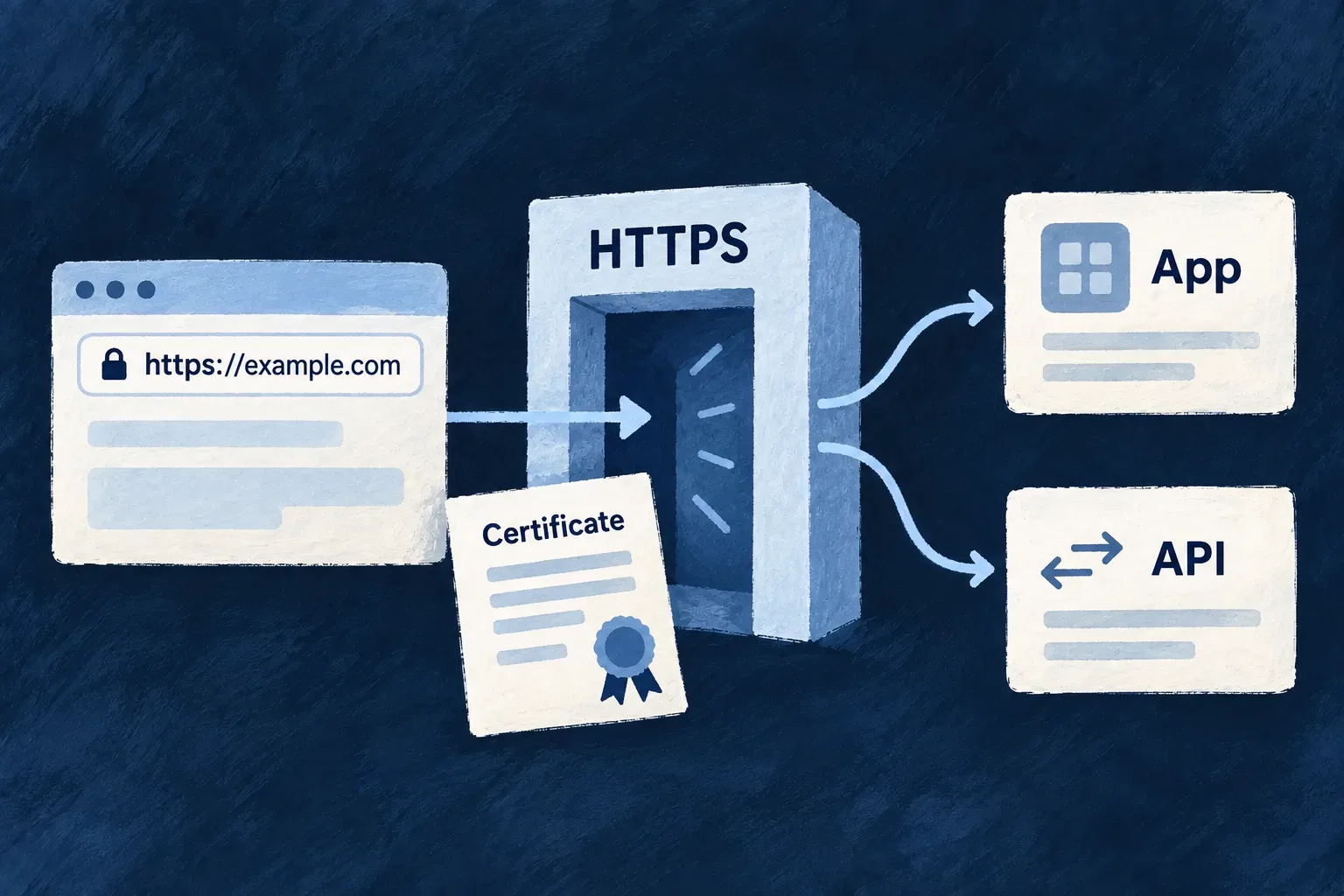
Public hostnames reach their services through ingress and TLS configuration.
For engineers
Declare the names and issuer

This fragment belongs in a remote Kubernetes environment. Provider identifiers and registry settings below are illustrative operator choices; the field shape and service-host pattern follow the production descriptor.

publicDomain: 'example.com',
serviceHosts: {
  app: 'app',
  docs: 'docs',
  website: '',
},
remoteProvider: {
  provider: 'scaleway',
  registryEndpoint: 'rg.fr-par.scw.cloud/example',
  acmeEmail: 'operations@example.com',
  tlsIssuer: WildoTlsIssuer.LETSENCRYPT_STAGING,
},

Import WildoTlsIssuer from @wildo-ai/platform-config-lib. Validate DNS and routing with the staging issuer, then select LETSENCRYPT_PROD for browser-trusted issuance. The staging certificate is intentionally not a production trust result.

Use the TLS owner for the selected runtime

The public hostname inputs are shared; certificate ownership differs:

RuntimeTLS owner and issuance inputsWhere certificate state lives
Remote Docker ComposeTraefik discovers the generated container routers, redirects HTTP to HTTPS and uses Let’s Encrypt HTTP-01 with remoteProvider.acmeEmail/letsencrypt/acme.json in the persistent wildo-letsencrypt volume
Remote Kubernetescert-manager uses the selected ClusterIssuer and its ACME registration email; the ingress requests certificates for its routed hostsKubernetes TLS Secrets, referenced by the ingress
Local Kubernetes edgeSeparate self-signed issuer and local wildcard certificateLocal cluster certificate/Secret resources; workstation trust is configured separately

The remote Compose application generator supplies the same resolved service hosts and ACME email to its Traefik template. Preserve its certificate volume across container recreation and make the HTTP challenge reachable. The Kubernetes tlsIssuer staging/production choice shown above does not configure the Compose resolver.

Follow the generated ingress

Wildo’s Kubernetes workflows install Traefik. kubernetes.ingressClass accepts traefik or omission; other controller values are rejected in authored and saved configuration. Application ingress and HTTP-01 challenge routing use that same supported class.

The shared public-host resolver produces ingress routes and advertised runtime endpoints. It rejects hostname collisions. The application ingress template enumerates those hosts, points each at its own service and adds the configured cert-manager.io/cluster-issuer annotation.

A per-ingress TLS secret can cover the hosts enumerated on that ingress. Do not interpret this as one independently generated certificate for every hostname. Remote issuer templates use HTTP-01, while the retained wildcard alternative is not part of that rendering path.

Keep CDN frontends outside the application edge

For a frontend with enabled: true in the environment’s cdn map, Wildo preserves its advertised public URL but removes its self-hosted deployment target and public route. Kubernetes therefore emits no nginx Deployment/Service or ingress route for that frontend; remote Compose emits no corresponding application container or Traefik router. Both consume the same filtered target list.

The CDN must serve that hostname through its own publishing, origin, DNS and TLS setup. Follow the frontend CDN publishing guide for that separate path.

Distinguish the local cluster edge

The local Kubernetes bootstrap applies the separate self-signed issuer and wildcard certificate for its local domain. It does not request a public certificate through the remote HTTP-01 path. Browser trust in that local authority is a separate machine concern; a successfully applied local certificate is not evidence of remote public issuance. Ordinary host-based local development endpoints remain a different topology from the cluster edge.

Keep controller work and operator work distinct
Wildo’s generated inputsEnvironment requirements
Host-to-service routesDNS reaches the deployed edge
Issuer and TLS annotationsCertificate controller and ingress controller are operating
Named certificate secretSuccessful challenge and certificate issuance
WebSocket affinity annotationsAppropriate application/session behavior behind the edge

The ingress template includes host-header pass-through and sticky-cookie routing. It does not add a general edge rate limiter or security-header policy; those belong to the application or the operator’s chosen edge configuration. Generated YAML alone does not establish successful remote issuance.

Keep local data in a predictable place Mechanism

Containers can be replaced without treating their data as disposable. Wildo gives local stateful services a predictable directory under the application, and connects the generated mounts to that location.

Stopping the stack retains that data. Resetting it is a separate, destructive action that identifies the directories it will remove.

Example: Restart a database without starting from empty

A local database container is recreated after a configuration change. Its data directory remains mounted from the application workspace, so replacing the process does not itself discard the records.

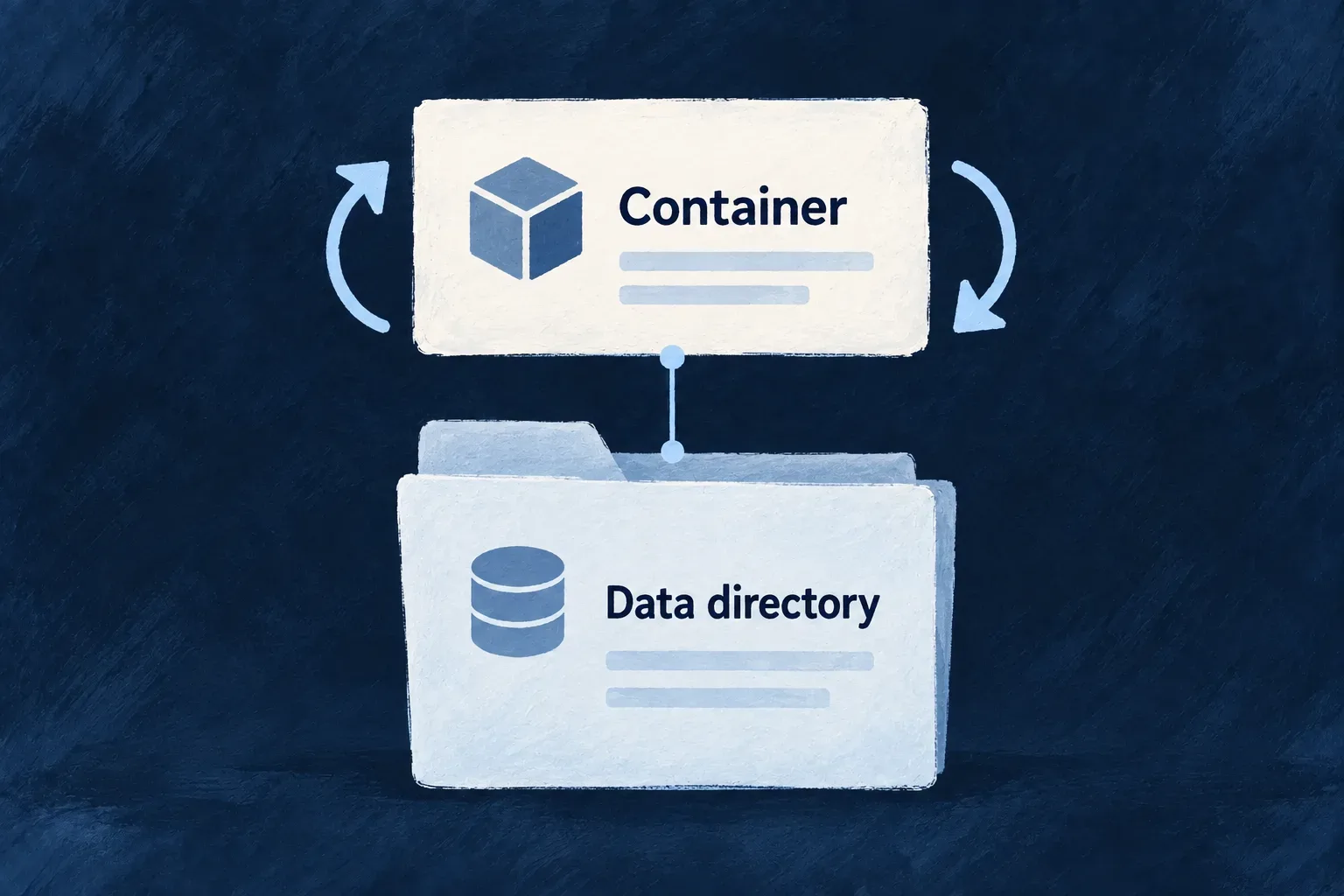
Local services keep persistent data under a shared environment data root.
For engineers
Inspect the expected layout

Local data belongs to the application workspace. Selecting another environment changes the service selection, not the base local_data directory.

The service list is derived for the selected environment. This illustrates the paths for an environment running these services; other selected services have their own directories.

<application>/.wildo-saas/local_data/
  mongodb/
    db/
    configdb/
  mongot/
  postgresql/
  rabbitmq/
  minio/

getDockerComposeLocalDataServices selects stateful services using the same inclusion rules as Compose. EnvironmentPaths.ensureLocalDataServiceDirs creates their host directories before Compose mounts them. MongoDB’s child directories come from INFRA_SERVICE_DATA_SUBDIRS; they must correspond to its actual /data/db and /data/configdb targets.

Understand the local cluster’s relationship

Kind mounts the host data tree into its node and local volumes refer to that mounted storage. This gives the two local runtime lanes a known host location; it is not a promise that switching database versions or runtime layouts requires no compatibility checks. Compose pre-creates individual service paths; local cluster materialization follows its own storage bootstrap.

Choose retention or deletion deliberately
ActionData consequence
Stop the local stackKeeps service data
Recreate a container with the same valid mountReuses the mounted data
wildo local resetStops the environment and removes its selected data directories
wildo local reinitFramework developers only: performs the wipe, then initializes again

The wipe runs after workloads release storage. It targets the selected service directories rather than deleting the parent indiscriminately, and aggregates removal failures instead of reporting success after a partial wipe.

This is local persistence, not backup or replication. An omitted cache, broker or object-store declaration retains its baseline local service; an explicit managed choice suppresses its local directory with its workload. Check the resolved set before any destructive operation.

Work with the local stack

Start development in the right order Mechanism

A local application needs more than a running frontend. Wildo prepares its supporting services and generated configuration before starting the development processes that depend on them.

One session coordinates ownership, startup, logs and shutdown, so failures can be understood in the context of the whole stack.

Example: Resume a working day with one session

A developer using a local Compose environment runs wildo local dev. The command checks prerequisites, prepares infrastructure and registration, then launches the application’s development processes. When the session ends, coordinated shutdown lets the processes finish writing their combined log, with a bounded wait if a process does not close.

A local session starts dependencies, checks readiness and starts the application.
For engineers
Start from a configured local Compose workspace
# Start the selected application's local Compose development session.
wildo local dev

# Inspect it from another terminal, without starting another session.
wildo local dev-status

local dev supports local Compose environments; it refuses Kubernetes environments. The local environment and its authored secrets must already exist. Initial application setup uses the registered setup/initialization journey; this command does not silently replace missing credentials with new values.

Understand the order before diagnosing a failure
StageWhy it precedes the next
Acquire session ownershipAvoid conflicting writers and cleanup against a live owner
Reap stale selected processes and run preconditionsClear abandoned state and identify host blockers
Prepare artifacts and supporting servicesSupply usable infrastructure inputs
Platform readiness and application registrationMaterialize the application’s runtime configuration
Start the application development treeLet processes consume the prepared environment

Framework-development mode can supervise native platform processes, while the application-creator lane uses its platform containers. The application process set follows the selected development scripts; a runtime declaration alone does not prove that a particular worker is launched by those scripts.

Read the cause, not just the signal

createLocalDevShutdownCoordinator distinguishes an external interrupt from an internal bootstrap failure or a managed process exit. It sends termination to managed children, waits for their close/drain promises and then closes the combined output. Each process tree has a 15-second exit wait by default. A timeout is reported before the output is closed, so a process that never closes does not hold shutdown open indefinitely. A printed termination signal is therefore not sufficient evidence that another process killed the session.

The output boundary frames stdout and stderr independently and preserves the machine log while terminal presentation follows the authored logging policy. Use local dev-status to inspect compiler/supervisor and endpoint facts, including when the normal TypeScript CLI layer cannot load. It is an observation surface, not an automatic restart or repair loop.

Attach another application to a shared platform

A second session using the same owned roots is refused. In framework-development mode, another application can attach to a healthy platform already owned by a separate local Compose session. Run this from the second application’s configured workspace, leaving the owning session running:

# Reconcile only this application's registration and runtime configuration.
wildo local init --register-only

# Start this application's processes without starting the native platform again.
wildo local dev --skip-platform

--register-only avoids shared infrastructure initialization. --skip-platform keeps native platform startup and platform-root process cleanup out of the second session; when a live foreign owner is detected, shared container convergence is skipped too. If that owner’s infrastructure is down, the attaching session refuses to start it from the second application.

This is the framework-developer shared-platform path. Application creators use the platform-container lane described above; the native-platform attachment sequence is not a general Kubernetes startup recipe.

Find what is stopping the stack Tool

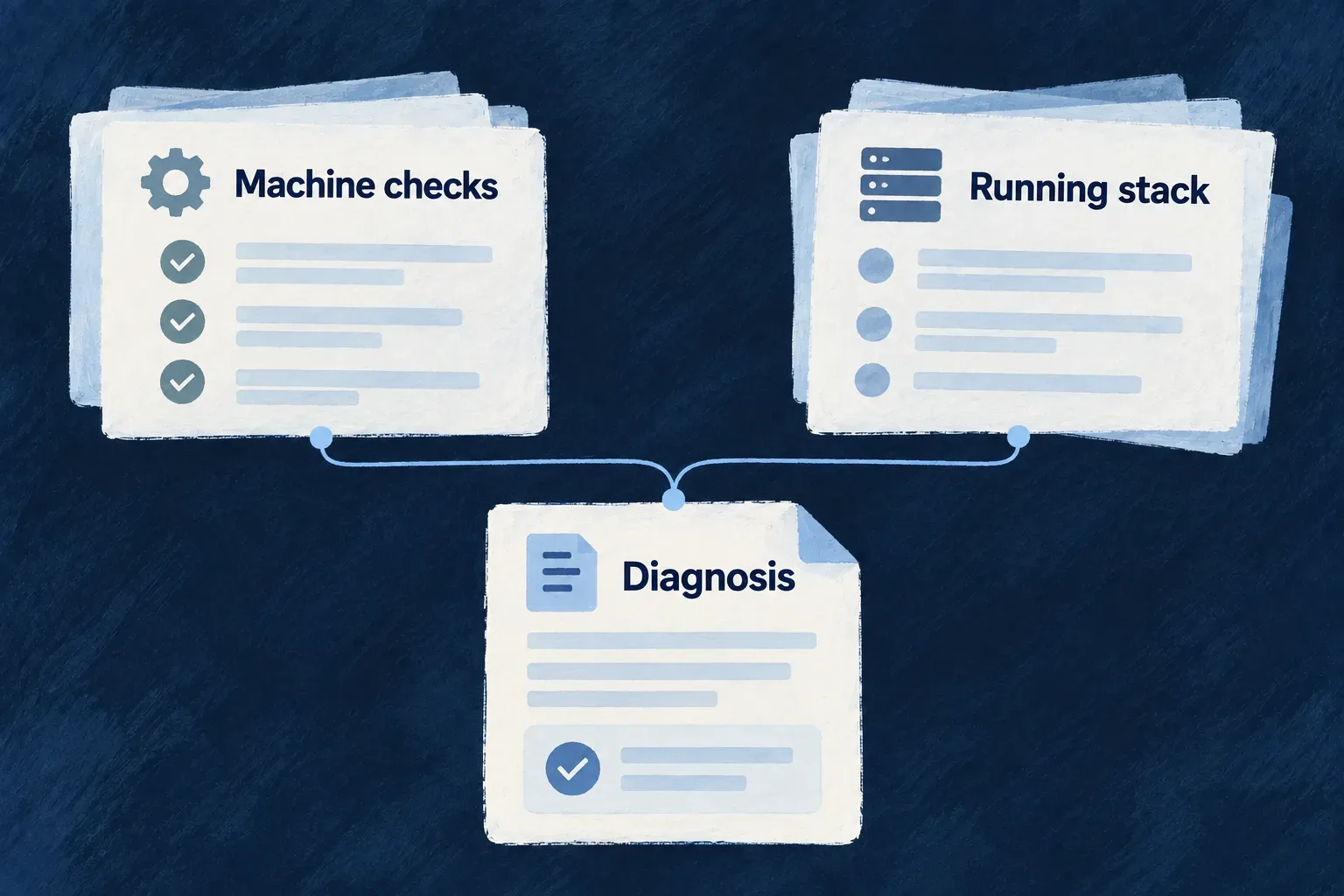
A startup failure may come from the machine, a service connection or application code. Wildo checks host prerequisites separately from the running stack, helping identify the layer that needs attention.

The report observes and explains. Repairs remain explicit actions, so asking for a diagnosis does not stop processes or delete local state.

Example: Identify a connection problem before changing application code

A database container appears healthy, but the platform administrator credentials no longer match it. The diagnostic checks the service connection as well as container state, making the difference visible.

Preflight checks and diagnostic evidence identify local operating problems.
For engineers
# Report host prerequisites and Compose running-stack checks.
wildo local doctor

# Observe the development processes and their current facts.
wildo local dev-status

Run these from the configured application workspace so they resolve the intended environment. The doctor does not initialize a missing environment on your behalf. Its running-service probes target Compose containers. On Kubernetes it still runs host checks and warns that cluster-specific diagnosis is not covered; a healthy host result does not establish pod or cluster health.

Separate preparation from runtime probes
Check familyWhat it investigates
Host prerequisitesWorking Node/package manager, native toolchain where relevant, Compose compatibility
Generated inputsProvider runtime modules required by the declared runtime hosts
Process leftoversOrphaned development watchers rather than every matching process
Compose runtime checksContainer health, published connectivity and platform administrator authentication
Additional diagnosisEmulated containers, stale credentials and other environment findings

For a local Compose session, local dev calls the shared collectLocalPreconditionChecks before starting its application tree. A failure blocks startup; a warning is printed and may continue. Running-stack probes remain in doctor, because a preflight must not require the stack it is about to start to be healthy already.

Is the running code current?

wildo local doctor also requests the derived-artifact currency sweep and the coding-agent probe. The shared development preflight omits these additional checks unless requested: it must remain suitable for starting the stack, while doctor spends more time diagnosing it.

When source and behavior disagree, read the currency result before changing the implementation. Source files, compiled output, injected package snapshots and an already-running process can represent different revisions. Currency findings are advisory; follow the named artifact and remediation, then confirm the process has loaded the refreshed output. A green compiler result alone does not establish which code a running service uses.

Interpret each result as an action

Example: a MongoDB container is running, but its administrator authentication fails. This is a shortened diagnostic result; the check name, status and authentication detail come from the implemented probe:

{
  "name": "mongo admin auth",
  "status": "fail",
  "detail": "Authentication failed"
}

For this result, the check suggests comparing the container’s MONGO_INITDB_ROOT_PASSWORD with the administrator connection in the apps-manager’s MONGO_CONNECT_URL. Resolve the configuration mismatch before choosing a repair. A suggested reset wipes data; it is not a prerequisite for reading or understanding the report.

The database probes authenticate with platform administrator credentials. Success establishes that administrator connection, not the application’s own credentials or permissions. Listing stale application users is a separate inventory check; it does not authenticate as each user.

The shared diagnostic contract carries the observation and its next step separately. This is the framework result shape used by the checks and their renderers, not application configuration:

export enum LocalPreconditionCheckStatus {
  PASS = 'pass',
  WARN = 'warn',
  FAIL = 'fail',
}

export interface LocalPreconditionCheckResult {
  readonly name: string;
  readonly status: LocalPreconditionCheckStatus;
  readonly detail?: string;
  readonly fix?: string;
}

A failure commits the preflight to blocking. A warning communicates a finding while allowing continuation. The optional fix carries guidance rather than executing it, preserving the separation between observation and repair.

Prefer executed evidence

The toolchain checks execute the relevant binaries; the C++ probe compiles a small modern-language program where supported. This distinguishes a reported version from a usable installation. The network and authentication probes similarly ask more than whether a port was declared in a Compose file.

A result can include a suggested remediation. Apply that action separately after understanding its scope. Orphan detection does not kill the processes it finds, and reporting stale service users does not remove them.

A successful diagnostic establishes only its measured checks. It does not prove the application implements its business rules correctly, nor that an unprobed platform is healthy. Use the per-check status and detail rather than treating the command as a blanket correctness certificate.

Repair or rebuild a local environment Tool

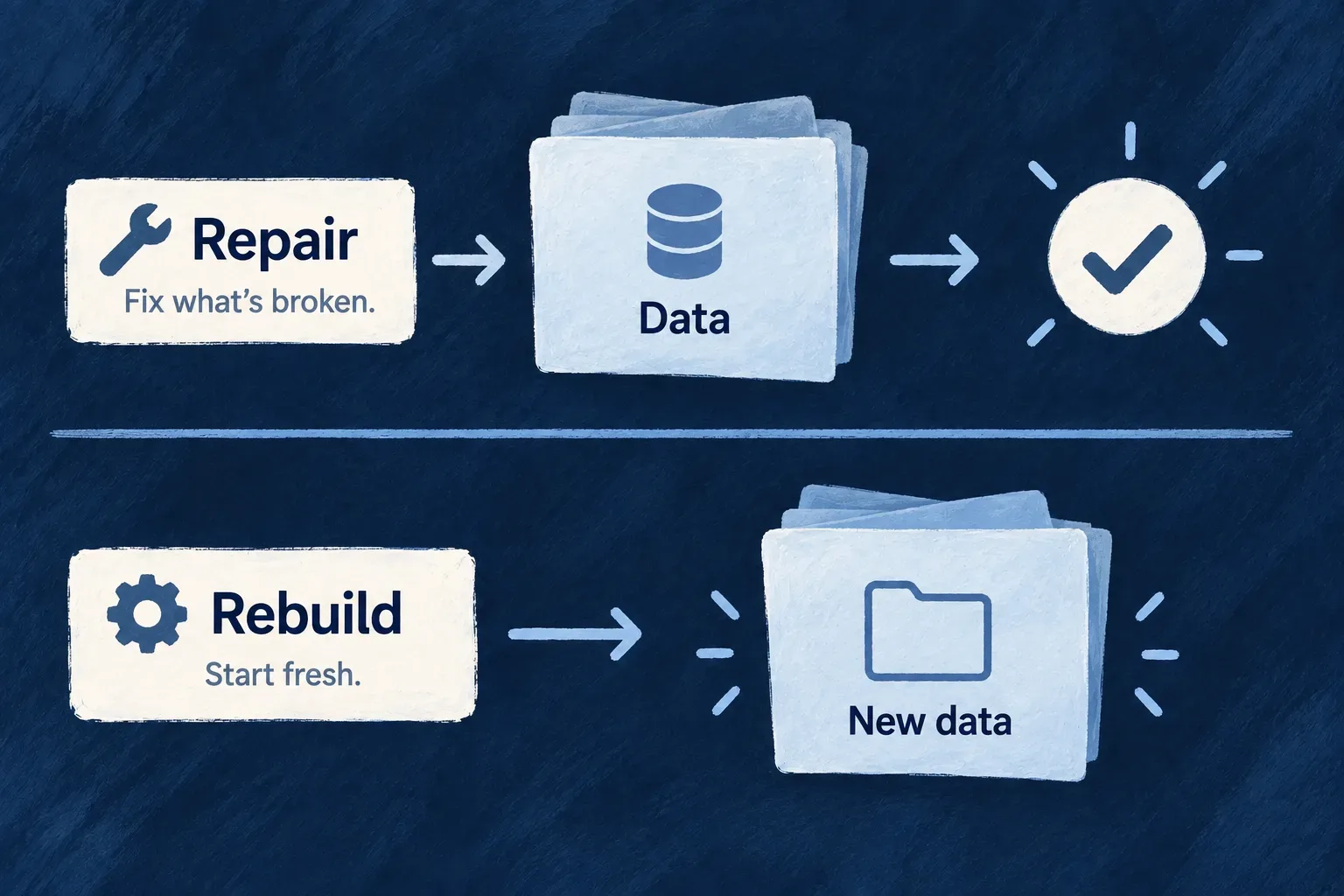
A local environment can become inconsistent across generated files, credentials, service readiness and application registration. Wildo provides an initialization journey that reconciles those layers while preserving backing-service data.

When an empty start is intentional, framework developers can use a separate rebuild command to remove local data before running that journey. Rebuilding is not restoring a backup.

Example: Keep records while repairing configuration

After a framework update, a developer wants current runtime configuration without losing local test records. wildo local init performs the non-destructive initialization path; clearing the databases requires an explicit different command.

Repairing configuration while retaining data is distinct from starting with empty data.
For engineers
CommandWho can use itIntended result
wildo local initApplication creators and framework developersReconcile initialization and preserve backing-service data
wildo local init --register-onlyBoth audiences, with a healthy existing platformRegister this application without shared platform convergence
wildo local reinitFramework developers onlyWipe selected local data and initialize again
wildo local resetApplication creators and framework developersStop and wipe, leaving the environment empty

These commands require an active local environment. Initialization also needs a targeted application root and the installed CLI/framework path. reinit additionally checks framework-developer mode; --force does not bypass that check. Application creators who deliberately need an empty restart use local reset, then invoke local init separately.

Follow a Compose repair with application startup
# Preserve backing-service data while reconciling initialization.
wildo local init

# In a local Compose environment, start application development afterward.
wildo local dev

Initialization converges generated artifacts, backing-service readiness, platform initialization, application registration and runtime environment projections. Its completion includes an executable platform JWT/configuration postcondition. It prepares the infrastructure and control plane; application processes start separately.

The command needs the targeted application root and an existing local environment. Missing or invalid authored secrets must be restored or deliberately prepared through setup; repair must not invent a competing credential set.

Treat an empty rebuild as a different operation

In framework-developer context, local reinit stops the relevant supervised/tracked processes, wipes through the selected runtime lane and delegates back to initialization. Compose stops containers before host directories are removed. The cluster path releases claims and local storage before recreating the environment. Failed removal is reported rather than hidden behind a later bring-up.

In interactive mode, the destructive commands try to list the absolute data paths before asking for confirmation. That preview is best-effort: a path-resolution failure can leave the prompt without a directory list. Confirm the selected application and data scope before proceeding. Non-interactive execution requires explicit destructive opt-in. Do not use that mode merely to bypass a question during diagnosis.

Respect a live shared owner

A full initialization can disturb shared platform processes and generated state, so a live owning session causes a refusal. The --register-only path reconciles this application’s registration and projections against the existing platform instead. These commands are local lifecycle tools; they do not restore remote business data or replace a remote deployment procedure.

Keep your application coherent as its deployment changes.

Compose and Kubernetes organize the running work differently. Your application’s service definitions remain the starting point for both.

Wildo carries those definitions into the deployment artifacts. You keep control of the environment and the decisions that make it ready to serve.

Building a B2B product or an internal tool?

Wildo is not self-service yet. Tell us what you have in mind and we will say plainly whether it fits, and what happens next.