Wildo.ai Coming soon

Your coding agent, your project

Use configured coding agents with the application’s framework knowledge and inspect their resulting changes.

Agent bindings · execution profiles · application workspace

> Shared application context > Explicit execution choices > Reviewable changes

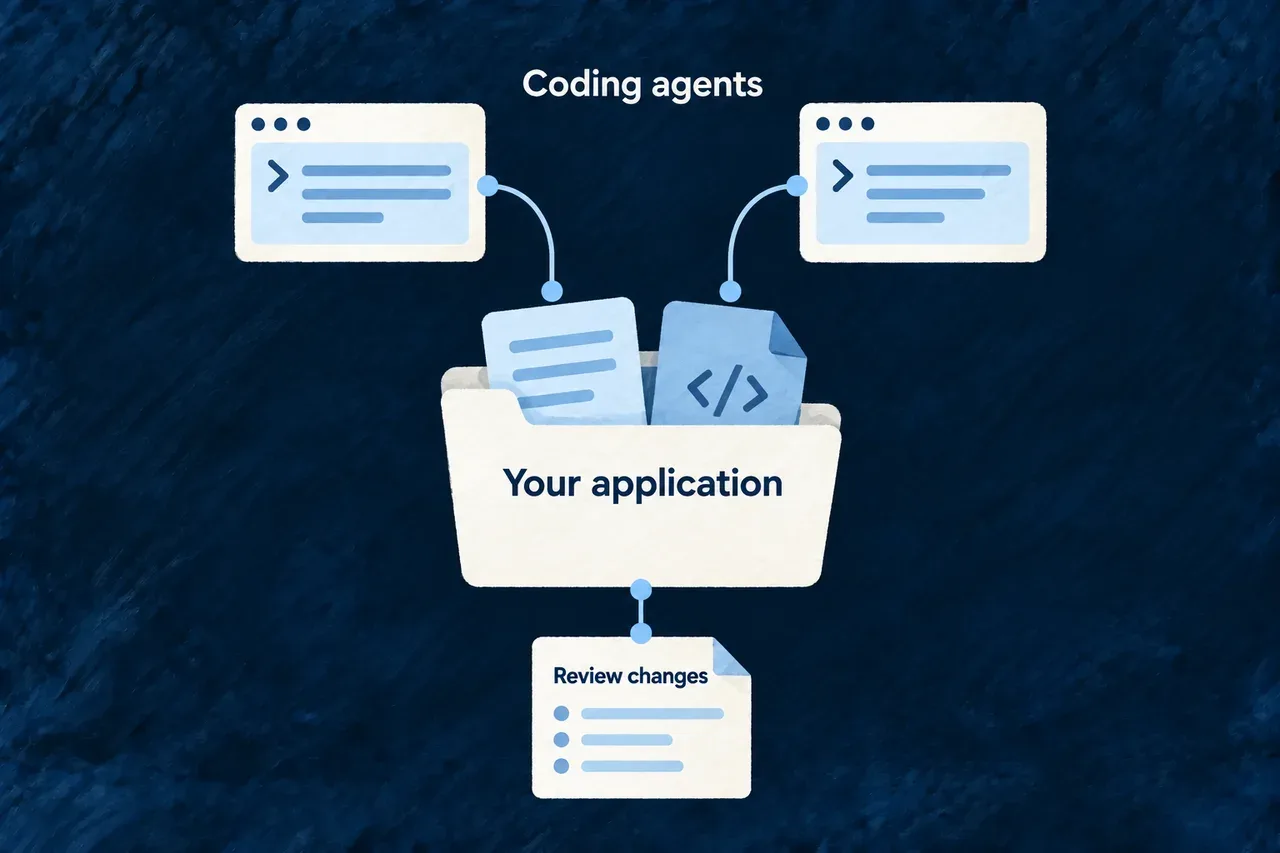
Coding agents help you build and evolve the application in your workspace.

Wildo provides the framework knowledge and application context they work with. Its companion can also dispatch managed coding tasks through configured agent integrations.

You choose the agent and how it runs. The application remains your source code, built on the same Wildo framework.

Different configured coding agents work with the same application project.

Keep the application coherent as the tools evolve

Give the agent a useful starting point

Connect the requested change to existing declarations, product decisions and available live context. Spend less effort explaining the application’s structure from scratch.

Separate the agent from the application

Provider bindings describe how a managed agent is launched and configured. The application’s resources and business logic remain part of the project, rather than becoming an agent-specific project format.

Make the result inspectable

Keep the execution outcome and workspace changes visible. Review the implementation and its checks before treating the task as a working product change.

Example: Evolve a customer workspace

An agent adds a follow-up field using the application’s existing customer model. A later task can use another configured integration while working with the same project definitions. The new integration still needs its own supported adapter, profile and verified behavior.

For engineers

Bind the execution choices together

The companion declares its managed coding agents as bindings. This selected source shape shows what varies between them; it is a companion-owned interface rather than a new application API:

export interface ApplicationCodingAgentBinding {
  ref: string;
  displayName: string;
  providerRef: string;
  executionProfileRef: string;
  model: LLM_Model;
}

The referenced provider supplies the adapter contract. The application supplies the corresponding execution profile, including its authentication and environment policy. The selected model must be admitted by that provider and delivered through its declared channel.

Understand what a switch actually requires

ChoiceWhat must agree
ProviderRegistered coding capability and adapter launch contract
ModelSupported model and the provider’s delivery channel
Execution profileA profile under that provider with the exact referenced key
HostInstalled adapter and available authentication/configuration
Task behaviorPermission escalation, cancellation and any required session-resume behavior

A configured binding is not proof that every adapter behaves identically. The framework checks declared compatibility; adapter probes and run evidence establish the behavior behind it. Ordinary language-model provider selection is separate from selecting a process that edits the workspace.

Select the agent on the companion host

Set WILDO_CODING_AGENT in the environment of the process that starts the application’s companion. It is a host setting, separate from the provider credentials and execution profile in wildo.saas.config.ts.

SelectorProviderRequired application execution profile
anthropic (also the default when unset or empty)anthropicclaude-code-acp
openaiopenaicodex-acp
opencodeopencodeopencode-acp

Prepare the matching profile, adapter and authentication first. Then start the development stack from the application root with the selection inherited by its companion:

# Example: select the declared OpenAI coding-agent binding.
# Requires the application's openai / codex-acp profile and its adapter.
# Apply this when starting the companion, after stopping an existing instance.
WILDO_CODING_AGENT=openai wildo dev start

Changing a shell variable does not reconfigure an already running companion. Restart it through the application’s normal development lifecycle with the new environment. An unknown selector is refused; the selector does not install an adapter, create a profile or register a new integration.

The selected binding is saved on each newly admitted coding task. Execution and a supported session resume use that recorded agent, so a later host selection does not reroute an existing task. Check the task’s actors.actorRef and the run’s provider, model and transport evidence together to confirm what actually ran.

A supported profile must also match the adapter’s permission and host-configuration behavior. A binding declaration alone does not establish that those behaviors have been verified in your environment.

Inspect the context and the result

The managed workflow builds a task-specific brief and gives the agent a live-query menu. These commands inspect the application model from a workspace with its companion running:

# Discover current context and inspect existing resources.
wildo context list
wildo context info resources-registry

# Read cross-family product relationships before changing their implementation.
wildo context coherence

After execution, inspect the coding outcome and captured diff alongside the task’s checks. A suspended run needs its supported continuation flow; a final message alone is not acceptance. The principle and guides below explain where deterministic checks, model judgment and the chosen acceptance policy each apply.

Use AI for judgment. Make the checks explicit.

AI helps explore a product, write its definitions and implement its behavior. Wildo connects that work to structured contracts, repeatable checks and reviewable changes, so a convincing answer is the beginning of evaluation rather than its conclusion.

The problem it answers

An answer can sound right while naming a requirement that does not exist, overlooking a business rule or producing code that does not compile. Asking another model whether it looks good cannot replace checking those properties directly.

Different questions need different kinds of evidence. A schema can check structure; a validator can check declared relationships; a build can check TypeScript compatibility. Understanding whether the result serves the product still calls for judgment and testing.

What it rules in, and what it rules out

Wildo gives each kind of evaluation a defined role. Structured generation uses the artifact’s schema. Validation findings tell the next attempt what to correct. Product review considers authored criteria and the evidence available. Git keeps the resulting changes inspectable.

These roles work together without becoming interchangeable. Passing validation does not establish market demand. A positive review does not prove runtime behavior. Declaring an agent’s permission profile does not establish that every tool it runs is confined to a filesystem boundary.

What it means for someone building with Wildo

You can use model judgment where interpretation adds value while retaining concrete checks for the properties the framework knows how to evaluate. Read the findings, inspect the changes and test the behavior that matters to your application.

Acceptance remains a separate decision from generation or review. Wildo’s autonomy policy distinguishes human acceptance in guided work from automatic acceptance in its more autonomous modes. The author of an edit and the authority accepting it are separate roles; a model’s favorable assessment alone does not collapse them into one.

For engineers

Where it lives in the framework

Generation carries a contract and a correction loop

runPlaybookGeneration resolves each output’s semantic binding before calling the generation provider. The provider receives the generation schema when the binding supplies one, otherwise the snapshot schema. A generated value is normalized where needed and passed through binding.validate before it is accepted for landing.

This excerpt shows the validation handoff inside that loop:

let candidate: unknown;
try {
  candidate = binding.generation
    ? binding.generation.normalize(generated.output, { recordedAt, nextReviewOn: input.nextReviewOn })
    : generated.output;
} catch (error) {
  const findings = error instanceof z.ZodError
    ? error.issues.slice(0, 20).map((issue) =>
        `${issue.path.map(String).join(".") || "<root>"}: ${issue.message}`)
    : [error instanceof Error ? error.message : String(error)];
  rejectedFindings.push(findings.join("\n"));
  accepted = undefined;
  continue;
}
const validation = binding.validate(candidate);
if (validation.validation === JourneyArtifactValidationState.VALID) {
  // The generation loop evaluates its applicable cross-family checks next.
}

The final comment abbreviates the following source branch; this is a runtime excerpt, not an application configuration to paste. The loop also feeds provider rejections and validation findings into later attempts. The default is three attempts per output, configurable with maximumAttemptsPerOutput.

Cross-family checks depend on the context supplied to the run. For example, declaredDocumentFacts being absent skips that check; an empty map actively checks against an empty declared set. When landedFamilyValues is provided, candidate reference checks include accepted sibling outputs from the same run. This makes the supplied context part of the validation contract, not an optional detail behind a universal correctness claim.

Review has a different job from validation

The post-generation playbook judge evaluates landed values against authored criteria. Its response uses a constrained verdict vocabulary, omitted criteria become indeterminate, and the overall result follows the least favorable criterion. That judge is advisory: its failure produces a skipped result rather than undoing the generation run.

Context review is a separate mechanism. A playbook can opt into briefAdequacyGate; the companion asks whether its generation brief needs more context and may recompose it once with additional permitted source categories. Existing sources remain, excluded sources remain excluded, and an unavailable judgment leaves the original brief in use. This is a bounded context repair, not a standing model that rewrites the coding task’s rules.

buildApplicationCoherenceReport provides another view over the loaded specification families: cross-family findings and coverage questions that a single artifact cannot answer alone. Its report helps direct follow-up work; it does not turn every finding into a refusal to proceed.

Check the actual execution boundary

For an ACP coding run, the host answers permission requests and can check paths supplied by those requests or host-mediated file callbacks. Those checks depend on the adapter using those protocol channels. A shell command without declared locations is not a path-confined operation, and direct file access that bypasses both channels is not covered by their predicates.

The practical review therefore includes the selected adapter’s behavior, the workspace changes, the requested checks and their results. A compilation result answers a narrower question than an application test or a live user journey. Keep that distinction visible when accepting work.

Choose an integration by how it behaves

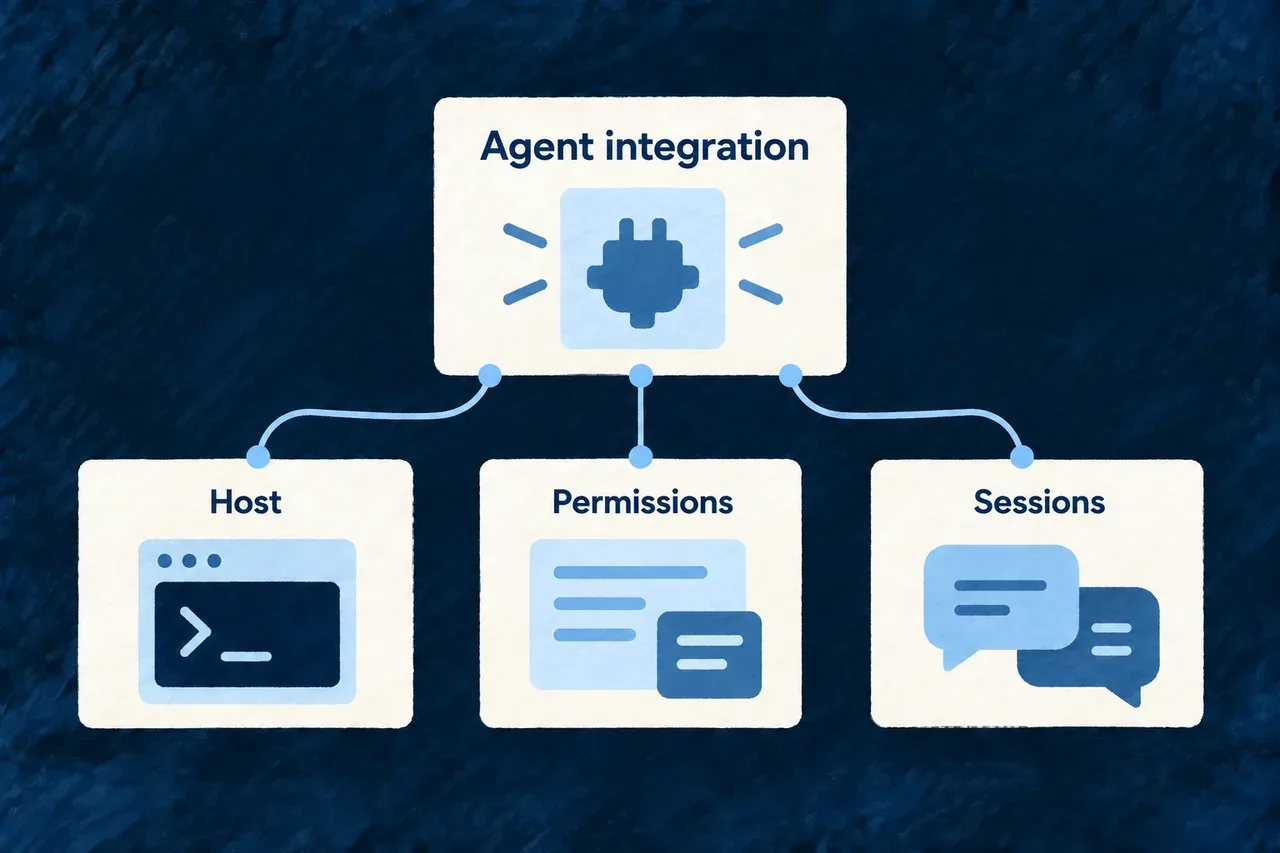
An agent integration includes more than a model name. Its adapter determines how sessions start, how permissions are requested and whether interrupted work can continue.

Wildo keeps those choices in a provider contract and an application execution profile, so a change of agent can be assessed explicitly.

An agent integration is assessed through its host setup, permission behavior and session support.

Keep the practical requirements visible

Start with the host

Check that the adapter is installed and authenticated where the run will execute. A valid project configuration does not install or sign in the agent.

Check the workflow

Evaluate the behaviors the task depends on, including permission escalation and session continuation. A one-turn task and a suspended conversation can require different support.

Recheck meaningful changes

Inspect adapter updates and host-configuration changes against the same expectations. Keep probe results and observed run outcomes alongside the declared settings.

Example: Continue after a question

A coding run stops to ask for a decision. Continuing it requires the integration to restore the relevant session; support for starting a new task does not establish that it can resume this one.

For engineers

Inspect the declared behavior before dispatch

Provider contractWhy the host needs it
Launch configurationStarts the intended adapter on the host
Supported models and delivery channelSends the selected model through the adapter’s supported mechanism
Permission escalationEstablishes whether host permission callbacks can participate
Host-configuration translationApplies the requested inheritance posture through the adapter’s own channel
Session capabilitiesDetermines which continuation operations are available

The dispatch service checks the selected model, profile and environment before execution. It refuses a restrictive ceiling when the declared permission behavior cannot support it, and refuses a host-configuration posture the provider cannot express. Additional session options may extend that translation, but conflicting values cannot silently replace its isolation settings.

Verify a behavior rather than a label

The local probe drives an adapter through an actual mutating request and assesses the filesystem alongside protocol results. Inspect its current command contract first:

wildo acp probe --help

Run the probe against the intended adapter and host configuration in its disposable workspace. Read individual results; a check that did not run is not evidence of support. For an integration expected to resume sessions, also evaluate restoration across processes and refusal of an unknown session identifier.

This is an integration check. Application correctness still depends on the coding task, its resulting changes and the tests that exercise the intended behavior.

Give agent work a clear context and a reviewable result

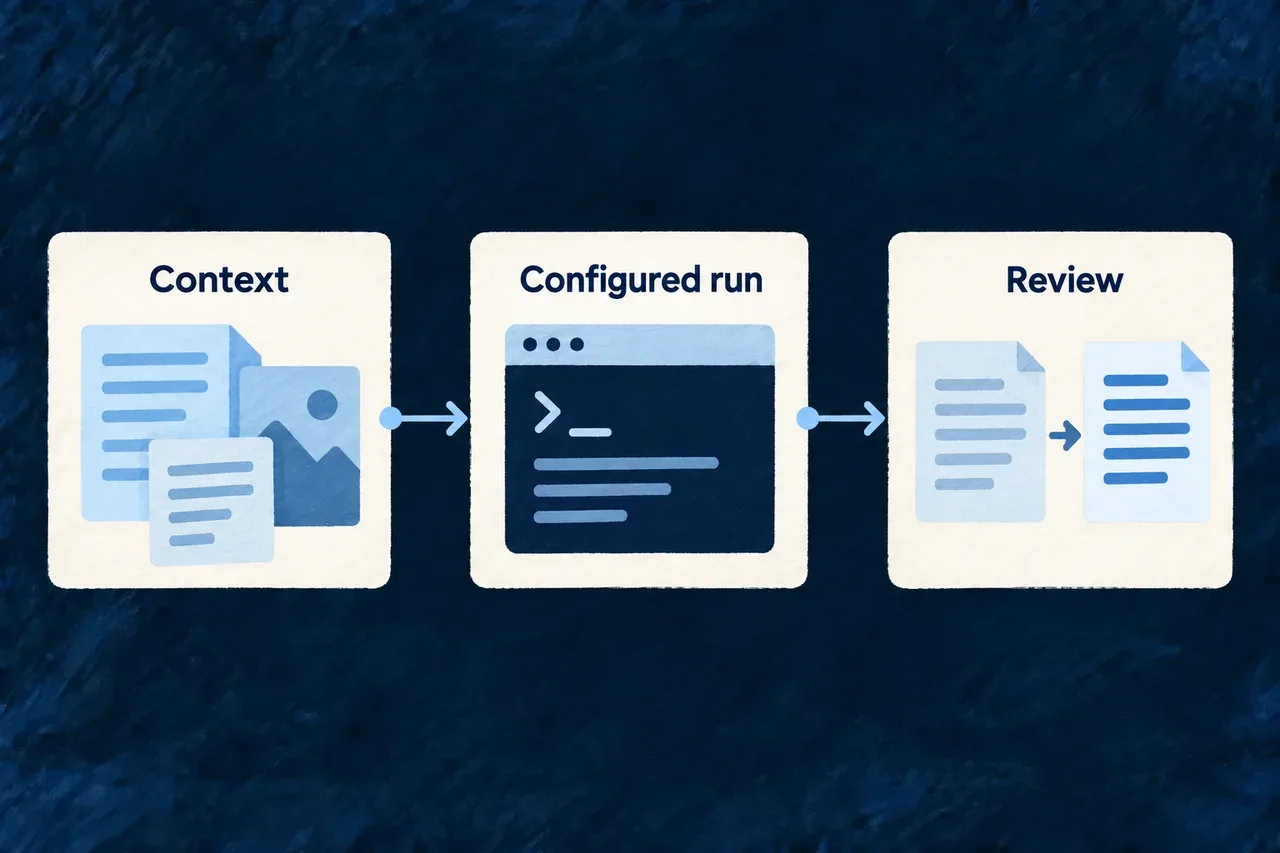
A coding agent needs more than a prompt. It needs to understand the application, work through a configured execution path and leave changes you can inspect.

Wildo connects those parts in the companion. Related research and generation tools prepare inputs and help you reconsider generated specifications, each with its own role.

Application context, a configured run and observed changes form a reviewable workflow.

From an intended change to work you can assess

Start from the application

Bring the task together with existing resources and the product plan. Let the agent ask the companion for further details as it works.

Make execution explicit

Bind the agent to its provider and execution profile. Coordinate managed coding runs and record the permission decisions the adapter exposes.

Review the actual effects

Compare the workspace around the run, including ambiguous overlaps. Use the diff and relevant checks to decide whether the change fulfills its purpose.

Example: Add a follow-up date to customer records

The task starts with the existing customer declaration and intended behavior. A configured agent changes the application; the resulting file comparison and checks help the developer review the new field and its use in the interface.

For engineers

Choose the lane that matches the output

WorkInput and outputReview surface
Managed codingA typed task and context lead to workspace editsCoding outcome, captured changes and required checks
ResearchA question leads to findings and an evidence-store resultSources, findings and persistence outcome
Specification generationA declared method produces structured product artifactsValidation, review and the recorded playbook writes

A research finding is not automatically an accepted product fact. A specification write record is not the coding change set. Keeping those distinctions makes the next action clearer: inspect evidence, review implementation, or reconsider a generated proposal.

Prepare the agent’s environment

The coding binding chooses a provider, model and execution-profile reference together. The matching profile declares authentication, permitted environments, workspace policy and permission ceiling. The host also needs the provider’s installed adapter and authentication state.

From the application workspace, use the existing command surfaces to refresh configuration and inspect context:

# Deliver changed application configuration to its consumers.
wildo config sync

# Discover the context available from the running companion.
wildo context list
wildo context info resources-registry

# Inspect the installed adapter-probe command before evaluating a new binding.
wildo acp probe --help

Configuration sync and managed coding share the application mutation lock. Finish the active managed run before syncing; an external editor is not prevented from writing by that lock.

Read policy and result together

Permissions describe how requests are answered, not a universal sandbox around the subprocess. Change attribution describes the observed run window, not certain process ownership. The engineering guides below explain both, including their interaction with shell commands and concurrent work.

Review the selected adapter, the recorded outcome, the file changes and the checks relevant to the task. A successful transport session says the agent ran; it does not establish that the requested application behavior works.

Configure the coding run

Run a coding agent in a workspace Mechanism

A coding agent produces changes to a workspace. Wildo gives that work an execution path distinct from generating text or an image, with a declared agent provider and execution profile.

The runtime manages the session, task exchange and cancellation. The application chooses the agent and the host policies under which it may run.

Example: Implement a change in an application

A development workflow hands a coding task to a registered agent. The run records the agent binding and returns the coding outcome; the changed workspace can then be inspected and verified.
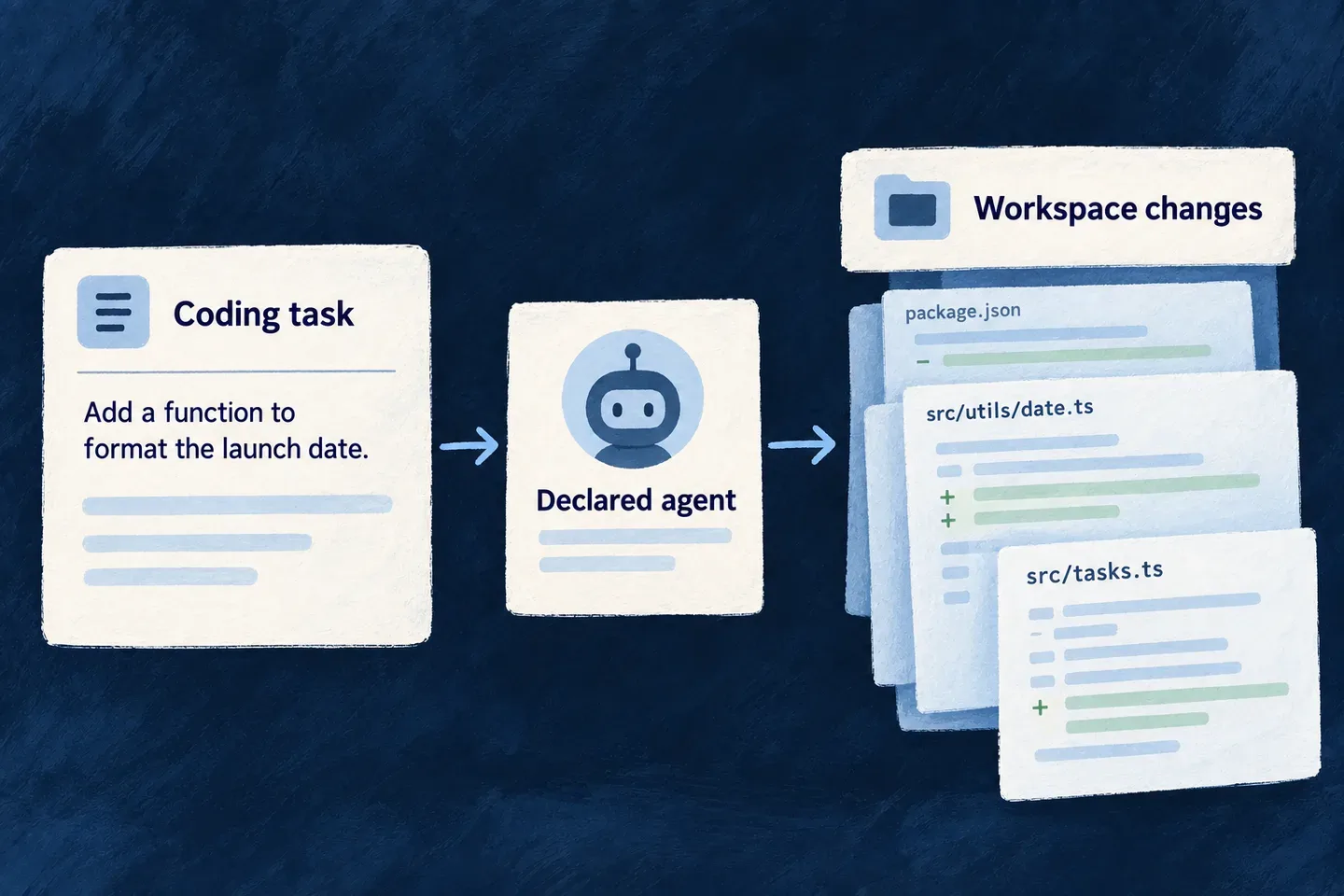
A coding agent works through a supervised connection to an application workspace.
For engineers

This excerpt adapts the companion’s registered binding; ApplicationCodingAgentBinding is its application-owned type. The matching execution profile must be authored in runtime configuration. It keeps provider, model and execution profile together. A coding agent requires executionProfileRef; unlike a language-model API call, it cannot omit the authority and environment under which its subprocess runs.

const codingAgentBinding = {
  ref: 'application-coding.agent',
  displayName: 'Application Coding Agent',
  providerRef: 'anthropic',
  executionProfileRef: 'claude-code-acp',
  model: LLM_Model.CLAUDE_OPUS_5,
} satisfies ApplicationCodingAgentBinding;

The ACP runner negotiates the protocol, opens or resumes the session, exchanges turns and answers permission requests. Enforcement depends on which callbacks the provider actually raises. The dispatch layer checks the provider’s declared permission-escalation behavior before accepting a restrictive ceiling. Do not describe mutation scope as an operating-system sandbox: a child doing its own I/O without a relevant callback is a different boundary, and the recorded run/change set remains important.

Author the matching companion execution profile

The binding above names claude-code-acp. Declare that same key under providerConfigurations.anthropic[ExternalProvider_ExchangeProtocol_Kind.AGENT_CLIENT_PROTOCOL].executionProfiles in wildo.saas.config.ts. This selected profile follows Wonder Todos’ development setup; the omitted settings govern recording and data-processing declarations, not provider selection. The AgentClientProtocol_* enums, APPLICATION_ENVIRONMENT and ExternalProvider_ExchangeProtocol_Kind come from @wildo-ai/external-connectors-models.

providerConfigurations: {
  anthropic: {
    [ExternalProvider_ExchangeProtocol_Kind.AGENT_CLIENT_PROTOCOL]: {
      defaultExecutionProfileRef: 'claude-code-acp',
      executionProfiles: {
        'claude-code-acp': {
          runnerHost: AgentClientProtocol_RunnerHost.BACKEND_SUBPROCESS,
          authMode: AgentClientProtocol_AuthMode.HOST_MANAGED,
          allowedApplicationEnvironments: [APPLICATION_ENVIRONMENT.DEVELOPMENT],
          workingDirectoryPolicy: AgentClientProtocol_WorkingDirectoryPolicy.WORKSPACE_ROOT,
          permissionCeiling: AgentClientProtocol_PermissionCeiling.UNRESTRICTED,
          hostConfigurationInheritance: AgentClientProtocol_HostConfigurationInheritance.APPLICATION_SCOPED,
          turnTimeoutMs: 30 * 60_000,
          maxAutoContinuations: 12,
          awaitingInputTtlMs: 30 * 60_000,
        },
      },
    },
  },
},

HOST_MANAGED uses the operator’s existing agent login. The provider owns its launch command; the host supplies the workspace at invocation. The unrestricted ceiling admits all tool categories; declared locations and available approval options still govern individual requests. It is not a sandbox: filesystem confinement still depends on participating callbacks, and the host must inspect the resulting changes.

Enable EngineCapability.AI_CODING_AGENT, then merge this entry into providers.scopes.companion.providers. EngineCapability comes from @wildo-ai/saas-models. An AI_LLM backend entry cannot substitute for this companion transport:

anthropic: {
  engineCapabilities: [EngineCapability.AI_CODING_AGENT],
  providerCapabilities: ['CODING_AGENT'],
  protocols: ['AGENT_CLIENT_PROTOCOL'],
},

Run wildo config sync after configuration changes. The host needs the provider’s supported agent installation and login before dispatch; selecting a model does not install or authenticate the subprocess. Application runtime language generation has its own backend provider setup.

Dispatch the task in a trusted workspace

The companion constructs this invocation after admitting its typed task and rendering the task prompt. A resumed run supplies the operator’s answer and the existing session ID; a new run supplies the rendered task.

const invocation: FlowsActors_Agent_Invocation<
  typeof CodingAgent_RunTaskInputSchema,
  typeof CodingAgent_RunTaskOutputSchema,
  typeof CodingAgent_OperationContext_BaseSchema
> = {
  agentRef: APPLICATION_CODING_AGENT_REF,
  initiator: {},
  invocationContext: [],
  input: resume
    ? { prompt: resume.answerPrompt, continuationOfSessionId: resume.continuationOfSessionId }
    : { prompt: renderedPrompt },
  output: { finalMessage: '', stopReason: CodingAgent_StopReason.END_TURN },
  executionContext: { callTimestamp: new Date().toISOString() },
  artifactBindings: [],
};

The call also receives the trusted workspace and task-location predicate. This reduced excerpt omits the companion’s event collection and turn-classification callbacks; it shows where workspace and cancellation enter the runtime:

const response = await this.agentsService.invokeAgent(
  invocation,
  traceContext,
  {
    workspaceRootPath: this.companionContext.saasRoot,
    isPermittedCodingLocation: buildApplicationCodingTaskLocationPredicate(
      this.companionContext.saasRoot,
      task.mutationScope.allowedPathPrefixes,
      task.mutationScope.prohibitedPathPrefixes,
    ),
    ...(this.activeRun ? { codingSessionAbortSignal: this.activeRun.abortController.signal } : {}),
  },
);
const codingOutput = response.output as Partial<CodingAgent_RunTaskOutput> | undefined;
const text = codingOutput?.finalMessage;
const stopReason = codingOutput?.stopReason;

finalMessage is not itself acceptance of the changes. The host checks the stop reason, records the run and inspects the resulting change set. A parked run is asking for input, not reporting a finished implementation. Permission callbacks constrain participating operations; they do not turn arbitrary subprocess I/O into a filesystem sandbox.
Choose what a run may approve Guarantee

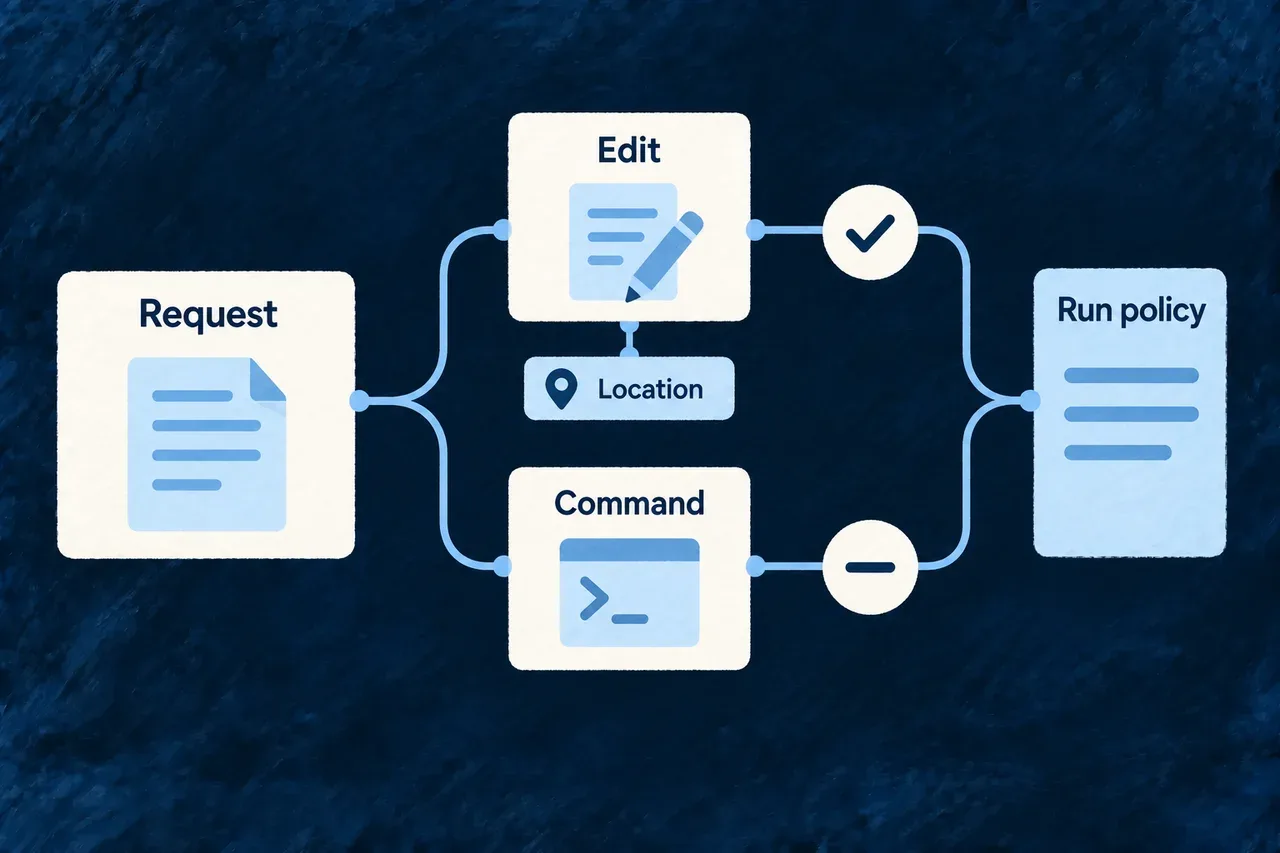
An agent’s permission mode should not be the only explanation of what it may do. Wildo gives a run an explicit policy and uses it to answer the agent’s permission requests.

You choose the kinds of work the run can approve. The task’s declared locations provide a separate check, and the run records the decisions made along the way.

Example: Allow file edits without approving commands

A focused change needs edits to declared source files. A reads-and-edits policy can approve those requests while refusing shell execution. A task that needs to run commands requires a different, deliberate choice.

A run policy distinguishes edit requests, their locations and command execution.
For engineers

Set the ceiling in the ACP execution profile referenced by the coding-agent binding. This is a selected configuration fragment; the profile also needs the provider, runner, authentication and environment settings described in coding-agent setup.

executionProfiles: {
  'reviewed-edits-acp': {
    // Other required execution-profile settings belong here.
    permissionCeiling: AgentClientProtocol_PermissionCeiling.AUTO_ACCEPT_READS_AND_EDITS,
  },
},

AgentClientProtocol_PermissionCeiling is exported by @wildo-ai/external-connectors-models. The agent binding must name this profile. After changing application configuration, run wildo config sync and verify the companion is using the updated profile before dispatch.

Match the policy to the work
CeilingRequests the client can approve
PROMPT_ALWAYSNone in this unattended runner; it denies rather than opening an interactive prompt.
AUTO_ACCEPT_READSDeclared read, search, fetch and think operations.
AUTO_ACCEPT_EDITSDeclared edit, delete and move operations.
AUTO_ACCEPT_READS_AND_EDITSBoth of those sets.
UNRESTRICTEDAll tool kinds, including execution and unclassified requests.

These are tool-kind policies. Reads and edits are different sets, not successive levels of the same permission. An invocation override retains only operations admitted by both policies. Requesting reads from an edit-only profile therefore grants neither reads nor edits; it cannot turn the override into new access. Leaving the override absent retains the profile’s policy.

Follow an individual decision

The runner applies the ceiling first, then the task’s location predicate, then selects an acceptable one-time approval. The following selected source shows the separate scope and approval steps after the ceiling has passed:

if (options.isPermittedLocation && locations.some((path) => !options.isPermittedLocation!(path))) {
  record(false, ACPPermissionDecisionReason.LOCATION_OUT_OF_SCOPE);
  return { allowed: false };
}

const once = rawOptions.find((entry) => isRecord(entry) && entry.kind === 'allow_once');
if (isRecord(once) && typeof once.optionId === 'string') {
  record(true, ACPPermissionDecisionReason.ALLOWED_ONCE);
  return { allowed: true, optionId: once.optionId };
}
record(false, ACPPermissionDecisionReason.NO_SELECTABLE_OPTION);
return { allowed: false };

The runner does not select an allow_always option that could change later decisions. Its bounded decision record includes the declared tool kind, locations, offered options and result. Direct client filesystem writes also check the edit ceiling and the location predicate, even if the agent sends no permission request first. Read-only policies do not advertise client write support; attempts to use it are still refused and recorded.

Check whether the provider can participate

The provider contract declares whether the agent raises permission requests before mutation. Dispatch checks that declaration and the composed environment. A restrictive ceiling is refused when those guards cannot fire; a conditionally escalating provider needs its configuration pointer present in the child environment.

UNRESTRICTED deliberately permits that broader execution. It does not create a filesystem sandbox. An agent performing its own I/O without callbacks, or an allowed shell command declaring no locations, does not receive a per-file scope check from these permission decisions. Inspect the resulting changes and run warnings as well as the configured policy.

The host-side admission probe tests refusal against an actual filesystem result. Use the supported arguments shown by the installed CLI before evaluating a new adapter or configuration:

wildo acp probe --help

A provider declaration tells dispatch how to proceed; a probe checks the behavior behind it. Re-evaluate that behavior when the adapter or its host configuration changes.

Keep coding runs from competing over the workspace Mechanism

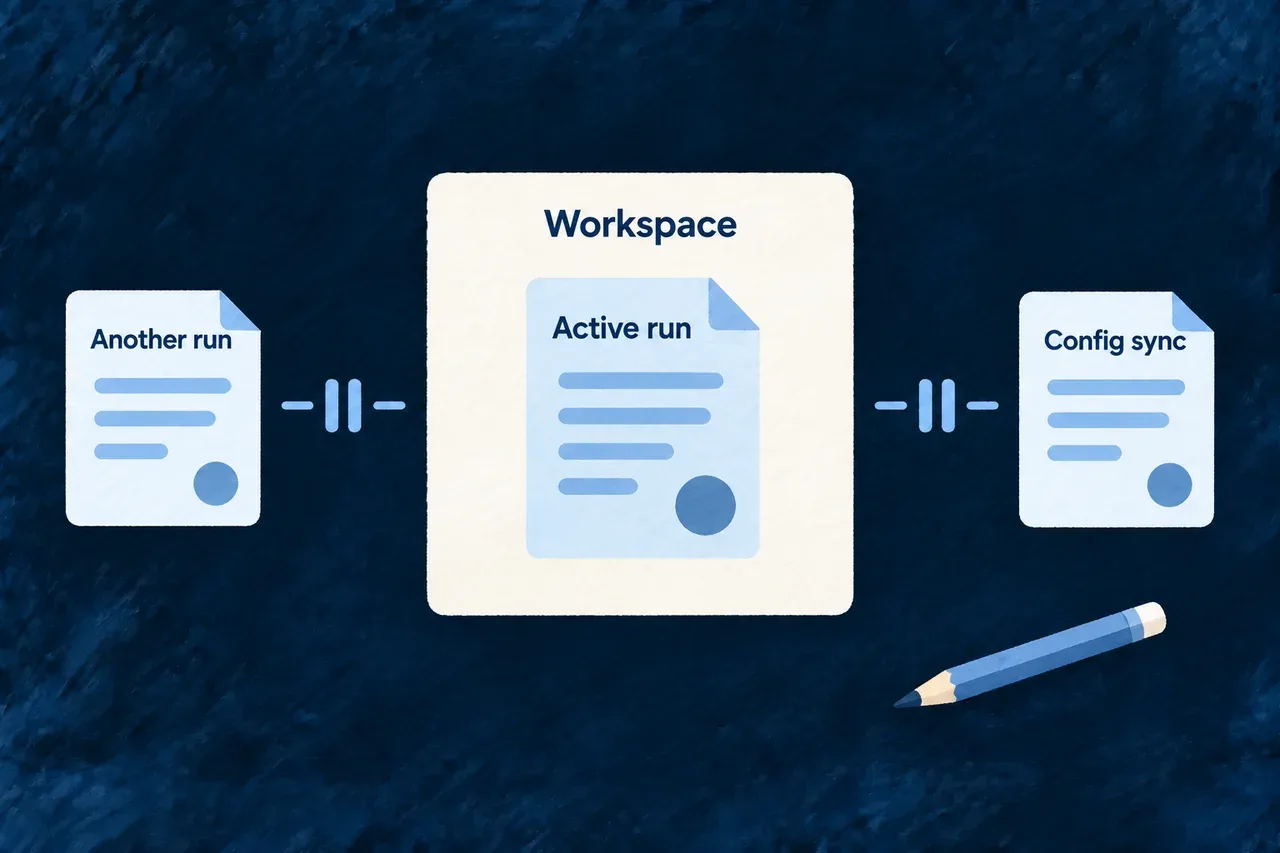
Two coding runs should not rewrite the same application while each assumes it is working alone. Wildo gives managed coding runs one shared turn to change the workspace, coordinating them with configuration sync from the command line.

Your own editor remains available. This coordination protects the managed execution lane while the change set helps you review work happening around it.

Example: Finish the schema update before syncing configuration

A coding run is changing a customer schema. A second coding request is refused while that run is active, and configuration sync cannot acquire the same workspace lock. After the run settles, you can review the result and start the next operation.

One managed coding run uses the workspace while other managed writes cannot proceed.
For engineers
Admission holds the lock through execution

The companion admits a typed application coding task, resolves its required checks, and takes the application’s workspace-mutation lock before capturing its baseline and creating the durable task. An in-memory active-run check provides a fast conflict response; the file lock coordinates separate processes.

The lock remains held while the managed execution runs and records its outcome. Resuming a suspended coding session reacquires the same lock. A new request is not queued as a future coding run.

OperationCoordination
Fresh managed coding taskAcquires the application lock with no contention retries
Resume after an operator answerAcquires the same application lock
wildo config syncUses the same lock with a small bounded retry policy
Another coding dispatch from inside a running agentEncounters the lock already held by its own outer run
Manual editor or independent coding sessionDoes not participate in this lock
Research agentUses a separate execution lane and evidence store
Why the command line participates

Configuration sync can rewrite generated application files from a different process. This selected fragment from the sync command shows it using the shared lock helper around its actual sync work:

try {
  return await withDedicatedFileLock(
    getWorkspaceMutationLockPath(saasRoot),
    runSyncDomains,
    { retries: { retries: 2 } },
  );
} catch (error) {
  if ((error as { code?: string })?.code === 'ELOCKED') {
    ctx.log.error(
      `The workspace-mutation lock is held (${getWorkspaceMutationLockPath(saasRoot)}) — `
      + 'an active coding-agent dispatch run or another worktree-writing command owns the '
      + 'application worktree right now. Retry after it completes.',
    );
    return { success: false };
  }
  throw error;
}

The highlighted call coordinates the real writer, rather than checking a flag and then writing later. Contention becomes an actionable command outcome. The companion maps its corresponding lock conflict to the conflict response vocabulary, rather than treating it as a successful admission.

Keep the unit of coordination clear

The lock applies to the application, not individual files or modules. Two managed coding tasks with disjoint declared scopes are still serialized. That same scope-independent exclusion prevents an active dispatched task from recursively starting another managed coding run.

A permission profile and a mutation scope answer different questions: what the agent may request, and where its task is intended to write. The shared lock answers when participating writers may proceed. It does not turn a shell into an isolated environment or stop an external editor.

Do not assume every companion generator participates in this coding lock. Schedule other file-producing work outside the capture window when it can change the application files being reviewed.

Review after the run settles

Wait for the active run to finish or use its supported cancellation flow before starting competing managed work. Do not remove a live lock to force a second writer through. Use the captured changes to inspect the outcome and any overlapping manual edits, then run the checks relevant to the change.

Prepare useful context

Start each task with the relevant application context Mechanism

A useful coding brief explains both what should change and what already exists. Wildo prepares that context around the task’s target, bringing its objective together with the relevant application structure and product plan.

The agent also receives a menu of questions it can ask the running companion. It can inspect further details as it works, instead of relying entirely on the starting brief.

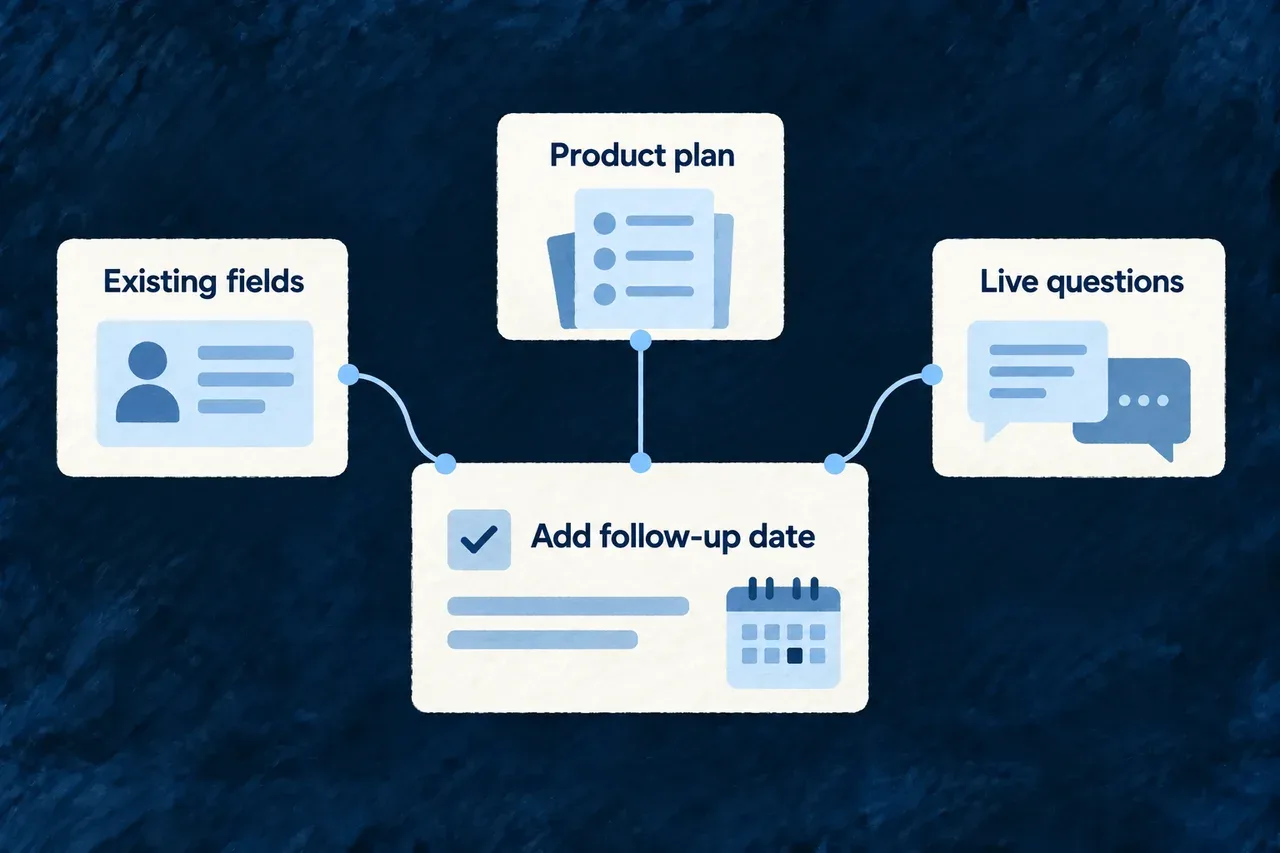
Example: Extend the existing customer record

A task adds a follow-up date to a customer. The initial context identifies the registered customer resource and its current fields, helping the agent enrich the existing declaration instead of creating a second one under a guessed name.

Existing fields, the product plan and live questions inform a coding task.
For engineers
Understand how the starting brief is assembled

The build dispatch composes sources from the task and its target. The source categories are declared in code; their contents vary with the application and task. This is distinct from a model autonomously choosing every source before a run.

SourceWhat the coding run receives
Task descriptionObjective, target, skills, prerequisites and position in the build plan
Live-query menuAvailable companion behavior identifiers and commands for inspecting them
Workspace sliceModule identifiers and the target module’s registered resources and present schema fields
Domain-plan sliceThe target module’s intended structure and relationships touching its resources

The workspace and domain-plan sources are best effort. If introspection fails or the relevant plan is absent, dispatch can continue with the remaining sources. The host logs failures; absence of a source is not proof that the application has no matching resources.

Inspect before choosing an identifier

Run these commands from the application workspace with its companion available:

# Discover the queries exposed by this running companion.
wildo context list

# Read registered resources rather than inventing their names.
wildo context info resources-registry

# Inspect relationships between accepted product declarations.
wildo context coherence

The registry snapshot describes what the companion can currently introspect. The domain plan describes intended structure. Keep those two meanings separate when deciding whether a task creates a resource or enriches one already registered.

Keep scope and context as separate inputs

This selected framework excerpt shows the boundary between supplied content and the mutation/check policy:

export interface BuildTaskCodingBoundary {
  readonly allowedPathPrefixes: readonly string[];
  readonly prohibitedPathPrefixes: readonly string[];
  readonly requiredCheckRefs: readonly string[];
}

export interface BuildTaskContextSource {
  readonly sourceRef: string;
  readonly originRef: string;
  readonly content: unknown;
}

composeBuildTaskCodingContract combines those inputs with the typed build task. It refuses a missing target, a companion generation task assigned to a coding agent, an empty allowed scope, missing required checks or an empty context set. Task skills are translated to namespaced references for the coding contract.

Every selected source is mandatory in this composer. Its token figure is a coarse estimate derived from serialized content and summed across the selected sources; it does not trim content to a configurable spending limit. Model safety also remains the source selector’s responsibility: the composer labels supplied content SAFE_FOR_MODEL without inspecting it. Do not use that label as a content-classification or secret-redaction service.

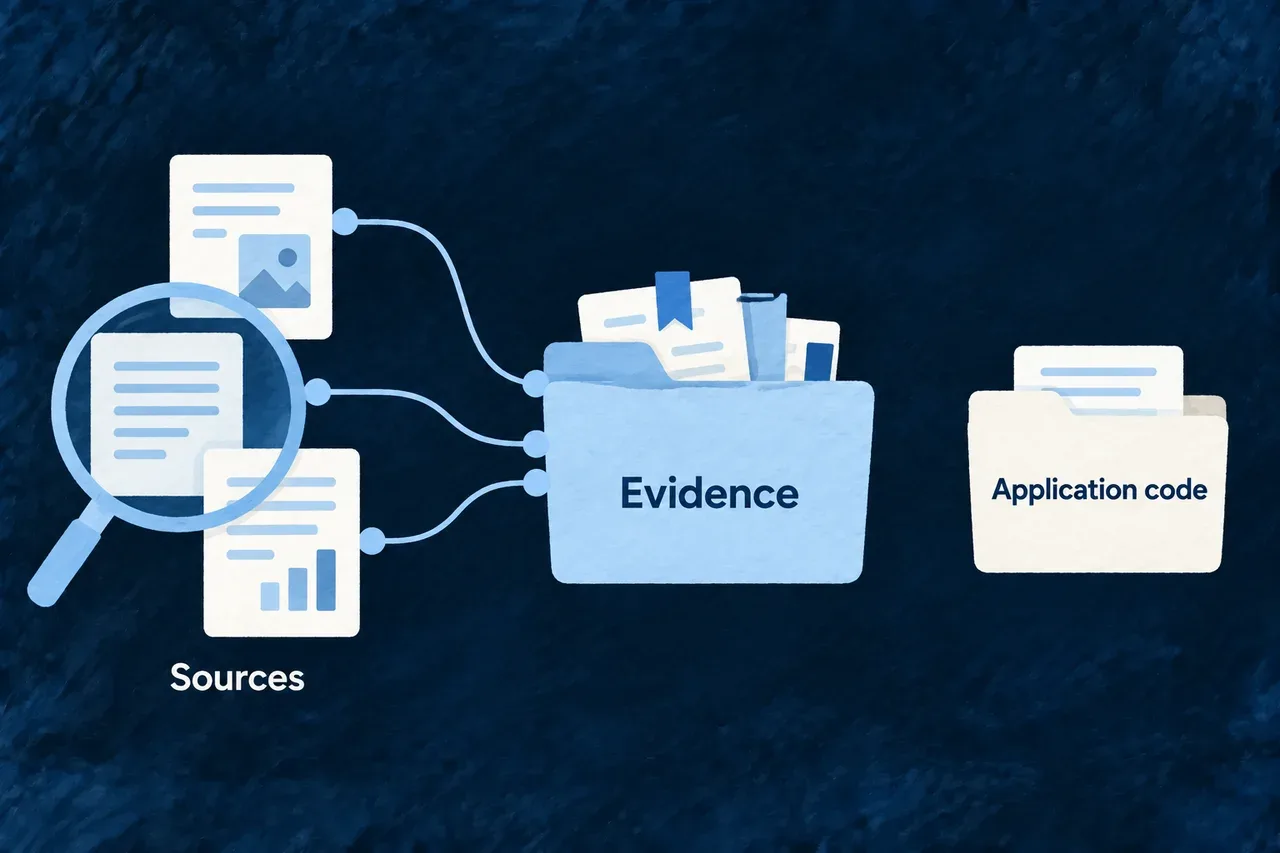
Research a question and keep the evidence Mechanism

Some product decisions need information from outside the project: market evidence, published requirements or a provider’s documented behavior. Wildo separates that investigation from the agent work that changes application code.

The research lane gathers findings into a dedicated evidence store, where later rounds can build on earlier sources. A returned answer remains material to assess; it does not become an accepted product fact simply because an agent wrote it.

Example: Compare published plans before choosing a provider

A researcher gathers the relevant pricing pages, records the source beside each finding and notes what remains unclear. A later round can extend that record rather than repeating the investigation from the beginning.

Research collects source findings into a separate evidence folder.
For engineers
Configure the research posture separately

The research agent uses its own execution profile. These selected settings appear in the Wonder CRM research profile; the complete configuration also supplies the provider launch details and model destinations:

permissionCeiling: AgentClientProtocol_PermissionCeiling.AUTO_ACCEPT_READS_AND_EDITS,
hostConfigurationInheritance:
  AgentClientProtocol_HostConfigurationInheritance.ISOLATED,
turnTimeoutMs: 15 * 60_000,
maximumRecordedEventBytes: 2 * 1024 * 1024,

The permission ceiling admits recognized reading, searching, fetching and thinking tools, plus edits. It excludes command execution and unclassified tool kinds. The host restricts declared filesystem access to specifications/research-evidence/. It applies the same evidence boundary to direct client reads and writes, including callbacks sent without a permission request. A refused read is recorded as a scope denial; research can persist findings without receiving general workspace access.

These controls depend on the adapter exposing the relevant permission requests or client filesystem operations. Wildo’s provider compatibility checks and execution profile matter here as they do for coding. An isolated host configuration controls inherited agent guidance; it does not mean an offline run or a local model.

Keep findings across research rounds

Each request has an objective and can name an evidenceScope for the investigation. The companion resolves the scope to a directory and adds the same evidence-store instructions to each round:

specifications/
  research-evidence/
    provider-selection/
      published-plans.md
      usage-conditions.md

This is an illustrative directory layout. The agent is instructed to read existing findings first, write coherent topic files as it works and keep source URLs beside findings. The store sits outside the specification TypeScript source tree, so a research note does not become a typed product declaration.

At the end of a non-cancelled run, the companion also attempts to save the final brief with its objective, timestamp, elapsed time, stop reason and optional playbook reference. A failed backstop write is logged and can leave persistedEvidencePath empty; callers should inspect that field before reporting that a durable record exists.

Interpret research results before accepting them
Result informationHow to use it
Evidence proseReview source relevance, attribution and unanswered questions
Stop reasonDistinguish a completed response from an interrupted or unusual ending
Permission decisionsSee whether denied tools explain a thin answer
Persisted evidence pathLocate the companion’s saved final brief when persistence succeeded
Reported file locationsUnderstand the agent’s account of its activity, without treating it as an independent filesystem audit

A cancelled final response is not saved as a completed brief. Files already written during the run remain available for inspection. Research can run alongside coding; the coding change-set logic records research-store changes as a concurrent host lane and excludes them from the coding task’s mutation-scope decision.

Choose which findings enter the product definition through the appropriate review and validation process. Neither a source URL nor successful persistence establishes the truth of a claim. The turn timeout stops a runaway turn; it is not a token or monetary budget.

Check whether a generation brief needs more context Mechanism

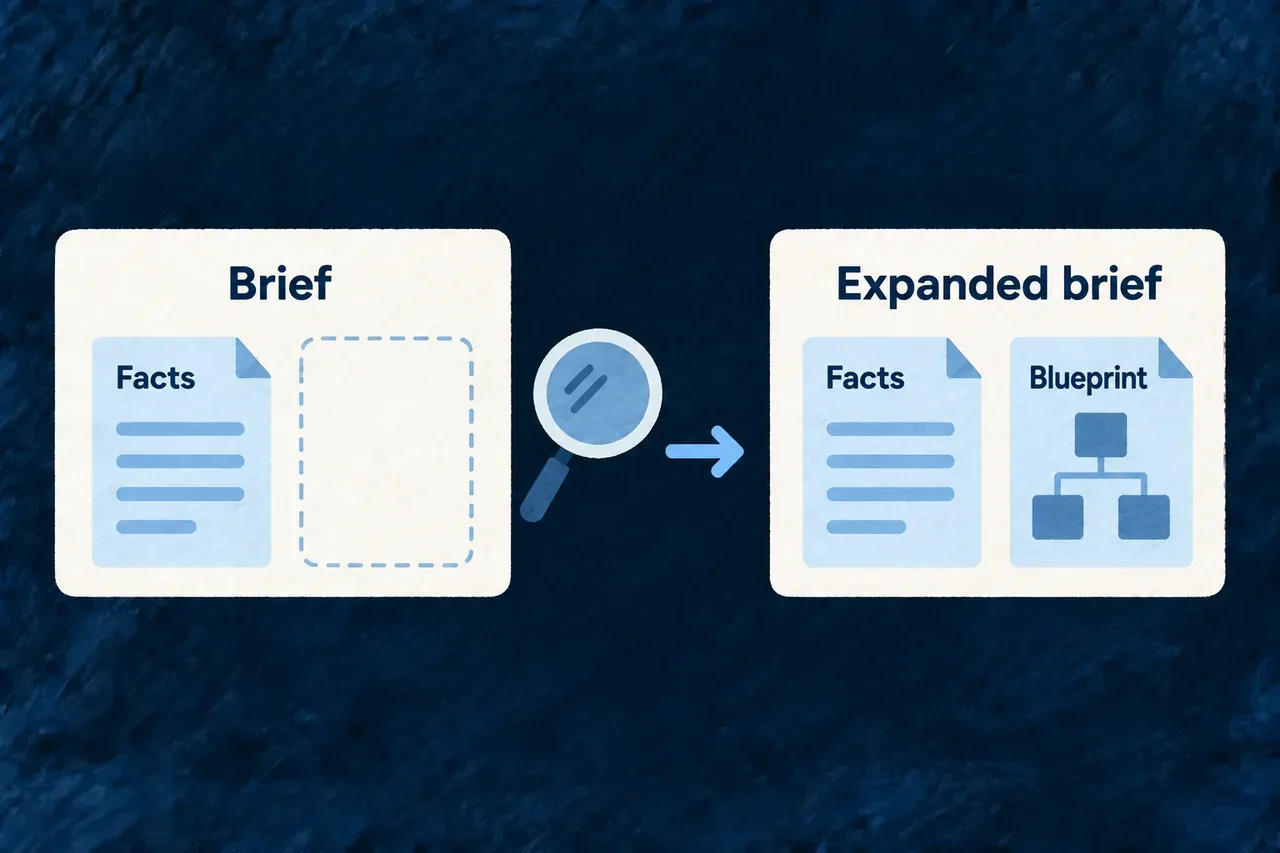
A generation step can receive a well-formed brief that leaves out information it needs. Wildo offers an optional check that looks for missing context before the step produces its artifact.

When an available source can address the gap, the brief is expanded for that run. Existing requirements remain in place, and the playbook controls which sources may never be added.

Example: Give a document draft its blueprint

A document-writing step needs both accepted application facts and the blueprint describing the document’s required content. A context check can identify the absent blueprint and request it before generation, without replacing the facts the draft must rely on.

A brief keeps its existing facts while a check adds a missing context source.
For engineers
Enable the check on the method that needs it

The existing refinement.compliance-document-candidate playbook contains this method excerpt. This is selected configuration from the framework catalogue, not a complete standalone playbook:

{
  "contextSources": ["document_blueprint"],
  "briefAdequacyGate": true,
  "briefAdequacyExcludedSources": ["compliance_primary_facts"],
  "skillRefs": ["compliance-document-authoring"]
}

briefAdequacyGate defaults to false. The source exclusion preserves an intentional information boundary: this document drafter works from accepted document facts rather than interpreting raw resource mechanisms as new statements about the application.

Follow one check and one recomposition

The companion composes the generation outputs, then asks the brief-adequacy judge about the first output’s brief. The judge receives the brief and a menu of undeclared, non-excluded context sources. Its structured response names a verdict and proposed missing sources.

This selected runtime excerpt shows the add-only update:

const declared = new Set(playbook.method?.contextSources ?? []);
const excludedSources = new Set(playbook.method?.briefAdequacyExcludedSources ?? []);
const addedSources = judged.missingSources.filter((source) => !declared.has(source) && !excludedSources.has(source));
if (judged.verdict === BriefAdequacyVerdict.INSUFFICIENT && addedSources.length > 0) {
  const widened = {
    ...playbook,
    method: { ...playbook.method, contextSources: [...declared, ...addedSources] },
  } as typeof playbook;
  outputs = await composeGenerationOutputs(widened);
}

The effective declaration is a union for this run. The stored playbook is not rewritten, declared sources are not removed, and the same composers build the expanded outputs. There is no recursive planner loop.

Read the verdict for what it establishes
ResultRuntime behavior
SufficientUses the authored brief
Insufficient with admissible additionsRecomposes once with those sources included
No useful additionsKeeps the existing brief
Judge unavailable or invalid responseContinues with the static brief

The companion logs the verdict and added sources, including an unavailable result. This is advisory assistance for input quality, not an artifact acceptance gate: the artifact still needs its own validation and review.

The mechanism selects from the declared context-source vocabulary. It does not invent new input families, browse arbitrary sources, or automatically plan context for every coding task. Coding dispatch separately supplies task-specific initial context and a live-query door for the agent to use.

Review changes and reconsider proposals

See what changed during a coding run Mechanism

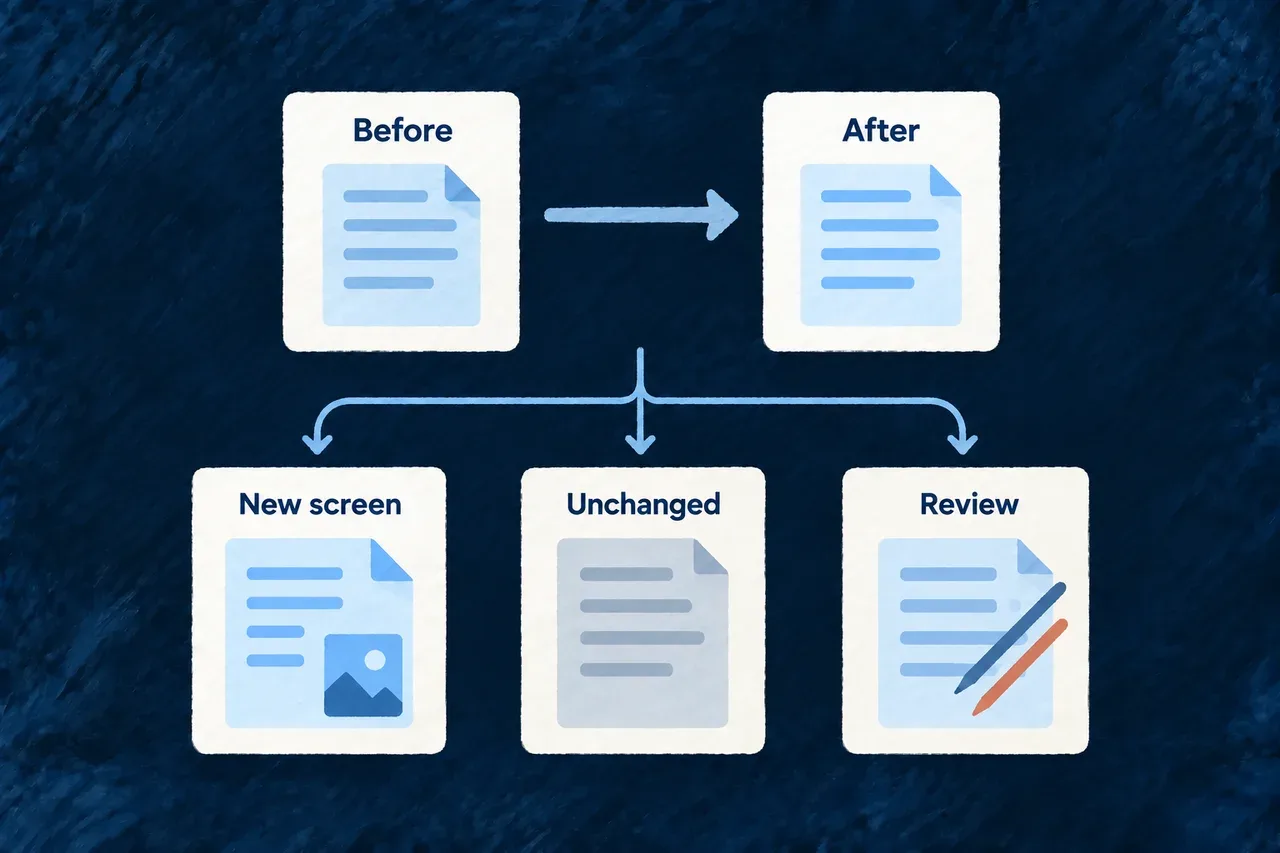
A coding run starts in a real workspace, often with work already in progress. Wildo compares the files before and after the run, so an earlier edit does not automatically become part of the agent’s result.

The resulting change set identifies new and changed files and marks overlaps that need review. It gives you a concrete account of the run window, with uncertainty visible alongside the changes.

Example: Review a new customer screen

An agent adds a customer screen while an existing pricing edit remains untouched. The new screen enters the change set; the unchanged pricing edit does not. If someone also edits the customer schema during the run, that overlap calls for a closer review.

A before-and-after comparison distinguishes new work, unchanged earlier edits and changes needing review.
For engineers
How a run gets its baseline

The companion captures a working-tree snapshot before invoking the coding agent, then captures the result after execution. Dirty tracked files have a fingerprint derived from their diff; untracked files use their content. The comparison excludes files that were already dirty but did not change again.

This selected fragment from the capture service shows the distinction. It runs inside the per-file comparison; the surrounding method also handles new files, committed paths and summary statistics:

const changedDuringRun = baselineState.fingerprint !== postState.fingerprint
  || baselineState.changeKind !== postState.changeKind;
if (!changedDuringRun) {
  // Dirty before the run, untouched during it — not part of this
  // run's change set at all.
  continue;
}

entries.push({
  path,
  changeKind: postState.changeKind,
  attribution: ownedByConcurrentLane
    ? ChangeSetAttributionClass.CONCURRENT_HOST_LANE
    : ChangeSetAttributionClass.BASELINE_DIRTY_AMBIGUOUS,
  dirtyAtBaseline: true,
  ...(postState.fingerprint !== undefined ? { postRunFingerprint: postState.fingerprint } : {}),
  ...(postState.sizeBytes !== undefined ? { sizeBytes: postState.sizeBytes } : {}),
});

The first highlighted region removes unrelated pre-existing work. The second retains a changed file while distinguishing an ordinary overlap from a path owned by a concurrent companion lane.

Interpret the attribution before accepting the work
ClassificationWhat the capture observedHow to read it
run_exclusiveA tracked file was clean at the start and dirty afterwardsA change in this run window; review its diff
appeared_during_runA new untracked file appearedReview the new file and its purpose
baseline_dirty_ambiguousAn already dirty file changed againThe capture cannot separate the run’s work from another editor’s
committed_during_runA path changed between the starting and ending commitsHistory moved; the path remains visible without assigning authorship
concurrent_host_laneA changed path belongs to the companion’s research evidence storeVisible alongside the run, excluded from its mutation-scope decision

These are observations about time and location, not an operating-system record of which process wrote a byte. Even a clean starting file can be edited by an external session during the window. The research classification likewise comes from the path’s owner, not proof that a research process made that particular write.

Follow the change set into the result

The structured task artifact retains paths, classifications, starting and ending commit positions, and post-run fingerprints. Full diff text belongs to the verbose trace artifact. The agent’s reported file locations remain a separate claim; they do not replace the workspace capture.

The post-run scope assessment checks observed changes against the task’s declared scope, including baseline-dirty files that changed again. Uncertain authorship does not exempt a path from that check. It excludes committed-window entries and concurrent research-store paths, while recording those conditions. A baseline-dirty file disappearing also receives separate handling when history moved.

This assessment detects observed effects after execution. It does not prevent shell commands from making those changes. Review the permission policy alongside the change set when deciding how the agent may work.

Preserve a useful review window

Avoid committing unrelated work during a coding run when practical: moving the commit position makes ownership harder to establish. Capture uses a guarded read-only Git command set and selected ignored paths, rather than staging files to discover them. Host bookkeeping is deliberately separated from application edits.

Use the actual diff and the task’s required checks to judge the result. A captured file list explains what moved; it does not establish that the feature works.

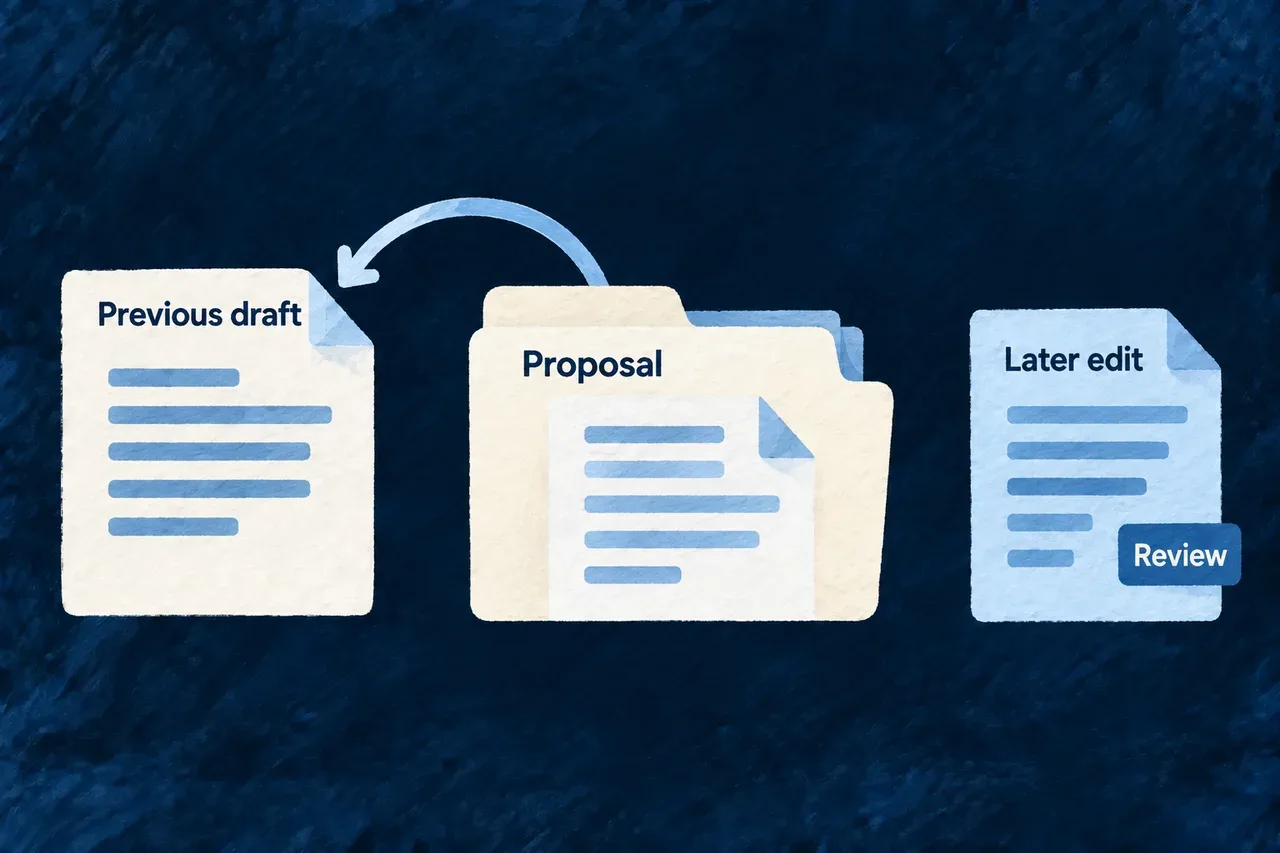
Undo a generated specification run Mechanism

Trying a generated product definition should leave room to reconsider. Wildo records a playbook run’s specification files together with their previous contents, so you can undo that run from the workbench.

The record includes export wiring, the coherence report and generated review diagrams, keeping the plan and its picture together. Later edits or deletions of overwritten files are reported for review instead of silently replaced.

Example: Reconsider a proposed delivery scope

A playbook updates the requirements and the report that connects them to the rest of the product. You inspect the proposal and decide to undo it. The recorded files return to their previous state; a requirement file you edited afterwards is flagged separately.

A generated specification proposal can return to its previous draft while later edits need review.
For engineers
Recorded playbook output has its own recovery path

The playbook landing service records generated specification files, their export-wiring changes, the refreshed coherence report and generated review diagrams. For each file it keeps the path, whether it existed, its previous content and the content written by the run.

This is distinct from a coding agent’s observed change set. Arbitrary coding-agent edits do not enter this register; review and recover those through version control. A register write is best-effort after landing, so inspect the available run record before relying on its undo action.

Inspect the record before requesting a revert

The workbench exposes run-write records and a revert action. Its resource operation and the companion route reach the same service. The companion also provides GET /runs/writes, returning run identifiers, playbook references, timestamps and file summaries; previous file contents stay in the local register.

The following is an illustrative request sequence relative to the authenticated companion API mount. Substitute an actual listed run identifier; it is not a public application endpoint:

GET /runs/writes

POST /runs/writes/run-example/revert
Content-Type: application/json

{ "force": false }

The response separates reverted from refusedDiverged. A response with refused files means only part of the run was undone. Read those paths before taking another action.

How the content comparison protects an edited file

This selected service fragment shows the actual restore decision. The surrounding method loads the record and collects the outcome for every file:

const createdFileAlreadyAbsent = !file.existedBefore && current === undefined;
if (options.force !== true && !createdFileAlreadyAbsent && current !== file.writtenContent) {
  refusedDiverged.push(file.path);
  continue;
}
if (file.existedBefore && file.previousContent !== undefined) {
  await writeFile(absolutePath, file.previousContent, 'utf8');
} else {
  await unlink(absolutePath).catch((error: NodeJS.ErrnoException) => {
    if (error?.code !== 'ENOENT') throw error;
  });
}
reverted.push(file.path);

An overwritten file with different content—or one deleted afterwards—is refused unless force is explicitly true. A newly created file that is already absent is settled without recreating it.

Current file stateNormal revert
Still contains the run’s outputRestore the previous content, or remove a newly created file
Exists with different contentLeave it unchanged and return its path in refusedDiverged
Overwritten file deleted afterwardsKeep it absent and report refusedDiverged
Newly created file already absentKeep it absent and settle that entry
Explicit force requestedRestore the recorded prior state even when current content differs
Treat partial undo as a review step

Files are processed individually, not in one atomic filesystem transaction. After a partial outcome, the register retains only refused paths and their saved contents. A retry acts on those remaining files; it does not revisit earlier restored files or overwrite later edits to them, even when the retry uses force.

Force is a deliberate replacement of current content, not a merge. Preserve any wanted changes before using it. The register is local development convenience in the companion’s ignored state directory; Git remains the record of accepted work.

Keep the product knowledge with the product.

Your agent can change as tools improve. The application definitions, framework behavior and reviewable source remain the basis for the next change.

Wildo connects the context and execution mechanisms. Your team decides what the application should do and verifies that the result delivers it.

Building a B2B product or an internal tool?

Wildo is not self-service yet. Tell us what you have in mind and we will say plainly whether it fits, and what happens next.