


Wildo.ai Coming soon

Declare the business model

Describe fields, relationships and operations in contracts used by the application and its coding agents.

Resource definitions · validation · specificationsTypeScript · Zod

An application grows through decisions: who it serves, what it promises, how its information behaves and what should be built next. Those decisions need to remain usable after the original discussion ends.

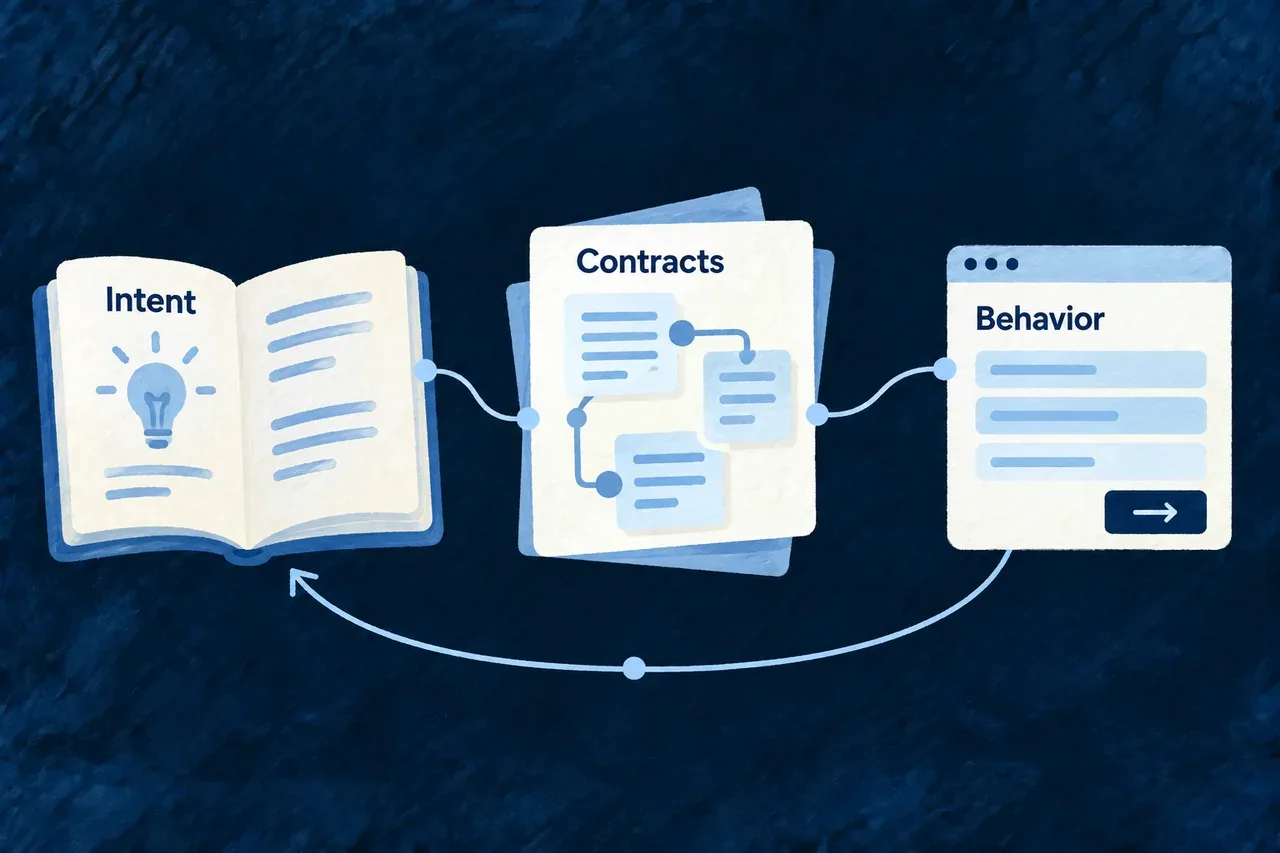
Wildo represents product intent and application contracts as structured, connected information. People and AI can inspect that information, use it in their work and revisit it as the product changes.

Product intent, contracts and application behavior connected through a shared plan.

Make the relationships between decisions visible

Describe what the product is for

Customer needs, requirements, success criteria and delivery plans have explicit structures and references. A requirement can identify the customer work it serves; a build task can identify the requirement it advances.

Those relationships let tools ask concrete questions: which commitment has no delivery work, which reference no longer resolves, or which customer need has no supporting requirement? The project retains more than a collection of independent documents.

A product need card connected visibly to a requirement and a delivery plan on an ivory map.
  • A reason for work: Requirements can identify the customer needs they serve.
  • Visible gaps in coverage: Reports surface commitments without related plans or implementation tasks.
  • Decisions beyond the conversation: Structured references retain meaning for people and tools.

Give application behavior a shared contract

Resources describe fields, relationships and operations. UI behavior describes presentation choices. Provider and environment configuration describe how the application uses its surroundings.

These declarations give their consumers a common basis. A standard form and an API can use the same field requirements, while an explicit display policy refines how that field appears. Business logic still has its own implementation where the decision requires it.

One central carefully drawn field contract feeding two equal consumer sheets: a form and an API exchange.
  • Common field requirements: Forms and APIs can consume the same declared rules.
  • Explicit presentation choices: Display policies refine how information appears to people.
  • Business logic stays expressible: Custom implementations carry the decisions that require application code.

Put meaning to work in several places

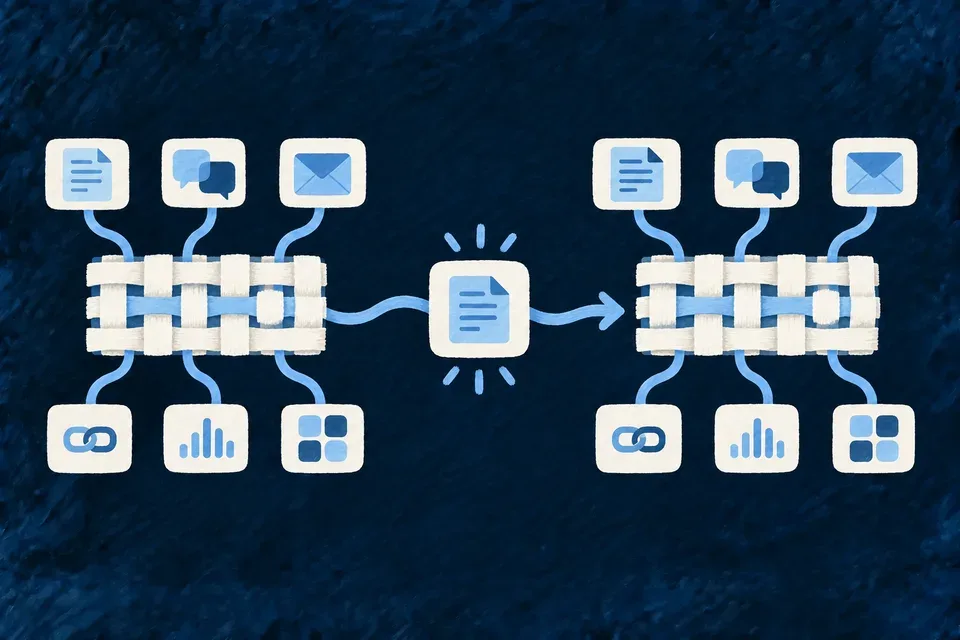
A resource description can explain its purpose to a coding agent, supply context for interface wording and support product documentation. Each consumer receives information suited to its task.

That is particularly useful for AI: the project can supply both a contract and the reason behind it. The agent spends less effort inferring intent from names or reconstructing context from earlier conversations.

An ivory resource specification sheet passes through three simple blue lenses, yielding a language card, an implementation plan and a reader guide.
  • Context suited to work: Consumers receive the information relevant to their task.
  • Explain purpose alongside structure: Agents can use meaning as well as technical contracts.
  • Related outputs stay connected: Implementation, wording and documentation share a source of understanding.

Keep change understandable

Structured information can be compared and its references checked. When a customer commitment changes, the related plan and implementation work remain inspectable in the project.

A coverage finding is a question for the team, not a verdict on the product’s value. Explore application specifications and connected documentation for the concrete consumers.

Two successive versions of a calm ivory product map side by side, a changed blue requirement highlighted between them, with related plan threads remaining traceable.
  • Inspect what has changed: Structured information makes decisions and references easier to compare.
  • Find disconnected commitments: Coverage findings point to specific questions for the team.
  • Keep judgment with people: A structural report informs decisions about real product value.

Example: Revisit a delivery promise

A requirement is added for a new customer group. Its references connect it to that group’s needs and the planned work. A coherence report can identify that no delivery phase yet covers it, giving the team a specific planning decision to resolve.

Keep intent, configuration and implementation distinct

Use the contract that answers the question

QuestionOwning information
Why should this exist?Product specifications and their references
What values and actions are supported?Resource schemas and operation declarations
How should people interact with it?UI behavior, policies and custom views
What should the business action do?Application implementation
What should be reviewed after a change?Referenced plans, coherence findings and behavior checks

The coherence service compares declared customer, requirement, roadmap and build references. A reference proves a recorded relationship; it does not prove that the implementation satisfies the requirement.

Give the agent current information

From an application with its companion available:

# Discover and inspect the application's specification views.
wildo context list
wildo context info resource-specifications

# Inspect supported cross-family coverage and reference findings.
wildo context coherence

The harness connects these views with the methods used to implement changes. Product specifications inform that work; executable declarations and application code give the running product its behavior.

Explore the underlying mechanisms

Help people move through the work

Give the application a familiar frame and predictable movement between screens. Wildo connects shell destinations, record context, pages and overlays so a person can find work and return to where they were.

You choose the product’s navigation structure and interaction policy. The framework supplies the shared controls, route resolution and navigation hosts that apply those choices.

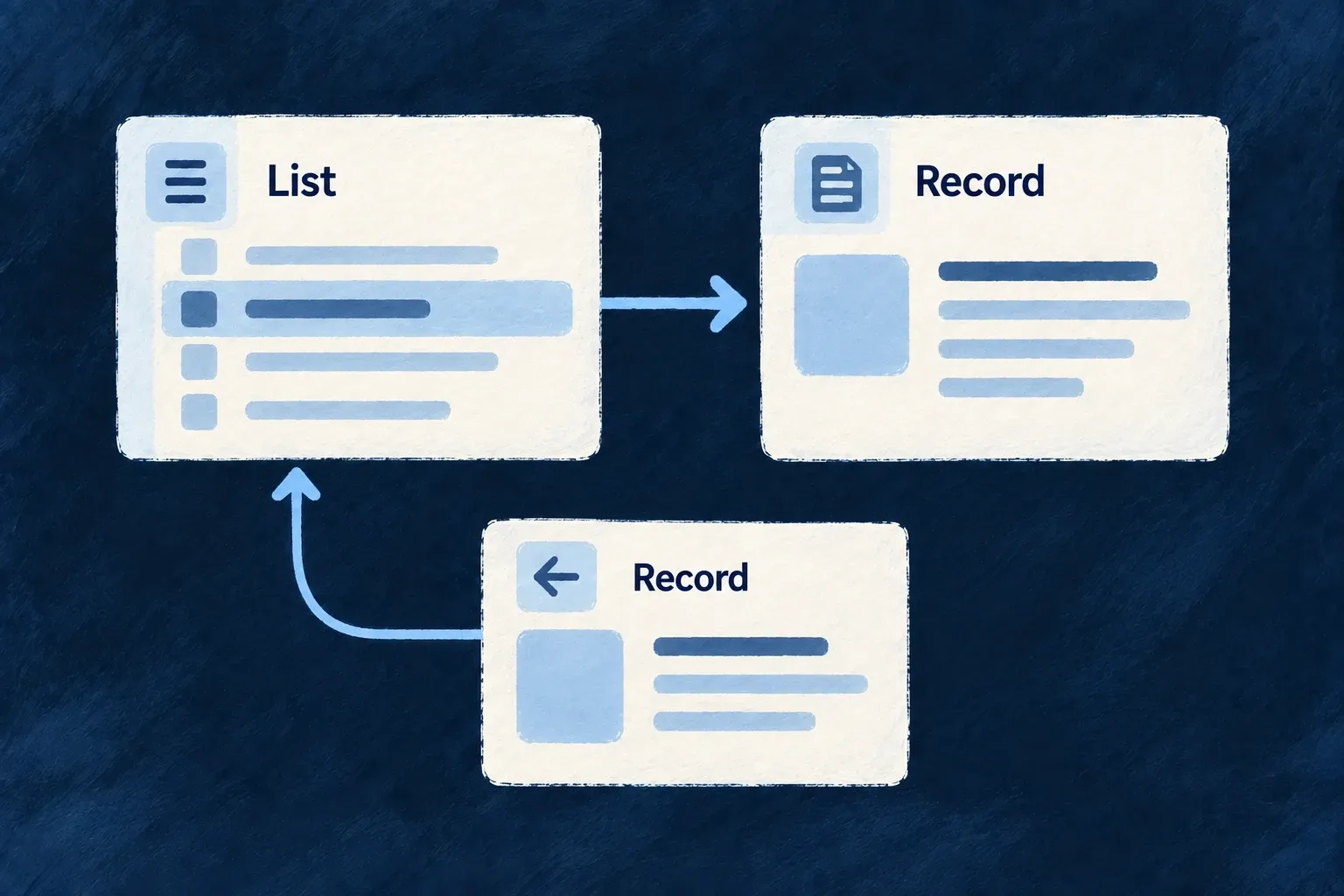
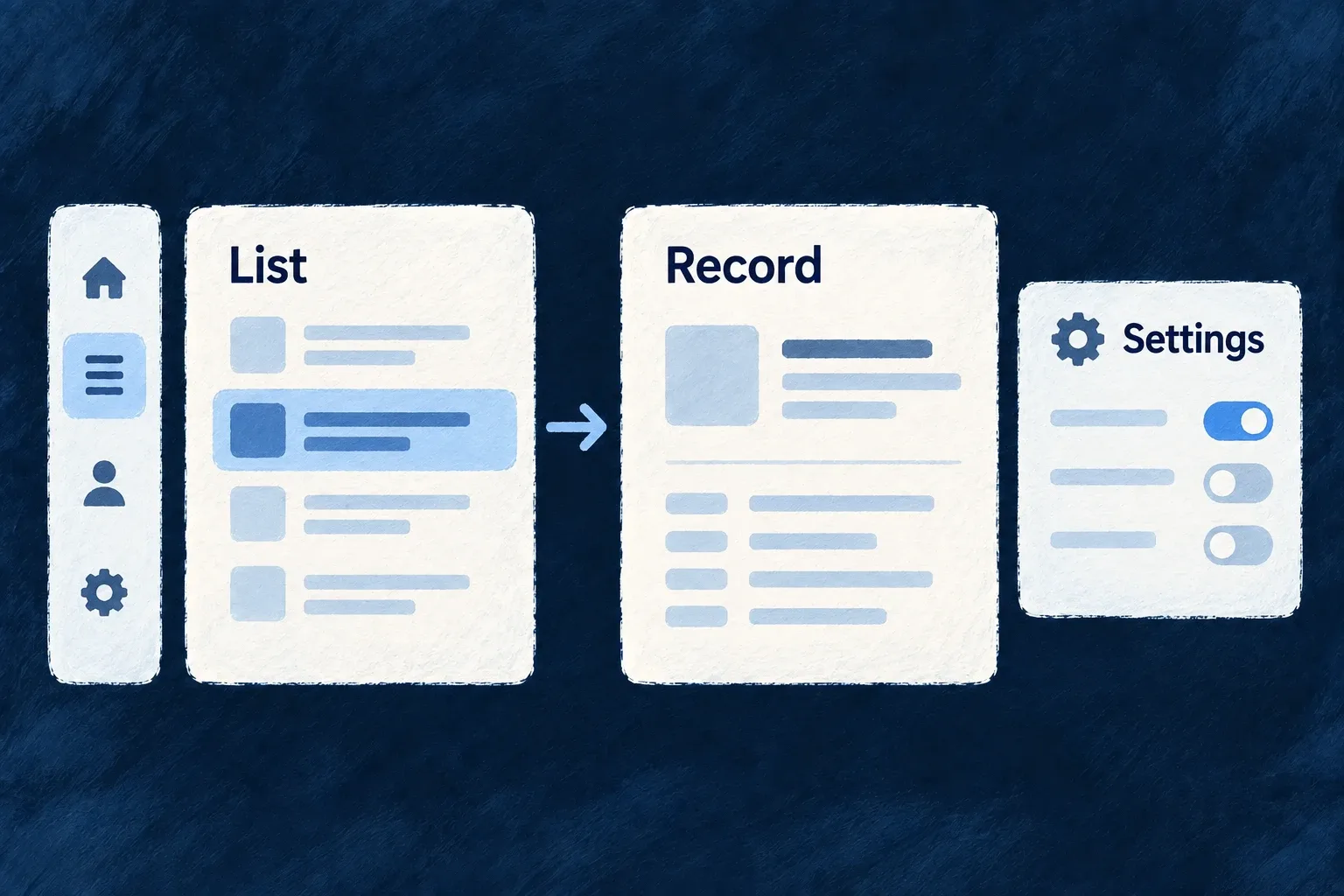
Navigation leads from a list into its record and settings within the same application.

Keep the next step understandable

Make work easy to find

Sidebar entries, commands and keyboard shortcuts lead into declared destinations. Modules add their own places without creating separate navigation systems.

Keep context visible

Record selectors and breadcrumbs explain where someone is working. Organisation switching coordinates the wider change of customer workspace.

Choose how work opens

Open an operation as a page, beside the current work or above it. Responsive rules adapt that choice, while settings can keep drill-ins inside their own task.

Example: Move from a list to a focused task

Someone chooses a list in the top bar, opens a task and edits it in a dialog. Closing the dialog reveals the existing context. Account settings remain reachable through the same application frame.

For engineers

Wire the frame and movement together

The application shell defines the controls and launcher placements. The navigation layout defines transitions and zone appearance. Resource and relationship registries supply the destinations and their required context. Wonder Todos connects these through buildApplicationMainProviderOptions in frontend/src/modules-registry.frontend.ts.

OwnerDeclare hereInherited result
appComponentsConfigurationShell surfaces and their hostsA shared frame around application content
Module shell contributionSidebar, command and quick-switcher entriesModule-owned destinations enter the shared frame
navigationLayoutZones, transitions and responsive policyThe controller resolves where each move lands
Resource UI behaviorAddressability and operation exceptionsA particular operation can differ without rewriting the layout
settingsHubCategories and destination placementsA product-specific settings home over supplied destinations

Use context rather than a second routing system

A launcher names a resource operation or view. The resolver derives its destination using the current scope, while route reconstruction supplies context on direct entry. Custom controls should invoke the same navigation and scope seams so they retain those behaviors.

A record quick switcher changes the parent record being worked inside. The organisation switcher changes customer context, resets navigation and updates WebSocket subscriptions. The read-cache bridge observes the new organisation scope, clears cached reads and releases its previous coverage. Neither UI control grants backend access; the resource operation remains responsible for enforcing the request’s scope and permissions.

Verify the whole movement

Check direct entry, browser Back, a temporary overlay and a change of context. On small screens, verify the configured collapse or transition policy rather than only the appearance of the desktop layout at a smaller width. The capability guides below explain the separate contracts and their application setup.

Find the right place

Give the application a familiar frame Mechanism

The shell is the frame people use throughout the application: its navigation, search, workspace controls and notifications. Wildo supplies these surfaces and their behavior; you choose which appear and where they belong.

Modules contribute their own destinations to that shared frame. A new part of the product can become discoverable through the sidebar or command palette without creating another navigation system.

Example: Find work from anywhere

A task application keeps its lists in the sidebar, a search trigger in the top bar and notifications beside the user menu. The task module contributes its commands; both navigation surfaces lead into the same resource operations.
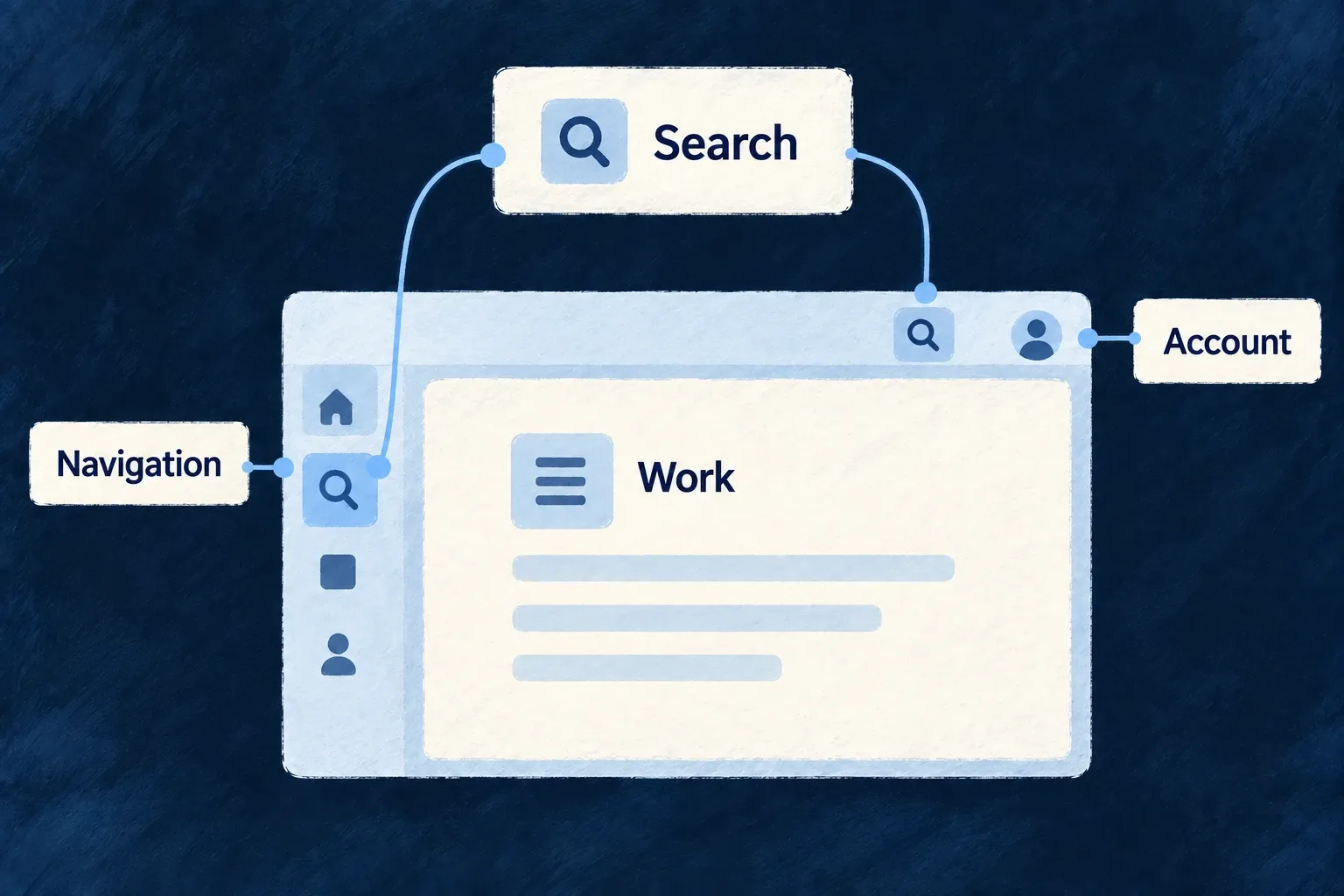
One application frame provides navigation, search and account controls around the work.
For engineers

appComponentsConfiguration chooses the shell surfaces. hostedComponents places a supported control in a menubar or sidebar; enabling a control and providing its host are distinct decisions. Wonder Todos places the command-menu trigger in both, while the shared interaction owner maintains one palette and keyboard registration.

The task module’s actual command declarations are below. Imports are omitted; LauncherItemTargetKind is from @wildo-ai/saas-frontend-lib/companion, and the resource identifiers belong to the application.

export const moduleCommandMenuItems: CommandMenuCommand[] = [
  {
    kind: LauncherItemTargetKind.RESOURCE_OPERATION,
    resourceType: TasksManager_ResourceType.TODOS,
    operation: CoreResourceOperation.CREATE,
    category: 'actions',
  },
  {
    kind: LauncherItemTargetKind.RESOURCE_OPERATION,
    resourceType: TasksManager_ResourceType.TASKS,
    operation: CoreResourceOperation.CREATE,
    category: 'actions',
  },
  {
    kind: LauncherItemTargetKind.RESOURCE_OPERATION,
    resourceType: TasksManager_ResourceType.TODOS,
    operation: CoreResourceOperation.LIST,
    category: 'navigation',
  },
  {
    kind: LauncherItemTargetKind.RESOURCE_OPERATION,
    resourceType: TasksManager_ResourceType.TASKS,
    operation: CoreResourceOperation.LIST,
    category: 'navigation',
  },
  {
    kind: LauncherItemTargetKind.RESOURCE_OPERATION,
    resourceType: TasksManager_ResourceType.TODO_LISTS,
    operation: CoreResourceOperation.LIST,
    category: 'navigation',
    searchKeywords: ['boards'],
  },
  {
    kind: LauncherItemTargetKind.RESOURCE_OPERATION,
    resourceType: TasksManager_ResourceType.DRAFT_NOTES,
    operation: CoreResourceOperation.LIST,
    category: 'navigation',
    searchKeywords: ['scratch'],
  },
];

The resource target carries the operation’s identity, not a hand-written URL. resolveCommandMenuCommands in launcher-resolution.ts resolves it using the active scope. Runtime-capability filtering omits unavailable declarations before resolution; feature and access checks remain separate decisions. Showing a command never grants permission to execute its operation.

Give the command a visible host

A module command needs the command menu enabled and a trigger placed in the shell. This illustrative excerpt keeps those two decisions together; merge it with the application’s existing shell configuration rather than replacing its other controls.

[ApplicationLevelComponentType.COMMAND_MENU]: {
  policy: CommandBarPolicy.OMNIBOX,
  showRecent: true,
  maxRecentItems: 5,
  showShortcuts: true,
  openShortcut: 'Mod+K',
},
[ApplicationLevelComponentType.MENUBAR]: {
  displayPolicy: 'FIXED',
  hostedComponents: [{
    componentType: ApplicationLevelComponentType.COMMAND_MENU,
    placement: HorizontalPlacement.END,
  }],
  items: [],
},

Use the public companion shell vocabulary and HorizontalPlacement from @wildo-ai/presets-components-models. Once the module’s commandMenuItems reaches the registry below, this host opens the shared palette containing the resolved commands. The keyboard shortcut and visible trigger reach the same menu. A declared target still needs its resource operation registered and available in the current scope.

Register the contribution in the application

The module exports sidebarSections, quickSwitcherFields and commandMenuItems together as ShellModuleContributions. Its FrontendModule spreads that contribution beside its resource UI behavior. Wonder Todos then passes the aggregated module registry through this selected provider-options block:

    frontendConfigOverrides: buildFrontendModuleConfigOverrides({
      navigationLayout: navigationLayoutConfig,
      designSystemConfiguration: frontendResolvedDesignSystemConfiguration,
      baseAppComponentsConfiguration: appShellConfig,
      moduleRegistry: frontendModuleRegistry,
      homeDefinition: homeDefinitionFactory(),
      errorPageConfig,
    }),

baseAppComponentsConfiguration supplies the global frame; moduleRegistry supplies the module-owned additions. Keep each destination in one owning contribution so the same launcher is not rendered twice. Labels, icons and operation definitions should come from their established application sources.

Choose the surfaces that serve the product

A sidebar can collapse into a burger menu at a declared breakpoint. A command menu can combine static commands and resource searches when those resources expose the required search operations. Status, utility and activity surfaces should be enabled only with useful content: an activity rail needs application modes, and a quick switcher needs scope fields.

To replace a shell component’s rendering, use its registered component seam and behavior hook. Keep navigation through the launcher/controller contracts so custom presentation retains scope-aware routes and shared interactions.
Make frequent actions easy to reach Mechanism

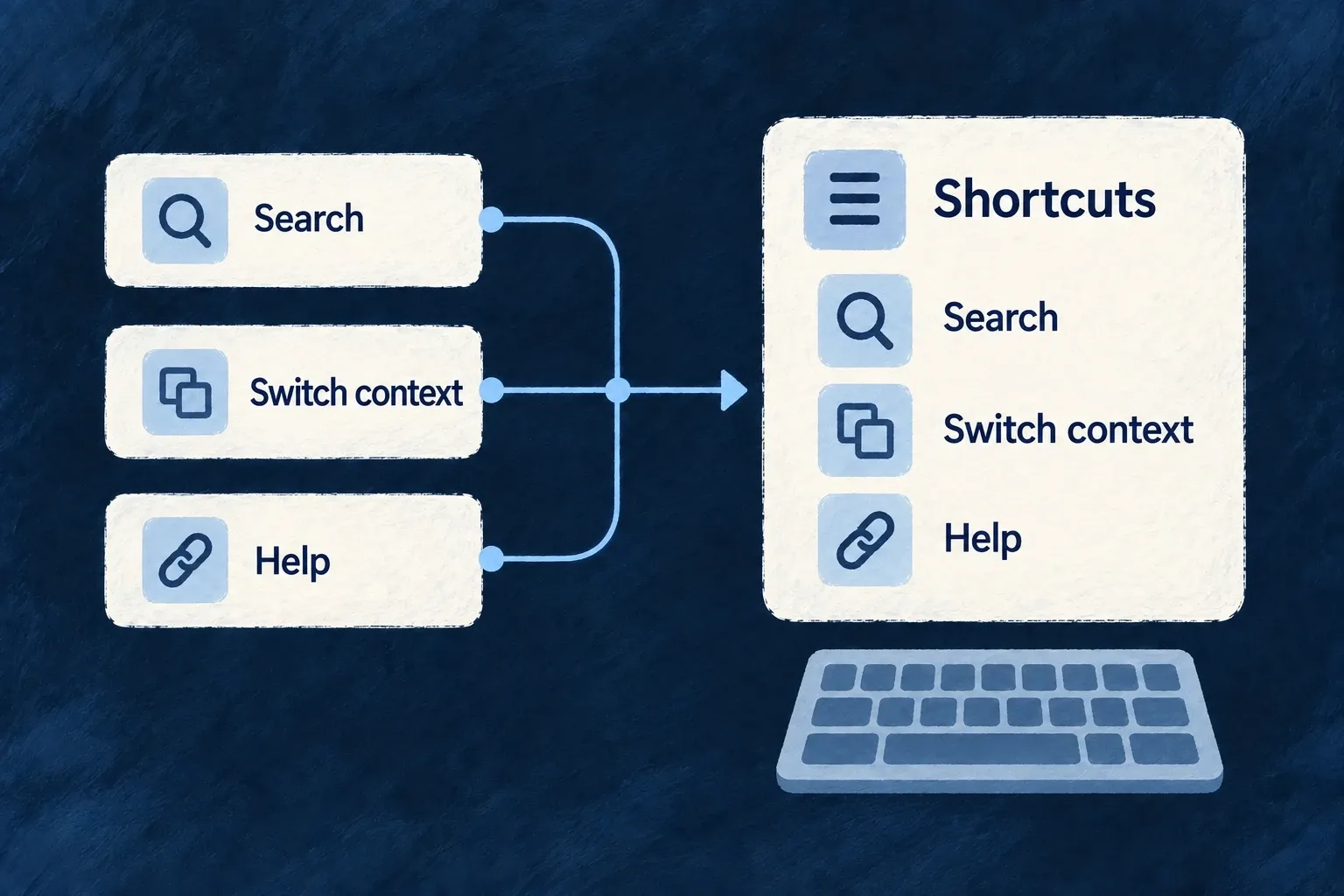
Keyboard shortcuts help people repeat common actions without hunting through menus. Wildo provides a shared registry, built-in shell bindings and a help dialog that lists registered shortcuts.

Applications can add their own actions and limit when they are active. A shortcut’s context, enabled state and priority determine which handler runs when bindings overlap.

Example: Switch context from the keyboard

A frequent user opens the context selector with the platform-appropriate modifier and P. The help dialog lets them discover other available bindings, while the same controls remain available through the visible interface.

The same registered actions populate shortcut help.
For engineers

The application runtime mounts the hotkey provider, default handler and help surface without requiring [ApplicationLevelComponentType.HOTKEY]: true. Built-in bindings are registered even when this configuration is absent. An object under that key can customize bindings and emitShortcuts through appComponentsConfiguration. Controls such as the quick switcher must still be available and have useful content for their shortcut to open.

The following selected opening of ENGINE_DEFAULT_HOTKEY_EMIT_SHORTCUTS comes from DefaultHotkeyHandler.tsx. The remaining entries include notifications and shortcut help; this is not the complete array.

export const ENGINE_DEFAULT_HOTKEY_EMIT_SHORTCUTS: readonly HotkeyEmitShortcut[] = [
  {
    event: HotkeyDispatchableEvent.HOTKEY_SIDEBAR_TOGGLE,
    shortcut: 'Mod+B',
    scope: HotkeyScope.GLOBAL,
    group: HotkeyGroup.NAVIGATION,
  },
  {
    event: HotkeyDispatchableEvent.HOTKEY_QUICK_SWITCHER_OPEN,
    shortcut: 'Mod+P',
    scope: HotkeyScope.GLOBAL,
    group: HotkeyGroup.NAVIGATION,
  },

Mod means Command on macOS and Control elsewhere. Physical Cmd/Meta and Ctrl bindings remain distinct; choose them only when that physical key is the intention. The command palette manages its own configured openShortcut, so its chord is not another copy of these default event bindings.

Add behavior through the registry

useHotkey(shortcut, handler, options) registers a mounted component’s action and unregisters it on cleanup. Options include a stable id, scope, enabled, group, description and preventDefault. Supply localized reader-facing descriptions for the help surface and set enabled from the action’s actual availability. The handler implements the application’s behavior; registration does not provide the save, navigation or business operation itself.

The hook’s own documentation in core/hotkey/useHotkey.ts includes this usage example. saveDocument is the application handler, not an engine-provided save function; the string is illustrative wording that production code should obtain from its labels.

useHotkey('Ctrl+S', () => saveDocument(), {
  description: 'Save document',
  preventDefault: true,
});

This example deliberately spells the physical Control key. Use Mod+S when the intended chord should follow the platform’s usual command modifier. The hook defaults to global scope, so set scope and enabled state explicitly when saving is meaningful only in an active editor.

For shell declarations, [HOTKEY] also accepts bindings for launcher targets and emitShortcuts for supported events. DefaultHotkeyHandler resolves launcher bindings through the same scope-aware launcher resolver used by other shell surfaces. An application binding can replace a framework default without relying on mount order.

Give an editor’s action explicit priority

useHotkey does not expose a priority option. Use the public registry when that distinction matters. This illustrative hook enables a registered save action only while its editor is active and returns the registry’s cleanup function on unmount or dependency change.

import { useEffect } from 'react';
import { HotkeyScope, useHotkeyRegistry } from '@wildo-ai/saas-frontend-lib';

export function useEditorSave(save: () => void, active: boolean, description: string): void {
  const { register } = useHotkeyRegistry();
  useEffect(() => register({
    id: 'active-editor-save',
    shortcut: 'Mod+S',
    scope: HotkeyScope.GLOBAL,
    enabled: active,
    priority: 20,
    description,
    preventDefault: true,
    handler: save,
  }), [register, save, active, description]);
}

Call this once for the active editor, passing a stable save callback and a localized description. Global scope intentionally permits this save shortcut while typing; active supplies the editor boundary. Ordinary registrations default to priority zero, so this enabled action wins over those priority-zero matches. A higher-priority matching action can still outrank it. It neither changes the registry’s active scope nor makes an unavailable save valid.

Choose scope deliberately

The registry’s active scope is explicit; it is not automatically inferred from every focused DOM element. useHotkeyScope exposes activeScope and setActiveScope; it does not manage their lifecycle for you. The caller must save the previous scope, set the intended page or component scope on entry, and restore the saved value on exit or unmount. useHotkeyPause suspends dispatch when a custom interaction needs exclusive keyboard handling.

Dispatch ruleConsequence
Disabled or pausedNo matching action runs
Text inputNon-global bindings are skipped, except in an explicit passthrough host
Overlapping matchesHigher priority wins, then scope specificity, then registration order
Framework defaultsLower priority than ordinary application registrations

Global bindings can still run while typing. Avoid bare-letter global shortcuts for editing actions, and reserve preventDefault for a chord the application genuinely owns. Test a shortcut in normal navigation, in a text field and in an overlay; a successful key press on an empty page does not establish all three behaviors.

Put account and workspace settings in one place Feature

People need a clear home for their account, organisation and administrative settings. Wildo supplies the settings destinations and their interaction surfaces; the application chooses their grouping, names and order.

The visible choices follow the active scope, roles, features and enabled capabilities. A section can open a related record within the hub, keeping the person inside the settings task.

Example: Keep personal and customer choices distinct

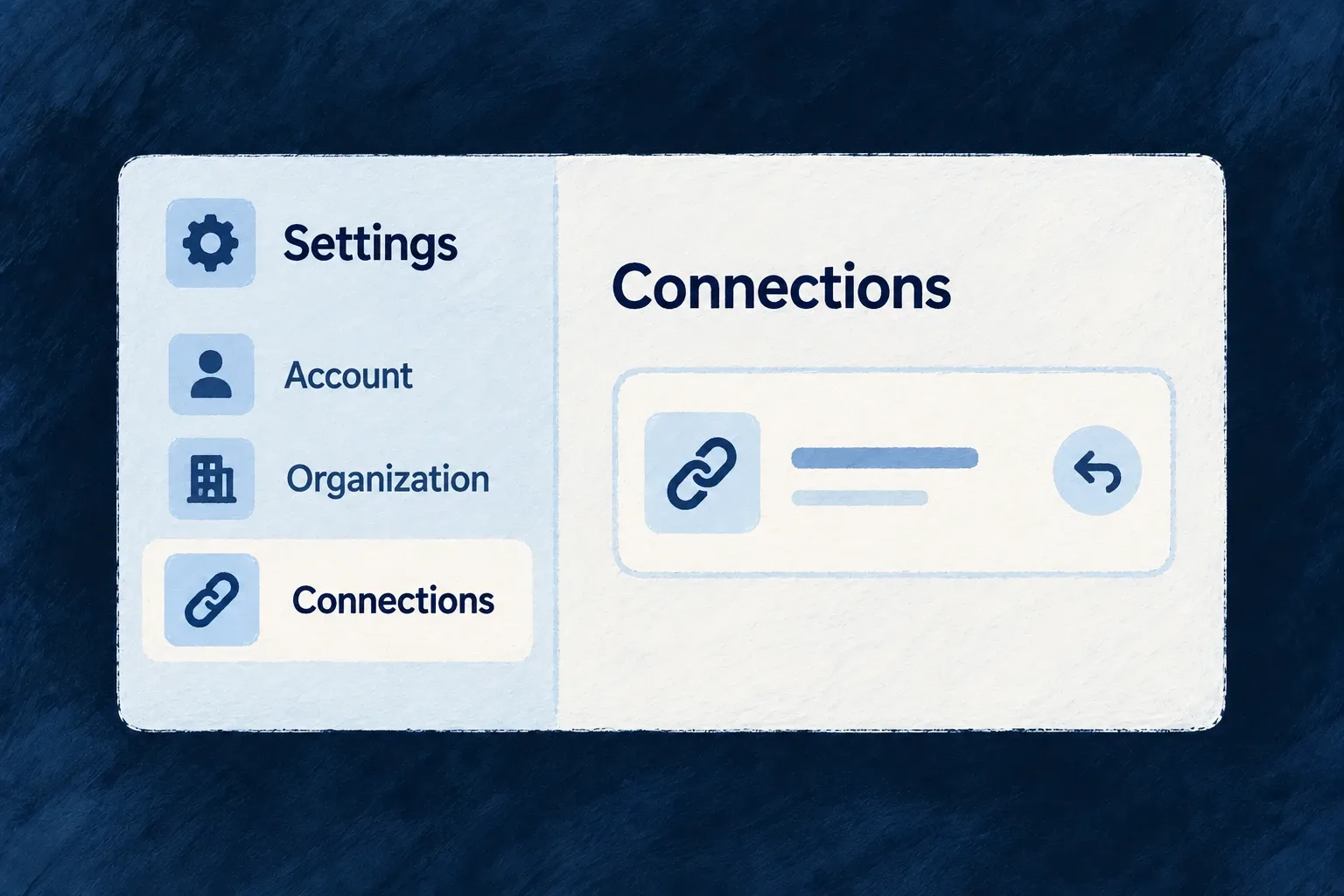
A person finds profile and appearance under Account, and customer members and billing under Organisation. An administrator can drill into a member from the relevant section without losing the settings navigation around it.

Account and organisation settings share one surface whose connection detail stays inside the panel.
For engineers

ENGINE_SETTINGS_DESTINATIONS supplies destination definitions. SettingsHubConfig supplies their placement; there is no implicit fully populated hub added behind your configuration. An unplaced destination stays absent.

This is the actual Wonder Todos configuration from frontend/src/config/settings-hub.config.ts, with comments removed. ResourcePrimaryScope comes from @wildo-ai/saas-models, and SettingsHubConfig from @wildo-ai/saas-frontend-lib.

export const settingsHubConfig: SettingsHubConfig = {
  categories: [
    { ref: 'account', label: 'Account', scope: ResourcePrimaryScope.USER_SELF, order: 0 },
    { ref: 'organization', label: 'Organization', scope: ResourcePrimaryScope.ORGANIZATIONS, order: 1 },
  ],
  placements: [
    { destinationRef: 'profile', categoryRef: 'account', label: 'Profile', order: 0 },
    { destinationRef: 'security', categoryRef: 'account', label: 'Security', order: 1 },
    { destinationRef: 'appearance', categoryRef: 'account', label: 'Appearance', order: 2 },
    { destinationRef: 'preferences', categoryRef: 'account', label: 'Preferences', order: 3 },
    { destinationRef: 'my-invitations', categoryRef: 'account', label: 'Invitations', order: 4 },
    { destinationRef: 'my-provider-credentials', categoryRef: 'account', label: 'Connected accounts', order: 5 },
    { destinationRef: 'organization-general', categoryRef: 'organization', label: 'General', order: 0 },
    { destinationRef: 'members', categoryRef: 'organization', label: 'Members', order: 1 },
    { destinationRef: 'billing', categoryRef: 'organization', label: 'Billing', order: 3 },
    { destinationRef: 'api-keys', categoryRef: 'organization', label: 'API keys', order: 4 },
    { destinationRef: 'provider-credentials', categoryRef: 'organization', label: 'Connected accounts', order: 5 },
    { destinationRef: 'sso', categoryRef: 'organization', label: 'Single sign-on', order: 6 },
    { destinationRef: 'scim', categoryRef: 'organization', label: 'User provisioning', order: 7 },
    { destinationRef: 'siem', categoryRef: 'organization', label: 'Audit streaming', order: 8 },
    { destinationRef: 'webhooks', categoryRef: 'organization', label: 'Webhooks', order: 9 },
    { destinationRef: 'audit-logs', categoryRef: 'organization', label: 'Audit log', order: 10 },
  ],
  defaultSectionRef: 'profile',
};

The selected categories distinguish personal from organisation context. Each placement names an existing destinationRef; order sorts it inside the category. Keep authored labels: they express the wording intent used by label generation and act as runtime fallbacks, rather than being disposable once translations exist.

Wire the config and a launcher

Wonder Todos assigns settingsHub: settingsHubConfig in frontendBaseConfig, alongside its appComponentsConfiguration, and supplies that base config to the application provider. The shell opens it with LauncherItemTargetKind.SETTINGS_SECTION; omitting a specific section lets the hub select its default.

resolveSettingsHubConfig joins placements to engine destinations. Unknown references are skipped so one bad placement does not crash the hub; the development startup verifier reports them. Validate references when changing the catalogue or application placements.

Distinguish placement from access

useVisibleSettingsHubConfig filters the resolved sections using current scope IDs, effective roles, features and runtime capabilities. An application author decides whether a section belongs in the product at all; a person’s roles decide whether they can see a placed section. These are separate steps, and backend operations still enforce access when invoked.

The hub hosts the destination’s panel or resource surface. SettingsSectionNavigationHost gives resource drill-ins their own controller and stack, preventing local navigation from accidentally replacing the underlying application page. Use that host’s navigation seam in custom settings content rather than routing around it.

Stay in the right context

Keep the current workspace in view Mechanism

When people work inside a project, list or other parent record, a selector can both show that context and change it. Wildo keeps the selector in step with navigation, including when someone reaches the record through a link.

Choosing another record updates the active context for the routes and lists that use it. This record selector is separate from switching customer organisations, which also changes the security and session context.

Example: Work inside one list

A person opens a todo list and sees it selected in the top bar. Choosing a different list moves the relevant view into that list’s context. Returning to the collection of lists clears the selection: the collection is where they choose a list, rather than work inside one.

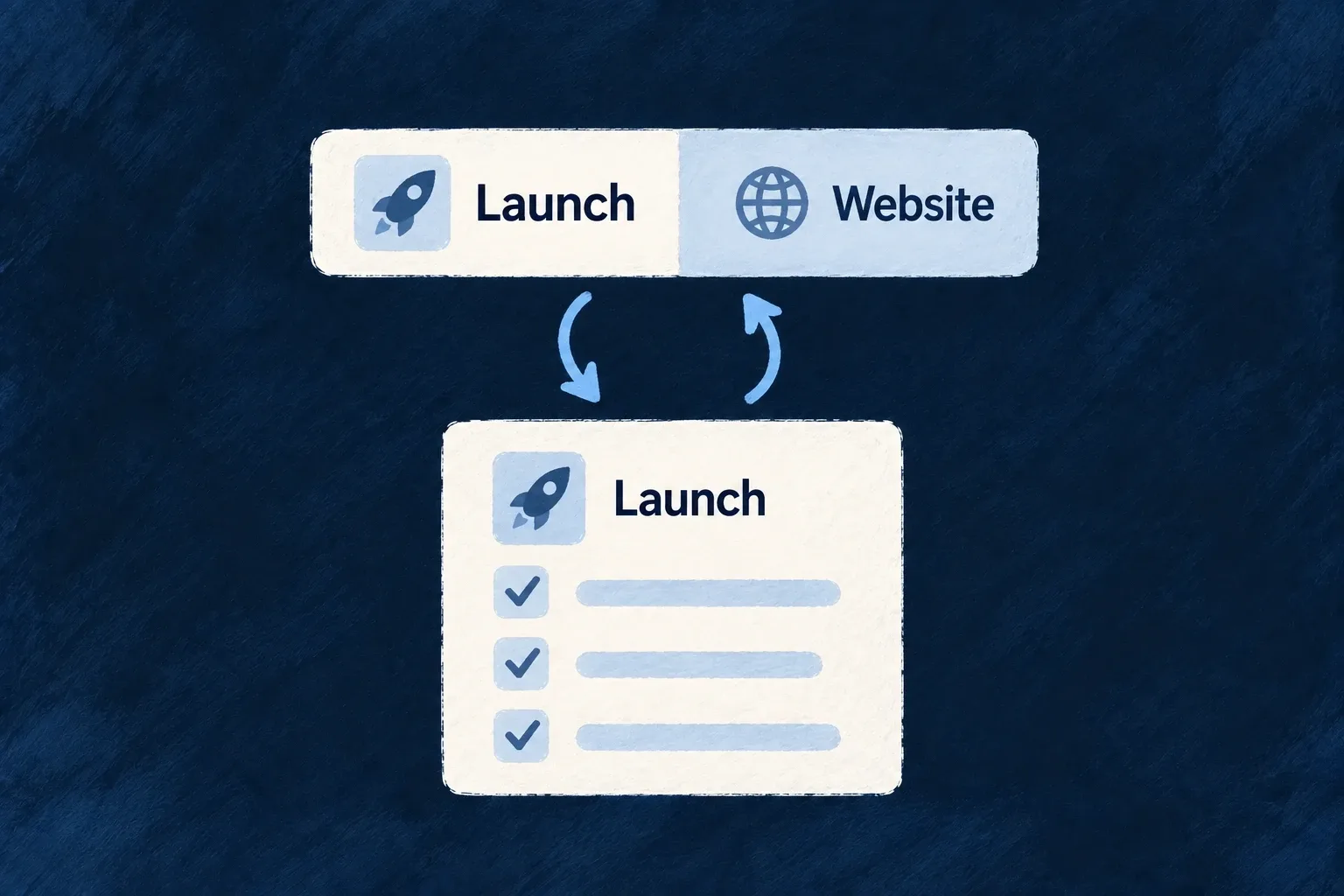
The selected Launch list and the current list context stay in sync in both directions.
For engineers

The task module in Wonder Todos contributes this real QuickSwitcherScopeField declaration. Comments and imports are omitted; it is exported from frontend/src/modules/tasks-manager/app-shell.module.frontend.ts.

export const moduleQuickSwitcherFields: QuickSwitcherScopeField[] = [
  {
    resourceType: TasksManager_ResourceType.TODO_LISTS,
    fieldIdentifier: 'todoListId',
    position: 0,
    persist: true,
    optionDisplayMode: ForeignKeyDisplayMode.SUMMARY,
    presentation: QuickSwitcherFieldPresentation.ICON_LED,
  },
];

resourceType identifies the resource to select. fieldIdentifier is the scope key carried into the application context. persist remembers the selection on this browser; it does not synchronize it to other devices. optionDisplayMode changes the dropdown rows, while presentation changes the control’s chrome. Summary cards in the options do not turn the closed trigger into a card.

Connect the module and its host

Export the fields as quickSwitcherFields in the module’s ShellModuleContributions, include that contribution in its FrontendModule, and aggregate the module with buildFrontendModuleConfigOverrides. Enable ApplicationLevelComponentType.QUICK_SWITCHER in the shell and place it through a hosted component in the menubar or sidebar. With no declared fields, there is nothing to render.

The shell has two separate requirements: enable the component and give it a host. These selected entries from Wonder Todos’ appShellConfig show both. Merge them into the existing configuration rather than replacing its other menubar controls:

// Inside appComponentsConfiguration:
[ApplicationLevelComponentType.MENUBAR]: {
  displayPolicy: "FIXED",
  hostedComponents: [
    // Retain the application's other hosted components.
    {
      componentType: ApplicationLevelComponentType.QUICK_SWITCHER,
      placement: HorizontalPlacement.END,
    },
  ],
},
[ApplicationLevelComponentType.QUICK_SWITCHER]: true,

Use ApplicationLevelComponentType and the AppConfiguration_Frontend type from @wildo-ai/saas-frontend-lib/companion; HorizontalPlacement comes from @wildo-ai/presets-components-models. Wonder Todos’ frontend/src/modules-registry.frontend.ts passes appShellConfig as frontendBaseConfig.appComponentsConfiguration and as baseAppComponentsConfiguration to buildFrontendModuleConfigOverrides. An existing host does not need to be added twice. The module-contributed fields above supply what this host renders; enabling an empty selector does not invent a scope field.

The control derives its field schema from the registered resource. When the declared field is not present there, the primary-key fallback retains resource-picker meaning rather than exposing a raw identifier input. Duplicate scope fields targeting the same resource are rejected by configuration parsing.

Understand both directions of the binding

useQuickSwitcherBehavior mirrors the current scope into the form and reports user changes with ScopeChangeInitiator.USER_SELECTION. AppScopeContext owns the shared value. Route-driven and filter-driven changes carry different initiators so they do not continually rewrite the address they were derived from.

InteractionResult for participating resource navigation
Open the selected resource’s read pageThe selector reflects that record
Open its collectionThe selector clears
Choose a valueRelevant destinations resolve against the new context
Clear or re-pick the selected valueThe scope clears and a relevant nested route can demote

The route bridge acts only when the current destination uses this scope. A selector does not impose its filter on arbitrary custom screens; custom data queries must consume the appropriate context. Test a deep link, selection, clearing and browser navigation as separate paths, rather than checking only the setter.

Move between customer workspaces smoothly Mechanism

People who belong to several organisations can switch workspace from the user menu. The application changes context without requiring a full page reload.

The switch clears the previous organisation’s navigation and updates the live connection. The server continues to enforce the selected workspace’s access rules on requests.

Example: Finish with one customer, open another

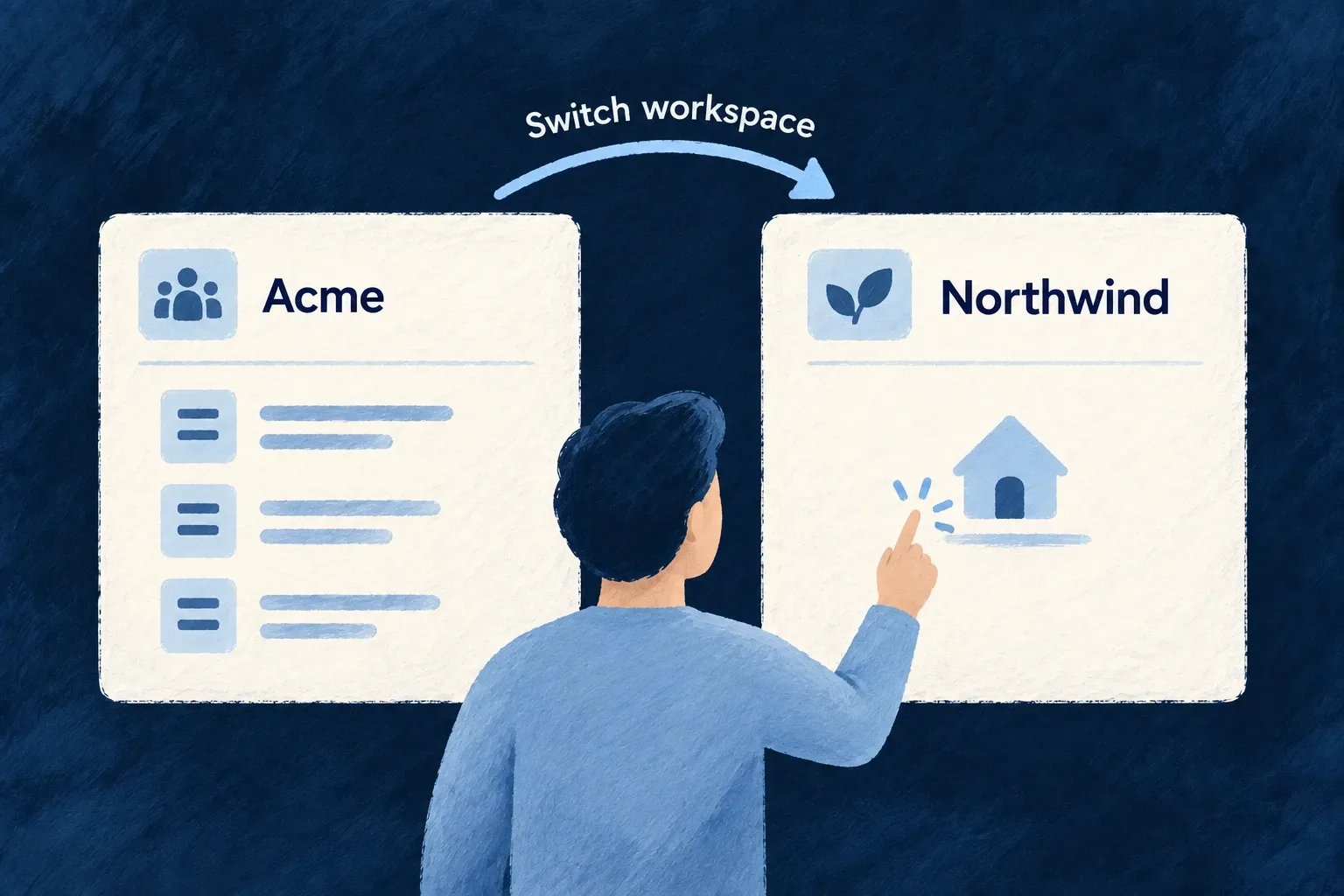
A consultant switches from one customer to the next. The application returns to its home context, clears the old navigation and changes the live connection’s organisation subscriptions.

A person switches from Acme's records to Northwind's home context, leaving Acme's records in place.
For engineers
Use the shell’s organisation switcher

Place the organisation switcher in the application user menu. Its behavior commits the new organisation through the scope context; custom controls should use that same path rather than only changing a stored ID.

The central commit in AppScopeContext.tsx is:

const commitOrganizationScopeValue = useCallback((organizationId: string | null) => {
  setCurrentOrganizationId(previousOrganizationId => {
    if (previousOrganizationId === organizationId) {
      return previousOrganizationId;
    }

    tokenStorage.setOrganizationId(organizationId);

    if (previousOrganizationId && organizationId) {
      notifyOrganizationSwitch(organizationId, previousOrganizationId);
    }

    return organizationId;
  });
}, [notifyOrganizationSwitch, tokenStorage]);
Use the public switch operation in custom controls

A custom React control can use the public hook instead of reproducing the internal scope commit:

import { useUserOrgs } from '@wildo-ai/saas-frontend-lib';

export function useWorkspaceSelection() {
  const { setCurrentOrganization } = useUserOrgs();
  return (organizationId: string) => {
    setCurrentOrganization(organizationId);
  };
}

This illustrative hook belongs beneath the application’s normal providers, including UserOrgsProvider. Connect its returned callback to the existing organization picker and pass an ID from that user’s loaded organization list. The setter checks that list, ignores an unknown ID and does nothing when the selected organization is already active. It returns no new membership or server authorization; the backend still checks each request.

Follow the consumers of that change

AuthSessionContext re-points WebSocket organisation subscriptions. NavigationContext handles PRIMARY_SCOPE_CHANGED inside a navigation transaction and clears old stacks before going home. WebSocketContext independently releases room claims for the previous organisation.

The read cache has a separate owner. In the standard ApplicationMainContext composition, ResourceReadCacheBridge mounts inside AppScopeProvider. An organization change clears cached reads and releases its coverage claims; subsequent reads establish coverage for the new scope. Pending room replies are checked against the current request so a late reply cannot restore retired coverage or remove a newer claim.

Initial organisation establishment is treated differently from switching between established organisations. A refresh that restores the existing organisation must preserve a legitimate deep link rather than send the person home.

Verify with two real memberships

Use one account with access to two organisations containing different records. Open a record, switch, then inspect navigation, list results and live updates. A same-organisation no-op and a hard refresh of a deep link are separate checks; neither proves a genuine organisation-to-organisation transition.

Move without losing your place

Open work in the right place Mechanism

Opening a record, editing it and looking up a related item are different interactions. Wildo lets you choose whether each becomes a page, a pane beside the current work or an overlay above it.

These choices are declared as an application policy, with exceptions for particular operations and smaller screens. The navigation runtime manages the corresponding stacks and keeps background content in place while people work above it.

Example: Edit without losing the list

On a desktop, a task edit opens in a dialog above the current work. On a phone, the same edit can open as a page. The application changes the navigation policy, rather than writing a different edit screen for each device.

A record opens beside its list on a wide screen and in the main area on a compact screen.
For engineers

Wonder Todos declares a single primary zone. Here is its actual navigationLayoutConfig from frontend/src/config/navigation.config.ts, with comments removed. The enums come from @wildo-ai/saas-models; ViewportBreakpoint comes from @wildo-ai/zod-decorators.

export const navigationLayoutConfig: NavigationLayout = {
  zones: {
    primary: {
      contentModel: NavigationZoneContentModel.SINGLE,
      transitions: {
        [CoreResourceOperation.LIST]:    NavigationTransition.REPLACE,
        [CoreResourceOperation.READ]:    NavigationTransition.PUSH,
        [CoreResourceOperation.CREATE]:  NavigationTransition.OVERLAY,
        [CoreResourceOperation.UPDATE]:  NavigationTransition.OVERLAY,
        [CoreResourceOperation.DELETE]:  NavigationTransition.OVERLAY,
        [CoreResourceOperation.SEARCH]:  NavigationTransition.OVERLAY,
      },
      appearance: {
        overlay: OverlayAppearance.DIALOG,
      },
    },
  },
  appLevel: {
    transitions: {
      [CoreResourceOperation.LIST]:    NavigationTransition.REPLACE,
      [CoreResourceOperation.READ]:    NavigationTransition.REPLACE,
      [CoreResourceOperation.CREATE]:  NavigationTransition.OVERLAY,
    },
    appearance: {
      overlay: OverlayAppearance.DIALOG,
    },
  },
  fromOverlay: {
    transitions: {
      [CoreResourceOperation.READ]:    NavigationTransition.PUSH,
      [CoreResourceOperation.LIST]:    NavigationTransition.PUSH,
      [CoreResourceOperation.CREATE]:  NavigationTransition.PUSH,
    },
  },
  [ViewportBreakpoint.MOBILE]: {
    transitions: {
      [CoreResourceOperation.CREATE]:  NavigationTransition.PUSH,
      [CoreResourceOperation.UPDATE]:  NavigationTransition.PUSH,
      [CoreResourceOperation.DELETE]:  NavigationTransition.PUSH,
    },
  },
};

The primary transition map sends reads onto the stack and mutations into overlays. appLevel covers actions launched from the shell. fromOverlay governs links activated inside an overlay. The mobile override prefers PUSH for create, update and delete; the resolver then enforces the operation surface. Wonder Todos declares todo UPDATE as ADDRESSABLE, allowing that edit to become a page. Its CREATE is EMBEDDED, so a preferred push resolves to an overlay instead. DELETE is also embedded and may execute without opening a destination. Register the exported object as navigationLayout in buildFrontendModuleConfigOverrides, which is passed to the application provider.

Separate movement from appearance
DecisionWhat it controls
PUSH or REPLACEAdd a stack entry or replace the current destination
SPLITOpen in an adjacent declared zone
OVERLAYOpen above the structural layout
INPLACEUse a compatible element-level editing host
PROMOTELeave the current context for the primary page
Overlay appearanceRender that floating destination as a dialog, sheet or drawer

A layout can declare primary, secondary and companion zones. A TABBED content model exposes the zone’s retained stack through a tab bar; a SINGLE model presents the top entry. Hidden entries remain mounted but inert, so they do not remain keyboard targets underneath the active content.

Put exceptions at their actual level

Use operationFrontendConfig.navigationOverrides when one resource operation should differ. A relationship’s display.inParentNavigation.transition describes a relationship-specific move. The resolver considers explicit operation and relationship policy before wider defaults; semantic action presentation and viewport/source rules also participate. Do not recreate an exception as a local useState panel that bypasses navigation ownership.

responsiveCollapse moves a collapsed side-zone destination into primary or an overlay. maxDepth, or a relationship’s depth ceiling, escalates a push to an overlay when the destination stack reaches that ceiling. These policies are consumed by the current resolver; they are not merely schema options.

Embedded operations are kept off addressable page surfaces. In-place editing needs a compatible element host and falls back to an overlay without one. Pick an addressable page for work that must survive a direct link or reload; transient overlays and in-place edits do not become independent browser destinations.

Keep links, history and context aligned Mechanism

A useful address takes someone back to the same business context. Wildo derives resource routes from declared operations and relationships, then restores that context when a person follows a link or refreshes the page.

Breadcrumbs explain the parent records around the current work. Navigation distinguishes moving to another destination from changing filters or other view state, so the browser history does not have to be rebuilt separately for every screen.

Example: Return to the right parent

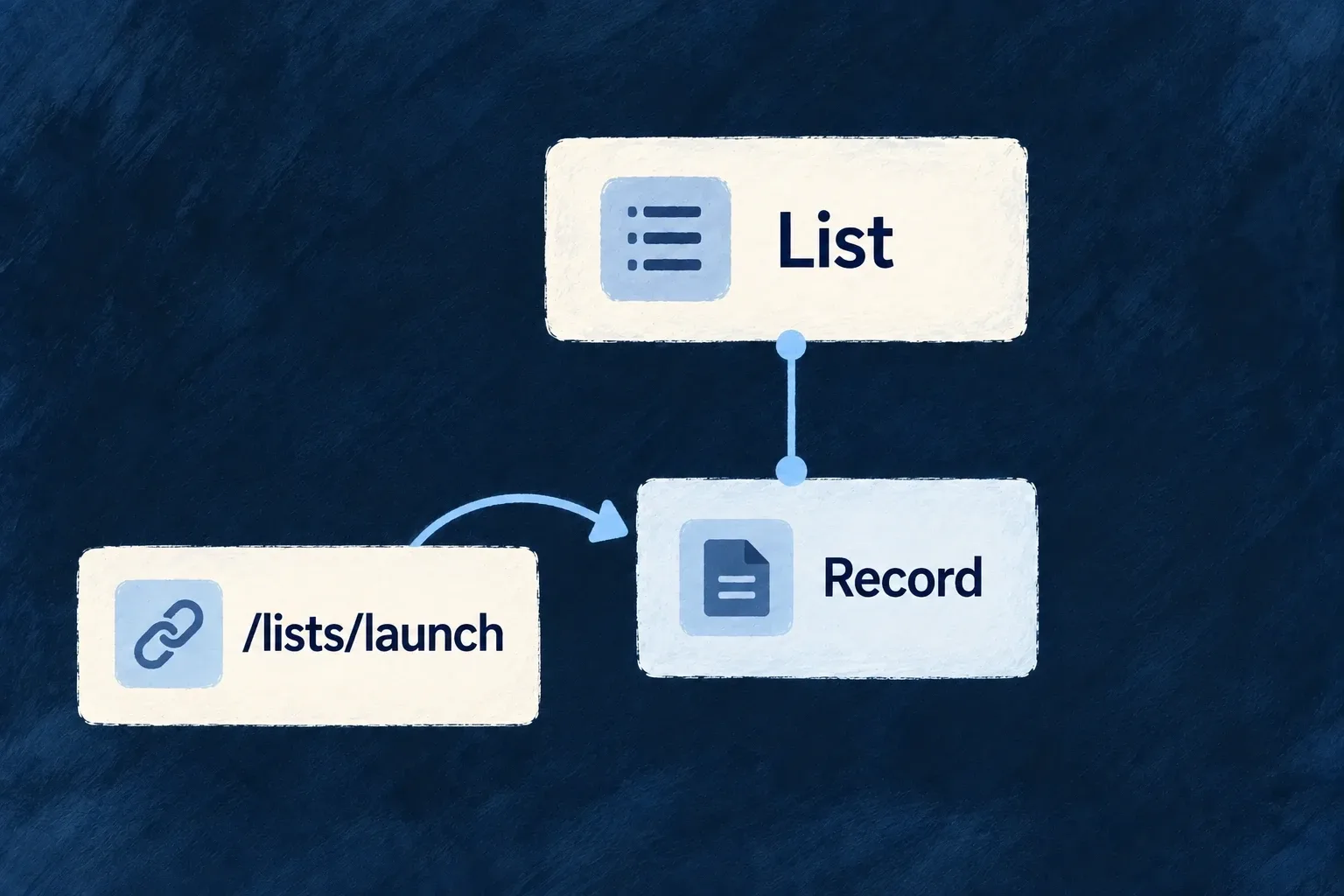
Someone follows a link to a task inside a list. The route identifies the task and its parent context; the breadcrumb provides a way back to an ancestor with a displayable read view. Opening a temporary action above that page leaves the underlying address intact.

A resource address opens its destination with the related ancestor context.
For engineers

Register the shared resource configuration, relationships and frontend UI behavior through the application’s registries. An operation must be addressable in the current frontend app to receive a page route. Embedded operations belong in a host, and headless operations do not gain a screen merely because the API exposes them.

For example, the todo UI behavior declares READ as an addressable view and CREATE as embedded. This selected configuration keeps the resource’s existing custom read component:

views: [
  [CoreResourceOperation.CREATE, { surface: ResourceOperationFrontendSurface.EMBEDDED }],
  [CoreResourceOperation.READ, {
    surface: ResourceOperationFrontendSurface.ADDRESSABLE,
    customView: TodoReadCustomView,
  }],
  // Other operation views remain declared here.
],

These entries belong in the existing todo resourceUIBehavior(...); CoreResourceOperation and ResourceOperationFrontendSurface come from @wildo-ai/saas-models. Register that behavior on the frontend module alongside the shared resource configuration and relationships. Its owning parent requirements, resource identifiers and READ surface then reach route generation together.

A launcher uses the operation identity instead of constructing a path:

const openTodos: CommandMenuCommand = {
  kind: LauncherItemTargetKind.RESOURCE_OPERATION,
  resourceType: TasksManager_ResourceType.TODOS,
  operation: CoreResourceOperation.LIST,
  category: 'navigation',
};

Add this command to the module’s commandMenuItems and include the module in the application registry. CommandMenuCommand and LauncherItemTargetKind are public companion exports; the resource enum is application-owned. The shell resolver adds the active scope. Opening a record from that list carries its record and parent context to READ; ResourcePageWrapper reconstructs those parameters on a direct load. CREATE instead opens in its host and does not acquire a second URL at the collection path.

The shared resource graph decides the parent segments. buildOperationFrontendRoutePaths derives routes from it; do not copy a guessed /parent/id/todos/id string into launchers. When you change ownership, keep the relationship declarations and actual operation context aligned, then verify a direct link and browser Back.

Keep address identity separate from view state

The navigation controller and URL reconcilers distinguish parameters that identify a destination from parameters that modify the view of it. Filters or a selected section should not become unrelated resource destinations. Structural zone stacks retain their mounted entries, allowing Back to reveal existing screen state rather than necessarily rebuilding it.

SurfaceAddress behavior
Addressable resource pageRoute identifies the operation and its required context
Transient overlay or in-place editDoes not acquire an independent page URL
Resource pane beside a non-resource hostHosted-pane serialization preserves the host and reconstructs the pane
Settings drill-inUses the settings section’s local navigation host

Use the navigation controller for resource moves so zone, history and URL decisions stay together. A hand-written router navigation is not a substitute for a split, overlay or local settings transition.

Give breadcrumbs useful destinations

ResourceLayout_Breadcrumb derives its ancestor chain from parent requirements and resolves labels through the resource/i18n layer. It omits the primary-scope ancestor and the current leaf. An ancestor is clickable when it has a displayable read operation and enough context to open it. That includes both addressable pages and embedded read views. A headless read remains plain text.

Self-referencing ancestry is keyed by relationship field as well as resource identity, with a depth cap to prevent loops. Only an addressable read receives a browser URL; an embedded read opens through the navigation controller as zone or overlay content. A custom breadcrumb can change presentation, but should preserve the distinction between a label, a displayable view and an addressable route. Backend access checks remain authoritative when the destination is opened.

Make provider choices part of the application model

A provider supplies a service or shared configuration for your application. It can connect an external vendor, run locally or supply settings used by standard controls. Wildo describes what it offers and which runtimes may use it.

Your application chooses its services and supplies their configuration. The shared contracts keep those choices from spreading vendor-specific code throughout the product.

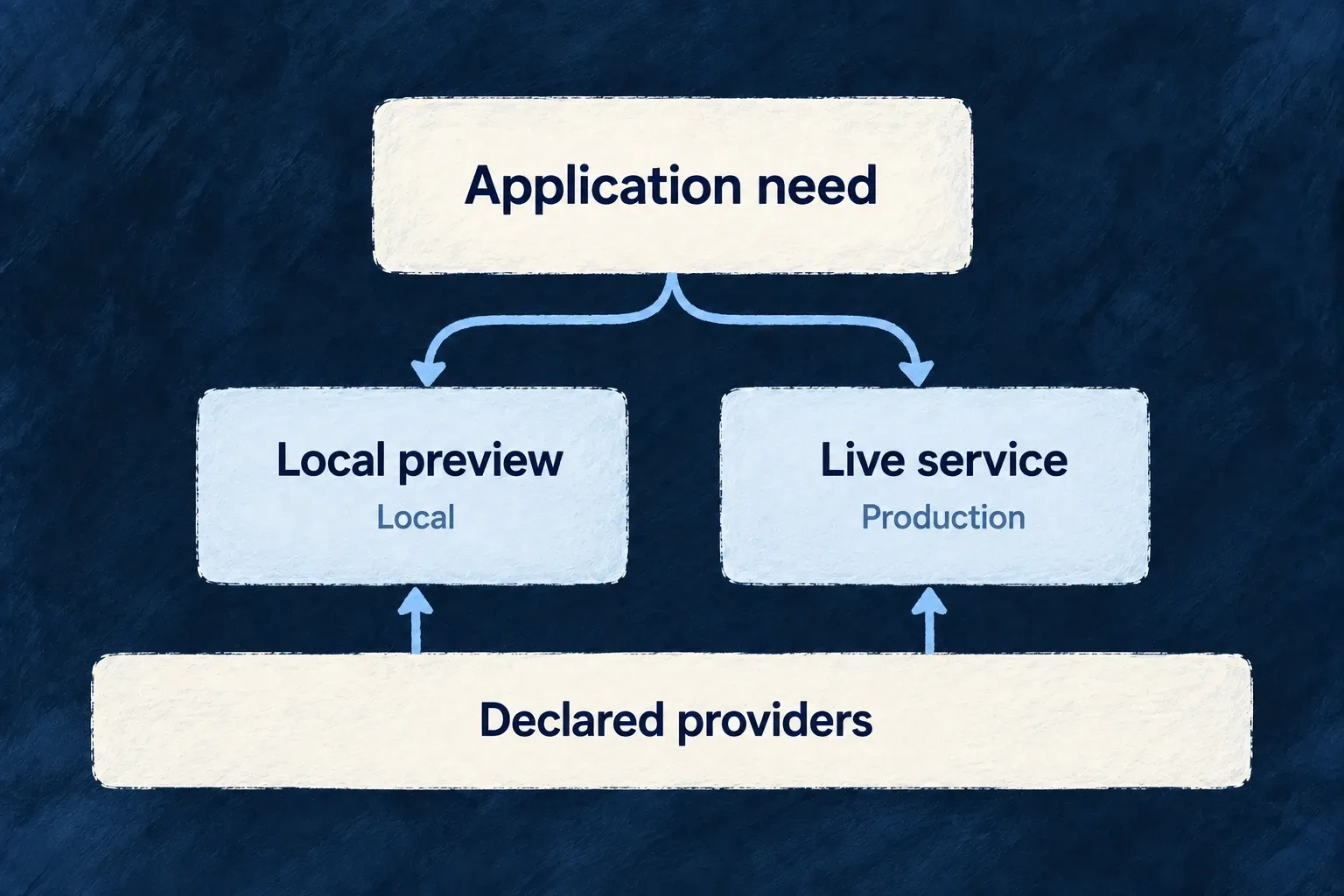
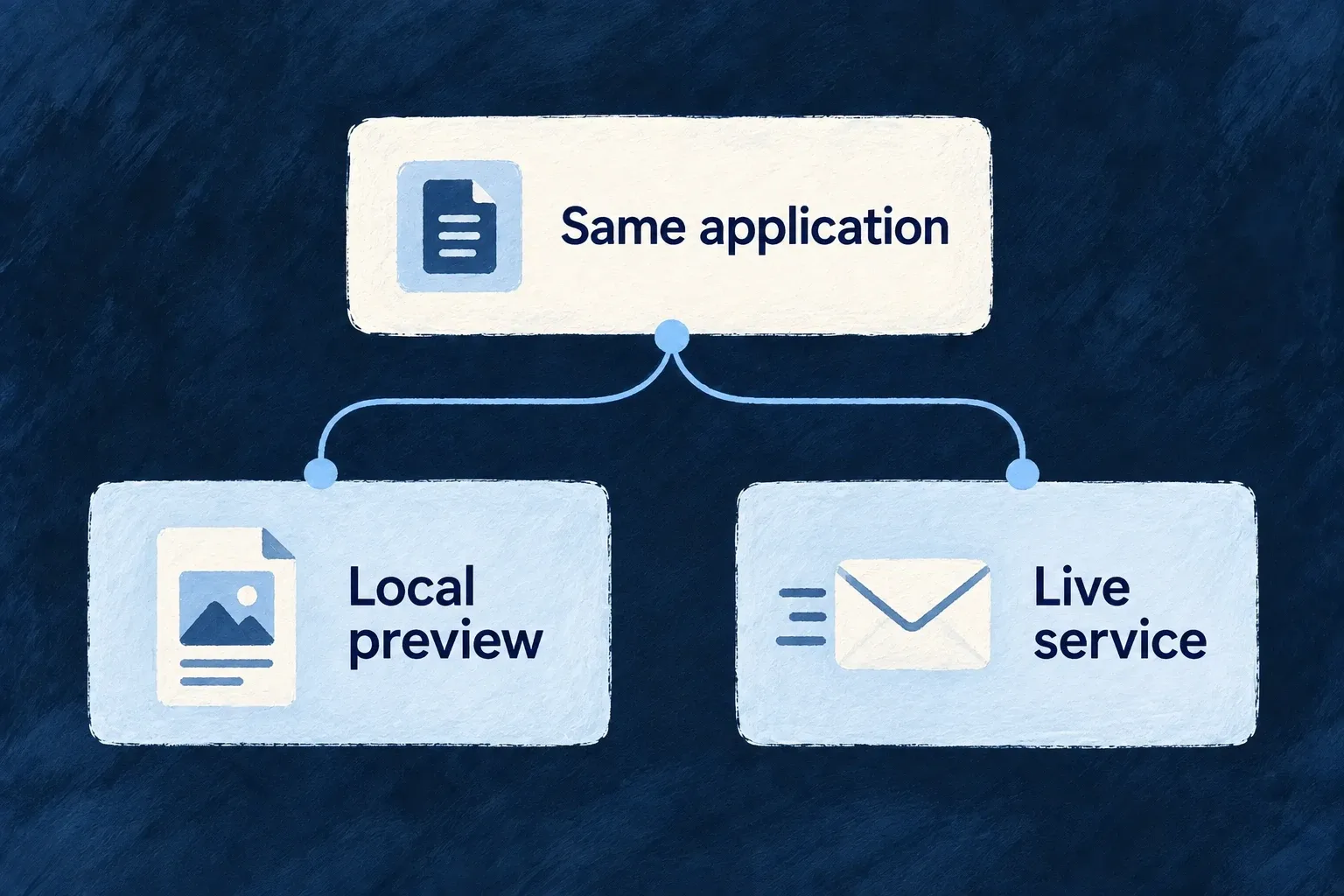
The application selects local preview or live service from its declared providers.

Keep the choice connected to its consequences

Describe the need clearly

An application capability, a provider’s abilities and its protocol have distinct meanings. The declarations connect them without turning every integration into the same kind of request.

Choose within the runtime

Declare eligible providers for the backend, companion or browser service, then select a primary where appropriate. Additive destinations keep their fan-out behavior.

Keep the boundary visible

Environment selections can change the provider without rewriting the feature. Separate server and browser modules keep credential-aware execution apart from public configuration.

Example: One invitation flow, two environments

The application declares a sending email provider and a non-delivering preview provider. Local configuration selects preview; the application’s default selects the sender. The invitation flow keeps its message contract while the environment changes which implementation answers it.

For engineers

Connect discovery, scope and configuration

A provider package contributes its metadata and runtime entrypoints through the supported discovery contract. wildo config sync produces the authoring catalogue and runtime artifacts. The application then declares which capabilities and protocols each scope may use.

These selected Wonder Todos declarations show the backend email candidate and its selection, with unrelated providers omitted:

providers: defineSaaSProviders<WildoDiscoveredProviderCatalog>({
  scopes: {
    backend: {
      providers: {
        resend: {
          engineCapabilities: [EngineCapability.EMAIL_TRANSACTIONAL],
          providerCapabilities: ['EMAIL_TRANSACTIONAL'],
          protocols: ['EMAIL_PROVIDER'],
        },
      },
      selection: {
        [EngineCapability.EMAIL_TRANSACTIONAL]: {
          primary: 'resend',
          whenUnavailable: [],
        },
      },
    },
  },
}),

The enclosing application also enables transactional email. Its provider credential is supplied on the server; this declaration does not contain the secret. A browser provider follows its own service scope and public/code composition.

Ask the next question at the correct layer

QuestionOwning layer
Does the application use this framework feature?Engine capability activation
Can this provider satisfy it?Provider capability and runtime protocol contract
May this process use it?Runtime scope declaration and generated artifact
Which candidate answers?Capability resolution mode and selection
Does this environment choose differently?Infrastructure provider selection
How is the vendor request encoded and interpreted?The provider’s executable contract

A primary and its whenUnavailable entries establish resolution order. They do not retry another vendor after an operation fails. Audit fan-out instead resolves an additive set of configured destinations. Keep these semantics visible when reasoning about availability or delivery.

Verify the configured path rather than its label

Inspect the generated runtime artifact and resolved provider for the intended process. Confirm required credentials and protocol settings are available, then exercise the actual operation. A provider catalogue entry establishes discoverability; a configured selection establishes intent; a successful request establishes behavior on that path.

For enterprise REST bindings, the binding names its provider reference directly rather than selecting an engine capability. The connection and trust-boundary rules still matter, but a new artificial capability is not required merely to describe the integration.

Understand the connection

Separate what you need from who provides it Mechanism

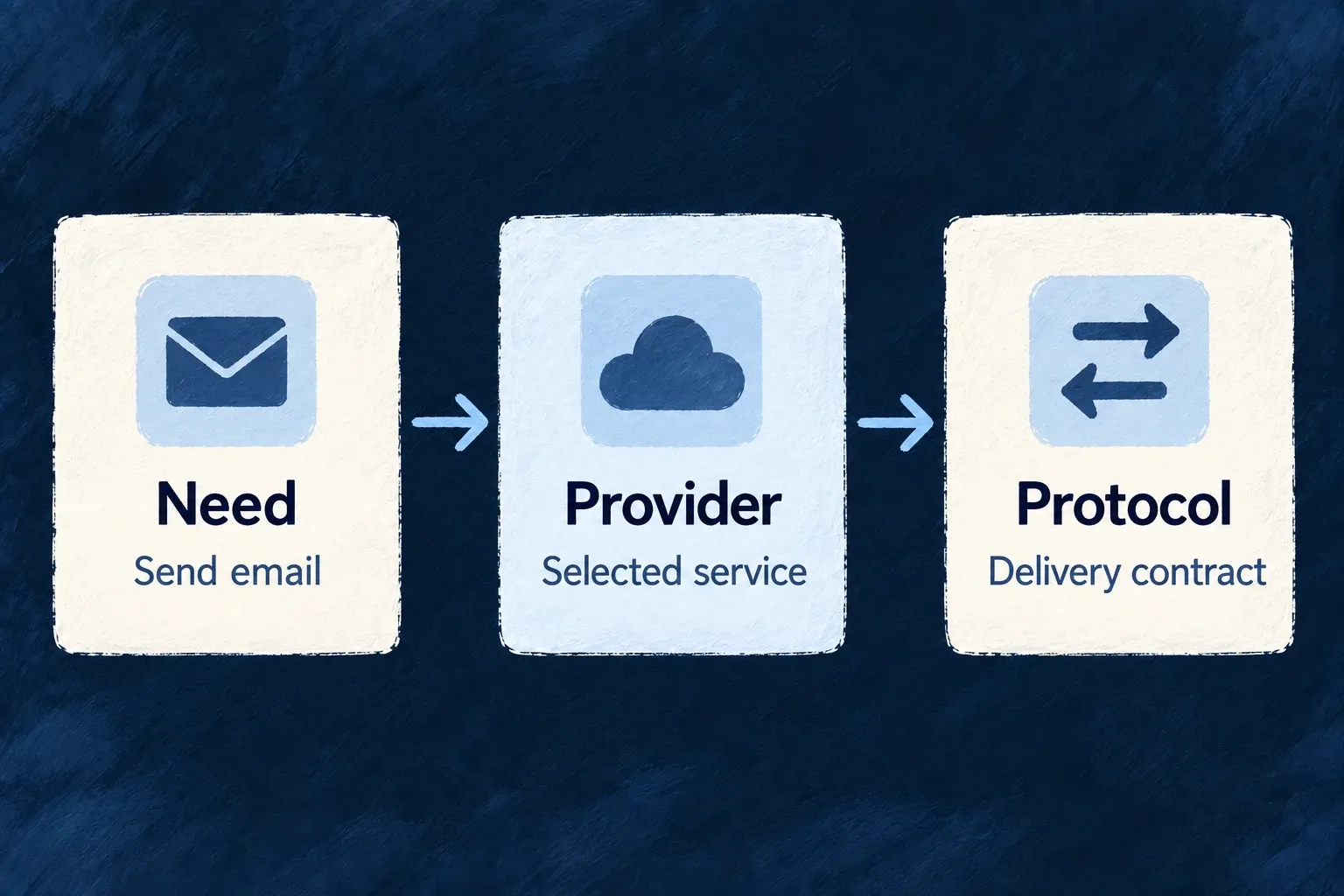
An application need, a provider’s abilities and its connection method answer different questions. Wildo records each explicitly, so choosing an email service is distinct from enabling email or describing how that service receives a message.

You declare the providers the application uses. Wildo connects their declared abilities to the framework features that consume them.

Example: An email service with a clear role

A product needs transactional email. Its backend declares a provider that supports that need and the email connection contract. The same product can use a different provider for language models without coupling those decisions.

An email need, the selected provider and its delivery contract are distinct connected concepts.
For engineers
Read the declaration as three separate decisions

Wonder Todos enables EngineCapability.EMAIL_TRANSACTIONAL in engineCapabilities, then declares Resend under providers.scopes.backend.providers. This actual declaration states what that runtime may use:

resend: {
  engineCapabilities: [EngineCapability.EMAIL_TRANSACTIONAL],
  providerCapabilities: ['EMAIL_TRANSACTIONAL'],
  protocols: ['EMAIL_PROVIDER'],
},

The engine capability names the framework need. The provider capability records an ability the provider contributes. The protocol selects its executable connection contract. defineSaaSProviders validates declarations against the discovered catalogue; the backend registry filters them again for its active scope.

Understand where the ability comes from

The provider module owns the corresponding ability declaration. Resend’s backend module includes:

providerCapabilities: [
  BUILTIN_PROVIDER_CAPABILITY.EMAIL_TRANSACTIONAL,
],
secretsContract: {
  apiKey: {
    envVarName: "RESEND_API_KEY",
    required: true,
    description: "Resend API credential for email delivery."
  }
},

The module’s protocol binding then supplies the email implementation. The application supplies the credential through its supported secret configuration and selects the provider for the enabled capability. The shared projection map derives engine capabilities from provider abilities rather than maintaining a second vendor-specific slot list.

Know when a capability selection is the wrong abstraction
IntegrationHow it is addressed
Transactional email or a language modelA provider serving the enabled engine capability in the runtime scope
An enterprise REST API bindingThe provider reference named by the binding
Organizations or application language supportEngine-implemented activation, not an external provider selection

An enterprise API provider can therefore declare empty capability lists and still expose its REST protocol. Do not invent a slot merely to make every integration look alike. The capability map now checks that each engine capability is either mapped or explicitly engine-owned; adding an unaccounted capability is a compile-time error.

Provider tier and origin are additional declared metadata. They describe the provider’s role and provenance, not whether your application has enabled or configured it. Keep those questions separate when tracing why a provider is available.

Give each connection a clear contract Mechanism

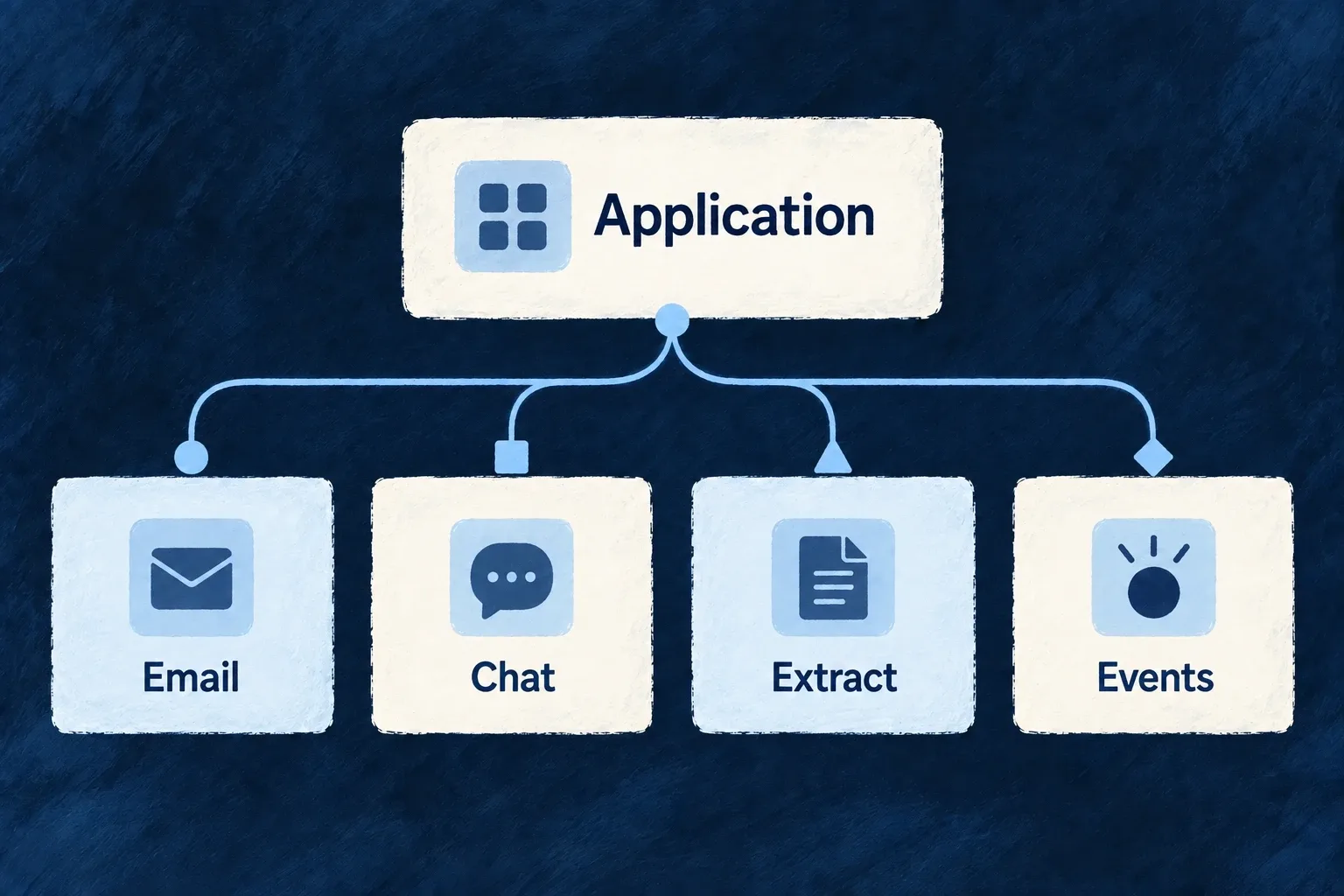
Email, model calls, incoming events and REST requests have different inputs and execution behavior. Wildo gives these connection types named contracts instead of treating every provider as an interchangeable URL.

A provider implements the contract appropriate to its work. The application chooses the provider and the configuration that the contract requires.

Example: Chat and document reading are separate choices

A product uses one model for conversation and another provider to extract text from documents. Separate connection contracts let those choices evolve independently, even when a vendor offers both services.

An application uses different connection contracts for email, chat, extraction and events.
For engineers
Match the authoring protocol to the executable binding

A backend module pairs its declared protocol with a discriminated runtime contract. This selected Resend binding shows the email path and encoding inside that contract; request-builder and response-parser implementations are omitted:

{
  protocol: "EMAIL_PROVIDER",
  runtimeContract: {
    kind: ProviderProtocolRuntimeKind.EMAIL,
    baseUrl: "https://api.resend.com",
    apiKey: {
      secretRef: "RESEND_API_KEY",
      headerName: "Authorization",
      prefix: "Bearer "
    },
    operations: ["sendEmail", "sendBatch"],
    supportedEmailTypes: ["transactional"],
    sendEndpointPath: "/emails",
    payloadEncoding: EmailProviderPayloadEncoding.JSON,
    // buildSendRequest and parseSendResponse complete this binding.
  },
}

This is an explanatory selection from the current module, with compacted arrays. A complete email binding also implements its request builder and response parser. Composition checks that the authoring key and runtime kind agree; a protocol name alone does not install executable behavior.

Select a contract that describes the work

ExternalProvider_ExchangeProtocol_Kind owns the protocol vocabulary. Backend runtime kinds are a subset of its values, so dispatch can discriminate the relevant contract without translating between unrelated identifiers.

WorkContract distinction
Generate conversationLanguage-model runtime
Create vectors for retrievalEmbeddings runtime, selected separately from chat
Extract text from document bytesDocument-extraction runtime
Receive vendor eventsWebhook-originator binding and its ingress consumer
Run browser integration codeFrontend SDK module, outside the backend runtime union

Application configuration selects the protocol in its provider scope and supplies protocol-specific settings where required. Keep the provider’s runtime module reachable through the generated artifact and its package entrypoint.

Extend the implementation as well as the vocabulary

When adding a vendor for an existing contract, implement the provider-specific details in its module and test the relevant consumer. Naming an additional protocol requires an executable contract and a consumer; a declared identifier is not evidence of supported behavior. Audio and video identifiers remain reserved rather than runnable backend contracts.

Keep vendor formats out of business code Mechanism

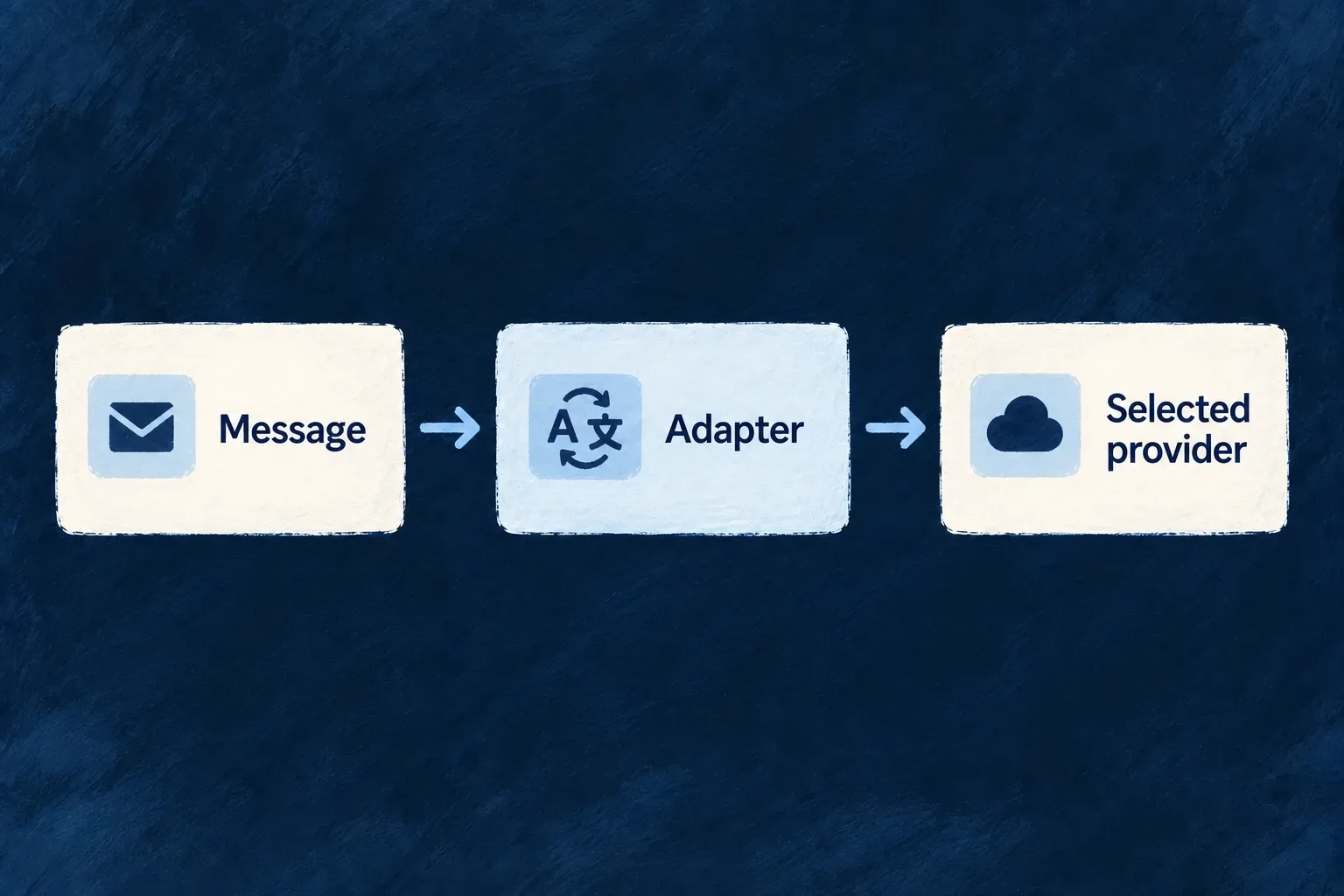
The framework’s email and SMS paths use common message contracts. Provider modules translate those messages into their vendor’s request format and interpret the response back into a shared result.

Your product can keep its message intent while the integration owns authentication, encoding and vendor-specific response meaning.

Example: The same message through a different email provider

An invitation still has recipients, a subject and content when its email provider changes. The selected module builds the vendor request; the application does not add another vendor-shaped payload to the invitation flow.

A common message passes through an adapter to the selected provider.
For engineers
Distinguish the application call from the provider request

The application’s email service starts from a registered template, recipients and context. After rendering, it creates the standard provider request. This illustrative object shows that lower-level contract, not a replacement for the template service:

import type { StandardEmail_SendRequest } from '@wildo-ai/external-connectors-models';

const submission: StandardEmail_SendRequest = {
  submissionId: 'invitation-example-001',
  to: [{ email: 'reader@example.com' }],
  from: { email: 'notifications@example.com', name: 'Example product' },
  subject: 'Your invitation',
  text: 'You have been invited to join the workspace.',
  headers: { 'X-Product-Message': 'invitation' },
};

For real delivery, use a verified sender and an appropriate stable identity for the logical submission. A fixed example identifier must not be reused for unrelated messages. submissionId supports correlation across retries; it does not promise every provider offers exactly-once delivery.

Keep transport and message headers separate

Resend’s request builder maps message fields into its JSON payload and places the submission identity in a transport header. The relevant ending is:

payload: {
  headers: request.headers,
  tags: request.tags?.map((tag) => ({ name: tag, value: tag })),
  scheduled_at: request.scheduledAt,
},
transportHeaders: {
  'Idempotency-Key': request.submissionId,
},

The API header authenticating or identifying the submission is distinct from headers carried inside the email. The engine serializes the builder’s declared payload encoding; callers do not branch on the vendor name to produce a different body.

Interpret acceptance at the provider boundary

The provider response parser translates receipt details into a shared submission classification. Accepted, rejected and acceptance-unknown are different results: a successful submission receipt is not proof that a person received or read the email. The non-delivering preview provider uses its own delivery contract rather than pretending a network send occurred.

Standard email and SMS contracts do not make every optional vendor feature identical. Select a provider appropriate to the needed operation, credentials and message shape. Other integration families, such as billing and models, have their own runtime contracts rather than this message contract.

Choose where each service runs

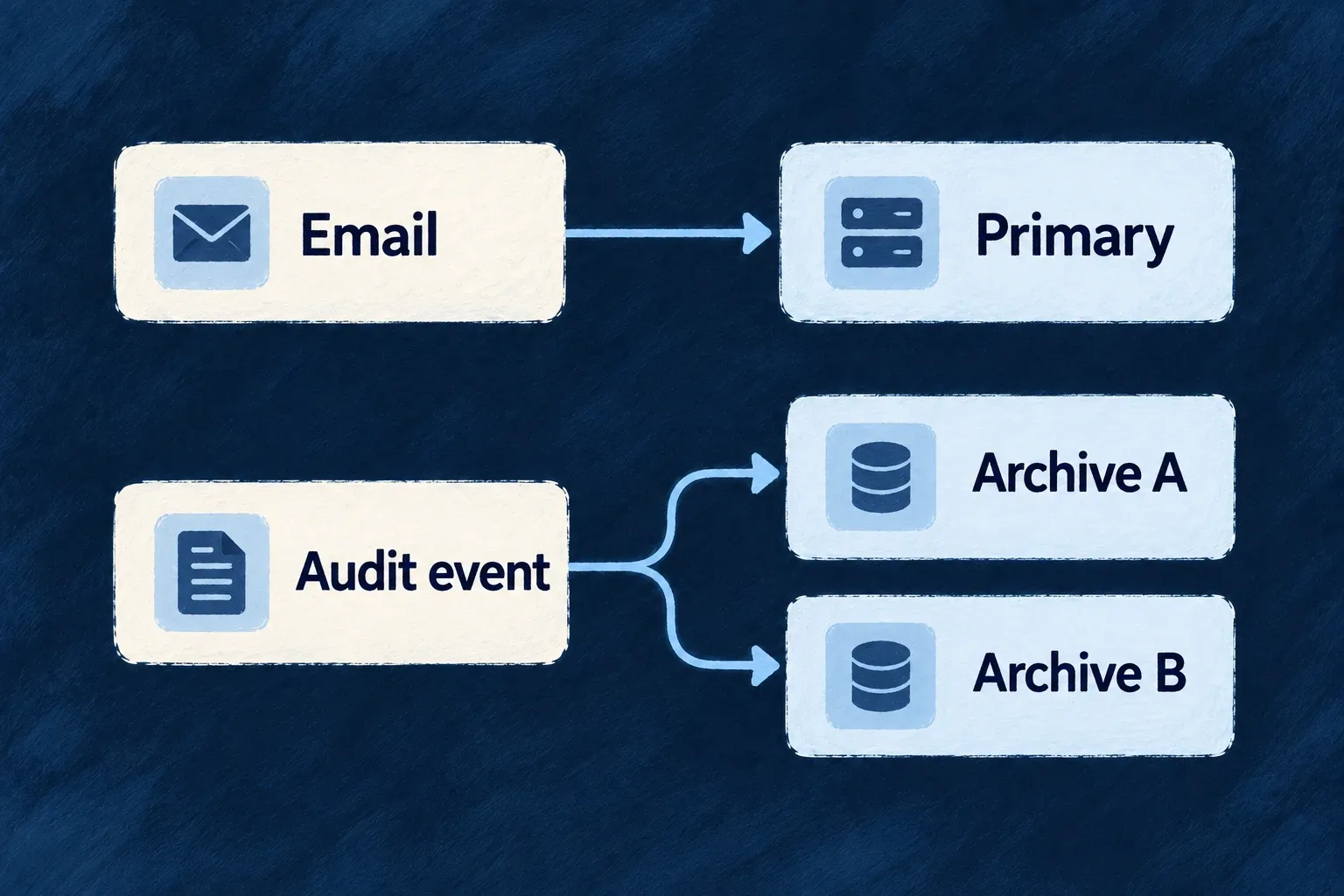
Choose who answers, or send to every destination Mechanism

Some integration needs should use one provider. Others, such as additional audit destinations, need every configured destination to receive the event. Wildo records that distinction in the capability itself.

Declare the providers each runtime may reach, then select a primary where the capability calls for one.

Example: One email service, several audit destinations

A product selects one transactional email provider for a message. Its configured audit sinks receive the event as additional destinations, rather than competing to become the primary sink.

Email selects one provider; an audit event goes to both configured archives.
For engineers
Declare candidates before choosing the primary

Wonder Todos declares providers under providers.scopes.backend.providers, then adds this selected part of the backend selection map:

[EngineCapability.AI_LLM]: {
  primary: 'anthropic',
  whenUnavailable: ['openai', 'google'],
},
[EngineCapability.EMAIL_TRANSACTIONAL]: {
  primary: 'resend',
  whenUnavailable: [],
},

Each selected provider must be discovered, declared for that runtime and able to serve the enabled capability. Backend, companion, browser services and workers have distinct scopes. A provider being present elsewhere in the application does not make it a candidate for this process.

Read substitutes as resolution order

The current field is whenUnavailable. It orders eligible substitutes after the primary during provider resolution; it does not retry a second vendor after the first vendor’s call fails. The registry filters candidates by declared capability and runtime scope, places eligible primary/substitute references first, then retains the other eligible references.

The select-one consumer takes the first resolved provider. Do not use a selection list as a claim of delivery redundancy. Application-specific retry or recovery must account for the actual operation and whether a failed call may already have been accepted.

Use fan-out for additive destinations

The capability resolution map assigns COMPLIANCE_AUDIT_TRAIL to FAN_OUT. The composite audit sink asks the registry for the resolved set and sends to the configured destinations. The application does not author a primary for this capability.

ModeResult of resolutionAppropriate expectation
Select oneOne resolved providerOne provider answers the operation.
Fan-outThe eligible destination setEach configured destination participates.
Substitute orderCandidate priority before executionAnother eligible provider can be selected when the primary is absent from the candidate set.

The mapping is exhaustive over engine capabilities, so adding one requires choosing its resolution mode. Inspect the runtime’s resolved selection when validating setup; declared names alone do not establish that a remote service is reachable or that a send succeeded.

Observe and recover each destination independently

Selected from CompositeAuditLogSink.recordAuditEvent; sink resolution and the empty-set return are omitted. Each sink write has its own catch, so one rejected write does not cancel the other attempts.

await Promise.all(
  sinks.map(async ({ ref, sink }) => {
    try {
      await sink.recordAuditEvent(event);
    } catch (err) {
      this.metricsService.recordAuditSinkFailure({ providerRef: ref });
      console.error('[audit] provider sink failed (non-fatal)', {
        providerRef: ref,
        ...projectCaughtErrorLogFields(err),
      });
    }
  }),
);

The failure metric identifies the destination that needs attention. A returned fan-out call is not an acknowledgment from every remote destination. This boundary catches individual sink-write failures; it does not make every surrounding operation infallible.

Recovery depends on the sink contract. The completeness reconciler replays database events for sinks that implement both checkpoint methods; a fire-and-forget SIEM webhook is not in that checkpointed set. Configure monitoring and recovery for the actual destination rather than assuming fan-out provides one universal retry or exactly-once guarantee.

Use the right provider for each environment Mechanism

The application can keep one provider declaration while an environment selects a different primary. Local email can use a non-delivering preview service while the application’s default selects a sending provider.

Put that choice beside the environment’s other configuration, rather than adding environment branches to message code.

Example: Preview invitations locally

A developer tests an invitation with the local preview provider. The application declares both preview and sending providers; the local environment selects preview, while environments without that override retain the application selection.

The same application selects local preview or a live service according to its environment.
For engineers
Declare the alternative in the application first

An override selects from the providers admitted by the application’s runtime scope. Wonder Todos declares email-preview alongside Resend in its backend providers:

'email-preview': {
  engineCapabilities: [EngineCapability.EMAIL_TRANSACTIONAL],
  providerCapabilities: ['EMAIL_TRANSACTIONAL'],
  protocols: ['EMAIL_PROVIDER'],
},

The application’s backend selection keeps resend primary. Its local infrastructure file, infrastructure/local/wildo.infra.local.config.ts, then contains:

providerSelection: {
  [EngineCapability.EMAIL_TRANSACTIONAL]: {
    primary: 'email-preview',
  },
},

These are actual configuration selections. The preview provider has a non-network delivery contract; it does not become a sending provider merely because it serves the transactional email capability.

Follow the environment choice into the process

The environment variable builder serializes the selection into WILDO_PROVIDER_SELECTION_OVERRIDES. The backend registry reads and caches that value, applying it ahead of the application selection for select-one capabilities. Use the normal configuration/environment synchronization and process startup path so the running process receives the intended environment.

Changing the infrastructure source is not a live mutation of an already initialized registry. Inspect the resolved runtime selection after restarting the relevant process with its updated configuration.

Keep the override’s authority narrow

The override cannot install a new provider or grant a provider to a scope where it was not declared. Resolution still filters eligible candidates, then applies selection ordering. Fan-out capabilities retain their additive destination set rather than treating an environment primary as a destination filter.

Malformed override data is ignored by the runtime’s defensive parser, so validate the actual selection rather than assuming a malformed local value guarantees non-delivery. whenUnavailable has the same selection-time meaning here as in application configuration; it is not retry-on-send-failure.

For a local non-delivery expectation, verify the intended preview provider is the resolved primary and observe the preview result before using real recipient addresses.

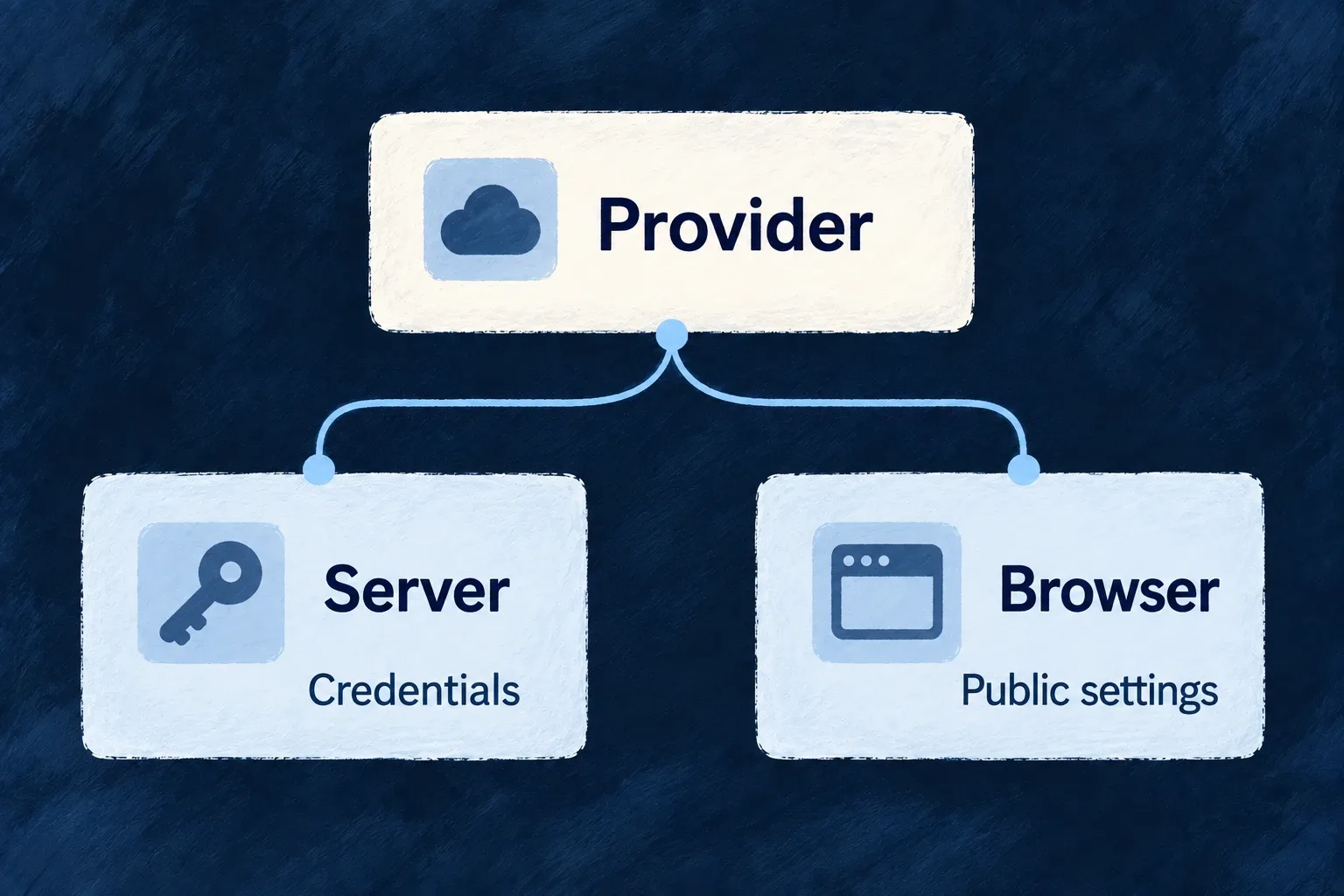
Keep server credentials out of browser integrations Mechanism

A provider can contribute server behavior and browser behavior without putting them in the same module. The server side owns credential-aware execution; the browser side carries its public configuration and supported browser code.

Shared provider identity connects the parts. Their package and runtime boundaries keep their different responsibilities explicit.

Example: The public and private sides of billing

The browser knows which billing provider the application uses. Server-side billing operations use their credential-aware module. The browser declaration does not need to carry the server key to identify the provider.

A provider has separate server credentials and browser public settings.
For engineers
Give each runtime its own module

The Stripe frontend module records identity, capabilities and public configuration. This selected portion is browser-facing:

providerCapabilities: [BUILTIN_PROVIDER_CAPABILITY.BILLING],
protocols: [BUILTIN_PROVIDER_PROTOCOL.BILLING_PROVIDER],
publicConfig: {
  billingProviderRef: 'stripe',
},

The backend module belongs to @wildo-ai/external-connectors-private/backend and exposes server runtime contracts and a secrets contract. Secret declarations name the required values; the application supplies those values through the server’s supported credential path. Do not copy secret values into publicConfig or a frontend contribution.

Separate browser data from executable code

Browser integration has two inputs. The application configuration or generated JSON supplies enabled provider data for the service and environment. An explicitly supplied frontend module map supplies executable code from the provider package’s browser facet.

ChannelCarriesWhy it is separate
DataIdentity, public configuration, SDK/component descriptors and CSP footprintCan be serialized for the selected environment.
CodeSDK activation, public-config validation and component loaders where supportedFunctions cannot survive JSON serialization.

hydrateFrontendProviderModules joins those inputs by provider reference. Enabled data without a matching module retains its identity and public configuration, but has no executable SDK and raises a missing-code diagnostic. Bundled code without enabled data remains inactive. Descriptor checks identify stale generated declarations rather than silently treating mismatched data as the current module.

Preserve the boundary in application code

Supply the module map through the host’s frontend registration option and import each module from its deliberate browser entrypoint. For the SaaS application host, startApplicationService.initializeApplication accepts frontendProviderModules; startup passes that map into registry hydration alongside the enabled provider data. Configuration synchronization supplies provider data and backend runtime artifacts, but currently does not emit the frontend code map. Wire that map explicitly for browser behavior; rerunning synchronization alone does not supply an SDK loader. Do not import the server package into a React component to obtain metadata. Shared browser-safe metadata exists for that purpose.

Package separation and the public package’s bundle-isolation tests establish an intended boundary, not a magic guarantee that an application can never write an unsafe import. Review custom provider dependencies and the actual browser artifact. Public configuration must remain public, and the server must still enforce access to every credential-backed operation.

See browser activation for the connected contribution and startup example: public settings enter through the companion contribution, while the browser imports its module through a public frontend entrypoint and passes it to its host.

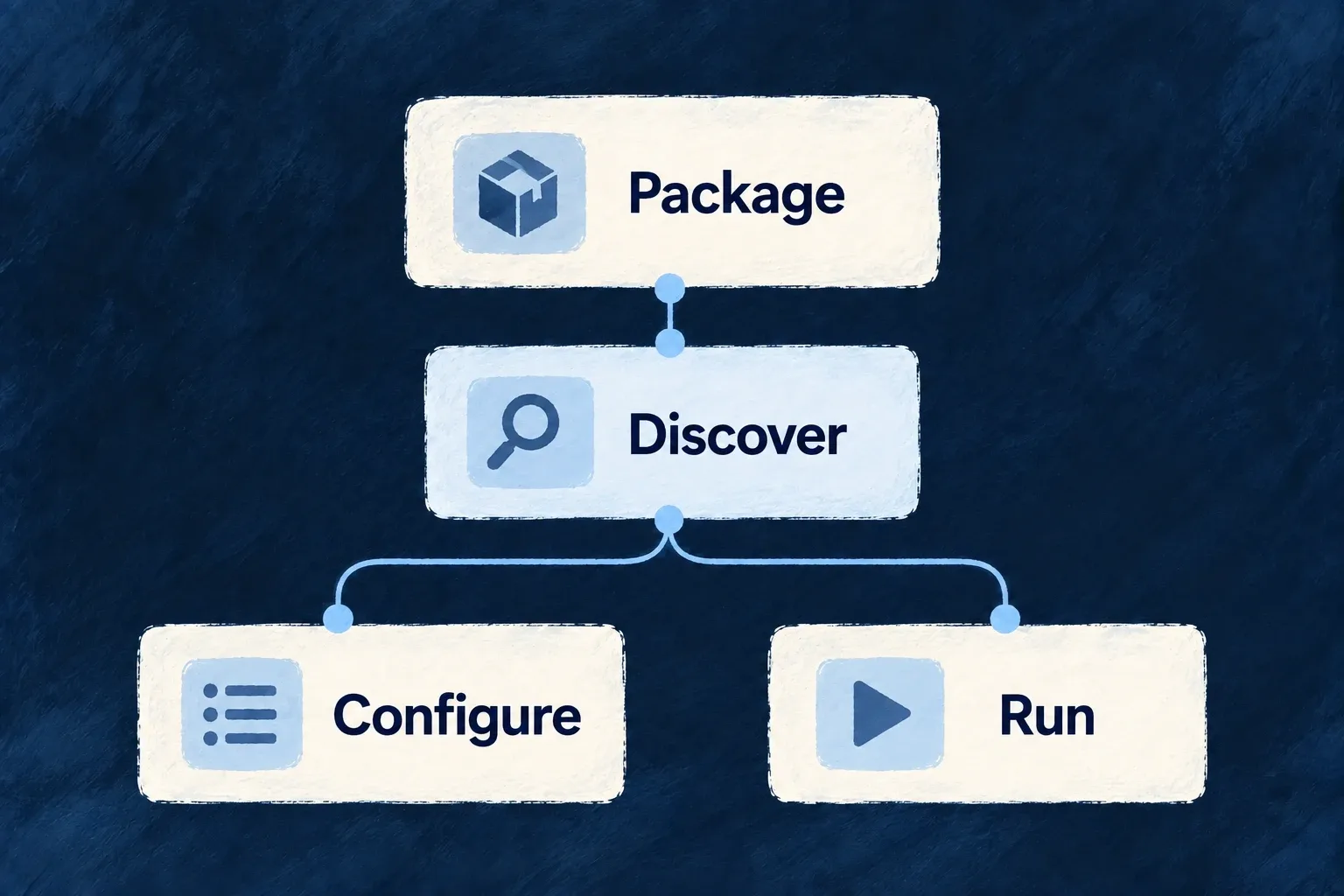
Configure from the available providers

Configure from the providers your application knows Mechanism

Configuration tooling discovers provider contributions and generates the catalogue used while authoring. The editor can offer provider references, capabilities and protocols from that catalogue instead of asking you to remember their names.

The same discovery feeds provider data and backend runtime artifacts. Add a contribution at its owning package, then synchronize the application to make the new definition available.

Example: A new integration appears in configuration

A team adds a provider package with the expected contribution. After synchronization, its reference becomes available to the application’s typed provider declaration and its runtime reach can be configured.

Provider package discovery supplies configuration information and runtime declarations.
For engineers
Generate the catalogue, then consume its type

From the SaaS application root, run the configuration workflow:

wildo config sync

The generated .wildo-saas/generated/provider-catalog.types.ts exports WildoDiscoveredProviderCatalog. Wonder Todos imports that type and passes it to defineSaaSProviders. This reduced configuration shows the authoring connection:

import { defineSaaSProviders } from '@wildo-ai/platform-config-lib';
import type { WildoDiscoveredProviderCatalog } from './.wildo-saas/generated/provider-catalog.types';

const providers = defineSaaSProviders<WildoDiscoveredProviderCatalog>({
  scopes: {
    backend: {
      providers: {
        resend: {
          engineCapabilities: [EngineCapability.EMAIL_TRANSACTIONAL],
          providerCapabilities: ['EMAIL_TRANSACTIONAL'],
          protocols: ['EMAIL_PROVIDER'],
        },
      },
      selection: { [EngineCapability.EMAIL_TRANSACTIONAL]: { primary: 'resend' } },
    },
  },
});

This example assumes EngineCapability is imported from @wildo-ai/saas-models and transactional email is enabled in the enclosing SaaS configuration. Place the resulting declaration in that configuration’s providers field. The type import does not pull a provider SDK into the configuration module.

Separate editor checking from runtime validation

defineSaaSProviders<WildoDiscoveredProviderCatalog> checks provider references and each provider’s capability/protocol values against the generated catalogue in TypeScript. That catalogue is a type import: it is erased at runtime. The helper then parses the general provider configuration shape with Zod; it does not repeat the catalogue-specific type check using a hidden runtime catalogue.

Keep both checks: typecheck the authored configuration after synchronization, then verify the runtime has loaded the declared provider and can resolve its access. Valid configuration syntax does not supply credentials or prove that an account may perform an operation.

Make the provider discoverable at its owner

Discovery follows the application’s admitted service, library and provider-package contribution contracts. Built-in engine providers are discovered through their package’s companion export; application scopes choose their runtime reach. An application-owned provider supplies a contribution from its own package, including its module entrypoint and supported runtime targets.

Do not add a row directly to the generated catalogue. It would disappear on the next synchronization and would not create the implementation or runtime contribution it claims to describe.

Verify both authoring and execution artifacts
CheckPurpose
Generated catalogue contains the providerDiscovery found the contribution.
Scope names the intended capabilities/protocolsThe application explicitly admits the use.
Generated backend runtime artifact names its entrypointThe backend host has an implementation to load.
Browser host receives its frontend module mapBrowser SDK and component functions reach the bundle; provider JSON cannot carry them.
Runtime resolves the provider with its configurationThe application can actually use the declared contribution.

The catalogue is a generated authoring aid, not evidence that credentials are installed or a vendor request has succeeded. Rerun synchronization after contribution changes and retain the runtime’s validation rather than treating editor completion as deployment proof. Browser code has a separate prerequisite: supply the frontend module map through the host registration path, such as startApplicationService.initializeApplication({ frontendProviderModules, ... }) for the SaaS app. The current synchronization workflow does not generate that frontend code map.

Preserve the reason, not only the result.

A structured product definition gives people and AI a shared basis for building, reviewing and changing the application.

Building a B2B product or an internal tool?

Wildo is not self-service yet. Tell us what you have in mind and we will say plainly whether it fits, and what happens next.