
Internal tools & business software
An application tailored to how your teams manage records, make decisions and work with existing systems.
Operational interfaces · approvals · roles · external dataReact · TypeScriptGive your team a better way to work.
> Work organized around your operations > Responsibilities built into each action > Existing systems brought into context
An internal tool gives your staff a shared place to manage records, make decisions and follow work through to completion.Wildo provides the application structure and common mechanisms. You define the work, the people responsible for it and the connections to the systems your company already uses.
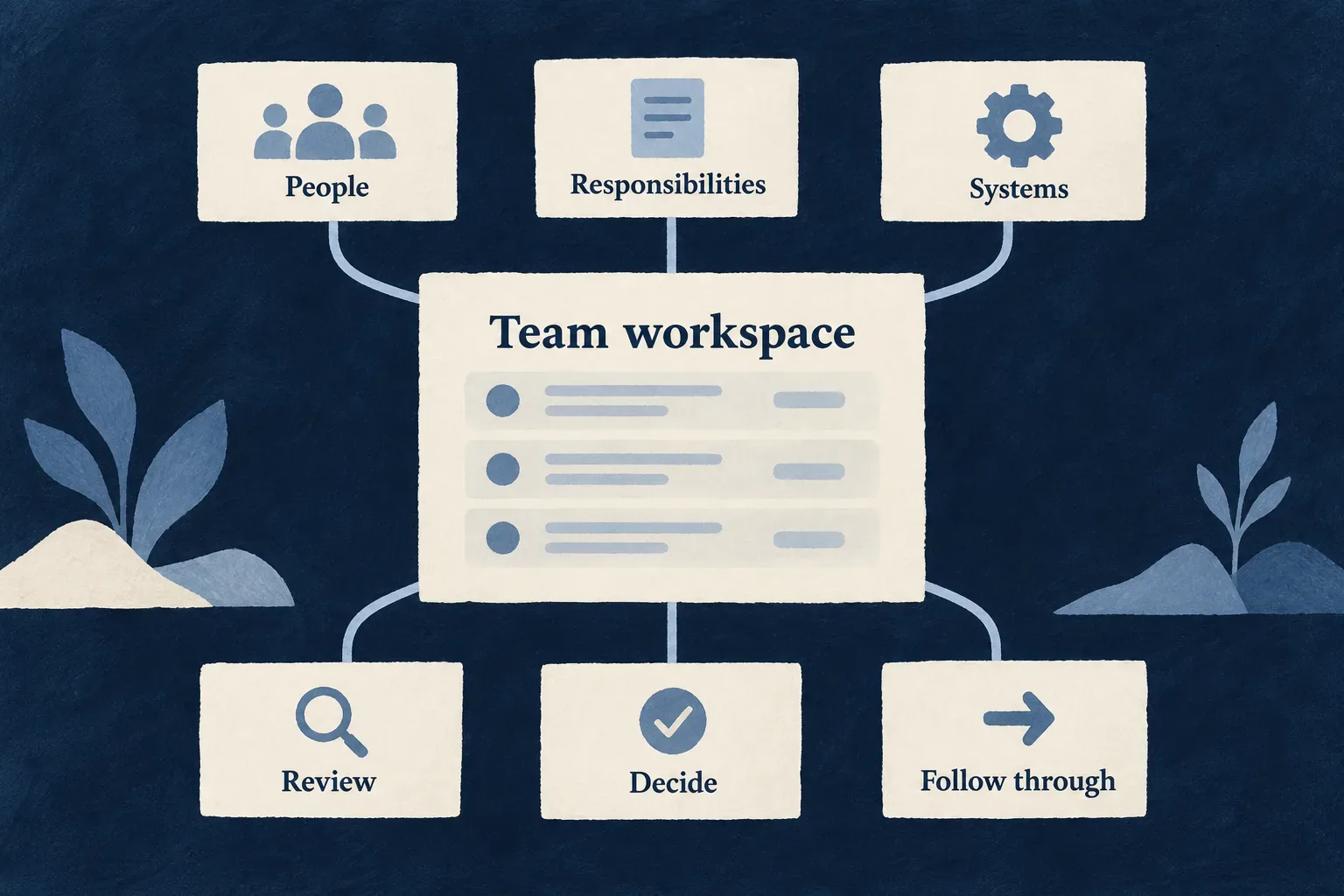
Built around the way your organization works
Make the next step clear
Bring requests, assignments and decisions into an application shaped around your process. Give people the information and actions they need to move work forward.
Give responsibility a clear place
Connect access to people’s roles and the context of the work. Separate who can see a record, who can change it and who may make a particular decision.
Use what your company already knows
Read information from existing systems or maintain a configured local copy. Build your own operational experience around the data without confusing which system owns it.
Example: A service desk for a facilities team
Employees submit maintenance requests. Coordinators assign work, technicians record the outcome and managers review exceptions. An equipment catalogue comes from an existing system; the tool owns the request and its follow-up.
For engineers
Start with the work and its boundaries
An internal tool uses Wildo’s application foundation: frontend, backend API, shared model, specifications and registered modules. Its purpose comes from the operational brief, rather than a separate internal-tool runtime type.
Describe the work item, its starting event, responsible roles, decisions and completion condition. Identify which system owns each piece of information. Choose application, organization or user scope for the actual records; a staff audience does not automatically make all records application-wide.
| Decision | Where it becomes executable | Example question |
|---|---|---|
| Who enters | User-type acquisition and authentication configuration | Are users invited or provisioned by an administrator? |
| Where work belongs | Resource scope and relationships | Is this request shared across the company or restricted to a team? |
| What people may do | Operation variants and backend behavior | Who can assign, approve or close it? |
| Where information comes from | Local resource or external-data binding | Is the equipment catalogue read remotely? |
| What people see | Navigation, resource UI behavior and custom views | Does a technician need a focused work screen? |
Keep the project useful beyond its first delivery
The normal wildo init path creates the application starting structure. Add the operational model and experience to that source project. Keep specifications and executable declarations together as responsibilities, systems and workflows change.
Use wildo setup for the authored local environment, wildo local init for local platform initialization and registration, and wildo local dev for development processes, after installing the prerequisites. Against an already healthy shared platform, registration can use wildo local init --register-only.
Commercial subscriptions are a product choice, not the definition of an internal tool. Select the mechanisms this application needs and verify their configuration; do not infer a special billing-free generation path from the audience label.
Accept a complete staff journey
Verify one work item from entry to completion with different people. Exercise an allowed action and its refused counterpart through the API, then change the person’s role and repeat. Check external-system failure, visible error handling and the expected record state after retrying.
Deliver the source, environment configuration and operational instructions alongside that journey. A working screen alone does not establish the access boundary or the behavior of an integration.
Bring work from request to outcome
Organize records around the work people need to complete. Give each step a clear action, useful context and an identifiable result.
Shared declarations support standard forms and APIs. Your business rules and custom screens make those mechanisms fit the way your team works.
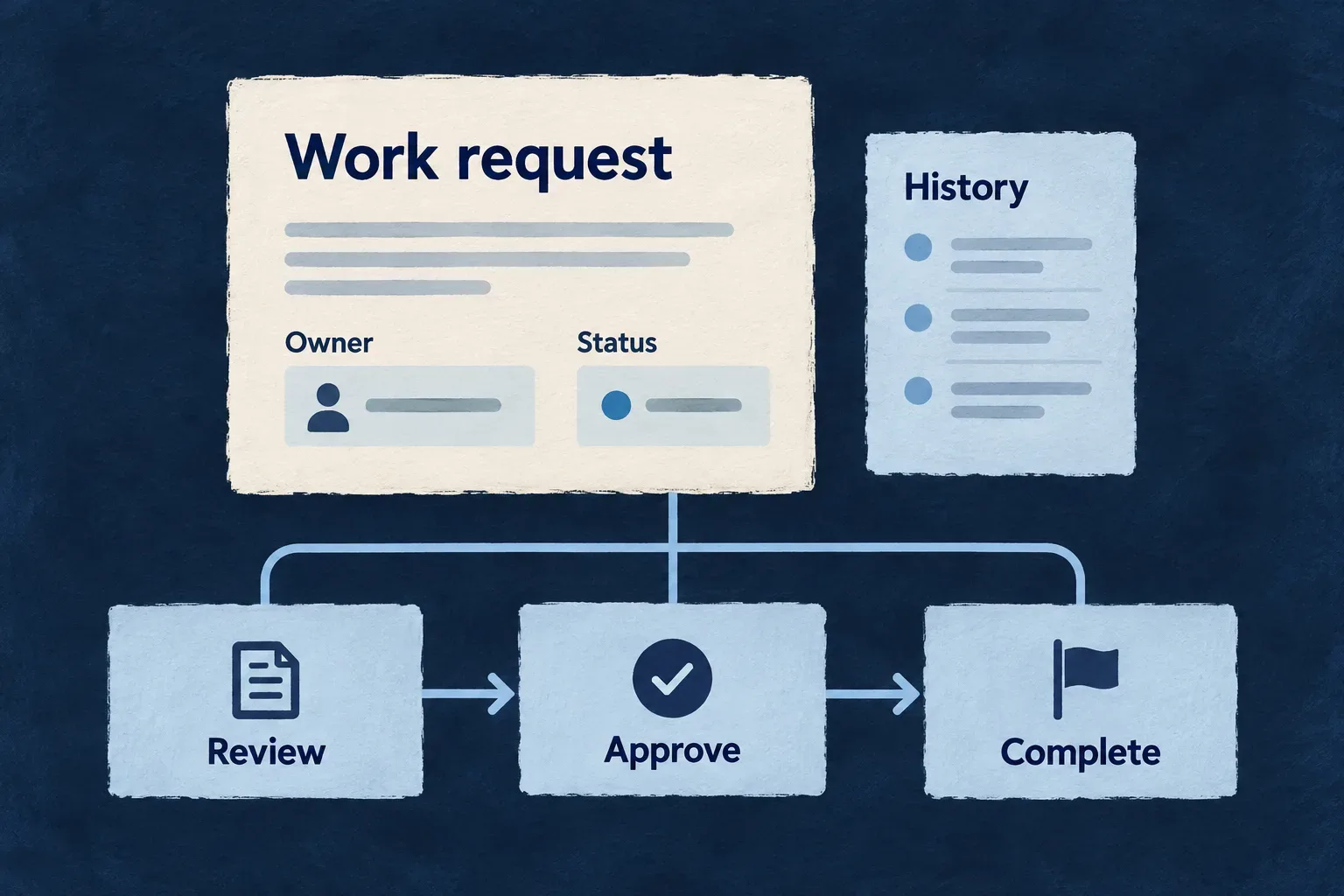
Make progress visible and actionable
Describe the work
Capture the information needed for a decision, with field rules shared by standard forms and request validation.
Name the next action
Use actions such as assign, approve or close to express intent. Give each its own inputs, access rules and behavior.
Keep the context nearby
Bring related records, attachments and configured views into the working experience so people can act with the information they need.
Example: Assign a request to someone who can handle it
A coordinator selects a responsible person. The application checks both the coordinator’s right to assign and the selected person’s eligibility before changing the request.
For engineers
Separate the caller from the person being assigned
Wonder Todos demonstrates this distinction in its ASSIGN_LEAD operation. This selected entry comes from its operation map; imports and the surrounding resource declaration are omitted.
[Todos_Operations.ASSIGN_LEAD]: {
  variants: [{
    variantType: ResourceOperationVariantType.API_CALL,
    isDefault: true,
    roles: [CORE_ORG_ROLES.ORG_ADMIN],
    riskLevel: ResourceOperationRiskLevel.MEDIUM,
    resourceOperationLike: CoreResourceOperation.UPDATE,
    requestDto: z.object({
      assignedToUserId: z.string().min(1),
    }),
    referenceConstraints: {
      assignedToUserId: {
        qualifyingStatuses: [OrganizationMemberStatus.ACTIVE],
        requiredRoles: {
          scope: ResourcePrimaryScope.ORGANIZATIONS,
          roles: [CORE_ORG_ROLES.ORG_ADMIN],
        },
      },
    },
  }],
},
roles restricts the caller. referenceConstraints restricts the assignee to an active member with the required organization role. The existing update mechanism performs the change; the registered field and relationship give that reference its meaning.
An internal tool can use the same pattern with its own roles and actions. Approval thresholds, transitions and external checks need the corresponding application-authored behavior. The name approve does not create an approval policy.
Shape the working surface
Resource UI behavior chooses how operations appear, including addressable and embedded surfaces. Custom views can combine standard layouts with resource-owned views. Keep these presentation choices separate from backend permission checks.
| Work concern | Authoring responsibility | Acceptance check |
|---|---|---|
| Required information | Schema and request contract | Missing or invalid input is refused |
| Eligible actor | Operation roles and context | An unauthorized caller cannot act |
| Valid target | Relationship and reference constraints | An ineligible assignee is refused |
| Business transition | Custom behavior where needed | The wrong prior state cannot be advanced |
| Visible result | Record view and feedback | The updated owner or outcome is clear |
Choose which changes need auditable events and configure or emit them through the relevant mechanisms. Verify the actual event and actor attribution; a visible activity panel does not itself prove every custom action is recorded.
Give people access that matches their responsibility
Bring staff into the application through a deliberate entry policy. Then connect their roles to the records and actions they need.
Signing in, joining a team and approving a request are separate decisions. Keeping them distinct makes the tool easier to operate as people join, move or leave.
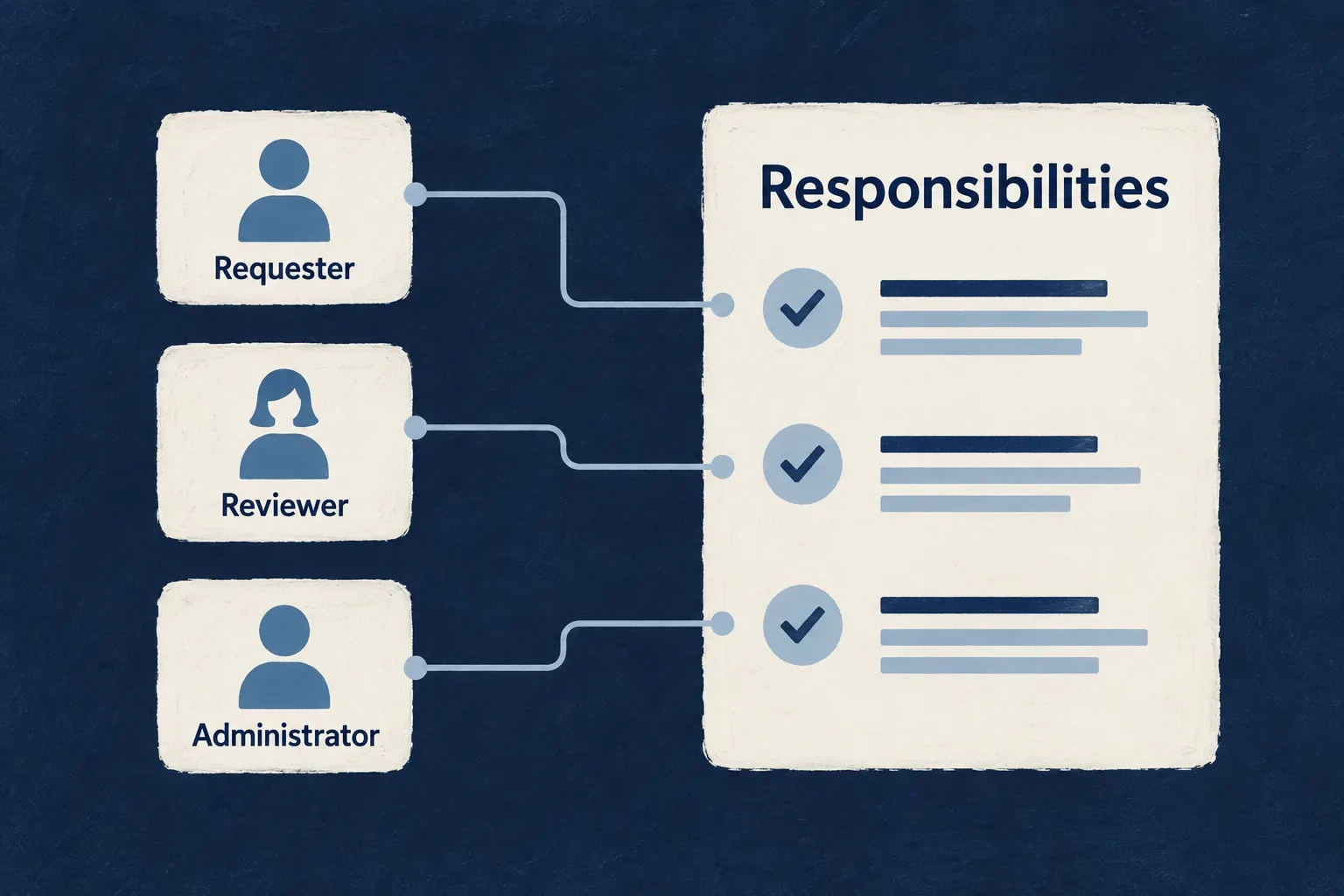
Put responsibility into everyday use
Choose how people enter
Use the configured acquisition paths for invitations or administrative provisioning, with authentication suited to your organization.
Scope the work
Choose which records belong to the company, a workspace or a person. Reflect that context in queries and operations.
Keep permissions current
Make membership and role changes part of operating the tool. Verify their effect on backend access as well as the interface.
Example: A reviewer moves to another team
The administrator updates membership and responsibilities. The reviewer can work in the new context, while requests from the old team remain subject to their own scope and access rules.
For engineers
Declare how a user type may be acquired
The SaaS skeleton declares registration inside userTypes.member.auth. This illustrative replacement for that registration block chooses invitation-only acquisition. The enums are exported by @wildo-ai/saas-models; surrounding authentication settings remain application-owned.
registration: {
  mode: RegistrationMode.INVITATION_ONLY,
  allowedMethods: [AuthMethod.PASSWORD],
  emailVerification: EmailVerificationMode.REQUIRED_BEFORE_ACCESS,
  blockForSSODomains: false,
},
The acquisition policy accepts invitation and administrative-provisioning channels in this mode. It does not admit self-registration or SSO just-in-time acquisition. Existing holders of a user type are evaluated differently from people acquiring it for the first time: acquisition policy is not a blanket login prohibition.
allowedMethods governs registration methods; it does not replace the configured authentication methods or MFA policy. Configure the invitation messages and their provider where invitations are part of the chosen journey.
Model organizational context deliberately
User types, organization memberships and operation roles have different jobs. Use an organization where it represents a real boundary. Declare resource scopes and relationships so reads and mutations carry that boundary into execution.
| Layer | Establishes | Does not establish by itself |
|---|---|---|
| Authentication | The signing-in identity | Permission to act on every record |
| Acquisition policy | How a user type is first obtained | Membership in every workspace |
| Membership and role | A person’s position in a context | Automatic partitioning of custom resources |
| Resource and operation policy | Access to the selected work | A business transition merely because its button exists |
Verify the joiner, mover and leaver journeys
Test invitation or provisioning, first access, membership change and removal. Check direct API calls after a role changes. For SSO, exercise the selected provider and existing-user versus new-user paths separately; domain configuration and acquisition policy must agree.
Read users, organizations and security for the underlying identity and authorization mechanisms.
Bring existing information into the work
Let staff use information from another system within your own operational experience. Choose whether the tool reads it on demand or maintains a local copy.
That choice determines freshness, availability and what the application can build around the information. Decide which system owns changes before adding an integration.
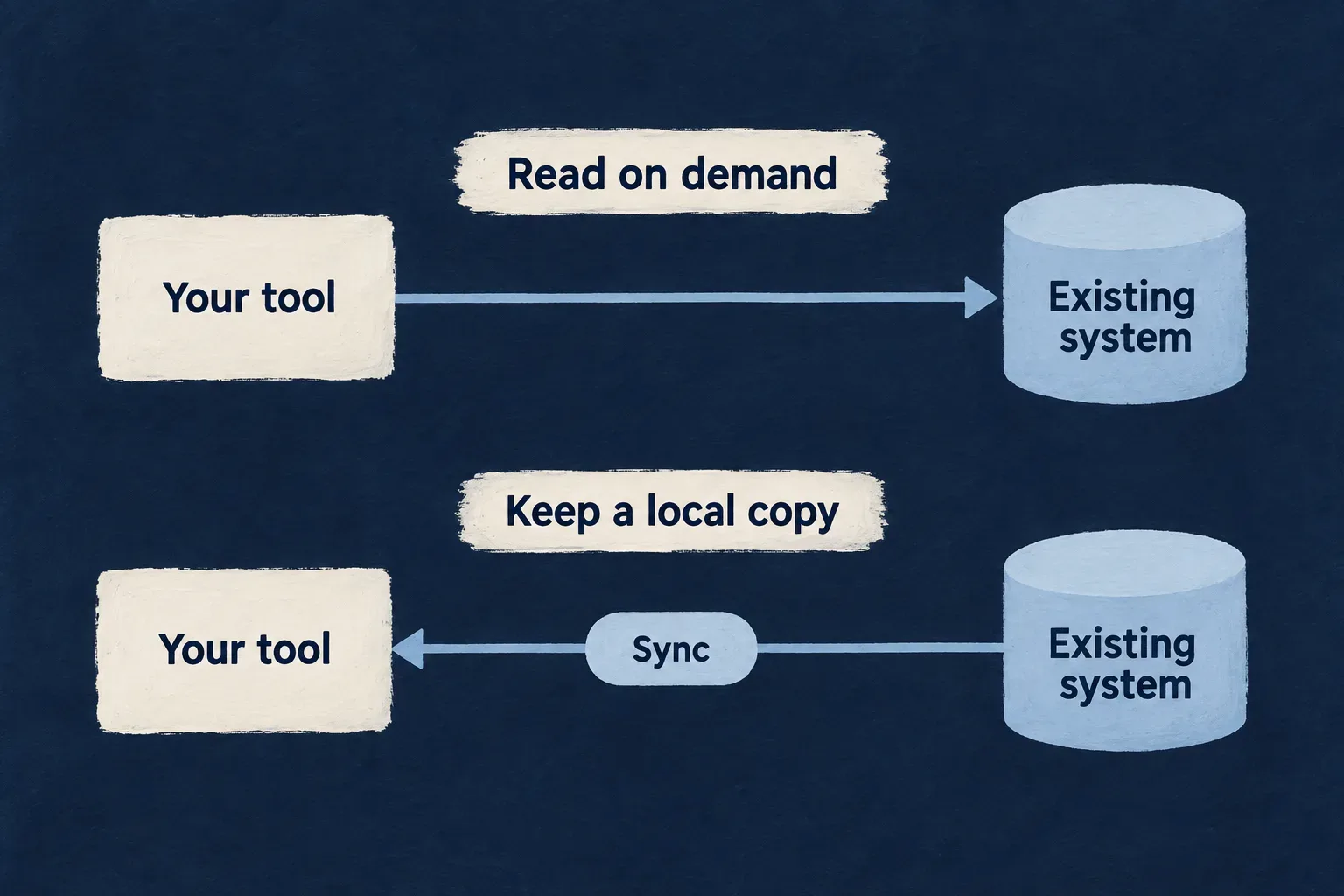
Connect systems with a clear purpose
Read where the information lives
Use a configured remote resource when the existing system should remain the source for each read.
Keep a useful local copy
Use a configured import pipeline when the application needs local records, enrichment or processing between synchronization runs.
Make ownership explicit
Define identifiers, field mappings and access boundaries. Treat updates to the external system as their own authored integration contract.
Example: Equipment comes from another system
A facilities tool reads the equipment catalogue from the company’s existing application. Maintenance requests remain local and refer to the relevant equipment. If the tool needs its own copied catalogue, its synchronization rules define how those records are maintained.
For engineers
Map the remote record into the application
Wonder Todos’ billable-services resource reads an Odoo catalogue. This selected configuration excerpt shows identity, field mapping and the deliberate tenancy stance; surrounding schema, relationships and operation declarations are omitted.
persistenceAdapter: PersistenceAdapter.HTTP_API,
httpApiBinding: {
  dialect: HttpApiTransportDialect.ODOO_JSONRPC,
  providerRef: 'odoo',
  entityRef: 'product.template',
  keyFields: [{ localField: 'odooProductId', remoteField: 'id', codec: HttpApiKeyComponentCodec.INTEGER }],
  fieldMappings: [
    { localField: 'listPrice', remoteField: 'list_price' },
    { localField: 'unitOfMeasure', remoteField: 'uom_name' },
  ],
  tenancy: {
    stance: HttpApiTenancyStance.SINGLE_TENANT_BINDING,
    justification: 'Wonder Todos serves one company, whose Odoo holds one service catalogue; there is no per-tenant partition to push down.',
  },
  erasure: { stance: HttpApiErasureStance.NO_SUBJECT_DATA },
},
The resource declares read and list operations; this example does not provide external writes. providerRef resolves the configured provider access. Remote field names are translated into the local schema, while the key mapping supplies stable record identity.
The single-tenant stance is specific to this catalogue. A different application must declare the boundary appropriate to its provider account and records. Likewise, a no-subject-data declaration is only appropriate when the resource actually has that property.
Choose the storage consequence
| Choice | Where rows live | Design consequence |
|---|---|---|
HTTP_API with httpApiBinding | Remote system | Reads depend on the remote service; there is no local row to enrich |
Local resource with externalDataPipeline | Application store | Freshness depends on successful runs; mappings and destination scope must be correct |
A pipeline needs its own extraction, mapping and load contract. Map the destination’s required scope fields explicitly. Do not infer successful synchronization from the existence of a resource declaration or copy a sample without checking its current integration status.
Make failure understandable to staff
Define what the user sees when the source is unavailable and how stale local data is identified. Verify authentication failure, pagination, mapping and repeat runs. A partial import must not be treated as a complete source inventory when deciding which existing rows to remove.
For writes back to the source, author and verify the provider operation, permissions, error handling and retry behavior separately. A read binding does not create that path.
A shared place for the work that keeps your company moving.
An internal tool connects information, responsibility and action. Wildo supplies a common application foundation; your operational knowledge gives it purpose.
Building a B2B product or an internal tool?
Wildo is not self-service yet. Tell us what you have in mind and we will say plainly whether it fits, and what happens next.