Wildo.ai Coming soon

Product & application specifications

Keep product intent, requirements and implementation contracts alongside the code your agents change.

Vision · requirements · domain plans · resource and interface specifications

> Explain the purpose > Connect the decisions > Give development a clear basis

Specifications describe what your application is meant to do and what its parts mean.

Wildo keeps product decisions and engineering descriptions in the application repository, with structures and references that people and development tools can inspect.

Your team defines the intent. Developers and coding agents use that context to implement and evolve the application.

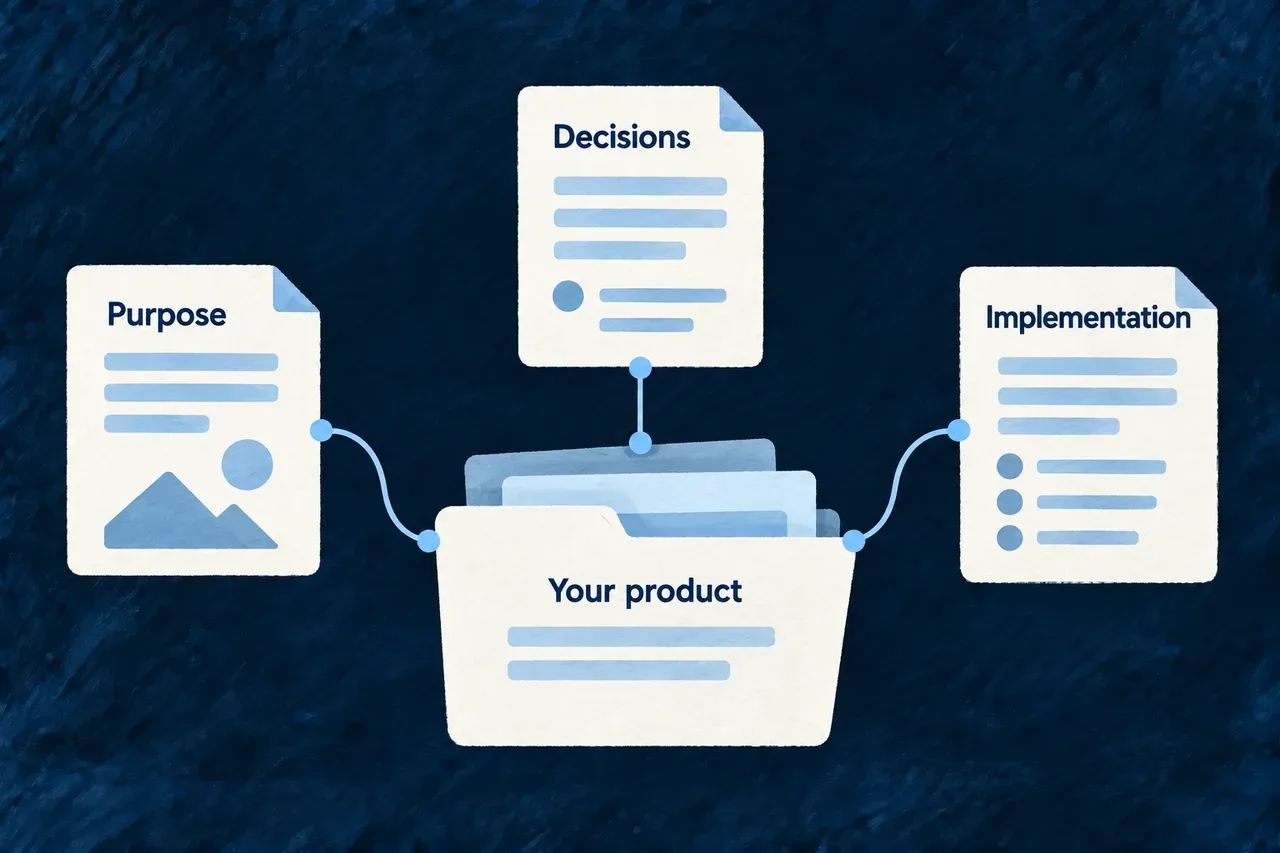
A shared product definition connects purpose, decisions and implementation.

Keep the reason beside the work

Describe the product

Record the customer need, intended benefits, requirements and constraints. Give later decisions a shared basis instead of relying on conversation history.

Connect the plan

Relate scope, resource ownership and build outcomes to their purpose. Inspect the references when a product decision changes.

Explain the implementation

Describe resources and interfaces in business terms. Their consumers can use that meaning in development context, labels and documentation.

Example: Change a customer commitment

A team extends an offer to include shared follow-up. It updates the related requirement, delivery scope and implementation work, then verifies the behavior before presenting it as part of the offer.

For engineers

Use the specification appropriate to the question

QuestionSpecification layer
Why does the product exist and who is it for?Vision and market
What should it provide?Benefits, offers, requirements and feature drafts
How is the work organized?Domain, roadmap, build and placement plans
What does this resource or interface mean?Engineering specifications
What supports a public statement?Product facts, evidence and governed-document decisions

These layers share a repository and reference vocabulary. They are not interchangeable: a requirement does not configure an API, and a resource description does not enforce its business rule.

Inspect the declared model

From a configured application root with its companion running:

# Inspect available views and their declared content.
wildo context list
wildo context info specification-artifacts
wildo context info resource-specifications

# Examine the supported cross-family relationships.
wildo context coherence

The artifact view exposes product declarations; resource specifications explain the available resource semantics. Let source changes compile and reach the exported model before expecting these views to change.

Verify the promise at the right level

Review specification changes with the relevant implementation. Use shape and reference checks to find structural inconsistencies, then exercise the application behavior the requirement describes. A completed task or accepted document is evidence of work, not automatic proof of the whole product promise.

Describe the product and the meaning of its code

A specification records what the application is meant to do and what its parts mean. It gives developers and coding agents something more explicit than a collection of implementation files.

The idea

Product specifications explain the decisions behind the work. Engineering specifications explain the business meaning of the implementation. A requirement can guide a build task; a resource specification can explain the fields and operations that labels and documentation describe.

Structured values and stable references make these connections inspectable. The application team still authors the meaning, reviews proposed changes and verifies the behavior they describe.

What you get for free

The framework supplies the family schemas, reference vocabulary, specification builders and the consumers that use them. It also supplies specifications for its own resources and components where registered.

Your application adds its business meaning. That lets development tools work from explicit declarations while your team maintains the implementation those declarations describe.

Where you plug in

Author product-family values in the application’s specifications package and expose the corresponding companion slots. For resources, pair the specification with its actual factory and schema; for interfaces, describe the registered component or view and its relevant layout.

When changing behavior, review its specification in the same change. Then check the application export, relevant validation and the consuming surface—whether a label, a documentation page or a development context response.

For engineers

How it is built

Product intent and implementation semantics

LayerTypical contentUse
Product definitionVision, market, requirements, roadmap, domain and build plansEstablish context and relate planned work to its purpose
Resource semanticsPurpose, fields, operations, audience and declared code symbolsExplain a business object to development and documentation tools
Interface semanticsComponents, views and layout descriptionsExplain how the application presents its behavior
Application exportsReferences to the specification values the project suppliesMake those declarations available to the companion

Families have schemas and validators appropriate to their structure. Some checks need reference sets from other families; a local shape check cannot establish that the whole product graph is coherent.

Describe a field in its resource context

This selected field slice is from Wonder Todos’ relationship resource specification. The surrounding resourceSpecification() call supplies the resource factory, base schema, additional semantics and primary scope:

fields: {
  todoId: schemaShape.todoId.foreignKeySpec({
    meaning: 'Source todo endpoint of the relationship.',
    relationshipContext: 'References a Todo in the org.',
    importance: FieldSemanticImportance.PRIMARY,
  }),
  targetTodoId: schemaShape.targetTodoId.foreignKeySpec({
    meaning: 'Target todo endpoint of the relationship.',
    relationshipContext: 'References a different Todo; must not equal `todoId` in validated writes.',
    importance: FieldSemanticImportance.PRIMARY,
  }),
}

The schema describes the field shape. These annotations explain the role of each endpoint and its relationship context. They do not themselves implement the validated-write rule described in the text; the resource’s behavior must enforce it.

A resource specification can also describe operation purpose, outcomes and errors, communication behavior, and the public symbols behind the resource. The application registers those specifications for their consumers rather than relying on the file’s presence alone.

Export the declarations the companion should read

Wonder Todos imports SpecificationsCompanionExports from @wildo-ai/saas-specifications/companion. These selected members of its export connect product snapshots and resource specifications; other members and local imports are omitted:

{
  resourceSpecifications: {
    ...engineResourceSpecificationsByType,
    ...resourceSpecifications,
  },
  marketSpecification: applicationMarketSnapshot,
  visionSpecification: applicationVisionSnapshot,
  requirementsSpecification: applicationRequirementsSnapshot,
  roadmapSpecification: applicationRoadmapSnapshot,
  businessModelLiteSpecification: applicationBusinessModelLiteSnapshot,
}

The engine registry supplies built-in resource meanings; the application’s entries supply its own. The product-family slots expose the imported snapshots under the companion’s contract. Let the specification package compile before expecting a changed export in its served model.

Check connections at the appropriate boundary

The frontend specification builder checks documented structural slots against the merged layout’s sections, wizard steps and groups. Companion-side alignment checks compare resource specifications with the registry and its derived scope. These are specific structural checks, not a universal proof that every sentence matches behavior.

The coherence report examines relationships between product families. It distinguishes references to absent items from coverage gaps, such as a requirement with no planned delivery. Missing family context and malformed input have their own reporting implications; read the findings as well as the summary.

# With the application's companion running:
wildo context list
wildo context info resource-specifications
wildo context info specification-artifacts

# Inspect supported relationships across the product definition.
wildo context coherence

Follow the consumers

Labels use declared meaning and audience. Documentation consumers use supported field and operation descriptions. Development methods read product-family inputs, while the workbench can present the available artifacts for inspection. Each consumer uses a particular projection; none is a substitute for exercising the application itself.

Boundaries and known limits

A specification is an authored semantic layer, not a second implementation of the behavior. A registry can have a resource without authored semantics; adding prose does not create the resource. Cross-family checks need the appropriate context, and a valid declaration still needs meaningful content.

Product acceptance and runtime verification are separate. A reviewed specification records intent; a completed development operation or a committed file does not prove that every intended interaction works. Use the application’s verification evidence for that conclusion.

Carry meaning into the tools that use it

A description becomes useful when the application exposes it to a consumer. Product context guides development methods; resource semantics help explain fields and operations.

Wildo’s specification exports connect those declarations to the companion. The relevant tools can then read the meaning the application actually supplies.

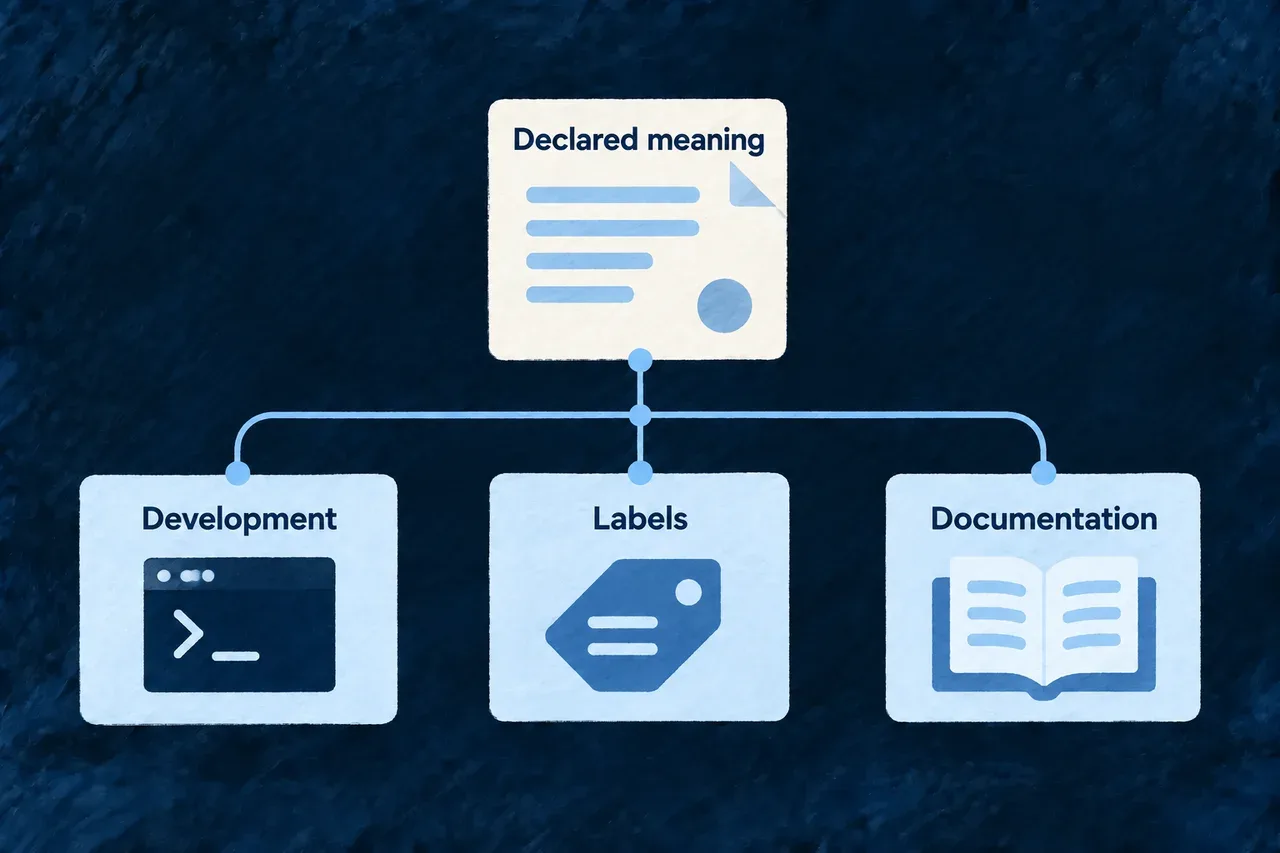
Declared meaning guides development, labels and documentation.

One declared meaning, several uses

Guide development

Product families give methods their context and let the team inspect the relationships between decisions and work.

Explain the interface

Resource and component semantics describe purpose and audience for the labelling and presentation work that consumes them.

Support documentation

Supported field and operation descriptions feed documentation consumers, connecting technical material to authored business meaning.

Example: Explain a relationship consistently

A resource specification distinguishes the source and target of a customer relationship. That meaning is available to development context and the documentation consumer without asking each to infer it from a field name.

For engineers

Connect both built-in and application resources

These selected members come from Wonder Todos’ companion export. The local imports, type parameters and other members are omitted:

{
  resourceSpecifications: {
    ...engineResourceSpecificationsByType,
    ...resourceSpecifications,
  },
  visionSpecification: applicationVisionSnapshot,
  requirementsSpecification: applicationRequirementsSnapshot,
  roadmapSpecification: applicationRoadmapSnapshot,
  businessModelLiteSpecification: applicationBusinessModelLiteSnapshot,
}

The built-in resource registry is spread before the application’s resource specifications. Product-family slots connect the imported snapshots to their named consumer contract. The application uses SpecificationsCompanionExports from @wildo-ai/saas-specifications/companion for that export.

Check the consumer after changing meaning

A file on disk is not enough: it must enter the expected export and compiled package. Inspect the relevant context response, generated labels or documentation after a change. Consumers project particular parts of the specification; review the one affected by the change rather than assuming every surface reads every field.

Understand which description reaches API documentation

Field enrichment matches the resource’s field name to a top-level request or response property. An explicit DTO description takes precedence over resource meaning:

Wire propertyDocumentation behavior
Matching name, no descriptionResource meaning supplies the description
Matching name, explicit DTO descriptionThe DTO description is preserved
Renamed or nested propertySupply its own wire description; this enrichment does not infer a match

In this illustrative schema fragment, only title receives the resource meaning. The explicit status description stays in place, and displayTitle is not inferred to mean title:

{
  "properties": {
    "title": { "type": "string" },
    "status": { "type": "string", "description": "Status accepted by this operation." },
    "displayTitle": { "type": "string" }
  }
}

If the resource’s title meaning is “The name people use to identify the record,” that becomes properties.title.description. Enum-value meanings can still enrich x-enum-descriptions even when an explicit DTO description wins. When an edit seems absent from API documentation, check the wire field name and existing description before changing the resource’s meaning again.

Keep the product's decisions connected

The product definition explains who the application serves, what it promises and how the team intends to deliver it.

Wildo gives those decisions distinct structures and stable references. A requirement can point to a customer need, a roadmap phase can commit to it, and a build task can name the result it is intended to produce.

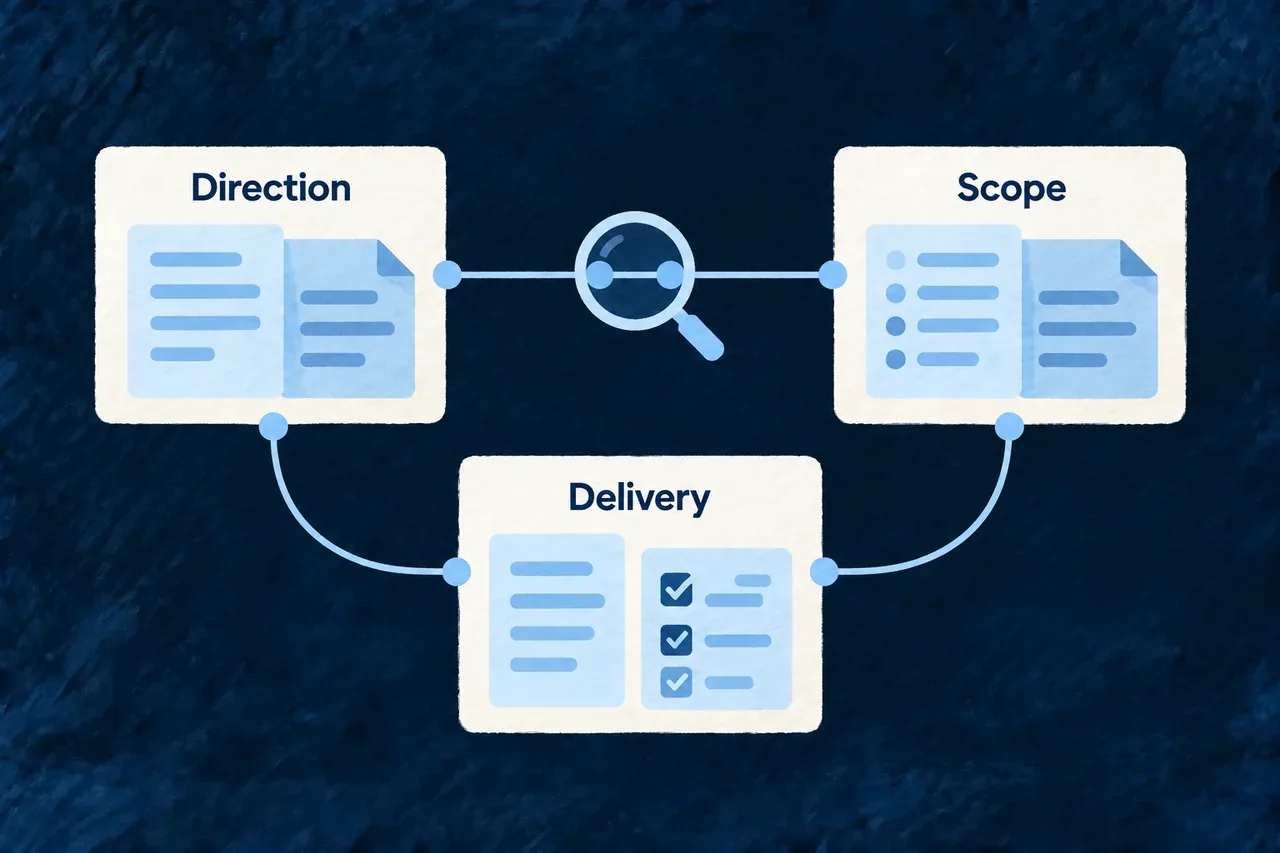
Direction, scope and delivery are connected in the product model.

From a reason to build to a plan for delivery

Make the purpose explicit

Vision, market and brand decisions give the work a shared direction. Record the intended audience, improvement and constraints instead of rediscovering them for each change.

Connect promises to scope

Benefits, offers and requirements explain what the product commits to provide. Roadmap phases and feature drafts keep those promises connected to planned delivery.

Give implementation a clear basis

Domain, build and placement plans describe ownership, work outcomes and where behavior belongs. Policy and document facts add the responsibilities that the product must substantiate.

Example: Introduce shared customer follow-up

The team identifies missed handoffs as a customer problem, specifies visible ownership and next actions, and places them in an initial release. The domain plan names the owning records; build tasks describe the implementation results; the product message explains the supported benefit.

For engineers

Read the available product model

With the application’s companion running, inspect the exported families and their supported relationships:

# Discover and inspect the application's specification views.
wildo context list
wildo context info specification-artifacts

# Read cross-family findings.
wildo context coherence

The views depend on registered, compiled application exports. The coherence report uses the families available to it; read missing-context and finding details rather than interpreting a summary as universal coverage.

Read the result as a review surface

The artifact view keeps invalid authored content visible so you can inspect and repair it:

StateMeaning
NOT_LANDEDNo value is available for that family
LANDED_INVALIDA value is present and its family validation reports errors
LANDED_VALIDThe available value passes that family’s validation

Inspect errorCount, warnCount and issues alongside content. The view returns the raw authored content, not a version padded with schema defaults. A nonempty but invalid vision can therefore remain readable with its errors; a missing value has null content. LANDED_VALID is not a review approval, publication decision or proof that the application implements the specification.

These selected response fields illustrate the invalid-vision fixture: its content is retained, including the malformed success-criterion reference. Other response members are omitted:

{
  "state": "landed_invalid",
  "content": {
    "idea": {
      "oneLiner": "A pipeline CRM for small teams.",
      "description": "Contacts, companies and deals in one workspace."
    },
    "successCriteria": [{
      "ref": "not-a-success-criterion-ref",
      "statement": "A new team reaches a working pipeline within one day."
    }]
  }
}

Follow the different kinds of commitment

Product declarationConnected decision
Success criterionA roadmap phase intended to deliver it
Customer benefitFeatures intended to provide it
RequirementScope and build work serving it
Domain ownershipThe module in which a resource is composed
Build productThe semantic result a task should produce
Document factThe source basis for a governed statement

Keep references stable when wording changes. When removing an item, inspect the things that point to it; a dangling reference is different from an intentionally deferred requirement.

Review intent and evidence together

Schemas establish shape. Family validators and coherence inspect supported relationships. Runtime checks establish whether the resulting application behaves as intended. A well-formed plan can still contain a poor product choice, so the team must review the meaning as well as the structure.

Use the individual guides for each family’s contract. Product decisions can evolve after initial creation; this model remains useful when a new audience, feature or operating context changes the work.

Set the product direction

Keep the reason for the product clear Mechanism

A product idea needs more than a name. It needs a clear problem, a desired improvement and the constraints that should survive later decisions.

The vision brief records that direction as part of the project. Success criteria have their own references, so later plans can explain which goals they intend to serve.

Example: Keep the first release focused

A team wants customer follow-up to stop disappearing between inboxes. Its brief records that problem, a goal for getting a new team started, and a constraint that setup must remain self-service.
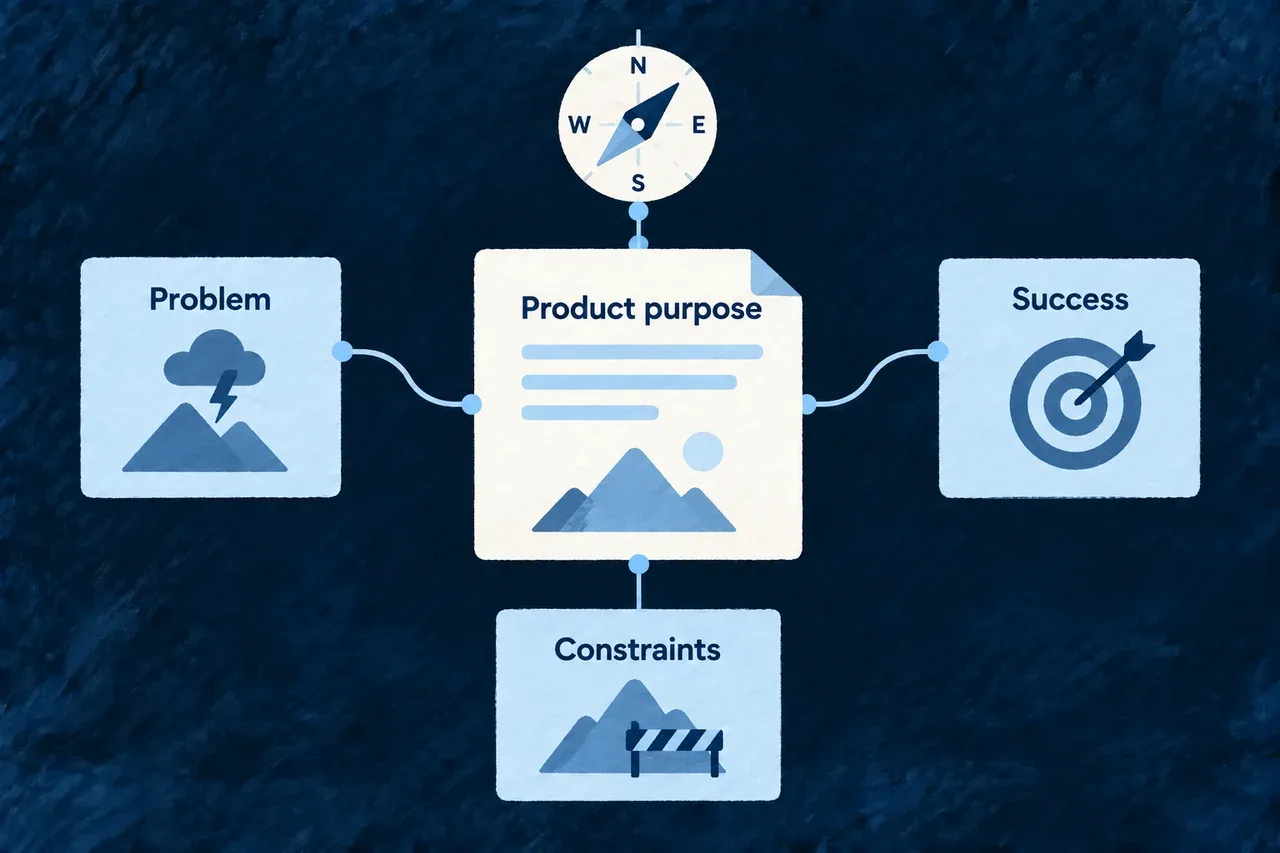
Product purpose connects the problem, success criteria and constraints.
For engineers
Declare the intended outcome

This illustrative complete vision uses the public specification type. It records an intended product outcome, not observed performance:

import { VisionSnapshotVersion, VisionSuccessHorizon, VisionConstraintKind, type VisionSnapshot } from '@wildo-ai/saas-specifications';

export const applicationVisionSnapshot: VisionSnapshot = {
  version: VisionSnapshotVersion.V1,
  idea: {
    oneLiner: 'Give a small team one shared view of customer follow-up.',
    description: 'A shared workspace for contacts, ownership and dated next steps.',
    notes: [],
  },
  problem: {
    statement: 'Ownership and next steps get lost between inboxes and spreadsheets.',
    affected: 'Small teams sharing customer work.',
    currentAlternatives: ['Inboxes', 'Spreadsheets'],
    consequences: ['Follow-ups are missed.'],
  },
  mission: { mission: 'Make each customer commitment clear and actionable.', principles: [] },
  successCriteria: [{
    ref: 'success-criterion-first-working-pipeline',
    statement: 'A new team reaches a working pipeline in its first day.',
    metric: 'Time from signup to a pipeline containing real contacts',
    target: 'Within one day',
    horizon: VisionSuccessHorizon.SHORT_TERM,
  }],
  constraints: [{
    ref: 'constraint-self-serve-start',
    kind: VisionConstraintKind.BUSINESS,
    statement: 'A team can start without a sales-assisted setup.',
  }],
};

The criterion’s ref remains the link target when its wording improves. Its metric and target describe what the team intends to measure; they do not install telemetry. The constraint records a decision to carry into design and implementation.

Register and inspect the brief

Export the snapshot through visionSpecification in the application’s companion exports and let the specification package compile. The creation methods that request vision context can then read it alongside other product information.

CheckWhat it contributes
Schema parsingConfirms the supported data shape for external input
Vision validatorChecks references and reports incomplete or inconsistent intent
Cross-family coherenceRelates declared success criteria to planned delivery
Product measurementEstablishes whether the intended result was achieved

A useful brief can evolve as the team learns. Review changes to its stable criteria and constraints together with the roadmap and requirements that refer to them.
Know who benefits and why they would choose you Mechanism

Different customers can value the same feature for different reasons. Understanding those reasons matters for the product as well as its message.

The market snapshot connects customer profiles, jobs, pains, benefits, alternatives and supporting evidence. It preserves the team’s research and positioning choices as context that later work can use.

Example: Explain the value of an assigned next step

For a small team, an owner and due date can make follow-up easier to coordinate. The snapshot connects that benefit to the customer’s problem and the features intended to address it.

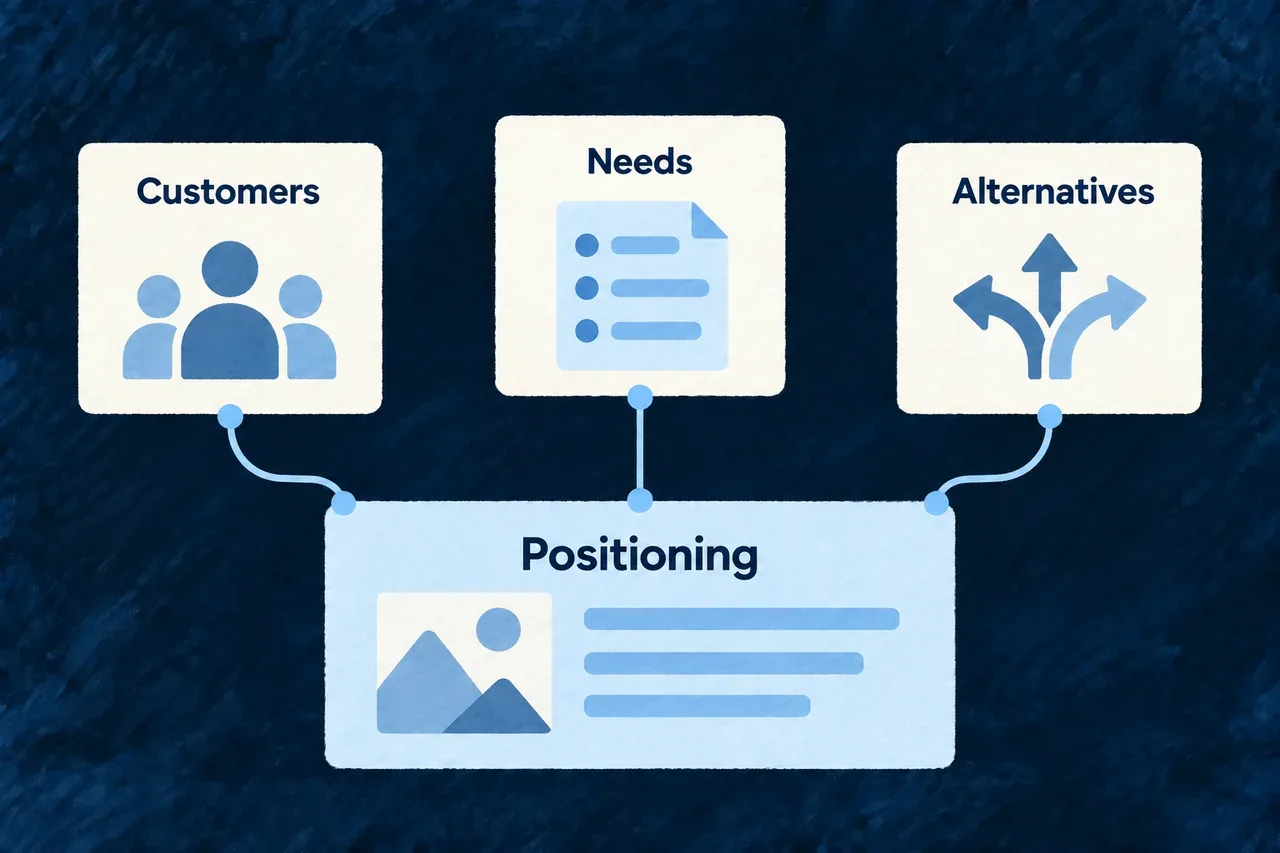
Customer needs and alternatives inform product positioning.
For engineers
Describe a benefit in context

This illustrative benefit belongs in a surrounding market snapshot. Its profile, pain, job and feature references must identify the corresponding entries:

import { BenefitKanoCategory, BenefitRole, type FeatureBenefitConfig } from '@wildo-ai/saas-specifications';

export const followUpBenefit: FeatureBenefitConfig = {
  ref: 'benefit-clear-next-step',
  claim: 'Know who follows up next, without searching old messages.',
  role: BenefitRole.PAIN_RELIEVER,
  deliveredByFeatureRefs: ['feature-deal-owner', 'feature-dated-next-step'],
  relieves: [{ painRef: 'pain-unowned-follow-up', degree: 9 }],
  creates: [],
  advances: [{ jobRef: 'job-keep-next-step-owned', degree: 9 }],
  importanceByICP: [{
    icpRef: 'icp-small-team',
    weight: 9,
    kanoCategory: BenefitKanoCategory.THRESHOLD,
  }],
  proofRefs: [],
  addressesObjectionRefs: [],
};

The same feature can contribute to several benefits. The profile-specific weight and category record an assessment of its value to that audience. They are authored fit information, not proof of customer demand or automatic build priority.

Keep research, assessment and publication distinct

The market-analysis method admits research, evidence-adequacy and snapshot-production activities. Their eligibility determines what can run; they are not a fixed list executed merely in declaration order.

LinkReader question
Profile to job or painWho encounters this need?
Benefit to featureWhat is intended to address it?
Benefit to proofWhat evidence supports the claim?
Objection to responseWhat concern must the product or message answer?

An empty proofRefs array means no structured proof records are linked. The separate evidence field can hold supporting notes, metrics or a demonstration URL. Review the basis of the claim: neither an authored note nor a linked proof establishes its truth by itself.

Make the context available

Register the snapshot through marketSpecification and compile the application’s specification package. Context consumers can project the relevant profile and feature information for their task. Family validation checks its supported internal relationships; cross-family coherence uses the additional feature and product context.

Give the product a recognizable identity Mechanism

A recognizable identity comes from consistent choices: the name, tone, visual direction and the things the brand should avoid.

The brand brief records those choices before asset production. Resolved assets can then remain attached to the brief that explains what they should communicate.

Example: Choose a calm visual direction

A team wants a precise, understated identity. It describes the desired feeling and rules out glossy effects and literal robot imagery before reviewing proposed artwork.

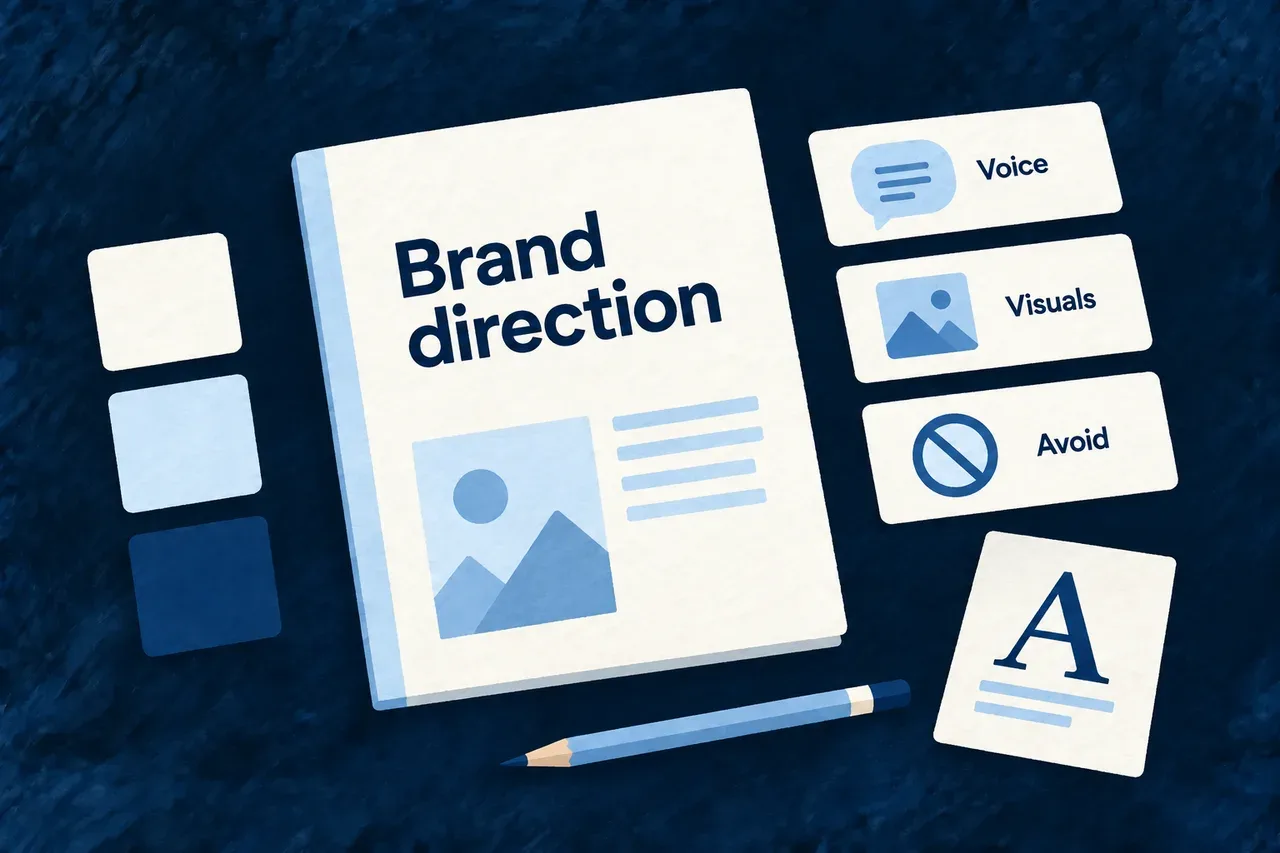
A brand guide records voice, visual direction and things to avoid.
For engineers
Write a usable brief

This illustrative brand declaration supplies concrete direction while leaving asset selection open:

import { BrandSnapshotVersion, BrandLogoMarkType, BrandLogoBackgroundTreatment, type BrandSnapshot } from '@wildo-ai/saas-specifications';

export const applicationBrandSnapshot: BrandSnapshot = {
  version: BrandSnapshotVersion.V1,
  name: { brandName: 'Northstar', tagline: 'Keep the next step clear.' },
  logoDirection: {
    markType: BrandLogoMarkType.ABSTRACT_MARK,
    motifs: ['a clear forward direction'],
    symbolism: ['clarity', 'shared momentum'],
    avoid: ['literal robots', 'glossy effects', 'text inside the symbol'],
    backgroundTreatment: BrandLogoBackgroundTreatment.TRANSPARENT_ISOLATED,
  },
  visualTone: {
    styleKeywords: ['calm', 'editorial', 'precise'],
    mood: 'Confident without visual noise.',
    colorIntent: 'Restrained blue with generous neutral space.',
    colorSeeds: [],
  },
  resolvedAssets: [],
};

The name and tagline identify the product. logoDirection guides the kind of mark and its visual constraints. visualTone gives a concise creative direction. resolvedAssets carries selected asset information when available.

Follow the brief to its consumer

The logo-generation service consumes the authored brand brief and can include market voice context. A generated proposal still needs review for the intended purpose and theme. Asset records distinguish details such as composition, purpose and format; keep the accepted files and their recorded roles aligned.

ChoiceWhere it belongs
What the identity should evokeBrand brief
What the artwork should avoidLogo direction
Which files were selectedResolved assets
Actual interface colors and typographyApplication design configuration

colorIntent is creative guidance, not a CSS theme. Register the brief through brandSpecification so the generation tools can read it.

Put accepted assets on their destinations

Generation and acceptance put the selected assets in the brand source of truth. Propagation copies them to the configured destinations and updates the runtime asset configuration. Run these commands from the application root after accepting the assets:

# Inspect the destination plan without writing files.
wildo brand propagate --dry-run

# Copy accepted assets to their configured consumers.
wildo brand propagate

Inspect the served asset URLs and the application surfaces after propagation. wildo config sync does not replace this step. See derived brand assets for how the accepted source supplies the different visual roles.

Explain what customers pay for Mechanism

An offer should make sense beside the product it funds. Its audience, included work and pricing approach need to agree with the requirements the team plans to deliver.

The business model records those choices explicitly. It connects each offer to customer profiles and requirements so pricing intent is part of the product definition.

Example: Define a team offer

A team plan includes shared customer records and assigned follow-up. The product owner records who it serves and the requirements it includes, while leaving the final price as an explicit decision.

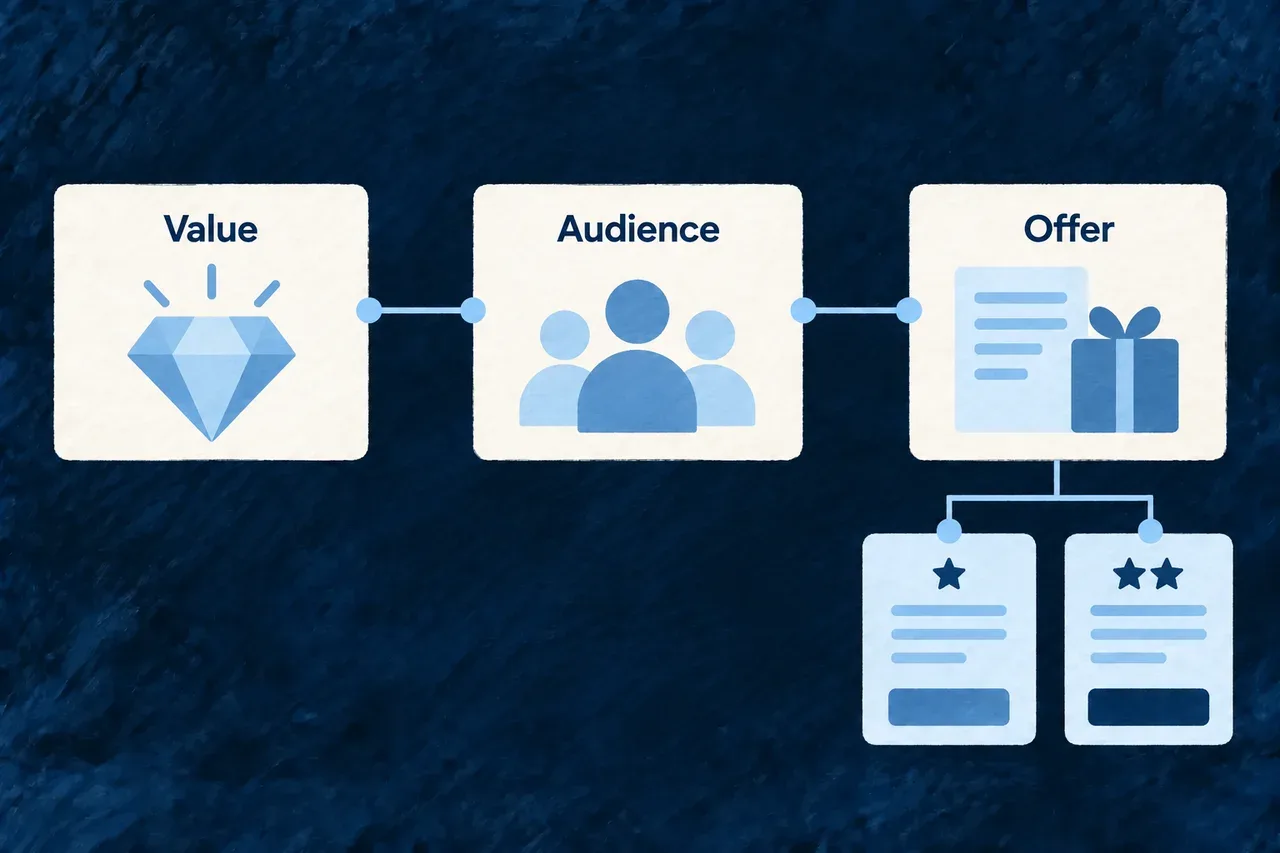
Value and audience connect to the intended offer.
For engineers
Record the product owner’s choices

This illustrative business model deliberately leaves the price unconfirmed:

import { BusinessModelLiteSnapshotVersion, PricingModelAxis, RevenueModelKind, type BusinessModelLiteSnapshot } from '@wildo-ai/saas-specifications';

export const applicationBusinessModelLiteSnapshot: BusinessModelLiteSnapshot = {
  version: BusinessModelLiteSnapshotVersion.V1,
  revenueModel: RevenueModelKind.SUBSCRIPTION,
  plans: [{
    ref: 'pricing-plan-team',
    name: 'Team',
    pricePoint: 'Price to be confirmed with the product owner',
    billingPeriod: 'monthly',
    pricingModel: PricingModelAxis.PER_SEAT,
    includes: 'Shared customer records and assigned follow-up.',
    targetSummary: 'Small teams coordinating customer work.',
    targetIcpRefs: ['icp-small-team'],
    includesRequirementRefs: ['functional-requirement-owned-follow-up'],
  }],
};

revenueModel describes the overall approach. A plan’s pricingModel describes its charging axis. pricePoint is authored product text; it is not a provider price identifier or a typed money amount.

Keep the offer connected to scope
DeclarationMeaning
Target profilesThe customers the offer is designed for
Included requirement referencesThe product commitments included in that offer
Billing period and pricing modelThe intended commercial structure
Price pointThe owner’s recorded pricing decision or pending choice

The business-model method consumes market and requirements context. Register the result through businessModelLiteSpecification for the companion. Coherence can relate its references to the available product families.

Implement the commercial behavior separately

The application’s billing catalogue, entitlements and access policies implement the offer. Changing this snapshot does not create provider prices or enforce feature access. Review those runtime configurations alongside a changed offer and test the customer journey they produce.

Define the promised scope

Turn goals into a clear delivery scope Mechanism

Requirements explain what people need to do and what quality the application must provide. The roadmap explains which increments are intended to deliver those commitments.

Wildo keeps the two connected by references. A phase can point to the requirements and success criteria it serves, making scope easier to review as the product evolves.

Example: Plan a usable first release

The first increment makes customer ownership and next actions visible. Its requirement states the observable behavior; the roadmap phase names that requirement and the product goal it supports.

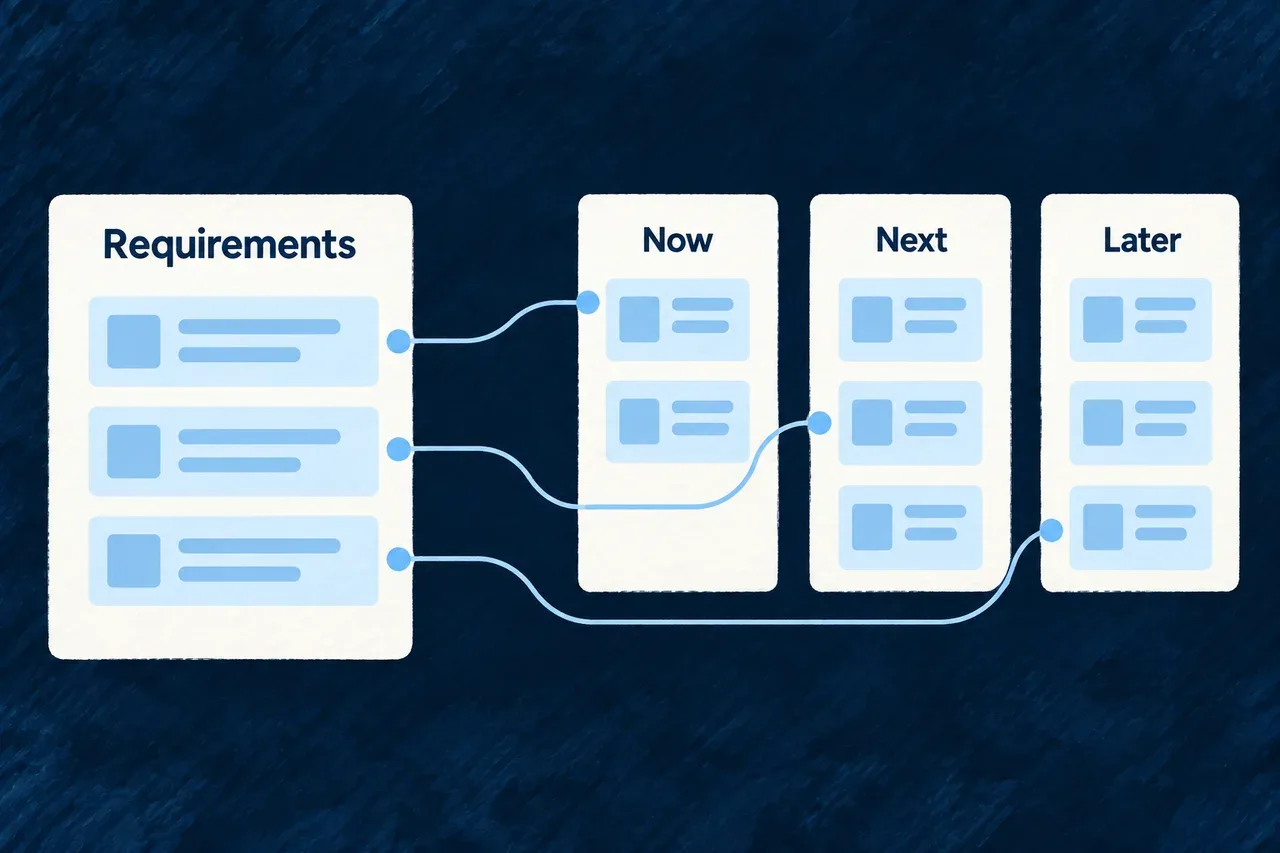
Requirements connect to now, next and later delivery phases.
For engineers
Make the requirement observable

This illustrative requirement belongs in the surrounding requirements snapshot:

import type { FunctionalRequirementConfig } from '@wildo-ai/saas-specifications';

export const ownedFollowUp: FunctionalRequirementConfig = {
  ref: 'functional-requirement-owned-follow-up',
  statement: 'Every open deal can show an owner and a dated next step.',
  rationale: 'Make customer commitments visible to the whole team.',
  acceptanceCriteria: [
    'A team member can assign an owner to an open deal.',
    'The record displays the next action and its due date.',
    'The team can identify deals missing either value.',
  ],
  icpRefs: ['icp-small-team'],
  jobRefs: ['job-keep-next-step-owned'],
};

The acceptance criteria are statements to verify. They do not become executable tests simply by being declared. Customer and job references connect the behavior to its intended audience.

State the quality of the interaction too

A functional requirement says that a person can record follow-up. A quality requirement can say how easily they should be able to do it. This illustrative target belongs in the snapshot’s nonFunctional collection:

import { NonFunctionalRequirementKind, type NonFunctionalRequirementConfig } from '@wildo-ai/saas-specifications';

export const quickFollowUp: NonFunctionalRequirementConfig = {
  ref: 'nfr-quick-follow-up',
  kind: NonFunctionalRequirementKind.USABILITY,
  statement: 'A trained teammate can record a next action in under thirty seconds.',
  metric: 'Elapsed time from opening the record to saving the next action in a usability session.',
  acceptanceCriteria: ['Each participant completes the task without assistance within the target time.'],
};

The target and test procedure are product decisions, not measured results. Both functional and quality requirements can be named in a phase’s deliversRequirementRefs and checked for delivery coverage.

Put those commitments into the roadmap
import { RoadmapPhaseHorizon, RoadmapPhaseKind, type RoadmapPhaseConfig } from '@wildo-ai/saas-specifications';

export const firstRelease: RoadmapPhaseConfig = {
  ref: 'roadmap-phase-shared-follow-up',
  sequence: 10,
  title: 'A shared follow-up workspace',
  objective: 'Make customer ownership and the next dated action visible.',
  horizon: RoadmapPhaseHorizon.NOW,
  kind: RoadmapPhaseKind.MVP,
  deliversRequirementRefs: ['functional-requirement-owned-follow-up', 'nfr-quick-follow-up'],
  deliversSuccessCriterionRefs: ['success-criterion-first-working-pipeline'],
};

The phase’s sequence records relative order; its horizon and kind describe planning intent. The reference lists explain what the phase is meant to deliver. They do not report implementation progress.

Review scope and delivery separately

Export the requirement snapshot and roadmap through requirementsSpecification and roadmapSpecification. Their validators check supported structure and references; the coherence report uses family context to inspect coverage and dangling links.

When a requirement moves out of a phase, review the connected success criterion and offer as well. Keep the roadmap honest about intended scope, and use application verification to establish delivered behavior.

Connect each feature to the value it brings Mechanism

A list of feature names says little about why the product needs them. A useful feature definition explains its purpose, when it helps and where it does not fit.

Feature drafts capture that intent before runtime implementation dominates the discussion. The capability map connects those drafts to the benefits recorded in the market model.

Example: Define ownership before building its controls

The team describes why a deal needs an owner, who uses that feature and which situations need a different workflow. The market benefit refers to that intended feature by its stable identity.

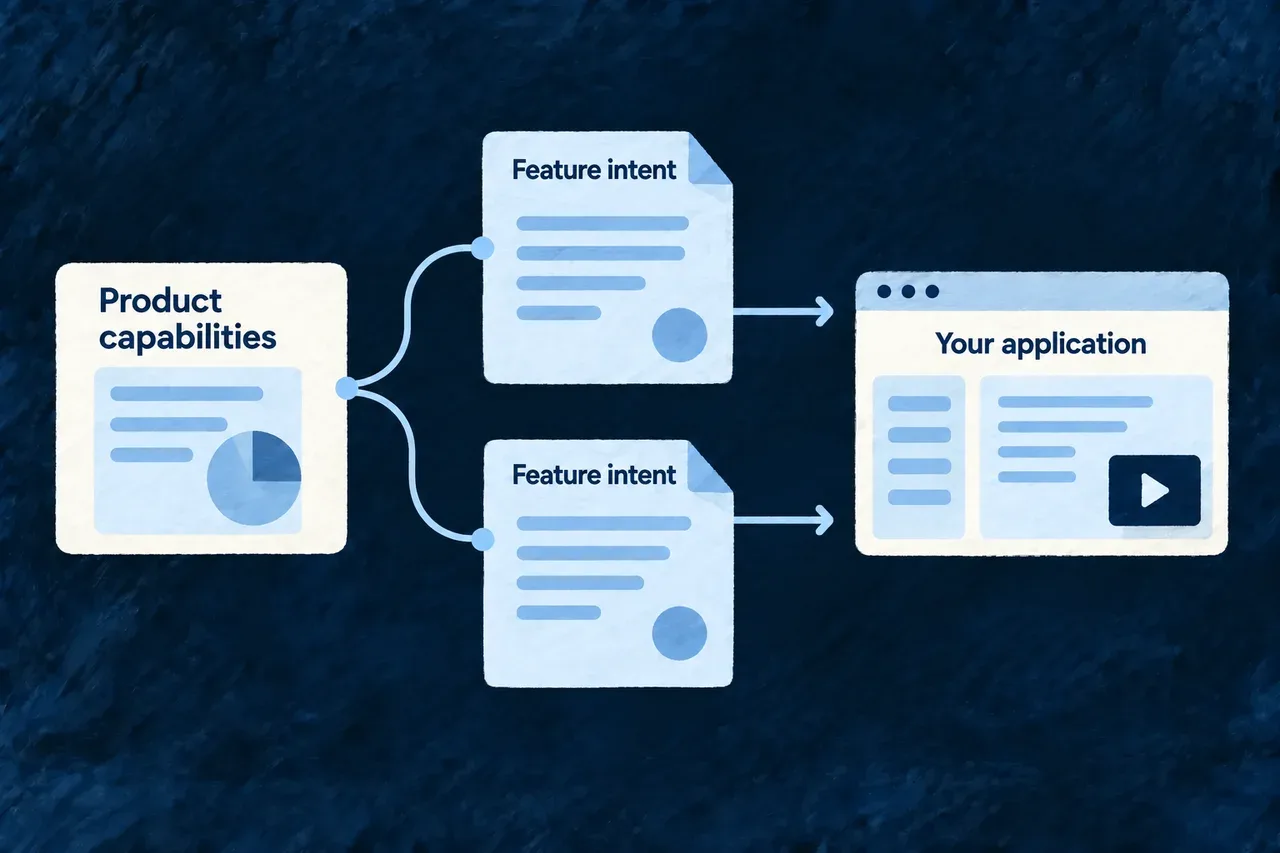
Product capabilities are expanded into feature intent.
For engineers
Write the intended behavior

This illustrative draft describes an intended feature without creating its runtime definition:

import type { FeatureSpecificationDrafts } from '@wildo-ai/saas-specifications';

export const applicationFeatureSpecificationDrafts: FeatureSpecificationDrafts = {
  schemaVersion: 1,
  drafts: [{
    featureRef: 'feature-deal-owner',
    draft: {
      purpose: 'Make responsibility for each open deal explicit.',
      businessRole: 'Supports the promise of dependable customer follow-up.',
      lifecycleRole: 'Used while the team manages active opportunities.',
      useWhen: 'A deal needs one teammate responsible for moving it forward.',
      avoidWhen: 'The problem requires complex approval chains or territory routing.',
      businessConstraints: ['The owner remains visible in the shared workspace.'],
      availabilityRole: 'Available to members managing customer work.',
    },
  }],
};

featureRef identifies the draft for references such as a benefit’s deliveredByFeatureRefs. The nested draft explains purpose, usage and constraints. Availability prose describes intent; application configuration and authorization implement access.

Validate the connected proposal

The capability-map output combines an updated market snapshot and feature drafts. Its validation considers existing feature references together with the proposed draft references, then checks each half of that output set. This lets the proposed benefit-to-feature links be checked together.

PartWhat it adds
Market benefitThe improvement expected for a customer
Feature identityThe stable target of that benefit’s reference
Feature draftThe purpose, useful context and boundaries of the feature
Later implementationThe definitions, operations and screens that provide it

Inspect the proposed market and draft artifacts together with their validation report, so the benefit links and feature intent remain aligned.

Carry the draft into implementation

Register the drafts through featureDraftsSpecification and keep their identities aligned with the later feature definitions. Validation checks the draft’s structure and identities. Review establishes whether it expresses the intended product; implementation and verification establish whether the application delivers that value.

Plan the structure and the work

Keep product decisions in a shared model Mechanism

A requirement, a module boundary and a document fact describe different things. Giving each an appropriate structure makes their relationships easier to inspect than a collection of disconnected notes.

Wildo keeps product definitions as typed files in the application repository. Stable identities connect the decisions, while readable descriptions preserve the reasoning behind them.

Example: Follow a requirement into a plan

A requirement has a reference that the roadmap and build tasks can cite. The team can inspect which work is intended to deliver it, and distinguish a missing reference from a decision that has not yet been scheduled.

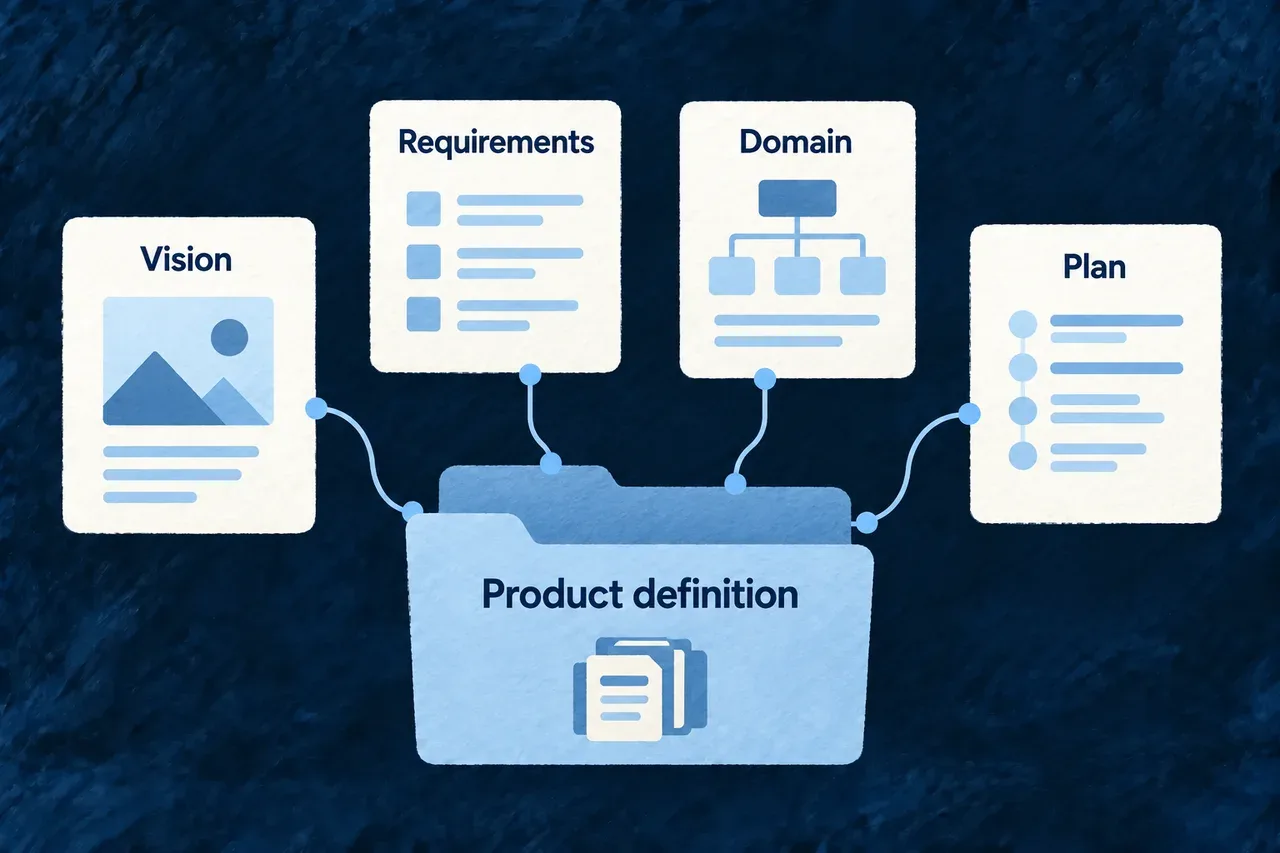
Vision, requirements, domain and plan remain connected within the product definition.
For engineers
Separate the roles of schema, validation and projection
PartResponsibility
Landed schemaThe supported shape of a stored family value
Generation contractAdditional shape or production requirements, where defined
Family validatorSupported consistency checks for that family
Aspect declarationHow items and references are projected for inspection
Landing placementThe known source destination and exported value

Families need not have identical structures or generation paths. Human-authored fact sources have different production authority from generated proposals. Typed fields can contain substantial prose; structure makes their identities and connections explicit.

See how a collection becomes inspectable

This selected domain-plan aspect is one member of the family’s aspects array. The enclosing registry declaration is omitted:

{
  key: 'domain-plan.module',
  snapshotPath: 'modules',
  kind: FamilyAspectKind.COLLECTION,
  itemSchema: ModuleBusinessSemanticsSchema,
  businessKey: 'relatedModuleId',
  headlineField: 'relatedModuleId',
  edges: [],
}

The projection knows where to read the collection, how to identify an item and which field to present as its headline. An aspect’s edge declarations describe supported references; the family validator and cross-family report perform their own checks.

Make the family available to consumers

Author or produce the value in the specifications package and connect the corresponding companion export. Known landing profiles establish the destination for generated families rather than guessing a source path.

For example, Wonder Todos exports applicationPlacementPlan from its placement-plan module. These selected lines show the import and member of specifications/src/companion-exports.ts; the existing export object, type and other members remain in place:

import { applicationPlacementPlan } from './placement-plan';

// Inside the existing specificationsCompanionExports object:
placementPlanSpecification: applicationPlacementPlan,

The value is authored in specifications/src/placement-plan/index.ts. The named companion slot makes it available to the artifact projection after compilation. This is application registration; the earlier aspect declaration belongs to the framework’s projection machinery.

After compilation, inspect the available artifact view through wildo context info specification-artifacts. Use wildo context coherence for the supported cross-family relationships. A valid local value does not, on its own, establish every external reference or prove that the described behavior is implemented.

Decide what belongs together Mechanism

Business objects need a clear home. A domain plan names the business areas, the records they own and the records they use from elsewhere.

It also records the application’s tenancy choice. Those decisions guide the project structure while keeping shared references distinct from duplicated ownership.

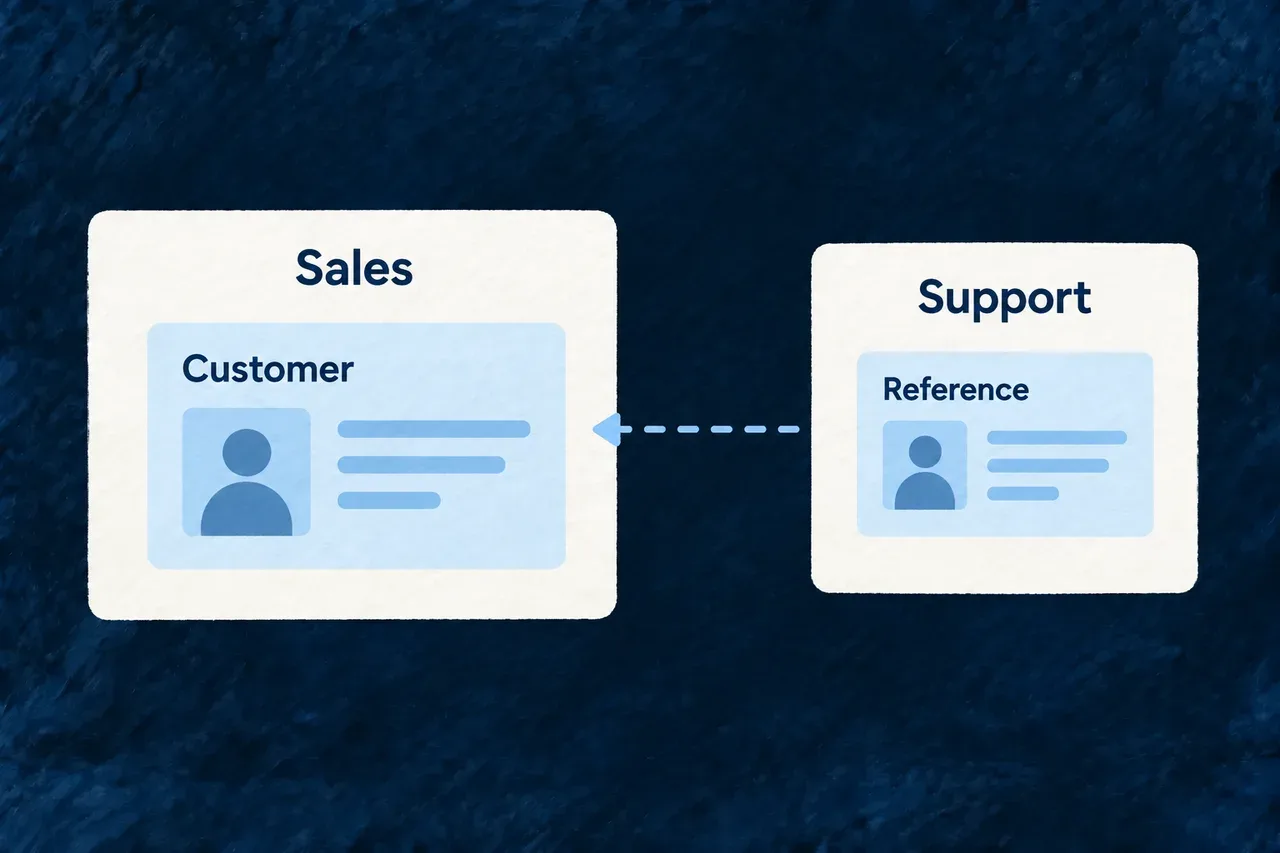
Example: Share relationship records across the product

A customer-management module owns contacts and companies. Other modules can use those records while the plan keeps their primary ownership clear.

Sales owns the Customer resource; Support references it.
For engineers
Read a concrete module declaration

This module entry comes from Wonder CRM’s domain plan; the surrounding snapshot and other modules are omitted:

    {
      "relatedModuleId": "relationship-records",
      "purpose": "Maintain the shared contact and company records that give workspace teammates a common view of customer and prospect relationships.",
      "businessCapability": "Shared customer relationship record management",
      "businessDomain": "Customer relationship management",
      "primaryActors": [
        "Founder or sales lead",
        "Customer relationship owner"
      ],
      "mainResources": [
        "contact",
        "company"
      ],
      "supportingResources": [
        "interaction"
      ],
      "integrationSurfaces": [
        "web workspace",
        "customer record views"
      ]
    },

mainResources establishes the module’s primary records. supportingResources describes records it uses without turning every reference into another owning module. Actors and integration surfaces explain the business context for that decomposition.

Keep the plan distinct from runtime declarations
DecisionWhat still follows
Resource ownershipCompose and register the resource in the owning module
Relationship intentImplement the actual relationship declaration and behavior
TenancyConfigure the application’s scope and access behavior
Module purposeImplement the capabilities that fulfill it

Relationship cardinality and ownership intent do not themselves configure access permissions or deletion behavior. Those belong in the application’s actual declarations and implementation.

Carry tenancy into production work

Choose the primary scope for the application’s records:

ChoiceIntended use
DomainPlanTenancyModel.ORGANIZATIONSPeople collaborate inside shared organizations or workspaces
DomainPlanTenancyModel.USERSEach person’s records belong to that individual

This selected member of a domain plan chooses shared workspaces:

// Import DomainPlanTenancyModel from @wildo-ai/saas-specifications.
tenancy: DomainPlanTenancyModel.ORGANIZATIONS,

The foundation uses a valid plan’s tenancy first. If it is absent, provide the explicit primary-scope answer, organizations or users; neither source means the foundation refuses to guess. Scope selection guides composition. Resource access rules still need their own declarations and verification.

Register the plan through the application’s domain-plan export and inspect the compiled artifact view. Review the resulting composition and relationships against the intent; the plan is product architecture, not the live resource registry.

Turn decisions into work with clear outcomes Mechanism

A useful build plan says more than what to edit next. It explains what the work should produce, what it depends on and which requirement it serves.

Wildo records those concerns separately. The plan can connect a task’s purpose to its expected output without mistaking a permitted work area for proof of completion.

Example: Connect contacts to companies

A relationship task follows the contact and company schemas. It identifies the relationship it should produce and the requirement that needs it, so implementation has both prerequisites and a clear intended result.

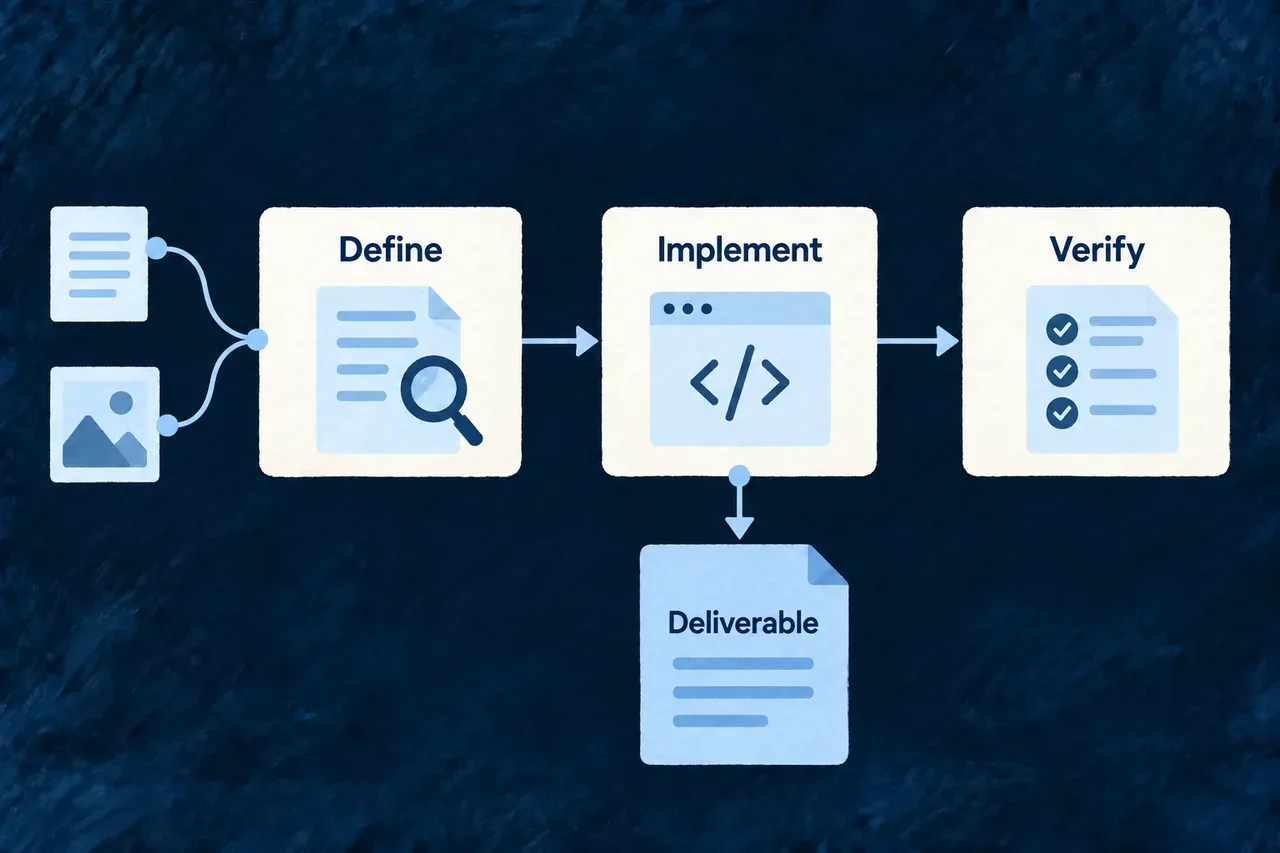
Dependent tasks identify an implementation deliverable.
For engineers
Follow a real relationship task

This entry comes from Wonder CRM’s build plan. Its surrounding graph supplies the referenced tasks and requirements:

    {
      "taskRef": "build-task-contact-company-relationship",
      "objective": "Wire relationship contact ↔ company with one-to-many cardinality intent, where contact holds the reference.",
      "target": {
        "kind": BuildPlanTaskTargetKind.RELATIONSHIP,
        "moduleRef": "relationship-records",
        "relationshipRef": "contact-company"
      },
      "produces": [{ "kind": BuildPlanTaskProductKind.RESOURCE_RELATIONSHIP, "relationshipRef": "contact-company", "sourceResourceRef": "contact", "targetResourceRef": "company" }],
      "functionalTopic": MetaWorkflow_FunctionalTopic.MODEL_DOMAIN_GRAPH,
      "skillRefs": [
        "module-relationships"
      ],
      "prerequisiteTaskRefs": [
        "build-task-contact-schema",
        "build-task-company-schema"
      ],
      "servesRefs": [
        "functional-requirement-shared-contact-and-company-records"
      ]
    },

target describes the work scope. produces names the expected semantic artifact, including the relationship endpoints. prerequisiteTaskRefs expresses dependency; skillRefs supplies method context; servesRefs explains product purpose. Each answers a different question.

Validate dependencies as well as names

The graph checks task references, duplicate product identities and invalid dependencies. Resource-stage validation checks both the existence of a predecessor and whether it is in the task’s transitive prerequisites. The semantic authority distinguishes hard ordering faults from warnings about a missing predecessor that may already exist outside a partial plan.

EvidenceWhat it tells you
Task targetWhere the task is intended to work
Declared productWhat the task is accountable for producing
Prerequisite relationshipWhich work must precede it
Product probe and committed contentEvidence used for a product-bearing task’s result
Framework generation conditionThe generation step’s own required committed outputs or schema-plan state
Completed run without a declared productA recorded execution, separately marked as unverifiable landed work

Framework generation tasks have a separate completion path. Label, email-template and logo generation use the outputs defined by their pipelines; database migrations use the schema-plan-in-sync condition. A migration file’s mere presence is not that condition, and these generation tasks do not need a coding task’s produces declaration.

For other tasks without a declared product, the dispatcher can advance from a durable completed run while marking the result as unverifiable. Do not read every advanced task as a product-proven result.

Inspect the implementation outcome

Check the actual changes and relevant behavior after a task runs. Scope is not a security guarantee by itself, and a relationship declaration is not proof of the whole customer workflow. The task’s product and requirement references help select the verification that matters.

Give every destination a deliberate place Mechanism

People should be able to find the screen or action they need. Its position in the application deserves a decision rather than becoming an accident of implementation order.

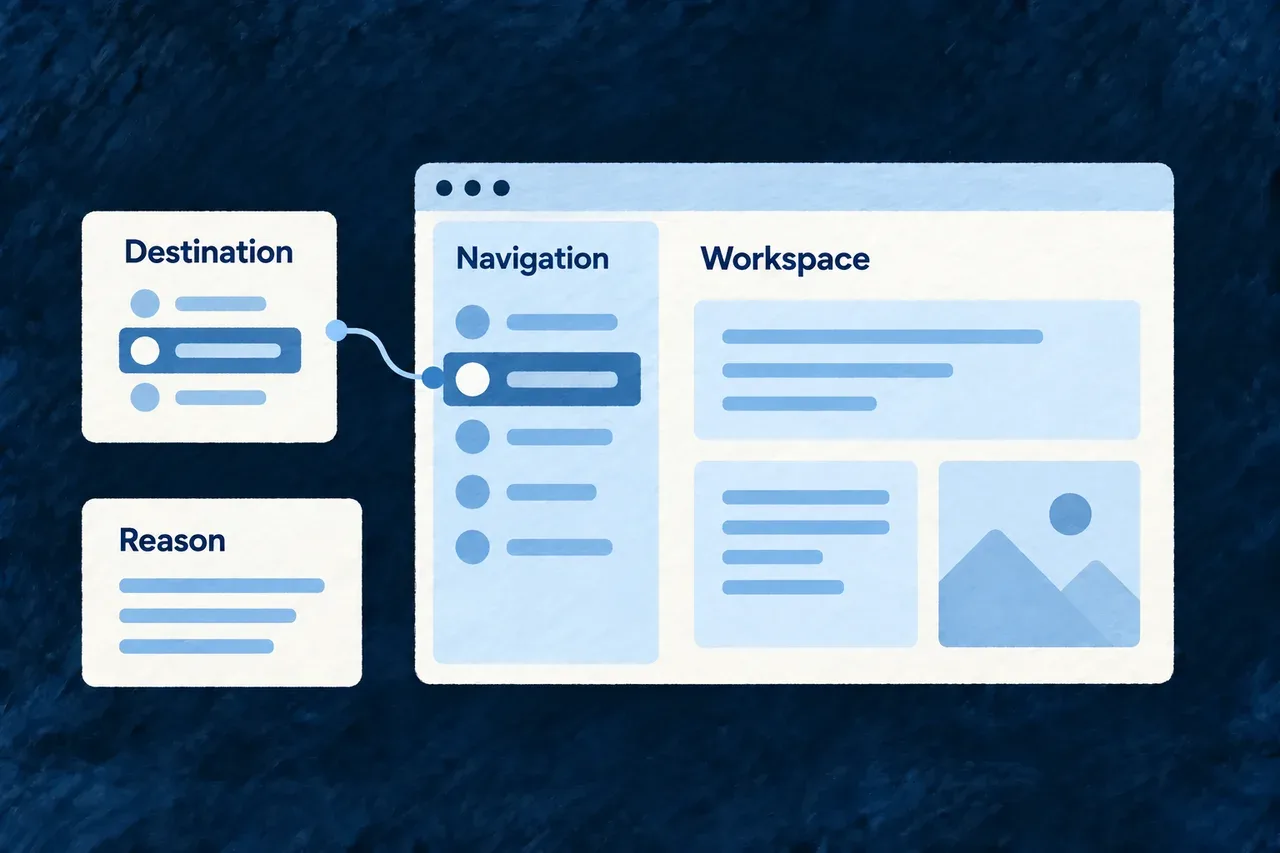
The placement plan records the destination, its intended surface and the reason for that choice. It can also record a deliberate decision not to place something, keeping that distinct from an omission.

Example: Make customer work easy to find

The team places the contact list in a customer-work section of the sidebar. The plan records why it belongs there before the application implements that navigation.

A destination is assigned a navigation position with its rationale.
For engineers
Read a placement decision

This illustrative decision uses the current public shape. The surrounding plan must declare the grouped sidebar address. The origin value describes an attributed decision, not proof that a review took place:

import { PlacementDisposition, PlacementDecisionOrigin, PlacementSubjectKind, PlacementSurface,
  type PlacementDecision } from '@wildo-ai/saas-specifications';

const contactListPlacement: PlacementDecision = {
  decisionRef: 'placement-contact-list',
  disposition: PlacementDisposition.PLACED,
  origin: PlacementDecisionOrigin.DELIBERATED,
  subject: {
    kind: PlacementSubjectKind.RESOURCE_OPERATION,
    moduleRef: 'relationship-records',
    resourceRef: 'contact',
    operation: 'list',
  },
  address: {
    surface: PlacementSurface.SIDEBAR,
    groupRef: 'customer-work',
    order: 10,
  },
  rationale: 'Keep shared customer records beside the work that depends on them.',
};

A placed decision carries an address. A declined decision carries its reason without an address. A revision records the rationale it supersedes, preserving the distinction between the original judgment and the changed one.

Use the surface’s actual structure
SurfaceAddress structure
Sidebar and settings hubNamed group and order
User menu and command menuFlat placement and order

The validator checks the plan’s supported structural rules and reports coverage or ordering concerns. The semantic authority supplies the known engine settings destinations, so unknown engine destination references can be rejected. Application view and resource-operation existence need their own consumer context; do not infer those checks from the engine catalogue.

Inspect an application-owned plan

Wonder Todos exports applicationPlacementPlan from its specifications package and supplies it through placementPlanSpecification in the companion export. Its plan places the task list in the personal-work sidebar group and explains the triage purpose behind that decision. This is an existing application declaration; the contact example above illustrates the same contract with a different product.

Implement the planned navigation

The plan is a specification of placement, not automatic menu rendering. Apply the decision through the relevant shell configuration and review the resulting destination, labels and access behavior. A rationale explains the product choice; the rendered application establishes whether it is usable.

Connect responsibilities and statements

Ground obligations in the product and its context Mechanism

The application’s obligations depend on what it does, the data it handles and the contexts in which it operates. A convincing document cannot replace that understanding.

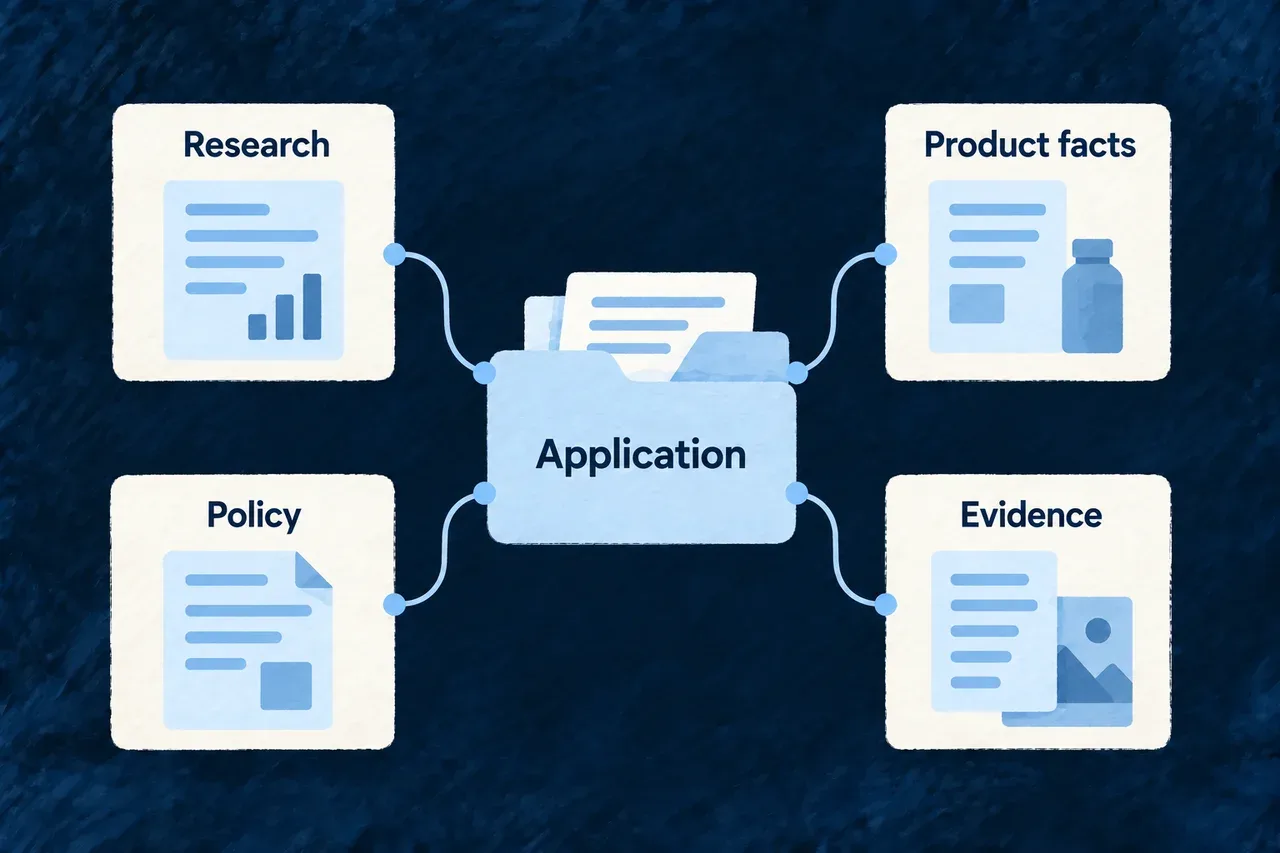
Wildo separates research, evidence assessment, posture and programme design. The resulting declarations help connect policy choices to the product and the evidence needed to support its statements.

Example: Review a new operating context

A team plans to serve a new customer group. It reviews the relevant research and product facts, checks whether the available evidence is sufficient, and updates the application’s policy choices and implementation work accordingly.

Research, product facts, policy and evidence relate to the application.
For engineers
Read the posture method’s declared prerequisite

These selected fields come from the posture playbook definition. Method guidance and the longer output description are omitted:

{
  "preconditions": [
    { "kind": "artifact_exists", "selector": { "family": "vision-brief" } },
    { "kind": "step_available", "ref": "compliance-adequacy", "requires": { "path": "verdict", "equals": "adequate" } }
  ],
  "inputs": [{ "family": "vision-brief" }],
  "outputs": [{
    "family": "vision-brief",
    "schemaRef": "saas-specifications:VisionSnapshot",
    "description": "The existing vision refined with compliance constraints."
  }]
}

The prerequisite names the adequacy result the method expects. Its output refines the vision’s relevant constraints while retaining the rest of the product intent. The shortened description above summarizes the authored definition rather than quoting it verbatim.

Follow the distinct outputs
ActivityRole
ResearchGather attributed material relevant to the product context
Adequacy assessmentJudge whether that material supports the next decision
PostureRecord applicable constraints in product intent
ConceptionDefine the assurance programme and related publication/release choices

The research umbrella admits research, adequacy and posture activities. Conception is a separate method. Research and adequacy results are not themselves the same file family as the accepted programme.

Keep claims attached to their basis

Product declarations, runtime evidence, creator decisions and qualified reviews are different kinds of support. A producer’s authority label is attribution; it does not automatically prove the statement it accompanies.

Programme choices must connect to the application’s actual controls and evidence. Candidate documents and publication have their own review and release lifecycle. Use the document-facts guide for that connection; a generated policy statement is not a certification of the application.

Keep the statement connected to its source Mechanism

A fact about the product should survive a rewrite of its notice. Wildo gives facts stable references, a scope and an authority, then lets document clauses cite them.

The document can be written for its reader while retaining the source behind each claim. A declared fact, an operator decision and a qualified review keep their different origins.

Example: Explain a consent setting without changing its meaning

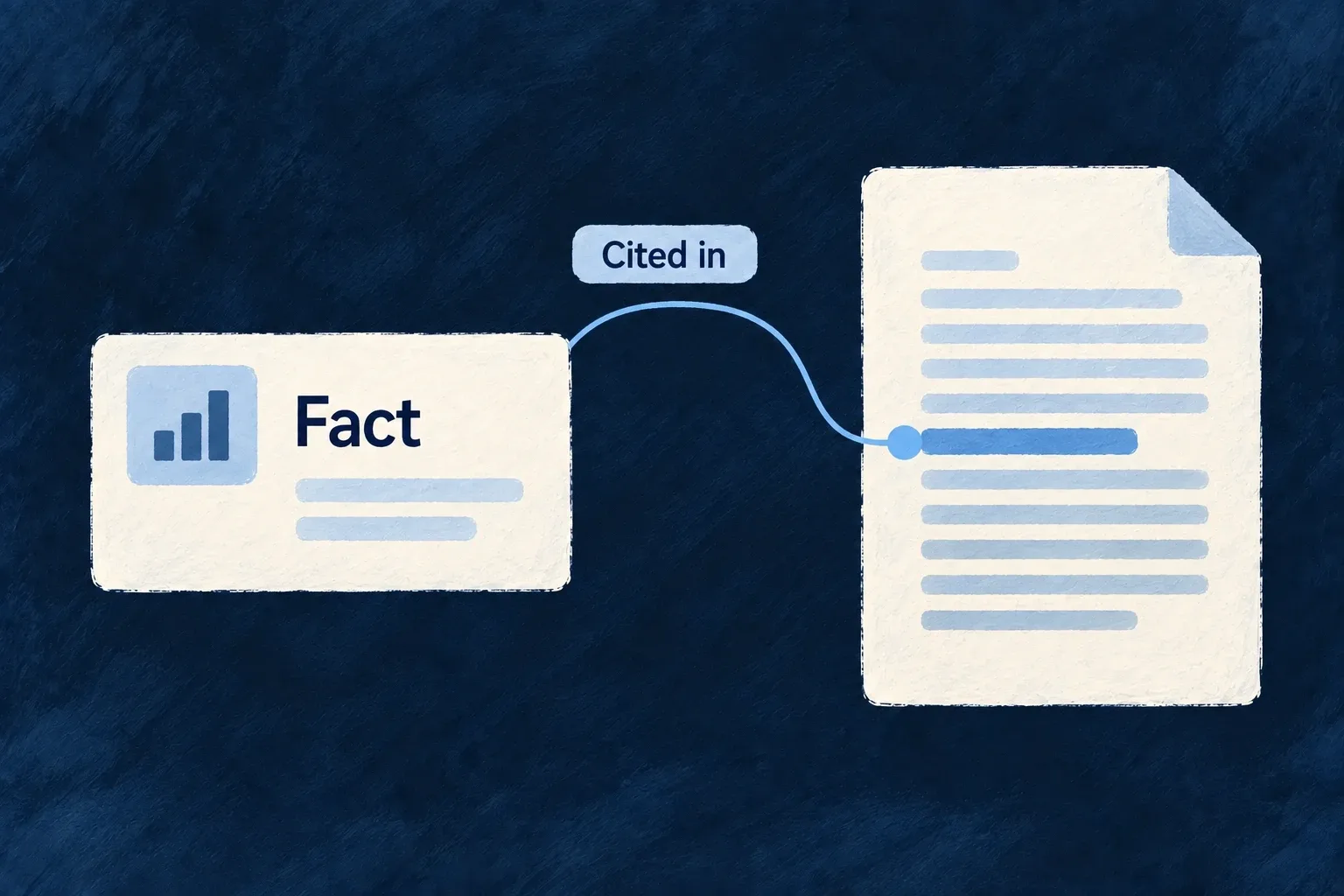
The application declares whether service access has a consent gate. A notice clause cites that fact and explains the gate, without treating it as the lawful basis for every processing purpose.

A stable product fact is cited by the document statement that explains it.
For engineers
Give the fact an identity and authority

The document-facts family carries versioned declarations, governance scope, sensitivity, authority and either a known value or a reason it does not apply. This selected Wonder CRM declaration records the service consent setting, its value and source authority. The clause below cites this same fact.

"declarationRef": "document-fact-declaration:service-consent-gate",
"declarationVersion": 1,
"factRef": "document-fact:service-consent-gate",
"factVersion": 1,
"governanceScope": {
  "subjectKind": GovernedDocumentGovernanceSubjectKind.APPLICATION_OPERATOR,
  "subjectRef": "operator:wonder-software-sas",
  "scopeRef": "scope:wonder-software-sas-application",
  "scopeVersion": 1,
  "participantRefs": [],
  "precedenceRuleRefs": []
},
"sensitivityRef": "sensitivity:public",
"authority": {
  "authorityRef": "document-fact-authority:service-consent-gate",
  "authorityVersion": 1,
  "factAuthorityKind": AssuranceDocumentFactAuthorityKind.APPLICATION_SPECIFICATION
},
"resolutionKind": ApplicationAssuranceDocumentFactContributionResolutionKind.KNOWN,
"value": "Use of the service is not gated on consent. This is a service-wide consent-gate configuration and does not state a lawful basis for processing."

A generated specification fact cannot simply claim qualified-review authority. Authored decision/review facts have separate schemas. Qualified-review declarations require different author and reviewer references, qualification references and an independence disclosure. The reference inequality guard does not establish that two references identify different people or that the reviewer is independent. Those substantive checks belong to review; the schema preserves their declared attribution.

Cite the fact from a reader-facing clause

This actual clause in the demonstration notice references the consent-gate fact, with no duplicate policy citation:

{
  "clauseRef": "clause:service-wide-consent-gate",
  "order": 1,
  "bodyMarkdown": "Use of Wonder CRM is not gated on service-wide consent. This configured gate status does not identify a lawful basis for processing.",
  "completeness": ComplianceStatementCompleteness.DERIVED,
  "factRefs": [
    "document-fact:service-consent-gate"
  ],
  "sourcePolicyRefs": [],
  "claimGuardRefs": [
    "claim-guard:no-consent-basis-conflation",
    "claim-guard:known-fact-only"
  ]
},

factRefs names established source facts; sourcePolicyRefs names policy areas when needed. A clause must cite at least one source across those fields. claimGuardRefs records constraints for the reviewer, not an automatic proof of semantic truth.

Validate the connection

The candidate fact-binding validator checks cited facts against declared availability, including both clauses and variant selections. A known fact needs a substantive value; an explicit not-applicable declaration has its own reason. The resulting document remains a reviewable content artifact. Its presence is not publication or approval, and source consistency is not a substitute for checking the prose’s meaning.

Check what the document owes as well as what it cites
CheckQuestion it answers
Citation bindingDoes each cited fact resolve to available support?
Required-fact coverageDoes the document cover the declared facts required by its blueprint?
Marked clauseWhat is missing, and who can supply it?

A document can cite only valid facts and still omit a required subject. Coverage distinguishes an uncited required fact from one discussed only in an incomplete clause. The landing consumer scopes that check to declared facts; an unavailable blueprint or fact set is not proof of complete coverage.

This illustrative clause records an unresolved operating decision. Its policy and guard references must be chosen for the surrounding candidate:

import { ComplianceStatementCompleteness, type ComplianceDocumentCandidateClause } from '@wildo-ai/saas-specifications';

export const retentionDecision: ComplianceDocumentCandidateClause = {
  clauseRef: 'clause:retention-decision',
  order: 1,
  bodyMarkdown: 'The retention duration requires an operator decision.',
  completeness: ComplianceStatementCompleteness.NEEDS_DECISION,
  incompleteness: {
    needs: 'The retention duration for customer records.',
    closedBy: 'The operator responsible for the retention policy.',
  },
  factRefs: [],
  sourcePolicyRefs: ['policy:retention'],
  claimGuardRefs: ['claim-guard:retention-decision'],
};

A non-derived clause requires incompleteness; a derived clause must not carry it. When a known fact’s arrival would resolve the gap, name it in awaitingFactRefs so stale gap statements can be detected. Keep facts awaiting a human decision or qualified review in their authored family; regenerating application-derived facts must not replace those decisions. A marked draft is useful work for review, not permission to publish an unsupported statement.

A clearer basis for building and changing the product.

Specifications connect purpose, decisions and implementation meaning in the project itself.

That gives people and coding agents a shared context for the next change. The team still owns the choices—and the evidence that the application fulfills them.

Building a B2B product or an internal tool?

Wildo is not self-service yet. Tell us what you have in mind and we will say plainly whether it fits, and what happens next.