Wildo.ai Coming soon

Application development workbench

Inspect application structure, creation activity and results in a local browser workspace.

Application artifacts · resource views · development activity · companion connection
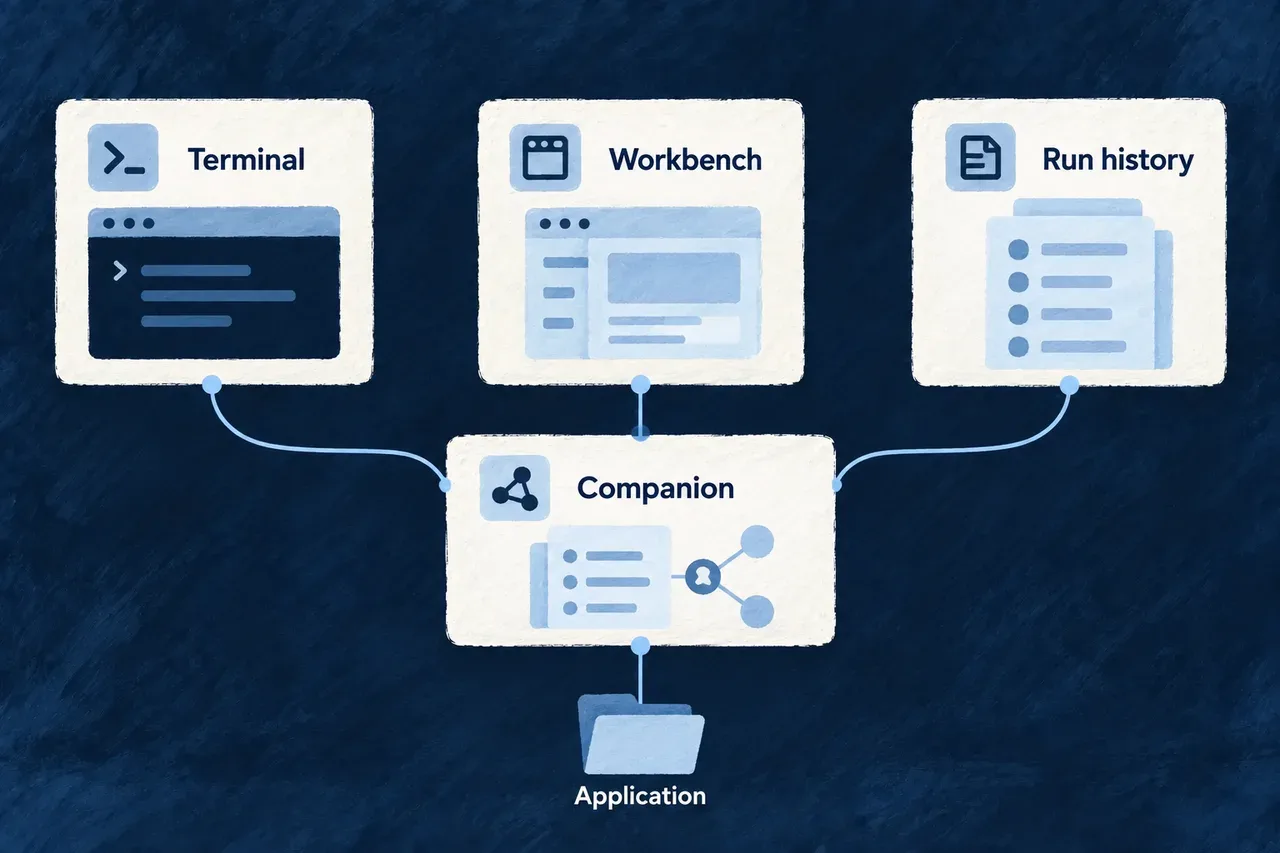
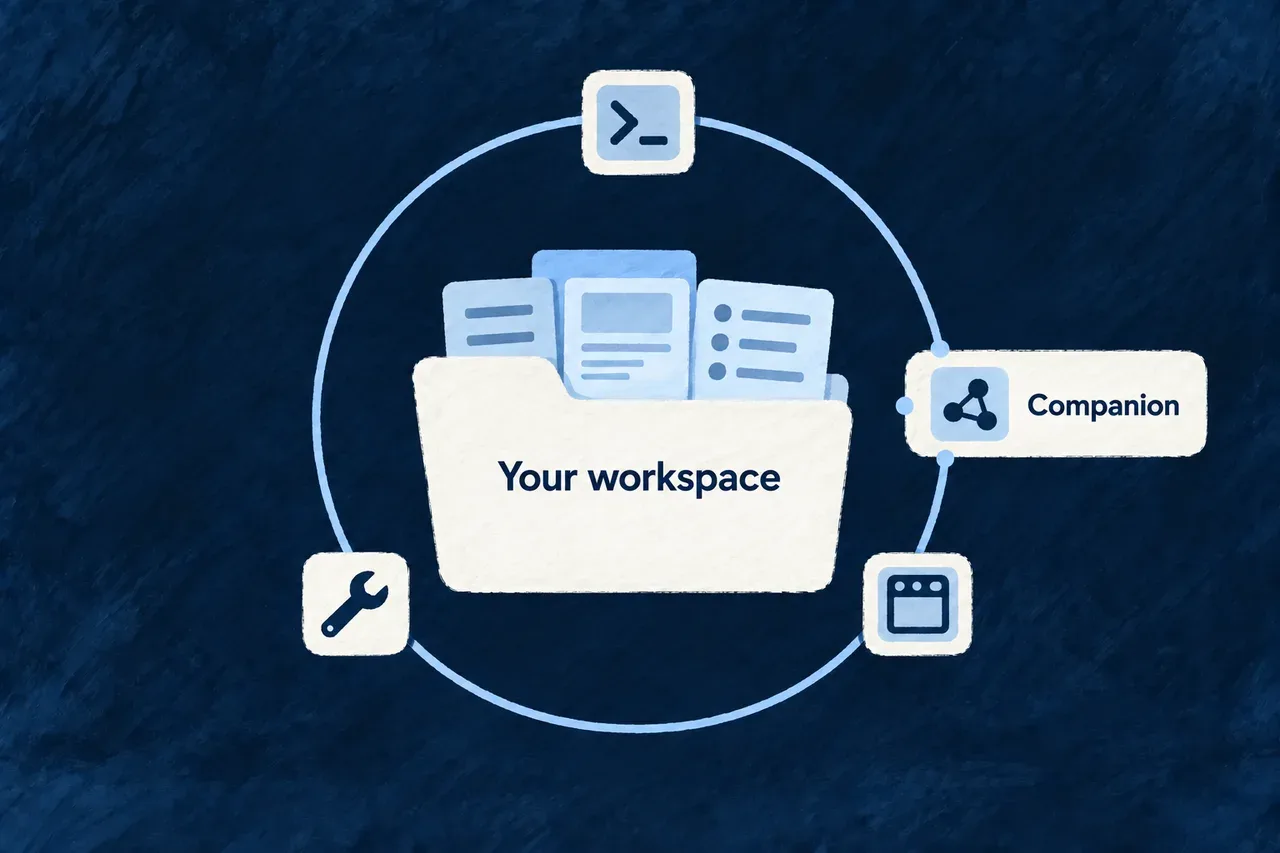
Terminal queries, the workbench and run history connect to an application-aware companion.

See and guide application development Tool

A command can answer a focused question. Following a developing application also means seeing its structure, the work available and the results together.

The workbench brings those views into a local browser interface. It presents application artifacts and creation activity through Wildo’s own resource and display mechanisms, with actions connected to the companion’s development services.

Example: Review a result before choosing the next action

A developer opens the workbench to inspect a produced domain plan, checks the related creation activity and reads the resulting files. That context helps them decide whether to revise the product definition or continue implementation.
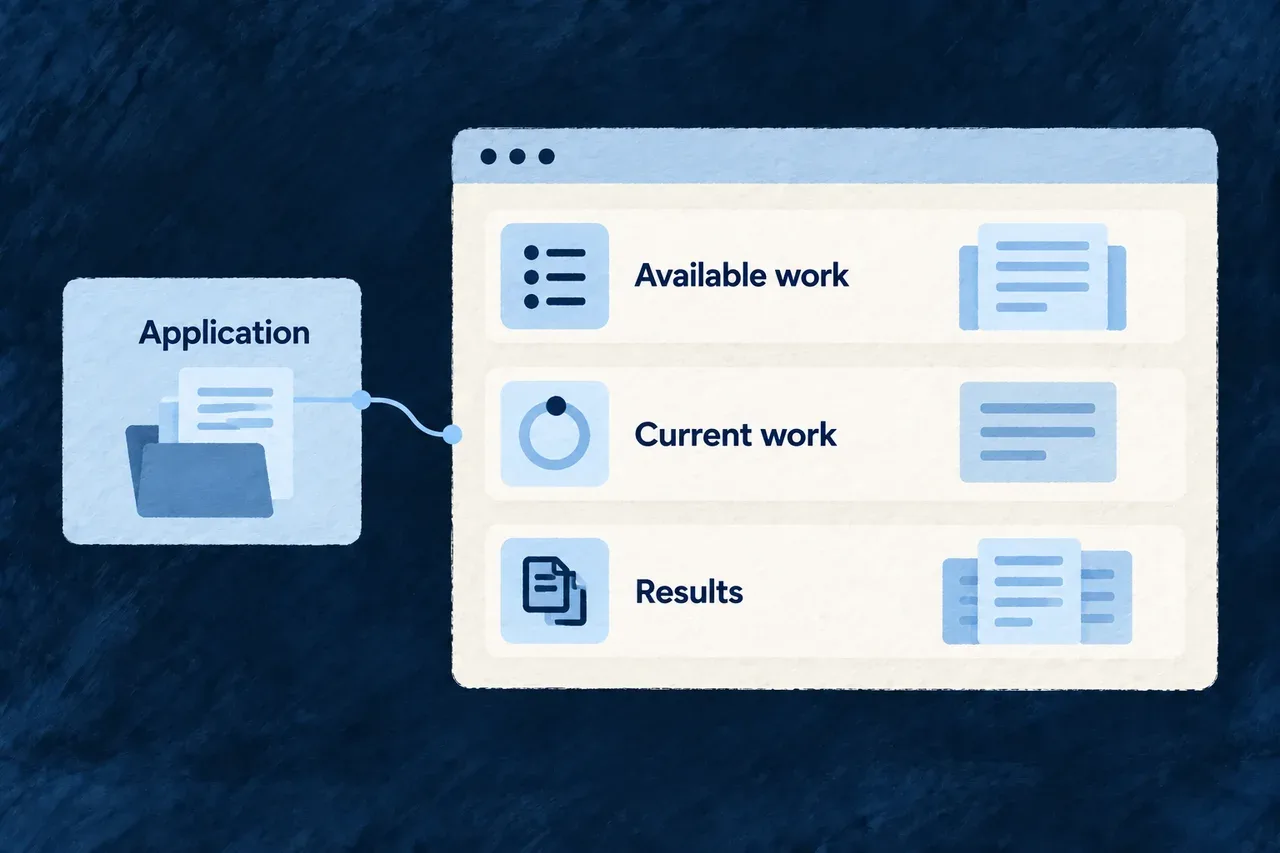
A workbench brings available work, current work and results together around the application.
For engineers

Open the workbench for the intended application

Run these commands from a configured application root using a local Docker Compose environment. The development command stays in its own terminal:

# Terminal 1: start the supervised local development environment.
wildo local dev

# Terminal 2: check the companion and discover its inspection views.
wildo context health
wildo context list

# Read the separate companion, semantic and frontend readiness fields.
wildo workbench status

# Open the application-specific local browser destination.
wildo workbench open

A successful status command means the status was read, not that every field says ready. Opening the URL does not start a missing frontend process. The workbench has its own local origin; its development server proxies /api and /health to the companion.

Reuse application contracts in the development interface

The workbench is an ordinary Wildo frontend. Its bootstrap supplies resource configurations, relationships and UI behavior to ApplicationMainProvider. This selected excerpt from the workbench’s main.tsx shows that connection; surrounding environment setup and the provider’s remaining options are omitted:

ReactDOM.createRoot(rootElement).render(
  <React.StrictMode>
    <ApplicationMainProvider
      options={{
        env: workbenchEnvironment,
        customShared_ResourcesConfigurationsFactoryMap: workbenchComposedResourcesConfigurationsFactoryMap,
        customShared_ResourceFieldIdentifier: workbenchComposedResourceFieldIdentifier,
        customShared_ResourcesRelationships: workbenchComposedResourcesRelationships,
        excludedResourceTypes: WORKBENCH_EXCLUDED_RESOURCE_TYPES,
        baseFrontendConfig: APP_STANDARD,
        resourceUIBehavior: workbenchModuleRegistry.resourceUIBehavior,
        // Additional shell options omitted from this reduced excerpt.
      }}
    />
  </React.StrictMode>,
);

The highlighted resource contracts define what the workbench can represent and connect. The UI behavior controls how those resources are presented. This is framework implementation evidence, not a new bootstrap the application author must copy.

Separate identity, resource actions and local commands

ConcernCurrent responsibility
Operator identityThe workbench authenticates against the platform identity store
Application usersBelong to a separate identity store; an application administrator role does not itself grant platform access
Creation actionsRegistered resource operations on the companion’s /api/v1 plane handle actions such as dispatch and reviewable changes
Remaining custom callsUse the companion router’s separate method/path policy
Product administrationRemains the business application’s own interface

Authentication establishes the operator’s identity; inspect each resource operation’s authorization and application context when evaluating access. Do not infer universal cross-application isolation from the login screen alone.

Read the result as well as its status

The workbench provides representations of specification artifacts and development activity. A completed activity is useful navigation into its output; it does not prove that the resulting application satisfies its requirements. Inspect the artifact or diff and the verification relevant to that change.

The execution trace explains recorded inputs and events. The companion interface explains how development surfaces reach their services.
Understand the application. Follow the work.

The companion gives development tools a shared view of the application. The terminal lets you ask focused questions; the workbench brings development state and results into a browser.

When assisted work runs, execution traces help explain what happened and what information was used. You can move from inspecting the application to investigating a result without rebuilding the context from scratch.

Terminal queries, the workbench and run history connect to an application-aware companion.

Different views, connected to the same project

Inspect the resolved model

Discover resources and specifications through the companion. Developers and coding agents can query the same application views before changing its behavior.

See work in context

Use the workbench to inspect development state and available actions. It connects to the companion while keeping the development interface separate from your product’s screens.

Understand a result

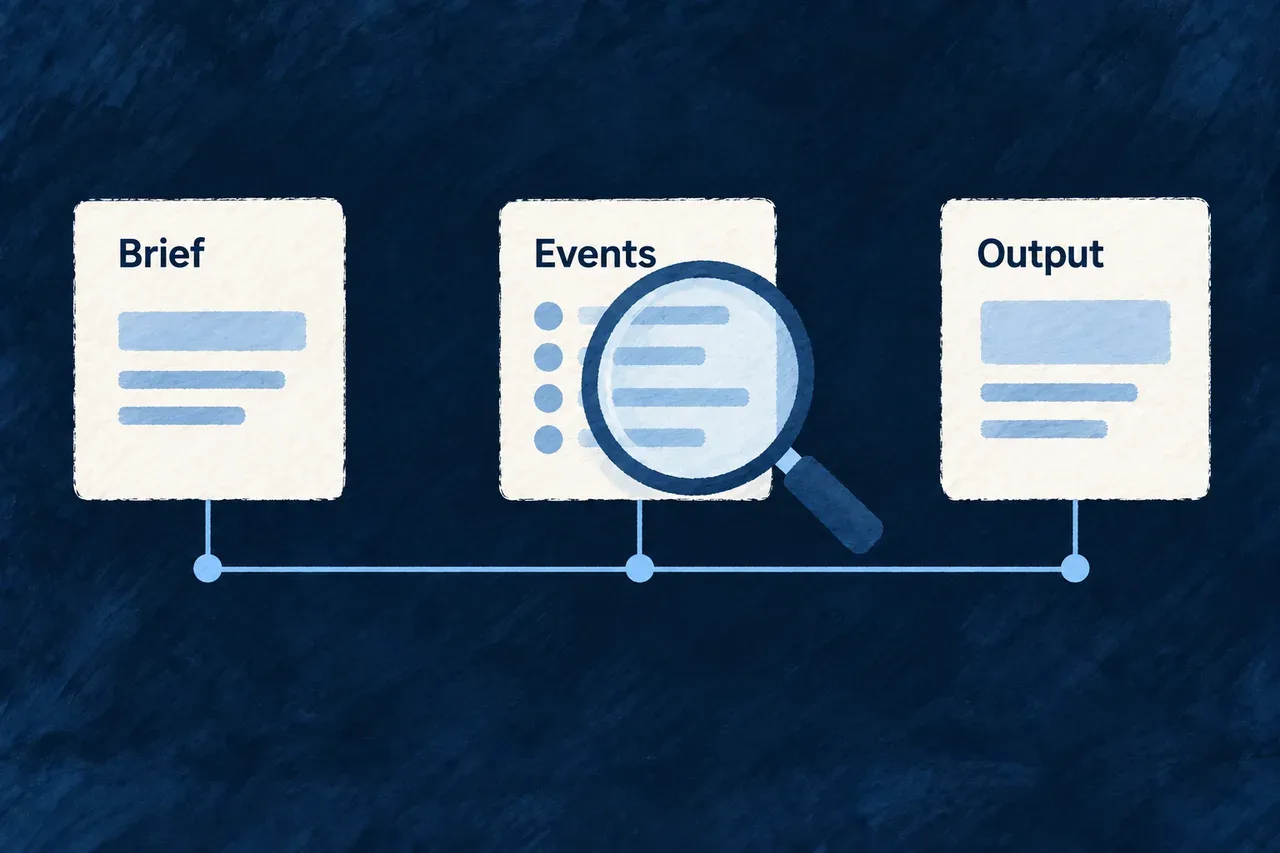
Read a run’s recorded events, briefs and outputs when investigating its behavior. Traces explain the work; the resulting application files remain the product.

Example: Find why a generated change needs revision

A developer inspects the application’s resource model, then looks at the work and results in the workbench. Where a run recorded a trace, its input brief and output help distinguish missing context from an implementation mistake. The developer can make the next change with a clearer understanding of the cause.

For engineers

Know which surface you are using

SurfaceResponsibilityWhat to inspect
CompanionApplication-aware local services and model derivationThe application and service targeted by a query
Context commandsRead-only discovery and inspectionQuery keys, payloads and provenance/freshness information
WorkbenchBrowser interface for development state and actionsCompanion reachability, semantic readiness and the workbench’s own server
Companion APIInterface consumed by development toolsThe contract of the particular read or action
Execution tracesRecorded events and larger input/output artifactsThe session and step associated with the result under investigation

The workbench has a separate local frontend origin. The companion supplies its application-aware services; it is not a browser bundle served at a companion /workbench/ path. Neither process is the business application’s administrator interface.

Start development, then inspect its surfaces

Use the configured application’s root with a local Docker Compose environment. Local development runs in the foreground, so the inspection commands belong in another terminal:

# Terminal 1: start the application's local development environment.
wildo local dev

# Terminal 2: check and discover the serving companion.
wildo context health
wildo context list

# Inspect the exposed resource model and contracts.
wildo context info resources-registry
wildo context info resource-specifications

# Inspect the local UI's readiness, then open its browser destination.
wildo workbench status
wildo workbench open

workbench status reports companion reachability, semantic readiness and the workbench server separately. Read those fields: a status command returning successfully does not mean every reported surface is ready. workbench open opens the resolved browser destination; it does not replace starting development.

Match each answer to its source

Resource introspection derives views from compiled application packages. Changes that have not been emitted are not represented. The companion can reuse a held derivation and track changes to emitted output; use the query’s provenance and freshness information when interpreting its answer.

Other questions have their own source. For example, the coherence report examines relationships between product-definition artifacts in the working tree. Do not interpret every companion response as a fresh compilation of every source file.

# Inspect the creation state and currently eligible work.
wildo context journey

# Inspect cross-family consistency in the product definition.
wildo context coherence

Model inspection helps establish what the application exposes. Coherence checks help locate inconsistencies between declarations. Neither substitutes for executing the affected feature with its real inputs and permissions.

Trace a run without confusing its history with its outcome

A playbook trace records events and larger artifacts such as an input brief or model response. Its reader exposes sessions, a selected session and step artifacts. Follow those records to understand the inputs and decisions associated with the result you are reviewing.

Tracing is best effort. The absence of a trace is not proof that no work ran, and a recorded answer is not proof that the generated behavior works. Inspect the resulting files and relevant verification alongside the trace.

Keep inspection and actions distinct

The context commands shown here are read-only. The companion also hosts development actions that can generate or modify application material. Select those through their intended CLI or workbench action rather than treating the whole local API as an inspection endpoint.

Explore the mechanisms below for the specific contracts. The workbench page focuses on the creator’s visual interface; this section explains how it connects to the companion and the other development views.

Keep application context available

Keep development tools connected to your application Tool

Development involves many short actions: inspect a resource, refresh derived content, run assisted work or review its result. Each needs to know which application it belongs to.

The companion provides that application-aware service alongside the development environment. Commands and the workbench can use its context and services while the business application keeps its own runtime.

Example: Return to a project after an interrupted coding run

A developer restarts local development and checks the companion and workbench status. If a previous coding task was interrupted, the companion reconciles its recorded state for review rather than silently undoing its edits. The developer inspects the changes before deciding how to continue.

The companion stays alongside a local workspace and its development tools.
For engineers
Check the application and its development surface separately

Run these commands inside the intended application. Keep the foreground development process in its own terminal:

For this supervised startup sequence, select a local Docker Compose environment.

# Terminal 1: prepare and supervise local application development.
wildo local dev

# Terminal 2: inspect the companion serving that application.
wildo context health
wildo context list

# Separate companion readiness from frontend availability.
wildo workbench status

# Open the local workbench destination after startup.
wildo workbench open

dev start is the narrower delegation to the application’s development script. local dev owns broader local preparation and supervision. Follow the workspace’s existing process ownership rather than launching competing supervisors to repair a missing response.

Keep its responsibilities explicit
ResponsibilityWhat the companion supplies
IntrospectionDerived views of compiled application models and their freshness handling
Authoring and generationApplication-aware services for supported derived content and creation work
Workbench supportExplicitly exposed resources, identity/frontend support and development operations
DiagnosticsReachability, state and recorded execution information

The observed application registry does not mean that every business resource API is exposed on the companion. Startup uses explicit controller/resource exposure. Inspect those contracts when integrating a new development surface.

Recover interrupted work without hiding the changes

This selected startup excerpt from start-companion-application.service.ts shows reconciliation before the HTTP server starts. Logging is retained; surrounding startup stages are omitted:

try {
  const { reconciledTaskIds } =
    await this.codingAgentDispatchService.reconcileInterruptedApplicationCodingTasks();
  this.logDebug('Startup coding-task reconciliation completed', { interrupted: reconciledTaskIds.length });
  if (reconciledTaskIds.length > 0) {
    this.logger.warn(
      'Startup reconciliation terminalized interrupted application-coding task(s) as '
        + 'INTERRUPTED_REQUIRES_REVIEW — a previous companion process left them PROCESSING. '
        + 'Review their captured change sets before retrying.',
      { reconciledTaskIds },
    );
  }
} catch (error) {
  this.logger.warn('Startup coding-task reconciliation failed; continuing (non-fatal by design).', {
    error: describeCaughtError(error),
  });
}
await this.initializePlatformHttpServer(config.customControllers);

Reconciliation makes the interrupted task reviewable and captures the worktree state. It does not revert the files or assert that the unfinished work succeeded. It is best effort so a reconciliation problem does not prevent the companion from starting and making diagnosis possible.

Keep locality and identity separate

The companion refuses a non-loopback HTTP host. Its protected custom routes use a machine-local token stored under the application state directory with restrictive permissions. Reading that token is not the same as a person’s approval or an application role.

The workbench’s platform-operator identity and resource authorization are separate again. The same email address in the business application’s user store does not make the two identities equivalent.

Check compiled publication when the model looks old

The companion observes compiled application surfaces. Let an edited declaration reach those surfaces before expecting inspection to reflect it. Health checks establish reachability, not that the latest source was successfully compiled or the feature was verified.

The model-refresh mechanism explains that boundary; the development interfaces explain how commands and the browser reach the companion.

Keep the application model ready to inspect Tool

An application’s resources and relationships are assembled by code. Looking for names in source files does not tell you everything the resolved application exposes.

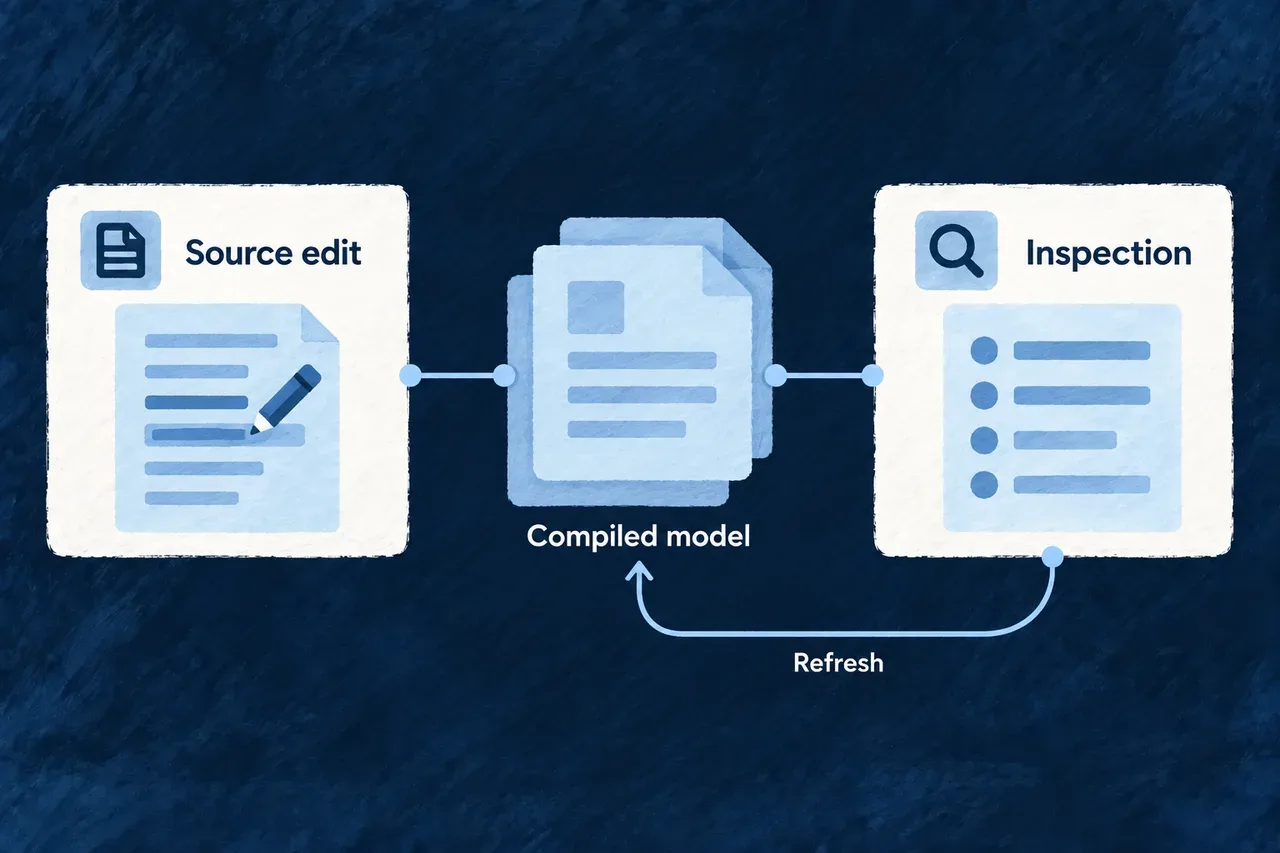
The companion derives inspectable views from compiled application packages and keeps those answers available. It tracks changes to emitted output so development tools can reuse the model without importing the whole application for every question.

Example: Inspect a relationship after changing it

A developer updates a resource relationship and lets the application finish compiling. The companion detects the changed emitted model and refreshes the affected view. The developer checks that view before testing how the relationship behaves in the application.

Source changes pass through the compiled model before refreshed inspection.
For engineers
Understand what is observed

The observed input is the application’s compiled companion-facing surfaces. Unsaved edits and source changes that have not been emitted are outside that view. A successful query says an answer was served; it does not certify completion of the latest build.

SituationHow freshness is handled
First derivationThe application packages are loaded to produce an inspectable result
Active watcher authorityReads can reuse the held derivation while watcher events and reconciliation observe emitted output
Changed observed outputThe affected derivation is refreshed and compared with its previous result
No active watcher authorityReads observe output freshness themselves rather than assuming push updates will arrive
First projection without a previous baselineThere is no earlier row set to publish as a change wave

Watcher registration follows successful attachment. Periodic reconciliation provides a check alongside filesystem events; losing the watcher authority returns the service to observation on reads. Warm reuse is conditional, not a promise that every read is only a lookup.

Publish changes at the resource boundary

This selected excerpt from introspection-resource-notifier.companion.service.ts follows the guard requiring a previous result. Formatting is expanded to make the before/after comparison visible:

const resourceTypes =
  this.resourceSource.resolveResourceTypesByBehavior().get(outcome.behavior) ?? [];

for (const resourceType of resourceTypes) {
  const identityField = this.resourceSource.resolveRowIdentityField(resourceType);
  const before = this.resourceSource.projectRowsForResource(
    resourceType,
    outcome.previous.result.data,
  );
  const after = this.resourceSource.projectRowsForResource(
    resourceType,
    outcome.next.result.data,
  );
  if (!after || !before) continue;

  const diff = diffProjectedRows(before, after, identityField);
  this.publishDiff(
    resourceType,
    identityField,
    diff,
    outcome.next.generation,
  );
}

The projections turn a behavior’s derived answer into the relevant resource rows. The identity field lets the comparison distinguish created, changed and removed rows. Publication supplies row-level updates and a collection refresh for their respective consumers.

This is framework implementation, not extra subscription code an application author must write. It explains why changing one projected row need not be represented as a replacement of every row.

Diagnose an old-looking answer in the right order
# Confirm that the intended companion is reachable.
wildo context health

# After the application's compile/publication has completed:
# discover the available views and inspect the resolved resource model.
wildo context list
wildo context info resources-registry

# Compare its declared specification view when investigating a change.
wildo context info resource-specifications

Read the response’s provenance and freshness information. Explicit cache reuse is useful evidence about the answer; an absent cache flag is not proof of a fresh subprocess import. If the expected model is absent, investigate the compiled publication and serving process before repeatedly editing a declaration that may already be correct.

Finally, exercise the consumer you care about. A server-side change notification and a browser applying that change are different observations; model inspection alone does not establish the latter.

Ground an agent’s change in the existing application Tool

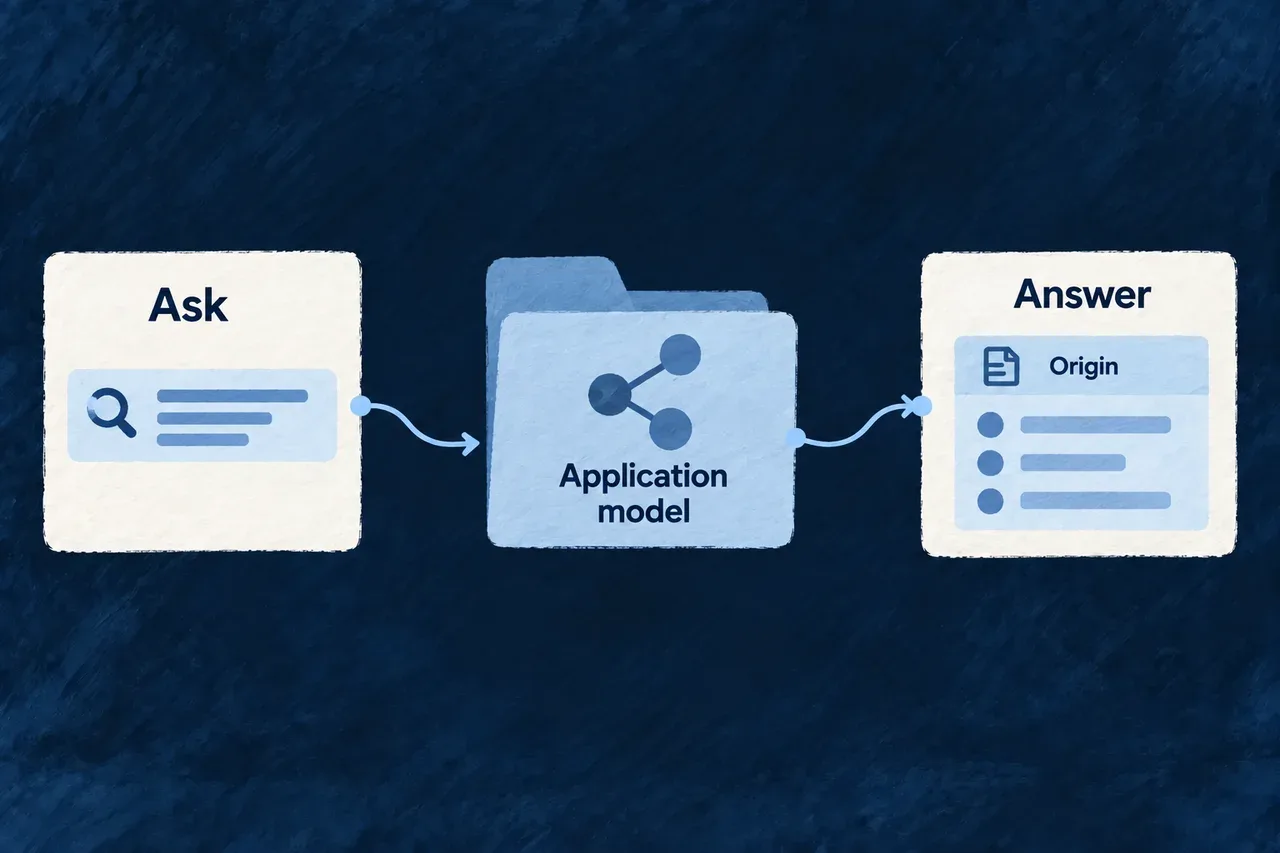
A coding agent can ask the running companion about this application’s declared resources and specifications before choosing what to edit. That gives it application-specific contracts alongside the framework guidance it already reads.

The useful result is a better-grounded change: reuse an existing name, extend the operation already declared, and check the relationships the change must respect.

Example: Extend an existing action instead of creating a second one

A team asks an agent to add approval behavior. If the returned resource model already declares an approval action, the agent can inspect that action’s specification and implementation before deciding to extend it. If the action is absent from the selected model, it investigates the source and service context before introducing a new contract.

A tool asks the application model a question and receives an answer with its origin.
For engineers
Query from the application workspace

The following inspection sequence assumes that this application’s companion is running. These behavior identifiers exist in the companion catalogue; the live menu remains the source for service keys and available views:

# Check that this application's companion answers.
wildo context health

# Discover behaviors and their available service keys.
wildo context list

# Inspect resolved resources and their specifications.
wildo context info resources-registry

# Read the declared contracts alongside the registry.
wildo context info resource-specifications

# Inspect the exposed specification artifacts.
wildo context info specification-artifacts

# Read creation state and cross-family coherence.
wildo context journey
wildo context coherence

The sequence is a set of read-only questions, not a generation or acceptance workflow. Its results help select the next action; they do not execute that action.

Turn retrieved context into an editing decision

The following is an illustrative reasoning record, not a captured response or an automatic decision made by the companion:

Information returnedWhat the agent should establish nextEffect on the change
The resource already declares an approval actionRead its specification and locate its implementationExtend that contract rather than create a competing action
A relationship connects the record to an owning projectInspect how the action receives and checks that contextKeep the change consistent with the declared ownership
The requested resource is absent from the queried modelCheck the selected service, source registration and emitted outputResolve the discrepancy before assuming the feature is missing

The companion supplies context; the agent makes the coding decision. Carry the relevant returned names, contracts and provenance into the editing task. Compare them with source files rather than treating either a partial file search or one model response as the entire application.

For selecting a service, supplying behavior input and reading the output format, follow terminal inspection. For creation-state and cross-family checks, use the dedicated journey and coherence queries described in the application context workflow.

Preserve the provenance when using an answer

The human/tool output includes a provenance line followed by a formatted payload. It is not a pure JSON stdout contract to feed blindly into a JSON parser.

For compiled-model queries, the CLI explains that unemitted source edits are absent. A response reporting servedFromCache: true establishes reuse of a held derivation; missing reuse information does not establish that a fresh subprocess ran. Journey and coherence answers have different source semantics, so keep the provenance attached when passing information into a coding task.

Read-only does not mean every HTTP request is GET

The introspection call used by context info is a read-only POST. The CLI supplies the machine-local token that the custom companion router requires for that request. This access contract is separate from production API permissions or human approval of a code change.

The wider context command family also contains other tools, including assurance-related commands. The companion-backed sequence above is not an exhaustive claim about every subcommand or about all of them requiring a running companion.

Turn the answer into a checked change

Use the returned names and contracts to ground the edit, then compile and test the relevant application behavior. Re-querying a registry can show that the expected declaration is exposed; it cannot show that the full operation works for a particular user’s role and data.

Inspect work and investigate results

See and guide application development Tool

A command can answer a focused question. Following a developing application also means seeing its structure, the work available and the results together.

The workbench brings those views into a local browser interface. It presents application artifacts and creation activity through Wildo’s own resource and display mechanisms, with actions connected to the companion’s development services.

Example: Review a result before choosing the next action

A developer opens the workbench to inspect a produced domain plan, checks the related creation activity and reads the resulting files. That context helps them decide whether to revise the product definition or continue implementation.

A workbench brings available work, current work and results together around the application.
For engineers
Open the workbench for the intended application

Run these commands from a configured application root using a local Docker Compose environment. The development command stays in its own terminal:

# Terminal 1: start the supervised local development environment.
wildo local dev

# Terminal 2: check the companion and discover its inspection views.
wildo context health
wildo context list

# Read the separate companion, semantic and frontend readiness fields.
wildo workbench status

# Open the application-specific local browser destination.
wildo workbench open

A successful status command means the status was read, not that every field says ready. Opening the URL does not start a missing frontend process. The workbench has its own local origin; its development server proxies /api and /health to the companion.

Reuse application contracts in the development interface

The workbench is an ordinary Wildo frontend. Its bootstrap supplies resource configurations, relationships and UI behavior to ApplicationMainProvider. This selected excerpt from the workbench’s main.tsx shows that connection; surrounding environment setup and the provider’s remaining options are omitted:

ReactDOM.createRoot(rootElement).render(
  <React.StrictMode>
    <ApplicationMainProvider
      options={{
        env: workbenchEnvironment,
        customShared_ResourcesConfigurationsFactoryMap: workbenchComposedResourcesConfigurationsFactoryMap,
        customShared_ResourceFieldIdentifier: workbenchComposedResourceFieldIdentifier,
        customShared_ResourcesRelationships: workbenchComposedResourcesRelationships,
        excludedResourceTypes: WORKBENCH_EXCLUDED_RESOURCE_TYPES,
        baseFrontendConfig: APP_STANDARD,
        resourceUIBehavior: workbenchModuleRegistry.resourceUIBehavior,
        // Additional shell options omitted from this reduced excerpt.
      }}
    />
  </React.StrictMode>,
);

The highlighted resource contracts define what the workbench can represent and connect. The UI behavior controls how those resources are presented. This is framework implementation evidence, not a new bootstrap the application author must copy.

Separate identity, resource actions and local commands
ConcernCurrent responsibility
Operator identityThe workbench authenticates against the platform identity store
Application usersBelong to a separate identity store; an application administrator role does not itself grant platform access
Creation actionsRegistered resource operations on the companion’s /api/v1 plane handle actions such as dispatch and reviewable changes
Remaining custom callsUse the companion router’s separate method/path policy
Product administrationRemains the business application’s own interface

Authentication establishes the operator’s identity; inspect each resource operation’s authorization and application context when evaluating access. Do not infer universal cross-application isolation from the login screen alone.

Read the result as well as its status

The workbench provides representations of specification artifacts and development activity. A completed activity is useful navigation into its output; it does not prove that the resulting application satisfies its requirements. Inspect the artifact or diff and the verification relevant to that change.

The execution trace explains recorded inputs and events. The companion interface explains how development surfaces reach their services.
Understand what happened inside a creation step Tool

When generated work surprises you, the output alone rarely explains why. You need to know what the step was asked, which context it received and what happened during the attempt.

Execution traces connect recorded events with larger artifacts such as input briefs and structured answers. They help you investigate a result without recreating the run from memory.

Example: Find the context behind an unexpected answer

A generated product definition omits an important constraint. The developer reads the recorded brief to check whether the constraint reached that attempt, then compares its answer and validation findings. Missing input and ignored input call for different corrections.

A creation attempt connects its brief, events and output in an inspectable sequence.
For engineers
See where tracing enters generation

This excerpt is from the generation loop in playbook-generation-run.application-creation.service.ts, with formatting expanded and commentary omitted. It shows an attempt’s event and saved brief; model invocation and validation follow it:

while (attempts < maximumAttempts) {
  attempts += 1;
  const prompt = attempts === 1
    ? output.brief
    : `${output.brief}\n\n# YOUR PREVIOUS ANSWER WAS REJECTED\n${rejectedFindings.at(-1) ?? ""}\n`
      + "Correct exactly those points. Everything else about the contract is unchanged.";

  await trace.event({
    type: PlaybookExecutionTraceEvent.GENERATION_REQUESTED,
    summary: `Ask the model for "${output.family}" (attempt ${attempts} of ${maximumAttempts})`,
    payload: {
      playbookRef: input.playbookRef,
      family: output.family,
      schemaRef: output.schemaRef,
      attempt: attempts,
    },
  });
  await trace.artifact({
    fileName: `${output.family}.attempt-${attempts}.brief.md`,
    content: prompt,
    format: PlaybookExecutionTraceArtifactFormat.TEXT,
  });
  // Model invocation and answer validation follow.

The retry brief includes the preceding rejection findings. The event’s family, schema and attempt identify the work being requested; the artifact stores the prompt that attempt receives. Those are related diagnostic records, not an extra acceptance state.

Read sessions and their artifacts
Read interfaceInformation returned
GET /api/companion/traces?limit=10A bounded list of recorded sessions
GET /api/companion/traces/:sessionIdThe selected session’s trace information
GET /api/companion/traces/:sessionId/steps/:stepDirName/artifacts/:fileNameA selected step artifact as text

The colon-prefixed segments are identifiers obtained from the preceding reads. The reader restricts their characters rather than accepting arbitrary filesystem paths. The session-list limit accepts integers from 1 to 200; omission uses its default.

Briefs are saved as Markdown; structured answers can be JSON. Do not assume every artifact is raw model prose, or parse the artifact route as a JSON response solely because its filename ends in .json.

Distinguish evidence of a run from correctness of its output
RecordWhat it helps establishFollow-up
BriefWhat was recorded as input to the attemptCheck the intended facts and constraints reached it
Events and findingsWhich stages and validation outcomes were recordedFollow the associated attempt and result
Answer artifactThe recorded generated contentCompare it with the landed files and requirements
Application verificationWhether the relevant behavior workedExercise the real operation or test

Tracing is optional and best effort. The default trace port discards events; companion integration supplies file-backed tracing for a request session. A missing trace does not prove that no work happened. A present trace is not an application audit log, a guarantee of successful publication or a replacement for verification.

Reach the same development services from your tools Tool

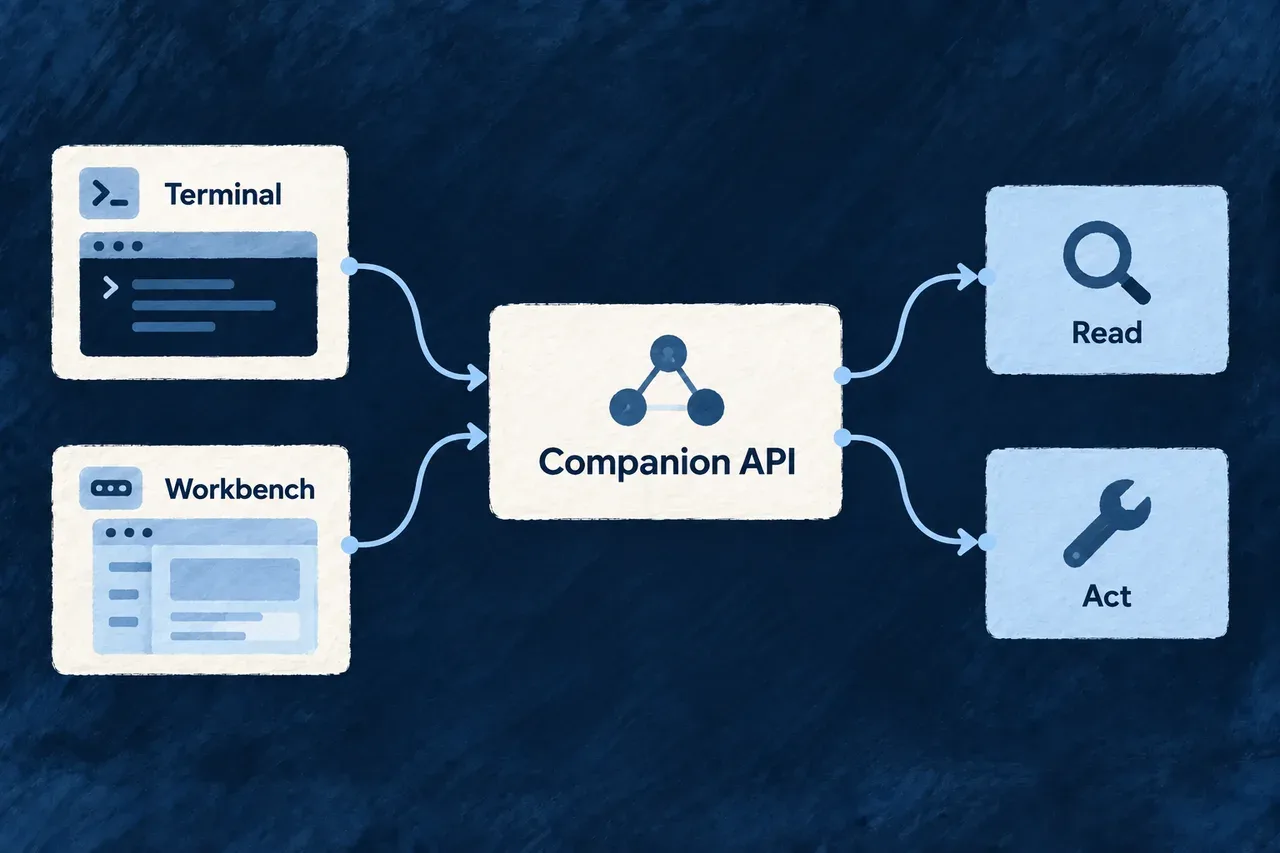
The terminal and browser need access to application inspection, creation work and its results. Those services belong to the companion, so each interface does not have to reconstruct the application’s development state independently.

Wildo exposes custom development endpoints alongside standard resource operations. The interfaces serve different callers while connecting them to the underlying development services.

Example: Start work, then inspect it visually

A developer requests creation work through the CLI and inspects its state in the workbench. The browser uses resource operations for its supported actions; it does not need to reproduce the CLI’s exact HTTP request to reach the related service.

Terminal and workbench tools reach companion services to read information and request actions.
For engineers
Choose the route by its contract
InterfaceTypical roleAccess policy to inspect
/api/companionBespoke development commands, authoring and diagnostic endpointsLoopback binding and the custom router’s local-token predicate
/api/v1Workbench resources, creation operations and frontend supportStandard engine controllers, identity and resource authorization

The companion’s custom controller is not its entire HTTP surface. Startup also mounts the resource and support controllers needed by the workbench. CLI and browser calls can use different routes to reach related services.

Understand the custom router’s local-token check

The following selected functions come from companion-token-floor.policy.ts. They show the decision at this router only; the constants and token validator are defined elsewhere:

export function companionRequestRequiresLocalToken(method: string, path: string): boolean {
  if (COMPANION_TOKEN_FLOOR_UNGATED_METHODS.has(method.toUpperCase())) return false;
  return !COMPANION_TOKEN_FLOOR_BROWSER_EXEMPT_PATHS.includes(path);
}

export function companionRequestIsAdmittedByTokenFloor(
  request: { readonly method: string; readonly path: string; readonly presentedToken: string | string[] | undefined },
  isValidToken: (presented: string | undefined) => boolean,
): boolean {
  if (!companionRequestRequiresLocalToken(request.method, request.path)) return true;
  return isValidToken(typeof request.presentedToken === 'string' ? request.presentedToken : undefined);
}

The first decision selects whether the request requires the token. The second validates one string header value when it does. Repeated header values are not searched for a matching token.

GET, HEAD and OPTIONS bypass this particular token check. Other methods require it unless the mount-relative path is one of the explicit browser exceptions: /playbooks/refresh-board, /compliance/governance-facts or /coding-agent/cancel. These are exceptions to this floor, not a claim that every browser action has the same authorization contract.

Let the CLI handle its local credential

The CLI reads the application’s machine-local companion token and attaches it to requests that need it. A read-only introspection operation can use POST and therefore require that token: HTTP method and business side effect are different questions.

Token possession establishes access to a local file, not a human approval or an application role. The resource-operation plane has its own identity and authorization checks. Keep these boundaries separate when adding an integration or diagnosing a refused request.

Discover an inspection contract before using it
# Is the companion serving this application?
wildo context health

# Which behaviors and service keys are available?
wildo context list

# Read one supported model view through the CLI client.
wildo context info resources-registry

Use the documented command or workbench operation for normal development. If implementing a client, inspect the exact endpoint’s request, response and error contract; there is no universal “every route is an unauthenticated read” or “every route is a resource operation” rule.

Building a B2B product or an internal tool?

Wildo is not self-service yet. Tell us what you have in mind and we will say plainly whether it fits, and what happens next.