
AI assistants & task agents
Application agents with their own instructions, tools and structured or conversational outputs.
Application tools · retrieval · structured results · conversationsMCP · A2AGive intelligence a purpose in your application.
> Results your application can use> Actions connected to its business rules> A deliberate place to run and interact
An agent brings a defined purpose, model and instructions to work performed with AI. It can return a structured result, help someone through a conversation or serve another application through a configured interface.Wildo connects the agent definition to its execution path. You choose the context, permitted actions and how its result becomes useful work.
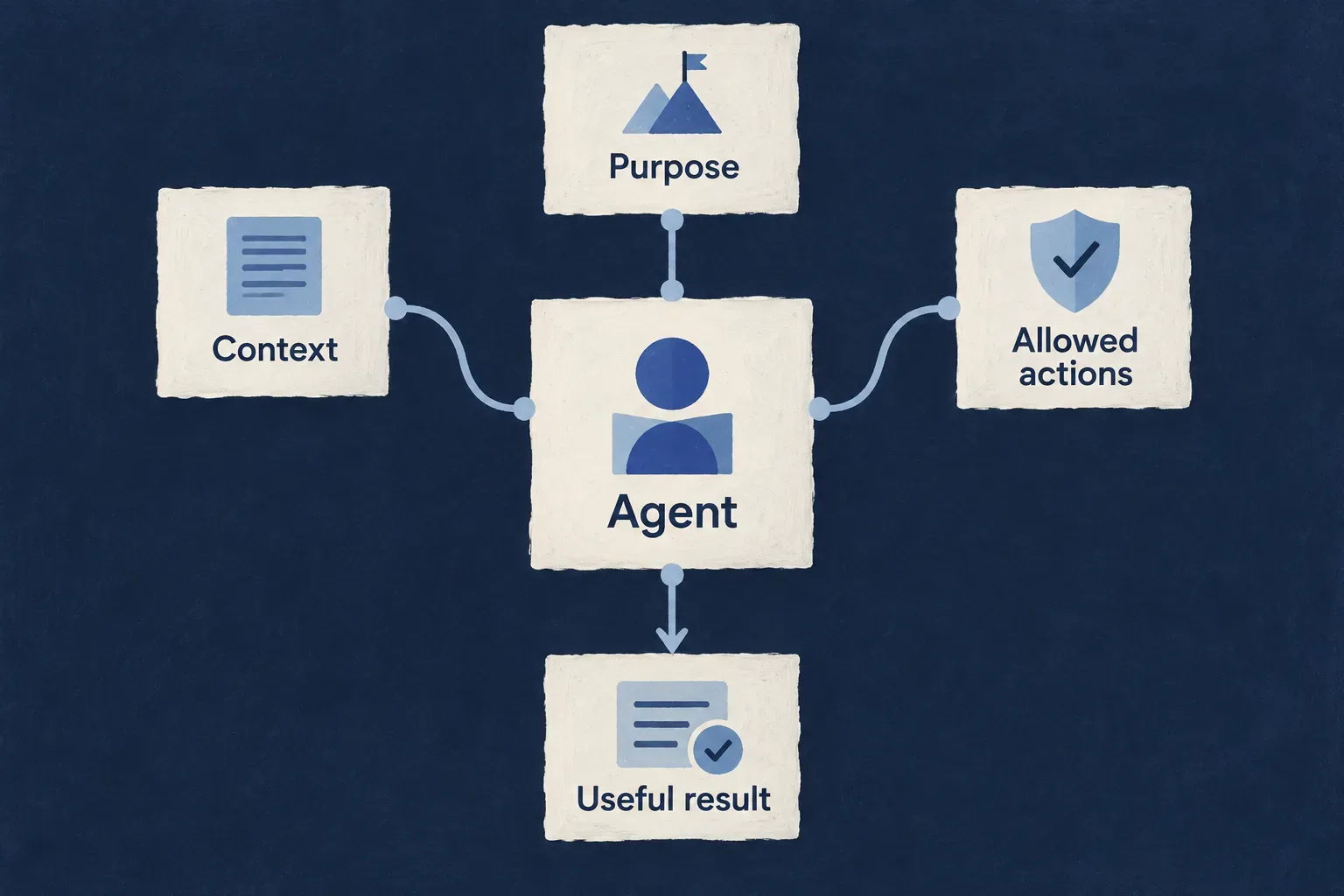
From a model response to an application responsibility
Define the work
Give the agent a specific role and a result contract. Keep durable instructions separate from information supplied for each request.
Connect useful actions
For conversational work, register selected tools that read or act through the appropriate application and provider contracts.
Choose how it is reached
Call an agent from backend logic, place an assistant in the application or configure an external agent interface. Each form has its own host and access requirements.
Example: Help a support team understand and act
A one-shot agent classifies an incoming request into a validated result. An application assistant can then help an authorized person inspect records and propose an action. The application decides how classification affects the workflow and when a person must approve a change.
For engineers
Match the artifact to the interaction
| Form | Application-authored pieces | Runtime behavior |
|---|---|---|
| One request, one answer | Agent definition, backend registration and invocation | Buffered text or structured result |
| Conversational assistant | Agent, actor system, registered tools and view | Streaming turns, tool execution and configured approvals |
| Externally callable agent | Actor system and resource-server configuration | Agent discovery and authenticated protocol interaction |
| Scheduled agent work | A real scheduled handler that invokes the agent | Scheduling belongs to that host, not the agent definition alone |
The first three forms are explained below. A registered agent is not automatically a standalone deployment or a recurring job. The application host and caller give it a lifecycle.
Keep a useful boundary around the model
The definition supplies provider/model selection, durable instructions and operation type. Each invocation supplies its specific input. Backend modules register agents and tools so references resolve through the runtime.
A structured result still needs validation and application logic before it becomes a business action. Local resource tools use their operation authorization path; external tools use their destination and credential contracts. Do not treat all tools as having identical permission semantics.
Add autonomy through implemented execution
An application service or scheduled handler can decide when to invoke an agent and what to do with its result. Define the trigger, allowed effect, completion condition and recovery behavior together.
A flow graph declaration is not sufficient evidence of executable orchestration. Use an implemented actor conversation or an authored caller for the behavior described here, and verify the complete route from trigger to result.
Verify the result people depend on
Exercise missing input, invalid model output, an unavailable provider, refused tools and repeated invocations. For approvals, verify the visible request and the authorized resume. For external access, test the intended audience and conversation ownership with the actual client.
Turn information into a result you can use
Ask an agent to summarize, classify or extract information against a defined contract. Give the application a result it can inspect before deciding what happens next.
A one-shot invocation keeps this responsibility focused: one request produces a text or structured answer.
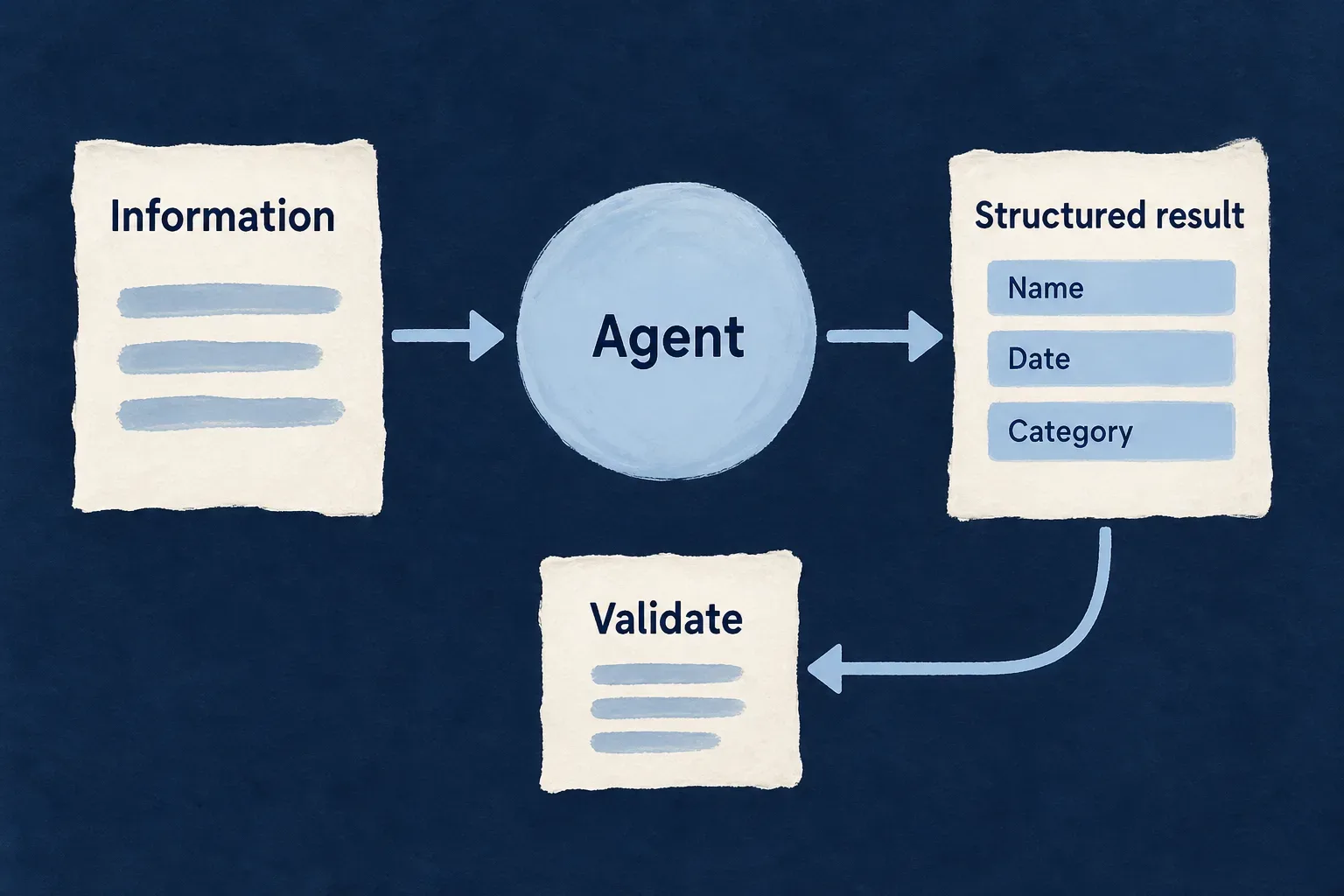
Make the answer usable
Give the agent a clear role
Store its purpose and durable rules in the definition, rather than rebuilding them around every request.
Describe the expected result
Use a schema when the application needs fields it can interpret and validate.
Keep the decision under control
Validate the returned object, then apply the business rules for routing, saving or acting on it.
Example: Triage a support request
The agent returns a category, urgency and short summary. The application validates that result and decides how the ticket enters the support workflow; classification itself does not send a message or change an account.
For engineers
Define the output contract
The framework’s checked one-shot example uses named category and urgency enums with a Zod result schema. This selected schema excerpt depends on those enums, declared in the same example.
const TicketTriageSchema = z.object({
  category: z.enum(TicketCategory)
    .describe('The single best-fitting category for the ticket.'),
  urgency: z.enum(TicketUrgency)
    .describe(`How quickly a human must respond. "${TicketUrgency.HIGH}" only for outages, data loss, or billing failures.`),
  summary: z.string().max(200)
    .describe('One-sentence neutral summary of what the customer is asking for.'),
});
The corresponding agent declares GENERATE_STRUCTURED, an enabled provider and modelApplicability: LLM_Model_Applicability.STRUCTURED_AUTHORING. It also supplies the matching operation schemas, access configuration and durable prompt. Register it in the backend module’s flowsActors.agents contribution so its reference is resolvable.
The schema above is part of an illustrative framework example, not a claim that a support-triage product is delivered automatically.
Build the invocation and validate the answer
This selected method body follows that checked example. Its registered agent reference, schemas and injected AgentsBackendService are defined alongside it. The generic invocation and operation types come from the public model packages.
const invocation: FlowsActors_Agent_Invocation<
  typeof LLMProvider_GenerateStructuredInputSchema,
  typeof LLMProvider_GenerateStructuredOutputSchema,
  typeof LLMProvider_OperationContext_BaseSchema
> = {
  agentRef: TICKET_TRIAGE_AGENT_REF,
  initiator: {},
  invocationContext: [],
  input: {
    prompt: `Triage this support ticket:

${ticketBody}`,
    schema: TicketTriageSchema,
  },
  output: { object: {} },
  executionContext: { callTimestamp: new Date().toISOString() },
  artifactBindings: [],
};

const result = await this.agentsService.invokeAgent(invocation);
return TicketTriageSchema.parse((result.output as { object: unknown }).object);
result.output is wrapped by operation: structured generation returns an object, text generation returns text. The empty output is a seed for the invocation envelope, not a fallback classification.
Keep invocation and action distinct
One-shot generation does not execute declared function tools. Supply the required input from backend code. If the application then writes a record, calls another service or sends a notification, that effect needs its own permission and business contract.
| Decision | Owner |
|---|---|
| Durable instructions and provider selection | Agent definition |
| Per-request text and output schema | Invocation |
| Provider resolution and response normalization | Agent runtime |
| Semantic acceptance and business effect | Application consuming the result |
Verify schema rejection as well as a useful answer. Do not replace a failed provider call with a fabricated successful business result.
Let people discuss, inspect and act
An application assistant connects a conversation to selected information and actions. People can ask follow-up questions and work with the application through its registered tools.
Choose where human review belongs. A proposed change can be reviewed before execution, with the operation’s permissions still applying.
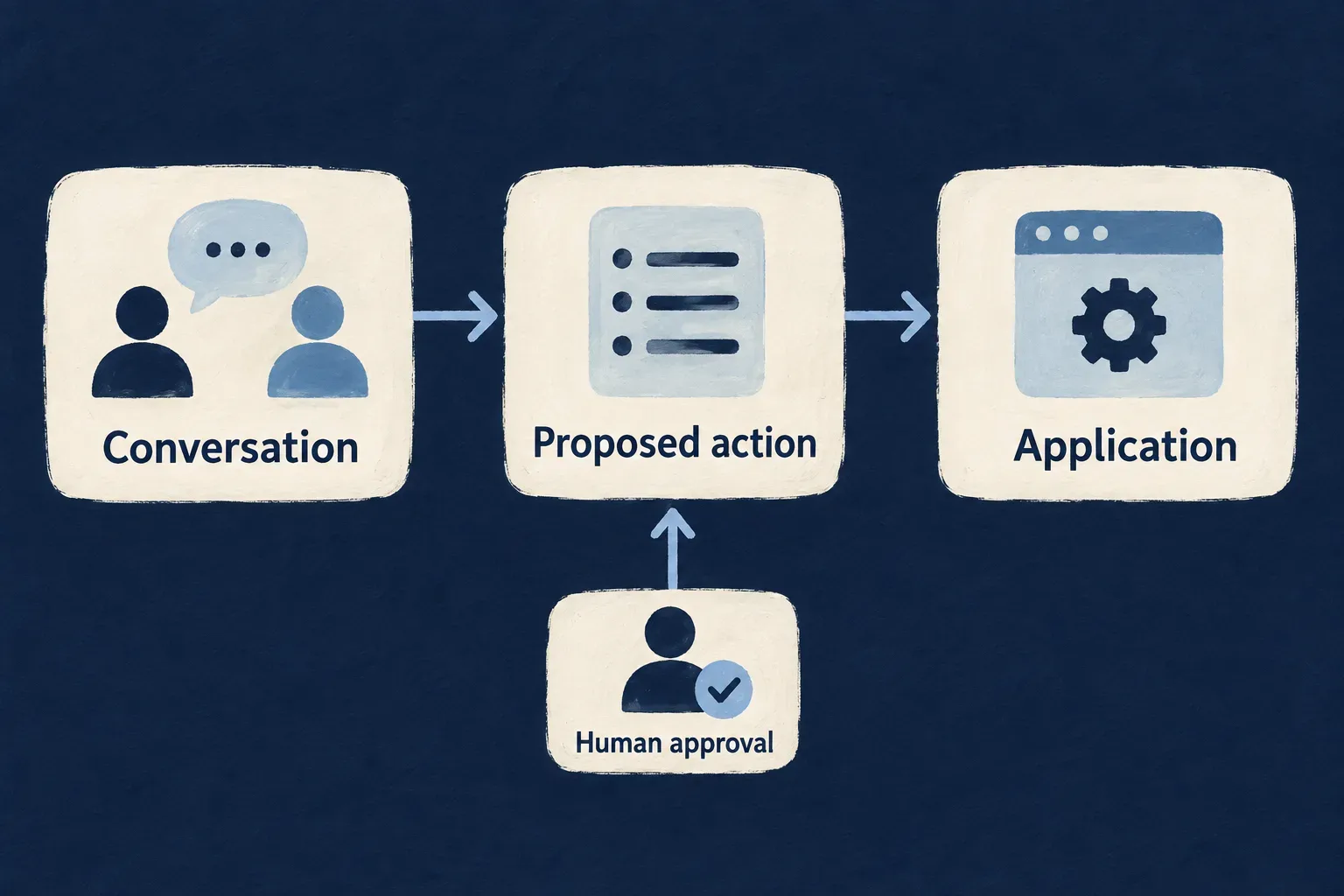
Keep the conversation connected to real work
Ground the answer
Use registered tools to retrieve permitted records and relevant information when the conversation needs them.
Expose deliberate actions
Choose the operations and input fields the assistant may request. Keep caller identity and resource context outside model-controlled arguments.
Put review at the right moment
Require approval for selected changes. Approval supplements authorization; it does not grant a new permission.
Example: Review a task rename
A person asks the assistant to rename a task. It finds the record and proposes the new title. The person reviews the proposed change, and the update runs through the task’s operation rules.
For engineers
Give the assistant a narrow action contract
This adapted Wonder Todos tool configuration keeps reads available and makes the title update subject to approval. The public tool factories are imported from @wildo-ai/saas-backend-lib; resource enums are application-owned.
const functionTools = [
  resourceReadTool(TasksManager_ResourceType.TODOS),
  resourceWriteTool(TasksManager_ResourceType.TODOS, CoreResourceOperation.UPDATE, {
    requiresHumanApproval: true,
    inputSchema: z.object({
      id: z.string().min(1)
        .describe('Resolve the todo identifier with the read tool.'),
      title: z.string().min(1).max(200)
        .describe('The new title requested by the person.'),
    }),
  }),
];
Register this array as the backend module’s flowsActors.functionTools and select the same function references on the CHAT agent. The actor system references that agent through its agentic actor. A reference that names an unregistered tool does not implement the action.
Place the registered system in the application
Wonder Todos declares this selected view entry. Surrounding view registries and imports are omitted.
{
  ref: 'todo-assistant-view',
  scope: FrontendView_ScopeMode.APPLICATION,
  isAddressable: true,
  operationLike: CoreResourceOperation.READ,
  primaryScope: ResourcePrimaryScope.ORGANIZATIONS,
  systemRef: 'todo-assistant',
  layoutPreset: 'Default',
},
The standard host connects streaming, history and configured approval controls to the registered system. systemRef identifies the system; it is not a prompt or an agent declaration.
Preserve the verified caller through tool execution
The local resource-tool path reconstructs context from the verified caller, authorizes the operation, applies its rate limit and dispatches its behavior. Approval does not replace those checks. Non-user principals do not gain an interactive approval flow merely because a tool requests one.
| Boundary | What to verify |
|---|---|
| Conversation | Another person cannot recover it by supplying its identifier |
| Resource read | The caller’s scope and operation rules are applied |
| Proposed write | Input schema constrains what the model may request |
| Approved write | Permission remains valid when the operation resumes |
| Refused write | Conversation can continue without performing the effect |
Outbound MCP tools are a separate integration path with destination and credential controls. They do not automatically inherit local resource-operation authorization. Test their access at the destination as well as the application’s tool selection.
Make an agent available where the work begins
Use the agent within application logic, present it as an assistant or expose a configured interface to another agent client.
Choose the audience and execution host explicitly. Registering an agent describes its behavior; the surrounding application makes it reachable and gives its work a lifecycle.
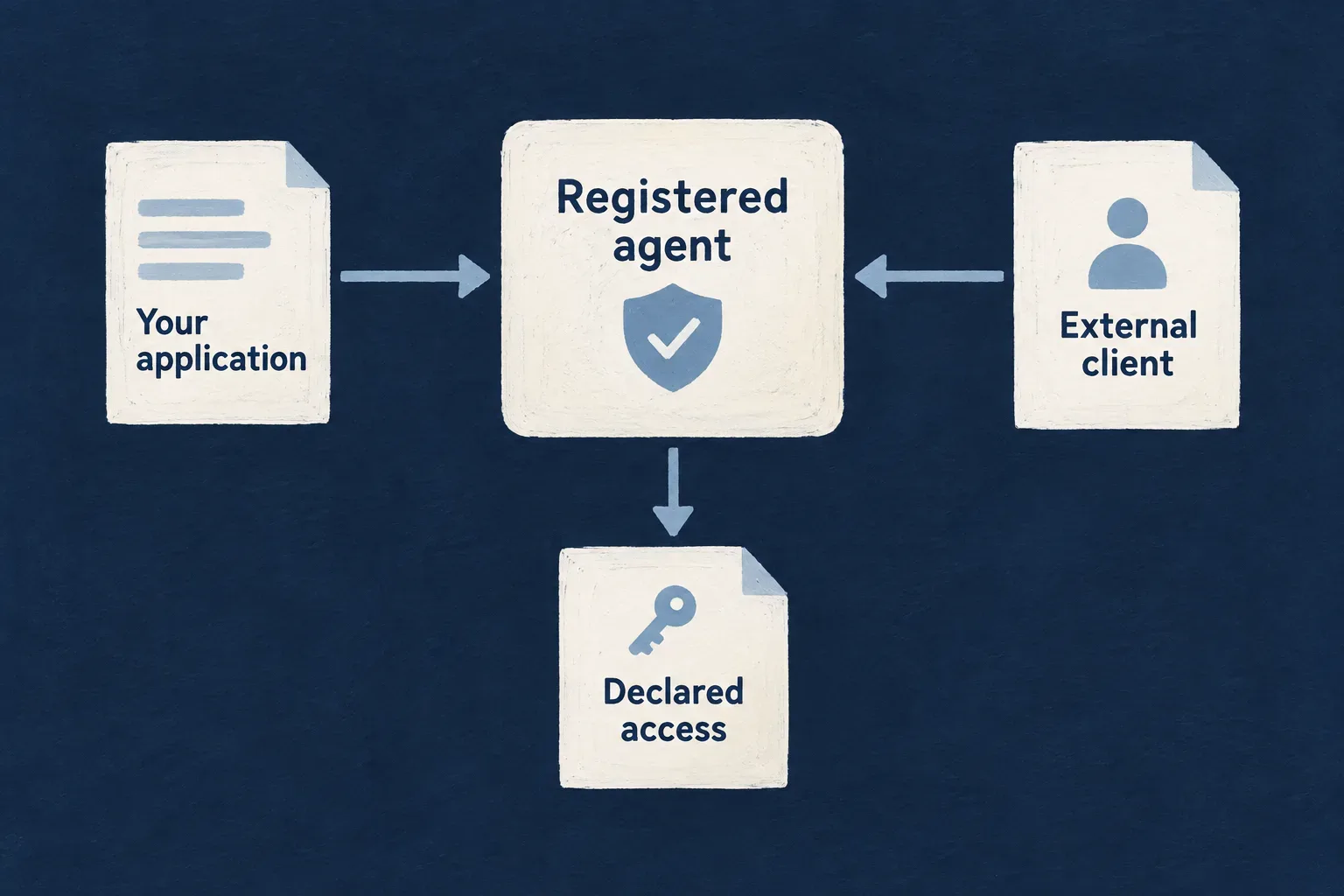
Choose the right point of interaction
Call it from your application
Invoke focused work from a backend service or implemented handler, then consume the result through your business logic.
Offer a conversational interface
Connect an actor system to the application view when people need an ongoing discussion and selected actions.
Collaborate with external clients
Use a configured agent interface for discovery and authenticated interaction, with a deliberate exposed set and audience.
Example: Give a partner a focused support interface
A named agent interface presents the selected support actor system to a partner client. Authentication and application policy determine which conversations and tools that client may use.
For engineers
Give a named interface an explicit selection
The framework’s A2A exposure guidance places named servers in ApplicationInitializationConfig.resourceServerInstances. This illustrative entry selects a registered support actor system. Import ResourceServerKind from @wildo-ai/saas-models.
resourceServerInstances: [{
  ref: 'concierge',
  kind: ResourceServerKind.A2A,
  displayName: 'Support concierge',
  description: 'An assistant for customer support questions.',
  actorSystemRefs: ['supportAssistant'],
}],
supportAssistant must identify an ACTOR system with an AGENTIC actor referencing the intended agent. This configuration selects the interface; it does not supply the agent implementation or an independently deployed process.
Inspect every exposed entry point
Named instances narrow their own selected actor systems and audience. The default /a2a interface remains additive; a named subset does not automatically remove the default exposure.
Frontend visibility is not an external access policy. Current exposure discovery selects eligible actor systems independently of whether a view is visible in the application. Review the configured interfaces and their audiences directly.
Match ownership to the caller
| Concern | Required distinction |
|---|---|
| User-delegated access | Conversation ownership follows the verified delegated context |
| Machine access | Machine principals have their own ownership and tool permissions |
| Immediate reply | Does not necessarily create a separately addressable task |
| Ongoing task | Uses the protocol task and ownership contract |
| Scheduled invocation | Requires a real registered scheduler/handler/caller chain |
Exercise discovery and a real request with the intended client. Attempt access using another audience or principal and verify refusal. A generated agent card alone does not establish interoperability.
Do not turn a declared flow schedule into a claim of executed orchestration. Use the implemented conversation runtime or an application-authored caller, and verify the host that actually performs the work.
Intelligence becomes useful through the work around it.
Purpose, context and permitted actions give an agent its role. Wildo supplies connected execution mechanisms; your application determines what its results mean and what may happen next.
Building a B2B product or an internal tool?
Wildo is not self-service yet. Tell us what you have in mind and we will say plainly whether it fits, and what happens next.