Wildo.ai Coming soon

Providers, OAuth & external data

Call provider operations, connect customer accounts and read or synchronize external business data.

663 provider definitions · 5,493 declared operationsOAuth 2.0 · HTTP APIs · webhooks

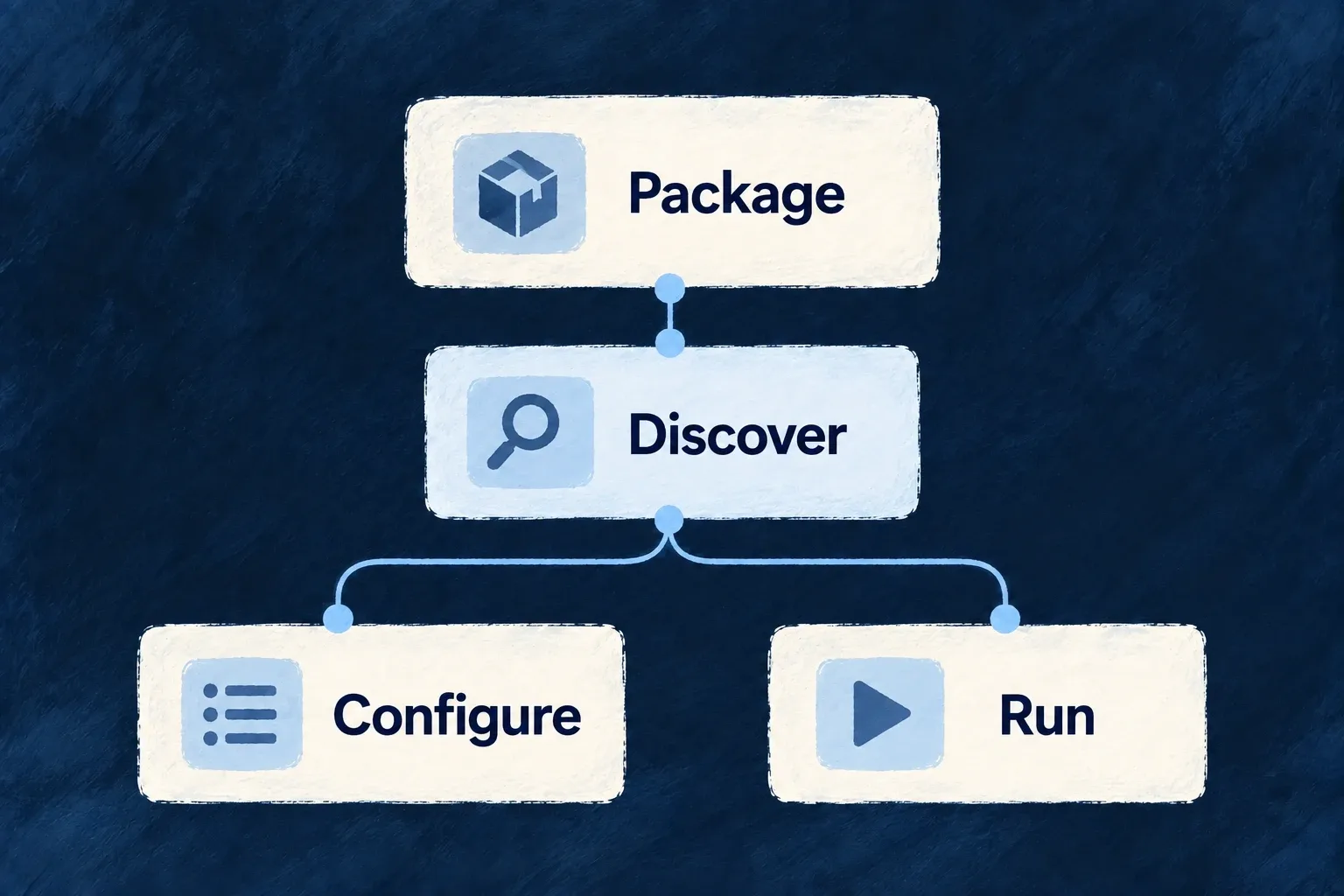
> From a service choice to its working contract > From business actions to connected systems > From external records to useful application data

An integration connects your application to a service or system outside it: sending a message, receiving a payment event, calling a vendor API or reading business records.

Wildo brings those connections into the application’s configuration, with provider contracts, credentials and shared exchange mechanisms. You choose the services, the information exchanged and the business behavior around them.

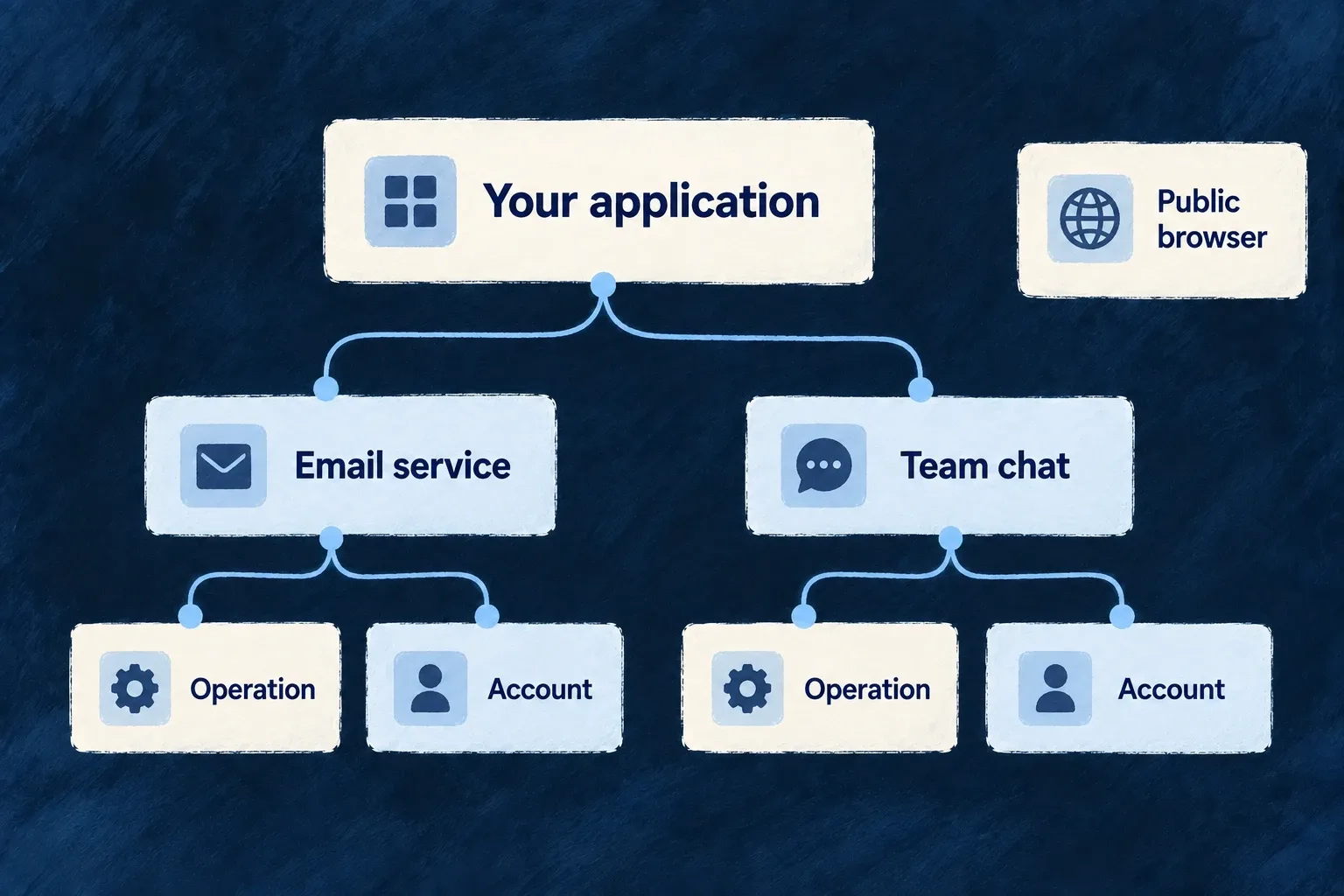
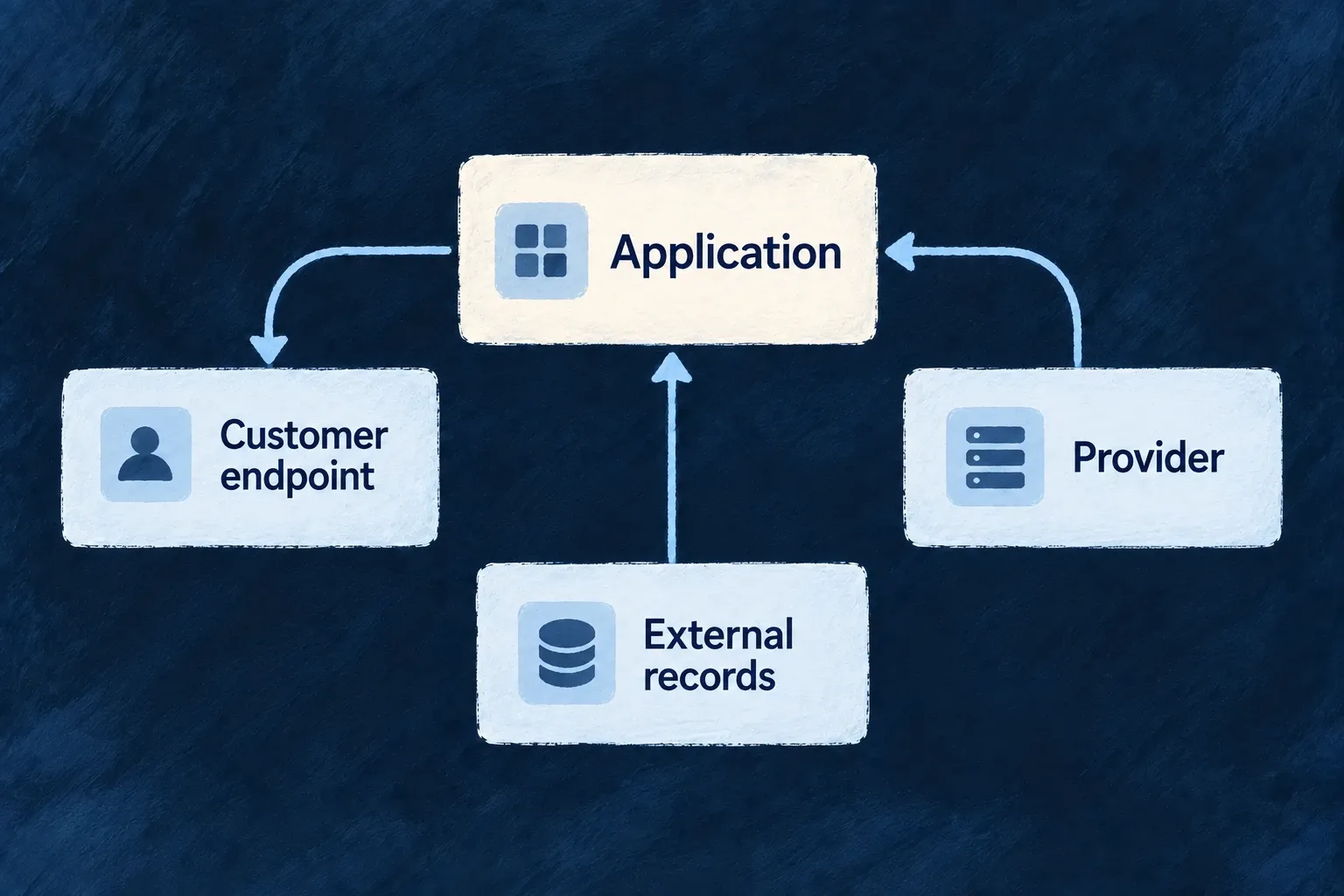
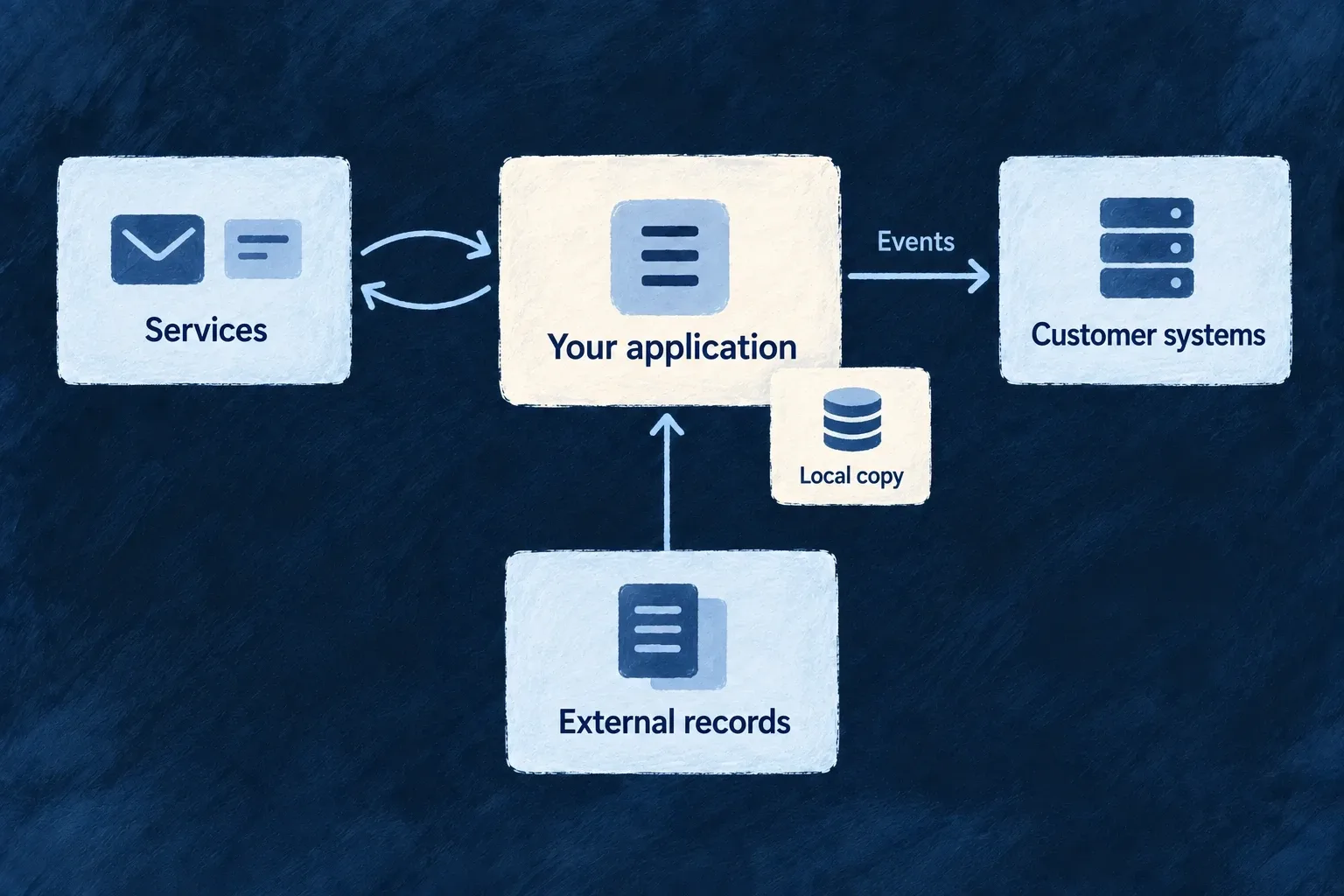
An application uses external services, sends events to customer systems and reads external records.

Make the connection part of the application

Keep business messages independent of a vendor

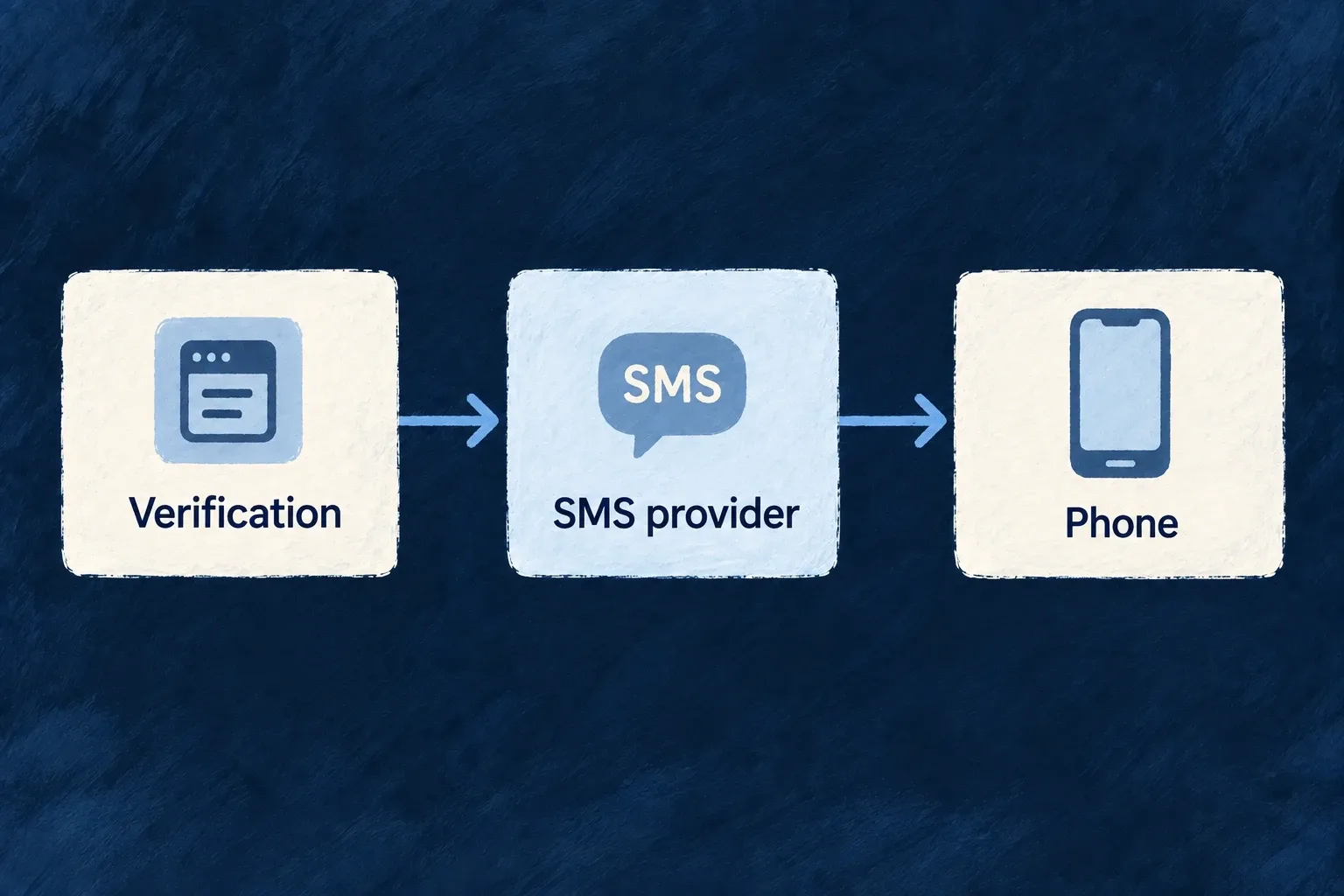
Standard email and SMS services use a shared message contract. Your application describes the message; the selected provider handles its delivery. Vendor-specific operations remain available when the work needs that vendor’s API.

Use the account the work belongs to

A call may use the application’s account or an authorized customer connection. Explicit account targets keep the credential choice tied to the caller and the work, instead of assuming every request uses the same account.

Choose when information moves

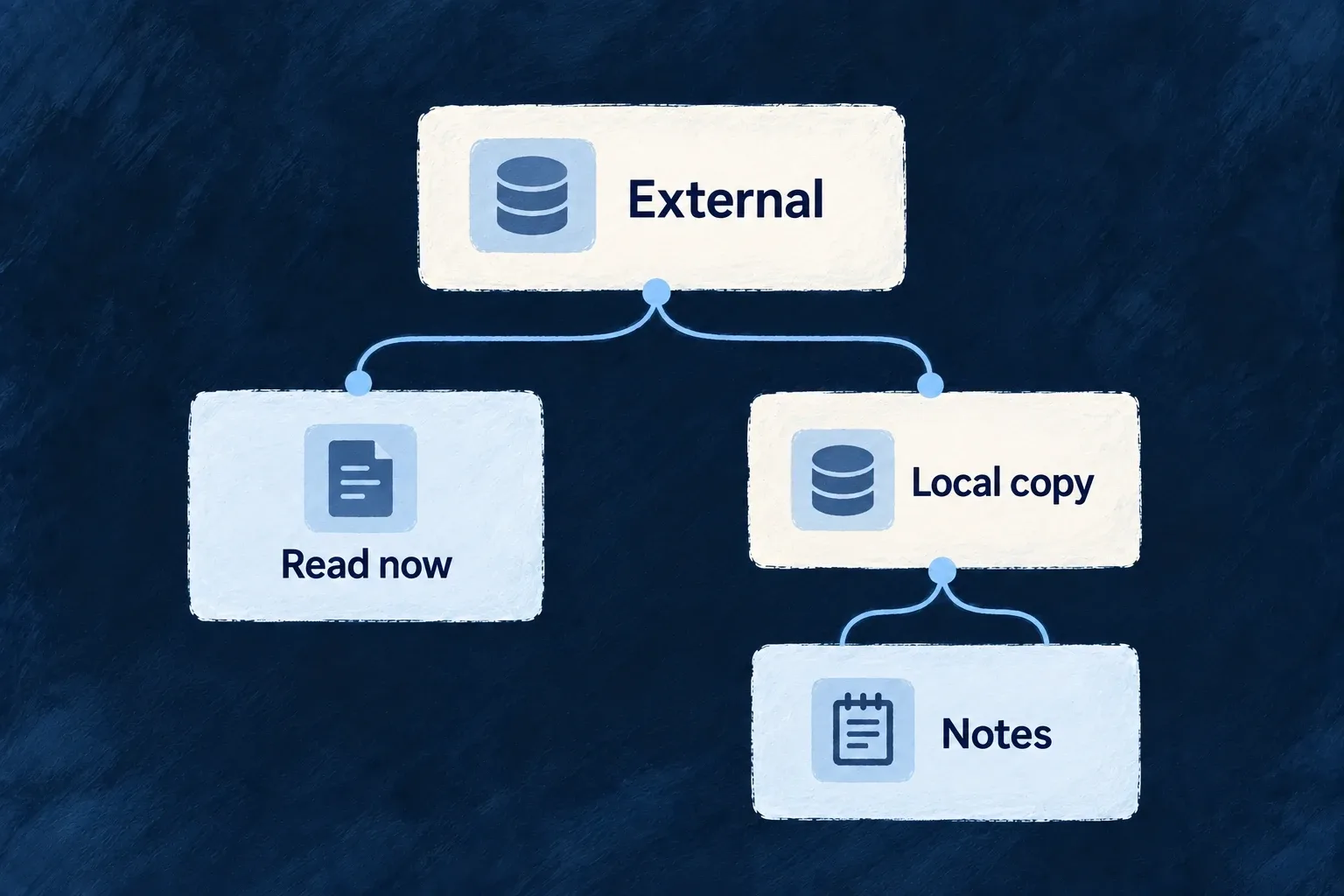
Deliver an event, read remote records on demand or synchronize a local copy. Each choice has different freshness and recovery behavior, so the application can match the exchange to its workflow.

Example: Bring existing company records into a new workflow

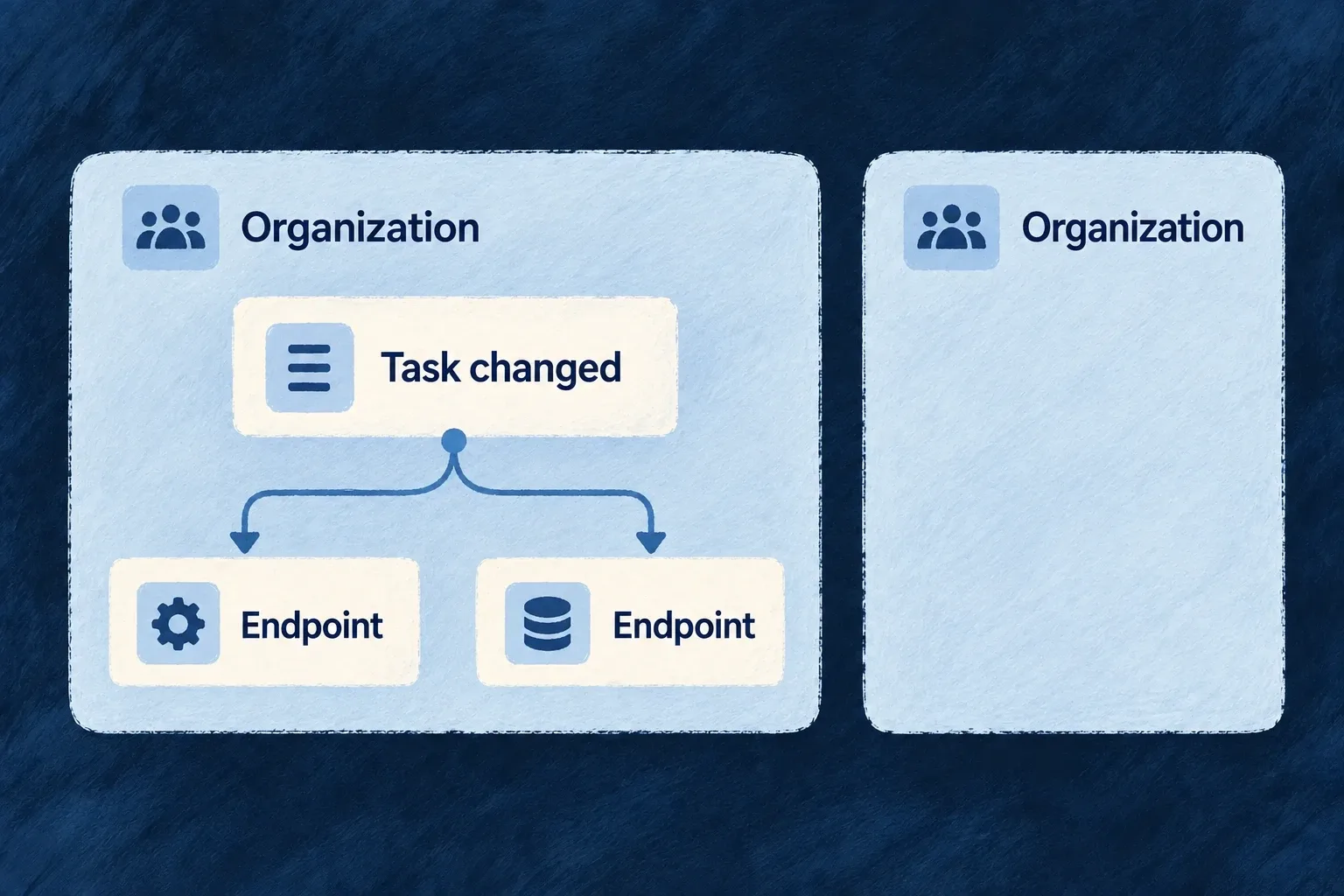
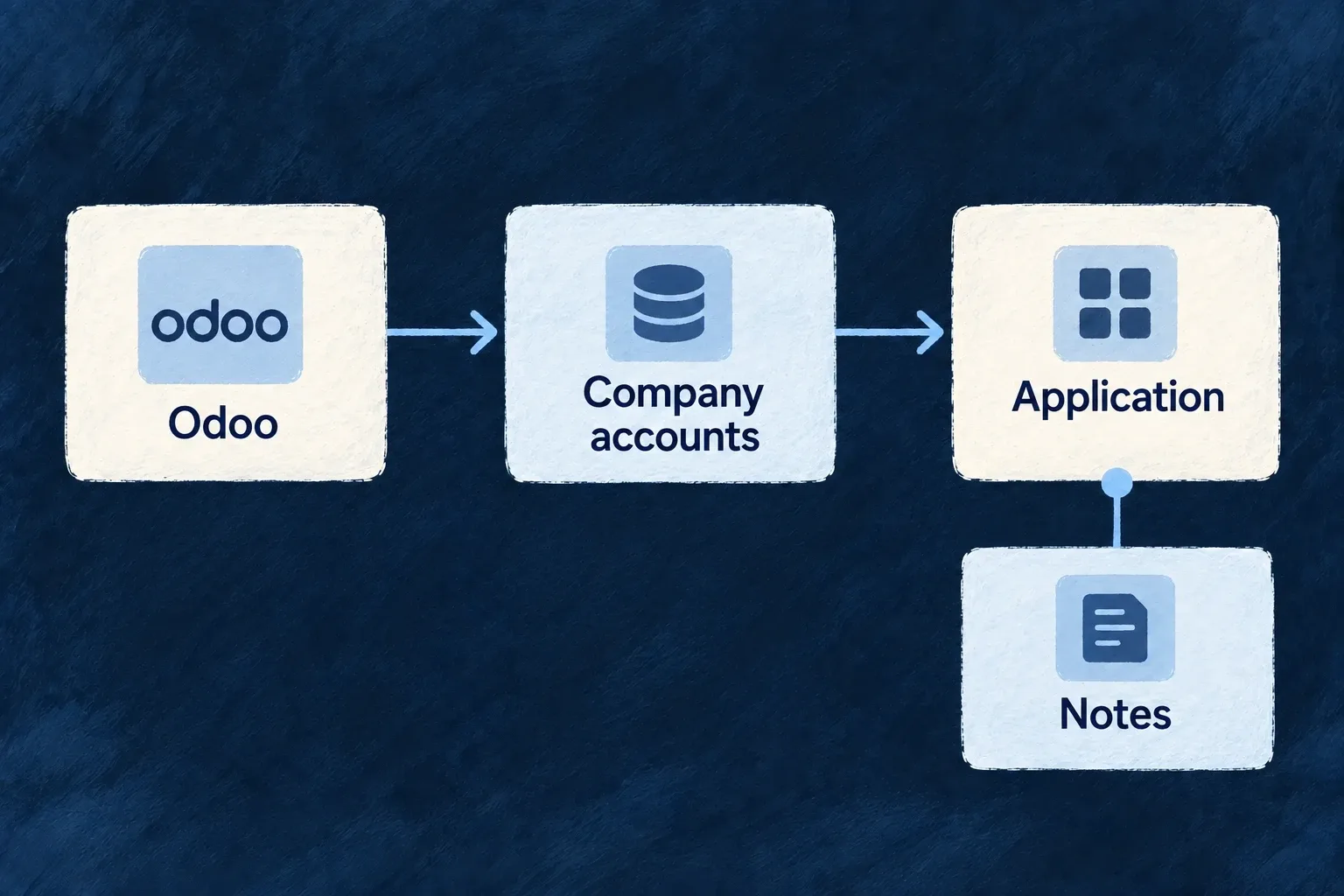
An application reads company records from Odoo and adds its own task workflow. Its email provider sends invitations, while declared task events notify a customer’s endpoint. The application chooses the workflow; each integration keeps its own account, data and delivery contract.

For engineers

Choose an engine service or address a vendor operation

These are different ways to use a provider. Transactional email supplies a framework capability through a common message contract. An external-data binding or a vendor API call names a provider reference directly; it does not need an invented engine capability.

The following combines selected declarations from Wonder Todos’ wildo.saas.config.ts. Unrelated providers and configuration are omitted; the surrounding application enables transactional email and imports EngineCapability, defineSaaSProviders and its generated catalogue type.

providers: defineSaaSProviders<WildoDiscoveredProviderCatalog>({
  scopes: {
    backend: {
      providers: {
        resend: {
          engineCapabilities: [EngineCapability.EMAIL_TRANSACTIONAL],
          providerCapabilities: ['EMAIL_TRANSACTIONAL'],
          protocols: ['EMAIL_PROVIDER'],
        },
        odoo: {
          engineCapabilities: [],
          providerCapabilities: [],
          protocols: ['REST_API'],
        },
      },
      selection: {
        [EngineCapability.EMAIL_TRANSACTIONAL]: {
          primary: 'resend',
          whenUnavailable: [],
        },
      },
    },
  },
}),

The Resend declaration makes it eligible for the backend’s email service; the selection names the primary. The Odoo declaration makes its REST contract available to a binding that names providerRef: 'odoo'. Empty capability arrays here describe direct use, not an empty integration.

Neither declaration contains the credential value. Supply the provider’s required material through the appropriate deployment or connected-account configuration. Discovery and synchronization produce the authoring catalogue and backend runtime artifacts; browser activation separately needs its public configuration and an explicit executable module map.

Match the mechanism to the direction of the work

NeedConnectionImportant application decision
Send a standard transactional messageSelected email or SMS providerMessage, sender and triggering business action
Call a vendor-specific APIProvider reference and named operationInputs, account authority and result handling
Notify a customer systemOutbound event and subscribed endpointEvent scope, enabled destinations and receiver behavior
Receive a vendor eventProvider callback and verification contractEnabled protocol, credentials and owning handler
Read remote records as neededRead-through resource bindingRemote identity, query mapping and tenancy
Maintain a local copyExternal-data pipelineField ownership, schedule and reconciliation policy

An outbound notification’s retry policy is not a provider-selection fallback. A callback’s signature scheme belongs to the sending provider. A local copy has a synchronization lifecycle; a read-through view depends on the remote system for each read. Keep those distinctions in the application design.

Follow a call beyond its declaration

A direct provider operation goes through ProviderOperationExecutorBackendService. It resolves the provider’s operation catalogue, validates inputs, compiles the request and obtains access through the shared credential resolver before executing the call. The application still decides when to invoke it and what the response means for its business process.

The vendor operation example follows a Slack call from its declared backend scope through an explicit account target to a validated message result. Use that path for vendor-specific work; transactional SMS shows the shorter service call when a standard engine contract fits.

The executor does not automatically traverse every page of a remote collection. Its pagination metadata informs the caller; a resource binding or pipeline has its own extraction contract. Read/write classification also matters for retry behavior: replaying a read and repeating a business action are different decisions.

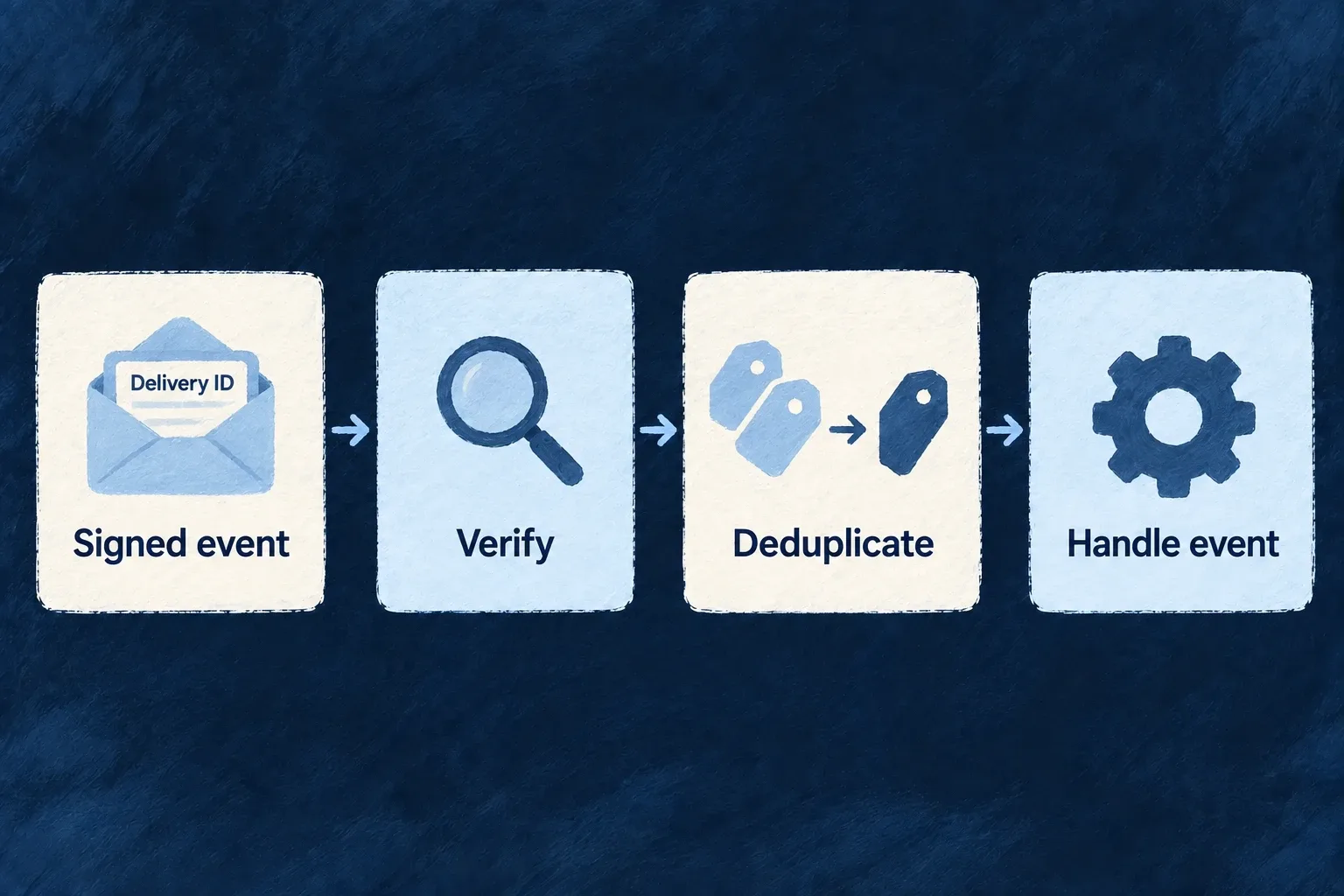
For customer webhooks, the delivery record and receiver response show what happened after dispatch. The receiver must verify the signature and handle duplicate delivery identities. For imported data, review the completed population and ownership policy before enabling destructive reconciliation; an incomplete extraction does not establish that a remote record was deleted.

Keep the connection’s boundaries explicit

Use the runtime that owns the account and credential. Browser-safe provider modules carry public configuration; secret-aware execution belongs on the server. A provider’s declared capability or optional SDK requirement does not itself establish a working account, installed dependency or permission at the vendor.

The detailed guides below connect these choices to their actual configuration and consumers. Validate the intended exchange with the configured service and receiver: a catalogue entry proves what is described, while a successful request demonstrates that particular connection.

Make provider choices part of the application model

A provider supplies a service or shared configuration for your application. It can connect an external vendor, run locally or supply settings used by standard controls. Wildo describes what it offers and which runtimes may use it.

Your application chooses its services and supplies their configuration. The shared contracts keep those choices from spreading vendor-specific code throughout the product.

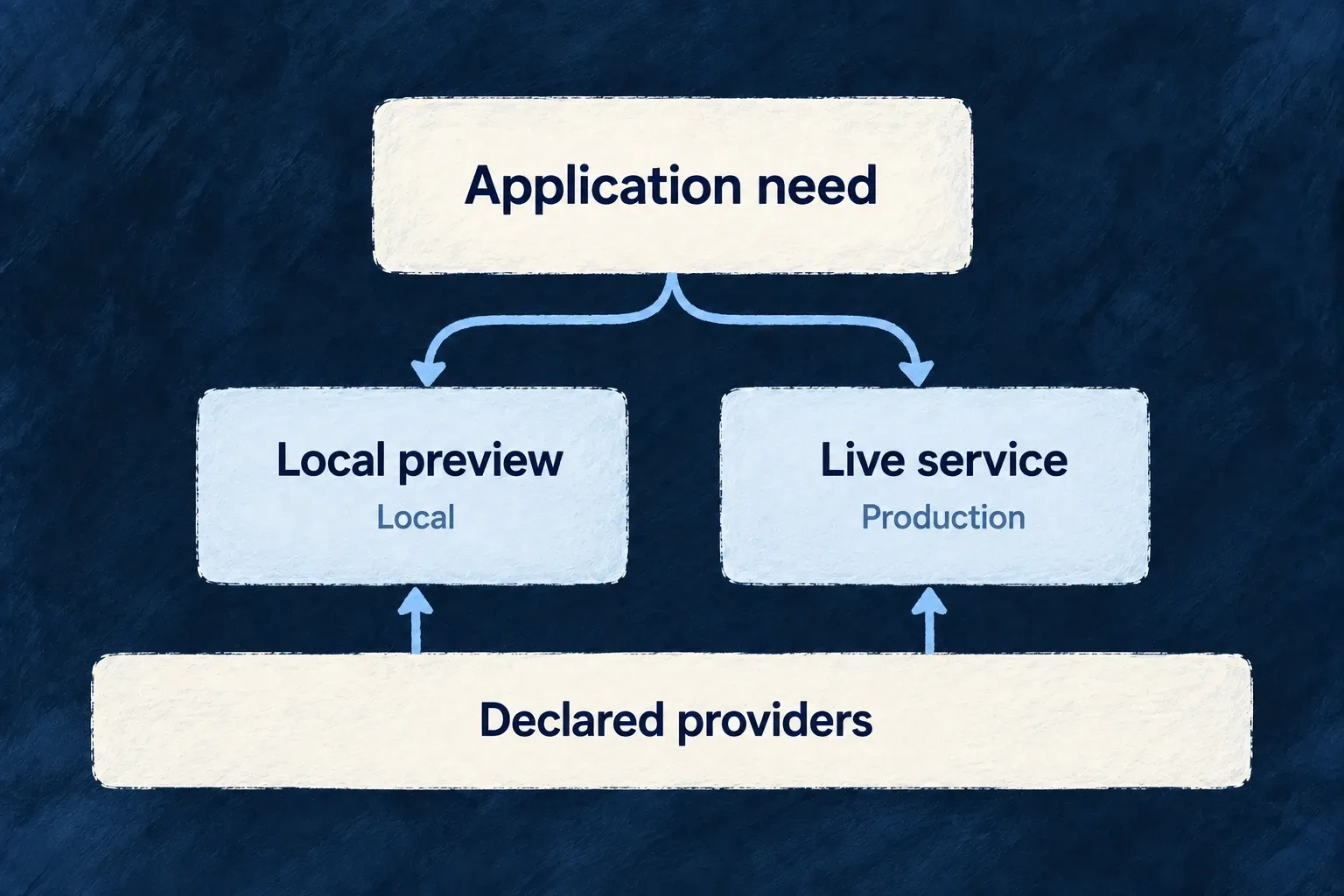
The application selects local preview or live service from its declared providers.

Keep the choice connected to its consequences

Describe the need clearly

An application capability, a provider’s abilities and its protocol have distinct meanings. The declarations connect them without turning every integration into the same kind of request.

Choose within the runtime

Declare eligible providers for the backend, companion or browser service, then select a primary where appropriate. Additive destinations keep their fan-out behavior.

Keep the boundary visible

Environment selections can change the provider without rewriting the feature. Separate server and browser modules keep credential-aware execution apart from public configuration.

Example: One invitation flow, two environments

The application declares a sending email provider and a non-delivering preview provider. Local configuration selects preview; the application’s default selects the sender. The invitation flow keeps its message contract while the environment changes which implementation answers it.

For engineers

Connect discovery, scope and configuration

A provider package contributes its metadata and runtime entrypoints through the supported discovery contract. wildo config sync produces the authoring catalogue and runtime artifacts. The application then declares which capabilities and protocols each scope may use.

These selected Wonder Todos declarations show the backend email candidate and its selection, with unrelated providers omitted:

providers: defineSaaSProviders<WildoDiscoveredProviderCatalog>({
  scopes: {
    backend: {
      providers: {
        resend: {
          engineCapabilities: [EngineCapability.EMAIL_TRANSACTIONAL],
          providerCapabilities: ['EMAIL_TRANSACTIONAL'],
          protocols: ['EMAIL_PROVIDER'],
        },
      },
      selection: {
        [EngineCapability.EMAIL_TRANSACTIONAL]: {
          primary: 'resend',
          whenUnavailable: [],
        },
      },
    },
  },
}),

The enclosing application also enables transactional email. Its provider credential is supplied on the server; this declaration does not contain the secret. A browser provider follows its own service scope and public/code composition.

Ask the next question at the correct layer

QuestionOwning layer
Does the application use this framework feature?Engine capability activation
Can this provider satisfy it?Provider capability and runtime protocol contract
May this process use it?Runtime scope declaration and generated artifact
Which candidate answers?Capability resolution mode and selection
Does this environment choose differently?Infrastructure provider selection
How is the vendor request encoded and interpreted?The provider’s executable contract

A primary and its whenUnavailable entries establish resolution order. They do not retry another vendor after an operation fails. Audit fan-out instead resolves an additive set of configured destinations. Keep these semantics visible when reasoning about availability or delivery.

Verify the configured path rather than its label

Inspect the generated runtime artifact and resolved provider for the intended process. Confirm required credentials and protocol settings are available, then exercise the actual operation. A provider catalogue entry establishes discoverability; a configured selection establishes intent; a successful request establishes behavior on that path.

For enterprise REST bindings, the binding names its provider reference directly rather than selecting an engine capability. The connection and trust-boundary rules still matter, but a new artificial capability is not required merely to describe the integration.

Understand the connection

Separate what you need from who provides it Mechanism

An application need, a provider’s abilities and its connection method answer different questions. Wildo records each explicitly, so choosing an email service is distinct from enabling email or describing how that service receives a message.

You declare the providers the application uses. Wildo connects their declared abilities to the framework features that consume them.

Example: An email service with a clear role

A product needs transactional email. Its backend declares a provider that supports that need and the email connection contract. The same product can use a different provider for language models without coupling those decisions.

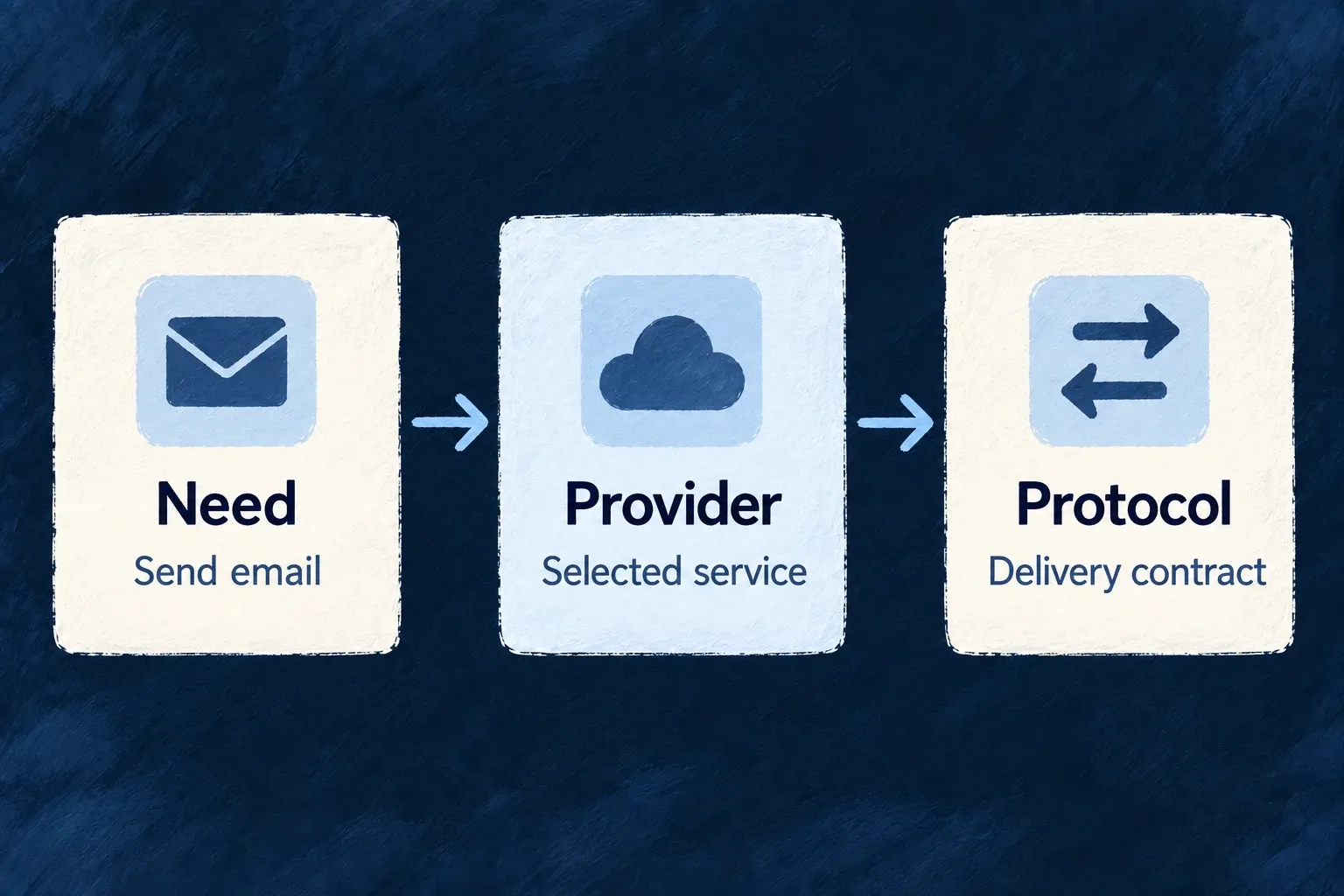
An email need, the selected provider and its delivery contract are distinct connected concepts.
For engineers
Read the declaration as three separate decisions

Wonder Todos enables EngineCapability.EMAIL_TRANSACTIONAL in engineCapabilities, then declares Resend under providers.scopes.backend.providers. This actual declaration states what that runtime may use:

resend: {
  engineCapabilities: [EngineCapability.EMAIL_TRANSACTIONAL],
  providerCapabilities: ['EMAIL_TRANSACTIONAL'],
  protocols: ['EMAIL_PROVIDER'],
},

The engine capability names the framework need. The provider capability records an ability the provider contributes. The protocol selects its executable connection contract. defineSaaSProviders validates declarations against the discovered catalogue; the backend registry filters them again for its active scope.

Understand where the ability comes from

The provider module owns the corresponding ability declaration. Resend’s backend module includes:

providerCapabilities: [
  BUILTIN_PROVIDER_CAPABILITY.EMAIL_TRANSACTIONAL,
],
secretsContract: {
  apiKey: {
    envVarName: "RESEND_API_KEY",
    required: true,
    description: "Resend API credential for email delivery."
  }
},

The module’s protocol binding then supplies the email implementation. The application supplies the credential through its supported secret configuration and selects the provider for the enabled capability. The shared projection map derives engine capabilities from provider abilities rather than maintaining a second vendor-specific slot list.

Know when a capability selection is the wrong abstraction
IntegrationHow it is addressed
Transactional email or a language modelA provider serving the enabled engine capability in the runtime scope
An enterprise REST API bindingThe provider reference named by the binding
Organizations or application language supportEngine-implemented activation, not an external provider selection

An enterprise API provider can therefore declare empty capability lists and still expose its REST protocol. Do not invent a slot merely to make every integration look alike. The capability map now checks that each engine capability is either mapped or explicitly engine-owned; adding an unaccounted capability is a compile-time error.

Provider tier and origin are additional declared metadata. They describe the provider’s role and provenance, not whether your application has enabled or configured it. Keep those questions separate when tracing why a provider is available.

Give each connection a clear contract Mechanism

Email, model calls, incoming events and REST requests have different inputs and execution behavior. Wildo gives these connection types named contracts instead of treating every provider as an interchangeable URL.

A provider implements the contract appropriate to its work. The application chooses the provider and the configuration that the contract requires.

Example: Chat and document reading are separate choices

A product uses one model for conversation and another provider to extract text from documents. Separate connection contracts let those choices evolve independently, even when a vendor offers both services.

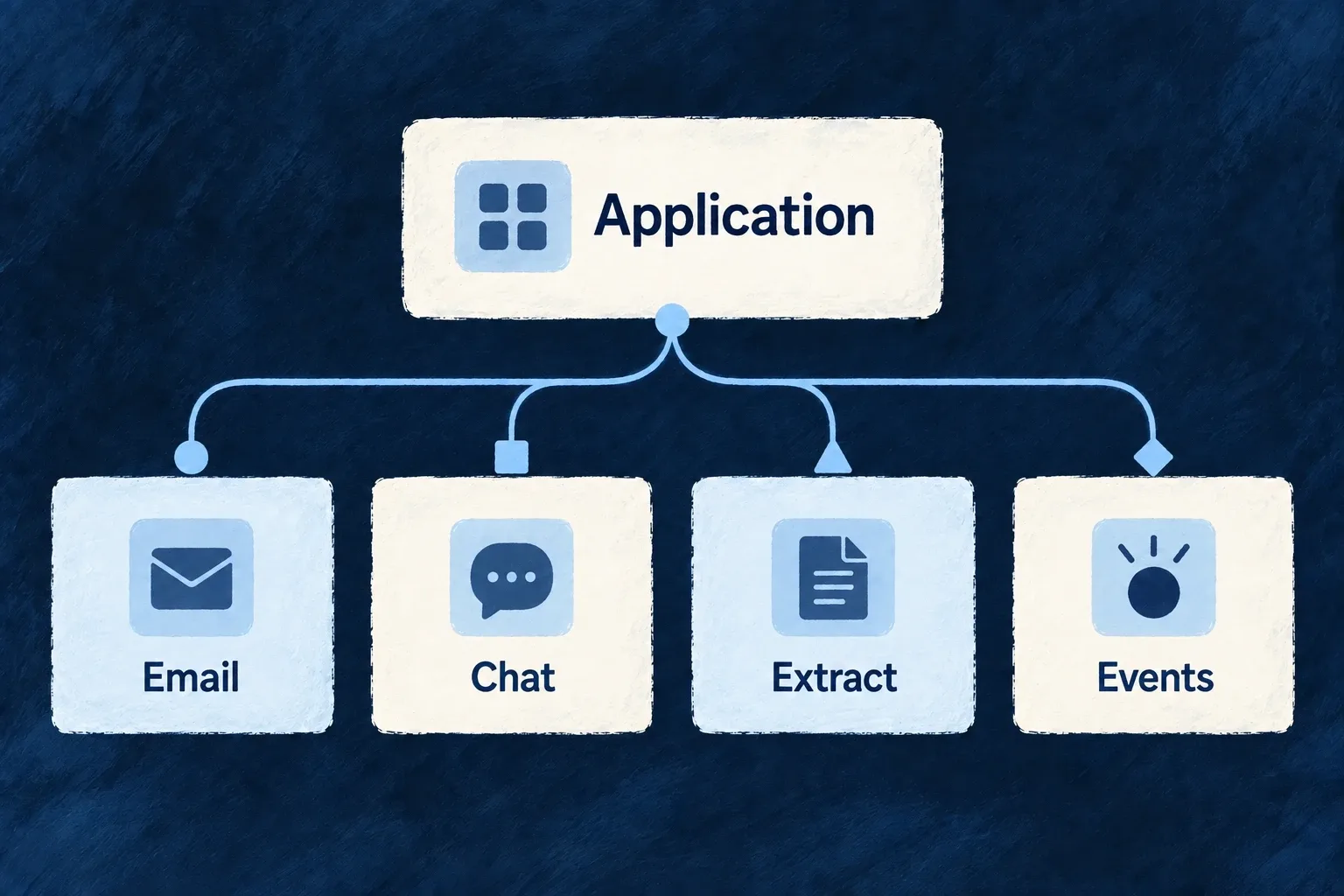
An application uses different connection contracts for email, chat, extraction and events.
For engineers
Match the authoring protocol to the executable binding

A backend module pairs its declared protocol with a discriminated runtime contract. This selected Resend binding shows the email path and encoding inside that contract; request-builder and response-parser implementations are omitted:

{
  protocol: "EMAIL_PROVIDER",
  runtimeContract: {
    kind: ProviderProtocolRuntimeKind.EMAIL,
    baseUrl: "https://api.resend.com",
    apiKey: {
      secretRef: "RESEND_API_KEY",
      headerName: "Authorization",
      prefix: "Bearer "
    },
    operations: ["sendEmail", "sendBatch"],
    supportedEmailTypes: ["transactional"],
    sendEndpointPath: "/emails",
    payloadEncoding: EmailProviderPayloadEncoding.JSON,
    // buildSendRequest and parseSendResponse complete this binding.
  },
}

This is an explanatory selection from the current module, with compacted arrays. A complete email binding also implements its request builder and response parser. Composition checks that the authoring key and runtime kind agree; a protocol name alone does not install executable behavior.

Select a contract that describes the work

ExternalProvider_ExchangeProtocol_Kind owns the protocol vocabulary. Backend runtime kinds are a subset of its values, so dispatch can discriminate the relevant contract without translating between unrelated identifiers.

WorkContract distinction
Generate conversationLanguage-model runtime
Create vectors for retrievalEmbeddings runtime, selected separately from chat
Extract text from document bytesDocument-extraction runtime
Receive vendor eventsWebhook-originator binding and its ingress consumer
Run browser integration codeFrontend SDK module, outside the backend runtime union

Application configuration selects the protocol in its provider scope and supplies protocol-specific settings where required. Keep the provider’s runtime module reachable through the generated artifact and its package entrypoint.

Extend the implementation as well as the vocabulary

When adding a vendor for an existing contract, implement the provider-specific details in its module and test the relevant consumer. Naming an additional protocol requires an executable contract and a consumer; a declared identifier is not evidence of supported behavior. Audio and video identifiers remain reserved rather than runnable backend contracts.

Keep vendor formats out of business code Mechanism

The framework’s email and SMS paths use common message contracts. Provider modules translate those messages into their vendor’s request format and interpret the response back into a shared result.

Your product can keep its message intent while the integration owns authentication, encoding and vendor-specific response meaning.

Example: The same message through a different email provider

An invitation still has recipients, a subject and content when its email provider changes. The selected module builds the vendor request; the application does not add another vendor-shaped payload to the invitation flow.

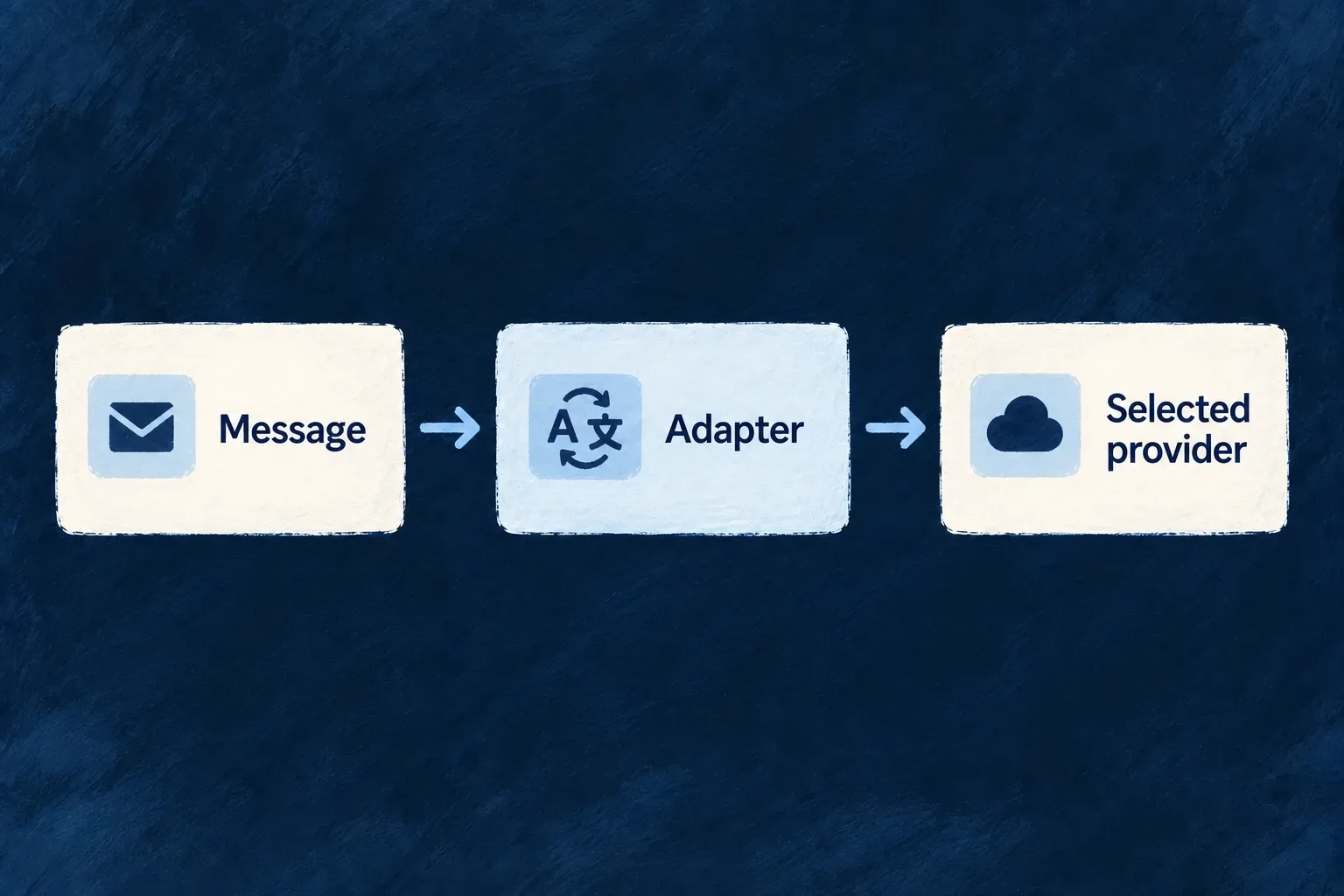
A common message passes through an adapter to the selected provider.
For engineers
Distinguish the application call from the provider request

The application’s email service starts from a registered template, recipients and context. After rendering, it creates the standard provider request. This illustrative object shows that lower-level contract, not a replacement for the template service:

import type { StandardEmail_SendRequest } from '@wildo-ai/external-connectors-models';

const submission: StandardEmail_SendRequest = {
  submissionId: 'invitation-example-001',
  to: [{ email: 'reader@example.com' }],
  from: { email: 'notifications@example.com', name: 'Example product' },
  subject: 'Your invitation',
  text: 'You have been invited to join the workspace.',
  headers: { 'X-Product-Message': 'invitation' },
};

For real delivery, use a verified sender and an appropriate stable identity for the logical submission. A fixed example identifier must not be reused for unrelated messages. submissionId supports correlation across retries; it does not promise every provider offers exactly-once delivery.

Keep transport and message headers separate

Resend’s request builder maps message fields into its JSON payload and places the submission identity in a transport header. The relevant ending is:

payload: {
  headers: request.headers,
  tags: request.tags?.map((tag) => ({ name: tag, value: tag })),
  scheduled_at: request.scheduledAt,
},
transportHeaders: {
  'Idempotency-Key': request.submissionId,
},

The API header authenticating or identifying the submission is distinct from headers carried inside the email. The engine serializes the builder’s declared payload encoding; callers do not branch on the vendor name to produce a different body.

Interpret acceptance at the provider boundary

The provider response parser translates receipt details into a shared submission classification. Accepted, rejected and acceptance-unknown are different results: a successful submission receipt is not proof that a person received or read the email. The non-delivering preview provider uses its own delivery contract rather than pretending a network send occurred.

Standard email and SMS contracts do not make every optional vendor feature identical. Select a provider appropriate to the needed operation, credentials and message shape. Other integration families, such as billing and models, have their own runtime contracts rather than this message contract.

Choose where each service runs

Choose who answers, or send to every destination Mechanism

Some integration needs should use one provider. Others, such as additional audit destinations, need every configured destination to receive the event. Wildo records that distinction in the capability itself.

Declare the providers each runtime may reach, then select a primary where the capability calls for one.

Example: One email service, several audit destinations

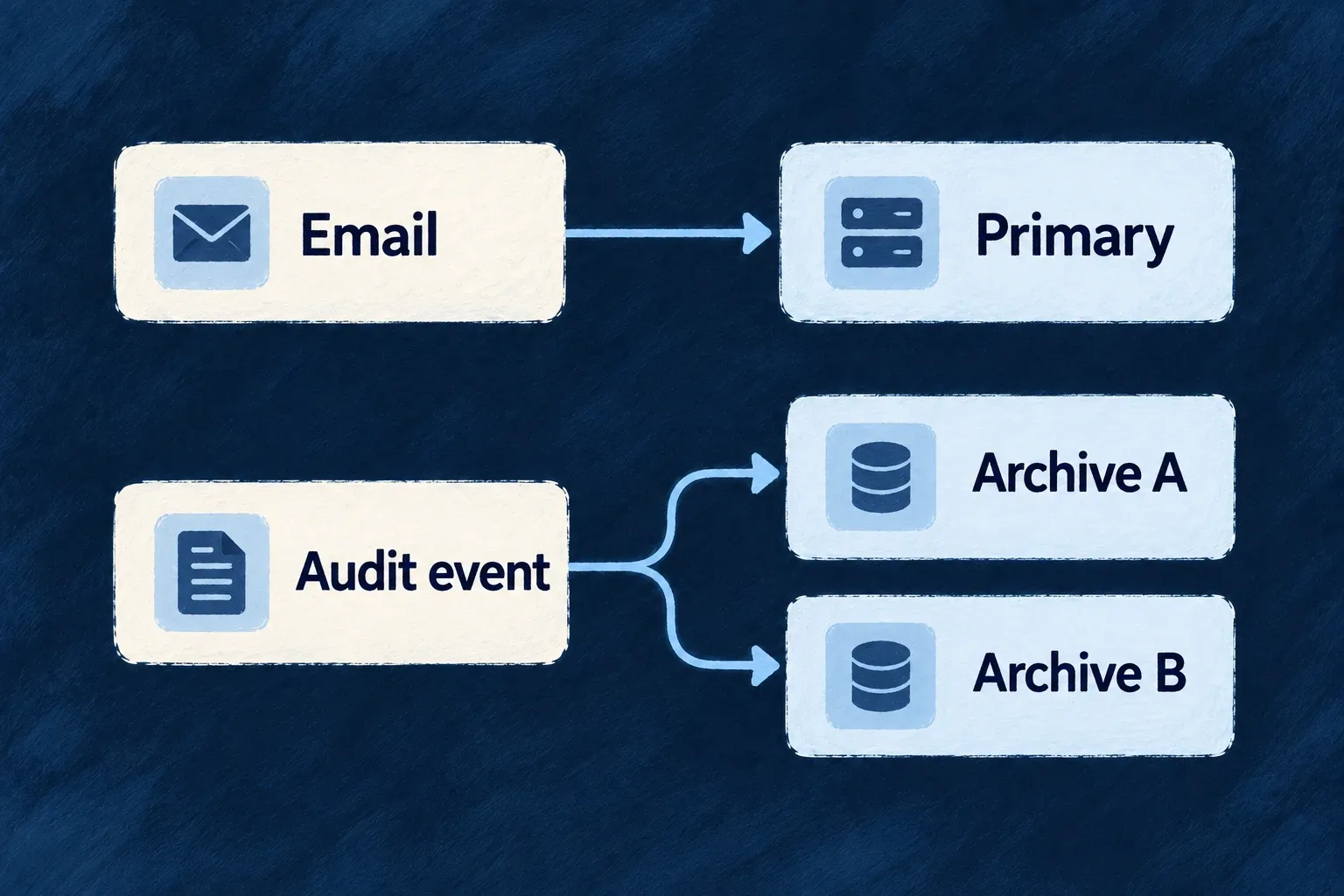
A product selects one transactional email provider for a message. Its configured audit sinks receive the event as additional destinations, rather than competing to become the primary sink.

Email selects one provider; an audit event goes to both configured archives.
For engineers
Declare candidates before choosing the primary

Wonder Todos declares providers under providers.scopes.backend.providers, then adds this selected part of the backend selection map:

[EngineCapability.AI_LLM]: {
  primary: 'anthropic',
  whenUnavailable: ['openai', 'google'],
},
[EngineCapability.EMAIL_TRANSACTIONAL]: {
  primary: 'resend',
  whenUnavailable: [],
},

Each selected provider must be discovered, declared for that runtime and able to serve the enabled capability. Backend, companion, browser services and workers have distinct scopes. A provider being present elsewhere in the application does not make it a candidate for this process.

Read substitutes as resolution order

The current field is whenUnavailable. It orders eligible substitutes after the primary during provider resolution; it does not retry a second vendor after the first vendor’s call fails. The registry filters candidates by declared capability and runtime scope, places eligible primary/substitute references first, then retains the other eligible references.

The select-one consumer takes the first resolved provider. Do not use a selection list as a claim of delivery redundancy. Application-specific retry or recovery must account for the actual operation and whether a failed call may already have been accepted.

Use fan-out for additive destinations

The capability resolution map assigns COMPLIANCE_AUDIT_TRAIL to FAN_OUT. The composite audit sink asks the registry for the resolved set and sends to the configured destinations. The application does not author a primary for this capability.

ModeResult of resolutionAppropriate expectation
Select oneOne resolved providerOne provider answers the operation.
Fan-outThe eligible destination setEach configured destination participates.
Substitute orderCandidate priority before executionAnother eligible provider can be selected when the primary is absent from the candidate set.

The mapping is exhaustive over engine capabilities, so adding one requires choosing its resolution mode. Inspect the runtime’s resolved selection when validating setup; declared names alone do not establish that a remote service is reachable or that a send succeeded.

Observe and recover each destination independently

Selected from CompositeAuditLogSink.recordAuditEvent; sink resolution and the empty-set return are omitted. Each sink write has its own catch, so one rejected write does not cancel the other attempts.

await Promise.all(
  sinks.map(async ({ ref, sink }) => {
    try {
      await sink.recordAuditEvent(event);
    } catch (err) {
      this.metricsService.recordAuditSinkFailure({ providerRef: ref });
      console.error('[audit] provider sink failed (non-fatal)', {
        providerRef: ref,
        ...projectCaughtErrorLogFields(err),
      });
    }
  }),
);

The failure metric identifies the destination that needs attention. A returned fan-out call is not an acknowledgment from every remote destination. This boundary catches individual sink-write failures; it does not make every surrounding operation infallible.

Recovery depends on the sink contract. The completeness reconciler replays database events for sinks that implement both checkpoint methods; a fire-and-forget SIEM webhook is not in that checkpointed set. Configure monitoring and recovery for the actual destination rather than assuming fan-out provides one universal retry or exactly-once guarantee.

Use the right provider for each environment Mechanism

The application can keep one provider declaration while an environment selects a different primary. Local email can use a non-delivering preview service while the application’s default selects a sending provider.

Put that choice beside the environment’s other configuration, rather than adding environment branches to message code.

Example: Preview invitations locally

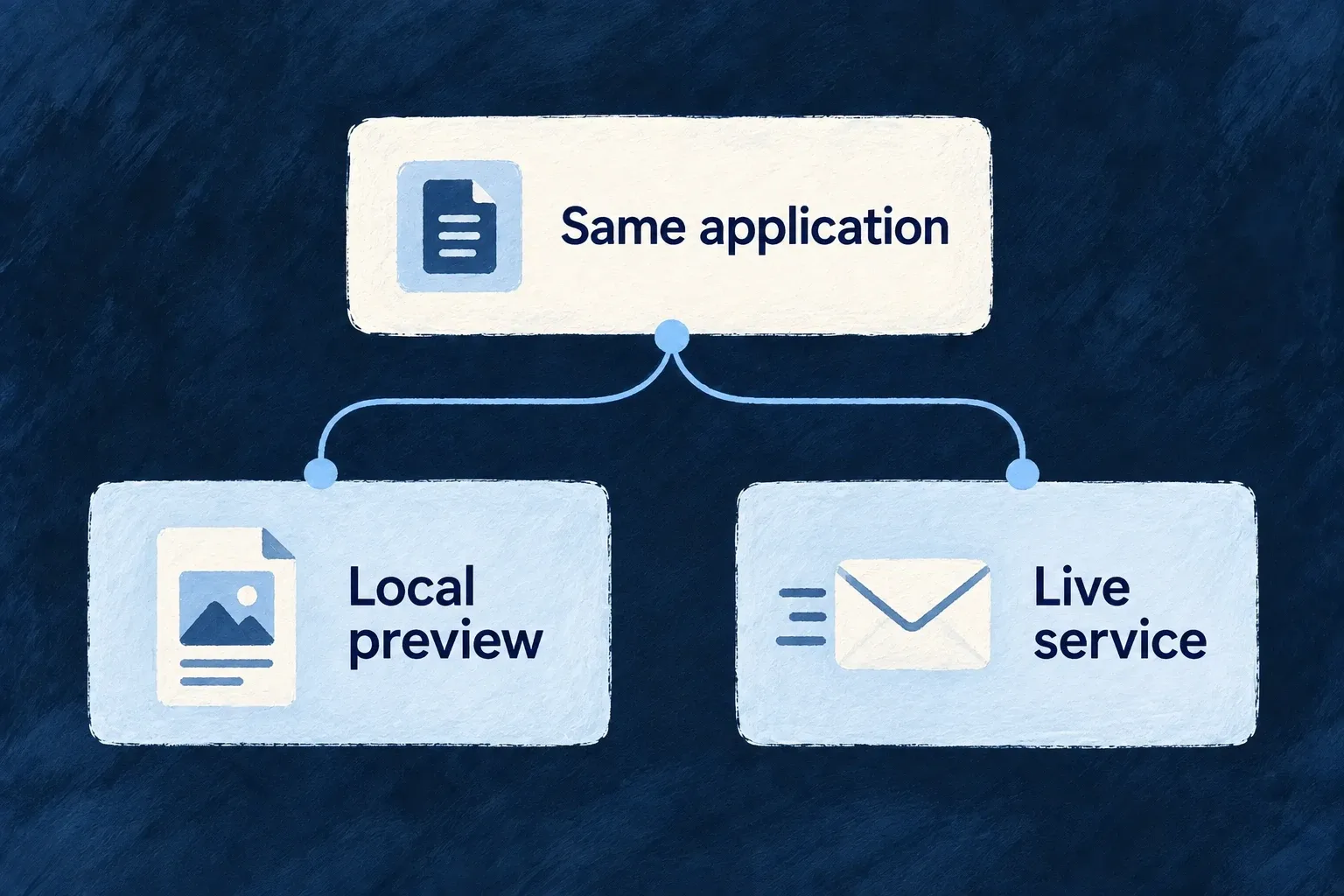
A developer tests an invitation with the local preview provider. The application declares both preview and sending providers; the local environment selects preview, while environments without that override retain the application selection.

The same application selects local preview or a live service according to its environment.
For engineers
Declare the alternative in the application first

An override selects from the providers admitted by the application’s runtime scope. Wonder Todos declares email-preview alongside Resend in its backend providers:

'email-preview': {
  engineCapabilities: [EngineCapability.EMAIL_TRANSACTIONAL],
  providerCapabilities: ['EMAIL_TRANSACTIONAL'],
  protocols: ['EMAIL_PROVIDER'],
},

The application’s backend selection keeps resend primary. Its local infrastructure file, infrastructure/local/wildo.infra.local.config.ts, then contains:

providerSelection: {
  [EngineCapability.EMAIL_TRANSACTIONAL]: {
    primary: 'email-preview',
  },
},

These are actual configuration selections. The preview provider has a non-network delivery contract; it does not become a sending provider merely because it serves the transactional email capability.

Follow the environment choice into the process

The environment variable builder serializes the selection into WILDO_PROVIDER_SELECTION_OVERRIDES. The backend registry reads and caches that value, applying it ahead of the application selection for select-one capabilities. Use the normal configuration/environment synchronization and process startup path so the running process receives the intended environment.

Changing the infrastructure source is not a live mutation of an already initialized registry. Inspect the resolved runtime selection after restarting the relevant process with its updated configuration.

Keep the override’s authority narrow

The override cannot install a new provider or grant a provider to a scope where it was not declared. Resolution still filters eligible candidates, then applies selection ordering. Fan-out capabilities retain their additive destination set rather than treating an environment primary as a destination filter.

Malformed override data is ignored by the runtime’s defensive parser, so validate the actual selection rather than assuming a malformed local value guarantees non-delivery. whenUnavailable has the same selection-time meaning here as in application configuration; it is not retry-on-send-failure.

For a local non-delivery expectation, verify the intended preview provider is the resolved primary and observe the preview result before using real recipient addresses.

Keep server credentials out of browser integrations Mechanism

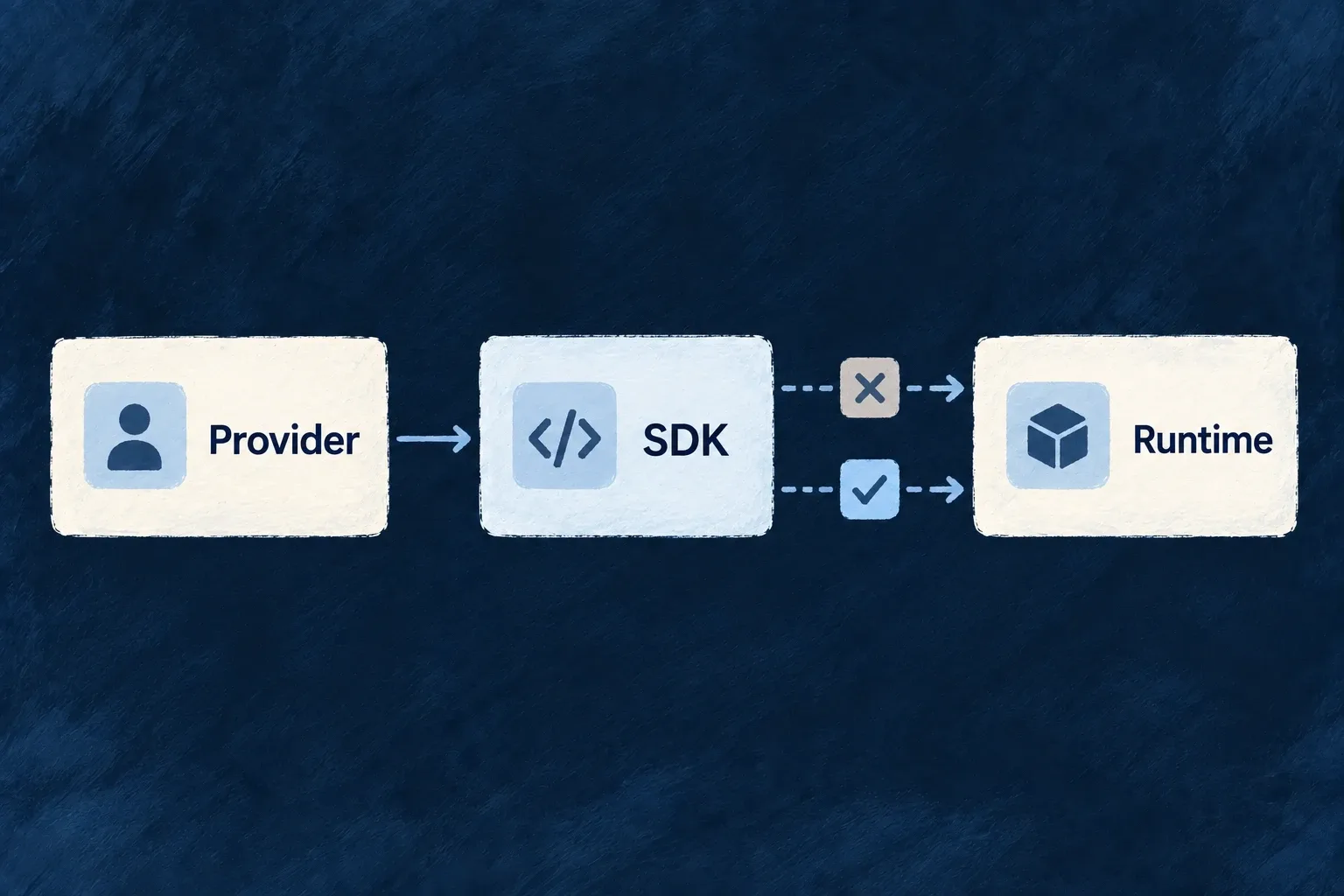
A provider can contribute server behavior and browser behavior without putting them in the same module. The server side owns credential-aware execution; the browser side carries its public configuration and supported browser code.

Shared provider identity connects the parts. Their package and runtime boundaries keep their different responsibilities explicit.

Example: The public and private sides of billing

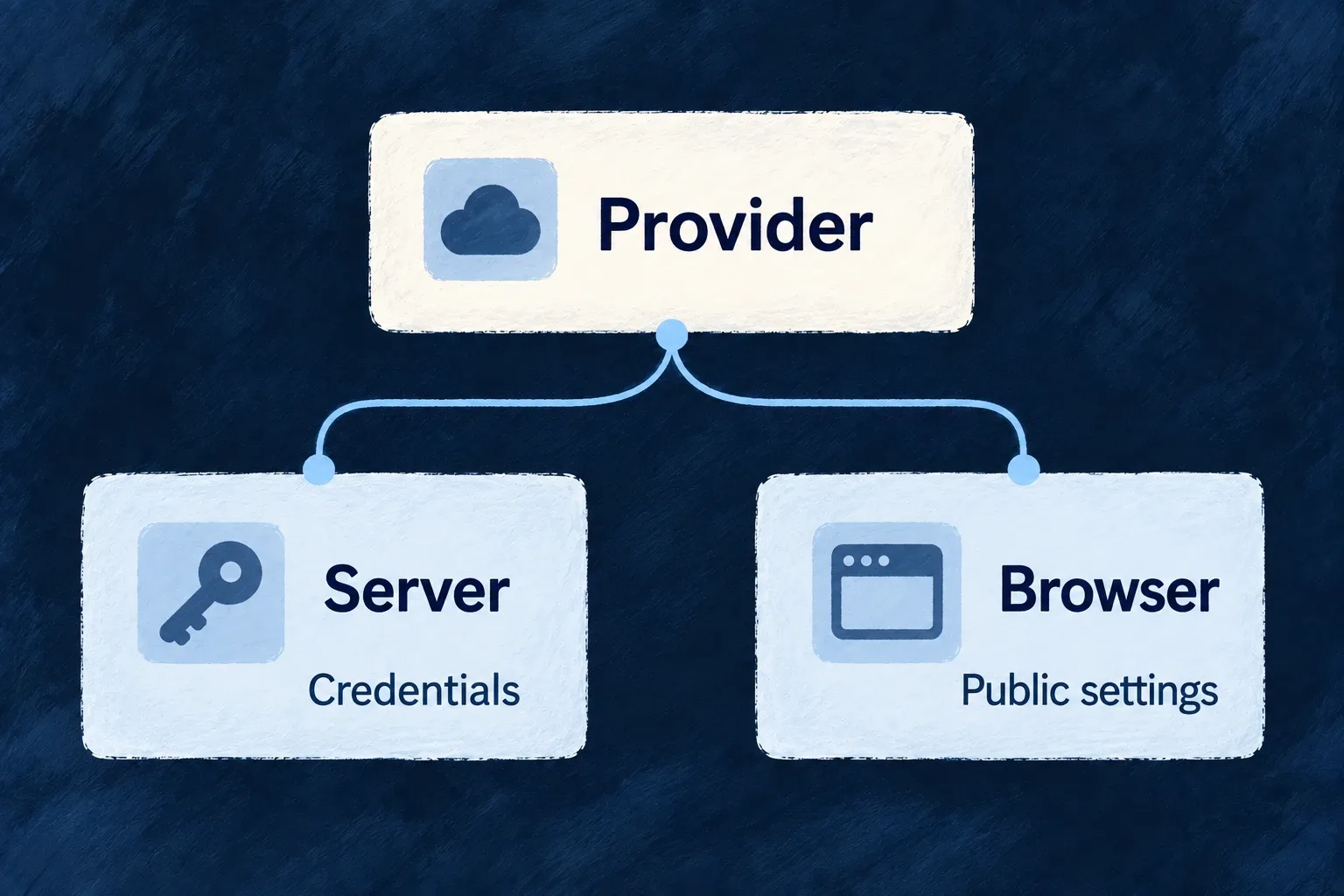
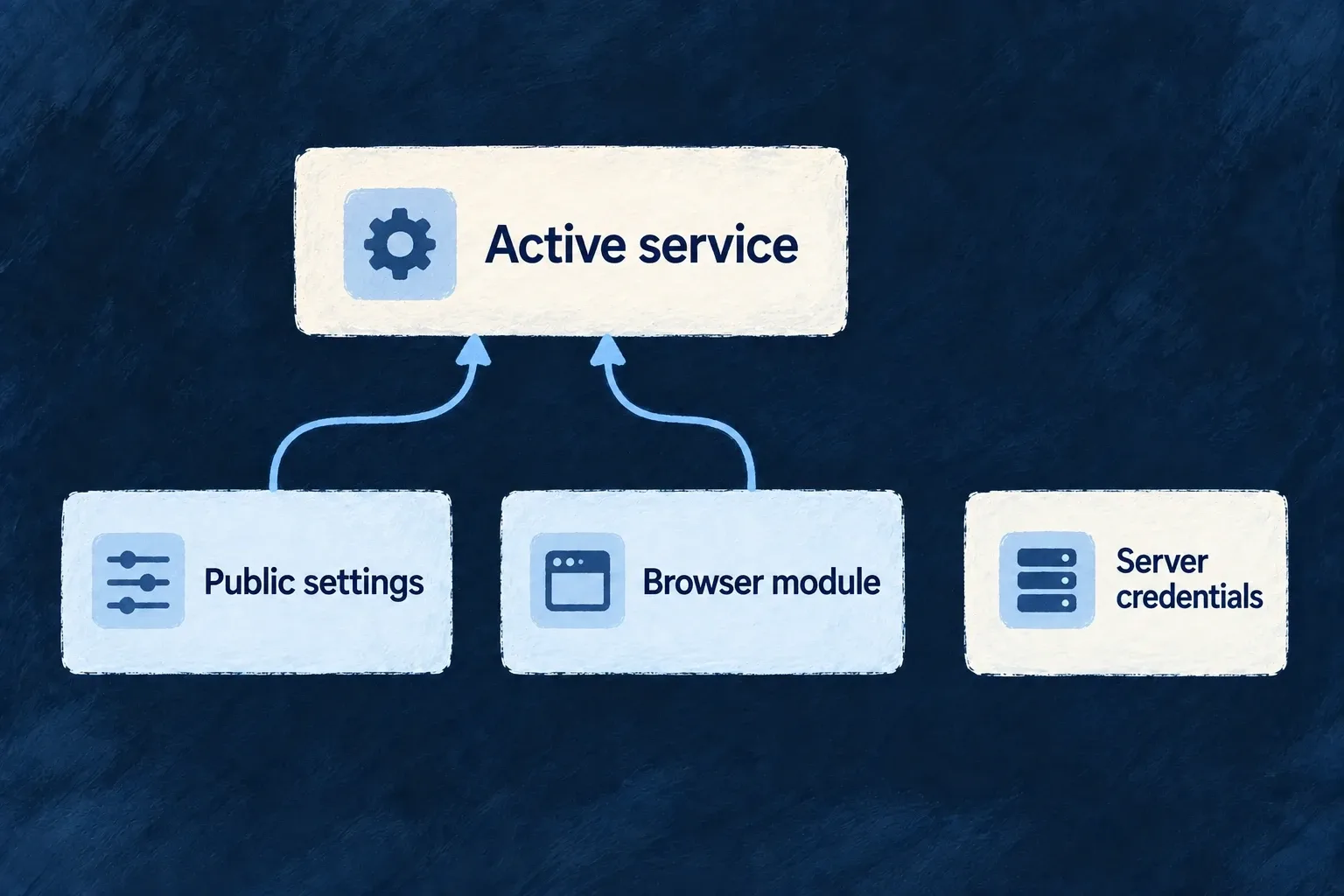
The browser knows which billing provider the application uses. Server-side billing operations use their credential-aware module. The browser declaration does not need to carry the server key to identify the provider.

A provider has separate server credentials and browser public settings.
For engineers
Give each runtime its own module

The Stripe frontend module records identity, capabilities and public configuration. This selected portion is browser-facing:

providerCapabilities: [BUILTIN_PROVIDER_CAPABILITY.BILLING],
protocols: [BUILTIN_PROVIDER_PROTOCOL.BILLING_PROVIDER],
publicConfig: {
  billingProviderRef: 'stripe',
},

The backend module belongs to @wildo-ai/external-connectors-private/backend and exposes server runtime contracts and a secrets contract. Secret declarations name the required values; the application supplies those values through the server’s supported credential path. Do not copy secret values into publicConfig or a frontend contribution.

Separate browser data from executable code

Browser integration has two inputs. The application configuration or generated JSON supplies enabled provider data for the service and environment. An explicitly supplied frontend module map supplies executable code from the provider package’s browser facet.

ChannelCarriesWhy it is separate
DataIdentity, public configuration, SDK/component descriptors and CSP footprintCan be serialized for the selected environment.
CodeSDK activation, public-config validation and component loaders where supportedFunctions cannot survive JSON serialization.

hydrateFrontendProviderModules joins those inputs by provider reference. Enabled data without a matching module retains its identity and public configuration, but has no executable SDK and raises a missing-code diagnostic. Bundled code without enabled data remains inactive. Descriptor checks identify stale generated declarations rather than silently treating mismatched data as the current module.

Preserve the boundary in application code

Supply the module map through the host’s frontend registration option and import each module from its deliberate browser entrypoint. For the SaaS application host, startApplicationService.initializeApplication accepts frontendProviderModules; startup passes that map into registry hydration alongside the enabled provider data. Configuration synchronization supplies provider data and backend runtime artifacts, but currently does not emit the frontend code map. Wire that map explicitly for browser behavior; rerunning synchronization alone does not supply an SDK loader. Do not import the server package into a React component to obtain metadata. Shared browser-safe metadata exists for that purpose.

Package separation and the public package’s bundle-isolation tests establish an intended boundary, not a magic guarantee that an application can never write an unsafe import. Review custom provider dependencies and the actual browser artifact. Public configuration must remain public, and the server must still enforce access to every credential-backed operation.

See browser activation for the connected contribution and startup example: public settings enter through the companion contribution, while the browser imports its module through a public frontend entrypoint and passes it to its host.

Configure from the available providers

Configure from the providers your application knows Mechanism

Configuration tooling discovers provider contributions and generates the catalogue used while authoring. The editor can offer provider references, capabilities and protocols from that catalogue instead of asking you to remember their names.

The same discovery feeds provider data and backend runtime artifacts. Add a contribution at its owning package, then synchronize the application to make the new definition available.

Example: A new integration appears in configuration

A team adds a provider package with the expected contribution. After synchronization, its reference becomes available to the application’s typed provider declaration and its runtime reach can be configured.

Provider package discovery supplies configuration information and runtime declarations.
For engineers
Generate the catalogue, then consume its type

From the SaaS application root, run the configuration workflow:

wildo config sync

The generated .wildo-saas/generated/provider-catalog.types.ts exports WildoDiscoveredProviderCatalog. Wonder Todos imports that type and passes it to defineSaaSProviders. This reduced configuration shows the authoring connection:

import { defineSaaSProviders } from '@wildo-ai/platform-config-lib';
import type { WildoDiscoveredProviderCatalog } from './.wildo-saas/generated/provider-catalog.types';

const providers = defineSaaSProviders<WildoDiscoveredProviderCatalog>({
  scopes: {
    backend: {
      providers: {
        resend: {
          engineCapabilities: [EngineCapability.EMAIL_TRANSACTIONAL],
          providerCapabilities: ['EMAIL_TRANSACTIONAL'],
          protocols: ['EMAIL_PROVIDER'],
        },
      },
      selection: { [EngineCapability.EMAIL_TRANSACTIONAL]: { primary: 'resend' } },
    },
  },
});

This example assumes EngineCapability is imported from @wildo-ai/saas-models and transactional email is enabled in the enclosing SaaS configuration. Place the resulting declaration in that configuration’s providers field. The type import does not pull a provider SDK into the configuration module.

Separate editor checking from runtime validation

defineSaaSProviders<WildoDiscoveredProviderCatalog> checks provider references and each provider’s capability/protocol values against the generated catalogue in TypeScript. That catalogue is a type import: it is erased at runtime. The helper then parses the general provider configuration shape with Zod; it does not repeat the catalogue-specific type check using a hidden runtime catalogue.

Keep both checks: typecheck the authored configuration after synchronization, then verify the runtime has loaded the declared provider and can resolve its access. Valid configuration syntax does not supply credentials or prove that an account may perform an operation.

Make the provider discoverable at its owner

Discovery follows the application’s admitted service, library and provider-package contribution contracts. Built-in engine providers are discovered through their package’s companion export; application scopes choose their runtime reach. An application-owned provider supplies a contribution from its own package, including its module entrypoint and supported runtime targets.

Do not add a row directly to the generated catalogue. It would disappear on the next synchronization and would not create the implementation or runtime contribution it claims to describe.

Verify both authoring and execution artifacts
CheckPurpose
Generated catalogue contains the providerDiscovery found the contribution.
Scope names the intended capabilities/protocolsThe application explicitly admits the use.
Generated backend runtime artifact names its entrypointThe backend host has an implementation to load.
Browser host receives its frontend module mapBrowser SDK and component functions reach the bundle; provider JSON cannot carry them.
Runtime resolves the provider with its configurationThe application can actually use the declared contribution.

The catalogue is a generated authoring aid, not evidence that credentials are installed or a vendor request has succeeded. Rerun synchronization after contribution changes and retain the runtime’s validation rather than treating editor completion as deployment proof. Browser code has a separate prerequisite: supply the frontend module map through the host registration path, such as startApplicationService.initializeApplication({ frontendProviderModules, ... }) for the SaaS app. The current synchronization workflow does not generate that frontend code map.

Choose services with a clear integration contract

Bring external services into your application with named operations, explicit credentials and configuration for the runtime that uses them. Wildo includes provider modules and a vendor API catalogue, with room for your own integrations.

Choose the service for the work it must perform. Its module makes the connection requirements visible; your application supplies the account, configuration and business behavior.

An application selects an email service and a chat integration, each with its own operations and account configuration.

From a vendor name to a working integration

Find the operation you need

Select an engine service provider or call a vendor API directly. Operations describe the request the application can make, beyond simply listing a supported brand.

Configure the right place

Declare providers separately for servers and browser surfaces. Server credentials and browser public settings have different homes and consumers.

Keep requirements visible

Modules can describe optional SDKs, credential requirements and deployment options. Your application records its choices alongside the integration.

Example: Send a notification where the team works

An application selects its email provider for transactional messages and declares a chat provider for channel notifications. Each has its own account and operations. The application decides when to notify; the provider contract describes how to reach the service.

For engineers

A provider declaration belongs to a runtime scope. An engine capability selection and a direct vendor operation solve different problems: one supplies an engine service, while the other addresses an API by provider and operation reference.

These selected entries come from Wonder CRM’s backend scope in wildo.saas.config.ts:

resend: {
  engineCapabilities: [EngineCapability.EMAIL_TRANSACTIONAL],
  providerCapabilities: ['EMAIL_TRANSACTIONAL'],
  protocols: ['EMAIL_PROVIDER'],
},
slack: {
  engineCapabilities: [],
  providerCapabilities: [],
  protocols: ['REST_API'],
},

Resend implements the transactional-email contract. Slack declares a REST interface without claiming an engine capability; the application can invoke its named operations explicitly. Empty capability lists do not mean an empty API catalogue. Nor does declaring either entry demonstrate a successful exchange with the vendor.

The Slack application call demonstrates the next step: pass the current execution context, choose an account, send inputs and check the vendor’s business result. The browser activation example instead connects public contribution data to executable startup code. These are different consumers of a provider declaration.

Put each responsibility in its owning layer

LayerWhat belongs thereWhat consumes it
Provider moduleIdentity, protocols, operations and credential requirementsDiscovery and runtime composition
Application scopeProviders needed by this backend, worker or frontend surfaceConfiguration synchronization and runtime loading
Capability selectionProvider chosen for a supported engine serviceThat service’s resolver
Server credential materialDeployment secrets or credentials owned by the application, an organization or a personThe relevant backend resolver and executor
Browser contributionPublic configuration plus a browser-safe moduleHydration and SDK activation
Application behaviorWhen to call, what inputs to send and how to handle the resultThe application’s operation or workflow

Install a packaged provider in the runtime owner and run wildo config sync after changing its declarations. Engine modules use their registered loaders; the vendor catalogue exposes individual vendor subpaths. Required optional SDKs remain application dependencies: the backend startup diagnostic reports missing declared packages but does not install them.

Browser modules use a data channel for public settings and a code channel for activation functions. Hydration joins those channels and checks their agreement. The frontend code map must currently be supplied explicitly; configuration synchronization does not generate that map. A backend module is not interchangeable with its browser facet, even when they share a vendor reference.

Extend the operation, preserve the contract

An application-owned provider uses the same contribution path. A missing imported API operation can also be supplied through an authored catalogue supplement, so regeneration does not erase it. Its input schema, HTTP request and authentication still need to describe the actual vendor operation.

Review the operation you intend to use, the account permissions it requires and the executor path that reaches it. Provider metadata can describe deployment options and credential requirements; it does not establish account readiness or prove a live vendor exchange. Reserved protocol names are not executable operations.

Find the right integration

Choose server integrations for the work you need Mechanism

Use provider modules for server-side services such as email, billing, models and business APIs. Each module describes its identity, capabilities, protocols and credential requirements.

Select the providers each runtime uses. Engine service providers and vendor-specific API modules share the provider model while serving different application needs.

Example: Give the backend an email service

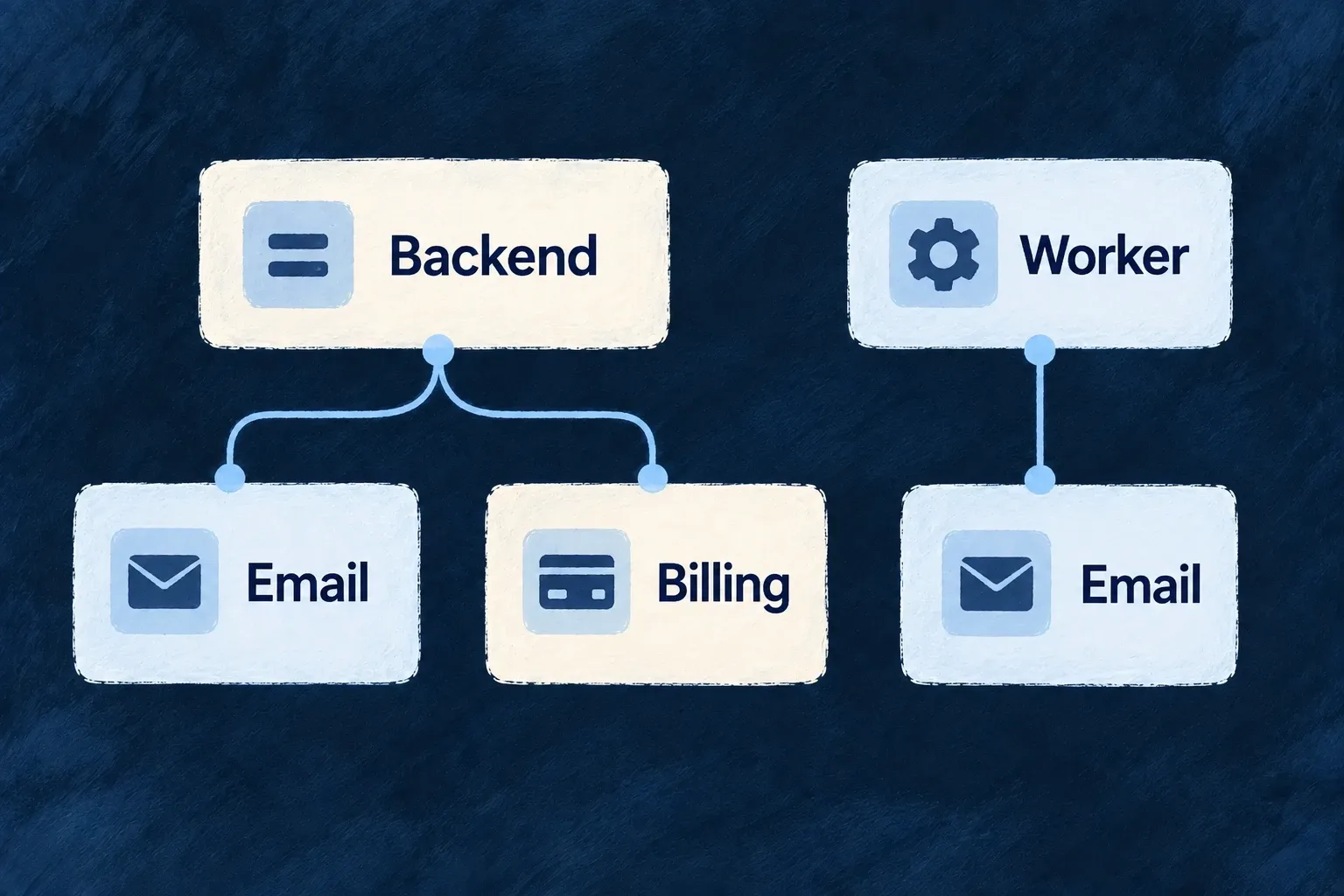
A backend declares an email provider for transactional delivery. A separate worker declares only the providers it needs, so it does not load the backend’s whole vendor set.

A backend uses email and billing providers while a worker uses email only.
For engineers

Wonder CRM names its transactional email provider inside providers.scopes.backend.providers:

Selected from wildo.saas.config.ts; surrounding declarations and imports are omitted.

resend: {
  engineCapabilities: [EngineCapability.EMAIL_TRANSACTIONAL],
  providerCapabilities: ['EMAIL_TRANSACTIONAL'],
  protocols: ['EMAIL_PROVIDER'],
},

This is a selected configuration entry. The provider’s capability and protocol declarations must agree with the module. The application also enables and selects the relevant engine capability where that service uses selection, supplies credentials, and runs wildo config sync to produce runtime artifacts.

An engine-shipped provider needs no separate vendor package. A packaged provider must be installed in the runtime owner and expose the discovery/runtime entrypoints. The generated catalogue uses a vendor subpath such as @wildo-ai/providers/slack; it does not provide a root import of every vendor.

Load only the declared modules

Engine backend loaders map provider references to dynamic imports. Runtime composition loads the chosen set and checks protocol-key/runtime-kind agreement. Capabilities that fill an engine slot participate in its resolver; a catalogue REST provider can instead be called explicitly by reference without claiming an engine capability.

ChoiceWhat it establishes
Runtime scopeWhich host may load this provider
Capability declarationWhich service contract it can satisfy
Protocol bindingWhich executable interface it implements
Credential configurationWhich account the call uses
Application call or engine selectionHow the provider is actually reached

Adding a vendor to a configuration is not a successful vendor exchange. Verify the required operation and account permissions in the target environment. Where an alternative implements the same engine contract it can be selected; a vendor-specific API remains its own contract and may require application changes.

For a vendor-specific action, the Slack application example connects this declaration to executor.execute: it supplies the current operation context, names the account target, validates the vendor reply and retains the resulting message reference.

Connect browser services without exposing server secrets Mechanism

Browser providers describe the public configuration and code a frontend service needs. Monitoring, analytics, sign-in and other integrations can be enabled for the product, website or documentation surface independently.

Their declared network origins contribute to the surface’s content security policy. Their activation code remains separate from the data sent by the server.

Example: Enable monitoring on one surface

A website selects an error-monitoring provider and supplies its public endpoint. That endpoint informs both SDK activation and the policy allowing the browser to connect to it.

Public settings and a browser module combine to activate a service; server credentials remain separate.
For engineers

Frontend providers travel through two channels. Served entries contain identity, public configuration and descriptors; an explicit module map supplies the actual module functions. hydrateFrontendProviderModules joins them by provider identity. Data without matching code is diagnosed; code for an unselected provider stays inactive.

The application declares a provider on the intended frontend service and supplies its public configuration. It must also supply the browser module map to startup: wildo config sync currently synchronizes provider data but does not generate that frontend code map. A browser SDK must be installed where its module expects the optional peer. Selecting a provider does not supply a real account configuration.

Supply public data and browser code at their separate homes

For a SaaS app using Sentry, select sentry for its frontend service with FRONTEND_ERROR_MONITORING and FRONTEND_SDK. Install the module’s optional @sentry/browser peer in that frontend package. Configure the public DSN through the application’s provider configuration, separately from the provider selection block:

providerConfigurations: {
  sentry: {
    [ExternalProvider_ExchangeProtocol_Kind.FRONTEND_SDK]: {
      dsn: publicSentryDsn,
    },
  },
},

Import ExternalProvider_ExchangeProtocol_Kind from @wildo-ai/external-connectors-models; publicSentryDsn is the actual public DSN supplied for this deployment. Synchronization overlays this setting onto the contribution’s public configuration while retaining its SDK and CSP descriptors. It rejects keys outside a declared public-key contract and keys identified as secrets by the same provider’s server contributions.

This produces the served data. The browser startup separately needs executable code; the following uses the declared public app entrypoint, not a deep import of an engine file:

import { EngineFrontendAppProviderRegistryFragment } from '@wildo-ai/external-connectors-public/app';
import { startApplicationService } from '@wildo-ai/saas-frontend-lib';

const sentryModule = EngineFrontendAppProviderRegistryFragment.modules.get('sentry');
if (!sentryModule) throw new Error('The browser bundle has no Sentry app module');

await startApplicationService.initializeApplication({
  ...applicationStartupOptions,
  frontendProviderModules: {
    ...applicationStartupOptions.frontendProviderModules,
    sentry: sentryModule,
  },
});

applicationStartupOptions stands for the application’s existing startup arguments; preserve its other provider modules. Hydration joins this code with the served Sentry entry, and activation reads the DSN. A website uses its website facet and bridge registration instead of startApplicationService.initializeApplication; the app module above must not be substituted for that surface. See runtime separation.

Derive the network policy from the same setting

The Sentry website module declares where to find the connection origin and how to activate its SDK:

Selected from sentry.frontend-website.module.ts; surrounding declarations and imports are omitted.

csp: {
  derivedOrigins: [
    { publicConfigKey: 'dsn', bucket: ProviderFrontendCspOriginBucket.CONNECT },
  ],
},
sdk: {
  descriptor: { packageName: '@sentry/browser' },
  async activate({ providerRef, publicConfig }) {
    const dsn = publicConfig.dsn;
    if (typeof dsn !== 'string' || dsn.length === 0) {
      throw new Error(
        `Provider "${providerRef}" needs a Sentry DSN in its publicConfig.dsn. Without one the SDK starts `
        + 'and reports nothing, which is indistinguishable from a healthy site. Supply it by mapping this '
        + "provider's contribution in the application's own provider-contributions.",
      );
    }

    // DYNAMIC on purpose: `@sentry/browser` is a declared OPTIONAL peer of
    // this package, so it becomes its own chunk and only a surface that turns
    // Sentry on pays for it. A static import would land it in every page that
    // touches this closure and break outright wherever it is not installed.
    const Sentry = await import('@sentry/browser');
    const client = Sentry.init({ dsn });

    return {
      handle: client,
      deactivate: async () => {
        await client?.close();
      },
    };
  },
},

This activation validates a nonempty DSN, dynamically imports the SDK and returns a handle plus deactivation callback. The DSN here is public client configuration, not a backend API secret. Its origin is derived rather than hardcoded into a separate application list.

Hydration compares descriptors and CSP declarations so stale generated code/configuration does not silently masquerade as agreement. Activation failures name the provider and are isolated from other provider activations.

Use browser-safe entrypoints for the appropriate surface. The backend facet may share the vendor identity, but its secret-aware module does not belong in the browser bundle. Public configuration is visible to visitors by design; never use it to transport tenant or deployment credentials.

Use vendor API definitions without another integration runtime Mechanism

The vendor catalogue describes API operations as data: request methods, paths, inputs and authentication. Wildo’s executor uses those definitions to call the vendor.

Definitions come from open integration catalogues and can be supplemented with authored operations. Choose the vendor and action your product needs, then verify its account and request requirements.

Example: Post to a team channel

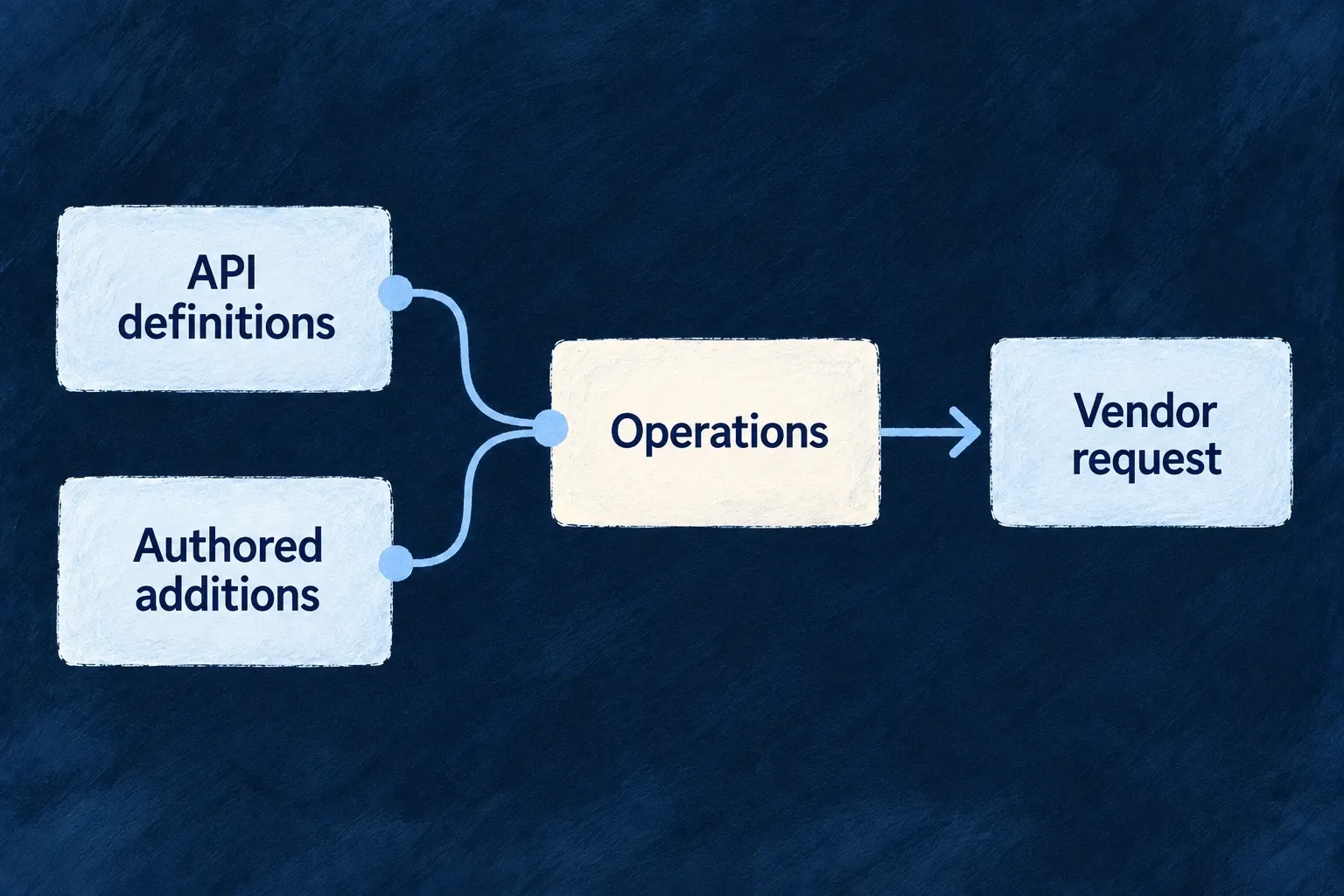
A Slack module includes an authored message operation alongside its imported definitions. The application calls that operation through the provider executor using its configured credential.

API definitions and authored additions become operations executed as vendor requests.
For engineers

The package exposes vendor subpaths, for example @wildo-ai/providers/slack, rather than a root barrel. Installing the package brings its definitions onto disk; importing a vendor does not eagerly evaluate the whole catalogue. The generated module records its source catalogue and revision.

Wonder CRM declares Slack with engineCapabilities: [], providerCapabilities: [] and protocols: ['REST_API']. That is intentional: the application addresses this REST provider directly rather than selecting it for an engine service slot. Install the package in the runtime owner, declare the scope, supply credentials and synchronize its runtime artifacts.

Call with an account and inspect the vendor result

This illustrative application-service body uses an injected ProviderOperationExecutorBackendService as executor and the current operation’s executionContext. channelId and messageText are application inputs. Slack must already be declared in this backend, with its account connected and permission to post to that channel. Import z from zod and the connection enums from @wildo-ai/external-connectors-models.

const response = await executor.execute(
  {
    providerRef: 'slack',
    operationId: 'slack_post_message',
    connection: {
      ownerScope: ExternalProvider_Connection_OwnerScope.APPLICATION,
      delegation: ExternalProvider_Connection_DelegationMode.SERVICE,
    },
    input: { channel: channelId, text: messageText },
  },
  executionContext,
);

const reply = z.looseObject({
  ok: z.boolean(),
  error: z.string().optional(),
  channel: z.string().optional(),
  ts: z.string().optional(),
}).parse(response.output);

if (response.status < 200 || response.status >= 300 || !reply.ok) {
  throw new Error(`Slack did not accept the message: ${reply.error ?? response.status}`);
}
if (!reply.channel || !reply.ts) {
  throw new Error('Slack accepted the request without a usable message reference');
}

const postedMessage = { channel: reply.channel, timestamp: reply.ts };

The explicit target uses the application’s account acting as a service; omitting connection has that same default. To spend a customer organization’s account, supply its authorized connection target instead. The execution context carries the caller’s authority; a provider reference alone does not choose a customer account.

Slack can report a rejected operation in a successful HTTP response. Its message API returns ok; the caller must inspect it. This operation has no declared output schema, so the example validates the reply before recording the remote message reference. A timeout is not proof that no message was posted: do not blindly repeat a write that may already have succeeded.

For a typed convenience client, createSlackClient(executor.forExecution(executionContext, { connection })) binds the same context and account. Its authored slackPostMessage method returns the vendor payload, without the status envelope; apply the same reply checks. Use executor.execute when the application needs both status and output.

Add operations through the authored supplement

Slack’s supplement contributes an operation the imported sources did not express as a callable HTTP endpoint:

Selected from slack.authored.ts; surrounding declarations and imports are omitted.

slack_post_message: {
  operationId: 'slack_post_message',
  domain: 'default',
  method: API_HttpMethod.POST,
  pathTemplate: '/api/chat.postMessage',
  classification: ExternalOperation_Classification.WRITE,
  summary: 'Posts a message to a channel, a direct message, or a thread.',
  requestBody: { encoding: ProviderRestRequestBodyEncoding.JSON },
  // `text` is optional at the wire because `blocks` may carry the whole message, but one of the
  // two must be present. The vendor enforces that and answers `no_text`; declaring both required
  // here would refuse a legitimate blocks-only post.
  inputSchema: z.looseObject({
    channel: z.string().describe('Channel, private group, or user id to post to (e.g. C1234567890).'),
    text: z.string().describe('Message text. Fallback text when `blocks` is used.').optional(),
    blocks: z.array(z.looseObject({})).describe("Slack Block Kit blocks. Takes precedence over `text` for rendering.").optional(),
    thread_ts: z.string().describe('Timestamp of the parent message, to reply in its thread.').optional(),
    reply_broadcast: z.boolean().describe('Also send a threaded reply to the channel.').optional(),
    unfurl_links: z.boolean().describe('Whether to unfurl posted links.').optional(),
  }),
},

The same entry declares its input schema; the supplement’s authoredClient exposes a typed method delegating to ProviderOperationExecute. It accepts a channel and message content and calls the stable slack_post_message operation ID. This is an existing authored declaration, not evidence that a message was sent in this website review.

Keep regeneration separate from corrections

Generated files are replaced by transposition. A missing endpoint belongs in the transposer/source or an authored supplement, not a manual patch of the generated operation file. The catalogue record preserves identity decisions and records refused or pending operations when an address cannot be established.

The imported integration projects are read as sources; their executable integration packages are not installed as this runtime’s clients. Wildo, its dependencies and any authored supplement remain software to review. Transposition is not a claim of zero supply-chain risk or complete vendor API coverage.

Describe each sign-in provider once Mechanism

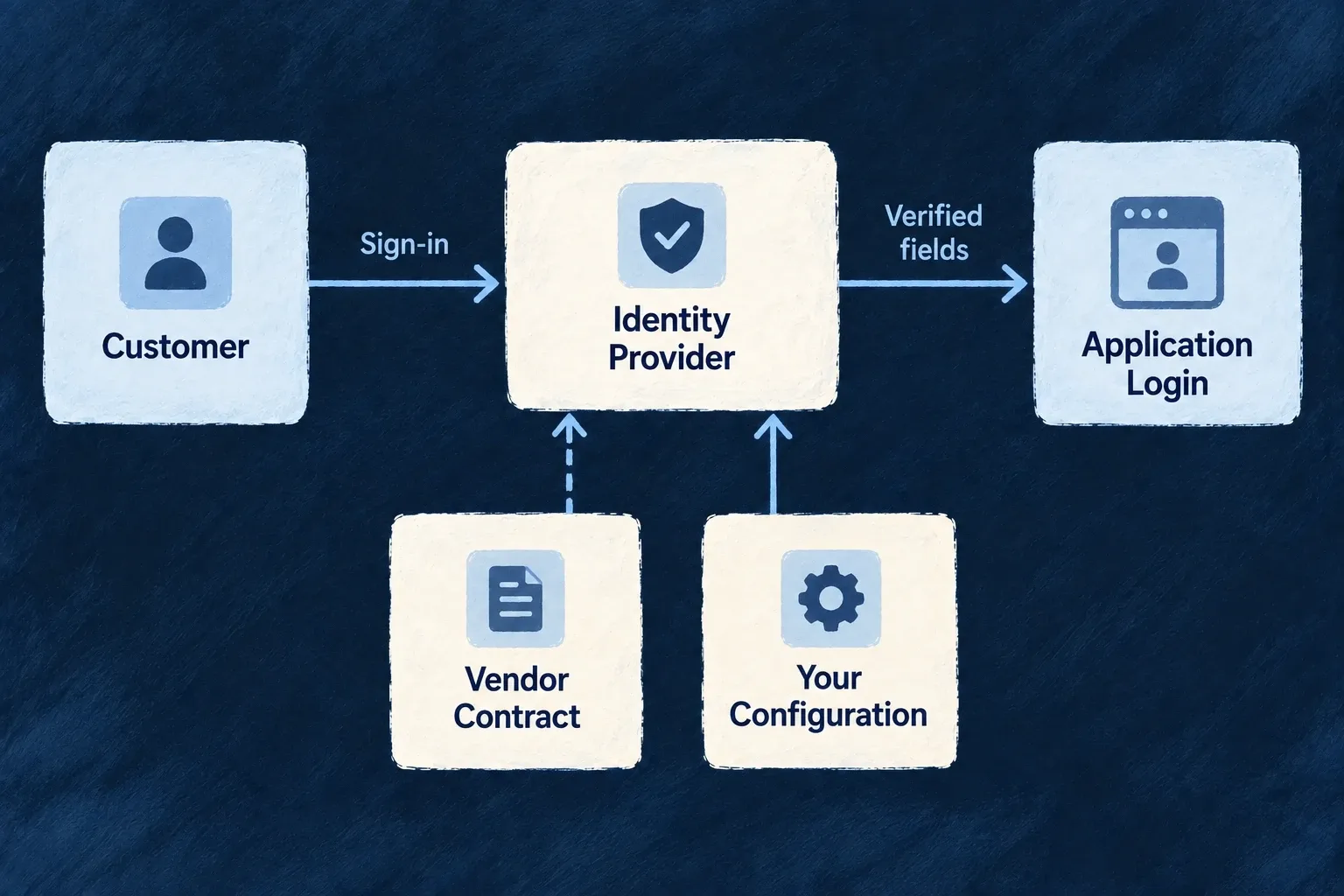
Sign-in vendors differ in endpoints, requested scopes and identity fields. Provider contracts describe those differences so the authentication flow can use them without scattering vendor-specific branches through the application.

Configure the application’s sign-in options or a customer’s identity connection separately. A provider module makes the integration available; it does not enable login by itself.

Example: Connect a familiar sign-in identity

A configured provider exchanges its authorization response and maps the returned identity into the application’s user fields. The application still decides which sign-in methods and user types are allowed.

A configured identity provider returns verified fields to application sign-in.
For engineers

Google’s backend module declares its OAuth/OIDC transport shape:

Selected from google.backend.module.ts; surrounding declarations and imports are omitted.

kind: ProviderProtocolRuntimeKind.OAUTH2_SSO,
authorizationEndpoint: "https://accounts.google.com/o/oauth2/v2/auth",
tokenEndpoint: "https://oauth2.googleapis.com/token",
userInfoEndpoint: "https://www.googleapis.com/oauth2/v2/userinfo",
jwksUri: "https://www.googleapis.com/oauth2/v3/certs",
issuer: "https://accounts.google.com",
scopes: [
  "openid",
  "email",
  "profile"
],
clientIdPublicConfigKey: "GOOGLE_OAUTH2_CLIENT_ID",
clientSecretRef: "GOOGLE_OAUTH2_CLIENT_SECRET",
supportsPkce: true,
supportsOidc: true,
tokenEndpointAuthMethod: "client_secret_post",

The contract also maps the vendor profile into identifier, email, name and verified-email fields. It describes protocol behavior; the application supplies its client ID and secret through provider configuration and secret resolution.

Configure the actual login path

This illustrative Google setup supplies two separate backend configuration sections. Merge them into the application’s existing configuration; retain its other auth settings and providers. googleClientId is the client ID issued for your application. Import OAuth2_Purpose and ExternalProvider_ExchangeProtocol_Kind from @wildo-ai/external-connectors-models.

const socialLogin = {
  auth: {
    socialOAuth2Providers: {
      google: {
        provider: 'google',
        enabled: true,
        purpose: OAuth2_Purpose.USER_SSO,
      },
    },
  },
  providerConfigurations: {
    google: {
      [ExternalProvider_ExchangeProtocol_Kind.SSO_OAUTH2]: {
        clientId: googleClientId,
      },
    },
  },
};

socialOAuth2Providers admits the provider for login. providerConfigurations.google.sso_oauth2 supplies the application account’s client ID. The Google contract resolves its secret from GOOGLE_OAUTH2_CLIENT_SECRET; set that through the deployment’s server secret material, never in the browser-facing configuration. Both the client ID and baseline secret are required before any scope-level credential override is applied.

In wildo.saas.config.ts, declare the provider inside providers.scopes.backend.providers (merge with the existing runtime entries):

google: {
  providerCapabilities: ['SSO_OAUTH2'],
  protocols: ['SSO_OAUTH2'],
},

Run wildo config sync to synchronize the provider artifacts. This engine-shipped provider needs no extra vendor package. The backend provider catalogue explains runtime registration. A provider installed in another runtime is not thereby enabled on the login backend. The browser’s provider contribution supplies public identity/display data; it cannot replace the backend account setup.

Allow the method for the intended people

In the intended userTypes[ref].auth policy, add the method while preserving the existing policy:

auth: {
  authMethodsEnabled: {
    ...existingAuthMethods,
    [AuthMethod.EXTERNAL_OAUTH2]: true,
  },
  // Keep the user type’s existing registration, MFA and other policies.
},

Import AuthMethod from @wildo-ai/saas-models. This fragment illustrates the method change, not a complete user-type definition. New-account creation is a separate decision: if public social registration is intended, the target user type’s registration.mode must be RegistrationMode.OPEN and registration.allowedMethods must include AuthMethod.EXTERNAL_OAUTH2 (RegistrationMode is also exported by @wildo-ai/saas-models). The initiating frontend must map to that same user type through frontendServices[serviceName].usersManagement, with auth: true for sign-in and register: true for new-account creation. An unrelated user type with open registration cannot authorize this flow. Enabling login alone does not grant open registration or bypass verified-email linking rules.

Wonder Todos shows the corresponding frontend-to-user-type mapping in its backend configuration. Adapt the service and user-type references to your application; use register: false when only existing accounts should sign in. This mapping alone does not enable social login.

frontendServices: {
  'wonder-todos-app': {
    usersManagement: {
      member: { register: true, auth: true, isDefault: true },
      admin: { register: false, auth: true },
    },
  },
},
Register the callback that this deployment exposes

The resolver constructs the redirect URI from runtime.endPoints.main_backend_api.publicUrl followed by /api/v1/auth/oauth2/callback/google. Register that exact URI with the vendor. The origin is the public backend address, not the frontend’s address. Missing public URL, client ID or secret stops connection resolution before a redirect is usable.

Use the standard authentication flow to start login and consume its state/callback. Do not create an account from a profile supplied directly by the browser. The resolver example proves configuration assembly; a successful external sign-in still requires the vendor account, callback registration and the application’s account policy to agree.

Enterprise OIDC can use an application-scoped connection for the application’s sign-in or an organization-scoped connection for a customer’s sign-in. Each keeps its own configuration and access policy. SAML sign-in is served by the authentication subsystem, not by pretending the reserved provider-side SAML capability is a shipped vendor module.

Use the same vendor reference consistently across the configured surfaces. The authentication subsystem resolves sign-in contracts directly; these capabilities do not require inventing an engine service-selection slot.

Decide how to handle missing provider assurance

Social sign-in and enterprise delegation have different trust contracts. Provider definitions record the evidence supported by Google, Microsoft, GitHub and Apple, together with prerequisites and documentation. Account-level two-factor enrollment is not proof of MFA in the current login.

Set userTypes.<type>.auth.mfaPolicy.externalAssuranceEnforcement in backend configuration using ExternalAssuranceEnforcement from @wildo-ai/saas-models. The default records a warning when required social MFA cannot be established; STRICT refuses session issuance. Organization policy can tighten this setting. Invalid tokens and failed explicit authentication-context demands remain refusals in either mode.

Enterprise OIDC connections delegate MFA enforcement to the customer’s identity provider. Application terms should explain that responsibility and Wildo’s retained validation and access checks. Provider brand alone does not establish enterprise trust.

Prepare its configuration

Give each integration the credentials it needs Mechanism

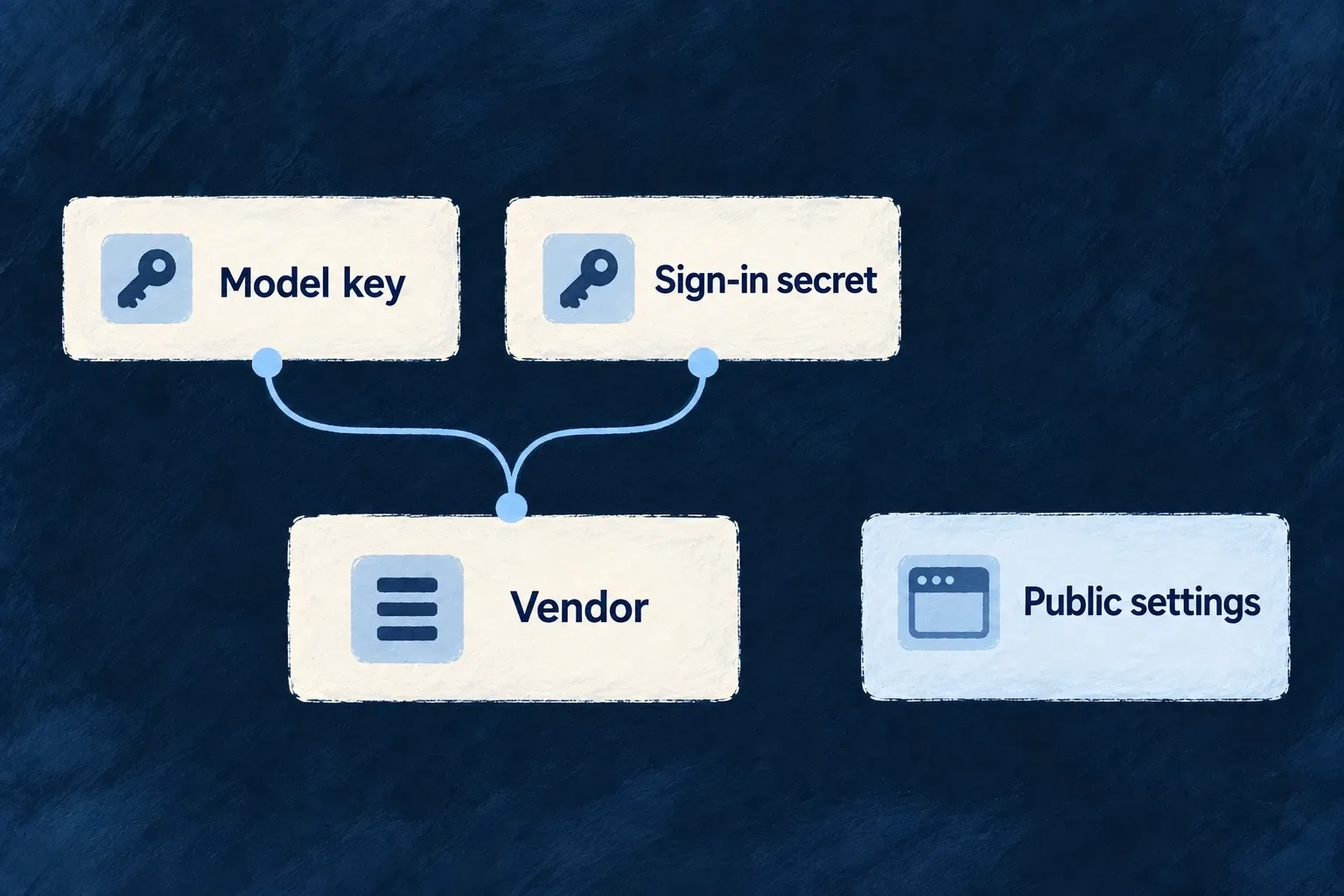
Each provider describes the credentials it needs without putting their values in the module. Runtime configuration supplies the actual material to the processes that use it.

The distinction matters when a vendor supports several services or a customer connects its own account: the right provider is not enough; the call must also use the right identity.

Example: Keep model access separate from sign-in

One vendor can need an API key for model requests and a different client secret for sign-in. Both requirements are named, so an operator can supply the appropriate material without confusing the two.

A vendor has distinct model and sign-in credential requirements, separate from public settings.
For engineers

The Google backend module names independent secrets for its model and sign-in protocols:

Selected from google.backend.module.ts; surrounding declarations and imports are omitted.

secretsContract: {
  apiKey: {
    envVarName: "GOOGLE_API_KEY",
    required: true,
    description: "Google API key for Gemini LLM calls."
  },
  oauth2ClientSecret: {
    envVarName: "GOOGLE_OAUTH2_CLIENT_SECRET",
    required: true,
    description: "Google OAuth2 client secret for SSO token exchange."
  }
},

The keys describe the requirement; envVarName connects it to deployment material, and the description explains its purpose. Protocol contracts refer to the appropriate secret. The module is registered on the backend side, and the application declares it in each runtime scope that should use it.

wildo config sync materializes scoped runtime environments from the provider declarations. Application runtimes receive provider material for their declared set; the platform tier has an explicit broader entitlement. An empty declared set differs from an omitted scope. This contract governs generated environments, not a claim that a process can never receive an extra variable from its operator.

Resolve the credential for the account the call names

The provider executor resolves access through an explicit connection target. Its owner scope determines which account supplies the credential:

Connection ownerCredential sourceIf missing or unreadable
ApplicationThe deployment’s provider credentialRefuse the call
OrganizationThat organization’s connected credentialRefuse; do not substitute the deployment account
UserThat person’s connected credentialRefuse; do not substitute another account

resolveProviderSecretForTarget implements these choices and is consumed by the shared HTTP API access resolver. Authorization of the target is a separate check: naming an owner does not grant permission to spend that owner’s credential. Let the sanctioned executor resolve access from the admitted target rather than looking up a secret in application code.

An encrypted credential that cannot be opened is an error, not evidence that another identity should be tried. This keeps the remote action attributable to the requested account. Some older framework consumers use a separate organization-first resolver with deployment fallback; that legacy behavior is not the target-aware executor’s contract.

Browser modules carry public configuration and receive no backend secret contract.

A required flag is information used by the relevant provider builder, not a universal startup validation guarantee. Optional credentials still need validation by the provider that consumes them. Never put a real secret value in the module, public contribution or example code.

Make optional SDK requirements visible Mechanism

A provider can name the extra library it loads when used. The backend checks these declared runtime packages and reports missing ones before the capability is first needed.

Install the SDK in the runtime that enables that provider. Declaring a provider does not install its optional dependency.

Example: Prepare an observability sink

A backend selects an observability provider that uses an optional analytics SDK. Its startup diagnostic names the missing package so the operator can install it in that backend.

A provider depends on an SDK being available in its runtime.
For engineers

The PostHog backend provider puts its optional package next to the factory that uses it:

Selected from posthog.backend.module.ts; surrounding declarations and imports are omitted.

  protocols: [],
  requiredPackages: ['posthog-node'],
  agentCallTraceSinkFactory: (config, logger) =>
    new PostHogAgentCallTraceSink(
      {
        projectApiKey: config.apiKey,
        // PostHog-specific connection detail — owned by the provider, NOT the engine.
        host: process.env.POSTHOG_HOST,
        captureContent: config.captureContent,
        sampleRate: config.sampleRate,
      },
      logger,
    ),
};

This is a module fragment, not application configuration. The application declares the provider in the runtime scope and installs posthog-node in the package that runs it. The sink lazy-loads that SDK; the engine does not require every application to carry it as an unconditional engine dependency.

Understand the startup check

ExternalProvidersRegistryBackendService.reportMissingProviderRuntimePeers iterates the composed modules’ requiredPackages. It tries resolution from the running application first and the engine module second, avoiding a false missing-package report when the SDK is installed only in the application.

The diagnostic is a warning, not installation or a process-wide refusal. A provider may be declared but never reached in an environment. When the sink is actually constructed, its lazy import and provider-specific failure handling determine whether it is available.

This field is not the complete dependency graph. Some protocols carry an SDK descriptor on their runtime contract, and browser activation has its own optional-peer boundary. Check the actual provider’s requirement and its consumer rather than assuming every dependency appears here.

The declaration therefore has two useful roles: it documents what the provider loads and supplies an actionable startup diagnostic. It does not prove the installed package’s version is compatible or that a real vendor request succeeds.

Keep vendor facts beside the integration Mechanism

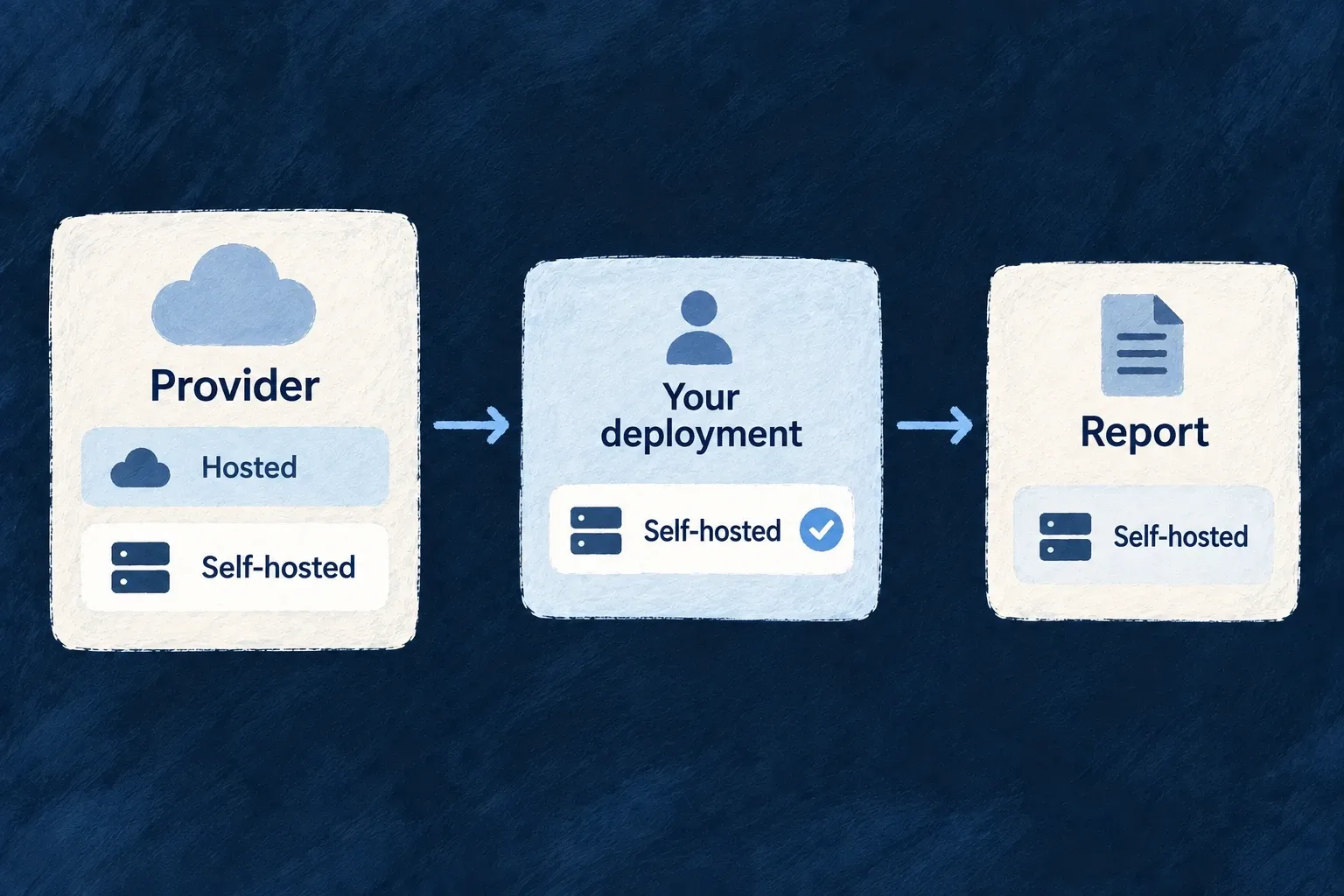
A provider can describe its deployment options and processing regions. The application records which option it actually uses, so tooling can compare the configured choice with the provider’s declared facts.

This supports an inspectable account of external services. It does not turn a vendor description into proof of the application’s actual data flows.

Example: Distinguish hosted and self-hosted use

The same integration may support a vendor-hosted service or an operator-run deployment. The application records its choice explicitly rather than treating every selected provider as an external recipient.

A self-hosted deployment choice is carried into the provider report.
For engineers

ProviderComplianceProfile carries deployment models, vendor-region labels and an optional legal identity. ApplicationProviderComplianceChoice carries the operator’s selection per configured provider. These are different facts: a vendor offering a region does not establish that the application selected it.

Wonder CRM records the self-hosted monitoring choice in its application configuration:

Selected from wildo.saas.config.ts; surrounding declarations and imports are omitted.

sentry: {
  deploymentModel: ProviderDeploymentModel.SELF_HOSTED,
},

This selected entry belongs under providerComplianceChoices. The schema requires a region for a vendor-hosted choice and disallows a provider-processing-region field on a self-hosted choice. The operator’s own hosting description covers the latter; the provider-region field is not a general infrastructure locator.

Report disagreement instead of inventing agreement

The comparison helper makes a configured region outside the provider’s declared list visible:

Selected from provider-compliance-profile.shared.schemas.ts; surrounding declarations and imports are omitted.

for (const [providerRef, choice] of Object.entries(params.choices)) {
  if (choice.processingRegion === undefined) continue;
  const profile = params.profilesByProviderRef[providerRef];
  // No profile is not an assertion about a region — it is a provider that declares no compliance
  // profile at all, which is a different gap and belongs to whoever reports THAT.
  if (profile === undefined) continue;
  if (profile.processingRegions.includes(choice.processingRegion)) continue;
  asserted.push({ providerRef, region: choice.processingRegion });
}

return asserted;

The companion’s compliance-primary-facts report consumes that result using profiles carried by provider specifications. An unlisted choice is reported as application-asserted, not refused automatically: it may be a typo or a provider list that needs updating.

A profile is generally optional, but backend composition requires it for a coding-agent provider. Where information is missing, keep that absence explicit. The profile is evidence about declared provider options, not a certificate, a transfer determination or proof that every outbound path has been identified.

Reconcile the configured services with the application’s actual operations and its processor information. Direct outbound requests, webhooks and application-owned integrations can carry data too; this metadata alone does not enumerate or constrain every egress path.

Extend the catalogue deliberately

Add your own integration through the same model Mechanism

An application can supply a provider of its own instead of waiting for a vendor to join the engine. Its module declares what it offers and which runtime can use it.

Use the same discovery and configuration path as shipped providers, while keeping backend secrets and browser-safe behavior in their appropriate packages.

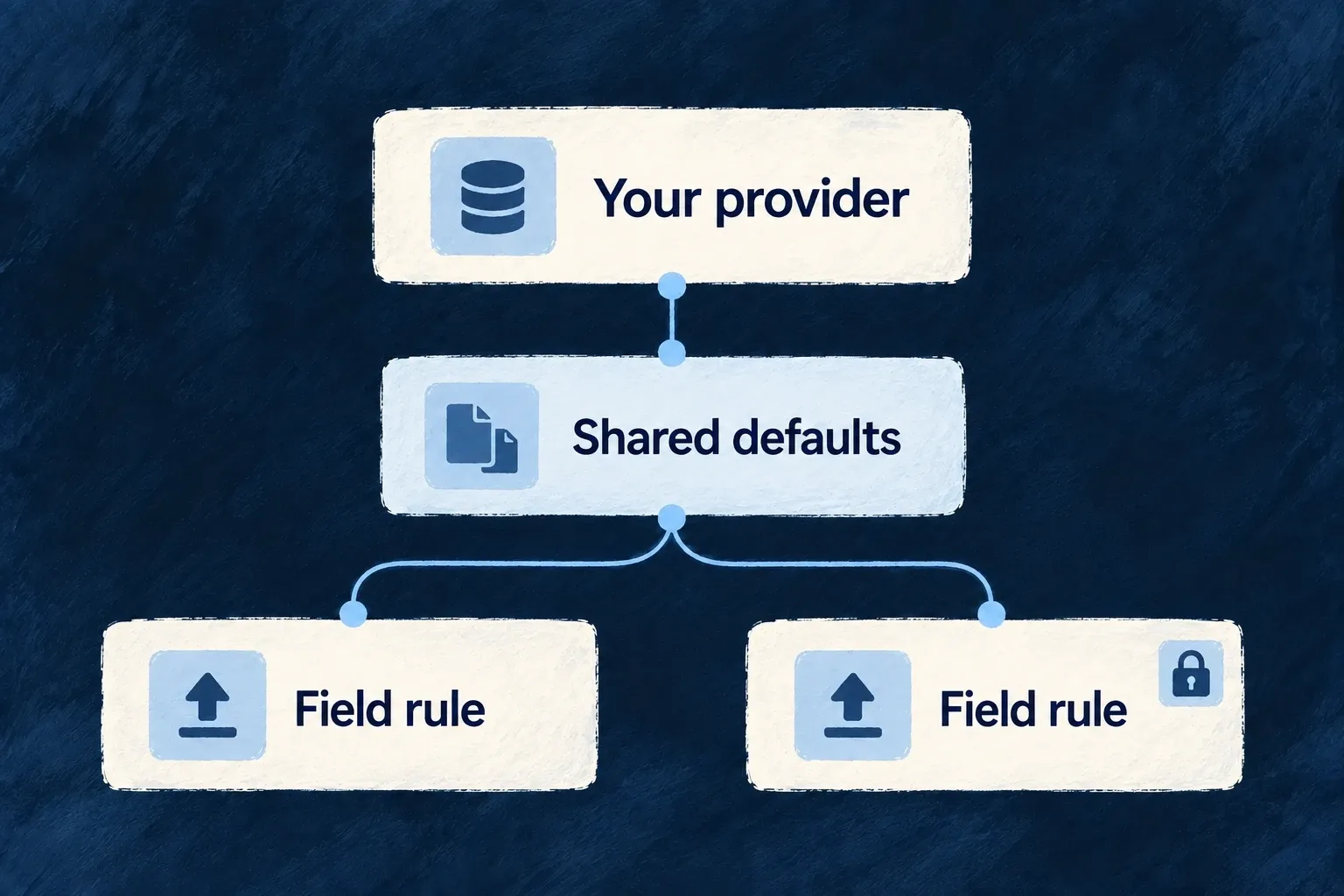
Example: Share upload defaults across the application

An application-owned file-picker provider declares accepted file types and size limits. Standard file fields can use those defaults while retaining stricter field-specific requirements.

An application-owned provider supplies shared defaults while individual fields retain their own rules.
For engineers

Wonder Todos’ application-owned frontend module is a real configuration provider:

Selected from file-picker.frontend-app.module.ts; surrounding declarations and imports are omitted.

export const ApplicationFilePickerFrontendAppProvider: FrontendAppProviderModule = {
  // Identity (#328): an application-owned provider is APPLICATION-origin; a file picker binds no
  // engine slot, so it is CATALOGUE (EXTENSION is for a substitute that fills an engine slot).
  metadata: defineProviderMetadata({
    ref: 'wonderTodosFilePicker',
    packageName: '@wonder-todos/main-app',
    tier: ProviderTier.CATALOGUE,
    origin: { kind: ProviderOriginKind.APPLICATION },
  }),
  providerCapabilities: [BUILTIN_PROVIDER_CAPABILITY.FRONTEND_FILE_PICKER],
  protocols: [BUILTIN_PROVIDER_PROTOCOL.FRONTEND_SDK],
  publicConfig: {
    acceptedMimeTypes: ['image/*', 'application/pdf'],
    maxFileSizeMb: 25,
    maxSelectionCount: 10,
    uploadNamespace: 'task-attachments',
  },
};

APPLICATION records its origin. CATALOGUE is appropriate because this provider does not fill an engine service slot; an extension that does fill one has different tier semantics. The metadata does not supply a picker renderer: this example carries constraints consumed by standard file controls.

Make the module discoverable and reachable

The frontend contribution names a runtime import path, permitted frontend target and values-free entry derived from the module. Export the runtime module from the package entrypoint, declare its reference under the app frontend service’s providers, and run configuration synchronization. The served data and a browser startup module map must both be present for function-valued provider code to execute. Configuration synchronization supplies the data; it does not currently generate that frontend code map, which must be provided explicitly.

Backend-owned integrations instead expose a backend module and companion contribution through their package, declare their protocol runtime contract and secrets requirements, and install that package in each relevant runtime. The framework composition validates identity/tier/protocol coherence; those checks do not implement the vendor API for you.

A custom browser component that returns remote files also needs its declared delivery contract and the sanctioned host/checking path. Public configuration defaults are not server upload enforcement, and a custom direct mount owns the checks it bypasses. Keep the provider’s responsibility narrow and document which standard consumer actually reads each setting.

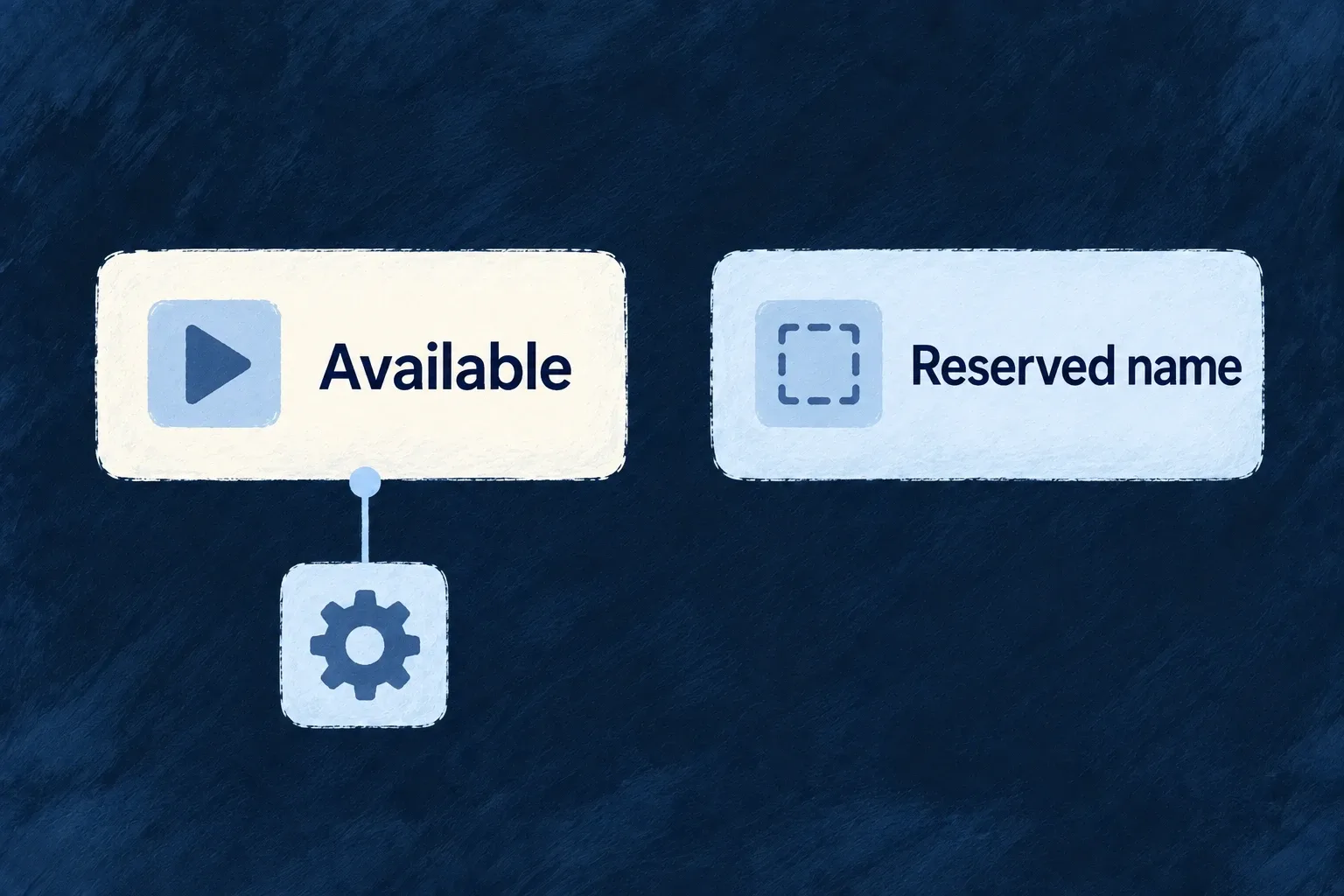
Distinguish available integrations from reserved names Planned Mechanism

Planned — not available yet.

A name in a capability or protocol vocabulary is not always an executable integration. Reserved entries make that distinction explicit while the available modules describe what can actually be used.

Check for a provider implementation and its runtime contract before planning around a named integration type.

Example: Read a protocol name accurately

Audio and video generation have reserved protocol names. Their presence in the vocabulary does not supply a callable backend provider or a delivery date.

An available contract has an implementation; a reserved name remains a placeholder.
For engineers

The backend runtime-kind object defines the executable protocol arms:

Selected from commons.external-connectors-models.schemas.ts; surrounding declarations and imports are omitted.

export const ProviderProtocolRuntimeKind = Object.freeze({
  LLM: ExternalProvider_ExchangeProtocol_Kind.LLM_PROVIDER,
  IMAGE: ExternalProvider_ExchangeProtocol_Kind.IMAGE_PROVIDER,
  EMBEDDINGS: ExternalProvider_ExchangeProtocol_Kind.EMBEDDINGS_PROVIDER,
  DOCUMENT_EXTRACTION: ExternalProvider_ExchangeProtocol_Kind.DOCUMENT_EXTRACTION_PROVIDER,
  AGENT_CLIENT_PROTOCOL: ExternalProvider_ExchangeProtocol_Kind.AGENT_CLIENT_PROTOCOL,
  EMAIL: ExternalProvider_ExchangeProtocol_Kind.EMAIL_PROVIDER,
  OAUTH2_SSO: ExternalProvider_ExchangeProtocol_Kind.SSO_OAUTH2,
  BILLING: ExternalProvider_ExchangeProtocol_Kind.BILLING_PROVIDER,
  WEBHOOK_ORIGINATOR: ExternalProvider_ExchangeProtocol_Kind.WEBHOOK_ORIGINATOR,
  SMS: ExternalProvider_ExchangeProtocol_Kind.SMS_PROVIDER,
  REST: ExternalProvider_ExchangeProtocol_Kind.REST_API,
} as const);

Audio and video names remain in the broader exchange vocabulary but do not appear in this runtime subset. A declaration cannot obtain an executable implementation merely by selecting their names.

The provider-side SSO_SAML capability is also reserved. SAML authentication itself exists through the engine’s authentication subsystem, so the reserved provider name must not be presented as absence of SAML login.

Separate reservation from withdrawal

The former BILLING_PAYMENTS engine slot was withdrawn. Billing uses its supported mapping and runtime contract; the removed slot is not an option to enable. Document generation and scanning also have their own implementation paths rather than unfillable provider-selection entries.

What existsWhat an application may conclude
A named capabilityThe vocabulary recognizes the concept
A module claiming itThere is a provider declaration to inspect
An executable runtime contractThere is a defined invocation path
Configured credentials and a verified exchangeThe intended deployment can perform that action

When adding a provider, supply the implementation and the capability/protocol mapping that makes it reachable. Do not reintroduce a removed engine slot solely to make the catalogue appear broader. These reserved entries describe vocabulary boundaries, not a release roadmap.

Exchange information with the systems around you

Send application events to customer endpoints, receive provider callbacks, and bring external records into your application. Each direction has its own contract: what is sent, who receives it and how the result is handled.

Wildo supplies shared delivery and external-data mechanisms. You choose the business events, destinations and data ownership, then configure the provider access and receiving systems.

The application sends customer events, receives provider callbacks and reads external records through distinct paths.

Connect the workflow, not just the request

Make outgoing events actionable

Declare the business actions that notify customer systems. Signed deliveries, attempt counts and an endpoint probe help administrators understand what happened.

Give incoming events a known path

Provider declarations connect callback routes to verification and capability handlers. The event reaches the integration with its expected account context.

Choose how external data is used

Read remote records on demand or synchronize a local copy. Keep the source authoritative for its mapped fields while the application owns its added information.

Example: Keep an account workflow connected

An application synchronizes company records from Odoo and adds local notes. A declared task action notifies the company’s endpoint. Separately, a billing provider sends its own verified callback. These are connected business flows with different delivery contracts.

For engineers

Match the mechanism to the work

NeedMechanismWhat the application authors
Notify customer systemsOutbound machine notificationsResource event channel, scoped enabled endpoints and receiver behavior
Receive vendor eventsProvider webhook originatorEnabled protocol, secret configuration and corresponding handler integration
Read external recordsHTTP API bindingProvider, entity, key, tenancy and erasure contract
Keep a local external-data copyPipeline on a local resourceMapping, schedule, population and orphan policy

An outbound customer webhook is signed with the application’s key and follows the delivery worker’s retry contract. An inbound provider webhook follows that provider’s verification scheme and registered adapter. Sharing the word webhook does not make their signatures or payloads interchangeable.

Follow the result beyond the HTTP call

Each destination endpoint gets one delivery record. Retries update its attempt count, timing and latest outcome. The receiver verifies the raw bytes and deduplicates by delivery identity. An endpoint probe checks the same transport with synthetic data, but acceptance only proves signature verification when the receiver actually performs it.

For external data, decide whether local capability or immediate remote reads matter more. Pipeline destinations can retain local fields and files, but their data is as fresh as the last successful reconciliation. Use reporting rather than automatic orphan deletion for imports that continue across several runs. A resumed final batch is not the complete imported population.

Configure the path that actually sends

Transactional SMS has a provider-backed service used by authentication flows. Declarative SMS notifications and mobile push do not currently have a general sending implementation. Select an implemented channel for the product behavior you need today; the capability entries below keep those boundaries explicit.

Outbound target checks are applied by their respective transports. The webhook URL classifier rejects reserved literal targets, and its transport refuses redirects; the client-metadata fetcher separately uses a DNS-pinned transport. Keep network egress and endpoint verification aligned with the actual integration path.

Send events to other systems

Let business actions notify other systems Mechanism

A business action can notify systems outside the application as part of its declared behavior. Wildo turns that notification into queued deliveries for the enabled endpoints in the relevant scope.

The application chooses the actions and channels. Endpoint configuration and delivery handling remain separate, so adding a destination does not require editing the business operation.

Example: Tell a customer’s system when work changes

A task operation emits an organisation webhook notification. The organisation’s enabled endpoints receive queued deliveries of that event; endpoints belonging to another organisation are not selected.

A task event fans out to enabled endpoints in the relevant organisation.
For engineers

This selected notification block comes from Wonder Todos’ Todos resource configuration. It shows user-facing and machine-facing notifications beside each other inside an operation:

      userNotifications: [
        { target: CoreUserNotificationTarget.USER_SELF, channel: CoreUserNotificationChannel.FRONT_END_SUCCESS },
        { target: CoreUserNotificationTarget.ORGANIZATION_USERS, channel: CoreUserNotificationChannel.WEBSOCKET },
      ],
      m2mNotifications: [{
        channel : CoreM2MNotificationChannel.WEBHOOK_ORGANIZATION, level : M2MNotificationLevel.INFO,
      }]
    },

Register the resource configuration through the shared module as usual. WEBHOOK_ORGANIZATION resolves the organisation from execution context; WEBHOOK_APPLICATION selects application-level configuration. These are different audiences. A custom channel string is vocabulary, not a sender implementation: the corresponding dispatch path must exist.

Connect declaration to actual delivery

M2MWebhookDispatcherBackendService resolves the scope, checks the feature and enabled webhook configuration, then filters enabled endpoints. For the organisation channel it requires a valid organisation identity instead of falling back to application scope. The operation result is serialized through the resource response serializer before fan-out.

The dispatcher serializes the body once, creates a delivery-log row per enabled endpoint and queues each delivery. The worker owns signing, HTTP attempts and retry classification. That separation keeps the business action from waiting for the receiver’s network response.

ResponsibilityOwner
Which action emits an eventResource operation declaration
Which organisation receives itExecution context and scoped webhook configuration
Which URLs receive itEnabled endpoint entries
Retries and delivery statusDelivery worker and log
What the receiver doesCustomer integration

Enable and place the webhook administration surface and configure the signing infrastructure and worker queue. An operation declaration alone does not create endpoints. If queue submission fails after a row exists, the row remains pending for an administrator retry; do not interpret operation success as receiver acknowledgement.

Continue with signed customer deliveries for the receiver contract and endpoint testing for the diagnostic path.

Deliver verifiable events to customer endpoints Feature

Customers can register endpoints that receive events from the application. Wildo signs each delivery, records its outcome and retries failures according to a shared delivery policy.

The receiving system can verify where a message came from, check the payload bytes and recognize repeated attempts. Administrators can inspect each endpoint delivery’s attempt count and latest outcome, then retry a delivery that needs attention.

Example: Process one event despite a retry

A receiver accepts an event but its response is lost. When delivery is attempted again, the same delivery identifier lets the receiver recognize the event and avoid repeating its business effect.

The receiver verifies a signed event, deduplicates its delivery identity and then handles it.
For engineers

Create the scoped webhook configuration, enable it and add enabled HTTPS endpoints. Resource operations must emit the matching machine-notification channel. Signing keys and the delivery worker must be available; putting Webhooks in the Settings Hub only exposes administration, not the backend prerequisites.

A delivery has a stable ID across attempts. The worker signs a fresh token for each attempt and sends it in x-wildo-webhook-signature. Read the current applicationPublicKeyPem from the webhook configuration; a rotation changes the verification key, so do not hardcode a deployment-specific key identifier.

This selected contract from m2m-webhook-delivery-contract.shared.ts states the signed claim settings and payload hash algorithm:

  signature: {
    issuer: APPLICATION_JWT_ISSUER,
    audience: 'WEBHOOK',
    expiresIn: '6h',
  },
  /** Algorithm of the `bodyHash` claim: a hex digest of the exact raw request bytes. */
  bodyHashAlgorithm: 'sha256',
  /** Status codes (besides 5xx and transport failures) that schedule another attempt. */
  retryableHttpStatuses: [408, 429],

Verify the signature with the application’s key while pinning ES256, the expected issuer and audience. Check expiry, recompute SHA-256 over the exact raw request bytes and compare the signed bodyHash. Only then deserialize and act. Use jti as the delivery deduplication key; storing successful processing atomically with the business effect is the receiver’s responsibility.

This Node.js receiver example uses jsonwebtoken. Pass a Headers object, the unmodified request body as a Buffer, and the public key obtained from the trusted application configuration. Keep body-parser middleware from replacing those bytes with reserialized JSON.

import jwt from 'jsonwebtoken';
import { createHash } from 'node:crypto';

function verifyDelivery(headers, rawBody, applicationPublicKeyPem) {
  const token = headers.get('x-wildo-webhook-signature');
  if (!token) throw new Error('Missing webhook signature');

  const claims = jwt.verify(token, applicationPublicKeyPem, {
    algorithms: ['ES256'],
    issuer: 'wildo-application',
    audience: 'WEBHOOK',
  });

  const bodyHash = createHash('sha256').update(rawBody).digest('hex');
  if (typeof claims !== 'object' || claims.bodyHashAlg !== 'sha256'
      || claims.bodyHash !== bodyHash || !Number.isInteger(claims.exp)
      || typeof claims.jti !== 'string' || !claims.jti) {
    throw new Error('Invalid webhook claims or body');
  }
  return { deliveryId: claims.jti, synthetic: claims.synthetic === true, event: JSON.parse(rawBody.toString('utf8')) };
}

Only call the business handler after this succeeds. If synthetic is true, acknowledge the verified probe without applying a business effect. Otherwise, store deliveryId with the business effect in one transaction; acknowledge an already processed ID without applying the effect again. A retry carries the same ID with a freshly signed token. This helper verifies a delivery; the receiver’s transaction and HTTP acknowledgement remain application-specific.

Understand acknowledgements and retries

The delivery contract allows five total attempts, with retry delays of one minute, five minutes, thirty minutes and two hours. A 2xx response completes delivery. Transport failures, 5xx, 408 and 429 are retryable; redirects are reported rather than followed. The request timeout is thirty seconds and captured response text is bounded.

Receiver responseDelivery consequence
2xxAccepted by the receiver
408, 429 or 5xxRetry according to the remaining attempt budget
Redirect or other non-retryable 4xxTerminal classification rather than automatic redirection
Connection failureRecorded transport failure and retry policy

One delivery record is created for each destination endpoint. Retries update that record’s attempt count, last and next attempt times, and latest response or failure; they do not create a separate response history for every attempt. Administrative retry requeues the delivery, and date-bounded cleanup removes eligible terminal records. A successful delivery establishes receiver acknowledgement, not proof that the receiver completed its own downstream workflow.

Use HTTPS. The current endpoint contract also admits HTTP, but a signature does not encrypt payloads in transit. The outbound-target guard and redirect policy apply to this path; request safety explains their exact boundary.

Check an endpoint before relying on it Tool

An endpoint test sends a synthetic signed request through the same transport used for event delivery. It tells an administrator whether the endpoint accepted it, refused it, could not be reached or was never sent.

That distinction helps locate the next action: fix the receiver, the address or the application’s signing configuration.

Example: Find a wrong endpoint path

An administrator tests a new endpoint and receives a rejection response. The request reached a server, so the next step is to inspect its path or verification response rather than treating it as a connection outage.

A signed test reaches an endpoint and reports its rejection for diagnosis.
For engineers

The webhookConfig.testEndpoint operation accepts an endpointId in its request body, uses the stored endpoint and the application’s signing key. It is an update-like operation because it sends real traffic, even though it creates no delivery-log row. It shares sendSignedWebhookRequest with the delivery worker, so timeout, signature header, URL guard and redirect behavior are exercised on the same path.

This is a real outbound request with synthetic claims. The receiver should identify the probe and verify it without treating it as an ordinary business event. It does not create a delivery-log row; the operation records an audit event separately.

The request and response below come from webhook-config.shared.resources-config.schemas.ts, with documentation comments omitted. Send the stored endpoint’s ID in the operation body; the returned URL confirms which destination was tested. The diagnostic includes both the transport verdict and details for correlating the attempt with the receiver.

export const WebhookConfig_TestEndpointRequestDto = z.object({
  endpointId: z.string().min(1),
});

export const WebhookConfig_TestEndpointResponseDto = z.object({
  endpointId: z.string(),
  url: z.string(),
  transportIsPlaintext: z.boolean(),
  outcome: z.enum(WebhookEndpointProbeOutcome),
  responseStatus: z.number().int().optional(),
  responseBodyTruncated: z.string().optional(),
  failureReason: z.string().optional(),
  durationMs: z.number().int().nonnegative(),
  signatureJti: z.string(),
  attemptedAt: z.date(),
});

Read the diagnostic outcome, not only the API status: a successfully executed probe may return HTTP 200 with UNREACHABLE. Unknown endpoint IDs, missing configuration and rate-limit refusal are request errors.

ACCEPTED means the endpoint returned 2xx. It only supports confidence in signature verification when that receiver actually verifies before responding; a server returning 200 unconditionally proves reachability, not verification. REJECTED retains a response status; UNREACHABLE covers transport failures; NOT_SENT separates a local signing problem.

Acknowledge a verified probe without running business work

Use the receiver verification shown in signed webhook delivery. It verifies the signature and raw-body hash before returning the authenticated synthetic claim. This illustrative handler fragment uses that verifyDelivery helper; acknowledge sends the HTTP response and handleBusinessEventOnce is the receiver’s own durable deduplication and business handler.

const delivery = verifyDelivery(headers, rawBody, applicationPublicKeyPem);
if (delivery.synthetic) {
  acknowledge(204);
  return;
}

await handleBusinessEventOnce(delivery.deliveryId, delivery.event);
acknowledge(204);

Do not branch on an unverified body field or decoded JWT. A failed verification must not receive a successful acknowledgment. The genuine event path must persist its delivery identity with its business effect; the probe path deliberately performs neither business work nor ordinary delivery processing.

Make the result actionable

Register and expose the webhook configuration’s normal administration operations. The test is rate-limited, and its limiter fails closed if unavailable. Do not add a second generic HTTP test button: it could pass while the actual signing or delivery path fails.

The probe is a diagnostic, not a guarantee of future delivery. After acceptance, emit a real configured resource event and inspect the delivery log and receiver behavior. Keep endpoint test handlers free of unintended business side effects and use HTTPS endpoints just as for production deliveries.

Check destinations before sending requests Guarantee

When an application sends a request to a supplied address, that address needs more than URL validation. Wildo provides shared checks for embedded credentials, reserved hostnames and private or reserved literal addresses.

The webhook delivery path checks at send time and does not follow redirects. This protects stored endpoints as well as newly entered ones; the exact DNS protection depends on the caller’s transport.

Example: Reject an internal-address webhook target

A customer supplies a loopback address as a webhook endpoint. The delivery path refuses it before issuing the request, and the endpoint test uses that same decision.

URL checks refuse a loopback target before a webhook request is sent.
For engineers

classifyOutboundTargetUrl checks admitted schemes, credentials in the URL, special-use hostnames and literal IP ranges. In the webhook transport the check happens immediately before I/O, not only when the endpoint is saved:

  const refusal = refuseUnsafeWebhookTarget(params.url);
  if (refusal) {
    return { networkError: refusal, durationMs: Date.now() - startedAt };
  }

  const abort = new AbortController();
  const timer = setTimeout(() => abort.abort(), REQUEST_TIMEOUT_MS);

This selected fragment comes from m2m-webhook-signed-request.backend.utils.ts. A refusal is returned as a transport result; the worker and probe then report it according to their own outcome contracts. The same transport uses redirect: 'manual', so a redirect cannot silently move delivery to a different address.

Distinguish the protection levels
MechanismWhat it checks
URL classifierScheme, embedded credentials, literal addresses and special-use names
DNS-resolving checkAddresses returned for a hostname before connection
Pinned outbound fetchAddress classification inside the connection lookup path

These are not interchangeable. The webhook path currently uses the URL classifier and ordinary fetch; an ordinary hostname resolving to a private address is outside that classifier’s protection. A preflight DNS check alone also leaves a change-between-check-and-connect problem. The client-metadata fetcher uses pinnedOutboundFetch to close that gap on its own path.

Do not claim that every outbound request in the framework has identical protection. When implementing a new server-side callback or metadata reader, use the transport suitable for its trust boundary and permitted schemes, and preserve redirect and timeout handling. Network egress policy remains a deployment responsibility.

The classifier does not establish reachability or endpoint ownership. It answers whether the supplied target is disallowed by its checks. Use the endpoint probe to investigate a webhook’s response, without interpreting acceptance as a general network-safety audit.

Receive events and read external records

Receive provider events through their declared integration Mechanism

Providers can notify the application when something changes in their system. Wildo registers inbound routes from an enabled provider’s webhook declaration and sends verified events to the corresponding capability handler.

This is different from sending your application’s events to customer endpoints. The provider defines the incoming event format and verification contract; the application enables and configures the integration.

Example: Receive a billing update

A billing provider sends a subscription event to the application. The registered webhook path verifies the provider’s request and resolves the billing account context before dispatching the update.

A provider callback is verified and associated with its billing account before processing.
For engineers

Stripe declares its billing API protocol separately from WEBHOOK_ORIGINATOR. Enable the protocols required by the integration and supply STRIPE_WEBHOOK_SECRET as backend secret configuration. Register the endpoint with the provider using the actual deployed API address.

This selected protocol entry comes from stripe.backend.module.ts. Documentation comments are omitted; the provider’s other protocols and module registration remain outside this excerpt.

protocol: "WEBHOOK_ORIGINATOR",
runtimeContract: {
  kind: ProviderProtocolRuntimeKind.WEBHOOK_ORIGINATOR,
  secretRef: "STRIPE_WEBHOOK_SECRET",
  signatureHeaderName: "stripe-signature",
  endpoints: [
    {
      key: 'billing',
      capability: BUILTIN_PROVIDER_CAPABILITY.BILLING,
      signatureConfig: {
        algorithm: Hook_SignatureAlgorithm.HMAC_SHA256,
      },
      triggerStrategy: Hook_TriggerStrategy.WEBHOOK,
      eventTypes: [...STRIPE_BILLING_EVENT_TYPES],
      scopeBinding: {
        mode: 'polymorphic',
        payloadScopeIdPath: 'data.object.customer',
        lookupField: 'providerCustomerId',
        variants: STRIPE_BILLING_ACCOUNT_WEBHOOK_VARIANTS,
      },
    },
  ],
},

The highlighted scope binding matches data.object.customer through providerCustomerId to the configured billing-account variants. The endpoint key supplies the route segment; its capability selects the registered billing handler. Do not infer the tenant from an unverified arbitrary request parameter.

Register a complete receiver, not merely a route name

WebhookAutoController discovers enabled provider endpoint declarations. It checks that the capability handler and endpoint adapter exist before mounting the route; an incomplete combination is withheld and reported rather than producing a route that can never dispatch.

The request path preserves raw body bytes for signature verification. The adapter and handler own provider-specific verification and event processing, with idempotency handling in that pipeline. Custom providers must supply the corresponding endpoint contract and processing integration; copying a route declaration alone is insufficient.

Integration pieceResponsibility
Provider runtime contractEndpoint key, signature source and event vocabulary
Backend secret configurationVerification material for the deployed endpoint
Adapter and capability handlerInterpret and process the verified event
Scope bindingResolve the event’s customer/account context

A raw-body signature integration test exercises the request pipeline, while a production connection still needs the provider’s real delivery setup. Preserve the raw body until verification, and keep inbound verification separate from the ES256 contract used for Wildo’s outbound customer webhooks.

Use external records where your application needs them Mechanism

Data can remain in its original system and be read when needed, or become a synchronized part of your application. Wildo supports both choices through resource declarations.

Read-through suits remote reference data. A local copy lets your application add its own fields, attachments and relationships, with freshness determined by the synchronization schedule.

Example: Keep customer accounts and local notes together

An application copies company accounts from Odoo, then lets its users add internal notes. A later synchronization updates the mapped account fields while the application retains the fields it owns.

External records can be read directly or synchronized into a local copy with application-owned notes.
For engineers

A virtual resource uses persistenceAdapter: HTTP_API with httpApiBinding. Its repository translates supported reads to the external system; ordinary writes are unavailable and it has no local row for extra fields or files. A pipeline declaration belongs to an ordinary local resource and populates that resource through the data-seeding engines.

Both use HttpApiReadClient for provider access, dialect framing and remote calls. A binding declares the provider reference, remote entity, key mapping, tenancy and erasure stance. Those are required semantic decisions, not optional labels.

This full pipeline block is selected from Wonder Todos’ external-customers.resources-config.ts; the surrounding resource factory and operation declarations are omitted:

  externalDataPipeline: {
    binding: {
      dialect: HttpApiTransportDialect.ODOO_JSONRPC,
      providerRef: 'odoo',
      entityRef: 'res.partner',
      keyFields: [{ localField: 'id', remoteField: 'id', codec: HttpApiKeyComponentCodec.INTEGER }],
      tenancy: {
        stance: HttpApiTenancyStance.SINGLE_TENANT_BINDING,
        justification: 'Wonder Todos serves one company, whose Odoo holds one client list; there is no per-tenant partition to push down.',
      },
      erasure: { stance: HttpApiErasureStance.NO_SUBJECT_DATA },
    },
    remoteKeyLocalField: 'odooPartnerRef',
    mapping: [
      { kind: ExternalDataMappingEntryKind.REMOTE_FIELD, remoteField: 'name', localField: 'name' },
      { kind: ExternalDataMappingEntryKind.REMOTE_FIELD, remoteField: 'email', localField: 'email' },
    ],
    // Only companies: Odoo's `res.partner` holds individuals too, and syncing them would make the
    // NO_SUBJECT_DATA erasure stance above false.
    sourceFilter: { is_company: true },
    population: ExternalDataDestinationPopulation.CLOSED,
    orphanPolicy: ExternalDataOrphanPolicy.REPORT,
    // Hourly. Client lists move at human speed, and every run is a round trip to someone else's
    // production system.
    scheduleCron: '0 * * * *',
  },

The closed population means the source supplies the records: this resource declares no caller create operation. Its local internalNote is editable, while imported fields exclude create/update input in the schema. The mapping owns only its declared fields. Register the schema, resource factory and relationships through the shared module, and configure the named provider’s backend access.

Treat synchronization as a population contract

remoteKeyLocalField holds a stable identity derived from the external binding. An extraction that reaches the source’s end selects sync reconciliation; a bounded pass selects upgrade reconciliation and persists its continuation. Reaching the end after resuming does not reconstruct the keys imported by earlier runs.

RequirementSuitable lane
Read the external response on demandVirtual read-through
Add local notes or filesLocal pipeline destination
Avoid remote latency on ordinary readsLocal pipeline destination
Keep no duplicated rowVirtual read-through

Keep REPORT for imports spanning several runs. The final resumed batch can classify earlier imported rows as absent because reconciliation receives that batch’s keys, not the accumulated population; reporting preserves those rows while you inspect the result. Automatic orphan deletion requires a complete population basis. A completed extraction is not a claim that every row passed transformation; inspect rejections and reconciliation results. Set the tenancy stance from the actual source partition, and do not use NO_SUBJECT_DATA for a source containing people’s information.

Bring Odoo data into your application Mechanism

Use records from your own Odoo instance as an external source for application resources. The binding identifies the Odoo model and its record key; deployment configuration supplies the instance and credentials.

Choose read-through for remote reference data or a local pipeline when your application needs to enrich and retain its own copy.

Example: Add internal context to customer accounts

An application imports company records from Odoo’s customer model and adds local notes. Odoo remains the source for the mapped company fields; the application owns the notes.

Company accounts flow from Odoo into application records that also carry local notes.
For engineers

The backend provider named odoo resolves ODOO_BASE_URL, ODOO_DB, ODOO_LOGIN and the secret ODOO_API_KEY. These belong in deployment configuration, not in frontend code or a committed resource binding. The resource chooses HttpApiTransportDialect.ODOO_JSONRPC, providerRef: 'odoo' and its entityRef.

Declare odoo in the backend’s provider scope with protocols: ['REST_API']; it needs no engine capability for a binding that addresses it by reference. Synchronize the provider artifacts after configuration changes. The account must be able to read the requested Odoo model.

The following is the binding and mapping portion of Wonder Todos’ externalCustomers pipeline. Its resource schema, operations and registration surround this excerpt. The imports for these enums come from @wildo-ai/saas-models/external-data.

externalDataPipeline: {
  binding: {
    dialect: HttpApiTransportDialect.ODOO_JSONRPC,
    providerRef: 'odoo',
    entityRef: 'res.partner',
    keyFields: [{ localField: 'id', remoteField: 'id', codec: HttpApiKeyComponentCodec.INTEGER }],
    tenancy: {
      stance: HttpApiTenancyStance.SINGLE_TENANT_BINDING,
      justification: 'Wonder Todos serves one company, whose Odoo holds one client list; there is no per-tenant partition to push down.',
    },
    erasure: { stance: HttpApiErasureStance.NO_SUBJECT_DATA },
  },
  remoteKeyLocalField: 'odooPartnerRef',
  mapping: [
    { kind: ExternalDataMappingEntryKind.REMOTE_FIELD, remoteField: 'name', localField: 'name' },
    { kind: ExternalDataMappingEntryKind.REMOTE_FIELD, remoteField: 'email', localField: 'email' },
  ],
  sourceFilter: { is_company: true },
  population: ExternalDataDestinationPopulation.CLOSED,
  orphanPolicy: ExternalDataOrphanPolicy.REPORT,
  scheduleCron: '0 * * * *',
},

The integer remote key identifies the source record; odooPartnerRef retains that identity on the local destination. The mapping names the fields the import owns. The company filter supports this example’s stated data scope, and REPORT records missing source records without deleting local rows. These tenancy and erasure declarations describe this application; reassess them for a different population or customer account model.

For this dialect, the shared client authenticates the configured login to obtain an Odoo user ID, then puts database, user ID and key in the RPC arguments. It does not use the provider’s generic Bearer header for these calls. The compiler translates supported queries into model calls and domain filters; the pipeline owns scheduling and local reconciliation.

Define the data contract

The external data guide shows the complete company-account pipeline. Its res.partner binding uses integer id keys and a company-only source filter. The filter matters because the declared erasure stance describes company records, not individual contacts.

A virtual binding uses the same client but leaves records remote. Register the resource and provider protocol through their normal registries; naming a provider in providerRef does not install its package or provision the remote account. The configured Odoo account must have access to the requested model and operations.

Keep compatibility tied to the configured server

This connector targets the classic JSON-RPC contract implemented by its compiler and client. Protocol-simulator tests exercise authentication, extraction and changing source populations; they do not certify every hosted Odoo version or deployment. Verify the instance’s exposed API and permissions before depending on it for a business workflow. The provider is addressed by reference for these bindings rather than selected through an Odoo engine-capability slot.

Reach people on another channel

Send transactional text messages Mechanism

Wildo’s SMS service sends transactional text messages through a configured provider. Phone verification and SMS sign-in challenges use that service, keeping provider access and transport out of each authentication flow.

This is the transactional send path. Selecting SMS on a declarative resource notification does not currently send a message through the general notification dispatcher.

Example: Deliver a phone verification code

A person requests phone verification. The authentication flow supplies the message to the SMS service, which resolves the selected provider and submits its request. The person then enters the received code.

A transactional verification message passes through the configured SMS provider.
For engineers

Enable EngineCapability.SMS, configure an enabled provider using SMS_PROVIDER, select its primary provider and supply the provider’s credential and sender configuration. Wonder Todos currently declares SMS disabled; that configuration is not a working send example.

For example, select the shipped Twilio backend provider in wildo.saas.config.ts. Import EngineCapability from @wildo-ai/saas-models. These are entries to merge into the existing configuration, preserving its other capabilities, providers and selections:

engineCapabilities: {
  [EngineCapability.SMS]: { enabled: true },
},
providers: {
  scopes: {
    backend: {
      providers: {
        twilio: {
          engineCapabilities: [EngineCapability.SMS],
          providerCapabilities: ['SMS'],
          protocols: ['SMS_PROVIDER'],
        },
      },
      selection: { [EngineCapability.SMS]: { primary: 'twilio', whenUnavailable: [] } },
    },
  },
},

Run wildo config sync to synchronize the provider artifacts. This is the backend contribution; a provider configured only on a frontend cannot send the authentication message. Keep credentials in the backend deployment environment, not this shared declaration.

The provider’s required TWILIO_CREDENTIALS secret accepts a JSON bundle shaped as {"accountId":"<account SID>","secret":"<auth token>"}. Both values come from the provider account. The engine resolves that secret, uses the account identifier in the send endpoint and constructs the authorization header. The separate fromNumber below belongs to backend application configuration and must identify the intended sender.

Set the sender, then handle the send result

The backend service is injected as SAAS_SERVICE_TYPES.SMSService. Its default sender comes from the application configuration path below; configuredSenderNumber is the number approved for your provider account. Import ExternalProvider_ExchangeProtocol_Kind from @wildo-ai/external-connectors-models. This is a configuration fragment, not a credential declaration.

providerConfigurations: {
  twilio: {
    [ExternalProvider_ExchangeProtocol_Kind.SMS_PROVIDER]: {
      fromNumber: configuredSenderNumber,
    },
  },
},

In the calling service, smsService is the injected SMS service, recipientPhone is an E.164 number and localizedMessage is the application’s translated message. This illustrative body shows the result boundary:

const result = await smsService.send(recipientPhone, localizedMessage);
if (!result.success) {
  throw new Error('The SMS provider did not accept the message');
}

const submission = {
  providerId: result.providerId,
  messageId: result.messageId,
};

The optional third argument overrides the configured sender for that call. success describes provider submission; neither that value nor the optional message identifier proves handset delivery. Preserve failure information in the application’s normal diagnostics without exposing message contents or credentials. Do not mark a verification challenge delivered simply because the promise resolved.

The existing SMS sign-in and phone-verification controllers follow this pattern: obtain a localized message, call send, inspect success, and reject the request on failure. Keep challenge generation, throttling and validation in those authentication flows rather than constructing a second authentication flow around this short send example.

Let the provider own its wire format

The runtime contract supplies the send endpoint, request-body builder and response parser. The engine resolves credentials, composes its authorization header, executes the bounded request and validates the parsed response against StandardSMS_SendResponseSchema. A provider’s accepted response is not proof of handset delivery.

Twilio is the shipped provider for this path. Its account-and-secret credential shape is parsed by the engine; secret values remain deployment material. The provider contract determines encoding and response interpretation rather than making every caller speak Twilio.

Keep the notification channels distinct

Authentication consumers invoke this service for codes and phone verification with their own throttling and continuation checks. The general notification dispatcher’s SMS branch still logs instead of invoking it. Use the existing transactional API for its supported workflows; do not advertise SMS delivery by adding CoreUserNotificationChannel.SMS to an operation declaration alone.

Mobile push delivery is planned Planned Mechanism

Planned — not available yet.

The notification model includes a mobile push channel for future device delivery. There is no current device-registration and push-sending path behind that declaration.

For notifications available today, use the implemented in-app or email channels, or the transactional SMS service for its supported workflows.

Example: Choose an available notification path

A product needs to notify someone of a change now. It uses an implemented notification channel rather than assuming that a push declaration reaches a phone.

Mobile push is a planned notification channel without an implemented device-delivery path.
For engineers

The model contains this channel variant in notifications.shared.schemas.ts:

export const UserNotificationDefinition_PushSchema = UserNotificationDefinition_BaseSchema.extend({
    channel: z.literal(CoreUserNotificationChannel.PUSH),
});

It accepts a declaration; it does not register a device, select a push provider or dispatch a device message. NotificationsDispatcherBackendService currently groups SMS and PUSH into a logging branch rather than a sending implementation.

Keep product behavior tied to an active sender

Do not use the presence of CoreUserNotificationChannel.PUSH as an availability check. A working push feature would also require device subscription lifecycle, a sender/provider contract and delivery handling. Those are implementation work, not configuration that an application author can switch on today.

Use in-app messages for an active application session, and the implemented notification channels appropriate to the product’s reach requirements. Transactional SMS is a separate service and does not imply general push support.

Let systems work together without losing their responsibilities.

An integration brings more than an endpoint into an application. It brings another account, another data owner and another way for work to succeed or fail.

Wildo gives those connections a shared structure. Your application keeps control of the workflow, while provider and exchange contracts keep the services around it understandable.

Building a B2B product or an internal tool?

Wildo is not self-service yet. Tell us what you have in mind and we will say plainly whether it fits, and what happens next.