
Specialized worker services
A separately deployable service for processing that needs its own runtime, dependencies or computing resources.
Custom processing · authenticated application callsNode.js · TypeScript · Rust · HTTPGive demanding work a service of its own.
> A focused processing implementation > Authenticated calls from your application > A separately deployed runtime
An application worker is a dedicated service that performs a defined piece of processing for your application.Wildo provides its project structure, service configuration and authenticated HTTP connection. You define the input, processing and result, with a runtime sized for that work.
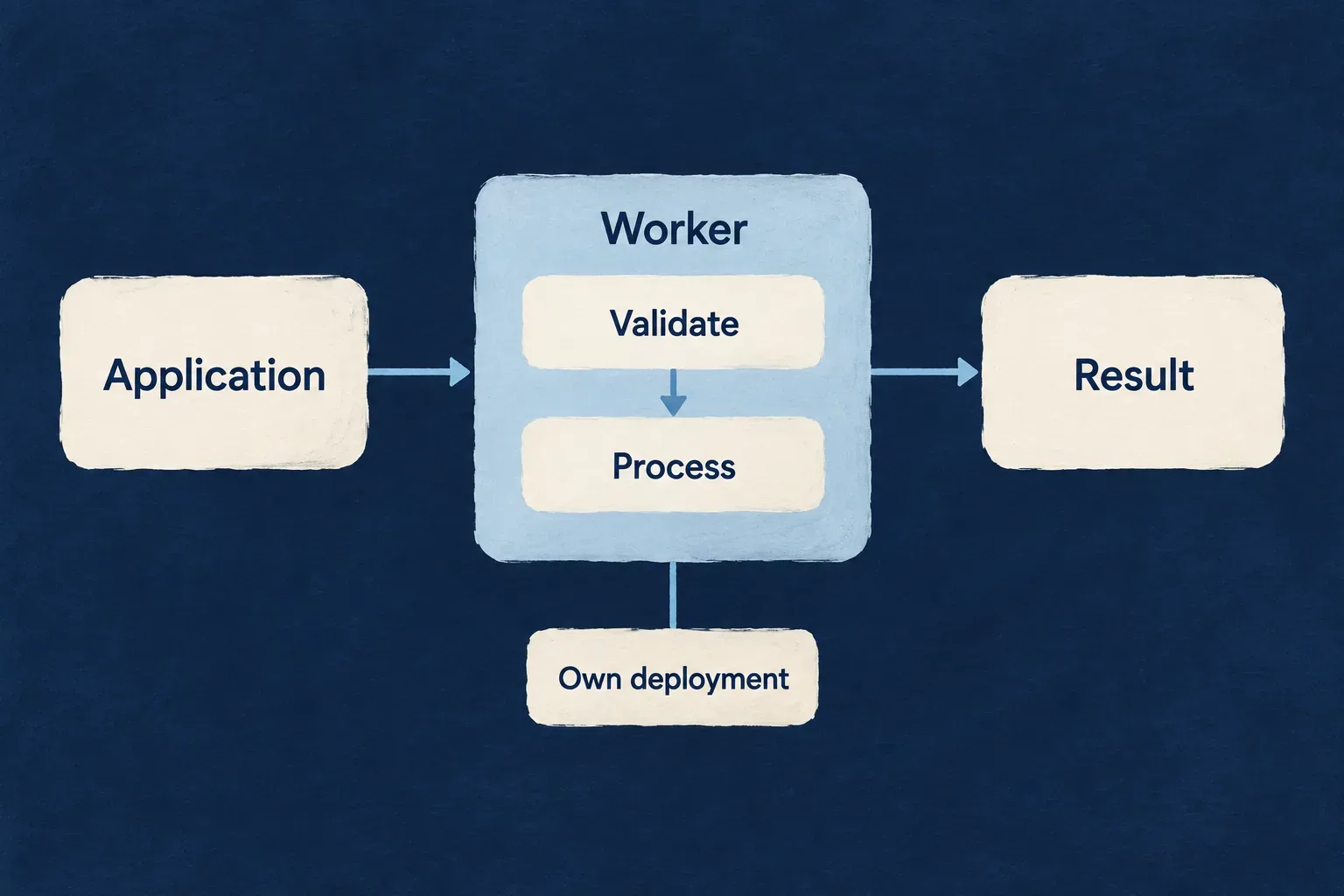
A focused service within the application
Give processing a clear home
Keep a specialized computation or transformation in its own implementation, with a request and result the application can understand.
Connect it deliberately
The backend calls the worker through a signed service request. Keep the user’s business permissions at the application boundary and validate the work the service accepts.
Operate it separately
Declare its runtime, resources and health endpoints. The worker has its own deployment while remaining part of the application’s configured service structure.
Example: Prepare a document preview
An authorized application action sends prepared input to a worker. The worker validates it and creates a preview; the application checks the result and associates it with the correct record. The preview logic is authored for this application.
For engineers
Start with the worker artifact
The Node worker scenario creates a TypeScript source package, HTTP host and wildo.worker.config.ts. It adds the worker to the application’s worker map, workspace and provider scopes. The initial route is an echo demonstration; replace it with the actual processing contract.
The worker artifact is an HTTP service. Queue consumers and scheduled execution are separate mechanisms that may call processing code; creating this service does not establish a durable job queue, retry ledger or scheduling policy.
Understand the connection from configuration to request
| Surface | Purpose | Application responsibility |
|---|---|---|
| Application worker map | Associates a stable worker key with its package | Keep the selected key consistent across configuration and calls |
| Worker configuration | Runtime, HTTP endpoints and resource settings | Choose values appropriate to the workload |
| Generated provider runtime | Declared provider access for the worker | Author the required provider scope and configuration |
| Worker startup | Bootstrap, trusted keys and HTTP route registration | Supply the processing implementation |
| Backend worker client | Signed HTTP dispatch to the configured URL | Authorize the originating operation and handle the result |
Trace a call through the service
The backend factory resolves the worker’s deployment URL and signs an APPLICATION_WORKER_REQUEST token. The worker host verifies the token before dispatching to application routes. The processing implementation validates its own input and returns its result.
This is service authentication, not automatic delegation of the end user’s record permissions. Prepare permitted input in the backend action and explicitly preserve any business context the worker needs.
The Node examples below use the generated TypeScript host. A Rust worker is a separate scenario and runtime implementation; do not assume Node callbacks or provider-module APIs are interchangeable with Rust.
Deliver the processing behavior as well as the package
Exercise a valid request, invalid input, a rejected token and a failed processing attempt. Verify the application’s response to an unavailable worker and to repeated calls. For side effects, decide idempotency before relying on transport retries.
Define the work the service accepts
Give the worker a focused request and a useful result. Keep the processing contract clear enough that the application can validate, call and interpret it.
The generated service supplies the host. Your implementation turns it into a processor for the work your product needs.
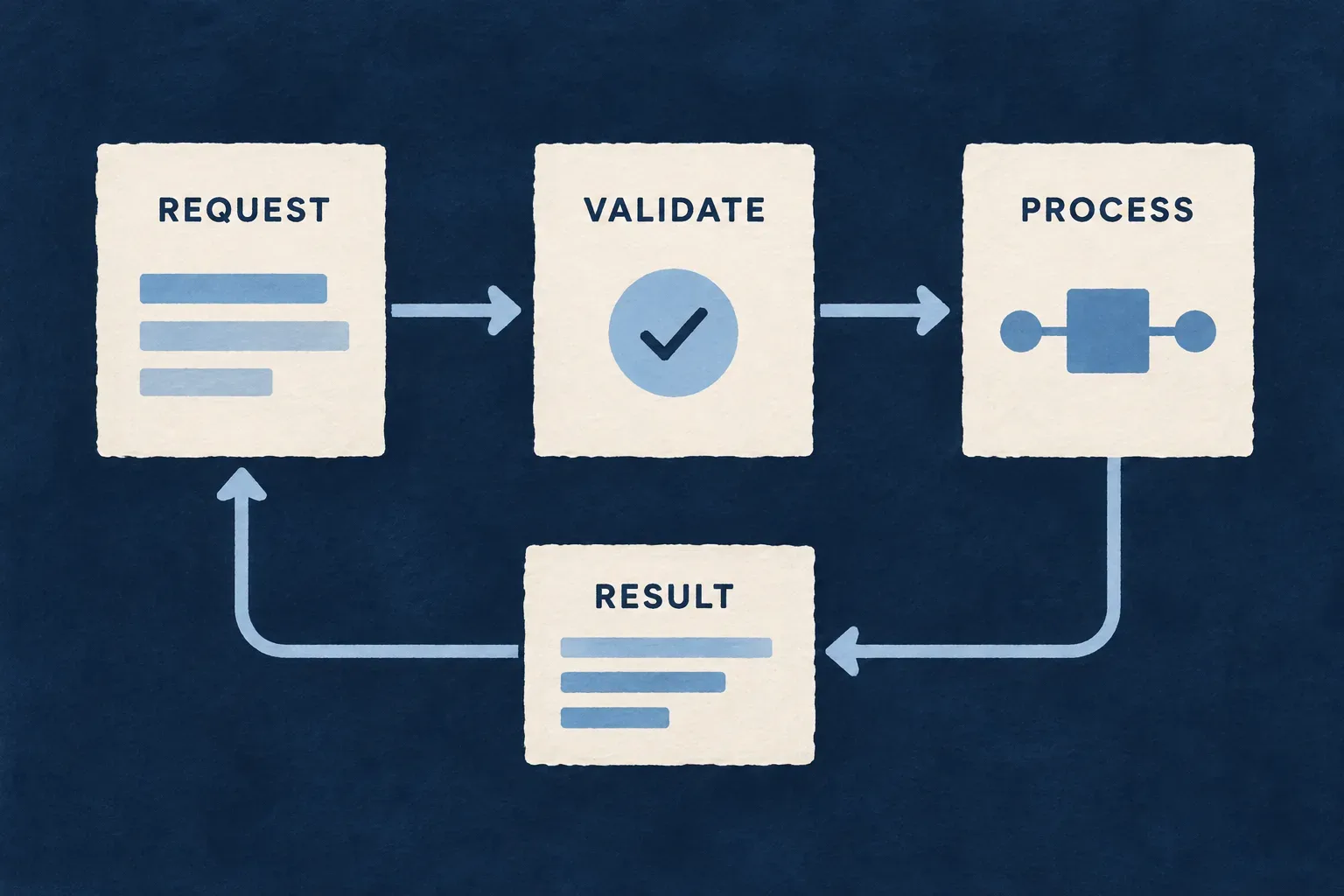
Make each call understandable
Validate the input
Check the request before processing. Define required values and accepted formats instead of relying on the calling screen.
Perform one clear responsibility
Keep specialized processing behind the service contract. Business workflows can call it without depending on its internal implementation.
Return a usable result
Make success and failure meaningful to the caller. Decide what can be retried and how repeated requests affect side effects.
Example: Calculate a preview without changing a record
The application sends validated source information. A worker produces a preview result; the application decides whether and where to persist it. Repeating a pure preview calculation does not itself create duplicate records.
For engineers
Begin at the generated route boundary
The Node template passes an authenticated Express router to registerRoutes. Its initial handler demonstrates request/response and access to generated provider metadata. This selected excerpt is from the generated host configuration.
registerRoutes: (router, { providerRuntime: runtimeForRoutes }) => {
  router.post('/echo', (req, res) => {
    const refs = runtimeForRoutes?.providerRefs ?? [];
    res.json({
      received: req.body ?? null,
      authoredProviderRefs: refs,
      providerRuntimeDigest: runtimeForRoutes?.sourceDigest,
    });
  });
},
The echo route does not validate a business payload or execute a provider operation. Its returned references describe the generated runtime’s declared providers. A processing route must use the appropriate provider contract when it needs an external service.
Validate before processing
The following illustrative replacement shows a small, deterministic calculation. It belongs inside the same registerRoutes callback; z is imported from zod. It demonstrates input validation and a response contract, not a built-in Wildo calculation feature.
const input = z.object({
  unitCount: z.number().int().min(0).max(10000),
  unitPriceInCents: z.number().int().min(0).max(1000000),
});

router.post('/calculate-preview', (req, res) => {
  const parsed = input.safeParse(req.body);
  if (!parsed.success) {
    res.status(400).json({ error: 'invalid_input' });
    return;
  }
  const { unitCount, unitPriceInCents } = parsed.data;
  res.json({ totalInCents: unitCount * unitPriceInCents });
});
Bounds keep the illustrated calculation within JavaScript’s safe integer range. Real pricing, taxes and currency rules belong to the application’s domain and need their own treatment.
Decide the failure and persistence contract
| Concern | Decision to make |
|---|---|
| Invalid input | Which response the application presents as a correctable error |
| Processing failure | Which failures are retryable and which need intervention |
| Side effects | How repeated calls avoid duplicating external actions |
| Large or long-running work | Whether a separate job mechanism should manage acceptance and completion |
| Result ownership | Which application operation persists or publishes the result |
The HTTP host has a JSON body limit. For large input, choose a deliberate transfer mechanism rather than embedding arbitrary file contents in a request. Keep persistence and business authorization with their explicit owners.
Connect processing through an authenticated service call
The application backend reaches the worker through a signed request. The worker checks the signature before entering the processing route.
This gives the service a defined entry point. Your application still decides who may request the work and which information it may send.
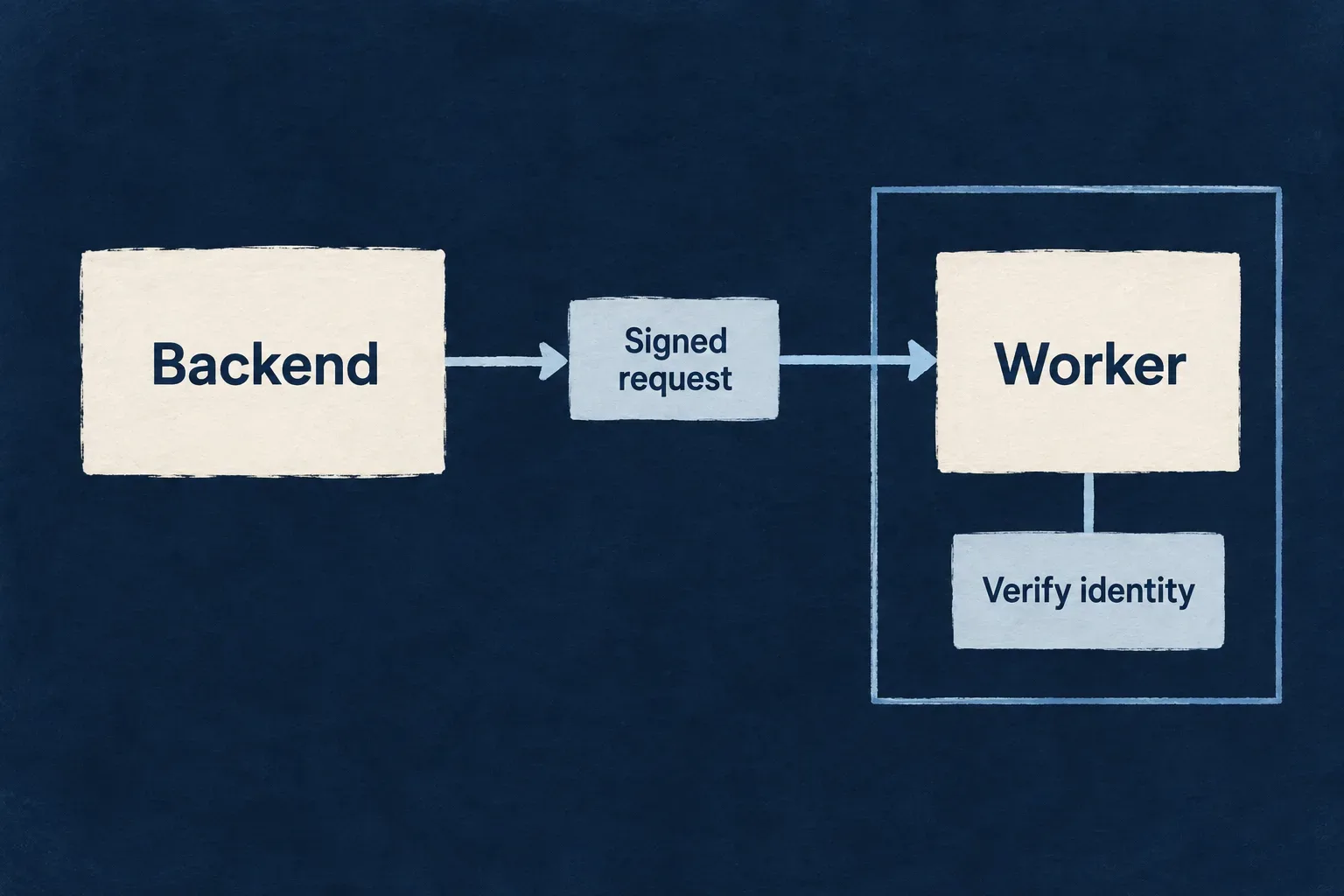
Keep the boundaries clear
Authorize the business action
Check the person’s permission and record context before requesting processing from the backend.
Authenticate the service request
Use the configured worker client and trusted signing keys to connect the backend to the worker’s HTTP surface.
Validate the requested work
Check input and any required application-specific claims before processing. Service identity and business permission serve different purposes.
Example: Only an approved action requests a preview
The backend refuses an unauthorized record action before contacting the worker. An allowed action sends its prepared input through the worker client; the worker verifies the service token and validates the request.
For engineers
Resolve the configured worker client
WorkerRemoteClientFactoryBackendService is registered under SAAS_SERVICE_TYPES.WorkerRemoteClientFactoryService. In backend code with the configured container, this illustrative call uses the worker map key calculationPreview and an application-authored route.
const workers = container.get<WorkerRemoteClientFactoryBackendService>(
  SAAS_SERVICE_TYPES.WorkerRemoteClientFactoryService,
);
const previewWorker = workers.client('calculationPreview');

const response = await previewWorker.post('/calculate-preview', {
  unitCount: 3,
  unitPriceInCents: 2500,
});
Import the service type and SAAS_SERVICE_TYPES from @wildo-ai/saas-backend-lib. The container, worker declaration and originating authorized business action are prerequisites, not created by this excerpt. Interpret and validate the returned response according to the remote client and your route’s contract.
The factory requires WILDO_WORKER_<NAME>_URL, using the normalized environment key for the configured worker name. It does not substitute localhost when the URL is absent. Application configuration must be initialized before dispatch so the signing key is available.
Understand what the token proves
The backend signs applicationId and workerName in an APPLICATION_WORKER_REQUEST token. The worker verifier applies the corresponding issuer, audience, signature and expiry checks using its bootstrapped trusted keys, including valid rotation keys.
The middleware exposes the verified payload as req.workerJwt. It does not, merely by accepting the signature, compare every business claim against your route’s expected application or worker identity. Add the checks required by the processing contract and verify them explicitly.
| Check | Owner |
|---|---|
| User may request processing for this record | Originating backend operation |
| Service token is valid under the trusted key policy | Worker authentication middleware |
| Request belongs to the intended processing context | Application-authored route policy |
| Payload is usable | Route input validation |
| Result may be persisted or disclosed | Application consuming the result |
Exercise refusal as well as success
Call the route with no bearer, an invalid token and a valid signed request. Test any required application/worker claim checks separately. Then verify that an unauthorized user cannot induce the backend to make the otherwise valid service call.
Give the worker its own operational footprint
Declare the runtime and resources for the processing service. Health and readiness endpoints help the deployment distinguish a running process from one ready to accept work.
The worker remains part of the application’s source and configuration, with a separate service to deploy and observe.
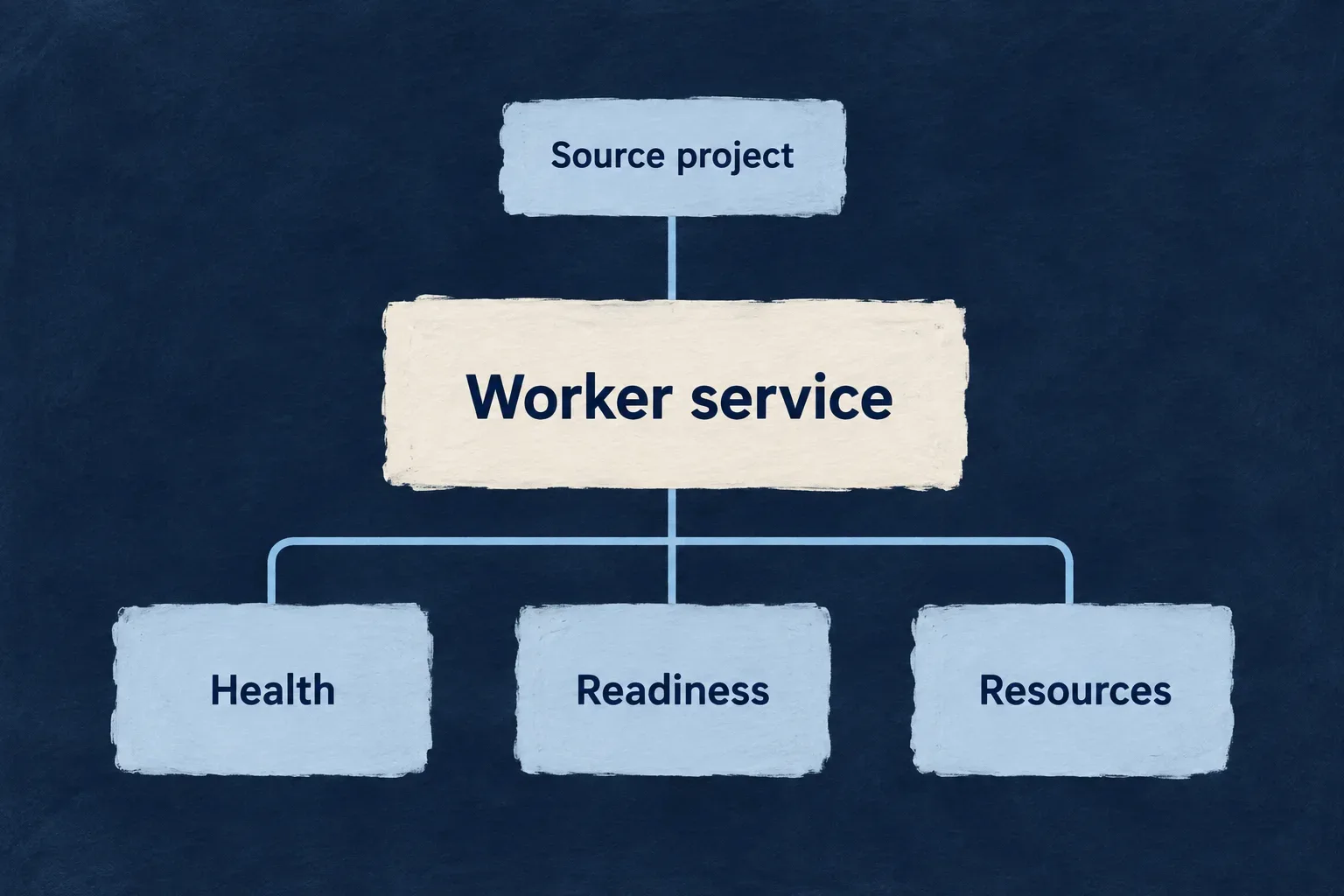
Operate the processing where it belongs
Declare the service
Keep the package, HTTP surface and runtime settings in the application’s worker configuration.
Size it for the workload
Choose CPU and memory settings appropriate to the work. Validate them against realistic requests in the target environment.
Make readiness observable
Use the declared health and readiness endpoints during startup and shutdown. Track processing failures through the application’s operational signals.
Example: A processor needs more memory than the API
A document-processing worker has its own resource settings. The team adjusts those settings and verifies the worker under representative input, without pretending that the API and processor have identical runtime needs.
For engineers
Inspect the generated worker configuration
The following illustrative materialization of the Node worker template names a calculation-preview package. Its values show the template’s HTTP, resource and user settings; choose the production values for the actual workload.
import { defineWorkerConfig } from '@wildo-ai/platform-config-lib';

export default defineWorkerConfig({
  version: 1,
  name: 'calculation-preview',
  displayName: 'Calculation preview',
  description: 'Calculate preview totals for the application',
  runtime: { type: 'docker', language: 'typescript' },
  http: {
    port: 8081,
    healthPath: '/healthz',
    readyPath: '/readyz',
  },
  auth: 'wildo-jwt',
  resources: { cpu: '500m', memory: '512Mi' },
  isolation: { runAsUser: 1000, runAsGroup: 1000 },
});
The application worker bucket uses its configured key, such as calculationPreview, to point to this package path. Keep that key consistent with backend calls and provider scopes; the directory name and worker map key have different roles.
Understand startup and shutdown
The Node host reads bootstrap and HTTP environment settings, loads its generated provider runtime and initializes the worker service. Startup obtains the trusted keys used for request verification. The HTTP host exposes liveness and readiness separately; readiness changes as the service becomes ready or begins shutdown.
Custom application routes sit behind the authentication router. The host’s operational endpoints are separate from those routes. An optional metrics path only becomes useful with its configured handler; declaring a path does not manufacture processing metrics.
Verify the deployed service
| Observation | What to exercise |
|---|---|
| Configuration | Worker package, key, provider scope and injected URL agree |
| Startup | Bootstrap succeeds and readiness reaches the expected state |
| Processing | Representative input completes within the intended resource envelope |
| Failure | The application handles unavailable service and processing errors |
| Shutdown | Readiness falls and in-flight connections follow the shutdown policy |
The backend worker client does not poll the worker’s authored readiness path before every call. It initializes its transport and lets request failure handling address unavailable service. Choose idempotency for side effects before depending on retries.
Inspect the generated deployment and run it in the target environment. Source configuration and a successful HTTP example establish different kinds of evidence from deployed processing under load.
Specialized work, connected to the application it serves.
A worker gives processing its own implementation and operational footprint. A clear contract keeps it understandable to the application, while your code defines the work it actually performs.
Building a B2B product or an internal tool?
Wildo is not self-service yet. Tell us what you have in mind and we will say plainly whether it fits, and what happens next.