
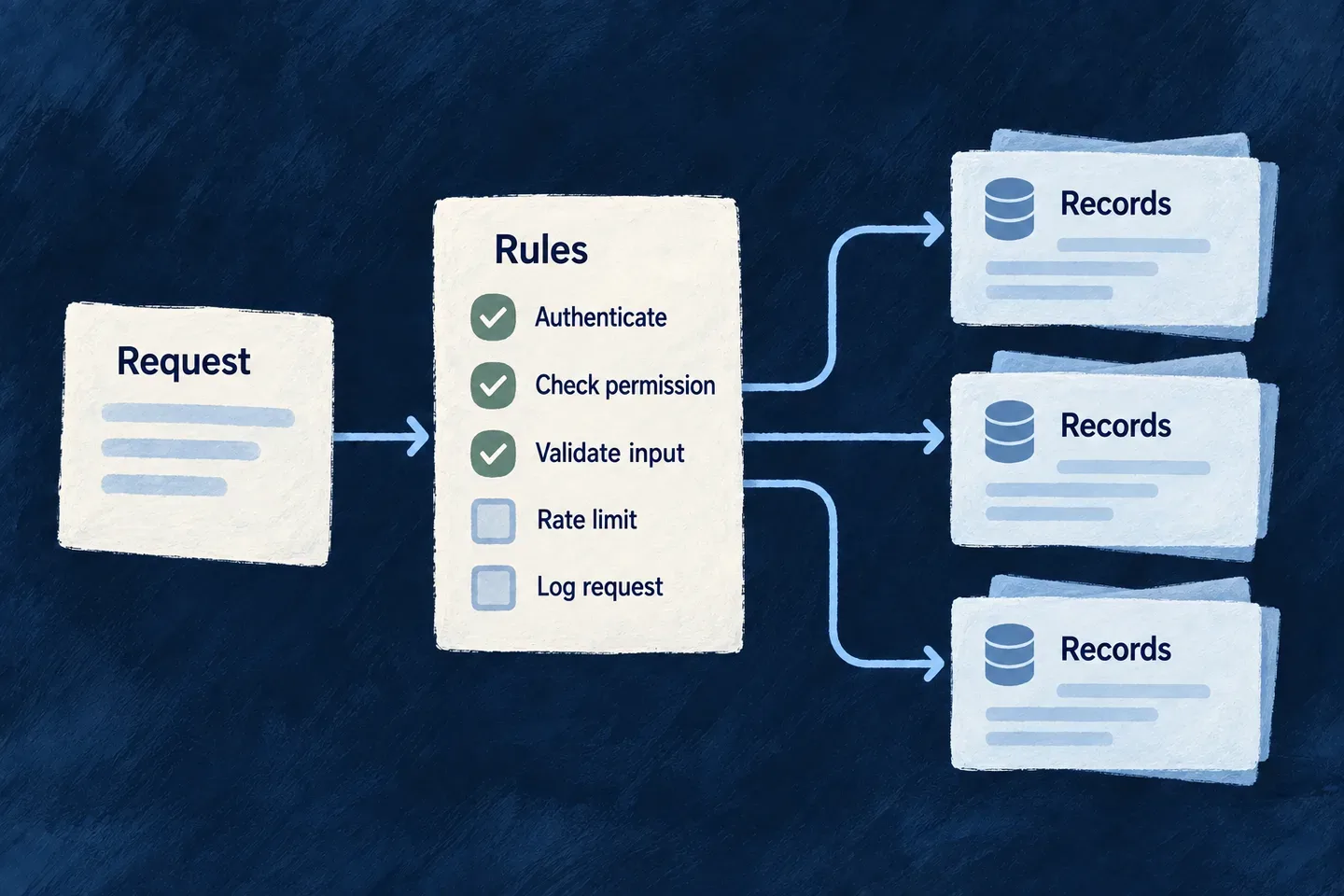
Let the assistant work with real records
Give the assistant selected operations from your application so it can look up information and make requested changes. Calls run with the person’s verified identity and the selected operation’s rules.
The model supplies the question or proposed fields. Your application supplies access, validation and behavior, keeping assistant actions connected to the same resource definitions as other interactions.
Example — Find a task before updating it
Someone asks to rename a task. The assistant first looks up matching records, then proposes an update to the chosen identifier. The operation checks whether that person may make the change; a persuasive prompt cannot supply a different identity.
For engineers
resourceReadTool supplies a bounded lookup. resourceWriteTool covers creating or updating one record and takes the model-facing input schema you author. Import both from @wildo-ai/saas-backend-lib; use your application’s resource enum rather than copying a string from an example.
This excerpt follows Wonder Todos’ lookup and update tools, with a reduced set of editable fields. It preserves the update’s human approval gate:
const functionTools = [
  resourceReadTool(TasksManager_ResourceType.TODOS),
  resourceWriteTool(TasksManager_ResourceType.TODOS, CoreResourceOperation.UPDATE, {
    requiresHumanApproval: true,
    inputSchema: z.object({
      id: z.string().min(1)
        .describe('Id of the todo to update. Resolve it with the read tool.'),
      title: z.string().min(1).max(200).optional()
        .describe('New title, if the user asked to rename it.'),
      status: z.enum(Todos_Status).optional()
        .describe('New status.'),
    }),
  }),
];
requiresHumanApproval: true pauses the proposed update for review before execution. Approval does not replace the operation’s authorization: the person must still be allowed to update that record.
The id addresses the existing record; the remaining fields become the patch. Do not include ownership fields or identity in this schema. The factory reconstructs execution context from verified authentication and the active organization.
Register these tools under the backend module’s flowsActors.functionTools, then list their exact references on the agent:
capabilities: {
  tools: {
    functionRefs: [
      `resource.${TasksManager_ResourceType.TODOS}.read`,
      `resource.${TasksManager_ResourceType.TODOS}.${CoreResourceOperation.UPDATE}`,
    ],
    mcpRefs: [],
  },
},
This is a fragment of the registered agent declaration. The model only receives registered tools selected by its references. A tool declaration elsewhere in a module does not grant it automatically to every agent.
Preserve the operation’s behavior
The shared dispatch path resolves the public operation, checks authorization, charges its declared rate limit and then invokes the service pipeline. Updates authorize the same record identifier they dispatch. The result is projected through the operation’s response contract before it reaches the model.
| Concern | Where it belongs |
|---|---|
| Which fields the model may propose | Tool inputSchema |
| Who is acting | Verified caller context |
| Whether the action is allowed | Selected resource operation and scope |
| Validation, custom behavior and hooks | Resource service pipeline |
| What information comes back | Operation response projection |
A read uses search when a query is supplied and an exposed search operation is available, otherwise list. Authorization and rate-limit refusals are not converted into a successful list fallback. The default lookup is bounded; this is not an unrestricted dataset export.
For a custom tool, use the shared resource-operation dispatch contract and an explicit response projection. Calling a service directly does not automatically reproduce controller-boundary authorization and rate limits. Prompt instructions describe intended use; they do not replace those checks.
Keep local and external tools distinct
functionRefs selects registered local tools. mcpRefs selects configured external MCP servers whose tools are discovered at turn start. External calls use their server connection and credential policy; they do not become local resource operations merely because the same assistant calls them.
An unavailable external server contributes no tools to that turn and the runtime logs the reason. This avoids showing the model tools that could not be discovered, while allowing the conversation to continue with the available set.