
Let a service firm's experts work inside a client's workspace
A client organization accepts a relationship with a service firm, and the firm's assigned experts then work inside the client's workspace under the client's control, checked again on every request to the application.
- What it is
- Feature — something a person using the product meets.
- What it does
- The client decides. Either side can propose. A firm's proposal is accepted by the client's owner, not by an ordinary administrator. The client can suspend and resume the relationship, narrow it to part of its organization, and end it. Each status says who ended a relationship and how.
- What you decide
- Declare the kinds of relationship your application has, once, under organizationRelationships: the organization types that act as firms, the client types they may serve, the roles a relationship may confer on the firm's experts and the default one, and what those experts see of a client's own records. Each client decides whether to accept a firm and what its experts may reach.
- Where it stops
- When a relationship is narrowed to part of the client's organization, an expert reaches only the data that is organized by those parts.
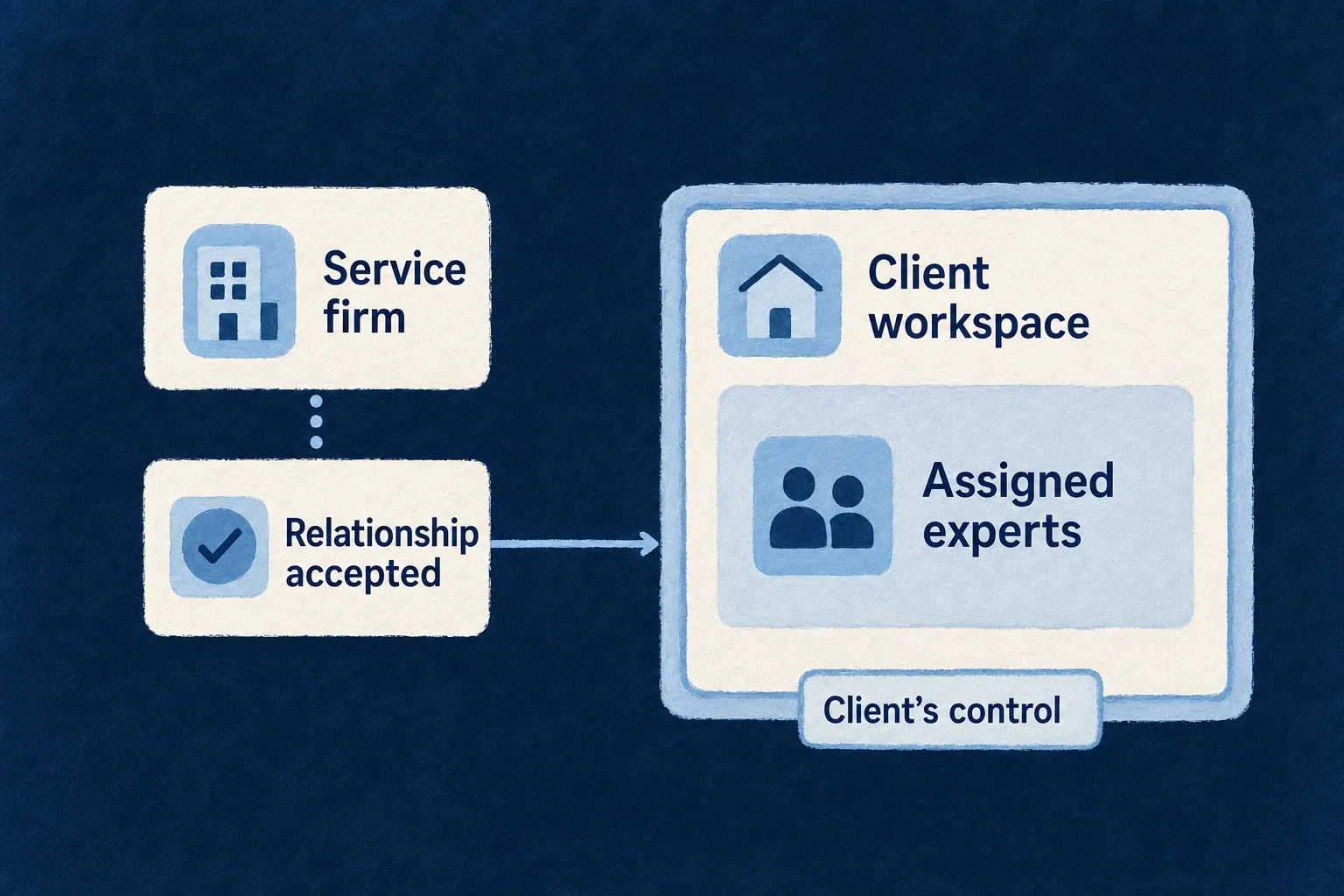
A service firm and each of its clients are separate organizations in the same application. A relationship between them, which the client accepts and controls, lets the firm assign named experts to the client. Each assigned expert receives a real membership in the client’s workspace, and that membership confers something only while the relationship is live.
The problem it solves
A firm whose experts work in every client’s workspace every day needs standing access, and standing access is exactly what a careful platform refuses to give an outsider. Break-glass operator access is the wrong tool: it is designed to be rare, justified and time-boxed. Sharing accounts or inviting experts as ordinary members is worse, because the client can no longer tell the firm’s people from its own or end the arrangement in one step.
What it does
The client decides. Either side can propose. A firm’s proposal is accepted by the client’s owner, not by an ordinary administrator. The client can suspend and resume the relationship, narrow it to part of its organization, and end it. Each status says who ended a relationship and how.
Checked on every request, with no sweep. Whether an expert’s membership confers anything is decided afresh on each request: the relationship must be active and unexpired, and the expert must still belong to the firm. Suspending, ending the relationship or the expert leaving the firm takes effect on the next request.
Experts are never administrators by default. The roles an expert may receive are declared per kind of relationship, and one that reaches administration is refused at startup. Experts are refused the client’s administrative doors, and they never count toward the rule that keeps a last owner in the client.
Each side acts only in its own organization. The client’s verbs run on the relationship in the client; the firm’s run on its own mirror of it. The counterpart record is written by the system in the same transaction, so neither side reaches into the other’s data.
The client’s audit trail names the relationship each expert acted through.
A firm’s machine credential can also be admitted on a relationship, which is how a firm’s agent can work for a client.
Two shapes, and the middle refused
An application with service firms has one of two shapes, and Wildo derives which from the declaration:
- The operator is the firm. Only the organization type that operates the application serves clients, as in an accounting firm running its own platform. The firm’s administrators are the operator’s, so they read the firm’s costs and its audit trail with their roles.
- The firms are independent of the operator. Organization types serve clients and the type that operates the application is not one of them, as on a platform any number of firms work on. The operator is then a third party to every firm and every client, and is treated as one: every account starts requiring its own approval before operator access is usable, reading the application’s audit trail needs a second administrator’s signature, and each firm reads its own model costs and its own experts’ override rate. The operator still reads cost totals per organization, which is its metering; a read that reaches each firm’s cases, or its experts’ decisions, needs a time-bound, second-signed access grant and is recorded.
The middle is refused when the application starts: an operating organization that serves clients beside firms it competes with would watch its competitors through the platform it runs.
Two firms serving one client stay apart inside it: neither sees the other’s experts in the client’s member directory, and neither answers a decision the other’s experts or agents raised.
Their work stays apart too. A record a firm’s experts create in the client belongs to that firm’s relationship: the client’s own people see it, and the other firms serving the client do not. The client may share one firm’s record with another firm, and withdraw the share later.
How a client attaches, without anyone typing an id
A firm invites a client it cannot name yet by email. When that person registers with that address, proves it, and creates their organization, the firm’s proposal is already waiting there for the owner to accept. Until they accept, the firm sees the proposal but not the client’s name. An invitation reaches only an organization created by the person it was sent to; it never tells the firm whether an address already has an account. The firm can revoke a pending invitation, and an unused one expires after seven days.
Where the operator is the firm, a client that already has an organization asks the firm itself: its owner proposes the relationship without naming a firm, because there is only one to ask.
What you decide
Declare the kinds of relationship your application has, once, under organizationRelationships:
the organization types that act as firms, the client types they may serve, the roles a
relationship may confer on the firm’s experts and the default one, and what those experts see of a
client’s own records. Each client decides whether to accept a firm and what its experts may reach.
Selected from wildo.saas.config.ts; the explanatory comments and the types’
other settings are omitted.
organizationTypes: {
  firm: { ownsApplication: true, /* … */ },
  client: {
    userTypes: ['member'],
    availableOrgRoles: [
      CORE_ORG_ROLES.ORG_OWNER,
      CORE_ORG_ROLES.ORG_ADMIN,
      CORE_ORG_ROLES.ORG_MANAGER,
      CORE_ORG_ROLES.ORG_MEMBER,
      CORE_ORG_ROLES.ORG_REPRESENTATIVE,
      WonderLedgerOrgRole.QUALIFIED_ACCOUNTANT,
    ],
    // …
  },
  'regulated-client': { /* … */ },
},
organizationRelationships: {
  service: {
    representing: { organizationTypes: ['firm'] },
    granting: { organizationTypes: { client: {}, 'regulated-client': {} } },
    confers: {
      roles: [CORE_ORG_ROLES.ORG_REPRESENTATIVE, WonderLedgerOrgRole.QUALIFIED_ACCOUNTANT],
      defaultRole: CORE_ORG_ROLES.ORG_REPRESENTATIVE,
    },
    tenantRecords: TenantRecordVisibility.ROLE,
    invitations: true,
  },
},
Here the firm serves two client types, and its experts receive the service-provider role unless the
relationship names the qualified-accountant role, which the application defines for the experts
entitled to approve a posting. tenantRecords: TenantRecordVisibility.ROLE lets the experts reach
the client’s own records as their role allows; SHARED_ONLY would show them only what the client
shares. invitations lets the firm invite by email a client that has no organization yet. Startup
checks the declaration against the organization role table: it refuses a conferred role whose
inheritance reaches the administrator role, a conferred role a client type does not list among its
available roles, and a default that is not one of the conferred roles. That is why the client type
above offers both roles itself.
Limits
When a relationship is narrowed to part of the client’s organization, an expert reaches only the data that is organized by those parts. Data that is not organized that way is refused to such an expert, unless the application declares it readable across the whole organization for experts.
Ending a relationship or removing a role takes effect on the expert’s next request. A live-update connection the expert already has open is closed when the change is saved, and reconnects with what the relationship then allows. A background job queued before the change runs with the roles it was queued with.
A pending decision the agent raises for a client’s own work is offered to every expert holding the role it is routed to. Today its card shows the proposed change even when that change is about another firm’s record, in the decisions list and in chat notices. Closing this is tracked in #2734.
An expert who belongs to more than twenty organizations does not yet have their roles, or an entry in the organization switcher, for the organizations beyond the twentieth.
What a client additionally controls over the firm, such as approving each expert or lending an administrative right for a limited time, is described in its own entry.