
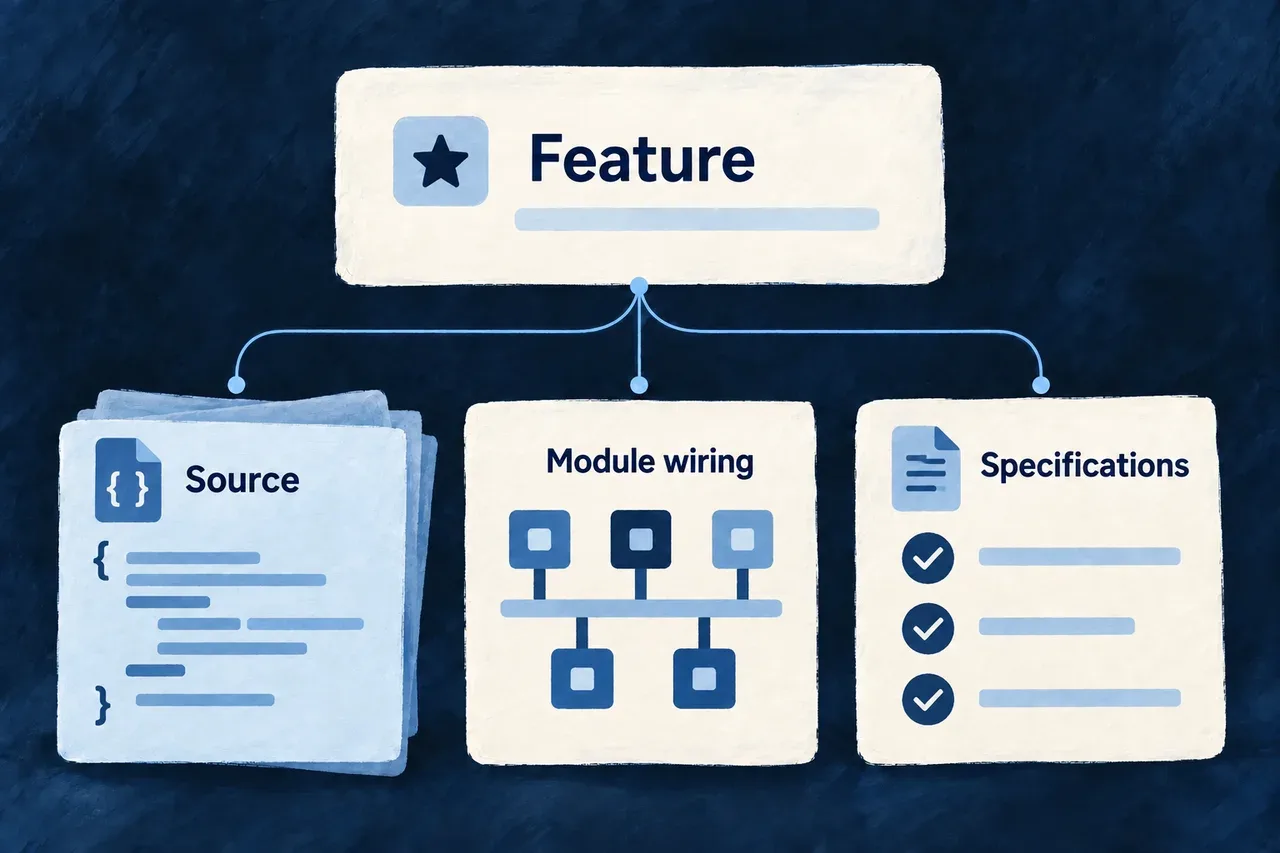
Add a feature with its connections
A module is useful when the application can discover and run it. Creating its files is only part of the work; its shared definitions, specifications and interface also need their registrations.
Composition scenarios describe these changes together. Preview the planned files and edits, apply them, then develop the new piece as application-owned code.
Example — Add a customer-support module
A support module starts with connected places for its shared definitions, business specifications, backend implementation and interface. The scenario registers that structure; you then add the request resources and the behavior your team needs.
For engineers
Run wildo compose inside an application to discover its available scenarios. The following is an illustrative add-module invocation using every required variable from the shipped manifest. Replace @service-desk/shared-lib with the actual shared-library package name.
wildo compose
wildo compose add-module \
  --var moduleId=customer-support \
  --var moduleCamel=customerSupport \
  --var modulePascal=CustomerSupport \
  --var 'purpose=Organize customer requests and their resolution' \
  --var 'businessCapability=Resolve customer requests' \
  --var businessDomain=customer-service \
  --var sharedLibPackage=@service-desk/shared-lib \
  --dry-run
The preview lists file writes, declared edits, already-present elements and conflicting files. It includes required engine peer declarations and applicable provider overrides, showing dependency names and values alongside the affected paths. Review that plan, then repeat the same invocation without --dry-run to apply it. Required variables and naming patterns are validated before planning the file changes.
Follow one module through the application
Example: the customer-support module produced by the command above, using the shipped skeleton layout with backend-api, frontend, shared-lib and specifications packages. The scenario creates a connected starting point. It does not implement a support feature: the initial resource, operation and view registries are empty.
You supply the module identity and business purpose. The scenario renders its descriptors and edits the host registrations below. The framework then consumes those registrations; your application code supplies the resources and behavior you add afterward.
Give the shared model one module identity
In shared-lib/src/modules/customer-support/index.ts, the generated descriptor connects the module’s field identifiers, resource configurations and relationships. The imports point to registries created alongside it:
import type { SharedSaaSModule } from '@wildo-ai/saas-models';

import { CustomerSupport_ResourceFieldIdentifier } from './resources/customer-support.resources-types';
import { moduleResourcesConfigurationsFactoryMap } from './resources/customer-support.resource-configs';
import { moduleResourcesRelationships } from './resources/customer-support.relationships';

const customerSupportModule: SharedSaaSModule = {
  moduleId: 'customer-support',
  kind: 'domain',
  resourceConfigurations: moduleResourcesConfigurationsFactoryMap,
  resourceFieldIdentifiers: CustomerSupport_ResourceFieldIdentifier,
  resourceRelationships: moduleResourcesRelationships,
};

export * from './resources';
export default customerSupportModule;
The identity is customer-support in every layer. Adding a resource later fills these registries; naming a module alone does not create an API or a form.
Keep the business meaning alongside the model
The specification declaration in specifications/src/modules/customer-support/index.ts explains the purpose behind the module. This selected declaration uses the variables supplied to the scenario:
import {
  type ModuleBusinessSemantics,
} from '@wildo-ai/saas-specifications';

export const customerSupportModuleBusinessSemantics: ModuleBusinessSemantics = {
  relatedModuleId: 'customer-support',
  purpose: 'Organize customer requests and their resolution',
  businessCapability: 'Resolve customer requests',
  businessDomain: 'customer-service',
  primaryActors: [
    'organization member',
    'organization admin',
  ],
  mainResources: [],
  supportingResources: [],
  integrationSurfaces: [],
};
The empty resource lists are intentional at this stage. As resources are added, the specifications explain which are central to the module and how they support its purpose.
Connect interface contributions and backend behavior
In frontend/src/modules/customer-support/index.ts, the generated frontend descriptor collects resource UI behavior, composite views and shell contributions:
import type { FrontendModule } from '@wildo-ai/saas-frontend-lib';

import moduleResourcesUIBehavior from './resources/index.js';
import moduleAppLevelViewsCompositeViews from './app-level-views/index.js';
import moduleAppShellModuleConfig from './app-shell.module.frontend.js';

const customerSupportFrontendModule: FrontendModule = {
  moduleId: 'customer-support',
  resourceUIBehavior: moduleResourcesUIBehavior,
  compositeViews: moduleAppLevelViewsCompositeViews,
  ...moduleAppShellModuleConfig,
};

export default customerSupportFrontendModule;
The shell contribution starts with an empty navigation group. Creating this descriptor does not add a customer-support screen; actual resources and view contributions provide the visible experience.
The backend has a different owner. backend-api/src/modules/customer-support/index.ts supplies the descriptor discovered by the existing backend directory scan:
import type { BackendOwnedModule } from '../../backend-owned-module.js';
import moduleResources from './resources/index.js';

const customerSupportBackendModule: BackendOwnedModule = {
  moduleId: 'customer-support',
  kind: 'domain',
  backendModule: moduleResources,
};

export default customerSupportBackendModule;
backendModule starts with the module’s empty resource-operation collection. Later additions supply implementations here; the module directory is the discovery boundary.
Register the module in the host that will use it
These are selected resulting declarations from separate files, not one file to paste over the application’s existing registries. The scenario adds the corresponding imports and preserves existing entries.
// shared-lib/src/modules-registry.shared.ts
export const applicationSharedModules: SharedSaaSModule[] = [
  customerSupportModule,
];

// specifications/src/module-registry.specification.ts
export const applicationModuleBusinessSemantics: ModuleBusinessSemantics[] = [
  customerSupportModuleBusinessSemantics,
];

// frontend/src/modules/index.ts
export const applicationFrontendModules: FrontendModule[] = [
  customerSupportFrontendModule,
];

// wildo.saas.config.ts — the service keys in this skeleton
export const applicationModules = {
  'customer-support': { services: ['backendApi', 'app'] },
};
The shared registry includes the module in the model, the specification registry includes its business meaning, and the frontend registry includes its interface contributions. The service binding declares which configured services use the module. Source registration and service selection answer different questions; both matter.
Backend discovery already exists in backend-api/src/modules/index.ts. This selected existing code scans child module exports and assembles their backend contributions; the scenario does not append a separate backend array entry:
const applicationBackendOwners = await scanSubdirDefaultExports<BackendOwnedModule>({
  importMetaUrl: import.meta.url,
});

const applicationBackendDomainModules: BackendDomainModule[] = applicationBackendOwners.flatMap((ownedModule) =>
  ownedModule.backendModule ? [ownedModule.backendModule] : []
);

const backendModules = mergeBackendDomainModules(...applicationBackendDomainModules);
Carry the registration into the companion’s observed model
The shared package’s existing companion-exports.ts already loads the assembled sharedModules. This loader stays unchanged when the scenario adds the module upstream:
async function loadSharedCompanionData() {
  return import('./modules-registry.shared.js');
}

export async function loadSharedModules(): Promise<SharedSaaSModule[]> {
  const { sharedModules } = await loadSharedCompanionData();
  return sharedModules;
}
The existing sharedCompanionExports object exposes loadSharedModules. The package’s ./companion entry points to the emitted companion surface. Let the application’s development watchers compile the changed packages, then synchronize changed configuration for the selected environment. The companion resolves the requested service and the targets required by that introspection behavior; it does not infer them from a newly created directory.
Use the running companion’s menu to choose a service key and an available behavior:
# Discover the actual serving surface and its supported queries.
wildo context health
wildo context list

# In this skeleton, backendApi is the backend service key.
wildo context info resources-registry --service backendApi
wildo context coherence
These are verification commands to run in your application, not captured output from a deployed support feature. A health response establishes availability. An empty new module contributes no resources to resources-registry, so the absence of a support resource is expected until one is declared. Once a resource and its behavior are added, check their presence in the resolved model and exercise the actual API or screen. A successful compilation or coherence report alone does not demonstrate that business flow.
Choose the right scenario boundary
| Input | What it controls |
|---|---|
| Scenario manifest | Required variables, generated file paths and edits to existing files |
| Template file tree | Initial application-owned implementation files |
| Structured TypeScript edits | Imports, registrations, enum members and configuration entries |
| JSON and package edits | Workspace or dependency declarations needed by the new piece |
| Post-apply notes | Follow-up steps, such as adding resources or allowing watchers to compile changes |
Scenario selection is per reference: an application-delivered scenario takes precedence over the same reference in the framework checkout. References found only in the checkout remain available as a fallback. add-module supplies a connected empty shape; add-resource adds its business records afterwards.
Keep later edits under application ownership
Planning skips byte-identical generated files and edits whose required elements are already present. A generated target with different content becomes a collision, and apply refuses that plan before starting its writes. Reconcile deliberate application changes through version control rather than expecting a scenario to merge them.
This preflight protects against known conflicts; applying a plan performs filesystem writes sequentially. Keep the change reviewable in version control, including recovery from an interrupted write or a later post-apply failure. After a successful addition, let the development watchers compile the affected packages and synchronize configuration when runtime bindings change.