
Receive email into the right customer workspace
Email sent to an organization's address, its own verified domain or a relationship mailbox arrives in that organization, with attachments scanned before anything acts on the message.
- What it is
- Feature — something a person using the product meets.
- What it does
- The address decides, and only the address. A message is routed in a fixed order: a reply address the application issued (which must belong to the organization the address reaches), then a relationship mailbox, then a domain the organization has verified, then the organization's address on the application's shared domain. Anything else is unroutable and audited.
- What you decide
- Select an inbound email provider, declare an email channel handler, and decide what a message causes in your application. Organizations decide whether to claim their own domains.
- Where it stops
- This has run end to end against a stand-in for the email provider.
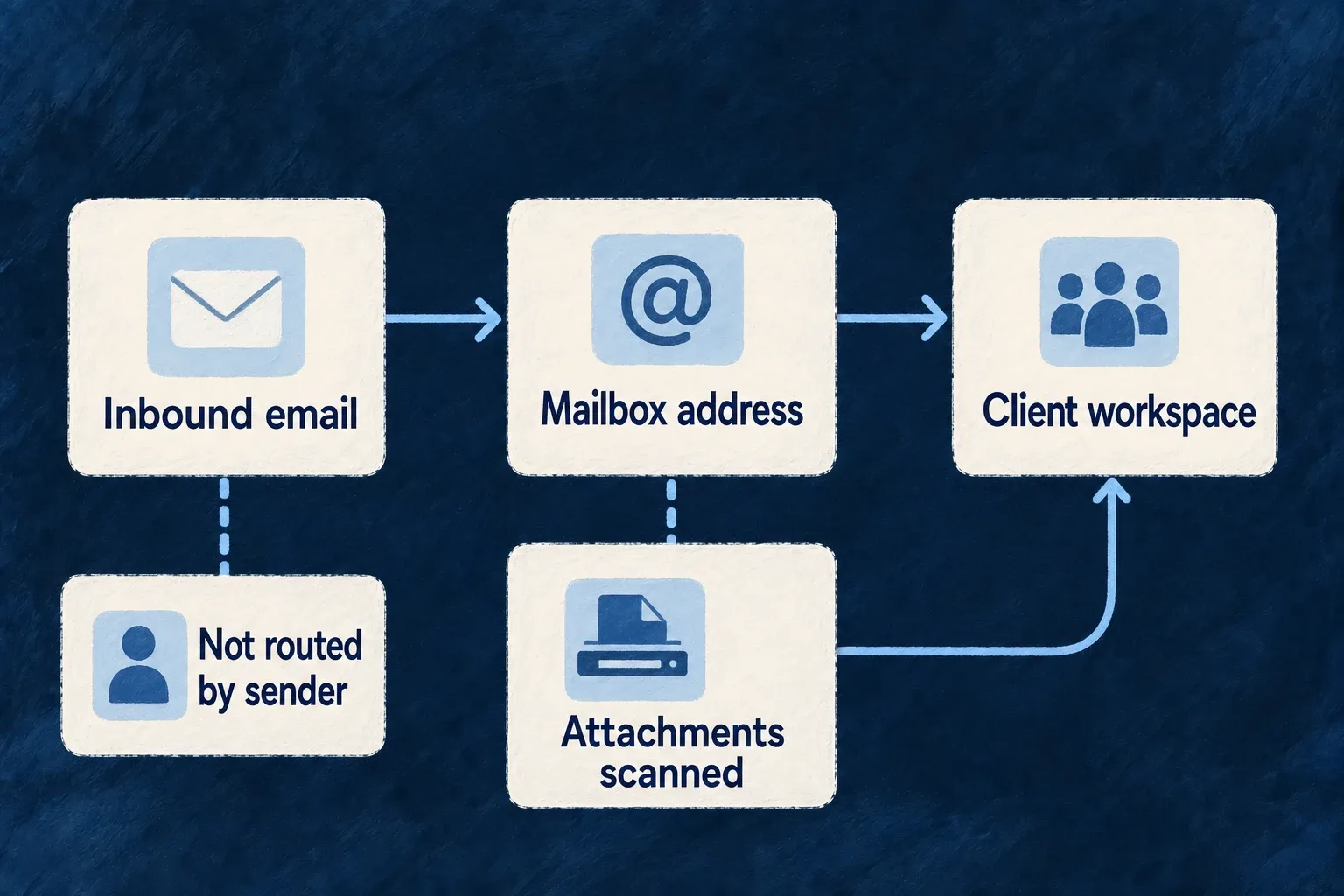
An application that selects an inbound email provider can receive mail on behalf of its organizations. Each message is routed to one organization by the address it was sent to, stored with its attachments, and handed to the application’s email handler, which can create a record and answer on the thread.
The problem it solves
For a service firm, email is where clients send work. Forwarding it by hand into the right workspace is slow, and routing it automatically is dangerous if done carelessly: a sender’s address is easy to forge, so an application that decided the destination from the sender would let anyone write into any customer’s data.
What it does
The address decides, and only the address. A message is routed in a fixed order: a reply address the application issued (which must belong to the organization the address reaches), then a relationship mailbox, then a domain the organization has verified, then the organization’s address on the application’s shared domain. Anything else is unroutable and audited.
Organizations can use their own domain. An organization claims a domain and proves ownership through a DNS record. The domain receives nothing until it is verified, a competing claim cannot take it once ownership is proven, and it is suspended if its records disappear. Replies can then leave from that domain.
A firm can keep a mailbox for each client. A relationship mailbox on the firm’s domain delivers into the client’s own organization, where the case lives, and only while the relationship between the firm and that client is active.
Nothing acts on an unscanned attachment. A message waits until every attachment has a scan verdict. An infected attachment, or one whose scan failed, is withheld and listed on the message. Size and count limits are enforced, and the raw message can be kept or discarded.
The rest is the channel’s. The message is filed on a conversation thread with a sender-assurance level. A handler that requires more assurance than a message carries never sees it.
An address is not reused. When an organization is deleted, its address is retired, so a new organization with the same name never receives the old one’s mail.
What you decide
Select an inbound email provider, declare an email channel handler, and decide what a message causes in your application. Organizations decide whether to claim their own domains.
Select the provider that receives
The example application enables EngineCapability.EMAIL_INBOUND and lets Resend both send and
receive. Selected from wildo.saas.config.ts; the backend scope’s other
providers and selections are omitted.
resend: {
  engineCapabilities: [EngineCapability.EMAIL_TRANSACTIONAL, EngineCapability.EMAIL_INBOUND],
  providerCapabilities: ['EMAIL_TRANSACTIONAL', 'EMAIL_INBOUND'],
  protocols: ['EMAIL_PROVIDER', 'EMAIL_INBOUND_PROVIDER', 'WEBHOOK_ORIGINATOR'],
},
// …
[EngineCapability.EMAIL_INBOUND]: {
  primary: 'resend',
  whenUnavailable: [],
},
Receiving takes two protocols beside sending: EMAIL_INBOUND_PROVIDER, through which the engine
fetches a received message and its attachments, and WEBHOOK_ORIGINATOR, which mounts the endpoint
the provider notifies when a message arrives. The selection names Resend as the inbound provider
with no fallback. Nothing here names an organization: the address a message was sent to decides that.
Limits
This has run end to end against a stand-in for the email provider. It has not yet run against a real provider account. An agent started from an email and pausing for review is not yet part of that run.