
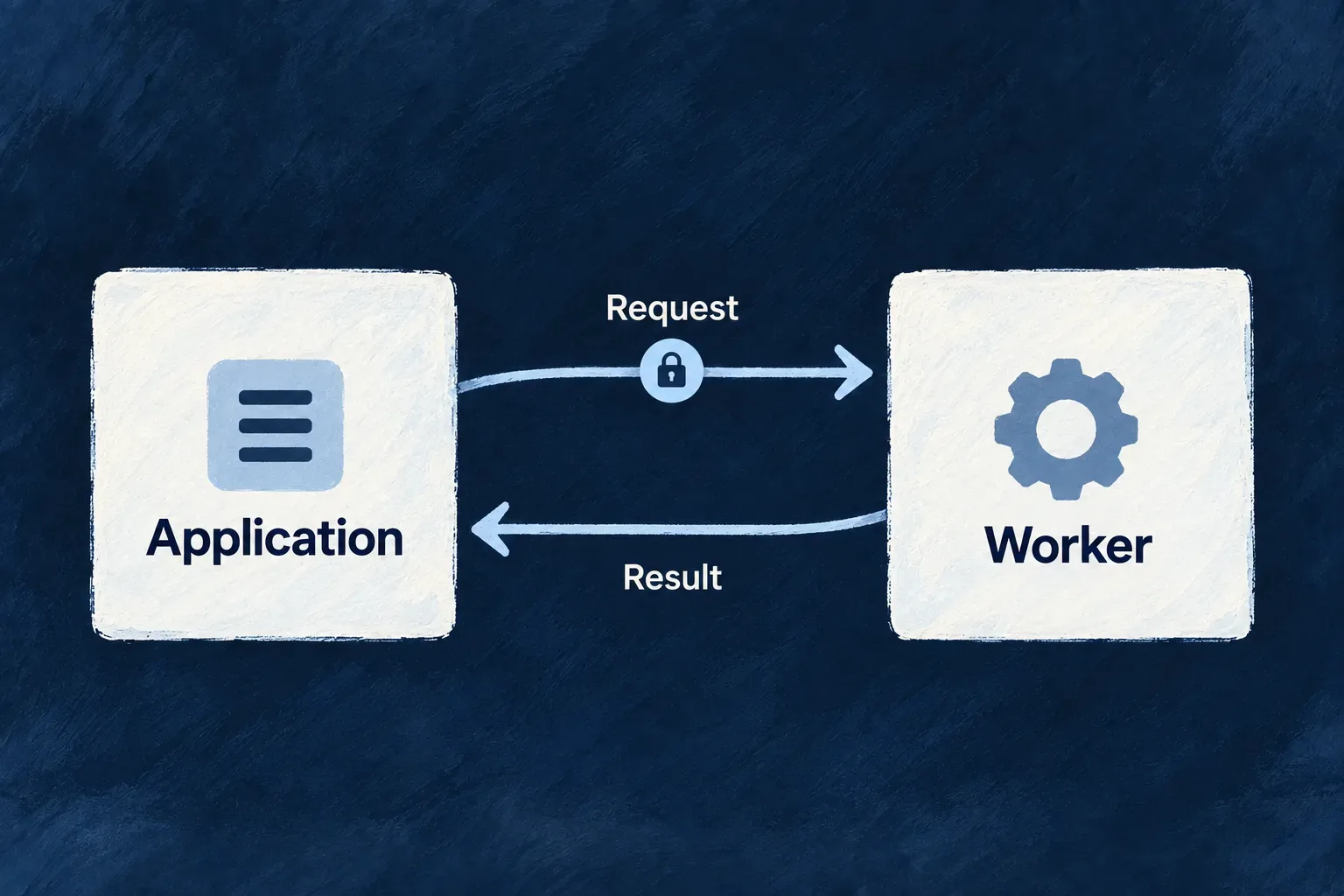
Run specialist work in its own process
Move specialist processing into a service with its own runtime and resource allocation. The application sends the necessary input, receives the result and retains control of access to its business data.
Wildo connects the backend and worker through an authenticated HTTP contract. Use the Node worker runtime or implement that contract in another language when the work needs different libraries or a separate execution environment.
Example — Calculate a workload projection
The backend reads the tasks it is authorized to access and sends only the fields needed for a workload calculation. A separate worker computes the projection and returns it without receiving the application’s database credentials.
For engineers
Declare the worker’s runtime and HTTP contract
A worker is registered in the application’s workers configuration with a package path. Its own wildo.worker.config.ts defines runtime, health paths and resource requests. This selected configuration comes from Wonder Todos’ Rust worker; identity and isolation settings are omitted here.
import { defineWorkerConfig } from '@wildo-ai/platform-config-lib';

export default defineWorkerConfig({
  version: 1,
  name: 'my-rust-worker',
  runtime: {
    type: 'docker',
    language: 'rust',
  },
  http: {
    port: 8080,
    healthPath: '/healthz',
    readyPath: '/readyz',
  },
  auth: 'wildo-jwt',
  resources: {
    cpu: '1000m',
    memory: '1Gi',
  },
});
The worker image must implement those endpoints and use compatible isolation settings. The Node runtime supplies bootstrap and verification; another language implements the same authentication and probe contract. Deployment projects the worker address into the backend environment as WILDO_WORKER_<NAME>_URL.
Read authorized data before dispatch
Wonder Todos’ plan_workload operation demonstrates the boundary. Its service handler first reads tasks through the service registry using a sub-call execution context. It then sends the computation fields to myNodeWorker at /tasks/workload-projection.
This selected body of the actual overrideAll handler keeps the checked client factory, authorized sub-call read and response normalization together. id, executionContext and utils are handler arguments; the application’s Tasks and Todos_PlanWorkload types describe the input records and result. WORKER_NAME is myNodeWorker; WORKLOAD_PROJECTION_PATH is /tasks/workload-projection. Only comments are omitted.
const workerFactory = utils.workerClientFactory;
if (!workerFactory) {
  throw utils.errorBuilder.buildError(ErrorType.CONFIGURATION, executionContext, {
    customMessageReference: ErrorCustomMessageReference.CONFIGURATION,
    context: {
      message:
        'plan_workload requires WorkerRemoteClientFactory — the projection runs in the declared worker, '
        + 'and this backend deliberately does not carry a second copy of that reduction.',
      workerName: WORKER_NAME,
    },
  });
}

const listed = await utils.servicesRegistry.list<Tasks>(
  TasksManager_ResourceType.TASKS,
  await utils.executionContextCreator.createForSubCall(
    executionContext,
    TasksManager_ResourceType.TASKS,
    CoreResourceOperation.LIST,
  ),
  { todoId: id },
);
const tasks: Tasks[] = Array.isArray(listed) ? listed : (listed?.data ?? []);

utils.logger.info('Dispatching workload projection to the application worker', {
  workerName: WORKER_NAME,
  todoId: id,
  taskCount: tasks.length,
});

const response = await workerFactory.client(WORKER_NAME).post(WORKLOAD_PROJECTION_PATH, {
  tasks: tasks.map((task) => ({
    id: task._id,
    status: task.status,
    priority: task.priority,
    assignedToUserId: task.assignedToUserId,
    estimatedMinutes: task.estimatedMinutes,
    actualMinutes: task.actualMinutes,
  })),
}) as unknown as Todos_PlanWorkload | { data?: Todos_PlanWorkload };

const projection = (response as { data?: Todos_PlanWorkload })?.data ?? response as Todos_PlanWorkload;
return projection as never;
The input leaves out titles and descriptions because the calculation does not need them. The backend owns tenant confinement and data selection; the worker owns validation and computation. A failed dispatch must remain distinguishable from a legitimate empty result.
Connect Node startup to the receiving route
The matching Node entry uses setupSaasWorkerInjection, readWorkerBootstrapEnv, readWorkerHttpSurfaceEnv and defineWorkerInit from @wildo-ai/saas-workers-node-lib. The example below selects its startup and route body; imports, environment-file loading, logging and process-level error handlers are omitted.
Before this block, the real entry loads .env and .wildo-providers.env. Its local loadProviderRuntime() imports the generated wildo-provider-runtime.generated.js, checks that it exports a nodeWorkers artifact and fails explicitly if missing. Run wildo config sync to generate that worker-scoped artifact and projected environment; do not replace it with an invented empty topology. UNASSIGNED_BUCKET is the application constant 'unassigned'.
const container = setupSaasWorkerInjection();
const bootstrapEnv = readWorkerBootstrapEnv();
const httpSurface = readWorkerHttpSurfaceEnv();
const providerRuntime = await loadProviderRuntime();
const startWorkerApplicationService = container.get(
  SAAS_WORKERS_NODE_SERVICE_TYPES.StartWorkerApplicationService,
) as StartWorkerApplicationBackendService;

const config = defineWorkerInit({
  workerName: 'myNodeWorker',
  serviceKind: BackgroundRuntimeType.WORKER,
  http: httpSurface,
  appsManagerBootstrapUrl: bootstrapEnv.appsManagerUrl,
  providerRuntime,

  registerRoutes: (router) => {
    router.post('/tasks/workload-projection', (req, res) => {
      const body = req.body as { tasks?: unknown } | undefined;
      const tasks = Array.isArray(body?.tasks) ? body.tasks : [];

      const byStatus: Record<string, number> = {};
      const byPriority: Record<string, number> = {};
      const remainingMinutesByAssignee: Record<string, number> = {};
      const overRunningTaskIds: string[] = [];
      let totalEstimatedMinutes = 0;
      let totalActualMinutes = 0;

      for (const entry of tasks) {
        const task = entry as {
          id?: unknown;
          status?: unknown;
          priority?: unknown;
          assignedToUserId?: unknown;
          estimatedMinutes?: unknown;
          actualMinutes?: unknown;
        };

        const status = typeof task.status === 'string' ? task.status : 'unknown';
        const priority = typeof task.priority === 'string' ? task.priority : 'unknown';
        byStatus[status] = (byStatus[status] ?? 0) + 1;
        byPriority[priority] = (byPriority[priority] ?? 0) + 1;

        const estimated = typeof task.estimatedMinutes === 'number' ? task.estimatedMinutes : 0;
        const actual = typeof task.actualMinutes === 'number' ? task.actualMinutes : 0;
        totalEstimatedMinutes += estimated;
        totalActualMinutes += actual;

        const remaining = Math.max(estimated - actual, 0);
        const assignee = typeof task.assignedToUserId === 'string' && task.assignedToUserId.length > 0
          ? task.assignedToUserId
          : UNASSIGNED_BUCKET;
        remainingMinutesByAssignee[assignee] = (remainingMinutesByAssignee[assignee] ?? 0) + remaining;

        if (estimated > 0 && actual > estimated && typeof task.id === 'string') {
          overRunningTaskIds.push(task.id);
        }
      }

      res.json({
        taskCount: tasks.length,
        byStatus,
        byPriority,
        remainingMinutesByAssignee,
        overRunningTaskIds: overRunningTaskIds.sort(),
        totalEstimatedMinutes,
        totalActualMinutes,
      });
    });
  },
});

await startWorkerApplicationService.initialize({
  config,
  applicationId: bootstrapEnv.applicationId,
  platformApplicationPrimarySecret: bootstrapEnv.platformApplicationPrimarySecret,
});
registerRoutes attaches the calculation; initialize starts the authenticated runtime with the application bootstrap identity. The receiver defaults absent task arrays to an empty list and absent numeric fields to zero; those are this example’s normalization choices, not general schema validation supplied automatically by the worker runtime.
For example, a task estimated at 60 minutes with 20 already spent contributes 40 remaining minutes to its assignee. A task with a positive estimate and a string ID enters the overrun list when its actual time exceeds that estimate; it contributes zero remaining minutes. The returned counts, sums and sorted IDs are computed by the worker rather than echoed from the request. The backend then returns that projection under its operation response contract.
Understand authentication and readiness
WorkerRemoteClientFactoryBackendService caches a client per worker name. Missing deployment URLs fail explicitly. The client signs an APPLICATION_WORKER_REQUEST token containing application and worker identity; initialization requires the backend’s application configuration to be ready.
The Node worker fetches trusted public keys from the platform and refreshes them. Its verifier checks the signed token against the worker-request algorithm, issuer and audience, and can accept still-valid rotation keys. Probe routes are public; business routes pass through verification. Handlers can inspect verified claims for any additional route-specific authorization.
| Concern | Responsible side |
|---|---|
| Selecting application records | Backend service and its execution context |
| Supplying only necessary input | Calling operation |
| Signing and verifying the service request | Backend client and worker runtime |
| Validating the payload and producing the result | Worker handler |
| CPU, memory, image and probe contract | Worker configuration and deployment |
The HTTP client does not poll the worker’s authored readiness path before each call; its network failure handling applies when the worker is unavailable. Deployment health checks and application error handling must cover that case.
Keep worker and queue responsibilities distinct
A declared worker does not consume application queue messages. Queue consumers normally run in the backend process; a worker handles HTTP requests and does not receive database, cache or broker access by default. A queued operation may call a worker, but those are two explicit steps.
Wonder Todos now includes a real workload-projection caller and its Node worker in the local development stack. Its backend-to-worker end-to-end test is a useful reference for exercising dispatch, authentication and the returned result. Adding a worker declaration still requires a working image, handler and deployment configuration for that worker.