
Apply an offer at purchase
A promotion defines an offer separately from the ordinary price: a percentage or fixed discount, a duration, and the conditions under which it can be used. Wildo connects the offer to the billing provider and validates it during checkout.
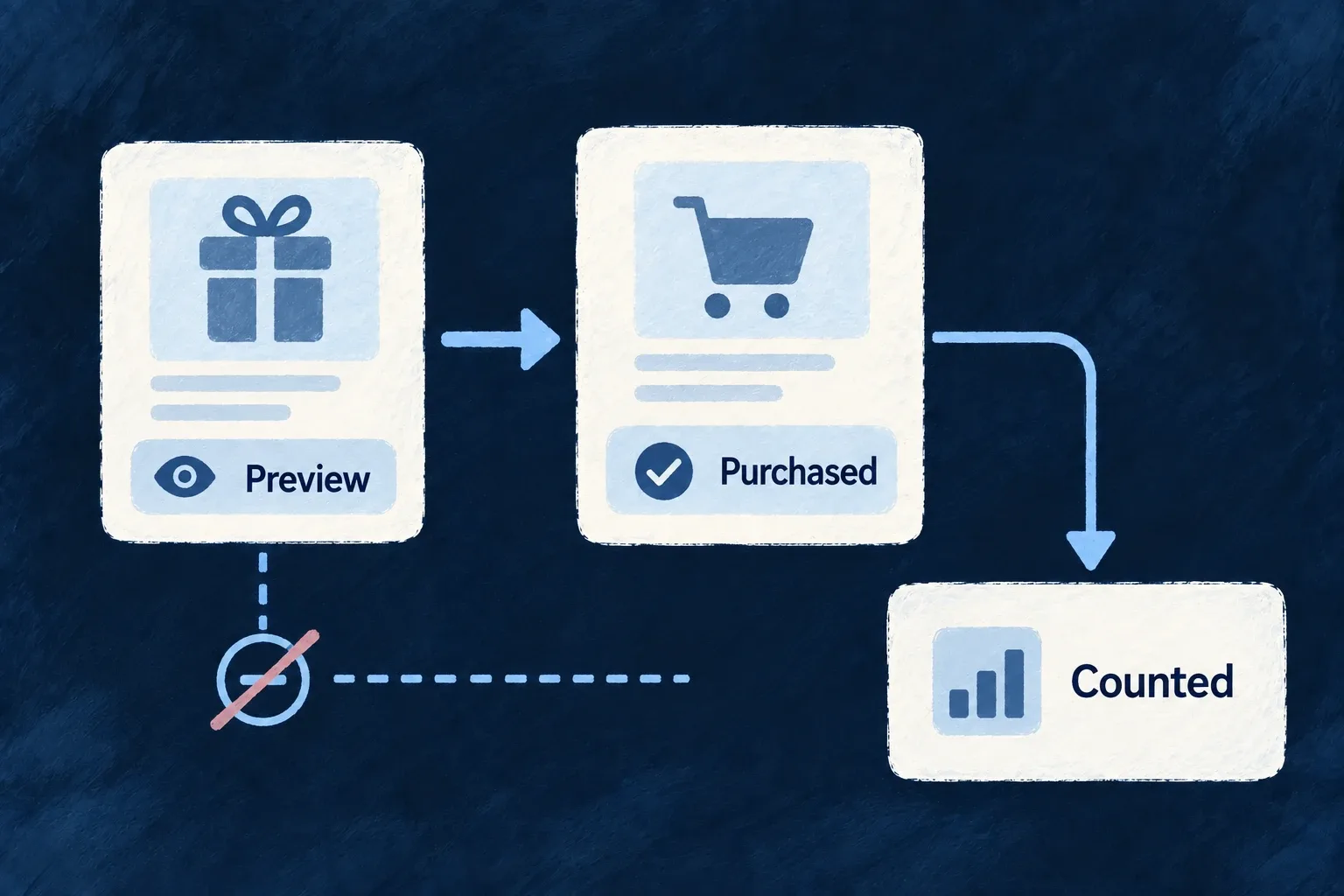
Showing a discount and completing a purchase are separate moments. The local redemption count changes when the purchase completes, not when someone merely enters a code.
Example — Preview an offer without spending it
A customer checks a promotion code and sees its discount. If they leave checkout, that preview has not consumed a redemption; successful settlement records the completed use.
For engineers
Create the promotion through its trusted internal operation with a configured billing provider. The promotions.enabled flag records a product setting; the current runtime does not use it to switch promotion operations on or off. Choose a compatible discount type and amount. The creation hook syncs a coupon before saving provider identifiers; a failed provider sync does not leave a usable local-only offer.
The actual coupon request is:
const provider = getBillingProvider();
const couponResult = await provider.createCoupon({
  ...(input.discountType === DiscountType.PERCENTAGE && { percentOff: input.discountPercentage }),
  ...(input.discountType === DiscountType.FIXED_AMOUNT && input.discountFixedAmount && {
    amountOff: toCurrencyMinorUnitAmountOrThrow(input.discountFixedAmount, 'promotion fixed discount'),
    currency: input.discountFixedAmount.currency,
  }),
  duration: durationMap[input.duration] ?? 'once',
  ...(input.durationInMonths && { durationInMonths: input.durationInMonths }),
  ...(input.maxRedemptions && { maxRedemptions: input.maxRedemptions }),
  ...(input.metadata && { metadata: input.metadata }),
});
const providerCouponId = couponResult.providerCouponId;

let providerPromotionId: string | undefined;
if (input.type === PromotionType.PROMOTION_CODE && input.code && providerCouponId) {
  const promoResult = await provider.createPromotionCode(providerCouponId, input.code);
  providerPromotionId = promoResult.providerPromotionId;
}
This selected engine fragment follows input validation. Percentage offers need discountPercentage; fixed offers need discountFixedAmount. A PROMOTION_CODE also creates a provider promotion code. Persisted provider IDs are required by checkout.
Fixed discounts use the shared money contract: amount together with decimals describes the value. Wildo converts it to the provider currency’s minor units before creating the coupon. For example, USD amount: 5n, decimals: 0 and amount: 500n, decimals: 2 both send 500 cents. Values that would lose currency precision or exceed a safe provider number are refused before submission.
Preview, then revalidate at checkout
The client-facing APPLY operation validates the record and returns discount information; it records no redemption. OPEN_CHECKOUT separately revalidates the supplied code and passes the provider-backed discount into checkout. Do not treat a successful preview as a reservation or proof that a later purchase must remain eligible.
| Moment | Responsibility |
|---|---|
| Offer creation | Validate discount shape and sync the provider coupon |
| Customer preview | Explain the applicable discount without counting a redemption |
| Checkout opening | Recheck active state, dates, cap and applicable offer conditions |
| Paid settlement | Count the completed redemption behind settlement deduplication |
A guarded increment prevents the local counter from exceeding its configured cap under competing settlements. That cannot undo a provider discount already paid for; the handler logs that condition and still grants the purchased item. Keep provider restrictions consistent with the offer rather than treating the local count as an atomic reservation across external checkout sessions.
Deactivation prevents new eligible use; it is not a refund of earlier purchases. A referral-programme promotion type also does not implement referral conversion or reward delivery by itself.