
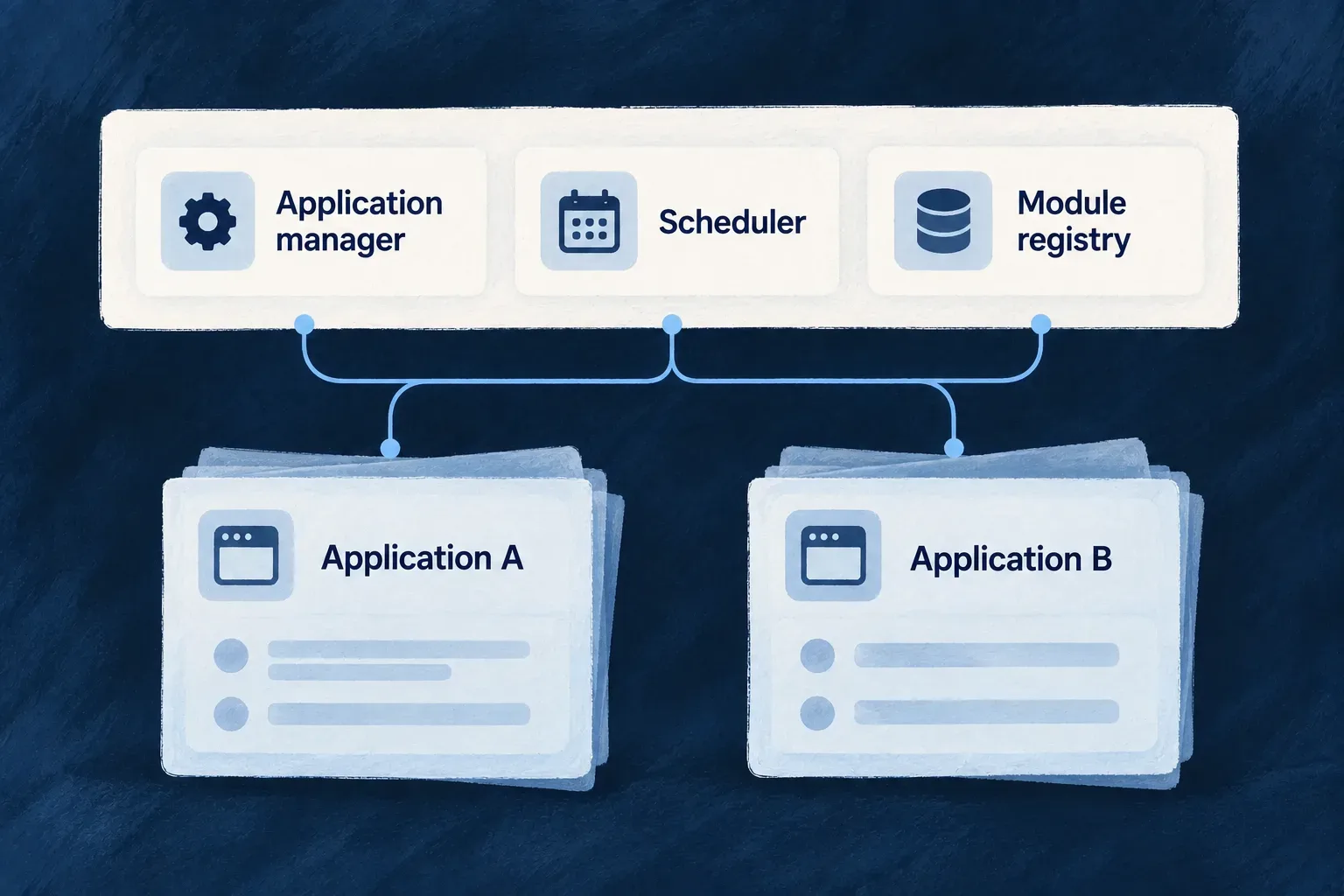
Share the services around your applications
Applications can share the services that register them, coordinate scheduled work and distribute reusable modules. Each application keeps its own identity and configuration while using the same operational foundation.
Wildo packages these services for the supported deployment workflows, with initialization and health checks built into their startup.
Example — Operate a task product and a CRM together
Both applications use the application manager and scheduler. Each registers its own configuration and jobs; shared module infrastructure supports reuse. Operating these common services does not merge the applications’ customer accounts or grant universal access to their records.
For engineers
| Service | Owns | Does not replace |
|---|---|---|
| Application manager | Application registration, managed configuration and credential provisioning | Application deployment and business logic |
| Crontabs and batches manager | Schedule records and signed dispatch | The application’s job execution and outcome |
| Module registry | Shared module publication and retrieval infrastructure | Application-specific composition and behavior |
| Initialization job | One-time platform setup for the environment | A continuously running application service |
The deployment templates use a shared platform image with a runtime service discriminator. Compose and Kubernetes describe the platform services and their initialization dependencies. In framework development, services can run from source. These are execution choices around the same named responsibilities.
Platform services use the engine’s repositories and runtime mechanisms, with service-specific startup sequences. The application manager and module registry extend the common startup; the schedule manager uses its own two-phase sequence. A common engine does not mean their readiness dependencies or initialization order can be ignored.
Match the caller to the door
Sharing a service does not mean sharing one credential or one permission model for all its endpoints.
| Door | Caller | Purpose |
|---|---|---|
| Scheduler administration | Application-manager service identity | Inspect or manage scheduler state |
| Application job synchronization | Authenticated application | Synchronize that application’s jobs |
| Runtime’s own schedule | Authorized runtime principal | Read its own schedule and history |
This selected middleware from crontabs-scheduler.crontab.controller.ts protects the administrative scheduler routes. Comments and later route registration are omitted; the excerpt stops inside setupRoutes.
protected setupRoutes(): void {
  this.router.use((req, res, next) => {
    const middleware = this.authMiddleware.create({
      allowPlatformServices: true,
      allowApplications: false,
      expectedAudience:
        PlatformApplicationType.PLATFORM_CRONTABS_BATCHES_MANAGER,
    });
    return middleware(req, res, next);
  });

  this.router.use((req, res, next) =>
    this.authzMiddleware.requireAppsManager()(req, res, next),
  );
The first layer authenticates an appropriate service token and audience. The second requires the application manager’s identity. The application synchronization and runtime self-read endpoints deliberately use other contracts; do not apply this administrative example to all scheduler traffic.
Separate operational control from customer authority
A platform environment hosts registered applications. Each application can then have its own application-wide administrators and customer organizations. Those application roles govern its resource operations; they are not the credentials the application manager uses to operate the shared platform.
Provision the shared services and their access before bootstrapping applications. Inspect each readiness endpoint and the specific authenticated exchange needed by the caller. A generated service definition establishes the intended deployment, not a running multi-region service or a guarantee of uninterrupted operation.