
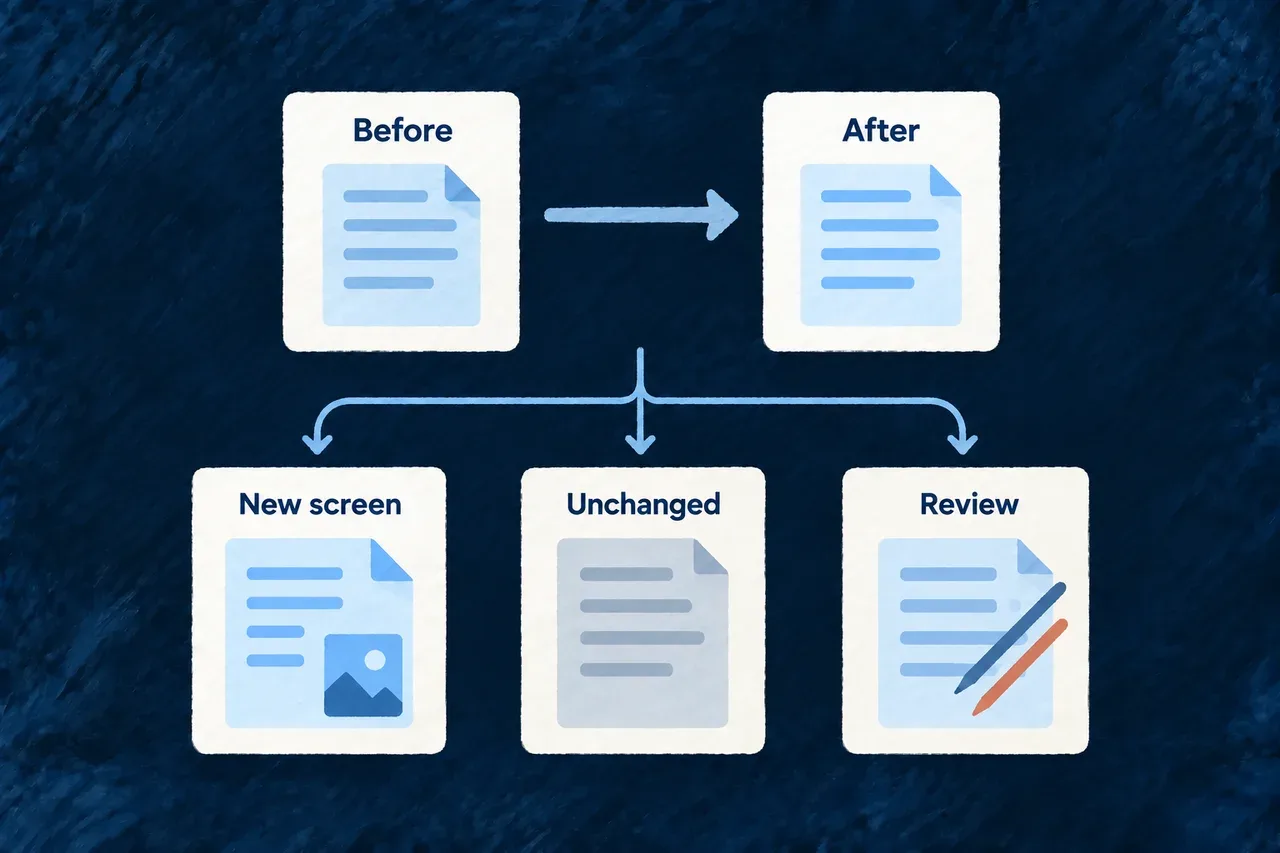
See what changed during a coding run
A coding run starts in a real workspace, often with work already in progress. Wildo compares the files before and after the run, so an earlier edit does not automatically become part of the agent’s result.
The resulting change set identifies new and changed files and marks overlaps that need review. It gives you a concrete account of the run window, with uncertainty visible alongside the changes.
Example — Review a new customer screen
An agent adds a customer screen while an existing pricing edit remains untouched. The new screen enters the change set; the unchanged pricing edit does not. If someone also edits the customer schema during the run, that overlap calls for a closer review.
For engineers
How a run gets its baseline
The companion captures a working-tree snapshot before invoking the coding agent, then captures the result after execution. Dirty tracked files have a fingerprint derived from their diff; untracked files use their content. The comparison excludes files that were already dirty but did not change again.
This selected fragment from the capture service shows the distinction. It runs inside the per-file comparison; the surrounding method also handles new files, committed paths and summary statistics:
const changedDuringRun = baselineState.fingerprint !== postState.fingerprint
  || baselineState.changeKind !== postState.changeKind;
if (!changedDuringRun) {
  // Dirty before the run, untouched during it — not part of this
  // run's change set at all.
  continue;
}

entries.push({
  path,
  changeKind: postState.changeKind,
  attribution: ownedByConcurrentLane
    ? ChangeSetAttributionClass.CONCURRENT_HOST_LANE
    : ChangeSetAttributionClass.BASELINE_DIRTY_AMBIGUOUS,
  dirtyAtBaseline: true,
  ...(postState.fingerprint !== undefined ? { postRunFingerprint: postState.fingerprint } : {}),
  ...(postState.sizeBytes !== undefined ? { sizeBytes: postState.sizeBytes } : {}),
});
The first highlighted region removes unrelated pre-existing work. The second retains a changed file while distinguishing an ordinary overlap from a path owned by a concurrent companion lane.
Interpret the attribution before accepting the work
| Classification | What the capture observed | How to read it |
|---|---|---|
run_exclusive | A tracked file was clean at the start and dirty afterwards | A change in this run window; review its diff |
appeared_during_run | A new untracked file appeared | Review the new file and its purpose |
baseline_dirty_ambiguous | An already dirty file changed again | The capture cannot separate the run’s work from another editor’s |
committed_during_run | A path changed between the starting and ending commits | History moved; the path remains visible without assigning authorship |
concurrent_host_lane | A changed path belongs to the companion’s research evidence store | Visible alongside the run, excluded from its mutation-scope decision |
These are observations about time and location, not an operating-system record of which process wrote a byte. Even a clean starting file can be edited by an external session during the window. The research classification likewise comes from the path’s owner, not proof that a research process made that particular write.
Follow the change set into the result
The structured task artifact retains paths, classifications, starting and ending commit positions, and post-run fingerprints. Full diff text belongs to the verbose trace artifact. The agent’s reported file locations remain a separate claim; they do not replace the workspace capture.
The post-run scope assessment checks observed changes against the task’s declared scope, including baseline-dirty files that changed again. Uncertain authorship does not exempt a path from that check. It excludes committed-window entries and concurrent research-store paths, while recording those conditions. A baseline-dirty file disappearing also receives separate handling when history moved.
This assessment detects observed effects after execution. It does not prevent shell commands from making those changes. Review the permission policy alongside the change set when deciding how the agent may work.
Preserve a useful review window
Avoid committing unrelated work during a coding run when practical: moving the commit position makes ownership harder to establish. Capture uses a guarded read-only Git command set and selected ignored paths, rather than staging files to discover them. Host bookkeeping is deliberately separated from application edits.
Use the actual diff and the task’s required checks to judge the result. A captured file list explains what moved; it does not establish that the feature works.