
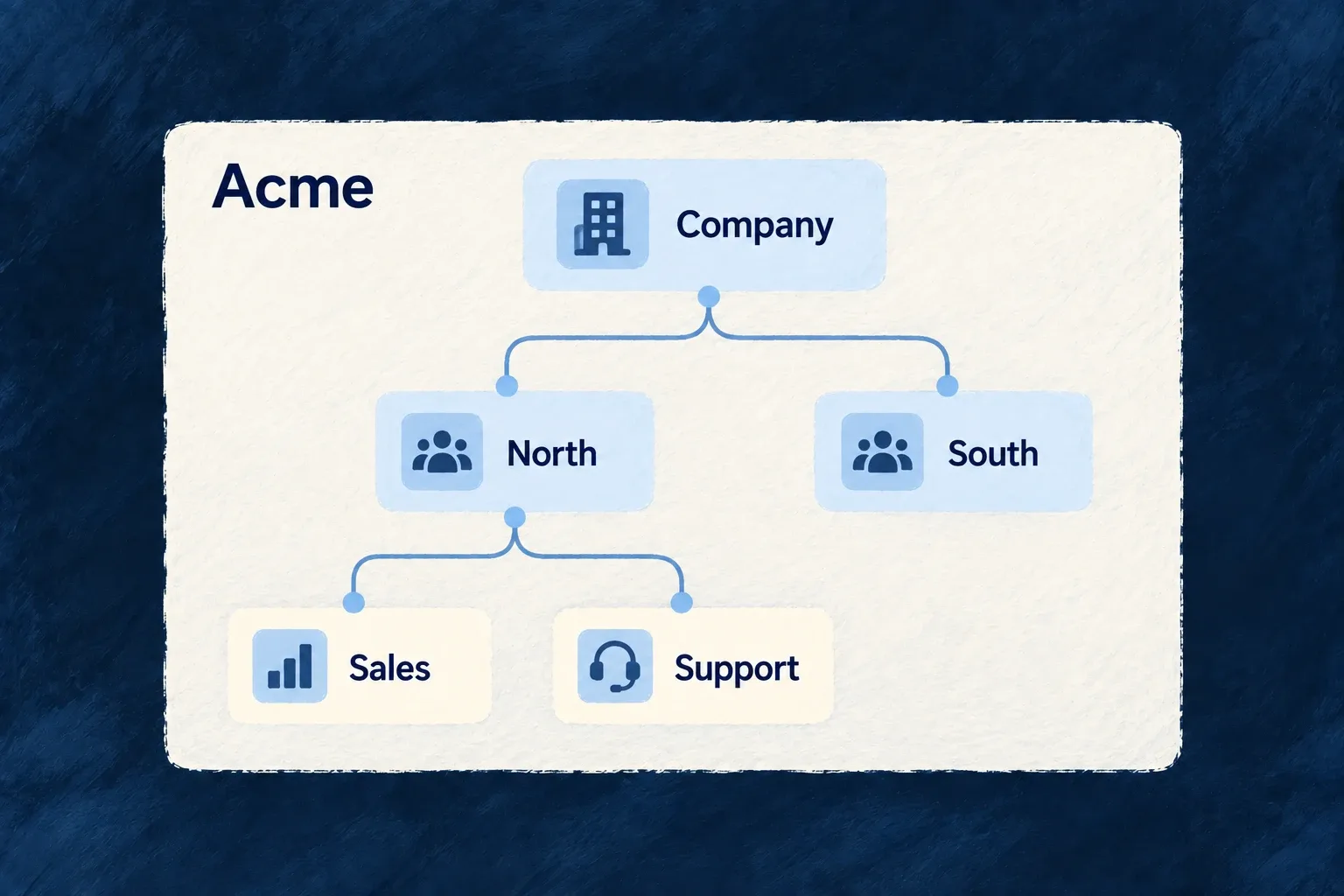
Organise work into teams and departments
Organisation units describe departments, teams or regions inside a customer workspace. They can form a hierarchy, so the structure reflects how that customer actually works.
Units also give scoped responsibilities a place to live. Assignments and resource configuration decide when the organisational structure should affect access.
Example — Keep teams inside one customer account
A customer groups work under Sales and Support, with regional teams beneath Sales. The customer remains one organisation while each team has a recognisable place in its structure.
For engineers
Create a node with a deliberate inheritance policy
This illustrative unit-create payload defines a department under an existing parent. The route supplies the organisation context, and parentUnitId names a unit in that organisation:
{
  "name": "European Sales",
  "code": "EU-SALES",
  "parentUnitId": "existing-sales-unit-id",
  "inheritanceType": "inherit_down"
}
Replace the example ID with a real parent. inherit_down lets a role held at this unit reach its descendants; no_inheritance limits it to the assigned unit. There is no upward permission inheritance.
Move through the operation that owns the tree
parentUnitId is excluded from generic updates. Moving a node changes its descendants’ materialised paths too, so use the unit’s move operation. The node’s path is server-owned, not something the client calculates and patches.
A unit’s optional code is unique among siblings. The parent is part of that identity: two departments may use the same code under different parents without representing the same node.
Invoke moves and lifecycle transitions on the addressed unit
For an organization administrator, moving a unit uses this request. UNIT_ID and NEW_PARENT_ID must identify units in the addressed organization:
curl -X PUT "$BACKEND_URL/organizations/$ORG_ID/organization-units/$UNIT_ID/move" \
  -H "Authorization: Bearer $ADMIN_TOKEN" \
  -H 'Content-Type: application/json' \
  --data "{\"newParentUnitId\":\"$NEW_PARENT_ID\",\"reason\":\"Align the regional sales structure\"}"
The move payload names newParentUnitId, not the stored parentUnitId. Send {} to promote the unit to a root; an empty ID is not the root command. The server validates the destination and updates the moved subtree’s paths. Re-read the unit and its descendants to confirm the new hierarchy.
Archiving requires a nonempty reason of at most 500 characters:
curl -X PUT "$BACKEND_URL/organizations/$ORG_ID/organization-units/$UNIT_ID/archive" \
  -H "Authorization: Bearer $ADMIN_TOKEN" \
  -H 'Content-Type: application/json' \
  --data '{"reason":"The regional team has been reorganized"}'
To restore the unit, use PUT on the same route with /restore and send {} or an optional reason of at most 500 characters. Archiving changes that node rather than rewriting every descendant. Restoring a child requires its ancestor chain to be active, so restore archived parents first. These actions change unit availability; they do not move the customer to another tenant or replace membership assignments.
Connect structure to authority explicitly
A tree does not automatically filter all business records. Add unit assignments and opt the relevant resources into unit-based access. Review broad grants at root units carefully: downward inheritance from the root can reach the whole chart even though its source is one unit assignment.