
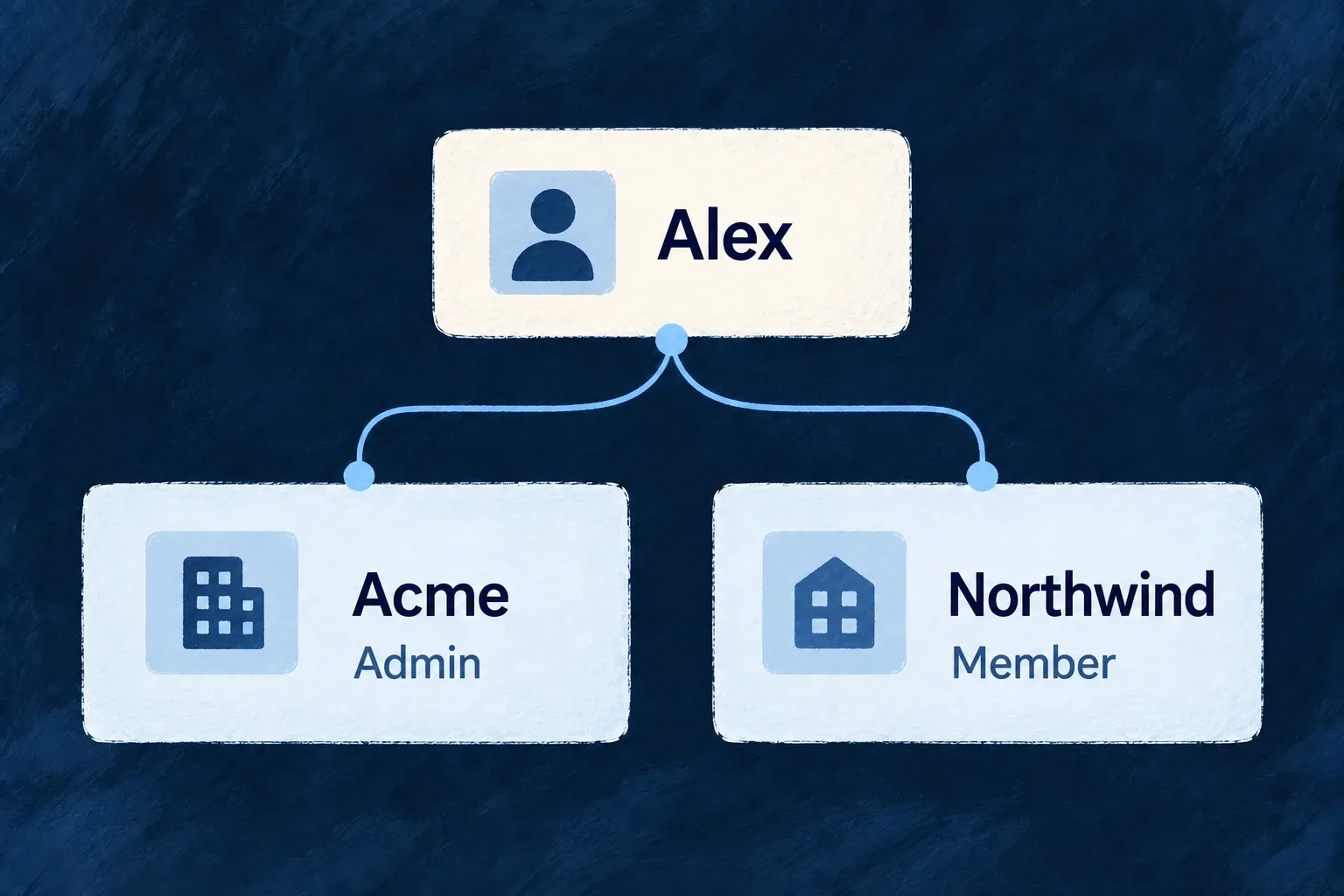
Give people the right place in each workspace
A membership connects a person to one organisation. It carries their roles and access state in that workspace, so the same person can be an administrator for one customer and a regular member for another.
Membership changes are real changes to authority. Invitations, role edits and removal use the organisation’s access rules and leave records of the change.
Example — One person, different responsibilities
A consultant administers their own workspace but joins a customer’s workspace as a member. Their customer access comes from that membership, not from the role they hold at home.
For engineers
Treat the membership as its own record
organizationMembers joins an organisation and a user. That pair is the membership’s business identity; roles and status describe what the connection currently permits. Directory information can change without changing the linked account.
Address the membership, not the account
An organization administrator updates an existing membership at the route below. MEMBERSHIP_ID is the membership record’s _id, not the global user ID; ORG_ID is the workspace that owns it. This example keeps ordinary membership and adds the manager role:
curl -X PUT "$BACKEND_URL/organizations/$ORG_ID/organization-members/$MEMBERSHIP_ID" \
  -H "Authorization: Bearer $ADMIN_TOKEN" \
  -H 'Content-Type: application/json' \
  --data '{"roles":["ORG_MEMBER","ORG_MANAGER"]}'
Use roles available to that organization type and within the caller’s grant ceiling. The submitted array is the resulting role set, not an instruction to append one role. Read the membership back to check the persisted roles, then exercise the operation those roles are intended to permit. Preserve any existing responsibilities the person should retain; removing the last usable owner is refused.
The ordinary update cannot change userId or status. Accepting an invitation, suspending a member and reactivating a member each have their own guarded transition. Setting status: "ACTIVE" in this payload is not an acceptance flow.
Understand when a role takes effect
An invited membership does not confer the privileges of an active member. Acceptance activates the membership and is where organisation-granted application user types become effective. The organization-type configuration declares both the types granted on joining and the membership requirement used to revoke them later. Role edits check the caller’s grant ceiling, including roles that will only become active after invitation acceptance.
Remove access through the right action
A pending invitation is revoked through its invitation operation. An established member is removed with DELETE /organizations/{organizationId}/organization-members/{membershipId} using an authorized organization administrator. This removes their membership in that workspace, not their global account. The implementations distinguish these states, remove dependent unit assignments where applicable and reconcile application-level user types that came from the organisation.
The owner floor protects changes that would retire the last usable owner. A role array is therefore not merely editable metadata: its update participates in authority and continuity checks. Use unit roles when a person’s responsibility applies to one department rather than the whole organisation.