
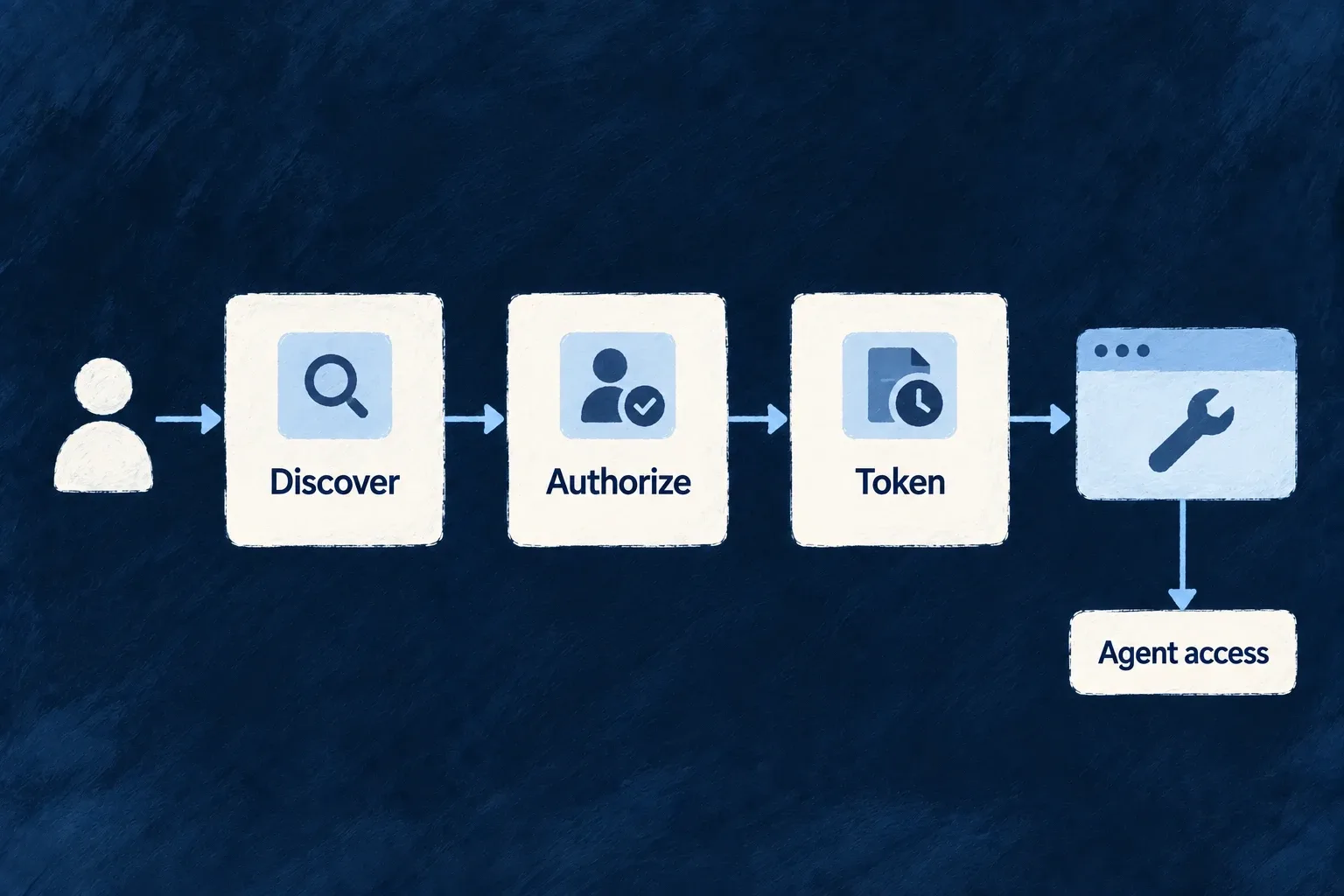
Give connected tools a standard authorization flow
Connected tools need a way to discover the application, request authorization and exchange credentials for tokens. Wildo provides those related endpoints as one authorization-server surface.
Registered services act under their own roles. User-approved tools receive access for a named agent endpoint, with identity information separated from operation permissions.
Example — A tool connects to an agent endpoint
The tool discovers the authorization endpoint, sends the person through approval and exchanges the returned code for a token bound to the requested agent resource.
For engineers
Discovery publishes the browser-facing consent URL, token endpoint, supported grants and signing-key information. The browser-facing authorization flow uses a registered redirect URI, state, a PKCE S256 challenge and the intended resource.
At exchange, the provider verifies the code against the original client, redirect and verifier before issuing anything:
This implementation excerpt from oauth-provider-token.backend.service.ts shows the decision in context; explanatory source comments are omitted.
const grant = await authCodeService.exchangeAuthorizationCode({
      code: request.code,
      clientId: request.clientId,
      redirectUri: request.redirectUri,
      codeVerifier: request.codeVerifier,
      presentedClientSecret: request.clientSecret,
    });
Build a public client’s authorization request
Use a registered public client with authorization-code access, an exact registered callback URI and an allowed MCP or A2A resource audience. Public registration uses PKCE rather than a client secret. A confidential client additionally authenticates at token exchange; do not place that secret in browser JavaScript.
This illustrative browser client uses metadata from a trusted, configured discovery URL. The browser must return to the same client origin/tab so its pending state remains available. A production client can use an OAuth library for this protocol bookkeeping; these functions expose the values that must stay connected.
async function beginDelegation({ discoveryUrl, clientId, redirectUri, resource }) {
  const response = await fetch(discoveryUrl);
  if (!response.ok) throw new Error(`Discovery HTTP ${response.status}`);
  const metadata = await response.json();
  const base64url = (bytes) => btoa(String.fromCharCode(...bytes))
    .replaceAll('+', '-').replaceAll('/', '_').replace(/=+$/, '');
  const verifier = base64url(crypto.getRandomValues(new Uint8Array(32)));
  const challenge = base64url(new Uint8Array(await crypto.subtle.digest(
    'SHA-256', new TextEncoder().encode(verifier),
  )));
  const state = base64url(crypto.getRandomValues(new Uint8Array(32)));
  sessionStorage.setItem('wildo-delegation', JSON.stringify({
    state, verifier, clientId, redirectUri, resource,
    tokenEndpoint: metadata.token_endpoint,
  }));

  const authorize = new URL(metadata.authorization_endpoint);
  authorize.search = new URLSearchParams({
    response_type: 'code', client_id: clientId,
    redirect_uri: redirectUri, scope: 'openid', state,
    code_challenge: challenge, code_challenge_method: 'S256',
    resource,
  }).toString();
  window.location.assign(authorize.href);
}
The discovered authorization endpoint is the frontend consent page. Wildo handles login and the person’s decision there. Its authenticated backend authorization/decision calls return JSON containing redirect_to; the frontend navigates to it. Your external client receives the callback, not the first-party session token or the internal consent token. Denial returns an error rather than a usable code. Consent may be bypassed only where the provider’s client/user policy permits it.
Validate the callback before exchanging its code
Run this on the registered callback page. This compact example allows one outstanding authorization attempt per tab; starting another replaces the pending attempt. It removes the pending entry before exchange, so a failed exchange starts a new authorization rather than replaying the code indefinitely.
async function finishDelegation() {
  const saved = sessionStorage.getItem('wildo-delegation');
  if (!saved) throw new Error('No pending authorization');
  const pending = JSON.parse(saved);
  const callback = new URL(window.location.href);
  const expected = new URL(pending.redirectUri);
  if (callback.origin !== expected.origin || callback.pathname !== expected.pathname
      || callback.searchParams.get('state') !== pending.state) {
    throw new Error('Authorization callback does not match the pending request');
  }
  sessionStorage.removeItem('wildo-delegation');
  if (callback.searchParams.has('error')) throw new Error('Authorization was not granted');
  const code = callback.searchParams.get('code');
  if (!code) throw new Error('Authorization returned no code');

  const response = await fetch(pending.tokenEndpoint, {
    method: 'POST',
    headers: { 'content-type': 'application/x-www-form-urlencoded' },
    body: new URLSearchParams({
      grant_type: 'authorization_code', client_id: pending.clientId,
      redirect_uri: pending.redirectUri, code, code_verifier: pending.verifier,
      resource: pending.resource,
    }),
  });
  if (!response.ok) throw new Error(`Token exchange HTTP ${response.status}`);
  const token = await response.json();
  if (!token.access_token) throw new Error('Token exchange returned no access token');
  return { accessToken: token.access_token, expiresIn: token.expires_in, resource: pending.resource };
}
The token request reuses the original redirect URI and verifier. Its resource echo is optional in the server contract, but must match when supplied; the authorization code already binds the audience. Keep the returned access token in the client’s appropriate credential/session handling, out of URLs and logs. Call only the returned intended resource using the delegated agent-request example.
Keep the grant families distinct
| Flow | Principal and purpose |
|---|---|
| Client credentials | A registered service acting with its own roles |
| Authorization code | A consenting user delegating to a named MCP or A2A endpoint |
| Refresh token | The provider’s separate eligible session-refresh path |
Authorization-code delegation does not issue an unrestricted first-party API session or a refresh token. It requires a valid agent resource audience. Identity scopes such as openid, email and profile control identity claims; they do not grant business operations.
Complete the browser handoff correctly
The frontend consent route is the browser authorization endpoint. The authenticated backend authorize call returns JSON containing redirect_to; the frontend navigates after receiving it. This avoids trying to follow a cross-origin client redirect inside an authenticated XHR.
Use interactive consent for the person’s decision, and machine clients when no person is delegating.