
Open work in the right place
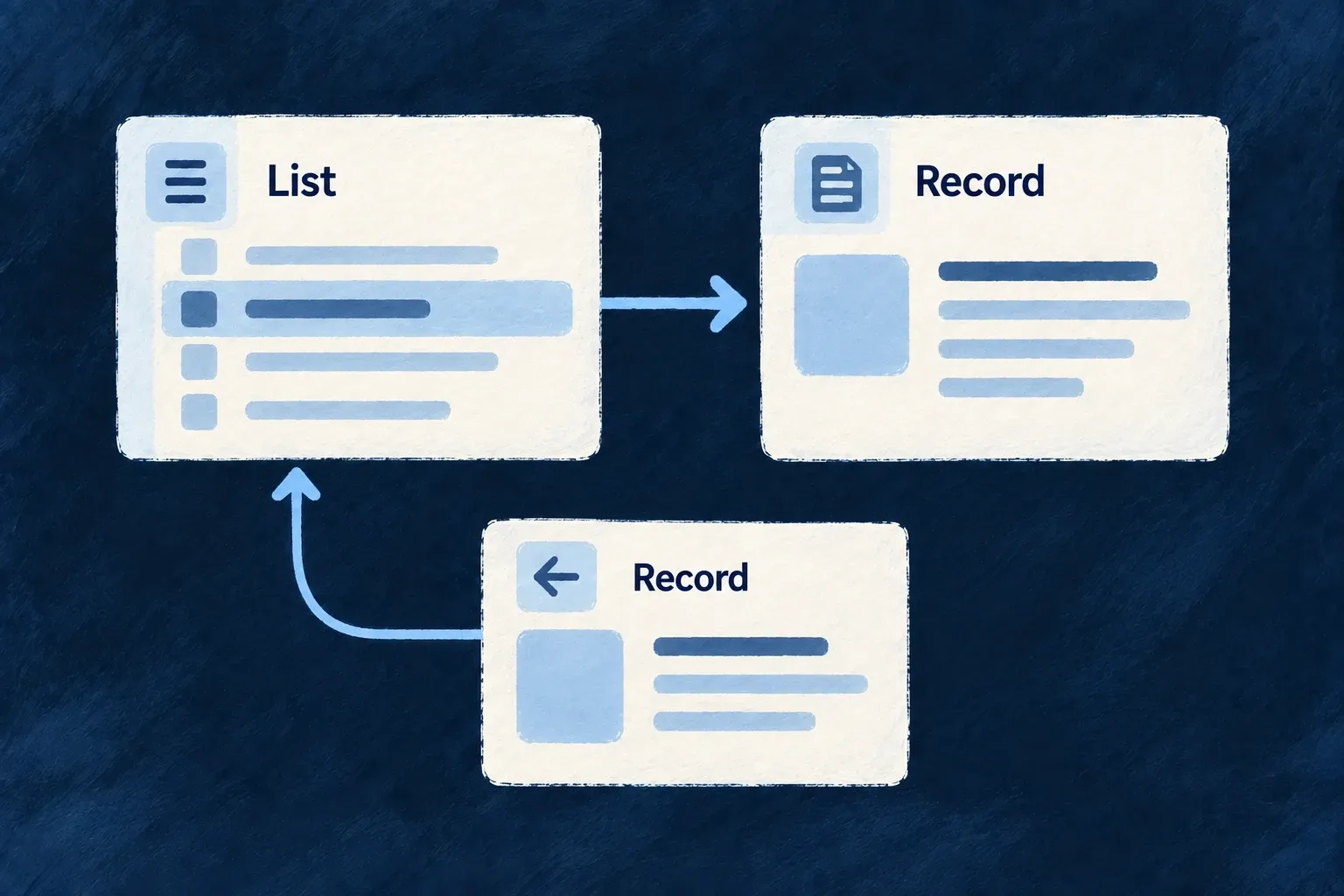
Opening a record, editing it and looking up a related item are different interactions. Wildo lets you choose whether each becomes a page, a pane beside the current work or an overlay above it.
These choices are declared as an application policy, with exceptions for particular operations and smaller screens. The navigation runtime manages the corresponding stacks and keeps background content in place while people work above it.
Example — Edit without losing the list
On a desktop, a task edit opens in a dialog above the current work. On a phone, the same edit can open as a page. The application changes the navigation policy, rather than writing a different edit screen for each device.
For engineers
Wonder Todos declares a single primary zone. Here is its actual navigationLayoutConfig from frontend/src/config/navigation.config.ts, with comments removed. The enums come from @wildo-ai/saas-models; ViewportBreakpoint comes from @wildo-ai/zod-decorators.
export const navigationLayoutConfig: NavigationLayout = {
  zones: {
    primary: {
      contentModel: NavigationZoneContentModel.SINGLE,
      transitions: {
        [CoreResourceOperation.LIST]:    NavigationTransition.REPLACE,
        [CoreResourceOperation.READ]:    NavigationTransition.PUSH,
        [CoreResourceOperation.CREATE]:  NavigationTransition.OVERLAY,
        [CoreResourceOperation.UPDATE]:  NavigationTransition.OVERLAY,
        [CoreResourceOperation.DELETE]:  NavigationTransition.OVERLAY,
        [CoreResourceOperation.SEARCH]:  NavigationTransition.OVERLAY,
      },
      appearance: {
        overlay: OverlayAppearance.DIALOG,
      },
    },
  },
  appLevel: {
    transitions: {
      [CoreResourceOperation.LIST]:    NavigationTransition.REPLACE,
      [CoreResourceOperation.READ]:    NavigationTransition.REPLACE,
      [CoreResourceOperation.CREATE]:  NavigationTransition.OVERLAY,
    },
    appearance: {
      overlay: OverlayAppearance.DIALOG,
    },
  },
  fromOverlay: {
    transitions: {
      [CoreResourceOperation.READ]:    NavigationTransition.PUSH,
      [CoreResourceOperation.LIST]:    NavigationTransition.PUSH,
      [CoreResourceOperation.CREATE]:  NavigationTransition.PUSH,
    },
  },
  [ViewportBreakpoint.MOBILE]: {
    transitions: {
      [CoreResourceOperation.CREATE]:  NavigationTransition.PUSH,
      [CoreResourceOperation.UPDATE]:  NavigationTransition.PUSH,
      [CoreResourceOperation.DELETE]:  NavigationTransition.PUSH,
    },
  },
};
The primary transition map sends reads onto the stack and mutations into overlays. appLevel covers actions launched from the shell. fromOverlay governs links activated inside an overlay. The mobile override prefers PUSH for create, update and delete; the resolver then enforces the operation surface. Wonder Todos declares todo UPDATE as ADDRESSABLE, allowing that edit to become a page. Its CREATE is EMBEDDED, so a preferred push resolves to an overlay instead. DELETE is also embedded and may execute without opening a destination. Register the exported object as navigationLayout in buildFrontendModuleConfigOverrides, which is passed to the application provider.
Separate movement from appearance
| Decision | What it controls |
|---|---|
PUSH or REPLACE | Add a stack entry or replace the current destination |
SPLIT | Open in an adjacent declared zone |
OVERLAY | Open above the structural layout |
INPLACE | Use a compatible element-level editing host |
PROMOTE | Leave the current context for the primary page |
| Overlay appearance | Render that floating destination as a dialog, sheet or drawer |
A layout can declare primary, secondary and companion zones. A TABBED content model exposes the zone’s retained stack through a tab bar; a SINGLE model presents the top entry. Hidden entries remain mounted but inert, so they do not remain keyboard targets underneath the active content.
Put exceptions at their actual level
Use operationFrontendConfig.navigationOverrides when one resource operation should differ. A relationship’s display.inParentNavigation.transition describes a relationship-specific move. The resolver considers explicit operation and relationship policy before wider defaults; semantic action presentation and viewport/source rules also participate. Do not recreate an exception as a local useState panel that bypasses navigation ownership.
responsiveCollapse moves a collapsed side-zone destination into primary or an overlay. maxDepth, or a relationship’s depth ceiling, escalates a push to an overlay when the destination stack reaches that ceiling. These policies are consumed by the current resolver; they are not merely schema options.
Embedded operations are kept off addressable page surfaces. In-place editing needs a compatible element host and falls back to an overlay without one. Pick an addressable page for work that must survive a direct link or reload; transient overlays and in-place edits do not become independent browser destinations.