
Share application code as versioned modules
A reusable module packages a piece of an application with the source files that belong together. Shared definitions, backend behavior and interface code can travel in one named version, with a manifest describing where they belong.
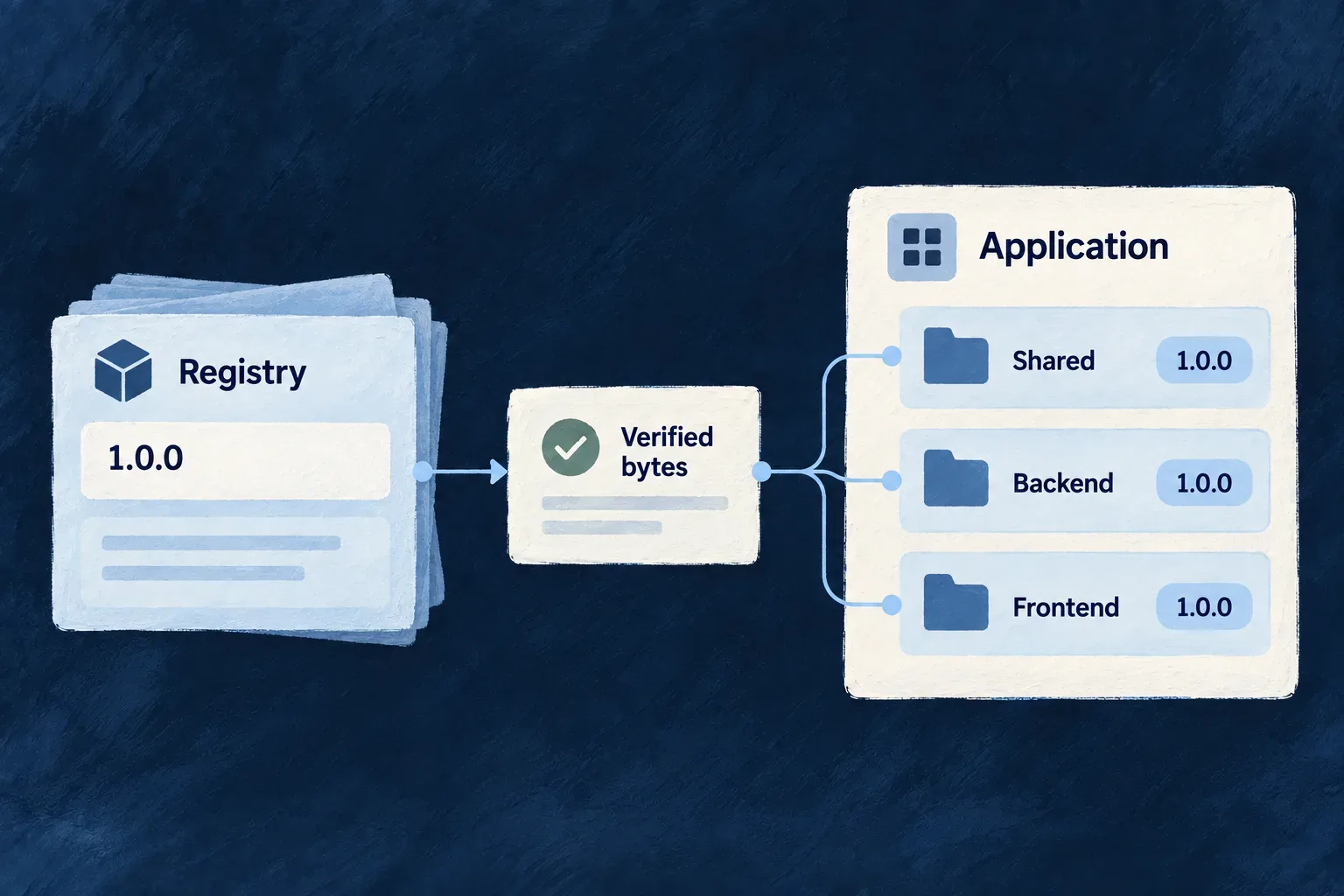
Publish it to a registry, then choose the version each application adopts. Wildo verifies the downloaded artifact, places its files in the declared application paths and records that installation for later changes.
Example — Reuse an internal billing extension
A team packages its billing extension across shared, backend and frontend folders. Another application installs version 1.0.0, reviews the added source and connects the extension to its own configuration. A later release is an explicit update, so each application can adopt it at the right time.
For engineers
Declare the files that travel together
Place wildo.module.json at the publishing application’s root, or select another manifest with --manifest. This illustrative manifest packages an existing billing extension. The paths are relative to that application root and must match real source directories:
{
  "id": "acme/billing",
  "version": "1.0.0",
  "description": "Internal billing extension",
  "boundaries": {
    "shared": ["shared-lib/src/modules/acme-billing"],
    "backend": ["backend-lib/src/modules/acme-billing"],
    "frontend": ["frontend-lib/src/modules/acme-billing"]
  }
}
version is an exact semantic version. boundaries can also include specifications, minions and workers. Publish collects files from these declared paths and packages them with the manifest; a manifest with no declared boundary directories is refused. Installation preserves the relative paths in the receiving application rather than moving code into an npm dependency directory.
Choose boundaries that belong to this module. Files outside them are rejected during placement, but a boundary is a placement contract supplied by the publisher, not a sandbox for the code after installation. Review the module as application source.
Publish, inspect, then install
The following illustrative workflow uses a registry already configured and authenticated for publication. The internal registry domain contains module acme/billing; these are separate parts of the add reference.
# In the application that owns the extension.
wildo registry publish --domain internal

# Inspect the published module before adopting it.
wildo registry search --domain internal --query billing
wildo registry info --domain internal --module acme/billing

# In the receiving workspace: note preexisting changes.
git status --short --untracked-files=all

# Adopt the release and inspect tracked changes and new files.
wildo registry add internal/acme/billing@1.0.0
git status --short --untracked-files=all
git diff
git diff --cached
Use --registry when selecting a registry other than the configured default. Public modules support anonymous reads; restricted access and publication use credentials for the selected registry. Authentication is managed per machine, separately from the module files.
The registry domain must already exist and belong to the organization making the publication request. internal identifies that publishing domain; acme/billing identifies the module inside it. Choosing a domain in the command does not create it or grant publishing rights. New modules inherit the domain’s default visibility. Visibility controls access to registry content; it does not define the module’s software license.
The add syntax is <domain>/<moduleId>@<version-or-range>. A range such as ^1.0.0 resolves to a concrete version at installation time. It is not a subscription that changes a running application whenever someone publishes.
Follow the installation record
| Stage | What it establishes |
|---|---|
| Resolve | The registry selects an exact version and returns its artifact digest |
| Download | The client compares the downloaded bytes with that SHA-256 digest |
| Extract | Verified artifact files are unpacked into a staging directory and the manifest is parsed |
| Check requirements | Before placing source, the CLI checks required module versions, authored capability activation and installed framework versions |
| Place source | Files are copied into application source paths allowed by the manifest |
| Record | The lock entry keeps the registry, requested range, resolved version, digest and installed paths |
| Synchronize providers | A follow-up sync refreshes provider artifacts; a warning here requires separate attention |
The digest verifies that the received bytes match the artifact the registry resolved. Publisher trust and source review are separate decisions; the digest is not a publisher signature.
The lock entry is written after source placement. If that write fails, the command attempts to restore the files it replaced. Provider synchronization follows the recorded installation and can report a warning without undoing it. Check the command result and generated changes before using the module.
Read what this application adopted
The installation record lives at .wildo-saas/wildo-saas.lock.json, under sections.modules.installed. Example installation record, showing selected fields with illustrative values:
{
  "acme/billing": {
    "moduleId": "acme/billing",
    "domain": "internal",
    "version": "1.0.0",
    "requestedRange": "^1.0.0",
    "files": [
      "shared-lib/src/modules/acme-billing/index.ts"
    ],
    "source": "install"
  }
}
The full entry also records the registry binding, artifact digest and installation time. requestedRange records the choice the operator made; version records the exact release adopted. files identifies the application paths managed by the module lifecycle, rather than every file involved in integrating the feature.
Inspect that record from the application root, then run the read-only diagnostic:
node --input-type=module <<'JS'
import { readFileSync } from 'node:fs';
const lock = JSON.parse(readFileSync('.wildo-saas/wildo-saas.lock.json', 'utf8'));
console.log(JSON.stringify(lock.sections.modules.installed['acme/billing'], null, 2));
JS

# Inspect the lockfile shape and recorded file presence without repairing.
wildo registry repair-lockfile
A healthy report means those diagnostics found no inconsistency. It does not establish that local source still matches the published artifact or that the feature works in the application.
Integrate the module into the receiving application
A module’s source files and an application’s runtime bindings are different concerns. Review its shared and frontend registrations, backend discovery, service bindings and required settings. Use composition scenarios when creating new connected structure; do not assume copying a module also creates every host-specific registration.
The manifest can declare prerequisites for adoption. Add, update and repair check them after extracting the verified artifact, before replacing application source or updating its adoption record:
| Requirement | What the CLI checks | What you still establish |
|---|---|---|
| Other modules | Recorded module versions satisfy the declared ranges | The adopted code is registered and works in the application |
| Capabilities | Known capabilities are explicitly enabled in application configuration | Providers, credentials and application-specific configuration are ready |
| Framework | Installed framework versions satisfy the declared range | The complete application compiles and behaves as expected |
| npm packages | Runtime and peer requirements are printed as advisories | Add the dependencies to the packages that consume them and install them |
Framework comparison covers every installed model package reached through the application’s workspace framework dependencies, including distinct versions in different packages. Desired version pins and the CLI’s own installation are not used as proof.
A missing or incompatible module, capability or framework prerequisite stops source adoption with a diagnostic. npm requirements remain advisory. It does not automatically install another module, enable a capability or edit package dependencies. Review and test the resulting application after adoption.
The connected module example follows a generated module through its shared, specification and frontend registrations, backend discovery and existing companion loader. It uses the skeleton layout; an adopted module must be integrated into the receiving application’s actual package paths and service keys. Registry adoption places source files, while composition creates a new connected structure.
Let the application’s development tooling compile the new source, then exercise the feature through its actual interface or API. Registry installation establishes file placement and the install record; application verification establishes that the adopted feature works in its new context.
Update deliberately and inspect source changes
These commands run inside the application that installed acme/billing. Updates use the recorded registry unless overridden:
# Record the workspace state before the update.
git status --short --untracked-files=all

# Adopt a selected later release.
wildo registry update acme/billing@1.1.0

# Inventory all changes, then inspect unstaged and staged differences.
git status --short --untracked-files=all
git diff
git diff --cached

# Remove the installed module when it is no longer needed.
wildo registry remove acme/billing
Compare the status listings before and after adoption. Open every new (??) file in your editor; Git’s diff commands omit untracked content. git diff shows unstaged tracked changes, while git diff --cached shows staged changes. Existing staged work remains visible, so distinguish it from the module’s changes rather than attributing the whole listing to the update. No blanket staging is needed to review the source.
Add and update replace files at the module’s destination paths. Update also removes paths belonging only to the previous version; removal uses the recorded installed paths. Files claimed by another installed module are protected from deletion, while overlapping writes produce warnings. This is not a three-way merge of application edits: preserve deliberate changes in version control and review them when adopting a new version.
Choose between a new release and a repair
| Change | What happens |
|---|---|
| Publish a new version | Creates a distinct release; republishing an existing module version is refused |
| Move a tag | Changes which version the tag selects for a future request; installed copies stay at their recorded version |
| Withdraw a version | Refuses future resolution and download of that version; it does not remove copies already installed |
| Update an application | Selects the requested release; matching version and digest produce a no-op without revalidating host requirements |
| Repair an installation | Reapplies the recorded exact version for fixable findings, rather than selecting a newer release |
Use wildo registry repair-lockfile --fix only after preserving local edits and reviewing the diagnostic. For a missing-file finding, repair re-fetches the recorded version, extracts its artifact and copies its module files back into the application. Existing files can be replaced too: this is not a missing-file-only restore, and it does not back up the application’s edits. Malformed records, including an invalid artifact digest, require manual correction from a trusted lockfile revision; --fix does not reconstruct them. Repair also reports overlapping writes when another installed module claims the same destination. That warning describes a file replacement, not a merge or protection from overwriting it.
Repair refreshes the recorded digest and file list while retaining the installation timestamp and source field. A withdrawn release cannot be re-fetched through this path. Reinspect the resulting source and verify the application afterward.
The module registry coordinates sharing and version selection. Your application retains responsibility for its own integrations, tests and release timing.