
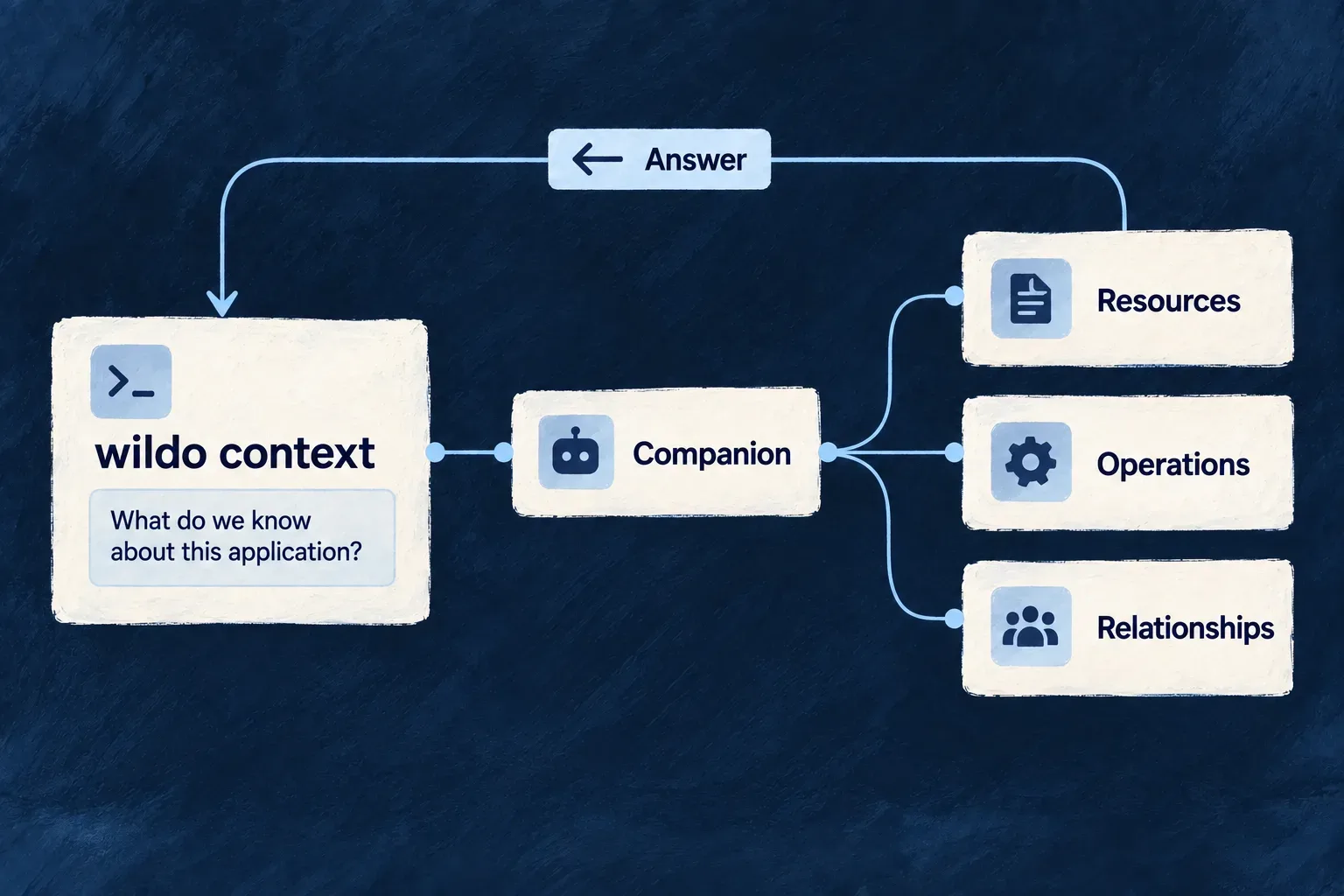
Inspect what the running application exposes
Ask Wildo about the application’s resources, specifications and relationships from the terminal. The development companion answers from the application it serves, giving developers and coding agents a shared way to inspect its structure.
The available questions come from the running companion itself. Answers identify the companion they came from and report reused results when that information is available. Introspection reflects built application packages; recent source edits need to be compiled before they can appear.
Example — Check what a newly composed module exposes
After adding a resource, a developer queries the service expected to expose it. If the declaration is missing from the returned registry, they check the selected service, registration and compilation before debugging the resource’s business behavior.
The result narrows the investigation: a missing declaration and a declared operation that fails at runtime are different problems.
For engineers
Run from an application workspace whose development companion is running. These are actual command forms, not a simulated response:
# Check the companion and read its current query menu.
wildo context health
wildo context list

# Ask about the application's resolved resources and specifications.
wildo context info resources-registry
wildo context info specification-artifacts

# Inspect cross-family coherence.
wildo context coherence
context list fetches behavior identifiers, supported service kinds and service keys from the companion. It does not keep a second catalogue in the CLI. This matters when the installed command line and companion were built at different times.
Target a service and supply the behavior’s input
context info accepts --service to select a service key published by the menu. Without it, the CLI uses the companion’s reported default backend. If no backend is reported, the command asks for an explicit service instead of guessing.
For a parameterized behavior, --input supplies JSON. Select the behavior and its expected input from the live menu and the corresponding contract. Invalid JSON is rejected before the introspection request.
The client’s request is a selected excerpt from ContextInfoCommand, with its response type annotation omitted; input parsing and service selection happen before it:
const result = await CompanionClient.post(
  '/api/companion/_meta/introspect',
  { serviceKey, behavior, ...(input !== undefined ? { input } : {}) },
  options,
);
This POST asks for a derivation. The context family is read-only: it does not apply a configuration change or repair a reported inconsistency.
Read a concrete output without overstating it
This illustrative source line follows the CLI’s formatter. The address and service key are examples, not a captured run. The application-specific payload follows it:
source: dev-companion http://localhost:4302 · introspection resources-registry on backend · freshness: compiled application packages; companion reused a held derivation
| Part of the answer | What it tells the developer | Next check |
|---|---|---|
| Companion address | Which local process answered | Confirm it belongs to the intended application |
resources-registry on backend | Which model and service were selected | Compare with the service that should expose the resource |
| Held derivation | This answer reused a successful derivation | Check compilation and reported freshness after an edit |
| Resource declaration in the payload | That declaration is exposed in this model | Exercise the operation with its real inputs and permissions |
An absent resource calls for a service, registration and compilation check. A present resource shifts the investigation toward its configuration and actual behavior. Neither result is a substitute for running the feature.
Interpret the answer and its provenance
The CLI prints a source line identifying the companion address and queried surface, followed by plain text or pretty-printed JSON. Introspection materializes application packages through their compiled ./companion exports. A source edit must reach those emitted surfaces before an answer can reflect it; the terminal’s source label is not proof that an unbuilt change is already available.
For the connected module example, the new shared descriptor reaches the companion through the existing shared-registry loader. Its initial resource registry is empty: a resource query cannot prove or disprove that empty module’s registration merely by looking for a support resource. After adding a resource, check its resolved declaration and service context, then verify the behavior through the application.
The companion can reuse a successful held derivation or join an identical derivation already in flight. Its watcher observes emitted application files and injected framework bytes, triggering refresh when those inputs change. Without an active watcher, per-read observation provides the fallback. A query therefore need not spawn another subprocess to answer the same question. Journey and coherence reads combine specification exports with working-tree file and Git state. Their provenance therefore differs from a resource introspection result; neither header establishes that every source edit has compiled.
| Introspection provenance | How to read it |
|---|---|
| Reuse reported | The companion explicitly marked the answer as a held derivation |
| Reuse not reported | The response did not establish whether a held answer or a new derivation supplied it |
| Unverified after failure | No successful answer is available to use as application evidence |
Use the reported service and behavior to identify what was inspected. A successful answer establishes that result, not the freshness of unrelated packages or the success of the business feature.
| Question | Command | Interpretation |
|---|---|---|
| Is the companion available? | context health | Companion health response |
| What can this companion answer? | context list | The serving behavior catalogue |
| What does this application expose? | context info | The requested introspection result |
| Do related definitions remain coherent? | context coherence | The report, printed without condensing away findings |
| Where does the creation journey stand? | context journey | Eligibility counts and reasons, running work and interrupted count |
The output includes provenance text as well as structured payloads; a consumer should not treat the entire stdout stream as a bare JSON document. Catalogue and journey reads have a bounded read timeout, while subprocess-based introspection has a longer one.
A companion failure is reported with a direction to context health; there is no fallback to a CLI-authored approximation of the application. Coherence reporting explains problems but does not itself block a release or mutate the definitions.