
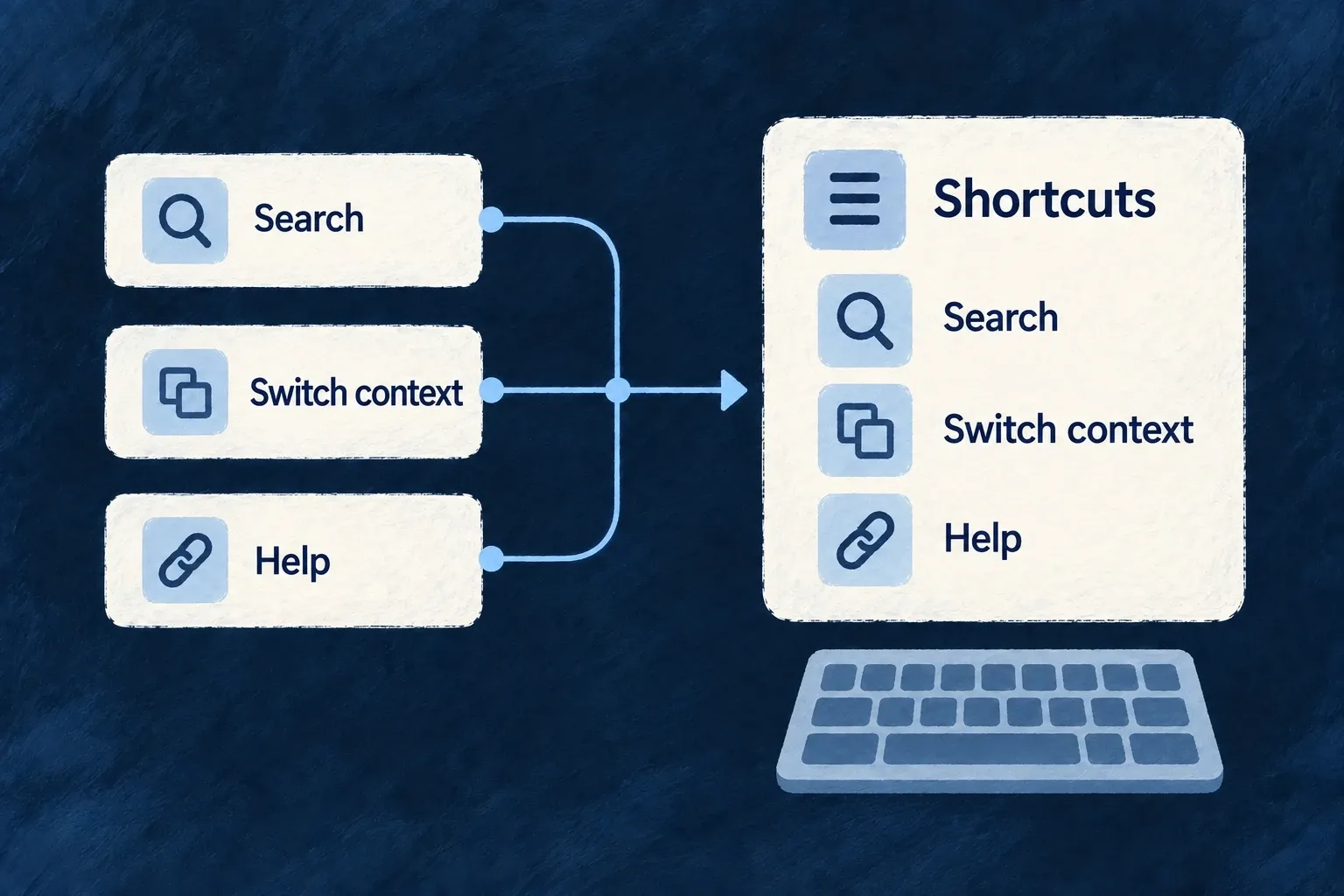
Make frequent actions easy to reach
Keyboard shortcuts help people repeat common actions without hunting through menus. Wildo provides a shared registry, built-in shell bindings and a help dialog that lists registered shortcuts.
Applications can add their own actions and limit when they are active. A shortcut’s context, enabled state and priority determine which handler runs when bindings overlap.
Example — Switch context from the keyboard
A frequent user opens the context selector with the platform-appropriate modifier and P. The help dialog lets them discover other available bindings, while the same controls remain available through the visible interface.
For engineers
The application runtime mounts the hotkey provider, default handler and help surface without requiring [ApplicationLevelComponentType.HOTKEY]: true. Built-in bindings are registered even when this configuration is absent. An object under that key can customize bindings and emitShortcuts through appComponentsConfiguration. Controls such as the quick switcher must still be available and have useful content for their shortcut to open.
The following selected opening of ENGINE_DEFAULT_HOTKEY_EMIT_SHORTCUTS comes from DefaultHotkeyHandler.tsx. The remaining entries include notifications and shortcut help; this is not the complete array.
export const ENGINE_DEFAULT_HOTKEY_EMIT_SHORTCUTS: readonly HotkeyEmitShortcut[] = [
  {
    event: HotkeyDispatchableEvent.HOTKEY_SIDEBAR_TOGGLE,
    shortcut: 'Mod+B',
    scope: HotkeyScope.GLOBAL,
    group: HotkeyGroup.NAVIGATION,
  },
  {
    event: HotkeyDispatchableEvent.HOTKEY_QUICK_SWITCHER_OPEN,
    shortcut: 'Mod+P',
    scope: HotkeyScope.GLOBAL,
    group: HotkeyGroup.NAVIGATION,
  },
Mod means Command on macOS and Control elsewhere. Physical Cmd/Meta and Ctrl bindings remain distinct; choose them only when that physical key is the intention. The command palette manages its own configured openShortcut, so its chord is not another copy of these default event bindings.
Add behavior through the registry
useHotkey(shortcut, handler, options) registers a mounted component’s action and unregisters it on cleanup. Options include a stable id, scope, enabled, group, description and preventDefault. Supply localized reader-facing descriptions for the help surface and set enabled from the action’s actual availability. The handler implements the application’s behavior; registration does not provide the save, navigation or business operation itself.
The hook’s own documentation in core/hotkey/useHotkey.ts includes this usage example. saveDocument is the application handler, not an engine-provided save function; the string is illustrative wording that production code should obtain from its labels.
useHotkey('Ctrl+S', () => saveDocument(), {
  description: 'Save document',
  preventDefault: true,
});
This example deliberately spells the physical Control key. Use Mod+S when the intended chord should follow the platform’s usual command modifier. The hook defaults to global scope, so set scope and enabled state explicitly when saving is meaningful only in an active editor.
For shell declarations, [HOTKEY] also accepts bindings for launcher targets and emitShortcuts for supported events. DefaultHotkeyHandler resolves launcher bindings through the same scope-aware launcher resolver used by other shell surfaces. An application binding can replace a framework default without relying on mount order.
Give an editor’s action explicit priority
useHotkey does not expose a priority option. Use the public registry when that distinction matters. This illustrative hook enables a registered save action only while its editor is active and returns the registry’s cleanup function on unmount or dependency change.
import { useEffect } from 'react';
import { HotkeyScope, useHotkeyRegistry } from '@wildo-ai/saas-frontend-lib';

export function useEditorSave(save: () => void, active: boolean, description: string): void {
  const { register } = useHotkeyRegistry();
  useEffect(() => register({
    id: 'active-editor-save',
    shortcut: 'Mod+S',
    scope: HotkeyScope.GLOBAL,
    enabled: active,
    priority: 20,
    description,
    preventDefault: true,
    handler: save,
  }), [register, save, active, description]);
}
Call this once for the active editor, passing a stable save callback and a localized description. Global scope intentionally permits this save shortcut while typing; active supplies the editor boundary. Ordinary registrations default to priority zero, so this enabled action wins over those priority-zero matches. A higher-priority matching action can still outrank it. It neither changes the registry’s active scope nor makes an unavailable save valid.
Choose scope deliberately
The registry’s active scope is explicit; it is not automatically inferred from every focused DOM element. useHotkeyScope exposes activeScope and setActiveScope; it does not manage their lifecycle for you. The caller must save the previous scope, set the intended page or component scope on entry, and restore the saved value on exit or unmount. useHotkeyPause suspends dispatch when a custom interaction needs exclusive keyboard handling.
| Dispatch rule | Consequence |
|---|---|
| Disabled or paused | No matching action runs |
| Text input | Non-global bindings are skipped, except in an explicit passthrough host |
| Overlapping matches | Higher priority wins, then scope specificity, then registration order |
| Framework defaults | Lower priority than ordinary application registrations |
Global bindings can still run while typing. Avoid bare-letter global shortcuts for editing actions, and reserve preventDefault for a chord the application genuinely owns. Test a shortcut in normal navigation, in a text field and in an overlay; a successful key press on an empty page does not establish all three behaviors.