
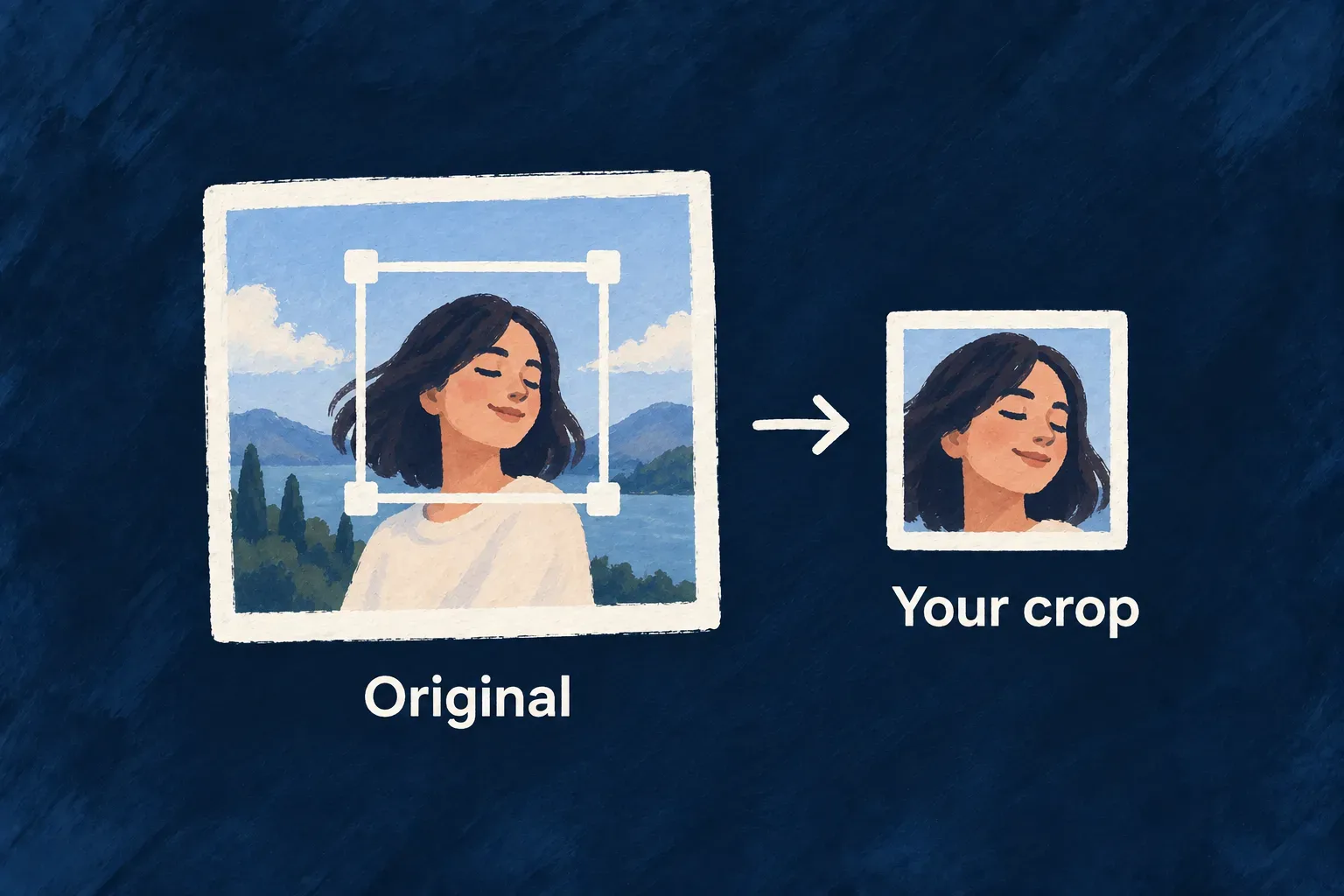
Let people frame an image before sending it
An image can be valid and still be the wrong shape for its place in the product. Wildo can turn an image field’s declared aspect ratio into a crop step, so people choose the framing before upload.
The control crops and resizes in the browser, then sends the resulting file through the ordinary validation and upload path. The field keeps one set of requirements for both steps.
Example — Choose the face in a profile photo
A wide photograph is selected for a square avatar. The person pans and zooms to frame the face, confirms the crop and uploads the result. A small source image is not enlarged just to reach the maximum allowed dimensions.
For engineers
Declare the intended image shape
The avatar in UserProfileSchema, shared by the administrative and self-profile resources, declares the square ratio and dimension limits. The account resource (USERS) has no avatar field. This excerpt from users.shared.schemas.ts omits the surrounding privacy wrapper.
z_file({
  nature: FileNature.IMAGE,
  allowedMimeTypes: 'Images',
  maxSize: 2 * 1024 * 1024,
  imageConstraints: {
    maxWidth: 1024,
    maxHeight: 1024,
    aspectRatio: { width: 1, height: 1 },
    generateThumbnails: true,
  },
}).optional().dataCategories(PersonalDataCategory.IDENTITY),
Understand when the crop step opens
The standard field routes a selection through cropping only for the supported single-image case. This excerpt from form-field-file.tsx retains the normal upload fallback; explanatory comments are omitted.
const handleFiles = React.useCallback((files: File[]) => {
  if (files.length === 0) return

  if (isMultiple) {
    handleMultipleFilesUpload(files)
  } else {
    const file = files[0]
    if (aspectRatioConstraint && isCroppableRasterImageFile(file) && canExportWithinAllowedMimeTypes(allowedMimeTypes)) {
      const mimeError = validateFileMimeType(file)
      if (mimeError) {
        setInternalError(mimeError)
        return
      }
      setInternalError(undefined)
      setPendingCropFile(file)
      return
    }
    handleSingleFileUpload(file)
  }
}, [isMultiple, handleMultipleFilesUpload, handleSingleFileUpload, aspectRatioConstraint, validateFileMimeType, allowedMimeTypes])
Treat export as preparation, not acceptance
The cropper applies image orientation, constrains movement to cover the crop area and resizes without enlarging the selected source. It tries allowed PNG, WebP and JPEG outputs, varying lossy quality where useful. If no candidate fits the byte ceiling, it returns the smallest allowed result and the usual size validator can refuse it.
Multiple-file selections use their normal upload path. SVG, undecodable images and fields with no supported canvas export type bypass cropping. Keep server type and size validation enabled for every path. The default server analyzer independently enforces declared image dimensions and aspect ratio from uploaded bytes. If required geometry cannot be measured, the upload is refused. A crop dialog prepares an image; it does not establish server-side acceptance.
Replace the crop interaction without replacing file handling
The form renders the injectable ImageCrop wrapper. Its LOW_LEVEL_IMAGE_CROP slot receives the selected file and the field’s constraints, then returns a File to the existing upload flow. Your application can change the interaction while keeping upload, readiness and parent-record attachment in the form.
For an application-wide replacement, register your component after registerDefaultPresets() and before the registry completeness check or application mount. This illustrative registration replaces the default slot; ApplicationImageCrop is your implementation of ImageCropProps from @wildo-ai/saas-frontend-lib.
import { CorePresetNames, FrontendComponentType } from '@wildo-ai/presets-components-models';
import { ComponentRegistryService } from '@wildo-ai/saas-frontend-lib';
import { ApplicationImageCrop } from './application-image-crop';

ComponentRegistryService.register(
  FrontendComponentType.LOW_LEVEL_IMAGE_CROP,
  CorePresetNames.DEFAULT,
  ApplicationImageCrop,
  { isConfigurable: true },
);
The registry stores one component for that slot and preset. Calling the default registrations again afterwards would overwrite your replacement. Wonder Todos currently uses the default cropper; the registration above shows the extension point, not a customization already installed there.
| Contract | Responsibility of a replacement |
|---|---|
file, aspectRatio, maskShape | Present the selected image at the required ratio; a circular mask is visual, not a circular exported file |
maxOutputWidth, maxOutputHeight, maxOutputSizeBytes, allowedMimeTypes | Produce an export within the supplied field constraints |
onConfirm(croppedFile) | Return the resulting browser File to the form’s upload flow |
onCancel() | Dismiss the crop and discard the selection |
onUncroppable(originalFile) | Return an undecodable source to the normal upload path, where server validation still applies |
The slot does not own storage or permission checks. The backend validates received bytes even when a caller bypasses the browser crop interaction entirely.