
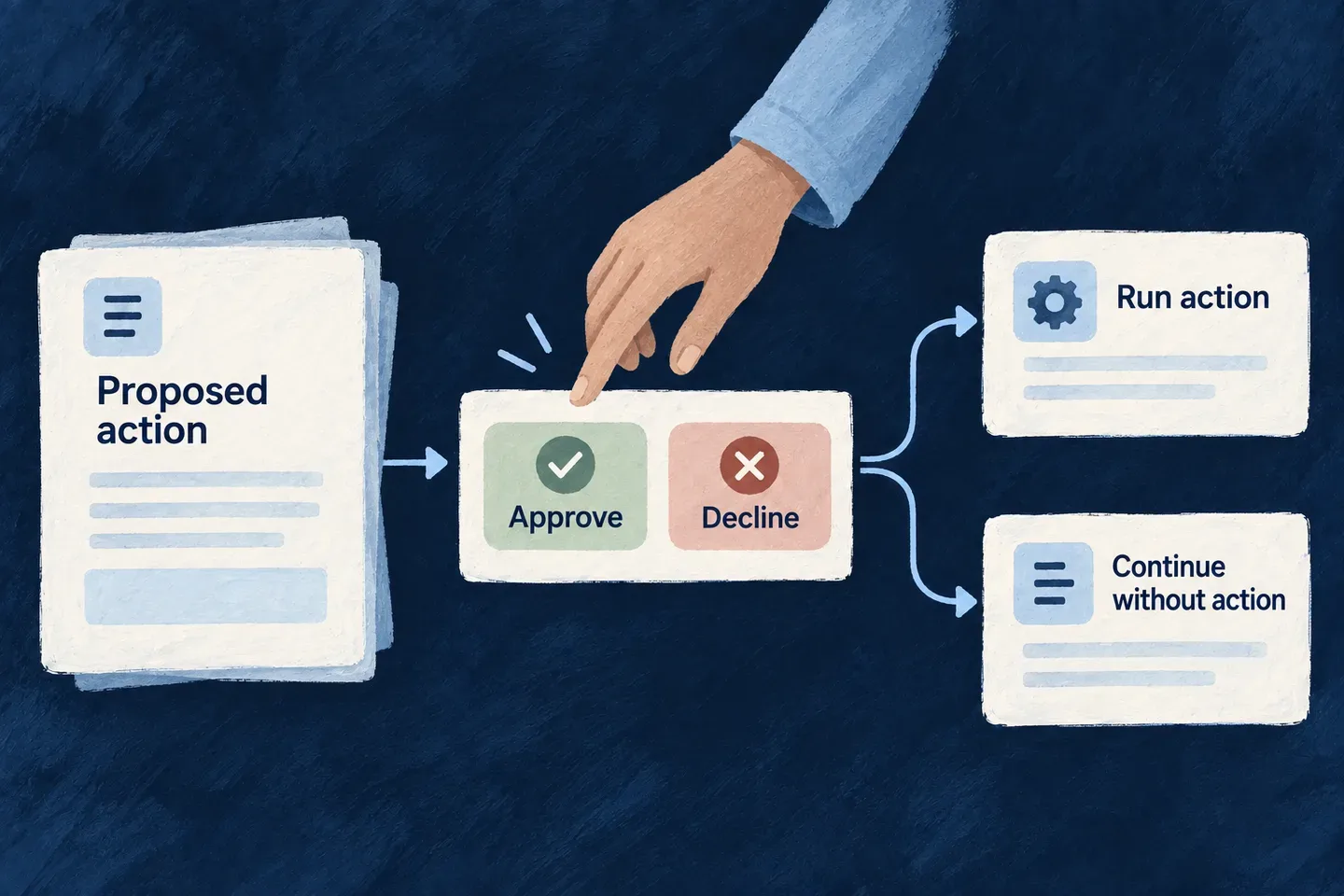
Let people decide before a change
Some assistant actions should wait for a person. Mark a write tool for approval and Wildo pauses the turn, presents the proposed call and continues after the decision.
The person can approve, refuse or adjust the proposed arguments. The operation’s access rules still apply when the action runs, so approval adds a decision without granting extra authority.
Example — Review a proposed rename
An assistant proposes a new task title. The person sees the proposed value and can correct it before approving. If they refuse, the assistant continues the conversation without making that change.
For engineers
The gate is declared on the callable tool, not in prompt prose. This application excerpt keeps the update schema narrow and enables the gate:
resourceWriteTool(TasksManager_ResourceType.TODOS, CoreResourceOperation.UPDATE, {
  requiresHumanApproval: true,
  inputSchema: z.object({
    id: z.string().min(1)
      .describe('Id of the todo to update. Resolve it with the read tool.'),
    title: z.string().min(1).max(200).optional()
      .describe('New title, if requested.'),
    description: z.string().max(1000).optional()
      .describe('New description or notes.'),
    status: z.enum(Todos_Status).optional()
      .describe('New status.'),
  }),
})
Register this tool on the backend module and include its generated resource.<type>.update reference in the agent’s functionRefs. The agent invokes it normally; the runtime intercepts the call before executing its effect.
Follow the decision through the application
| Stage | What is retained or checked |
|---|---|
| Pause | Pending call, arguments, decision identifier, model messages and expiry are persisted together. |
| Review | The standard conversation host displays a context-wired approval request for its live pending turn. |
| Modify | The server validates edited arguments against the original tool schema and re-signs the changed call. |
| Resume | The decision must match the pending approval and conversation scope. |
| Execute | The tool runs with the responder’s verified context and its normal operation checks. |
| Refuse | The model receives the refusal and can answer without executing the proposed call. |
The default approval window is 24 hours. Expiry is checked when a decision is used; do not treat it as a separate background timeout workflow. Approval signatures derive from the provisioned application primary secret, so an unsigned fallback is not part of the contract.
Compose review into a custom surface
The standard host already places approval beside the active conversation. A custom screen can use FlowsActors_ApprovalRequest within the existing flows-actors context:
function ConversationDecision({ executionId }: { executionId: string }) {
  return (
    <FlowsActors_ApprovalRequest
      executionId={executionId}
      allowArgumentModification={false}
    />
  );
}
The wrapper obtains the pending decision and response function from context. This example chooses read-only arguments; its default supports modification. FlowsActors_ApprovalQueue serves a different placement: outstanding decisions across conversations.
A machine principal that cannot provide the required human decision is refused at the gate. Approval does not override authorization, and a stale decision cannot approve a different pending call.