
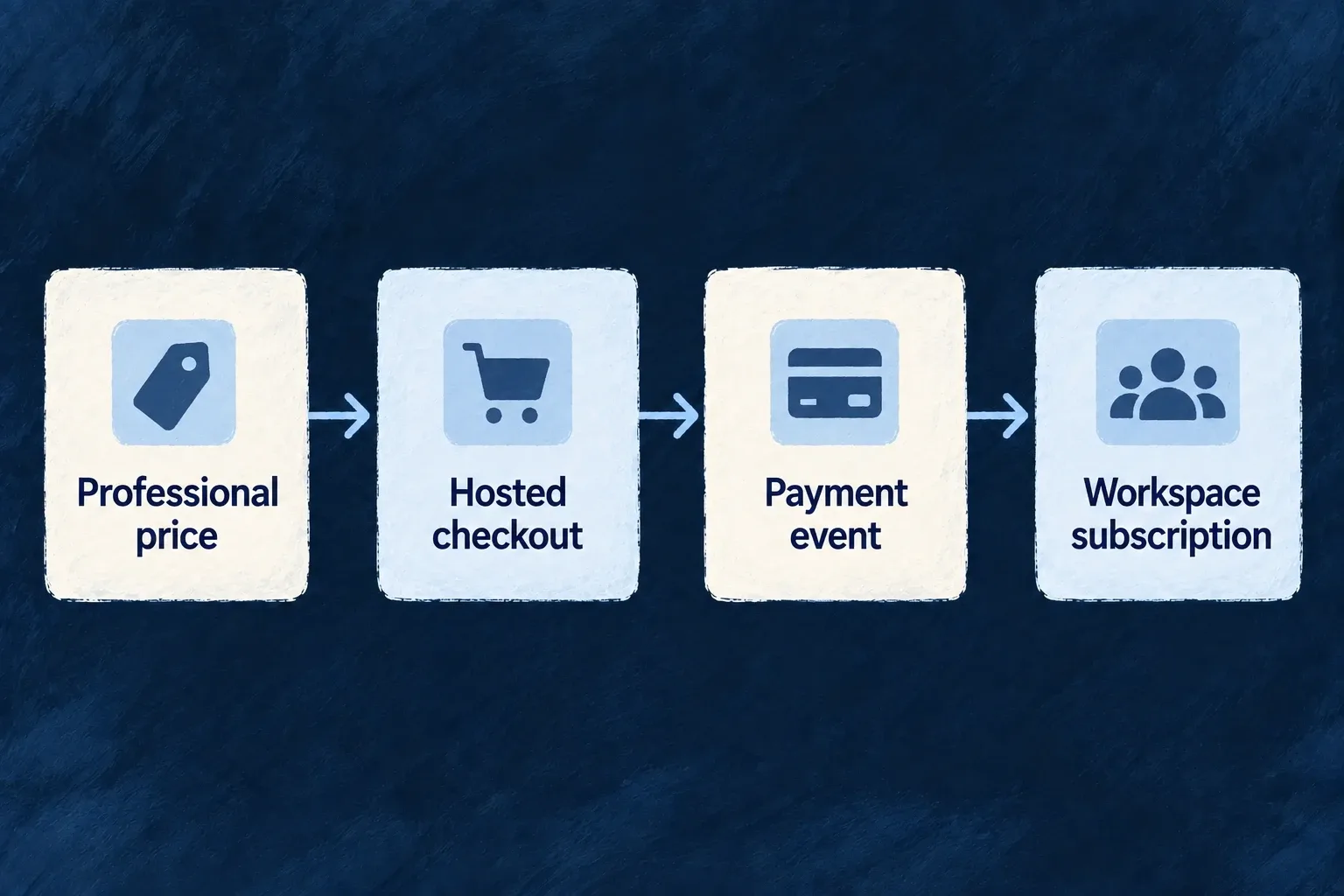
Take payment through hosted checkout
Let customers choose an offer in your application and complete payment with the billing provider. Wildo checks the selected product and price, creates the provider session and connects completion to the right billing account.
Example — Upgrade a workspace to Professional
A customer selects the workspace’s Professional price. Checkout collects payment; the resulting provider events establish the subscription in the application.
For engineers
This complete teaching component mounts inside the application’s existing BillingProvider. Supply the stable product key and a translated button label. It selects that product’s active default price, distinguishes unavailable state and handles action failure. The surrounding application owns routing, translations and visual components; plain HTML keeps the purchase contract visible here.
import { useState } from 'react';
import { useBilling } from '@wildo-ai/saas-frontend-lib';
import { BillingStateSlice } from '@wildo-ai/saas-models';

export function PurchaseOffer({ productKey, label }: { productKey: string; label: string }) {
  const billing = useBilling();
  const [busy, setBusy] = useState(false);
  const [failed, setFailed] = useState(false);
  if (!billing.isEnabled) return <p>Billing is not available.</p>;
  if (billing.isLoading) return <p>Loading billing…</p>;
  if (billing.error) return <button onClick={billing.refetch}>Reload billing</button>;
  const ready = [BillingStateSlice.BILLING_ACCOUNT, BillingStateSlice.SUBSCRIPTION,
    BillingStateSlice.PRODUCTS, BillingStateSlice.PRICES].every(billing.isSliceAvailable);
  if (!ready) return <button onClick={billing.refetch}>Offer unavailable — retry</button>;

  const product = billing.getProductByKey(productKey);
  const eligible = product && product.isActive !== false && billing.currentScope
    && product.targetScopes.includes(billing.currentScope);
  const price = product && billing.getPricesForProduct(product._id)
    .find(candidate => candidate.isActive !== false && candidate.isDefault);
  if (!eligible || !price || !billing.billingAccount) return <p>This offer is unavailable.</p>;
  const selectedProduct = product;
  const selectedPrice = price;
  const hasSubscription = billing.subscription !== null;

  async function purchase() {
    if (busy) return;
    setBusy(true);
    setFailed(false);
    try {
      if (hasSubscription) await billing.openCustomerPortal();
      else await billing.openCheckout(selectedProduct.key, selectedPrice._id);
    } catch {
      setFailed(true);
    } finally {
      setBusy(false);
    }
  }
  return <div>
    <button disabled={busy} onClick={purchase}>{hasSubscription ? 'Manage subscription' : label}</button>
    {failed && <p role="alert">The billing provider could not be opened. Please try again.</p>}
  </div>;
}
The highlighted selection binds the price to its product. The action uses the current scoped billing account; it does not accept an arbitrary organization ID from the button. This example chooses the portal when a subscription exists, matching the standard plan-selection behavior. A dedicated add-on or one-time-purchase screen should use its own explicit purchase action instead of that plan-management branch.
For a public catalogue, additionally filter visibility using isPublic. A private active offer can be intentionally offered through a direct selection: public visibility is not backend purchase authorization. See the shared billing view for the complete distinction.
Keep request validation on the server
The authorized account operation rejects a retired product, a product aimed at another scope and a price belonging to another product. Optional quantity and promotion code belong in openCheckout’s third argument. Trial duration comes from product/application policy on the server. Reserved checkout metadata is constructed there; caller metadata cannot replace its account, product or quantity.
The context supplies return destinations and navigates to the returned provider URL. It ignores a concurrent second invocation while checkout is opening. A rejected request reaches the component’s catch path; do not silently swallow it or retry a purchase automatically.
Show the purchase result, not just a successful redirect
Opening checkout produces a session, not an active subscription. The customer can abandon it. Signed provider events reconcile the account’s subscription and purchase result, and scoped billing events refresh the context. On the return screen, show the current subscription/loading/unavailable state and allow refresh while processing completes. Effective feature access is read through the separate feature context, not inferred from the return URL.