
Guide people toward useful first actions
An empty screen can leave a new user unsure what to do next. Wildo provides onboarding content and contextual guidance that can explain the next useful action.
Progression can also record declared milestones from application activity. You decide what deserves guidance and what counts as progress; a dismissed introduction is not the same as completed work.
Example — Help a new user begin
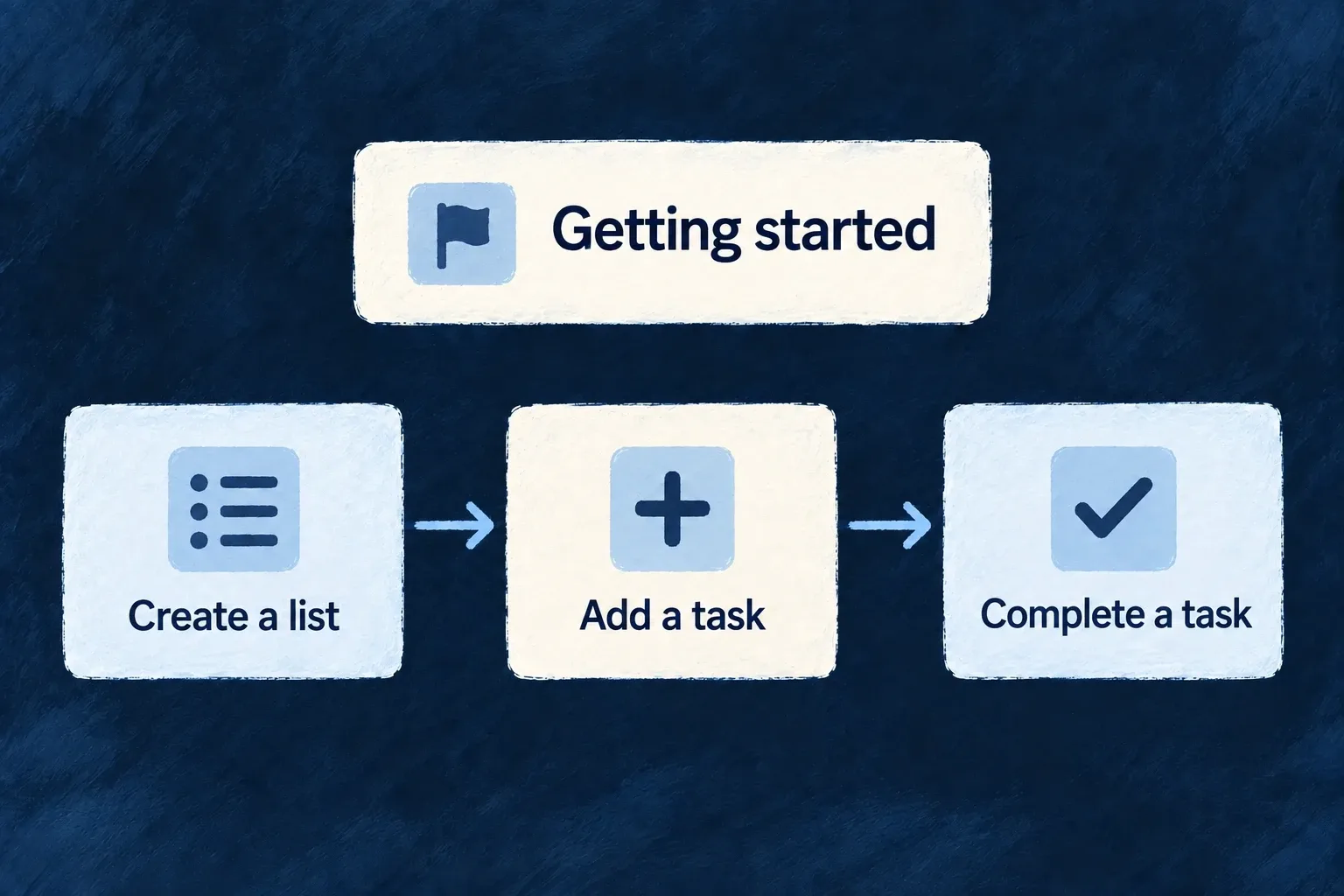
A getting-started panel explains creating a list and adding a task. A separate milestone can recognize the first successful list creation, rather than assuming reading the instruction completed it.
For engineers
Separate the document from the trigger
An onboarding view declares ordered elements and display options. A guidance flow decides when guidance should appear. Milestones define recognized application activity and progression. Each has its own identity and registration.
Wonder Todos’ home introduction uses this selected definition. Remaining cards and imports are omitted:
const homeGettingStartedOnboarding: OnboardingViewDefinition[] = [
  {
    ref: HOME_GETTING_STARTED_VIEW_REF,
    scope: FrontendView_ScopeMode.APPLICATION,
    options: {
      showProgress: true,
      allowDismiss: true,
      persistState: true,
      autoStart: false,
      allowSkip: true,
    },
    elements: [
      {
        ref: 'create-list',
        type: OnboardingElementType.CARD,
        status: OnboardingStatus.NOT_STARTED,
        order: 0,
        variant: OnboardingCardVariant.DEFAULT,
      },
The frontend module registers this document in onboardingViews, and the home dashboard places it inline with EmbedOnboarding. The registered view ref supplies the persistence identity, unless the host provides a registered guidanceFlowRef. An unregistered inline document keeps local state only. Saving dismissal or progress also requires the guidance-state update operation and a successful request.
The persistState option in this application excerpt does not control that decision in the current renderer. Placement belongs to the host; autoStart is likewise not consumed by this renderer.
Connect a guidance trigger to a registered flow
Wonder Todos also declares moduleGuidanceFlows. Unlike the inline home document, this flow responds to a successful resource operation. The selected declaration below retains the trigger, scope and visible element; imports and display options are omitted.
export const moduleGuidanceFlows: GuidanceFlowDefinition[] = [{
  ref: 'tasks-manager-first-list',
  scope: GuidanceFlowScope.USER,
  renderMode: GuidanceRenderMode.OVERLAY,
  trigger: {
    type: OnboardingTriggerType.EVENT,
    eventName: `${TasksManager_ResourceType.TODO_LISTS}:${CoreResourceOperation.CREATE}`,
  },
  priority: 50,
  elements: [{
    ref: 'first-list-created',
    type: OnboardingElementType.BANNER,
    status: OnboardingStatus.NOT_STARTED,
    order: 0,
    variant: OnboardingVariant.INFO,
    dismissible: true,
    position: OnboardingBannerPosition.TOP,
    actionRef: `${TasksManager_ResourceType.TODOS}.${CoreResourceOperation.CREATE}.default`,
  }],
  labels: { description: true },
}];
The resource-success event supplies the trigger name. The banner’s actionRef separately names the default todo CREATE operation. One says when to offer help; the other says where the offered action leads. The guidance vocabularies and type are exported by @wildo-ai/saas-models; resource identifiers belong to the application.
Register it on the same frontend module that contributes the resource UI:
const tasksManagerFrontendModule: FrontendModule = {
  moduleId: 'tasks-manager',
  resourceUIBehavior: moduleResourcesUIBehavior,
  onboardingViews: homeOnboardingViews,
  guidanceFlows: moduleGuidanceFlows,
  // Other module contributions remain here.
};
Include that module in applicationFrontendModules; the module registry merges guidanceFlows into the application configuration read by the guidance provider. Supply the flow/element specifications and published labels: an element reference does not provide the banner’s title or action wording. Dismissal and completion follow the registered-state persistence path described above. Registration does not mean the flow’s trigger has already occurred.
Record an outcome from the operation that proves it
The shared module separately registers customMilestoneDefinitions. These two actual definitions connect the first list and first todo to resource CREATE operations:
defineMilestone('FIRST_TODO_LIST_CREATED', {
  type: MilestoneType.FIRST_TIME,
  trigger: { resourceType: TasksManager_ResourceType.TODO_LISTS, operation: CoreResourceOperation.CREATE },
  reward: { type: MilestoneRewardType.CELEBRATION, celebrationLevel: 'medium' },
  category: 'getting-started',
  points: 10,
  labels: { description: true },
}),

defineMilestone('FIRST_TODO_CREATED', {
  type: MilestoneType.FIRST_TIME,
  trigger: { resourceType: TasksManager_ResourceType.TODOS, operation: CoreResourceOperation.CREATE },
  reward: { type: MilestoneRewardType.CELEBRATION, celebrationLevel: 'low' },
  category: 'getting-started',
  points: 5,
  labels: { description: true },
  dependencies: ['FIRST_TODO_LIST_CREATED'],
}),
For the standard authenticated frontend to load milestone definitions and show the progression tracker, enable applicationConfig.analytics.enabled. Registering definitions alone does not enable that display: the provider returns an empty definition list when analytics is disabled. This frontend gate is separate from backend activity recording.
The second milestone names its dependency. The backend registry validates definitions and their dependencies during registration. The event-driven progression mechanism records the configured activity; the onboarding card does not itself prove that the create operation happened.
Keep the guidance useful
Use stable element/section references and supply their authored specifications and generated labels. Choose sensible dismissal, skip and repetition behavior. Keep instructions tied to actions that are actually available in the current product. A celebration or checklist is a presentation choice; the business meaning of completion remains yours.