
Choose who sends your email
Keep application messages independent of the company that delivers them. Choose an email provider through configuration while preserving the same templates and notification declarations.
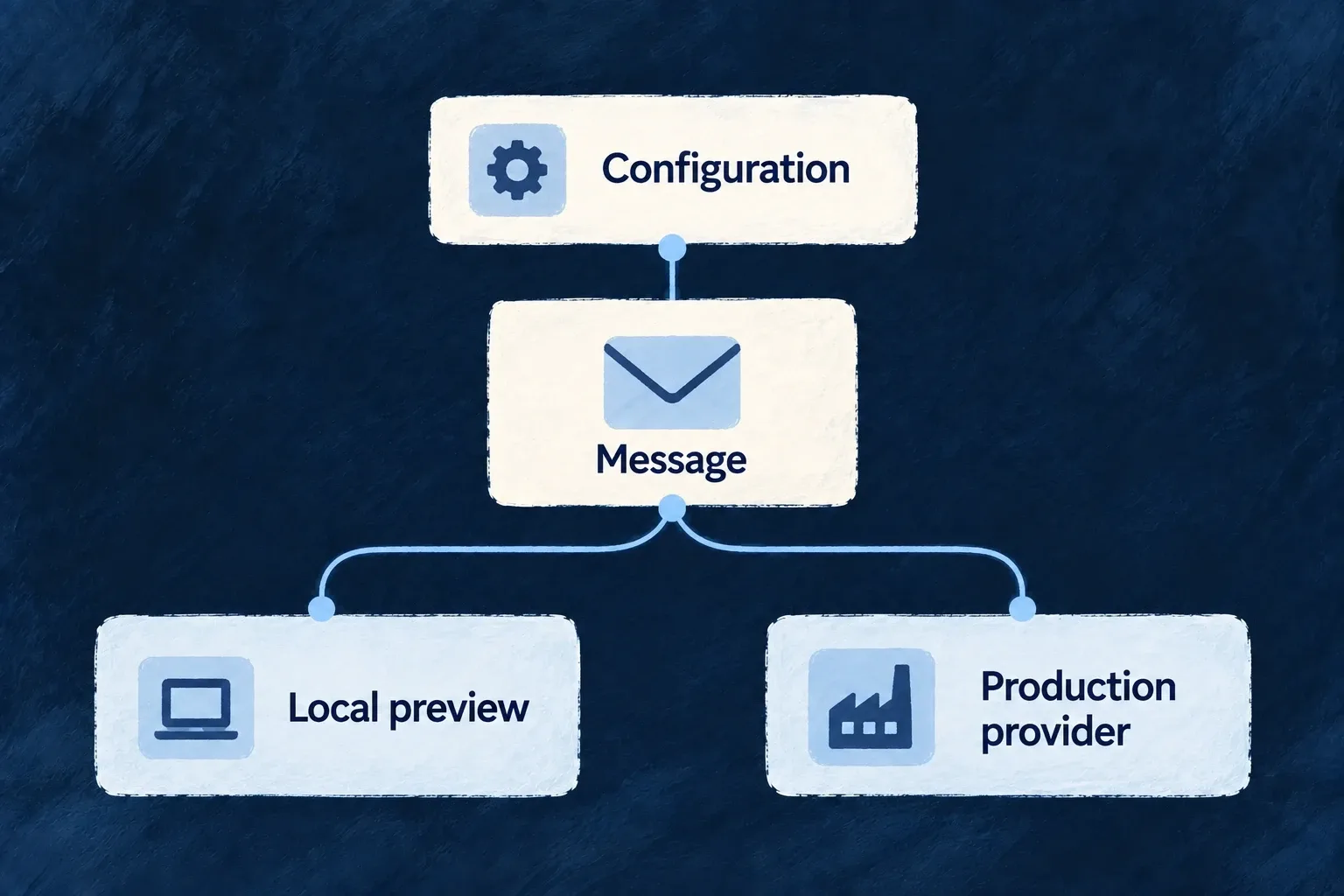
A deployment can use a different provider from local development.
Example — Preview locally, send in production
The same account email is rendered locally with the preview provider and submitted through the configured delivery provider in production.
For engineers
Declare the providers on the process that sends
Application configuration has two jobs: enable EMAIL_TRANSACTIONAL in engineCapabilities, then make its providers available in the backend scope. Selection chooses among that declared set; it cannot install an undeclared provider.
Application example, reduced from Wonder CRM’s wildo.saas.config.ts to the complete email-provider section. Assign emailProviders to the existing configuration’s providers property, merging the other provider scopes your application uses.
import { EngineCapability } from '@wildo-ai/saas-models';
import { defineSaaSProviders } from '@wildo-ai/platform-config-lib';

const emailProviders = defineSaaSProviders({
  scopes: {
    backend: {
      providers: {
        resend: {
          engineCapabilities: [EngineCapability.EMAIL_TRANSACTIONAL],
          providerCapabilities: ['EMAIL_TRANSACTIONAL'],
          protocols: ['EMAIL_PROVIDER'],
        },
        'email-preview': {
          engineCapabilities: [EngineCapability.EMAIL_TRANSACTIONAL],
          providerCapabilities: ['EMAIL_TRANSACTIONAL'],
          protocols: ['EMAIL_PROVIDER'],
        },
      },
      selection: {
        [EngineCapability.EMAIL_TRANSACTIONAL]: { primary: 'resend' },
      },
    },
  },
});
Keep [EngineCapability.EMAIL_TRANSACTIONAL]: { enabled: true } in the application’s engineCapabilities. The declaration makes both providers reachable; the selection makes Resend the default. Backend saas-config.backend.ts supplies email.from, and the existing backend module supplies emailTemplateDefinitions.
Change only the local selection
Wonder CRM’s infrastructure/local/wildo.infra.local.config.ts contains this property inside its infrastructure configuration:
providerSelection: {
  [EngineCapability.EMAIL_TRANSACTIONAL]: {
    primary: 'email-preview',
  },
},
Local messages now render into logs; environments without that override retain Resend. Supply RESEND_API_KEY through the sending environment’s secret configuration and use a sender accepted by that provider. Keep credentials out of templates and tracked configuration.
From the application root, wildo config sync --env local regenerates the local configuration and environment artifacts. Inspect the generated backend provider runtime for both declared references and check the effective local selection. A send through the local flow should return LOCAL_PREVIEW; a network provider reports its own classified submission result.
Selection is not retry failover
Email resolves one provider for a send. Availability selection and an environment override do not mean a failed network submission is automatically retried with another vendor. Interpret the sender’s outcome and retryability: an uncertain response may already represent an accepted message.