
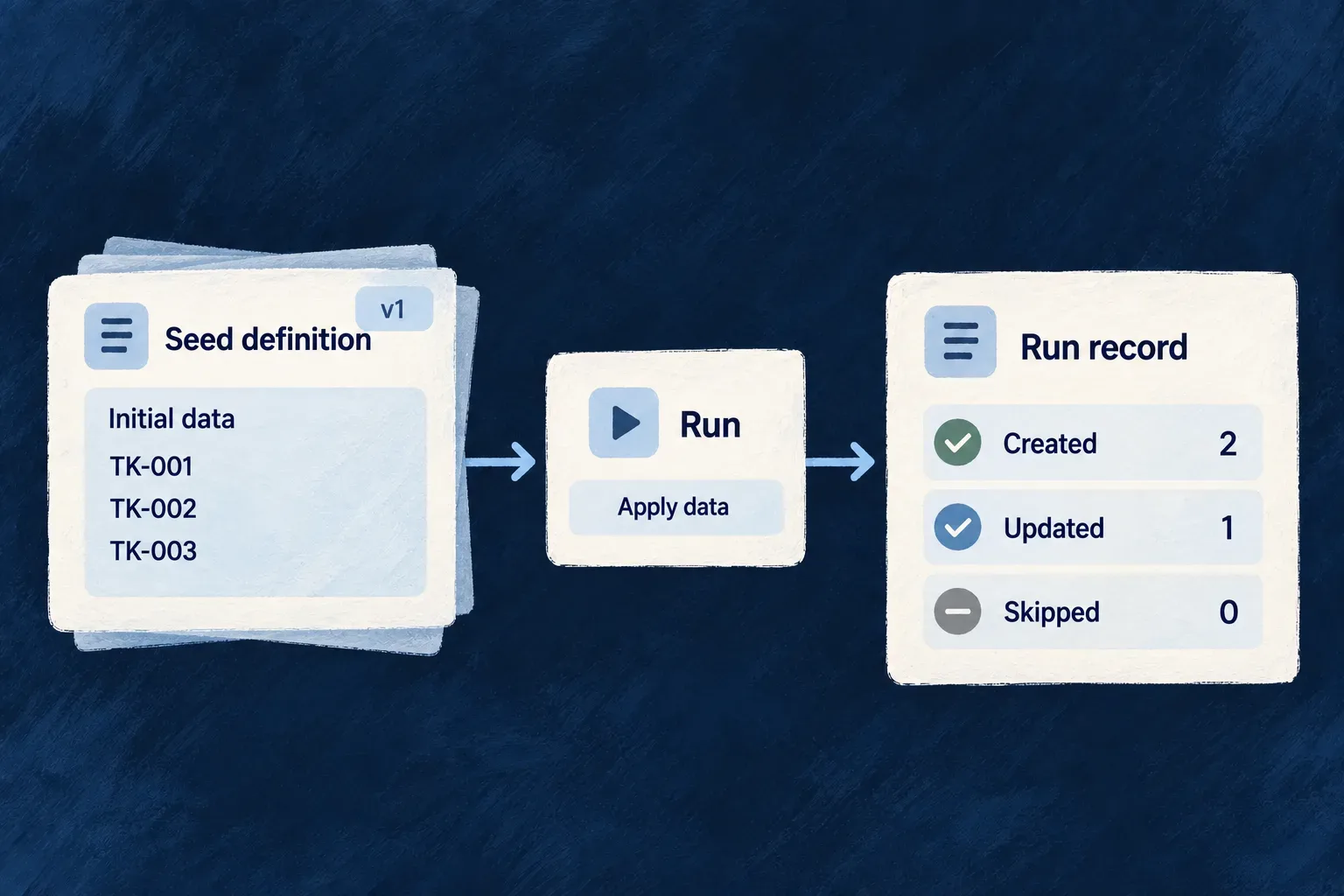
See what each data setup run changed
Applying declared data should leave an understandable result. Wildo records the seed, target scope, version and outcome, with counters showing what the pass created, updated, upgraded or skipped.
Scheduled reruns keep eligible data sets current. Operators can inspect the latest outcome for a seed, version and target scope before requesting a deliberate rerun. Cleanup preserves the version evidence later passes rely on.
Example — Check defaults after an application change
An application updates the version of its managed reference data. The run record shows which organization received the change and how many entries were upgraded or skipped. The operator reads that outcome before deciding whether to rerun a failed scope.
For engineers
A run is identified by seed, scope, related record and seed version. The dispatcher opens or acquires the run slot before applying entries and records terminal status and counters afterward. Repeated triggers can reuse or skip an existing slot; the ledger is not a promise of a new history row for every attempted call. When a slot is reused, its counters and failure report are reset for the new pass. Read it as the latest recorded outcome for that seed/version/scope, not an immutable log of attempts.
| Information | What it answers |
|---|---|
| Seed key and version | Which authored definition was applied? |
| Scope and related record | Which application, organization, user or custom target was affected? |
| Trigger origin | Was this lifecycle, initialization, scheduled or manual work? |
| Status and counters | Did it finish, partially apply or fail, and which kinds of changes occurred? |
Choose the second-pass behavior before rerunning
| Mode | What another pass can do |
|---|---|
ADDITIVE | Insert missing keys and reapply the declared payload to existing matches; it does not prune orphans |
UPGRADE | Apply versioned migrations and managed fields while preserving other fields |
SYNC | Reconcile the declared set and apply the explicit orphan policy |
LAZY | Reuse a completed per-scope result; an explicit force rerun clears its completed run markers |
ADDITIVE does not mean existing rows are immutable. Wonder Todos’ registered webhook seeds use it to reapply local listener configuration. Choose UPGRADE when non-managed user edits must survive. These webhook seeds are lifecycle-triggered, not evidence that every seed runs periodically.
Check whether the seed supports a manual rerun
| Authored seed | Manual eligibility |
|---|---|
ADDITIVE, UPGRADE or SYNC with static entries[] | The declared entries can be applied to the requested scope |
Those modes with computed entry({ triggeringRow }) | Rejected: a manual request cannot supply the lifecycle row the callback expects |
LAZY | Uses its own resolver contract with triggeringRow: null; completed results can be reused |
For example, Wonder Todos’ organization webhook seed is ADDITIVE but computes its entry from the newly created organization. It demonstrates lifecycle seeding, not manual-rerun eligibility. Use its lifecycle trigger, or deliberately author a static entry set suitable for manual application; do not substitute its key into the command below.
Inspect, then rerun one explicit scope
The operator endpoints are mounted beneath /internal/admin/data-seeding. This command example uses a placeholder origin, seed and organization; select an eligible static seed from your registered inventory and use its declared scope. The placeholder below assumes an organization-scoped static seed; it is not the lifecycle webhook seed.
curl "$APP_ORIGIN/internal/admin/data-seeding/seeds" \
  -H "X-Admin-Secret: $APPLICATION_ADMIN_SECRET"

curl -X POST "$APP_ORIGIN/internal/admin/data-seeding/rerun" \
  -H "X-Admin-Secret: $APPLICATION_ADMIN_SECRET" \
  -H "Content-Type: application/json" \
  -d '{"seedKeys":["catalog:reference-data"],
       "scope":{"kind":"organization","relatedId":"org-example"},
       "force":false}'
seedKeys selects one or more registered definitions for the same explicit scope. Every selected seed must declare that scope kind; custom scopes must also match the related resource type. A mixed-scope request is rejected as a whole before dispatch, so split it by declared scope. GET /internal/admin/data-seeding/runs provides the run ledger. The secret is compared by the administrative controller; an unset secret disables these endpoints with 503, while a missing or invalid header produces 401. Keep it in operator tooling, never browser code.
force: true applies only when every selected seed is LAZY: it deletes completed run markers before trying again. Including any non-LAZY seed rejects the whole request; the flag is not silently ignored. Use force: false for the static non-LAZY example above.
Distinguish a partial application from an aborted request
| Observed result | What happened | What to inspect next |
|---|---|---|
Returned run with PARTIAL | Some entry operations failed inside the pass; later requested seeds can still run | The run’s entriesFailed, mode-specific counters and failureReport |
| Manual request throws a pass-level error | That seed could not finish its pass; subsequent requested seeds are not dispatched | The failed seed’s ledger information and the outcomes of earlier seeds before retrying |
seedsSkippedFromCache increases | A LAZY result was reused or its run slot was already claimed | The existing run; a skipped result does not mean new data was applied |
For example, if an ADDITIVE pass fails on one entry and the next requested seed completes, the request can return reports for both: the first is PARTIAL, the second COMPLETED. A successful HTTP response is therefore not proof that every entry succeeded. Read each run’s status and counters, then use its failure report to identify the entries needing attention.
A thrown pass-level error follows a different path: the manual request stops at that seed. Earlier changes are not rolled back as one transaction. In contrast, scheduled reruns contain per-seed failures and continue to other eligible work.
Separate each seed’s cadence from the evaluation tick
A seed opts into periodic work with schedule.cron and an iteration strategy appropriate to its scope. LAZY cannot also declare a schedule. The application’s dataSeeding.scheduledRerunCronSchedule controls the engine evaluation tick, which defaults to every minute.
Current evaluation uses UTC and the window between the previous engine tick and now. A due seed runs once per selected scope in that window; it does not replay every individual occurrence inside it. A coarser tick therefore coalesces more frequent seed schedules. The selected iteration strategy determines whether the pass targets a global scope, applications, organizations, users or a registered custom resolver’s results.
The scheduled path contains per-seed and per-scope failures so other eligible work can continue. It does not provide a durable replay queue for every missed clock occurrence; use an explicit rerun when recovery requires one.
Retain the evidence that prevents unnecessary work
Cleanup considers terminal runs older than the configured retention window and preserves the maximum seed version for each seed/scope group. Running rows are excluded, and the dispatcher owns interrupted-run recovery. This protects the version evidence needed to recognize prior work while pruning older history; it is separate from deleting the seeded business records.