
Keep a conversation going
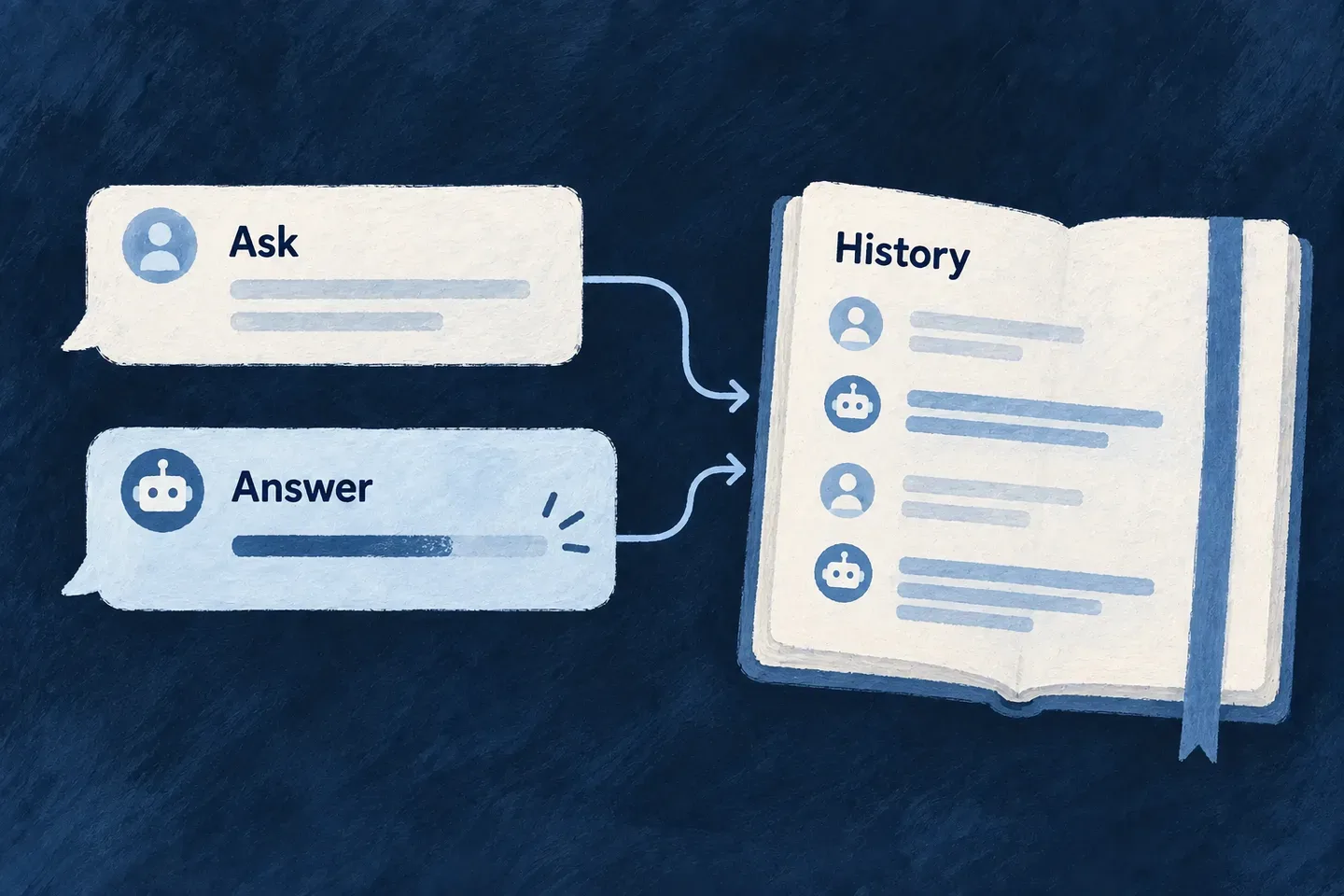
An in-app assistant needs more than a text box. Wildo streams its answer as it arrives, keeps previous turns in the application and lets the person continue the same discussion.
You define the assistant’s purpose, model and available tools. The conversation runtime handles the exchange and retrieves its history from the server, so a browser does not have to reconstruct the model’s memory.
Example — Continue a discussion about current work
A person asks which tasks need attention, then asks about one of the results. The second turn belongs to the same conversation and can use its earlier messages. Resource tools supply current records when the answer needs fresh data.
For engineers
This connected example adapts Wonder Todos to one narrow workflow: read a task, retrieve policy passages and request a reviewed rename. It deliberately omits the reference assistant’s list and create tools. First complete the backend provider setup; this agent needs an enabled Anthropic connection and credentials in that runtime.
The agent, system and registry below share the same references. knowledgeBaseAskTool is the application-owned tool explained below; import it and its reference from the adjacent knowledge-base-tool.ts. The other imports use the package roots:
import { z } from 'zod';
import {
  resourceReadTool, resourceWriteTool,
  type FlowActorSystem_InitializationFactoryMap, type FunctionTool,
} from '@wildo-ai/saas-backend-lib';
import {
  Actor_ExecutionMode, Actor_Role_Category, CoreResourceOperation,
  FlowActorSystem_Kind, FlowActorSystem_Status, FlowActorSystem_Visibility,
  FlowsActors_Agent_Skill_Type, FlowsActors_Agent_Status,
  ResourceOperationRiskLevel, ResourcePrimaryScope,
  type ActorSystem, type FlowsActors_Agent,
} from '@wildo-ai/saas-models';
import {
  LLMProvider_ChatCompletionInputSchema, LLMProvider_ChatCompletionOutputSchema,
  LLMProvider_OperationContext_BaseSchema, LLMProvider_OperationKey, LLM_Model,
  type LLMProvider_OperationDefinitionBase,
} from '@wildo-ai/external-connectors-models';
import { TasksManager_ResourceType } from '@wonder-todos/shared-lib';
import { knowledgeBaseAskTool, KNOWLEDGE_BASE_ASK_TOOL_REF } from './knowledge-base-tool';

const TODO_ASSISTANT_CHAT_AGENT_REF = 'todo-assistant.chat.agent';
const TODO_ASSISTANT_SYSTEM_REF = 'todo-assistant';
const readTask = resourceReadTool(TasksManager_ResourceType.TODOS);
const renameTask = resourceWriteTool(TasksManager_ResourceType.TODOS, CoreResourceOperation.UPDATE, {
  requiresHumanApproval: true,
  inputSchema: z.object({
    id: z.string().min(1).describe('Task id returned by the read tool.'),
    title: z.string().min(1).max(200).describe('The new title explicitly requested by the user.'),
  }),
});
The rename tool exposes only the record ID and new title. Its approval flag pauses that particular call; approval does not replace the operation’s access checks. Reusing the tools’ functionRef values below prevents a separate list of hand-typed names drifting away from the registry.
const todoAssistantChatAgent: FlowsActors_Agent = {
  ref: TODO_ASSISTANT_CHAT_AGENT_REF,
  displayName: 'Todo Assistant',
  status: FlowsActors_Agent_Status.ACTIVE,
  config: {
    providerRef: 'anthropic',
    model: LLM_Model.CLAUDE_SONNET_5,
    operationKey: LLMProvider_OperationKey.CHAT_COMPLETION,
    accessControl: [{ primaryScope: ResourcePrimaryScope.APPLICATION, requiresApproval: false }],
    riskLevel: ResourceOperationRiskLevel.LOW,
  },
  operationDefinition: {
    operationKey: LLMProvider_OperationKey.CHAT_COMPLETION,
    providerRef: 'anthropic',
    inputSchema: LLMProvider_ChatCompletionInputSchema,
    outputSchema: LLMProvider_ChatCompletionOutputSchema,
    operationContextSchema: LLMProvider_OperationContext_BaseSchema,
  } satisfies LLMProvider_OperationDefinitionBase,
  promptSpec: {
    role: 'Help the user understand policy documents and rename their tasks when asked.',
    skillType: FlowsActors_Agent_Skill_Type.CHAT,
    instructions: [
      `Use ${readTask.functionRef} to resolve an existing task before proposing a rename.`,
      `Use ${KNOWLEDGE_BASE_ASK_TOOL_REF} for policy questions. Read outcome and notes before answering.`,
      'For matched results, answer only from the returned passages and name their documents.',
      'For nothing-matched, say no relevant passages were found. For refused, explain access was refused; do not claim the information is absent.',
      'If notes report withheld or truncated material, explain that the answer covers only the returned material.',
      `Call ${renameTask.functionRef} only for an explicitly requested rename. Its approval request is the review step.`,
      'Report a rename as completed only after the tool returns a successful result.',
    ],
  },
  capabilities: {
    tools: { functionRefs: [readTask.functionRef, KNOWLEDGE_BASE_ASK_TOOL_REF, renameTask.functionRef], mcpRefs: [] },
  },
  createdAt: '2026-07-12T00:00:00.000Z',
};
The prompt gives the tools their conversational purpose. The tool schemas, execution context and operation checks enforce the application contract; instructions alone do not establish access control. A refused search and an empty search require different answers even though both can return no sources.
Connect an agent, a system and a view
A FlowsActors_Agent defines the model invocation and structured prompt. An ActorSystem gives that agent a frontend-visible identity. A frontend view points to the system; it does not duplicate the prompt or tool definitions.
This actor-system declaration follows Wonder Todos and points to the agent just declared:
const todoAssistantActorSystem: ActorSystem = {
  ref: TODO_ASSISTANT_SYSTEM_REF,
  displayName: 'Todo Assistant',
  description: 'Read tasks, explain policy passages and request reviewed task renames.',
  kind: FlowActorSystem_Kind.ACTOR,
  status: FlowActorSystem_Status.ACTIVE,
  visibility: FlowActorSystem_Visibility.FRONTEND,
  config: {
    timeout: 60000,
    accessControl: [{
      primaryScope: ResourcePrimaryScope.APPLICATION,
      requiresApproval: false,
    }],
    riskLevel: ResourceOperationRiskLevel.LOW,
  },
  actors: [{
    ref: 'assistant',
    displayName: 'Assistant',
    roleCategory: Actor_Role_Category.OPERATOR,
    executionMode: Actor_ExecutionMode.AGENTIC,
    agentRef: TODO_ASSISTANT_CHAT_AGENT_REF,
  }],
  createdAt: '2026-07-12T00:00:00.000Z',
};
FRONTEND makes the system discoverable by the view. AGENTIC and agentRef select the conversational agent; the system is not itself the prompt. Register the system factory, agent and tools on the backend module’s flowsActors contribution:
export const moduleBackend_FlowsActorsRegistry: {
  flowActorSystemsFactoryMap: FlowActorSystem_InitializationFactoryMap;
  agents: FlowsActors_Agent[];
  functionTools: FunctionTool[];
} = {
  flowActorSystemsFactoryMap: { [TODO_ASSISTANT_SYSTEM_REF]: () => todoAssistantActorSystem },
  agents: [todoAssistantChatAgent],
  functionTools: [readTask, knowledgeBaseAskTool, renameTask],
};
Mount the registry on the owning backend module. This is the relevant composition in backend-api/src/modules/tasks-manager/index.ts; retain the module’s other contributions:
import type { BackendDomainModule } from '@wildo-ai/saas-backend-lib';
import resourcesModule from './resources';
import { moduleBackend_FlowsActorsRegistry } from './addons/flows-actors';

const backendModule: BackendDomainModule = {
  ...resourcesModule,
  flowsActors: moduleBackend_FlowsActorsRegistry,
};
That module must remain in the application’s backend module registry. Exporting an agent file alone does not make it available. The frontend view names todo-assistant, the system names todo-assistant.chat.agent, and that agent names exactly the three registered function tools.
Connect a policy question to the knowledge operation
Wonder Todos’ adjacent knowledge-base-tool.ts owns knowledgeBaseAskTool and KNOWLEDGE_BASE_ASK_TOOL_REF. Its model-facing input contains a question and optional passage limit; identity comes from the conversation. These selected declarations show the tool’s entry contract; the execution body follows separately.
import { z } from 'zod';
import type { FunctionTool, FunctionToolExecutionContext } from '@wildo-ai/saas-backend-lib';
import { KnowledgeDocuments_Operations, TasksManager_ResourceType, type AskKnowledgeBaseResponse } from '@wonder-todos/shared-lib';

export const KNOWLEDGE_BASE_ASK_TOOL_REF =
  `resource.${TasksManager_ResourceType.KNOWLEDGE_DOCUMENTS}.${KnowledgeDocuments_Operations.ASK}`;

const knowledgeToolContract: Pick<FunctionTool, 'functionRef' | 'description' | 'inputSchema'> = {
  functionRef: KNOWLEDGE_BASE_ASK_TOOL_REF,
  description: 'Search readable policy documents. Read outcome and notes; answer from attributed passages.',
  inputSchema: z.object({
    question: z.string().min(3).max(1_000),
    limit: z.number().int().min(1).max(25).optional(),
  }),
};
Inside execute(args, ctx), the reference implementation resolves the declared ASK operation and reconstructs its context from verified authentication. These are the actual dispatch steps, with explanatory comments shortened:
const { resourcesRegistry, servicesRegistryHandler, executionContextCreator } = ctx.services;
const askOperation = resourcesRegistry.getOperationFromPath(
  resourcesRegistry.getServiceOperationPathDefault(
    TasksManager_ResourceType.KNOWLEDGE_DOCUMENTS,
    KnowledgeDocuments_Operations.ASK,
  ),
);

const contextIds: Record<string, string> = ctx.organizationId ? { organizationId: ctx.organizationId } : {};
const executionContext = await executionContextCreator.buildContextFromSocketAuth(ctx.auth, askOperation, contextIds);

const answer = await servicesRegistryHandler.executeCustomOperation<AskKnowledgeBaseResponse>(
  TasksManager_ResourceType.KNOWLEDGE_DOCUMENTS,
  KnowledgeDocuments_Operations.ASK,
  executionContext,
  undefined,
  { question: args.question, ...(args.limit !== undefined && { limit: args.limit }) },
);
ASK is a collection operation, so there is no record ID in this dispatch. The operation invokes retrieval with this execution context and projects its response. Context construction is not operation admission: this handwritten reference tool calls the service directly, whereas the generic read/write tool factories explicitly run authorization and operation-rate policy checks first. A custom tool needs those checks at its dispatch boundary; executeCustomOperation does not supply controller-equivalent admission by itself.
Preserve what the search actually established
The ASK operation returns passages and their provenance, plus refusal, withheld-row and truncation information. The tool projects that into the model’s result. These selected steps follow the reference tool’s result handling:
const sources = answer.sources.map(source => ({
  knowledgeDocumentId: source.knowledgeDocumentId,
  header: source.header,
  contextText: source.contextText,
}));
const withheldRows = answer.droppedUnreadableRows + answer.droppedByReadFailure;
const notes: string[] = [];
if (withheldRows > 0) notes.push('Some matching documents were withheld; the answer is partial.');
if (answer.reachedContextCharacterBudget) notes.push('The matched text reached the context budget; narrow the question.');
if (sources.length === 0 && answer.refusedResourceTypes.length > 0) {
  notes.push('Search was refused; this does not establish that the information is absent.');
} else if (sources.length === 0) {
  notes.push('No matching passages were found; do not substitute an unsupported answer.');
}
return {
  question: answer.question,
  mode: answer.mode,
  sources,
  outcome: sources.length > 0
    ? 'matched'
    : (answer.refusedResourceTypes.length > 0 ? 'refused' : 'nothing-matched'),
  notes,
};
contextText retains the framing that associates passages with their document. mode distinguishes hybrid from lexical-only retrieval; lexical-only is a supported result. The agent’s instructions above consume outcome and notes instead of treating every empty result as proof that no policy exists. The returned text becomes input to the conversational model, which can explain it and name its sources; a later rename follows the separate approval-gated resource tool.
What happens during a turn
| Stage | Engine behavior |
|---|---|
| Start | Resolve the system and the conversation’s owner scope. |
| Continue | Read the stored transcript using the conversation identifier and its isolation fields. |
| Answer | Compile the prompt, invoke the agent and emit growing text to the client. |
| Tool call | Resolve only the tools declared by the agent and run them in the caller’s context. |
| Finish | Persist the messages and execution status for the next turn. |
The browser continues a discussion by reusing its executionId. It sends the new message; the server loads previous turns. Owner, credential and agent-instance fields remain part of the persistence lookup rather than trusting an identifier by itself.
Use the streaming conversational path for tool-using chat. The buffered one-shot invocation is a different contract: declared function tools do not execute there. Coding sessions also have their own progress events rather than this token-delta channel.