
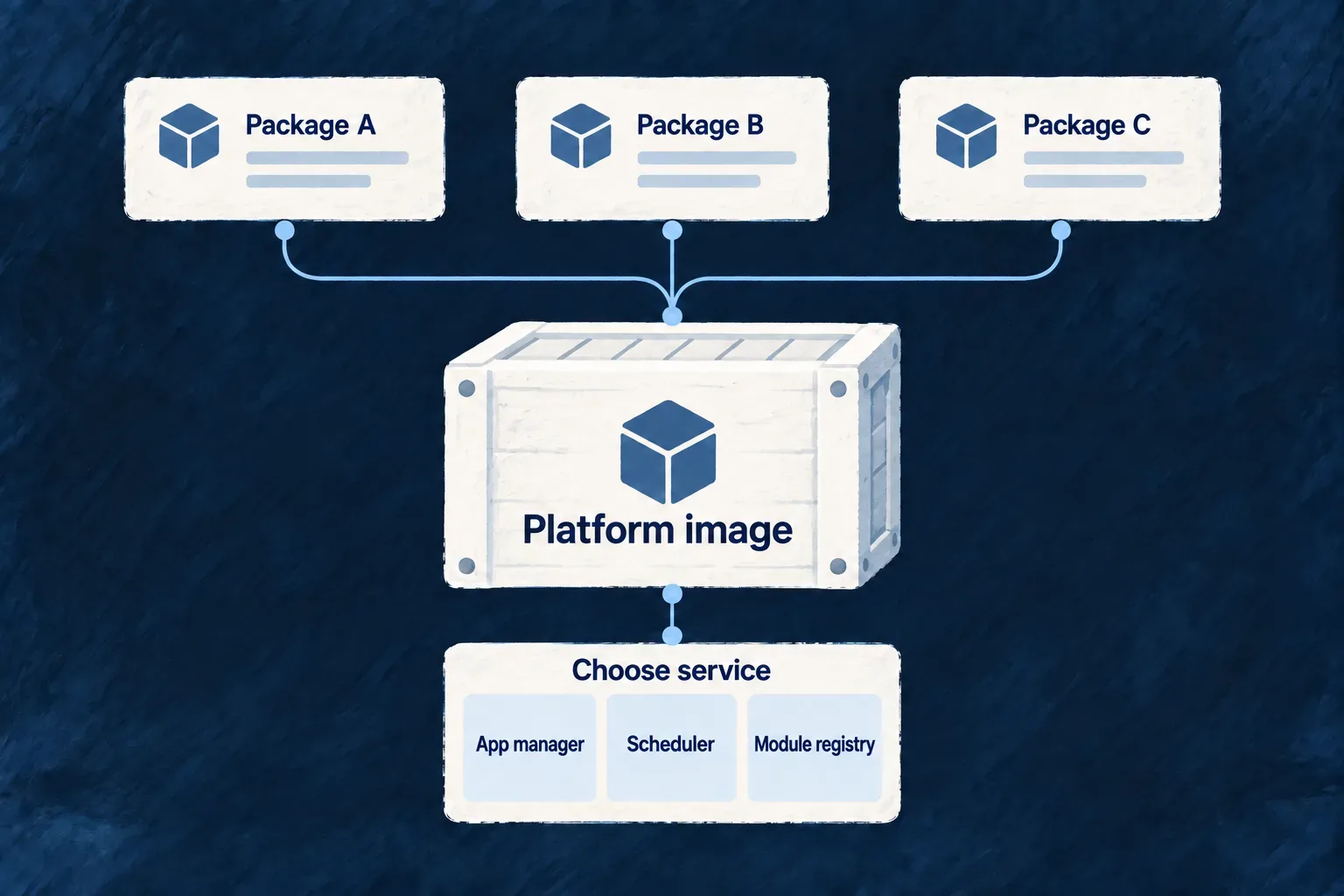
Package platform services with their dependencies
Wildo’s platform services share a container image built from their declared dependency graph. Dependencies are installed inside the image, so native libraries are prepared for its operating system and architecture.
The runtime selects which platform service starts. Application services retain their own Dockerfiles; this platform image is not a universal application base image.
Example — Run the registry beside other platform services
An installation can use the same platform image for its application manager and module registry, selecting a different service and supplying its configuration for each container.
For engineers
What does the Dockerfile include?
Dockerfile.platform-base uses the framework root as its build context, with a Dockerfile-specific ignore file. It expects compiled dist/ trees to exist before packaging.
Selected production install and peer guard steps from that Dockerfile:
RUN pnpm install --frozen-lockfile --prod \
    --config.node-linker=hoisted \
    --filter "@wildo-ai/platform-apps-manager..." \
    --filter "@wildo-ai/platform-crontabs-batches-manager..." \
    --filter "@wildo-ai/platform-module-registry..."

RUN node templates/infra/docker-images/platform/verify-peers.mjs /app/wildo-ai \
    "@wildo-ai/platform-apps-manager..." \
    "@wildo-ai/platform-crontabs-batches-manager..." \
    "@wildo-ai/platform-module-registry..."
The trailing ... selects each service and its dependency closure. Installation happens inside the Linux builder stage; host-installed native binaries are not copied as the dependency solution. The guard resolves non-optional peers from the selected packages so a missing runtime peer fails during image preparation.
How is a service selected?
The entrypoint reads PLATFORM_SERVICE, including platform_apps_manager, platform_crontabs_batches_manager and platform_module_registry. Its configuration supports JSON values or corresponding file inputs such as INFRA_SECRETS_FILE, letting deployment tooling deliver configuration through mounted files.
This is framework platform packaging. The separate backend base Dockerfiles are not in the current publication set and are not inherited by application Dockerfiles. When extending the published platform image, update its real service selection and dependency filters together; adding a file to the repository does not automatically make it a runnable image service.