
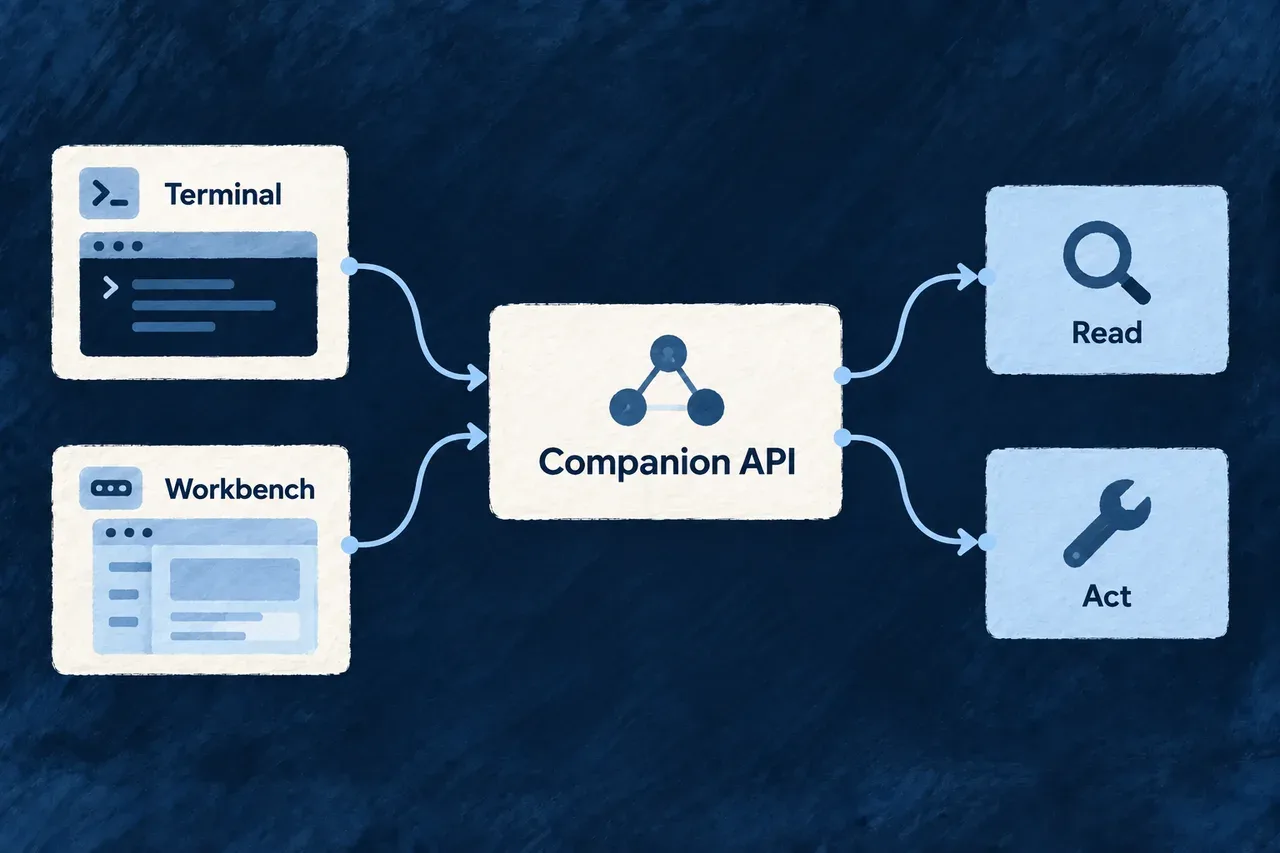
Reach the same development services from your tools
The terminal and browser need access to application inspection, creation work and its results. Those services belong to the companion, so each interface does not have to reconstruct the application’s development state independently.
Wildo exposes custom development endpoints alongside standard resource operations. The interfaces serve different callers while connecting them to the underlying development services.
Example — Start work, then inspect it visually
A developer requests creation work through the CLI and inspects its state in the workbench. The browser uses resource operations for its supported actions; it does not need to reproduce the CLI’s exact HTTP request to reach the related service.
For engineers
Choose the route by its contract
| Interface | Typical role | Access policy to inspect |
|---|---|---|
/api/companion | Bespoke development commands, authoring and diagnostic endpoints | Loopback binding and the custom router’s local-token predicate |
/api/v1 | Workbench resources, creation operations and frontend support | Standard engine controllers, identity and resource authorization |
The companion’s custom controller is not its entire HTTP surface. Startup also mounts the resource and support controllers needed by the workbench. CLI and browser calls can use different routes to reach related services.
Understand the custom router’s local-token check
The following selected functions come from companion-token-floor.policy.ts. They show the decision at this router only; the constants and token validator are defined elsewhere:
export function companionRequestRequiresLocalToken(method: string, path: string): boolean {
  if (COMPANION_TOKEN_FLOOR_UNGATED_METHODS.has(method.toUpperCase())) return false;
  return !COMPANION_TOKEN_FLOOR_BROWSER_EXEMPT_PATHS.includes(path);
}

export function companionRequestIsAdmittedByTokenFloor(
  request: { readonly method: string; readonly path: string; readonly presentedToken: string | string[] | undefined },
  isValidToken: (presented: string | undefined) => boolean,
): boolean {
  if (!companionRequestRequiresLocalToken(request.method, request.path)) return true;
  return isValidToken(typeof request.presentedToken === 'string' ? request.presentedToken : undefined);
}
The first decision selects whether the request requires the token. The second validates one string header value when it does. Repeated header values are not searched for a matching token.
GET, HEAD and OPTIONS bypass this particular token check. Other methods require it unless the mount-relative path is one of the explicit browser exceptions: /playbooks/refresh-board, /compliance/governance-facts or /coding-agent/cancel. These are exceptions to this floor, not a claim that every browser action has the same authorization contract.
Let the CLI handle its local credential
The CLI reads the application’s machine-local companion token and attaches it to requests that need it. A read-only introspection operation can use POST and therefore require that token: HTTP method and business side effect are different questions.
Token possession establishes access to a local file, not a human approval or an application role. The resource-operation plane has its own identity and authorization checks. Keep these boundaries separate when adding an integration or diagnosing a refused request.
Discover an inspection contract before using it
# Is the companion serving this application?
wildo context health

# Which behaviors and service keys are available?
wildo context list

# Read one supported model view through the CLI client.
wildo context info resources-registry
Use the documented command or workbench operation for normal development. If implementing a client, inspect the exact endpoint’s request, response and error contract; there is no universal “every route is an unauthenticated read” or “every route is a resource operation” rule.