
Give clients control over the firm working for them
A client can approve each expert a firm assigns, choose which of the firm's agents may work in its organization, lend a named administrative right for a limited time, require its own sign-in policy, and see every change the firm's experts make there in its own audit trail.
- What it is
- Feature — something a person using the product meets.
- What it does
- Approve each expert. Under the approval policy, an expert the firm assigns waits with no access at all until a client administrator approves them. The request appears in the administrator's decision inbox. The firm and ordinary members of the client cannot answer it, and a refused expert stays refused.
- What you decide
- Nothing beyond enabling service-provider relationships on the organization types that need them. The controls are the client's and the firm's to set.
- Where it stops
- An expert's routine write appearing in the client's trail is pinned by the engine's tests; the running-application check of it has not been run yet.
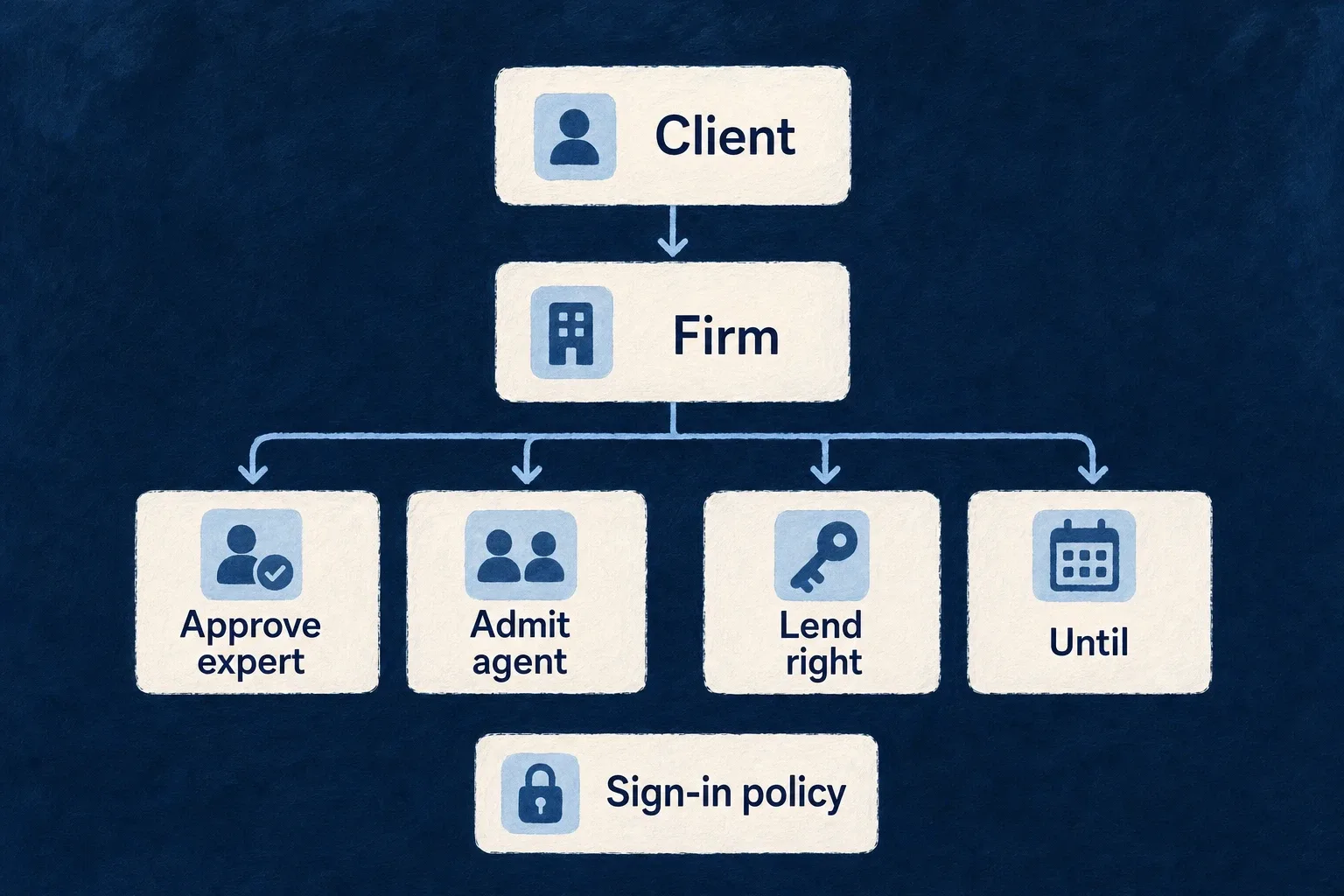
When a service firm works inside a client’s workspace, the client keeps four controls over it. Each is a setting on the relationship the client owns, changed only by the client’s own action, and read live, so a change takes effect on the next request. None of them widens what the relationship already allows.
The problem it solves
A client that lets a firm’s people into its workspace carries the risk of whoever the firm sends, of whatever the firm can do there, and of what the firm takes away. Its own security policy should apply to those people as it applies to its staff. A relationship that only says “the firm may work here” leaves each of those questions to trust.
What it does
Approve each expert. Under the approval policy, an expert the firm assigns waits with no access at all until a client administrator approves them. The request appears in the administrator’s decision inbox. The firm and ordinary members of the client cannot answer it, and a refused expert stays refused.
Lend a named administrative right, for a limited time. A client can lend the firm’s experts one of a closed set of narrow capabilities: inviting people, managing the firm’s own experts under this relationship, reading the audit trail, configuring single sign-on and directory provisioning, managing API keys, or approving an operator’s request for access. Each grant ends at a set time and can be revoked, effective on the next request. The security-critical ones can be lent only by the client’s owner. No capability confers administration or ownership, or lets the firm accept, widen or pass on the relationship.
Apply the client’s own sign-in policy. When the client’s organization type requires multi-factor authentication, an expert’s first request in that client is refused until they prove a second factor to the application for that client, whatever the firm’s own policy is. A client can choose, per relationship, to accept the second factor the firm’s own identity provider reported. That choice is off by default.
Choose which of the firm’s agents may run here. A firm’s autonomous agent runs in a client’s organization only when the firm has bound it to that client and the client has admitted it. None is admitted by default; the client’s choice can be replaced or withdrawn, and each admission and removal is written to the audit trail.
See every change the firm’s experts make. Every write an expert makes in the client’s workspace is recorded in the client’s own audit trail, a routine one included, naming the relationship it went through, so the client can follow one firm’s work on its own. What an expert only reads is not recorded there. The firm does not receive a copy of that record.
What you decide
Nothing beyond enabling service-provider relationships on the organization types that need them. The controls are the client’s and the firm’s to set.
The sign-in policy a client applies to a firm’s experts is its own organization type’s. Selected
from wildo.saas.config.ts, which declares a client type that requires a
second factor of everyone who works in it; the explanatory comment is omitted.
'regulated-workspace': {
  userTypes: ['member'],
  availableOrgRoles: [
    CORE_ORG_ROLES.ORG_OWNER,
    CORE_ORG_ROLES.ORG_ADMIN,
    CORE_ORG_ROLES.ORG_MEMBER,
    CORE_ORG_ROLES.ORG_MANAGER,
    CORE_ORG_ROLES.ORG_REPRESENTATIVE,
  ],
  defaultMemberRole: CORE_ORG_ROLES.ORG_MEMBER,
  authOverrides: {
    authMethodsEnabled: { [AuthMethod.TOTP]: true },
    mfaPolicy: { requireMFA: true, acceptableMFAMethods: [AuthMethod.TOTP] },
  },
},
The firm’s own workspace type in that application requires no second factor, so its experts sign in with a password. In a regulated workspace the first request they make is refused until a TOTP step-up satisfies this policy for that organization. Whether the client also accepts a factor the firm’s own identity provider reported is a per-relationship setting the client changes, and it starts at not trusted.
Limits
An expert’s routine write appearing in the client’s trail is pinned by the engine’s tests; the running-application check of it has not been run yet.
Accepting the firm’s identity-provider second factor is verified by the engine’s integration tests but has not been driven end to end in a running application. The client’s own sign-in policy has.