
Work with Business Central records in your application
A company running Microsoft Dynamics 365 Business Central can build internal tools on its customers, items and documents. The application declares the Business Central environment once and reaches it as a registered Microsoft Entra application, never as one of its own users.
Read in place: a screen asks Business Central when it opens. Copy kept current: a pipeline copies chosen fields and can read only the records modified since its last pass, with a periodic full pass to notice deletions.
Write back: a resource can create, change and delete records. Business Central requires every update to carry the version the writer last read, and the engine always sends it, so a change made over someone else’s newer edit is refused by Business Central instead of overwriting it.
Two-way: because records carry that version, one pipeline can keep records edited in both places in step, with each field owned by one side or shared, and simultaneous changes to a shared field resolved by the declared policy or reported for a person to decide.
Example — A field-service tool on top of the ERP
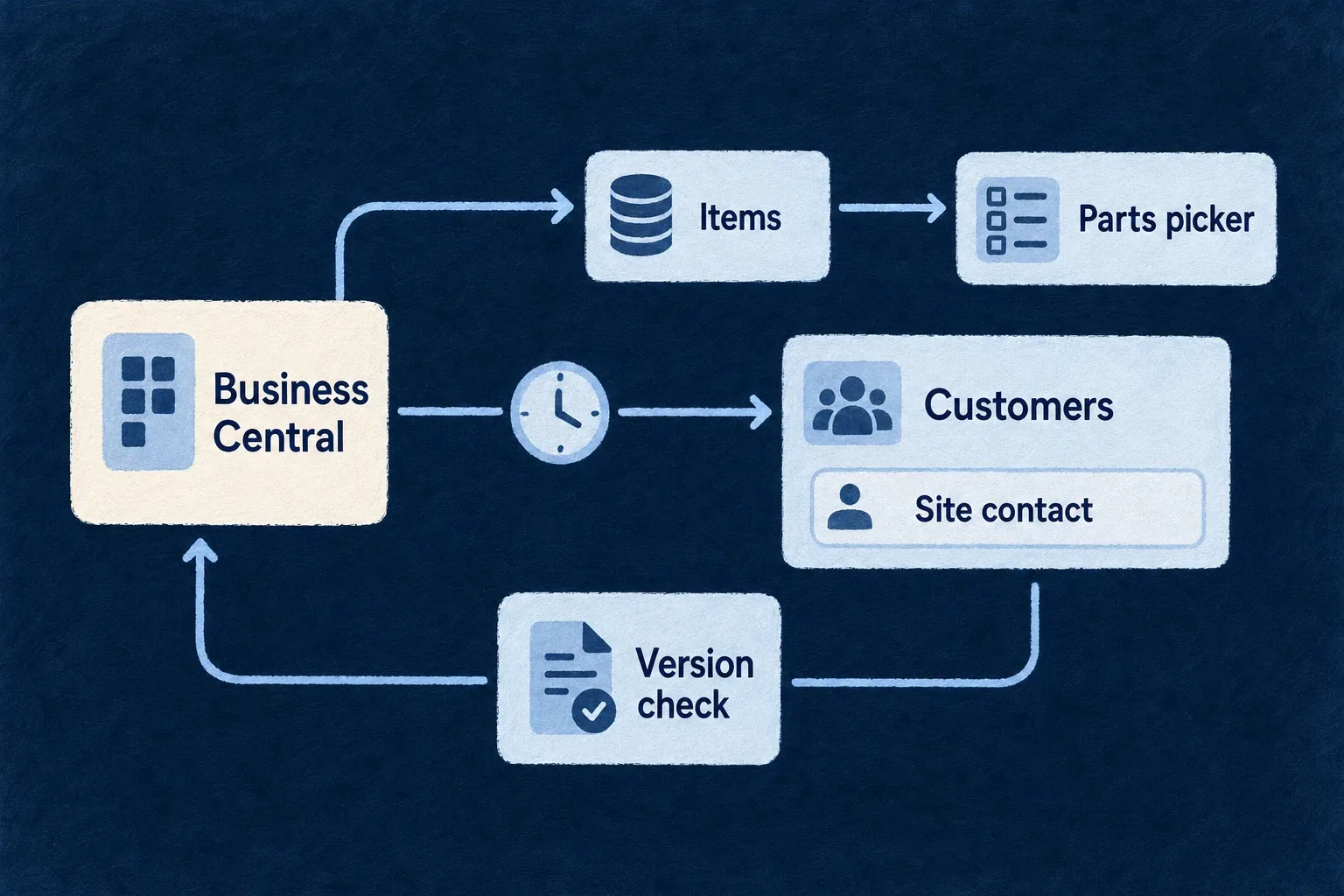
A field-service tool reads Business Central items live for its parts picker and copies customers every hour so visits can be planned against them. When a technician corrects a customer’s site contact, that field is written back to Business Central, conditioned on the version the technician saw.
For engineers
A design example:
systemsOfRecord: {
  erp: {
    vendor: 'microsoft-dynamics-365-business-central',
    dialect: HttpApiTransportDialect.ODATA,
    credential: { kind: SystemOfRecordCredentialKind.OAUTH2_CLIENT_CREDENTIALS_SECRET },
  },
},
The facet offers a client secret or a certificate, so the instance names one. baseUrl is the API service root for one tenant and one environment (https://api.businesscentral.dynamics.com/v2.0/<tenant>/<environment>/api/v2.0), so production and sandbox are the same declaration pointed at different environments. Business Central addresses a company as a path segment (…/companies(<id>)/customers). The address may therefore end at one company, which is how a deployment is limited to that company; reads and writes then reach that company and no other.
Write with the version Business Central requires
A binding maps the row’s entity tag and states how updates are checked, exactly as for any OData v4 vendor. A design example, following the binding of the engine’s OData write test:
fieldMappings: [{ localField: 'rowVersion', remoteField: '@odata.etag' }],
writableVerbs: [HttpApiWriteVerb.CREATE, HttpApiWriteVerb.UPDATE, HttpApiWriteVerb.DELETE],
writeConcurrency: { mode: HttpApiWriteConcurrencyMode.VERSION_CHECKED, versionField: 'rowVersion' },
Under VERSION_CHECKED the engine compares the caller’s version with the record it reads first and sends that same tag as If-Match; a record changed in between is refused by Business Central and the write is not retried. Under LAST_WRITER_WINS it still sends the tag it read, or *, because Business Central refuses an update without one. Every write is sent once, requires an Idempotency-Key from the caller, and is recorded with its outcome.
Read only what changed
An incremental pipeline declares ExternalDataIncrementalExtractionMode.ODATA_MODIFIED_AT with the timestamp property its entity carries, and a fullPassCron for the full passes that alone notice deletions. Each incremental pass reads from the previous pass’s largest timestamp with ge, so records sharing one instant are re-read, never skipped. Inbound notifications can also ask a pipeline to re-read particular records by key.