
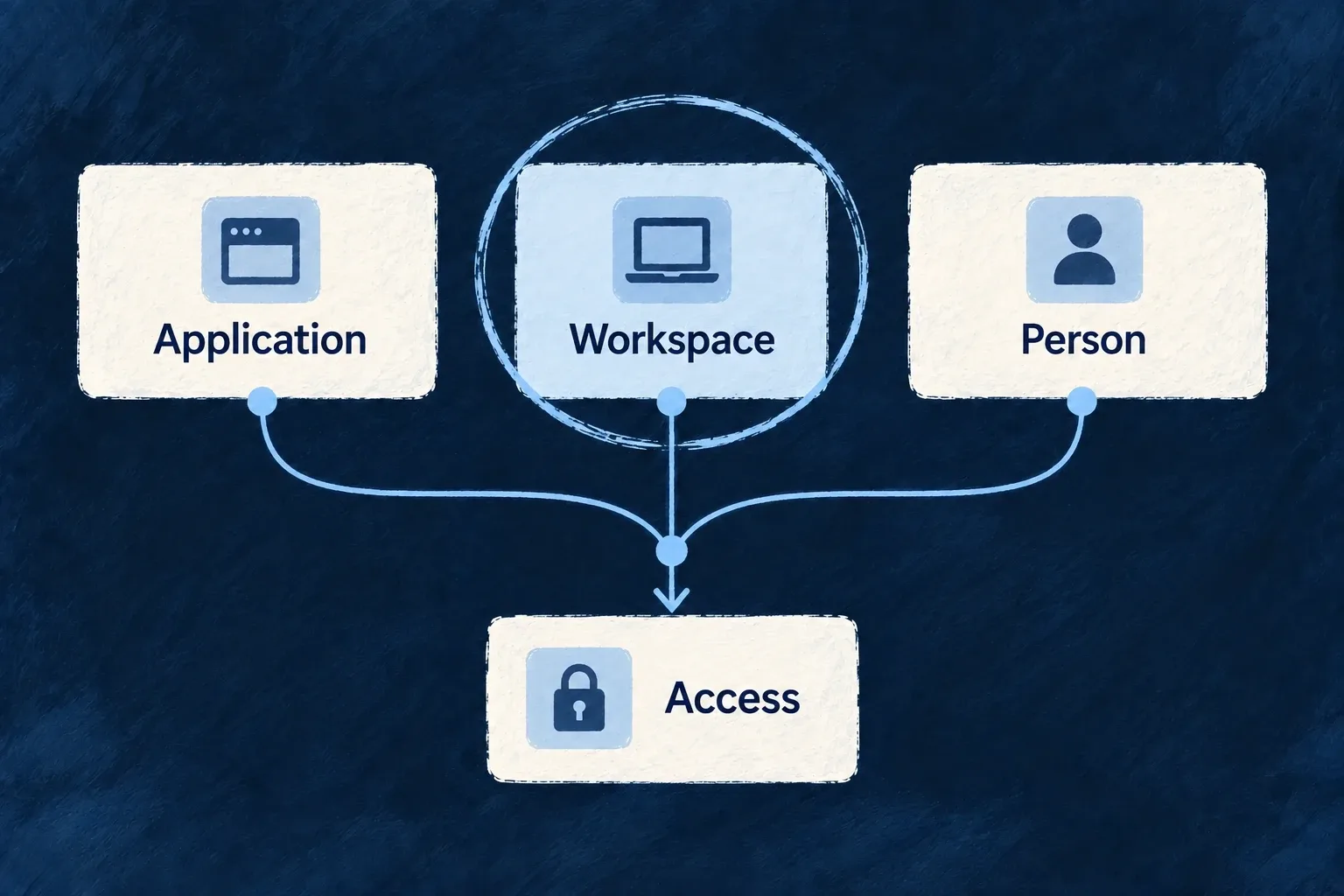
Place access at the right level
Some capabilities belong to an individual, some to a customer workspace, and some to the application as a whole. Wildo keeps these entitlement records separate and resolves the applicable layers for the current request.
Use that distinction to package individual and team access coherently. Features that require an explicit opt-in for each scope can instead be checked at that exact scope.
Example — Give one person individual access
A consultant has an individual subscription and also belongs to a customer organisation. The feature definitions decide which scopes apply, and the request’s context determines which entitlement layers contribute.
For engineers
For authenticated external requests, FeatureResolutionBackendService.resolve starts at application scope and adds organisation and user scopes available in the execution context. resolveForScope instead resolves one identified owner. The distinction matters for a feature such as outgoing webhook delivery that must be enabled independently for each owner.
Application example: decide whether an already-authorized organisation may deliver outgoing webhooks. The application’s backend receives the resolver through its service dependencies and derives organizationId from the authorized owner of the work, never from an unchecked request field:
import { CoreFeature, ResourcePrimaryScope } from '@wildo-ai/saas-models';
import type { FeatureResolutionBackendService } from '@wildo-ai/saas-backend-lib';

export async function mayDeliverOrganizationWebhook(
  featureResolution: FeatureResolutionBackendService,
  organizationId: string,
): Promise<boolean> {
  if (!organizationId) {
    throw new Error('An authorized organization is required');
  }
  return featureResolution.isFeatureEnabledAtScope(
    CoreFeature.M2M_WEBHOOK_DELIVERY,
    ResourcePrimaryScope.ORGANIZATIONS,
    organizationId,
  );
}
This is a complete illustrative gate helper, not a webhook sender or an authorization endpoint. Its caller must await it before dispatch: false stops delivery, and a resolution error must also stop delivery. Checking a non-empty identifier does not establish membership or authority; that must already have been established by the calling workflow.
| Situation | Exact organisation check |
|---|---|
| Only the application has the webhook feature | Does not inherit that application grant |
| This organisation’s applicable sources enable the feature | Returns true |
| Another organisation has the feature | Does not borrow its grant |
| A required, uncached entitlement read fails | Rejects; the caller must not treat the failure as permission |
Exact scope still includes that scope’s defaults, applicable no-billing profile, stored grants and overrides. It does not mean “read only the manual override.” For a feature applicable to users, use ResourcePrimaryScope.USERS with the authorized user ID; for an application owner, use APPLICATION with the application ID. Do not substitute a membership ID for a user ID. The webhook feature above applies to applications and organisations, not users.
For ordinary request-wide features, retain the original authenticated external execution context when calling resolve or isFeatureEnabled. Internally initiated contexts deliberately bypass the normal feature chain; creating one to check a customer’s access would answer the wrong question. Public execution uses application defaults rather than a signed-in customer’s entitlement chain.
Make applicability explicit
Features declare applicableScopes. A user-scoped feature does not become an organisation feature merely because a user is a member. M2M_WEBHOOK_DELIVERY explicitly declares scopeBoundary: true; callers must use isFeatureEnabledAtScope. Calling the general isFeatureEnabled helper for such a definition throws rather than silently inheriting an application grant.
| Owner | Typical source | Administrative effect |
|---|---|---|
| Application | Definition/profile or manual override | Affects a broad context; even the application ledger’s reads require the super-administrator role |
| Organisation | Organisation subscription and overrides | Gives a customer its scoped package |
| User | Individual subscription and overrides | Carries personal entitlements in user context |
There is no application-scope billing account rail: an application-level allowance cannot arrive from an application subscription. Use an applicable profile when billing is disabled or an operator override.
Keep roles and commercial access separate
A feature grant does not confer an administrator role, membership or permission to another customer’s records. User and organisation ledgers permit their configured scoped reads but reserve writes for the application super-administrator. Resolve the feature and run the operation’s ordinary access checks; both must fit the use case.
A profile is a no-billing deployment choice, not an extra subscription tier layered on top of billing. Switching billing on stops applying the configured profile, so migrate its intended grants into products or explicit overrides.