
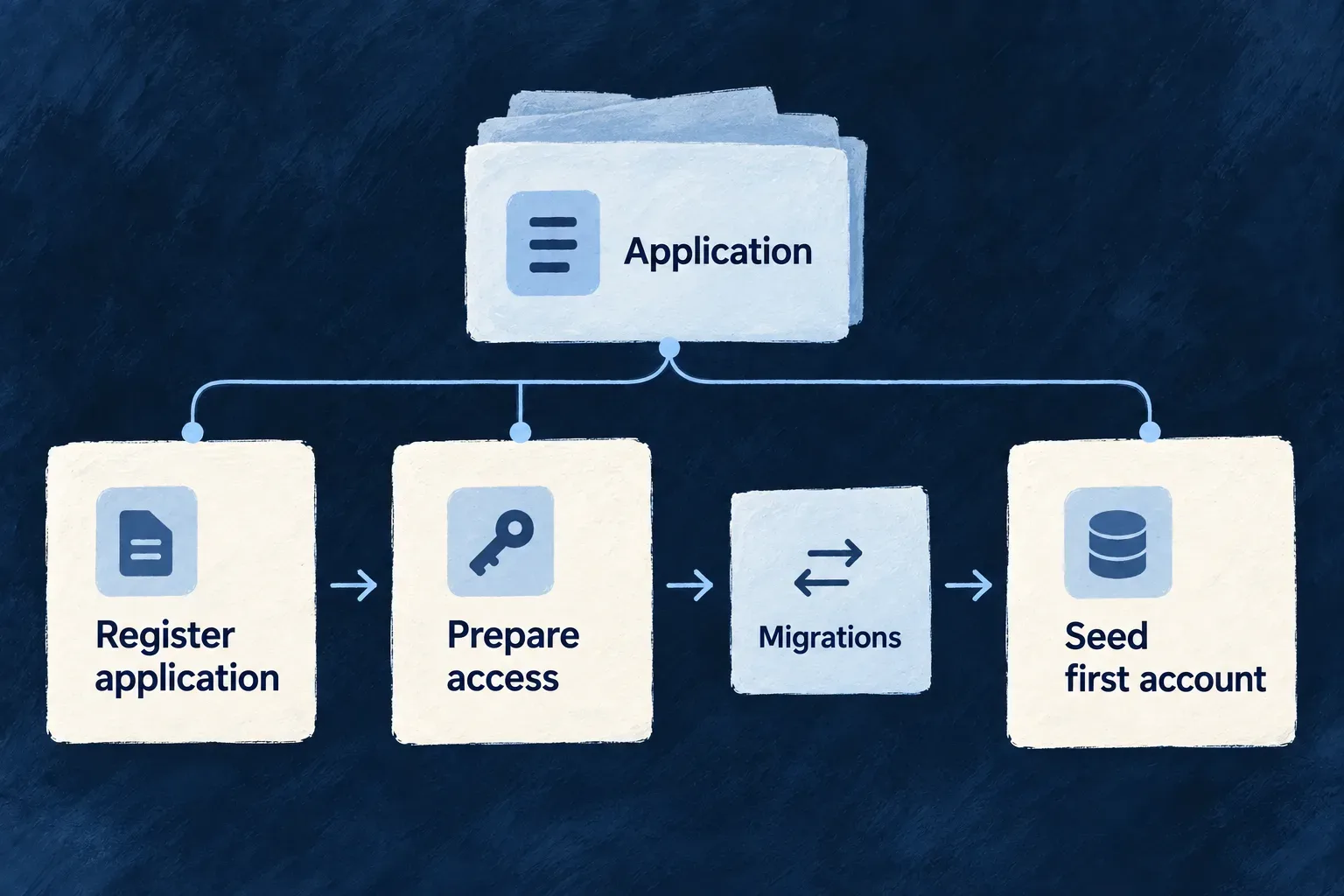
Prepare another application for its first start
Register an application with its own identity and service declarations. Wildo prepares its platform records, service access and first application records, then derives the configuration its runtimes need.
The local workflow can add an application to a running platform without restarting its shared services. Deployment remains a separate step.
Example — Add a CRM beside an existing task application
The task application already uses the local platform. Registering the CRM prepares its own records and runtime configuration while keeping the shared platform running. The CRM’s users and customer organizations belong to the CRM, not to the task application.
For engineers
From the application root, with its wildo.saas.config.ts and selected environment configured, use the registration-only local path when the platform is already running:
wildo local init --register-only
The active environment must be local, with the operator credentials established by wildo setup; this command rejects remote environments. The platform must already be reachable and healthy. This path skips shared cleanup, platform initialization and substrate convergence. Full local initialization has a different effect and refuses when an active development session owns the platform. The registration-only path lets another application join without taking ownership of that shared lifecycle.
Author the application’s bootstrap policy and service requirements first. Operator credentials and generated key material are not application source literals. The first administrator’s application user types belong in the authored bootstrap settings; their actual login material comes through the initialization workflow.
Match the first administrator to a declared user type
For example, Wonder CRM declares this bootstrap selection in wildo.saas.config.ts (selected fields):
bootstrap: {
  firstAdmin: {
    userTypes: ['member'],
  },
},
The authoritative backend’s src/saas-config.backend.ts must declare the matching userTypes.member entry and its authentication policy. Registration rejects an empty selection, a missing authoritative backend or configuration file, and user types absent from that backend. A user type identifies a category of user; it is not an administrator password or role declaration.
The initialization workflow can also receive a distinct approving administrator. That identity is optional for bootstrap, but application-wide access grants require another administrator to approve the request. Creating one administrator does not by itself make that two-person workflow operable.
Prepare the administrator who can approve wider reads
Some application-wide directory and audit reads need a temporary application-wide access grant. That request always starts pending and must be approved by a different application super-administrator. This is not a requirement for every application-scoped operation; the declared read admission determines when it applies. See product and customer authority for the two grant scopes.
The approving identity belongs in the selected environment’s authored secrets.json, in the approver block with email, firstName, lastName and password. Keep it outside application source and version control.
| Starting point | How the approving identity reaches registration |
|---|---|
Fresh local application created by wildo init | With no existing secrets file, the CLI accepts all four WILDO_INIT_APPROVER_* inputs or derives a separate local identity from the first administrator |
| Existing environment or setup-created secrets | Preserve the current secrets and author the complete approver block. Setup reconfiguration can fill an absent identity using its local or non-local policy; completed setup and generic additive secret provisioning leave it unchanged |
| Non-local environment | Supply the named approving administrator and their own password in the environment’s secrets; local identity derivation is not a remote provisioning policy |
The four explicit inputs are WILDO_INIT_APPROVER_EMAIL, WILDO_INIT_APPROVER_FIRSTNAME, WILDO_INIT_APPROVER_LASTNAME and WILDO_INIT_APPROVER_PASSWORD. The local fallback replaces an email’s sub-address with +approver and shares the development password. It creates a different identity so a developer can exercise both decisions; it does not prove that two people participated.
For an existing local application on a running platform, add the block and run wildo local init --register-only. Registration forwards the identity to the application-manager seeding phase. Repeated seeding preserves an existing approver’s password instead of resetting it. Check the seeding outcome and sign in as the intended approving account before relying on the workflow. Remote environments use their provisioning workflow, not this local command. Older secrets without an approver remain readable; successful registration alone does not establish that application-wide approval is usable.
Derive every runtime from the same registration
The following framework implementation excerpt comes from application-runtime-bootstrap.service.ts; explanatory comments are omitted. Application authors do not call these helpers individually. They show why the backend, companion, workers and minions receive projections of the same prepared target.
const prepared = await AppBootstrapService.prepareApplicationEnvTargets(registeredTargetInput);
if (!prepared) {
  throw new Error(
    'Application bootstrap resolved no application target. Check wildo.saas.config.ts and the selected application slug.',
  );
}
const projectionInput = { ...registeredTargetInput, prepared };

const applicationBackends = await AppBootstrapService.buildApplicationBackendTargets(
  projectionInput,
);
const companionApis = await AppBootstrapService.buildApplicationCompanionTargets(
  projectionInput,
);
const applicationWorkers = await AppBootstrapService.buildApplicationWorkerTargets(
  projectionInput,
);
const applicationMinions = await AppBootstrapService.buildApplicationMinionTargets(
  projectionInput,
);
The workflow synchronizes the projections, then performs a signed platform-to-platform configuration read as the application manager, naming the target application slug. It checks that the returned slug matches and that the frontend-services projection is nonempty. This probe does not authenticate using the application’s backend primary secret.
A declaration-reapply dry run then compares the stored configuration with wildo.saas.config.ts: an empty updatedFields result establishes declaration coherence; any proposed change fails verification. Preparing once avoids mixing separately obtained registration or credential snapshots between runtime files.
These checks establish the selected application’s managed configuration, not its first login or every runtime’s health. Check the running application through its health and readiness endpoints, then verify its required services and first login independently.
Keep provisioning, migrations and seeding distinct
| Stage | What it establishes | Owner |
|---|---|---|
| Registration | Platform-side application, owner and configuration records | Application manager |
| Service preparation | Requested database/broker/storage access and key material | Configured provisioning services |
| Application migrations | Tables and schema required before relational writes | CLI bootstrap’s migration step |
| First records | Initial application organization, administrator and credentials | Application-manager seeding phase |
| Workload deployment | Processes running in the target environment | Deployment workflow |
The lifecycle service supports provisioning before seeding. The CLI can apply application migrations and register again with seeding required. Its appDatabaseSeeding report distinguishes DEFERRED, SEEDED and NO_PERSISTENCE_TARGET; it is not a per-service readiness report.
Registration uses upserts so a repeated attempt can continue existing setup. It is not an all-or-nothing infrastructure transaction. Some provisioning branches log and continue when their administrative service is unavailable; inspect the actual selected services, seeding outcome and runtime bootstrap verification. Explicit override paths can replace material, so routine registration and destructive reinitialization remain different operations.
Each call belongs to one explicitly identified platform environment. The application manager does not publish application workloads, and successful registration alone does not establish that an application is serving traffic.