
Files and MCP: keep the bytes out of the conversation
Ask an AI agent to attach a PDF to a customer record. It should upload the PDF and link it to the customer. It should not have to read out the entire file to get it there.
Yet that is the trap with file handling through model-generated tool arguments: turn the file into text, put that text into the call, and make the LLM carry the payload. A large document can swallow the context you needed for the actual task.
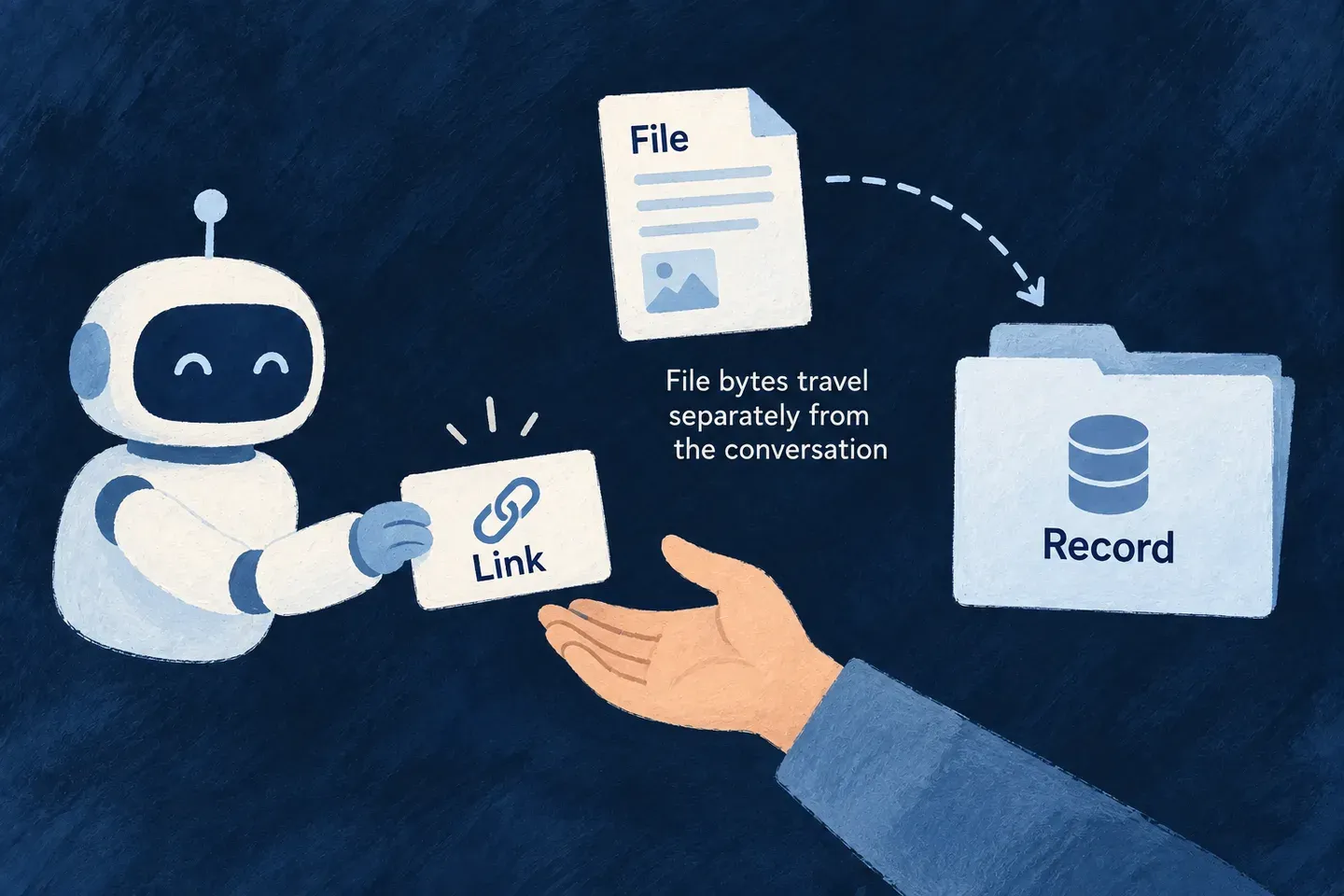
In Wildo, we separate the two. MCP carries the request. A consumable token authorizes the upload. HTTP carries the bytes.
Base64 does not solve the problem
Encoding a binary file as base64 makes it representable as text. It does not make it smaller: three bytes become four encoded characters, before any surrounding JSON. The number of model tokens depends on the tokenizer, but the basic problem stays the same. You are using a conversation to transport a file.
That consumes context when the payload enters the model, adds processing, and creates opportunities for truncation or corruption. Copying a document should not require the model to reproduce its contents correctly.
This is not a claim that every MCP exchange passes through an LLM. A host can handle data outside the model. The mistake is designing the upload around file contents that the model must read or emit as tool arguments.
The problem is discussed in the official MCP repository. Discussion #1197, “Suggested way to pass files from the client”, includes examples of large files overwhelming context and approaches based on file references. Issue #1306, “Binary Mode Elicitation for File Uploads”, explored a client-driven file picker and identified base64-in-text workarounds as inefficient and size-limited.
A file ID is not an upload mechanism
We ran into a concrete version of this in Wildo: a resource operation could ask for a fileId, but the agent had no corresponding way to obtain one.
The schema was clear. The task was still impossible to complete through that surface.
Adding an upload instruction meant answering the whole question: who may send this file, where may it go, how does it get there, and how does the agent learn the result?
Our answer is an upload grant backed by a consumable token.
Give permission for one upload
For an eligible user-uploadable field on an exposed create or update operation, Wildo adds an MCP tool that requests an upload grant. The parent tool’s description tells the agent how to obtain the field’s file identifier.
The grant is permission for one upload into one resource field. For an update, it is also bound to the target record. It expires and is consumed by the upload. It does not authorize the final record creation or update.
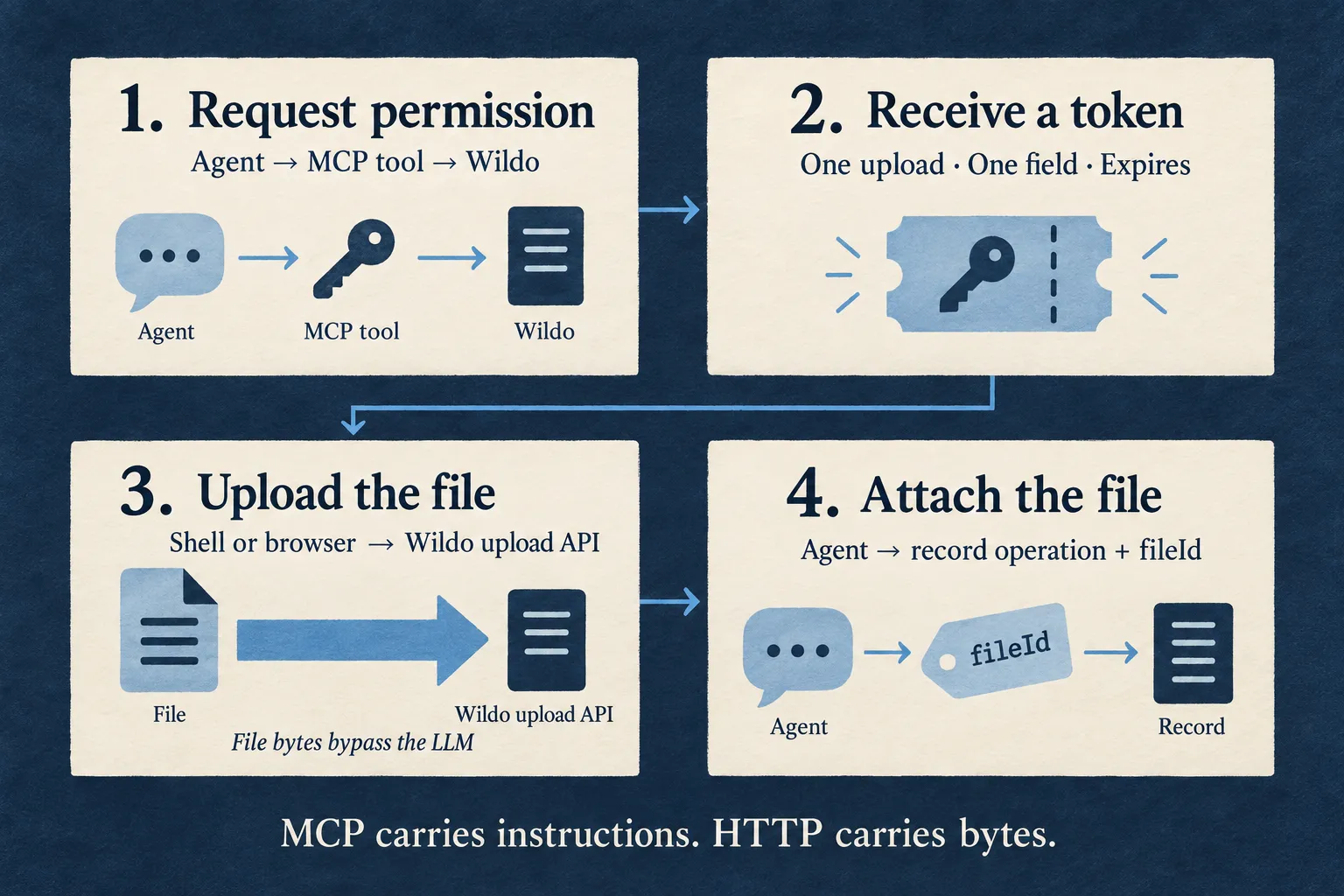
- Request permission. The agent calls the derived grant tool. Wildo checks the parent operation’s authorization before issuing the grant.
- Transfer the file. The returned upload command sends the file through the application’s existing upload API, using the consumable token. The bytes bypass the model.
- Read the result. The upload response returns the produced file identifier. When a person uploads through the browser page, the agent can obtain it through the grant’s status address.
- Attach the reference. The agent passes
fileIdto the ordinary create or update tool, using its own authorization for that operation.
The upload and the record write are separate. A successful transfer gives you a file reference; the business operation still has to succeed.
A shell when available, a browser when needed
If the agent’s host can access the file and run a command, it uses the returned upload command. The shell reads the file and sends it to the API. There is no reason to paste the file into the conversation first.
If the host cannot do that, an application with a frontend also supplies an upload-page address. The person opens it and selects the file. The agent then continues with the resulting reference.
Both paths use the same grant and upload mechanism. The browser page provides a way to finish the task when the host cannot transfer the file itself.
The token does not bypass the application’s rules
Sending the file separately is only half the design. The other half is keeping the upload inside the application’s authority.
| The grant controls | What that means |
|---|---|
| Destination | A specific resource, field and operation, plus the record for an update |
| Lifetime | Fifteen minutes by default, with a sixty-minute ceiling |
| Use | One upload; the token is claimed atomically to prevent reuse |
| Upload processing | The existing upload route applies its constraints and configured checks |
| Record changes | The grant cannot replace authorization for the final create or update |
The token remains a credential. Limiting its scope and lifetime matters because it leaves the application and reaches the agent or the person performing the upload.
We deliberately use the application API rather than hand out a direct object-storage upload URL. That keeps this transfer in the same file-handling path as the rest of the product.
Where the protocol is heading
The official SEP-2631 proposal, “File Objects and Transfer”, describes upload and download authorization that returns HTTPS transfer instructions, keeping transferred bytes outside JSON-RPC payloads. As checked on September 20, 2026, that pull request is still a draft.
Wildo’s consumable-token tools are an application mechanism, not an implementation of that proposed protocol extension. The shared idea is to separate the file transfer from the instruction to use the file.
That is the point: let the agent decide what to do with the document. Let the upload path move it. Put the reference in the conversation, not the bytes.